Transfer products via link: website, TikTok, Instagram, Facebook, Telegram
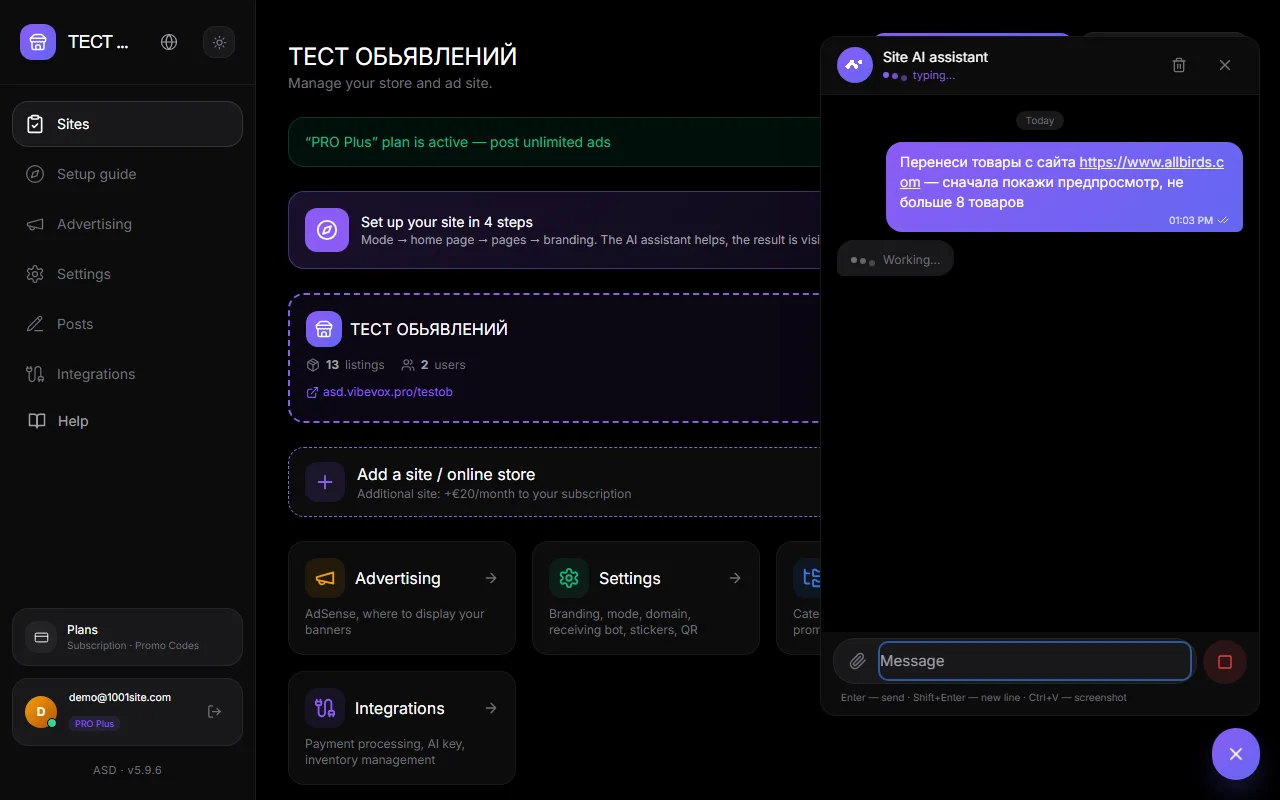
If the products are already available elsewhere, there's no need to enter them manually. Give the AI assistant a link, and it will find the products itself, show you what it found, and upload them to the website along with photos and categories.
For whom#
- Moving from an old website, Shopify, WooCommerce, Tilda, InSales, OpenCart, PrestaShop or Bitrix.
- Sell through TikTok, Instagram, Facebook, or a Telegram channel and want a similar catalog on your website.
- We received a price list from the supplier in the form of a YML or RSS Google Merchant feed.
What you will need#
- Public link. Passwords and logins are not required; private accounts are not readable.
- AI plan and Gemini key in "Settings" → "AI and MCP." Without the key, the AI won't parse posts and categories.
- For a website, the link itself is sufficient. For social media, it's better to provide a link to a specific post, video, or @profile.
What comes from where?#
| Source | What to insert | What will happen? |
|---|---|---|
| Any website | store address or product page | Name, description, price, currency, photo, availability, variations |
| Feed | link to YML, RSS or Atom | All products in the feed with supplier categories |
| TikTok | video link or @profile | Video caption and cover photo, price from the caption; in deep mode, AI watches the video and extracts speech, on-screen text, and prices |
| link to post or Reels | text, photo, price from the caption | |
| link to a post, video, or Reels | text, photo, price from the caption | |
| Telegram | link to a public channel | Recent posts are being converted into products with photos. |
Instagram profiles and Facebook pages cannot be viewed entirely without logging in. Please provide links to individual posts.
How to transfer items from chat#
Step 1. Open the AI assistant#
In your account, click the assistant button in the lower right corner. Suggestions such as "Transfer from a website via a link," "Products from TikTok," "Products from Instagram or Facebook," and "Products from a Telegram channel" are already present in the line above the input field.
Step 2. Insert link#
Type something like: "Move products from https://my-old-site.com." The assistant will read the link. This takes up to a minute.
Step 3. Check the preview#
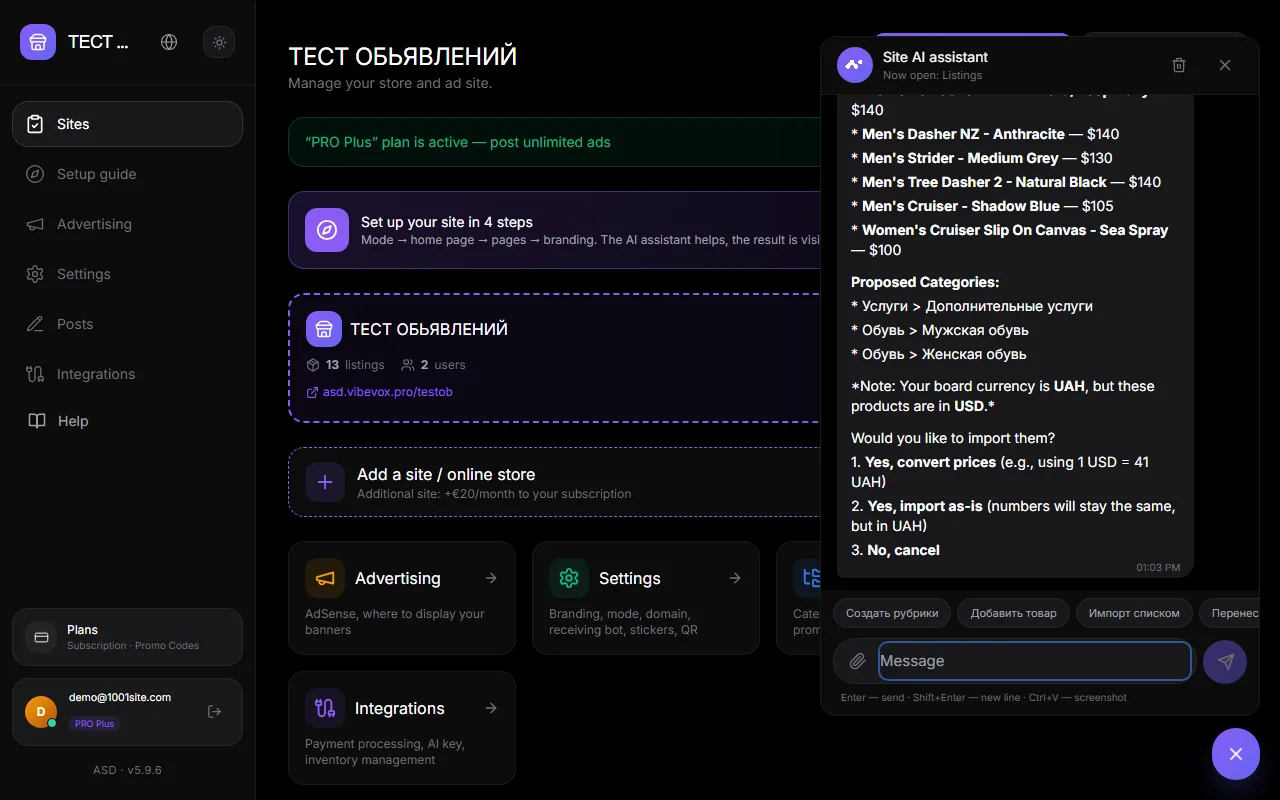
The assistant will show how many products it found, several product names with prices, and the categories it will create. If there are more than ten products, or some don't have prices, it will ask what to upload. You can respond with: "Upload everything," "Just the first five," or "No candles."
Step 4. Confirm download#
After you click "yes," the assistant will create the missing categories and subcategories with emojis, download the photos to your storage, and publish the products. The response will contain links to the cards.
Step 5. Bring the catalog#
The assistant will then offer the following: generate category icons, write SEO descriptions, translate products into the site's languages, or transfer other items.
Transfer during website creation#
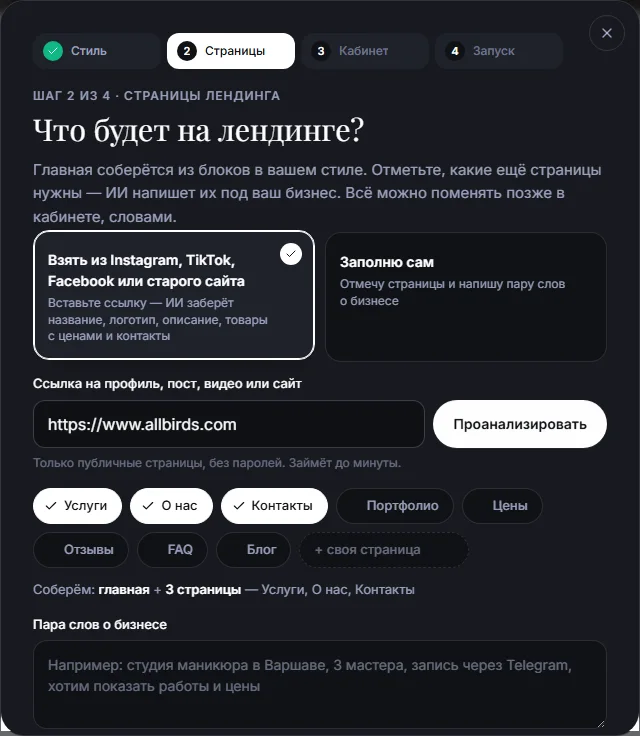
In the second step of the "Create a website in this style" pop-up, there's a box labeled "Take from Instagram, TikTok, Facebook, or an old website." Paste the link and click "Analyze." The AI will extract the name, logo, favicon, business description, contact information, and social media profiles, as well as up to twelve products.
What happens next:
- The site name and slogan will be inserted immediately, and the logo and favicon will be placed in the header.
- A business description will be included in the brief. AI will write the homepage and page texts for your business according to the rules of sales landing pages: customer value on the first screen, specific benefits, steps, responses to objections, and an action button.
- Products will be uploaded to the catalog after payment, along with the website assembly.
Contents from the office guide#
The same method is available in your account as in the order window on 1001site.com: "Guide" → Step 3 "Content" → "Take from Instagram, TikTok, Facebook, or your old website." Paste the link and click "Insert." The AI will display the title, logo, description, contact information, and product listings with prices, and suggest pages. Select what you want to add to your website and click "Apply."
- name, slogan and text “About us”, logo and favicon, contact button - all at once;
- Products in a catalog with categories and photos, homepage block text tailored to your business, and missing pages are added in the background, from one to three minutes; the progress is visible on the same screen.
If you specified a link when ordering the website, this step will remind you of this and show whether the products have loaded (they load automatically after payment). Re-inserting the same link will not create duplicates: products are updated using the external code.
Re-import#
Each product's external source number is stored. If you run the transfer again using the same link, prices and stock will be updated, and duplicates will not appear.
From Claude, ChatGPT, or via API#
The same operations are available through MCP as analyze_link, apply_link_import, and get_link_import tools, and via the owner HTTP API: POST /api/owner/import/link, then POST /api/owner/import/link/{id}/apply.
Questions and answers#
Why did the assistant find few or no products?#
A website without product markup, a private profile, or bot protection. Provide a link to a specific product card, a feed, or a text list of products.
How many items can be carried at a time?#
By default, up to thirty, with a maximum of one hundred per request. Large catalogs should be transferred in parts or via a feed.
Do the photos remain links to someone else's website?#
No. Photos are downloaded to your storage, up to three per item.
Is it possible to transfer an entire Instagram profile?#
No, you can't do it without logging in. Provide links to individual posts or Reels, and each one will become a product.
What is deep mode on TikTok?#
The assistant downloads up to four videos, and AI reads the speech, on-screen text, and prices. Ask: "Understand the video completely."