The short answer: you don't need expensive subscriptions to check your website for free. PromoPilot's catalog contains 87 free online tools across six categories: SEO analysis, link and indexing, text processing, AI analysis, network diagnostics, and utilities. Below is the full list with our analysis of each tool, the site audit process, and a comparison with Search Console, Ahrefs, and Semrush.
I'm Valery Danyuk, and I've been building websites, online stores, and SEO for small businesses for 12 years. I use these tools myself—before every project and when reviewing other people's websites—so I'm reviewing them not from a description, but from my own experience.
What free SEO tools does a website owner need?
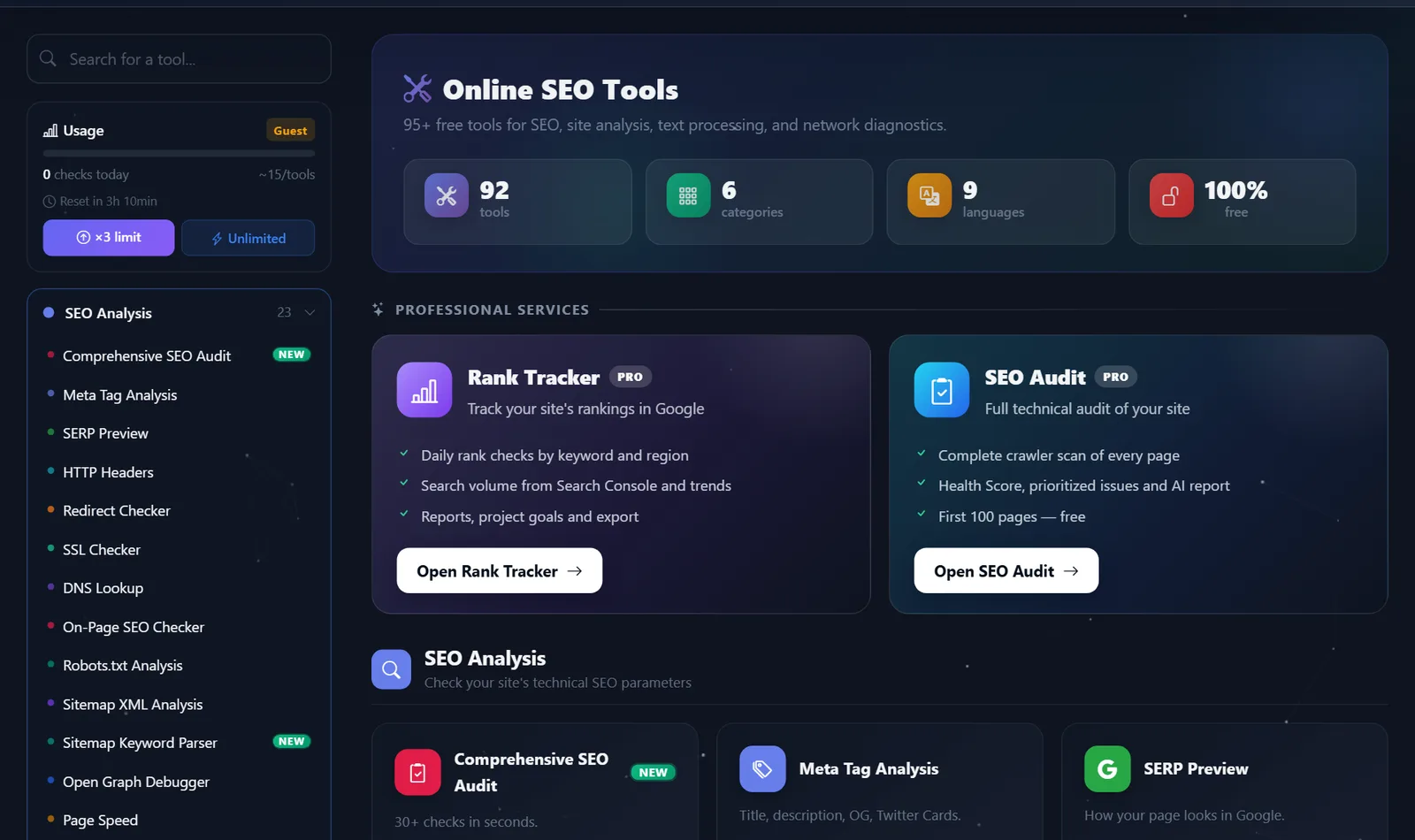
All tools open in the browser; nothing needs to be installed. Guests have a daily limit on checks, which triples after free registration. There's also a paid Pro plan for agencies. Most website owners only need three categories: SEO analysis, links and indexing, and speed. The others will come in handy when the site is moving, when emails from an application form aren't being delivered, or when you're writing texts using AI.
Where to start checking a website?
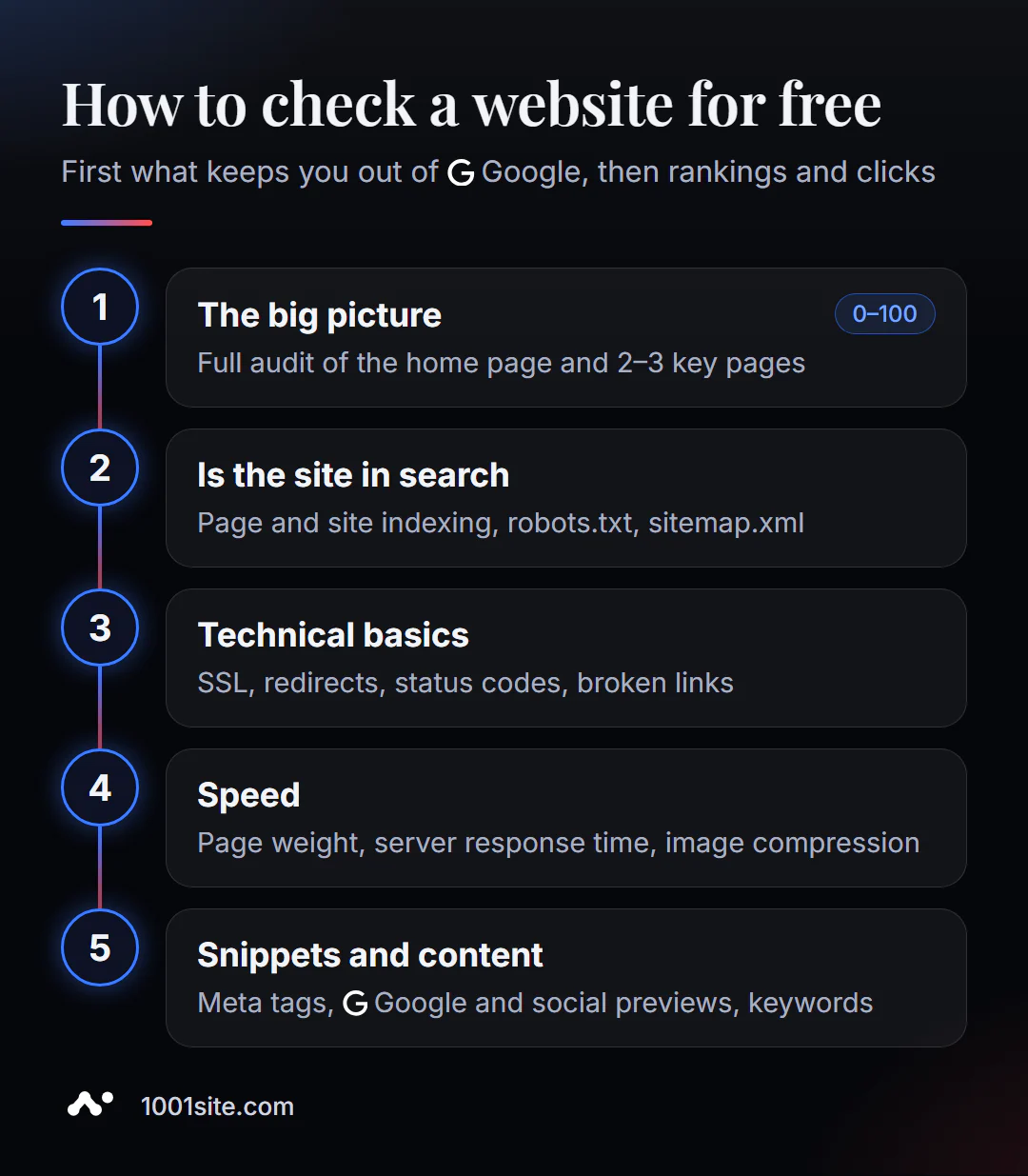
- The big picture. A comprehensive SEO audit of the homepage and 2-3 key pages—a 0-100 score and a list of errors.
- Is your site indexed? Checking page indexation, site indexation, robots.txt, and sitemap.xml.
- Technical background. SSL certificate, redirects, server response codes, broken links.
- Speed. Page speed analysis, response time, image compression.
- Snippets and content. Meta tags, SERP previews, Open Graph, keyword selection.
This order first catches what prevents you from getting into Google, and only then what improves your rankings and click-through rate.
What tools are in the catalog?
A complete list by category. The link in the first column opens the tool, and the last column contains our detailed analysis: what it checks, how to use it, and what to do with the results. New analyses are published daily.
SEO analysis - 23 tools
Technical and on-page checks of a single page or domain: meta tags, speed, robots.txt, sitemap, markup, keywords.
| Tool | What does it do? | Our analysis |
|---|---|---|
| Comprehensive SEO audit | A free online SEO audit checks your page across 30+ parameters in just one minute. | Analysis |
| Meta tag analysis | A free meta tag checker shows what a page tells search engines and social networks: title, description, canonical, hreflang, and Open Graph | Analysis |
| SERP preview | SERP preview shows a page snippet as a person would see it in Google, both on a computer and on a phone. | Analysis |
| Checking HTTP Headers | A free HTTP header checker shows what the server is doing to the browser and search engine crawler: security, cache, compression, CORS. | Analysis |
| Checking redirects | A free redirect checker shows the entire chain of transitions from the old address to the final page. | Analysis |
| SSL Certificate Verification | Free SSL certificate check shows the issuer, expiration date, chain of trust, and TLS versions. | Analysis |
| DNS Lookup | Free DNS Lookup shows all domain records: where the site is pointing, who accepts mail, which services are confirmed. | Analysis |
| On-Page SEO Checker | Free On-Page Check shows how optimized the page is for a specific query: keyword in title, description and H1, structure of the | Analysis |
| Robots.txt analysis | Free robots.txt analysis parses the file by directives and finds rules that block important sections from search engine robots. | Analysis |
| XML Sitemap Analysis | Free sitemap.xml analysis finds sitemap, calculates URLs, checks lastmod dates, XML validity and nested sitemaps. | Analysis |
| Sitemap Keyword Parser | A free parser extracts words and two-word phrases from URLs in sitemap.xml and shows what topics the site already covers. | Analysis |
| Open Graph Debugger | Open Graph Debugger shows you how your page link will look on Facebook, X, and LinkedIn, and what tags are missing. | Analysis |
| Page speed analysis | Page speed analysis measures TTFB, DNS and SSL times, full load, weight, and number of requests. | Analysis |
| Meta tag generator | The meta tag generator creates a ready-to-insert head block: title, description, canonical, robots, Open Graph, and Twitter Card with a live preview. | Analysis |
| Hreflang Validator | The hreflang validator finds errors in the markup of a multilingual website: incorrect codes, missing x-default, broken alternatives and versions, which | Analysis |
| Schema markup generator | The Schema markup generator generates valid JSON-LD for articles, products, FAQs, organizations, local businesses, and breadcrumbs. | Analysis |
| Checking SEO images | SEO Image Checker analyzes all images on a page—alt, lazy loading, dimensions, modern formats, and srcset—and gives a score. | Analysis |
| Robots.txt generator | The free robots.txt generator assembles the file in a visual designer: preset, Disallow and Allow paths, Sitemap, Crawl-delay, AI blocking | Analysis |
| Sitemap XML Generator | The free sitemap.xml generator crawls a website's internal links, collects up to 100 pages with lastmod dates, and produces ready-made XML. | Analysis |
| Favicon Check | The favicon checker finds all site icons—from HTML and standard paths—and displays their sizes. | Analysis |
| Keyword selection | Free keyword research using Google suggestions: how to collect hundreds of real queries, separate them by intent, and turn them into a structure | Analysis |
| Keyword Cannibalization Checker | Cannibalization is when multiple pages on a site compete for a single request. | Analysis |
| Website screenshot | An online screenshot shows the page as a new visitor sees it—on a computer or phone. | Analysis |
Links and Visibility - 8 Tools
Broken links, link profile, domain trust, Google indexing, competitors and incoming links.
| Tool | What does it do? | Our analysis |
|---|---|---|
| Checking broken links | How to find broken links on a website online for free: checking a page or up to 10 pages of a website, error codes, anchors, redirects - and what to do with them | Analysis |
| Link profile analysis | Free analysis of all links on a single page: how many are internal and external, which are nofollow, what anchors are used, and where the link juice is going. | Analysis |
| Domain trust check | Free website trust check: 15 technical signals, 0-100 score, and recommendations. | Analysis |
| Checking page indexing | Free one-page check: is the URL in Google and what is preventing indexing — meta robots, X-Robots-Tag, robots.txt, canonical, sitemap | Analysis |
| Checking website indexing | Free check of the indexation of the entire site: the number of pages in Google, the number of addresses in the sitemap and coverage in percentage. | Analysis |
| Comparison with competitors | Free comparison of two websites based on 20+ SEO metrics: how to launch, how to read the table, what to focus on first, and what data about the competition | Analysis |
| Search for incoming links | Free domain backlink search: how the tool finds backlinks, why there are fewer of them than in paid databases, how to read anchors and nofol | Analysis |
| Internal Link Opportunities Finder | This free tool finds keyword mentions on a page without a link to the target URL and shows the context. | Analysis |
Text and Content - 9 Tools
Rewrite, check and optimize the text: humanization, uniqueness, SEO optimization, keyword density.
| Tool | What does it do? | Our analysis |
|---|---|---|
| Humanization of the text | The humanizer rewrites the machine draft so that it sounds like human text. | Analysis |
| Paraphrasing the text | The paraphraser changes the syntax of the text according to rules, not a neural network: the order of parts, the voice, the length of sentences. | Analysis |
| Content spinner | Spinner creates up to 10 text variants by replacing synonyms and spintax templates. | Analysis |
| Uniqueness check | The tool evaluates the originality of a text based on its own repetitions and compares the two texts with each other. | Analysis |
| SEO article optimization | The optimizer takes your draft and returns a version tailored to your keyword with the title, meta description, and heading structure. | Analysis |
| AI Article Generator | The AI generator writes an SEO article based on a keyword: H2-H3 structure, lists, FAQ, title, and description. | Analysis |
| Sentiment analysis | The tool measures how formal or colloquial a text is, how subjective it is, and can rewrite it in the desired tone. | Analysis |
| Keyword density analysis | The analyzer shows which words and phrases dominate the text, as a percentage. | Analysis |
| Word counter and text statistics | The counter instantly counts words, characters, sentences and paragraphs, and evaluates reading time and readability. | Analysis |
AI Analysis – 8 Tools
Recognize AI-powered text, evaluate readability, and detect hidden watermarks in text, photos, videos, and audio.
| Tool | What does it do? | Our analysis |
|---|---|---|
| AI text detector | A free AI detector estimates how much of your text resembles machine-generated text and displays this information paragraph by paragraph. | Analysis |
| AI-Detector PRO | AI Detector PRO shows not only the overall percentage, but also which sentences and metrics make the text look machine-written. | Analysis |
| Text readability analysis | The free readability analysis calculates 6 classic indices and shows what level of preparation a reader needs. | Analysis |
| Text coherence analysis | Free coherence analysis evaluates how smoothly sentences and paragraphs flow and highlights weak transitions and topic changes. | Analysis |
| Watermark detector | Hidden symbols and substituted letters are infiltrating text from AI chats, PDFs, and other websites, and are silently breaking titles, search results, and keywords. | Analysis |
| Image watermark detector | Free image detector checks for Content Credentials (C2PA), XMP/EXIF origin data, AI generator traces, and steganography | Analysis |
| Video watermark detector | The free detector checks a video file for origin data and traces of AI generators in the container and shows the ffmpeg command for cleaning | Analysis |
| Audio watermark detector | The free detector checks audio files for origin data, AI generator signatures, and unusual high-frequency energy. | Analysis |
IP and Network - 25 Tools
DNS, IP, domain mail, hosting, server, security, and response speed – diagnostics for website owners.
| Tool | What does it do? | Our analysis |
|---|---|---|
| My IP address | An external IP is the address you use to access any website, including your admin panel. | Analysis |
| IP address of the website | The IP address of a website shows which server the domain currently resides on. | Analysis |
| IP Geolocation | IP geolocation shows which country and provider the visitor came from. | Analysis |
| Domain WHOIS | WHOIS shows which registrar the domain is registered with and until what date, where its DNS is maintained, and whether it can be transferred. | Analysis |
| Reverse DNS (PTR) | A PTR record associates a server's IP with a hostname. | Analysis |
| Checking ports | An open database port is a direct path to the customer base, a closed 443 port means the site is not working. | Analysis |
| Blacklist check | If the server's IP is on a spam list, emails from application forms and order notifications are rejected or hidden in spam. | Analysis |
| Subnet Calculator | The subnet calculator turns an entry like 192.168.10.0/26 into a meaningful address range. | Analysis |
| Definition of hosting | Where a website is physically located and who hosts it is a question that arises when moving, arguing with a contractor, or analyzing competitors. | Analysis |
| Domain age | Domain age is often referred to as a "trust factor," but it's more complicated than that. | Analysis |
| MX Lookup | MX records tell the world where to deliver your domain's mail. | Analysis |
| SPF check | SPF tells mail servers who is allowed to send emails on behalf of your domain. | Analysis |
| DMARC check | DMARC tells mail servers what to do with emails that spoof your domain. | Analysis |
| Site status | A free website availability check shows whether your website is currently working, what code the server is serving, and how quickly it responds. | Analysis |
| HTTP/2 check | A free HTTP/2 checker shows which protocol versions a website's server supports. | Analysis |
| Security Headers | A free security header check gives your website a grade from A to F and shows you which protections are missing. | Analysis |
| CMS detector | A free CMS detector shows in seconds which engine a website is running on, and for WordPress, which theme and plugins. | Analysis |
| Definition of technologies | A free technology definition shows what a website is built on: from the framework and web server to ad pixels and fonts. | Analysis |
| Server information | The free server report collects IP, hosting, web server, SSL certificate, DNS records, and response headers on one page. | Analysis |
| Response time | The free response time checker breaks down the server response into DNS, connection, TLS, and TTFB. | Analysis |
| Checking cookies | A free cookie checker shows what a website stores in a visitor's browser and how safe it is. | Analysis |
| Compression check | The free compression test shows whether GZIP, Deflate, or Brotli are enabled and how much they reduce the page size. | Analysis |
| ASN Lookup | ASN Lookup shows which network an IP address or domain belongs to: AS number, organization, prefixes and registrar. | Analysis |
| Reverse IP Lookup | A reverse IP lookup shows you which domains live on the same server as your website. | Analysis |
| HTTP Status Checker | HTTP Status Checker shows the page response code, headers, and the entire redirect chain. | Analysis |
Utilities - 14 tools
Encoders, generators, calculators, and image processing right in your browser.
| Tool | What does it do? | Our analysis |
|---|---|---|
| URL encoder | URL encoding and decoding in the browser: what is percentage encoding, when is it needed for UTM tags and Cyrillic addresses, and what | Analysis |
| Hash generator | How to get a hash of a string in five algorithms at once, how MD5 differs from SHA-256, where hashes are useful for a website owner, and why passwords are so stored | Analysis |
| Password generator | How to generate a strong password in a minute, what does entropy in bits mean, and how to protect your website admin panel, hosting, and domain registrar from hackers | Analysis |
| User Agent Parser | How to decipher the User-Agent string, why a website owner needs it, how to find it in search bot logs, and why UA can be faked. | Analysis |
| Base64 encoder | How to encode and decode Base64 in a browser, where it is used on websites, why it is not encryption and how to use it to check for suspicions | Analysis |
| JSON formatter | How to format and validate JSON online, what errors are most common, and why they cause rich snippets to disappear from Google. | Analysis |
| IP converter | How to convert IPv4 to integer, binary, hexadecimal and octal notation, where the website owner needs it and how to recognize masked | Analysis |
| CIDR calculator | How to expand a CIDR block into an IP range, what /8, /16, /24, and /32 mean, and how to safely use ranges in whitelists,.htaccess, and more. | Analysis |
| .htaccess generator | How to assemble an.htaccess file using flags, what rules are needed for SEO, speed and security, where to put it and how to avoid getting an endless | Analysis |
| Color converter | How to convert color between HEX, RGB, HSL and CMYK, what format is needed for a website, social media and printing, and how to create a palette from a corporate color | Analysis |
| QR Code Generator | How to make a QR code for a website, Wi-Fi, or business card, what size and color to choose for printing, and how to measure how many customers an offline advertisement brings in | Analysis |
| Image compression | How to compress a photo for a website in a browser, what quality and width to choose for a banner, product card and blog, and how this affects speed and | Analysis |
| Image converter | How to convert images to WebP and AVIF in a browser, what are the differences between the formats, which one to choose for photos, logos, and animations, and how to connect | Analysis |
| Remove EXIF and metadata | What is stored in EXIF, why can photos of products and objects reveal the address of a warehouse or house, and how to clear metadata in the browser before publishing? | Analysis |
How does the free directory differ from Search Console, Ahrefs, and Semrush?
| Service | What does it give you for free? | The main limitation | When to choose |
|---|---|---|---|
| PromoPilot, 87 tools | Technical, content and network checks of any website, without installation | Daily limit, one page or domain per check | Quickly check your website or a competitor's website |
| Google Search Console | Real Google Data: Impressions, Clicks, Indexation, Errors | Only for your verified site | It is mandatory to connect it in parallel with the catalog. |
| Ahrefs Webmaster Tools | Website audit and incoming links | Only for your verified sites | For website owners with domain access |
| Semrush (free account) | Audit and separate reports | Strict limits, registration required | For those who already work at Semrush |
| Screaming Frog | Full site crawler on your computer | Installation required, free for up to 500 addresses | For technical specialists |
Conclusion: The PromoPilot catalog covers one-time checks of any page—including someone else's—without access to the site. Search Console shows what Google itself sees, and there's no substitute for it. Paid packages are needed when you're constantly working with a large database of links and rankings.
When free tools are not enough?
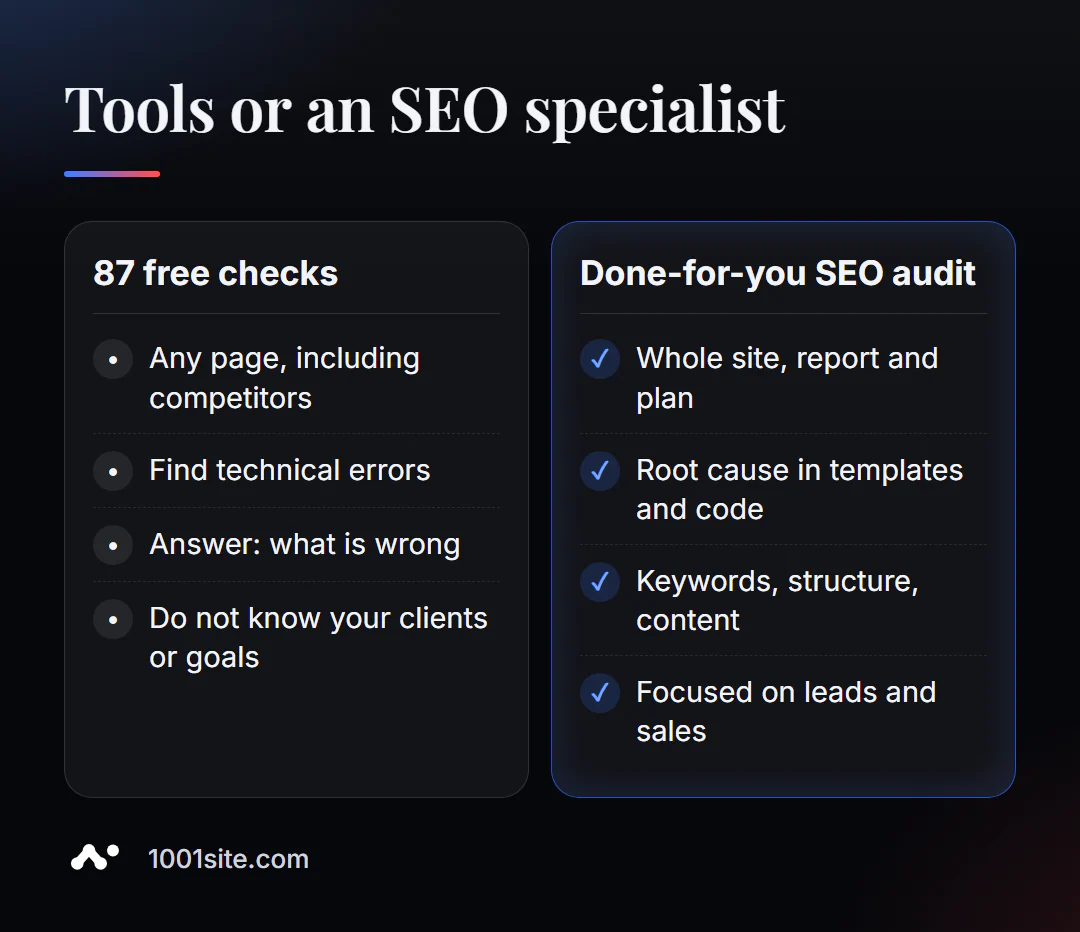
Tools answer the question "what's wrong," but not "what can I do to attract clients?" A specialist is needed if:
- the errors are repeated on all pages - this means they are in the template or the website engine;
- You are moving to a new website, domain or hosting and are afraid of losing your position;
- traffic has dropped, and the tools don’t show obvious reasons;
- growth is needed: semantics, section structure, content and interlinking.
What can I do for your website?
SEO and promotion
- Turnkey website SEO audit: I analyze reports from all necessary tools, identify root causes, and correct them in the code.
- An SEO blog that brings in clients from search engines is a case study of an AI-powered SEO blog; this section of the blog uses the same technology.
- GEO — AI-powered promotion: How a hotel got featured in ChatGPT, Gemini, and Perplexity.
Websites and online stores
- A WordPress website with an AI assistant for €299 and a WooCommerce online store with proper SEO from day one.
- Website on 1001site: sitemap, markup, preview for social networks, and server rendering – automatically, in 107 languages.
CRM, accounting and automation
- Own CRM with a customer database and decision makers, ERP + website + Telegram bot for auto dismantling in 6 days, an accounting system with an online store in a month.
All projects are in my portfolio. Send me a link to your website via Telegram – I'll tell you which tests to run first and what will yield the fastest results.
Result
- 87 free tools cover almost all technical site checks—no installation or subscription required.
- Start with audit and indexing, then technical base, speed, and snippets.
- Be sure to connect Search Console—it’s the only source of real Google data.
- Template errors, relocation, or a drop in traffic are all reasons to call a specialist, and an outdated website can sometimes be rebuilt more quickly at 1001site.
Browse our free SEO tools catalog, start with a comprehensive audit, and come back to the analysis in this blog section.
Sources
- Catalog and descriptions of PromoPilot tools (SEO tools wiki).
- Official Google Search Console and Ahrefs Webmaster Tools pages.
- Screaming Frog - free version limit is 500 URLs (official pricing page).