The short answer: to check HTTP headers online, paste the page address into PromoPilot's HTTP Header Checker and click "Check." The tool will display all server response headers, the security percentage rating, caching, compression, and CORS settings, as well as the redirect chain to the final URL. No registration required. Below you'll find information on which headers are important, how to read the results, and what to fix first.
I check the headers on every project before handing it in: this is how I catch half the "mysterious" problems—a site that doesn't cache, serves pages without compression, or forgot to secure HTTPS.
What does checking HTTP headers show?
When a browser or search engine robot requests a page, the server first responds with service lines—headers—and only then returns the HTML. These headers describe how the page should be cached, whether it's compressed, whether it can be embedded on another website, and where to redirect the visitor.
| Group | What does the tool look at? | Why does the site need this? |
|---|---|---|
| Safety | Content-Security-Policy, Strict-Transport-Security (HSTS), X-Frame-Options | Protecting visitors from embedded scripts and spoofing, securing HTTPS |
| Grade | Percentage of configured security headers | Quick reference: did it get better or worse after the edits? |
| Caching | Cache-Control, Expires, ETag, Last-Modified | Repeated visits load faster, the server is unloaded |
| Compression | Content-Encoding (gzip, br) | HTML, CSS, and JS are significantly lighter—faster on mobile |
| CORS | Access-Control-Allow-Origin and related | Who can access your API and fonts from other domains? |
| Redirects | Breadcrumb trail to final URL | Extra steps slow down loading and waste crawl budget. |
A security score isn't an "SEO score." It shows the percentage of important security headers that are in place. A typical result for a site that hasn't been configured is missing CSP and X-Frame-Options.
There are three situations when it's worth checking headers: after moving to a new hosting or CDN, after installing caching and security plugins, and before launching ads, when every second of loading time costs money. The tool works equally well for development, staging, and production versions of a website, as long as the address is accessible from the internet.
How to check a website's HTTP headers online?
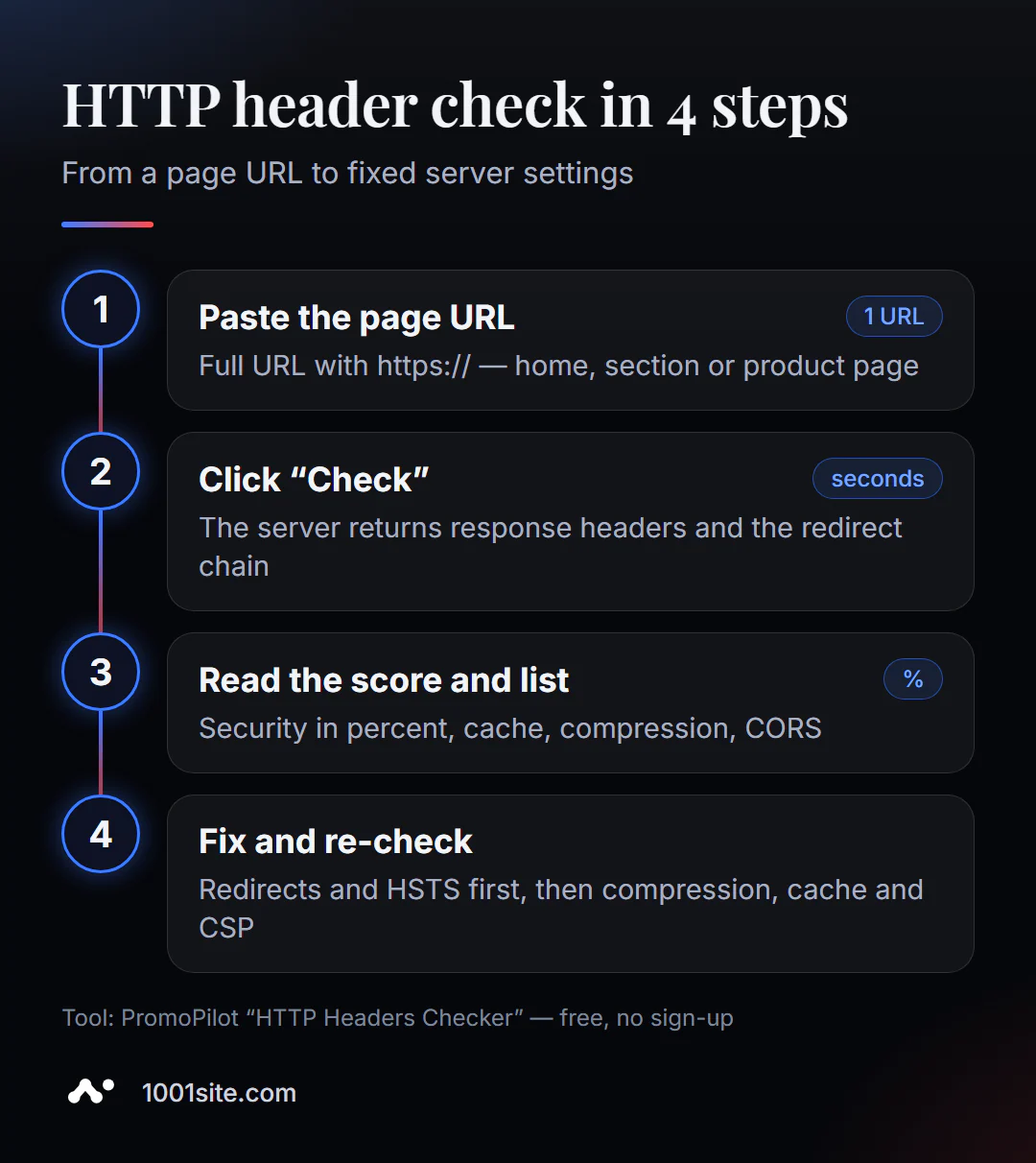
- Open the tool. HTTP header checking works in your browser—no installation required.
- Insert the full address with the protocol:
https://example.com/catalog/. One check - one URL. - Click "Check." The response arrives within a few seconds.
- View the security rating and list of missing headers.
- Go through cache, compression and CORS, then the redirect chain.
- Please correct the settings on your server, CDN, or plugin and check again.
The tool's page contains one address field, a verification button, and a brief description: what is analyzed, how to use it, and limitations.
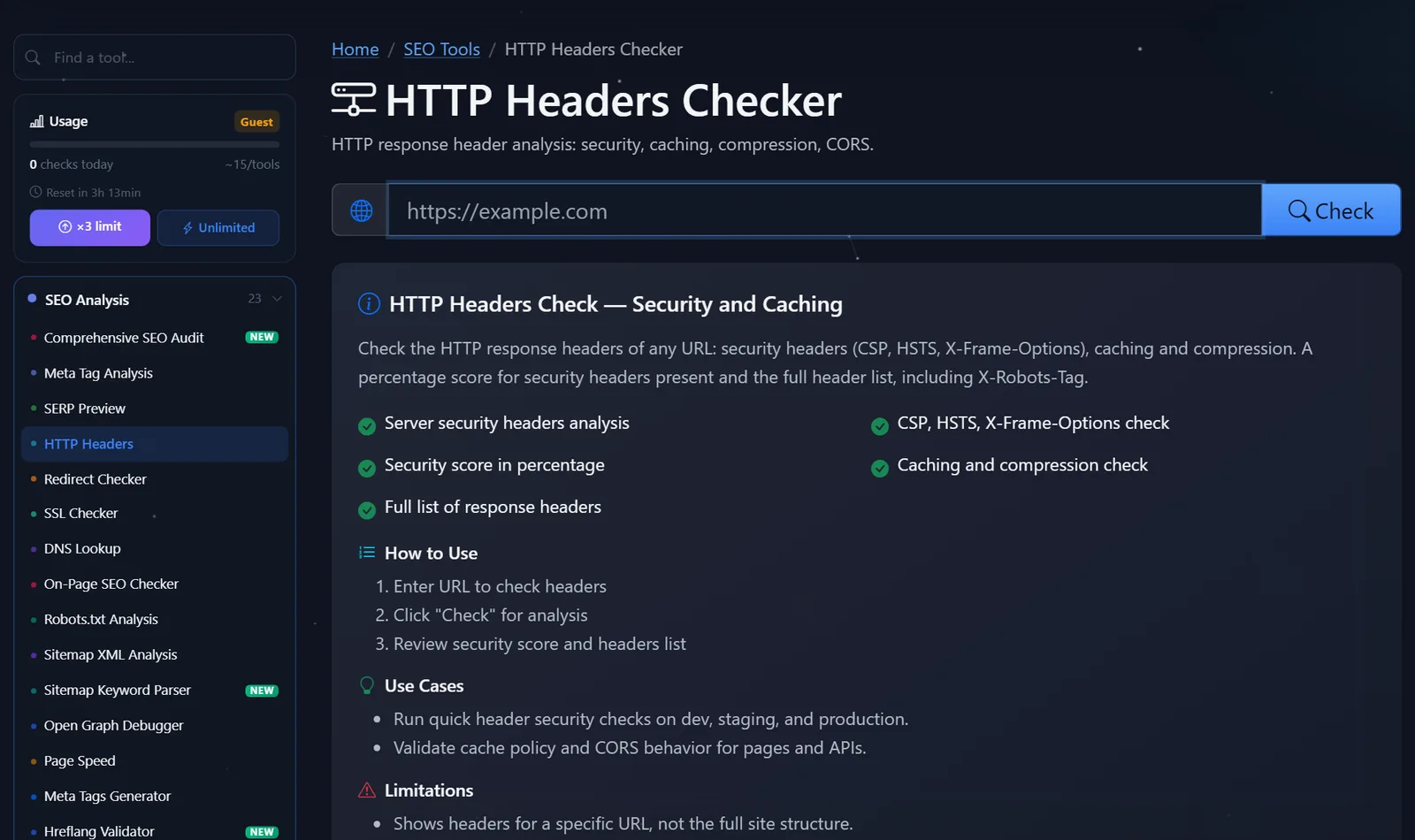
The sidebar displays the current check count. Guests can perform a few checks per day; after free registration, the limit is tripled, and the paid Pro plan offers unlimited checks.
How to read the server response and what to fix first?
Don't try to address everything at once. Work from what breaks accessibility and HTTPS to what improves security.
- Redirects. The
http → https → www → /index.phpchain is three unnecessary requests. Normally, one 301 redirect to the final URL is needed from any address variation. - HSTS. If your site only uses HTTPS, add
Strict-Transport-Security: max-age=31536000. Start with a smallmax-ageif you're not sure all subdomains are HTTPS-enabled. - Compression. If you don't have
Content-Encoding: brorgzipin your HTML, enable compression in your server or CDN settings. This one line of configuration can significantly improve speed. - Caching. For images, CSS, and JS with the version in the filename, set a long cache (
Cache-Control: public, max-age=31536000, immutable); for HTML, set a short cache orno-cache. - X-Frame-Options and CSP.
X-Frame-Options: SAMEORIGINprevents the page from being embedded in another frame. Configure CSP carefully: a strict policy can easily break analytics and widgets, so first enableContent-Security-Policy-Report-Onlymode. - CORS.
Access-Control-Allow-Origin: *for APIs with personal data is an error. Please specify specific domains.
A common pitfall is Cache-Control: no-store on the entire site after installing a security plugin. The site works, but every visit loads as if it were the first.
Here's what a well-tuned page's response looks like—a benchmark to compare your results to:
HTTP/2 200
content-type: text/html; charset=utf-8
content-encoding: br
cache-control: no-cache
strict-transport-security: max-age=31536000; includeSubDomains
x-frame-options: SAMEORIGIN
x-content-type-options: nosniff
content-security-policy: default-src 'self'; img-src 'self' data: https:
The response code is 200, the page is Brotli-compressed, HTML is not cached for long periods, HTTPS is locked for a year, and embedding in other frames and file type substitution are prohibited. If your response code is 301 or 302 instead of 200, you haven't checked the final URL—check the redirect chain and paste the final URL.
Comparison: PromoPilot and Alternatives for Headline Checking
There are several ways to view headlines, each suitable for its own situation.
| Tool | What's free? | Restrictions | Who is it suitable for? |
|---|---|---|---|
| PromoPilot — HTTP Header Checker | All headers, security rating, cache, compression, CORS, redirect chain | One URL per check, daily guest limit | Quickly check your or someone else's website without installation |
| securityheaders.com | Letter rating of security headers | Only security, no cache or compression | For those who are setting up protection |
| Chrome DevTools, Network tab | Headers of each page request | You need to know where to look; no judgment or hints | For developers when debugging |
| curl -I in the terminal | Raw response headers | Command line, no interpretation | For server administrators |
Conclusion: For a one-time check with a clear assessment and prompts, an online tool is more convenient, while DevTools and curl are good when you already know what you're looking for. Securityheaders.com complements the check if your goal is purely protection.
This is just one of PromoPilot's 87 free SEO tools: There's also an SSL certificate checker, redirects, and DNS records—these are covered in the articles in this section.
Header Checker Limitations: What the Tool Won't Show
The check looks at the headers of a single URL, not the entire site. Just because the main page is configured correctly doesn't mean the product page or file in the /uploads/ folder will respond the same way.
Some headers are added at the CDN or proxy level and may depend on the path and even the region from which the request originated. Therefore, the result may differ from what you see in your browser. If a rule in the CDN is configured only for /blog/*, other sections will not receive it.
And most importantly: headings are settings, not content. The tool doesn't check the title, text, or markup—there are separate page checks for that.
One more caveat regarding changes. After editing the server configuration, the result may not update immediately: the CDN keeps the old response cached. Clear the CDN cache or wait a few minutes, then run the check again.
When is a free tool not enough?
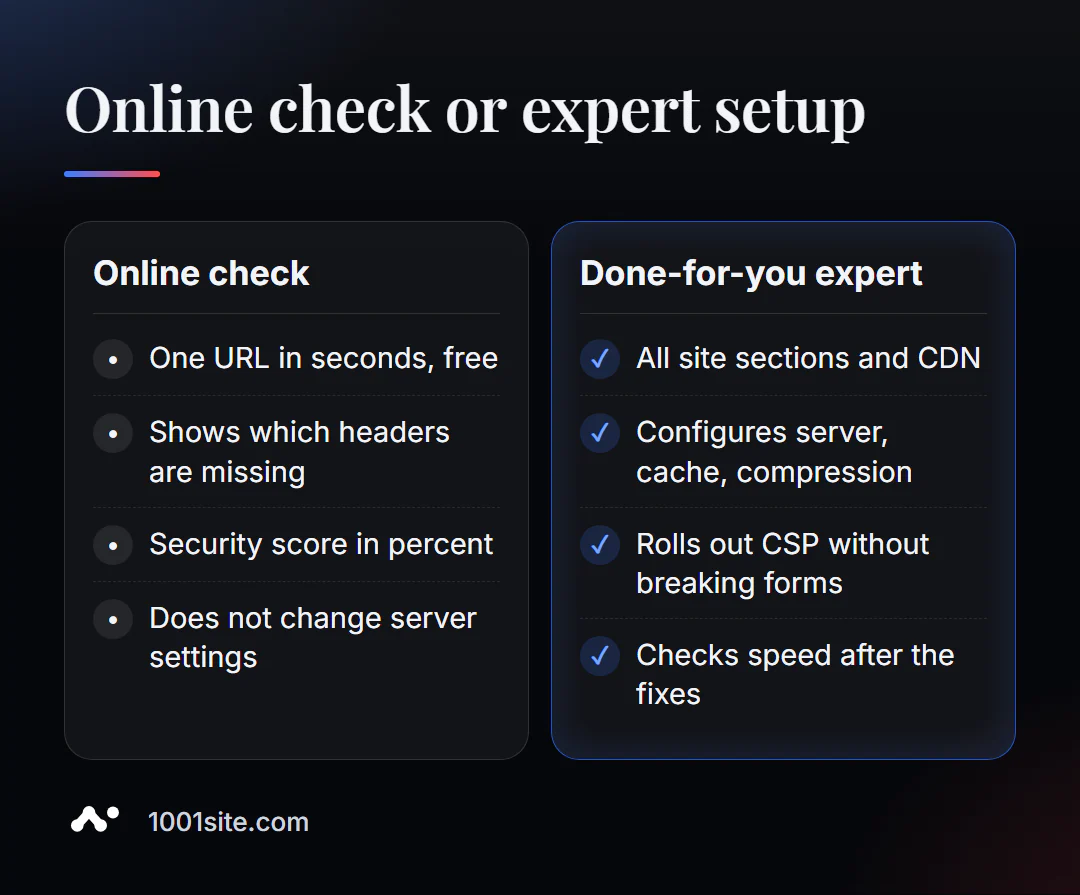
The tool will honestly tell you which headers are missing. However, adding them requires work with the server, CDN, or website engine. You'll need a specialist if:
- After enabling CSP, forms, payments, or analytics broke;
- different sections have different headings, and it’s not clear who sets them – the server, the plugin, or the CDN;
- the site is slow, although cache and compression are “on”;
- You don't have access to the server, and the hosting company responds with template emails.
What can I do for your website?
My name is Valeriy Danyuk, I'm a developer and SEO specialist: over the past 12 years, I've built websites and systems for over 200 clients. Headlines are the part of SEO that clients usually don't see, but I set them up first.
SEO and promotion
- Turnkey SEO audit: I check the server, headers, redirects, speed, and indexing, and then fix the causes, not the symptoms.
- Content that brings in customers from search: An AI-powered SEO blog that writes and publishes articles.
Websites and online stores
- A WordPress website with an AI assistant for €299 and 3 days —with configured cache, compression, and HTTPS from day one.
- A website on 1001site: SSL on your domain is issued and renewed automatically, server-side rendering and social media previews are configured automatically. If you like someone else's design, you can create a website using one of 1,000+ reference styles.
CRM, accounting and automation
- E-commerce agents instead of chatbots - when a store needs not just a website, but a sales assistant.
- A monthly accounting system for an online store for a company from the Czech Republic.
More projects are in my portfolio. Send me your website address on Telegram – I'll check the headlines and tell you what will give me immediate results.
Result
- Checking HTTP headers online shows in seconds how the server responds to the browser and search robot.
- Fix it in order: redirects → HSTS → compression → cache → X-Frame-Options and CSP → CORS.
- Check more than just the homepage: CDNs and plugins can assign different headers to different sections.
- If server settings are unavailable or conflicting, it's easier to delegate the task to a specialist or build the site on 1001site, where HTTPS and rendering are already configured.
Check your homepage right now: run a free HTTP header check, and if you have any questions, write to me on Telegram.
Sources
- PromoPilot HTTP Header Checker tool page - list of checks and limitations.
- securityheaders.com - Description of security header evaluation.
- Chrome DevTools documentation - Network panel and viewing headers.