
The short answer: to check a redirect online, paste the source URL into PromoPilot's Redirect Checker and click the check button. The tool will follow each redirect to the final page and display the redirect type (301, 302, 307, 308), the HTTP code at each step, the final URL, and any loops. It's free and requires no registration. Below is how to read the redirect chain and what to fix after moving your website.
Redirects are the first thing I check after any website transfer. Most often, a site "loses" rankings not because of its content, but because of a 302 instead of a 301, or a chain of four redirects that no one noticed.
What does the redirect check show?
A redirect is a server's response, "The page isn't here, go to another address." The browser follows silently, and the visitor doesn't notice. Search engines follow suit, but every extra step costs them time, and you speed and trust.
| What does the tool look at? | Example of meaning | Why is this for SEO? |
|---|---|---|
| Complete transition chain | http:// → https:// → https://www. | You can see all the steps, not just the beginning and the end. |
| Redirect type | 301, 302, 307, 308 | A permanent transition transfers signals from the old address to the new one, but a temporary transition does not. |
| HTTP code at every step | 301 → 302 → 200 | Error 404 or 500 at the end of the chain - a lost page |
| Final URL | https://example.com/new-page | Does it match the address in the canonical and sitemap? |
| Cyclic redirects | A → B → A | The page doesn't open at all: neither for humans nor for robots |
The normal result looks like this: one transition with the code 301 and the final page with the code 200.
How to check a redirect online?
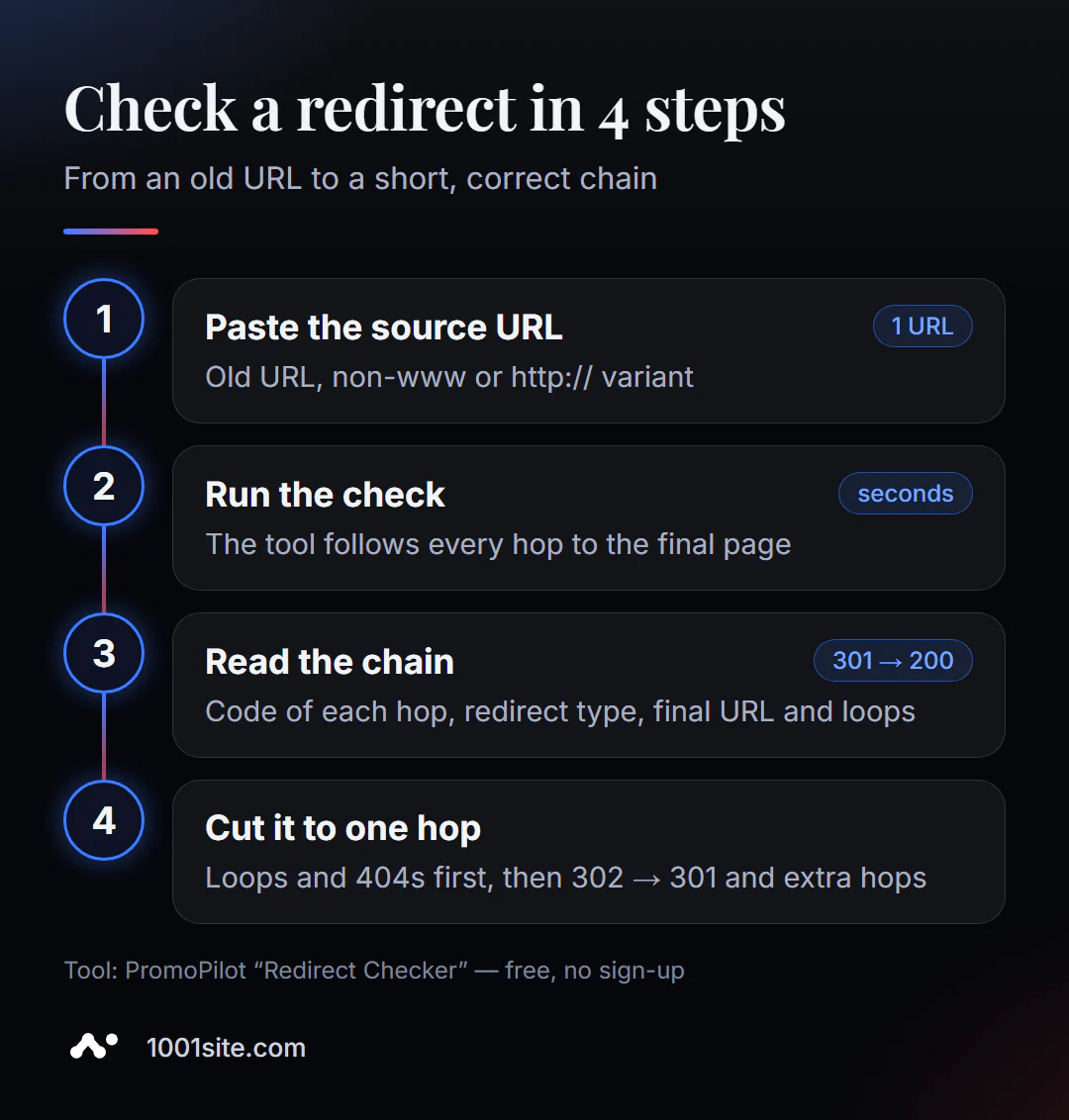
- Open the tool. The redirect checker works in the browser.
- Paste the original address - the old URL, the address without
www, the version withhttp://, or the link from the ad. - Click "Check." The tool will scan the chain in a couple of seconds.
- Study each step: response code, address and transition type.
- Compare the final URL with what the visitor and search engine should see.
- Please correct the rule on the server or in the CMS and check the address again.
The tool's page contains an address field, a "Check" button, and a description: what is checked, usage scenarios, and limitations.
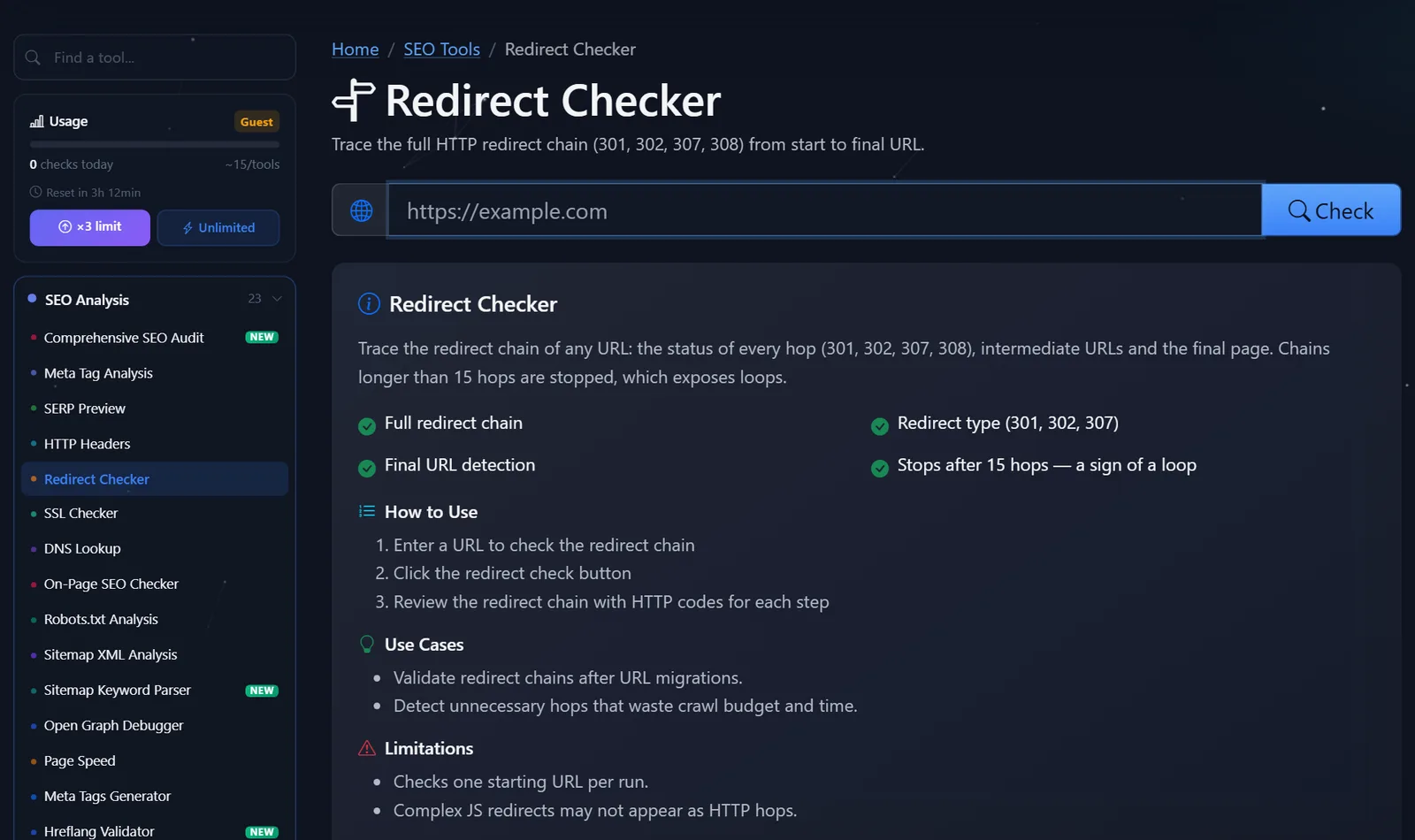
A practical tip: check not just one address, but four variations of the main page: http://example.com, http://www.example.com, https://example.com, and https://www.example.com. All four should lead to the same address in one step.
How to read the chain and what to fix first?
An example from the tool's wiki: http://example.com/old-page goes through 301 → 302 → 200 and ends at https://example.com/new-page. Two transitions, and the second one is temporary. This is bad for the move: the search engine may continue to consider the intermediate address as the primary one.
The order of corrections is as follows:
- Cycles. A → B → A — the page is completely unavailable. Fix immediately: usually, there's a conflict between a
.htaccessrule and the site's URL setting in the CMS. - There's an error at the end of the chain. If the last step is a 404 or 500, the redirect leads nowhere. Redirect to a live page with the same topic, not the main page.
- 302 instead of 301. A temporary redirect where the move is permanent is a common error with plugins and hosting panels. Replace it with 301 (or 308).
- Long chains.
http → https → www → /ru/ → /new/— four steps. Rewrite the rules so that any old address leads directly to the final one. - Mixed rules. Trailing slash, capitalization,
index.php—each such rule adds a step. Combine them into one.
A quick overview of codes: 301 and 308 are permanent, 302 and 307 are temporary; 307 and 308 also store the request method, which is important for forms and APIs. For SEO-friendly migrations, choose 301.
What "one rule instead of five" looks like on an Apache server - an example for .htaccess, which directly directs any address variant to https://www.
RewriteEngine On
RewriteCond %{HTTPS} off [OR]
RewriteCond %{HTTP_HOST} !^www\. [NC]
RewriteRule ^(.*)$ https://www.example.com/$1 [R=301,L]
Instead of two consecutive transitions (first to HTTPS, then to www), the visitor and robot receive one. On nginx, the same issue is resolved with a separate server block with return 301. After editing, run all four versions of the homepage and a couple of internal pages through the tool again.
Another common finding is redirects left over from old promotions and advertising campaigns. The promotion page has long since been deleted, and the banner link leads to a 404 error after three clicks. It's a good idea to run a redirect check on the URLs from ads and emails once a quarter.
Comparison: PromoPilot and other ways to check redirects
| Tool | What's free? | Restrictions | Who is it suitable for? |
|---|---|---|---|
| PromoPilot - Checking redirects | Full chain, code and type of each step, final URL, cycles | One source URL per launch | Quickly check your address after editing or moving |
| httpstatus.io | Response codes and chains for multiple addresses | Only codes and transitions | Check a small list of addresses |
| Screaming Frog SEO Spider | Site-wide redirect chain report | The program needs to be installed; the free version has a limit on addresses. | Technical audit after migration |
| Chrome DevTools (Network, Preserve log) | All browser transitions | Manually, without a summary | For developers when debugging |
Conclusion: For checking a specific URL, an online tool is the fastest, but for hundreds of URLs after a move, a crawler or a full audit is required. Manual verification in DevTools is useful when the redirect depends on cookies or the browser language.
Redirect Checker is one of PromoPilot's 87 free SEO tools. If your redirect chain includes a transition from HTTP to HTTPS, check the adjacent article in the SSL certificate verification section: an expired certificate breaks the chain at the very first step.
Limitations: What won't a redirect check reveal?
The tool checks one source URL per run. To check hundreds of old URLs after a move, use a full site audit or a URL crawler.
JavaScript and meta refresh redirects may not show up as HTTP redirects: to the server, they appear as a regular page with a 200 status code, but the browser initiates the redirect. If the tool shows a 200 where you expected a redirect, the redirect is most likely scripted. For search engines, a server-side 301 is more reliable.
Finally, some redirects depend on geolocation, browser language, or cookies. The robot and the tool arrive "clean," without cookies, and see the chain the search engine sees, not you. If the site opens differently in your browser than the check shows, open the address in incognito mode—this way you'll see it through the robot's eyes.
When is a free tool not enough?
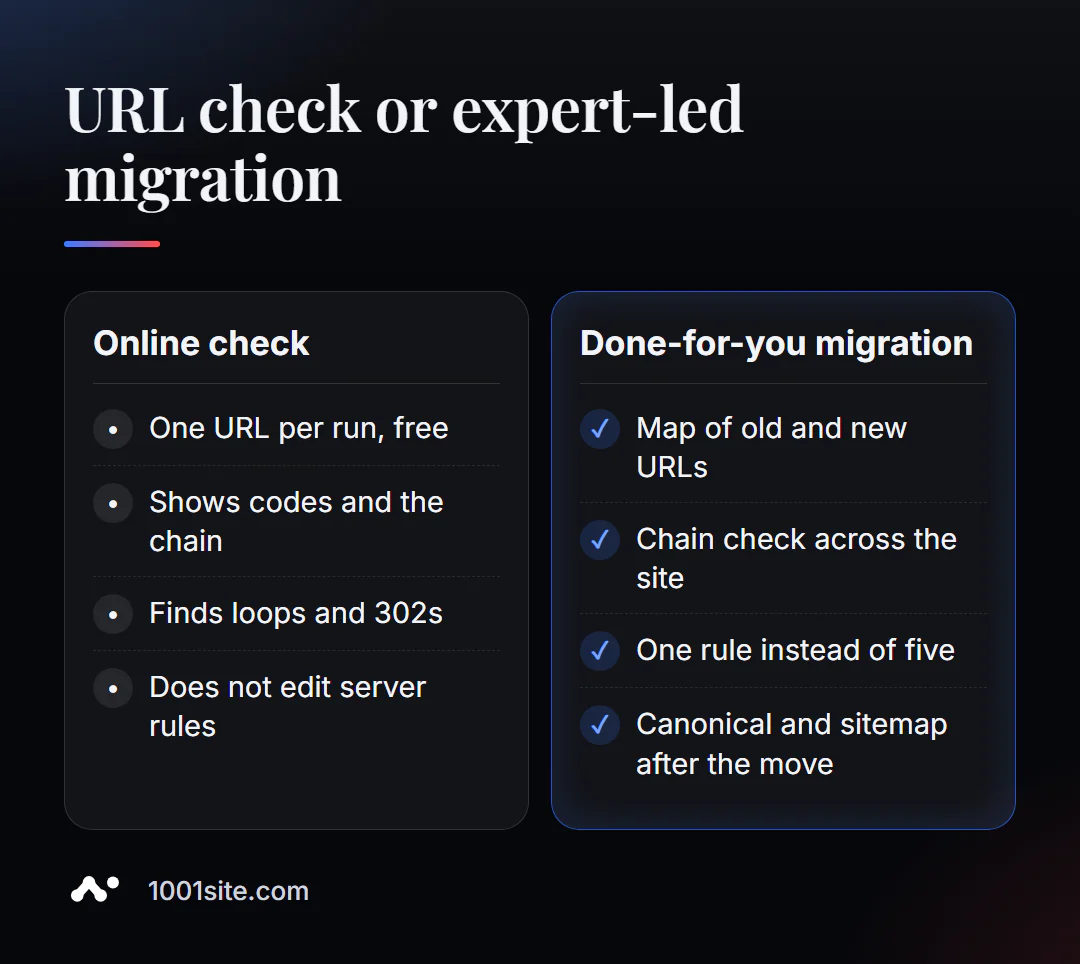
Checking one address takes only a minute. Planning a move so as not to lose traffic is a project in itself. You need a specialist if:
- you change the domain, engine or URL structure and the site has hundreds of pages;
- After the move, traffic dropped, but redirects “seem to work”;
- rules are scattered between the server, CDN and plugins, and chains reappear;
- You need to compare the old and new addresses by meaning, and not send everything to the main page.
What can I do for your website?
My name is Valeriy Danyuk, I'm a developer and SEO specialist with 12 years of experience and over 200 clients. Website migrations are a frequent task for me, and I handle them in a way that ensures old links remain functional.
SEO and promotion
- Turnkey SEO audit: redirect map, sitewide chain check, canonical and sitemap after the move.
- Visibility in AI responses: How a hotel got featured in ChatGPT, Gemini, and Perplexity in 5 weeks.
- Multilingual sites where language redirects are especially tricky: a travel portal in 33 languages with RTL.
Websites and online stores
- Transfer your Instagram store to your own website —products, photos, and text are linked.
- A new website to replace the old one at 1001site: HTTPS on your domain and server-side rendering—right out of the box. Find out how much this costs for different options in our breakdown of turnkey website prices in 2026.
CRM, accounting and automation
All projects are in the portfolio. Planning to move? Send me your old and new addresses on Telegram – I'll tell you where you're usually losing ground.
Result
- Checking a redirect online takes just a minute: the entire chain, the code for each step, and the final URL are visible.
- Fix in order: cycles → errors at the end of the chain → 302 instead of 301 → long chains.
- Check all four home addresses and key old addresses after each move.
- If the migration is large, plan it with a specialist—or rebuild the site on 1001site and set up redirects once and correctly.
Start with the main thing: check the redirect chain for free, and if the results are puzzling, write to me on Telegram.
Sources
- PromoPilot's Redirect Checker page — checks, example chain, and limitations.
- Google Search Central - Documentation on redirects and their impact on search.
- httpstatus.io and Screaming Frog SEO Spider – descriptions of features on the official websites.