The short answer: for free online keyword research, enter a seed phrase into PromoPilot Keyword Suggestion, select your language and region. The tool will search Google suggestions for 27 letters and 14 question prefixes and return hundreds of real queries, categorized into general terms, questions, and comparisons. The list is exported as a CSV file. It doesn't show search volumes, but it does include real-world phrases. Below, we'll explain how to work with the list, what to do next, and how the tool differs from Keyword Planner and Ahrefs.
I start every new client website with this step: twenty minutes with Google suggestions saves a week of arguing about which pages are even needed.
What does Google Keyword Suggestion do?
Suggestions are what Google automatically adds to the search bar as you type. They're based on real queries, so there's less junk. The tool does the boring part for you: it runs through dozens of possible beginnings and endings of phrases.
| What collects | How does this work | Why is this important for SEO and business? |
|---|---|---|
| Autocomplete suggestions | Real-time Google searches for your selected country and language | The wording that customers use to search for your product or service |
| Alphabetical expansion | 27 letters are added to the phrase: “flower delivery a…”, “…b…” | A long tail that you couldn't come up with yourself |
| Questions | 14 interrogative prefixes: how, what, why, how much | Topics for articles, FAQs, and Q&A sections |
| Comparisons | Queries of the form "X or Y", "X vs Y" | Ideas for reviews and selection pages |
| Export to CSV | The entire list in one table | Next, group it in a table or hand it over to a copywriter. |
Languages: English, Ukrainian, Russian, Polish, German, French, and Spanish. Regions: US, Ukraine, UK, Poland, Germany, France, Spain, India, Brazil, Canada, and Australia. For a site in the German market, select German + DE—the suggestions will be localized.
How to choose keywords online?
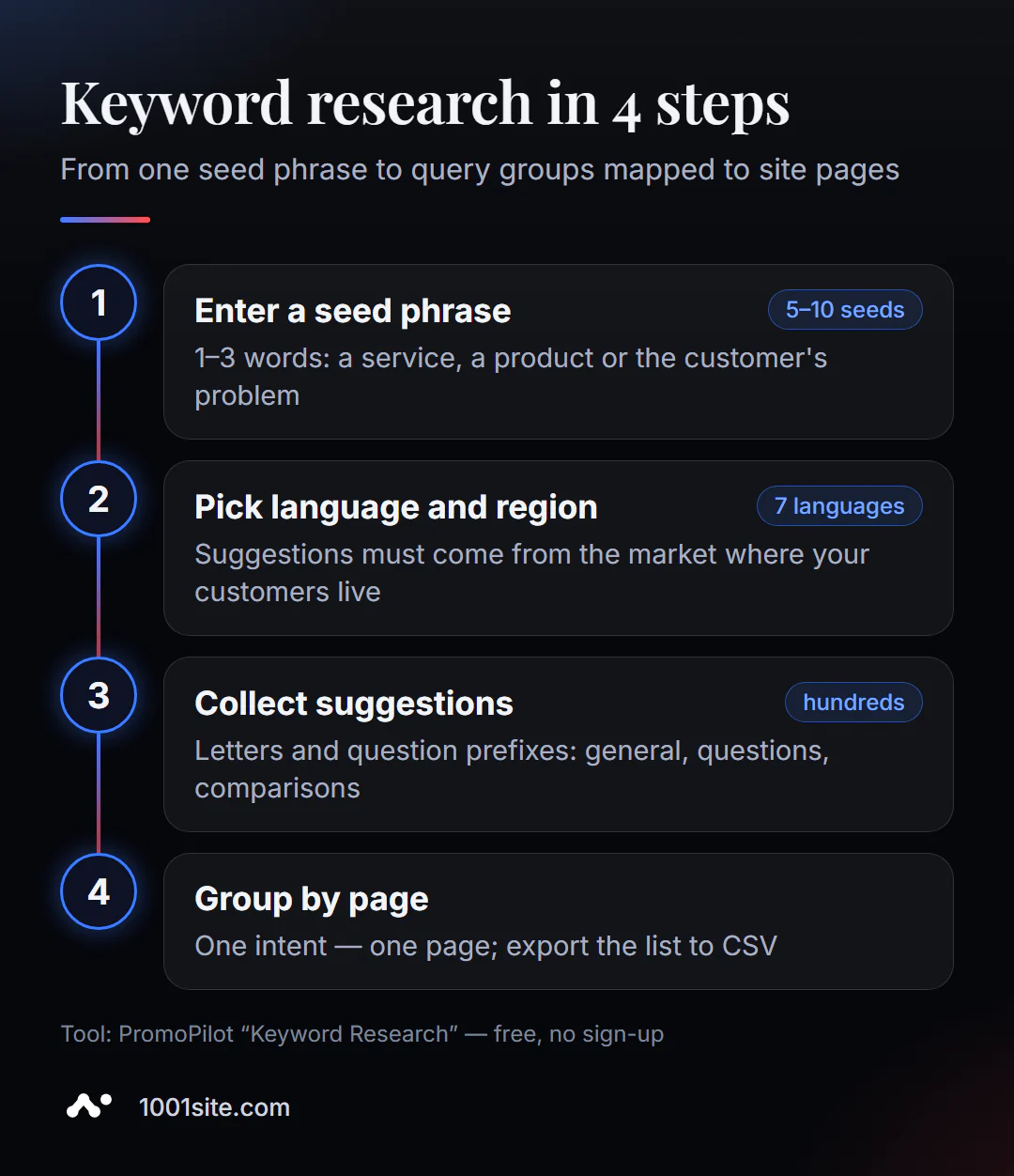
- Open Keyword Selection. It works in your browser, no registration required.
- Enter a basic phrase of 1-3 words: "coffee machine repair," "wedding dress," "CRM for warehouse." A phrase that's too long will provide few clues.
- Select your language and region based on the market where your customers live.
- Click "Find" and wait for the tool to try all the prefixes.
- Download the CSV and sort the list into a table: remove any unnecessary information and organize the rest into groups.
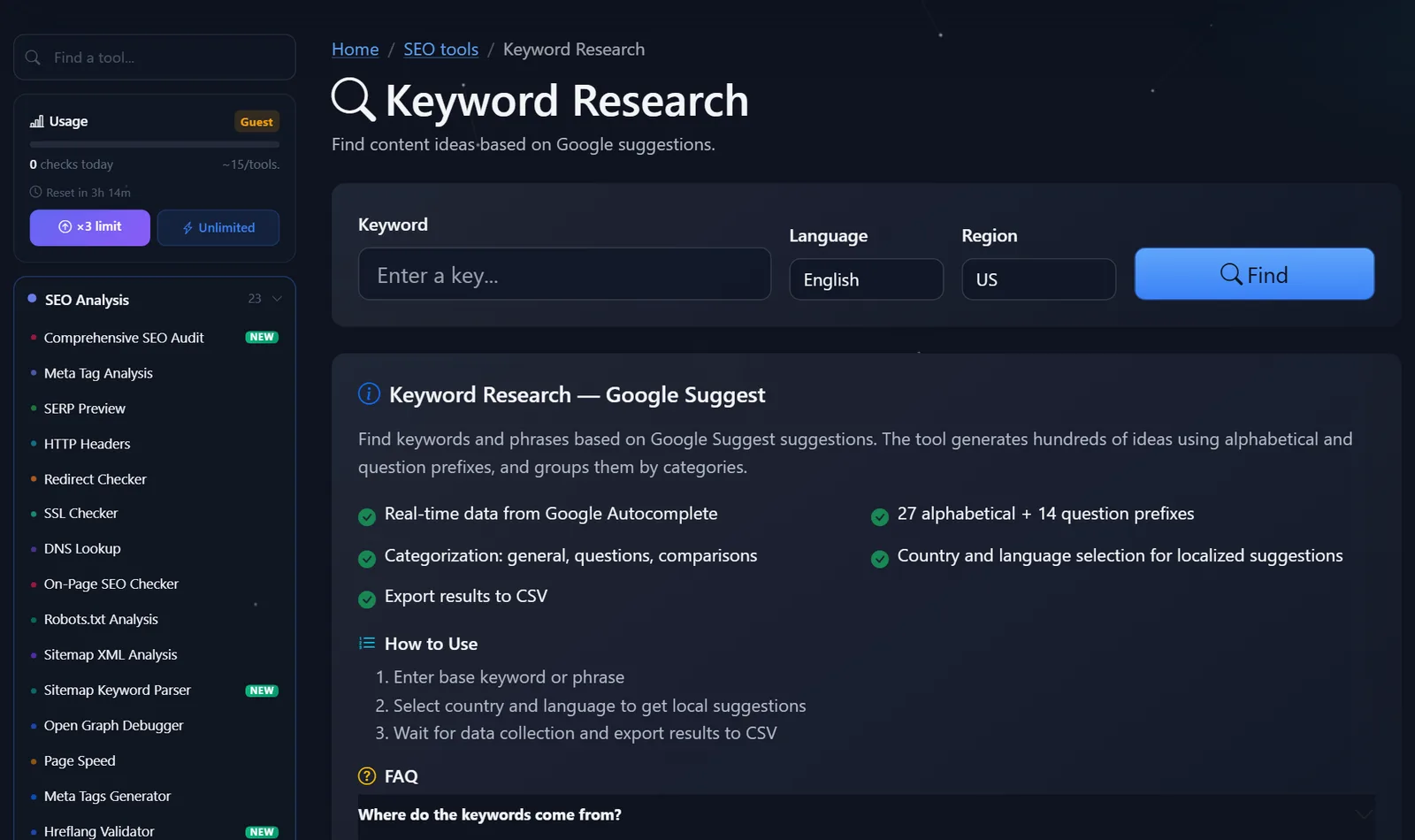
This is what the tool page looks like: a keyword field, language and region selection, a "Find" button, and below that a description of the features and short instructions.
A practical tip: use not just one phrase, but 5-10 "roots"—service names, synonyms, and the client's problem in your own words. One root, "coffee machine," and another, "coffee machine not working," produce lists that are almost entirely disjoint.
How to parse a list and turn it into a website structure?
A 300-line raw list is daunting. In reality, it takes half an hour to sort through it, step by step.
- Cleanup. Remove queries that aren't relevant to you: other cities, competitors' brands, "free download" if you sell a service.
- Intent. Label each line: buy/order (commerce), how/why (information), X or Y (choice). This is the intent.
- Groups. Combine strings that are answered by the same page: "Delonghi coffee machine repair" and "repair a Delonghi coffee machine" are one group.
- One group per page. Commercial groups are for services and categories, informational ones are for a blog, and comparisons are for reviews.
- Checking search results. For disputed groups, check Google: if the same pages are at the top, the queries can be combined.
An example of how this works in practice. The search results for the keyword "coffee machine repair" yielded about two hundred results. After cleaning, 120 remained, and they were divided into five groups: repairs by brand (a separate page for each popular brand), common problems ("no heat," "leaking," "not grinding"), repair cost, technician visits, and maintenance questions ("how to descale"). The first four groups became service pages, and the fifth became a series of blog articles with links to the services.
This way, a single list can be used to create both a website menu and a content plan for the next couple of months. It's important to save the file with the groups: six months later, it's easy to check which queries have already been addressed by the pages and which are still waiting to be addressed.
Common mistakes: creating a separate page for each suggestion (this will result in cannibalization—several pages sharing a single query), using only the shortest phrases (they have the most competition), and ignoring questions—these are often the ones that bring the first visitors to a young site and end up in the answers of AI assistants.
Comparison: PromoPilot Keyword Selection and Alternatives
Free keyword sources answer different questions: some provide ideas, others - volume, others - dynamics.
| Tool | What's free? | Restrictions | Who is it suitable for? |
|---|---|---|---|
| PromoPilot — Keyword Selection | Hundreds of Google suggestions, questions and comparisons, CSV | No frequency or complexity; daily limit on checks | Quickly collect ideas and the long tail without registration |
| Google Keyword Planner | Ideas and frequency assessment | A Google Ads account is required; volumes are rough without active advertising. | Assess demand before launch |
| Google Trends | Dynamics and seasonality of requests | Only relative popularity, no absolute numbers | Understand whether a topic is growing or fading |
| Ahrefs Keyword Generator | Keyword ideas with basic metrics | Free - only part of the list | Estimate the complexity of the most important queries |
Conclusion: Suggestions are the most convenient way to get started—they're free, live, and immediately grouped by intent. Check search volume selectively, only for queries you'll actually be targeting.
PromoPilot has 87 more free SEO tools, including keyword density analysis and cannibalization checking. I'll cover the latter in a separate article in this section: it's useful when a website has grown and pages start to interfere with each other.
What data is missing from free keyword research?
The tool provides insights, not numbers. It doesn't measure frequency, complexity (how difficult it is to get to the top), or cost per click. This isn't a drawback, but a different goal: the suggestions answer the question "how people formulate," not "how many of them."
The second feature is that the suggestions vary by country and language. If your market is Poland, but you've compiled the results for the US, the list will be pretty and useless. And third, new topics are delayed in appearing in the suggestions, so for brand new products, supplement the list with customer questions from email and messaging apps.
When is a free tool not enough?
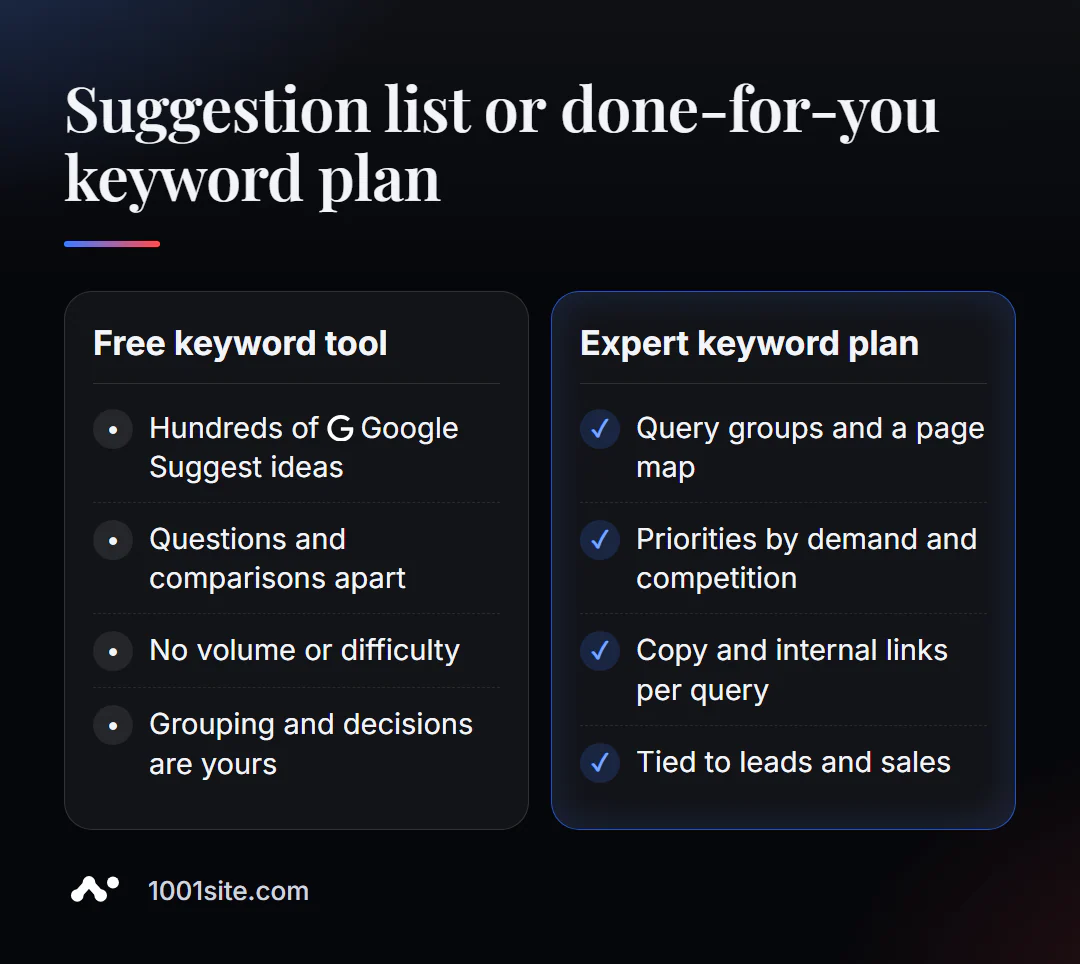
Hints provide the raw material. To turn this into a website that generates leads, decisions are needed: which pages to create, in what order, and how to connect them. A specialist is needed if:
- there are thousands of requests and you don’t understand how to group them;
- the site already exists, and new pages need to be integrated without breaking existing positions;
- there are several markets and semantics need to be collected in different languages;
- What is needed is not a list, but a plan: structure, texts and linking for queries.
What can I do for your website?
I'm Valeriy Danyuk, a developer and SEO specialist with 12 years of experience and over 200 clients. Keyword selection is the first step in any project, and from there, I develop it into working pages.
SEO and promotion
- Turnkey SEO audit: I check which queries the site already covers, and which ones it doesn't have pages for, and then I create a plan.
- Content tailored to collected semantics: an AI-powered SEO blog that attracts organic clients, and a human-free editorial team— an autoblog powered by AI agents.
- Semantics in multiple languages – an analysis in the article "How to create a multilingual website without a translator."
Websites and online stores
- A landing page for a new product launched in one evening —the block structure is tailored to customer needs.
- A WooCommerce online store with categories tailored to real demand and a 300-product catalog in just a few minutes.
- A website on 1001site in the chosen style: pages for query groups, sitemap, and markup — automatically.
CRM, accounting and automation
- An AI-powered Telegram bot for an online sauce store responds to customers using the same words they use to search for a product.
Send me a website link and a couple of keywords in Telegram – I’ll suggest which query groups to start with.
Result
- Google Suggestions is a free and honest source of keywords: they are phrases from real people.
- Collect 5-10 root phrases for the desired language and region, and export them to CSV.
- Group by intent: one group per page; check frequency selectively.
- If you have a lot of semantics or several markets, order a development, and a new website with a ready-made structure can be easily built at 1001site.
Start with one phrase: collect clues about your main service and see how many customer questions you have that remain unanswered on your website.
Sources
- PromoPilot Keyword Tool Page - Data Source, Prefixes, Languages, and Regions.
- Google Keyword Planner - official description of the tool.
- Google Trends is a search query dynamics service.
- Ahrefs Keyword Generator is a free keyword generator.