The short answer: to check robots.txt online, enter your domain in PromoPilot's robots.txt Analysis tool and click "Analyze." The tool will automatically download the file, analyze all directives (Allow, Disallow, Crawl-delay, Sitemap), display User-Agent blocks and the robots they target, find syntax errors and risky rules, check the availability of critical URLs, and provide recommendations. It's free and requires no registration.
The most expensive line I've ever encountered in someone else's robots.txt file was " Disallow: /," a leftover from development. The site was launched, advertising was paid for, but organic traffic remained at zero for three weeks because robots were blocked from visiting all pages.
What does robots.txt analysis check?
Robots.txt is a short text file in the root of a website, but it's easy to make a mistake: one extra slash changes the meaning of a rule. The tool reads the file the same way search robots do.
| What does the tool look at? | Example | Why is this for SEO? |
|---|---|---|
| All directives | Allow, Disallow, Crawl-delay, Sitemap | It is clear what exactly is allowed and prohibited. |
| User-agent blocks | User-agent: *, User-agent: Google bot | Rules for a specific robot override general ones |
| Sitemap links | Sitemap: https://example.com/sitemap.xml | The robot finds the sitemap faster |
| Syntax errors | Dissalow, a rule without a User-agent block | An invalid line is simply ignored. |
| Risky Rules | Disallow: /, private /catalog/, CSS and JS | Important pages are missing from scanning |
| Availability of critical URLs | Home, main sections | Confirming that key pages are open |
An example of a result from the tool description: "2 potentially risky Disallow rules and 1 missing Sitemap directive found." These are the types of findings that deserve special attention.
How to check robots.txt online?
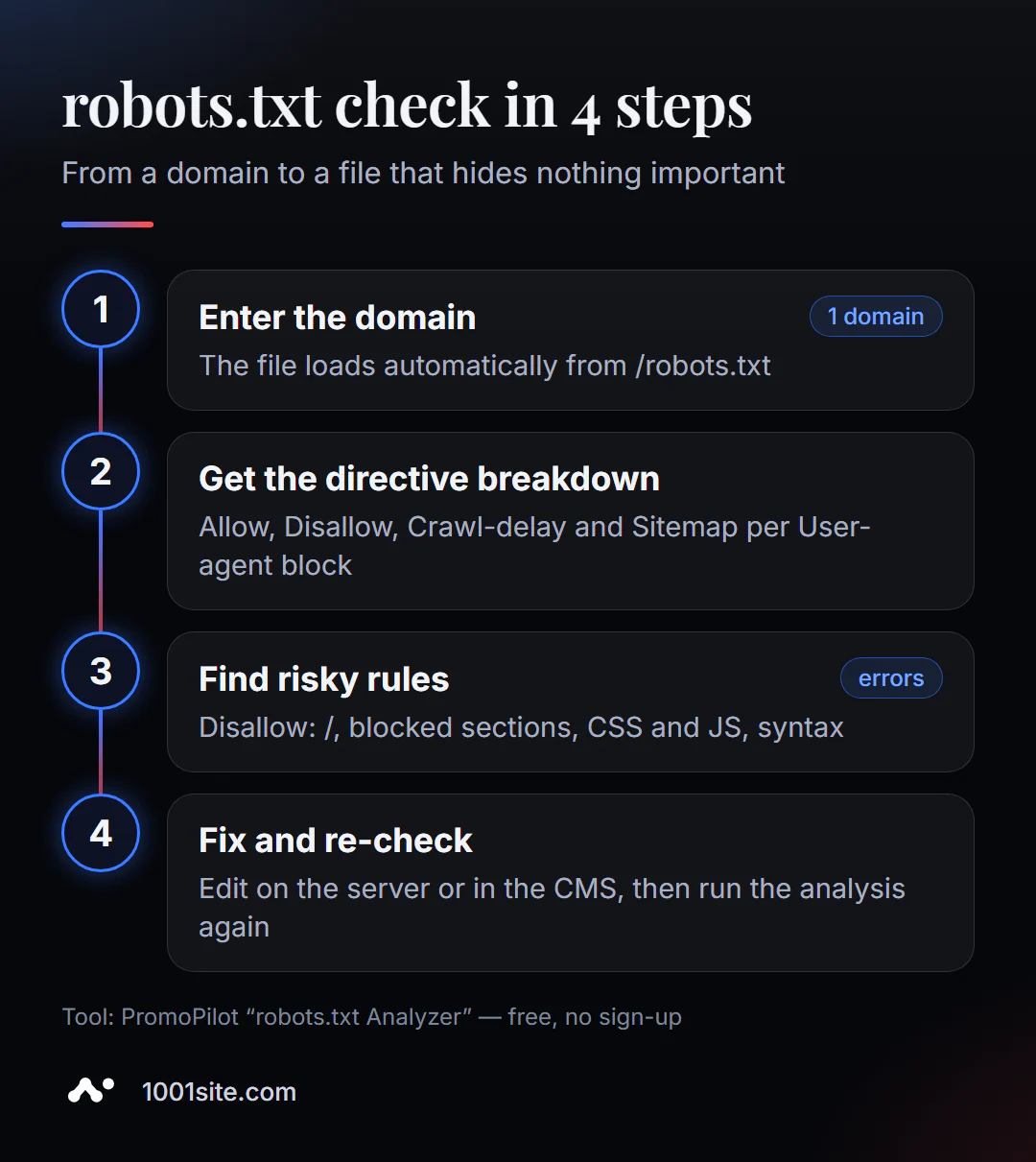
- Open the tool. Robots.txt analysis works in the browser.
- Enter the domain:
https://example.com. The file will be downloaded automatically to/robots.txt. - Click "Analyze".
- Review the list of directives for User-agent blocks.
- Analyze mistakes and risky rules - this is the main thing in the report.
- Correct the file on the server or in the CMS settings and run the check again.
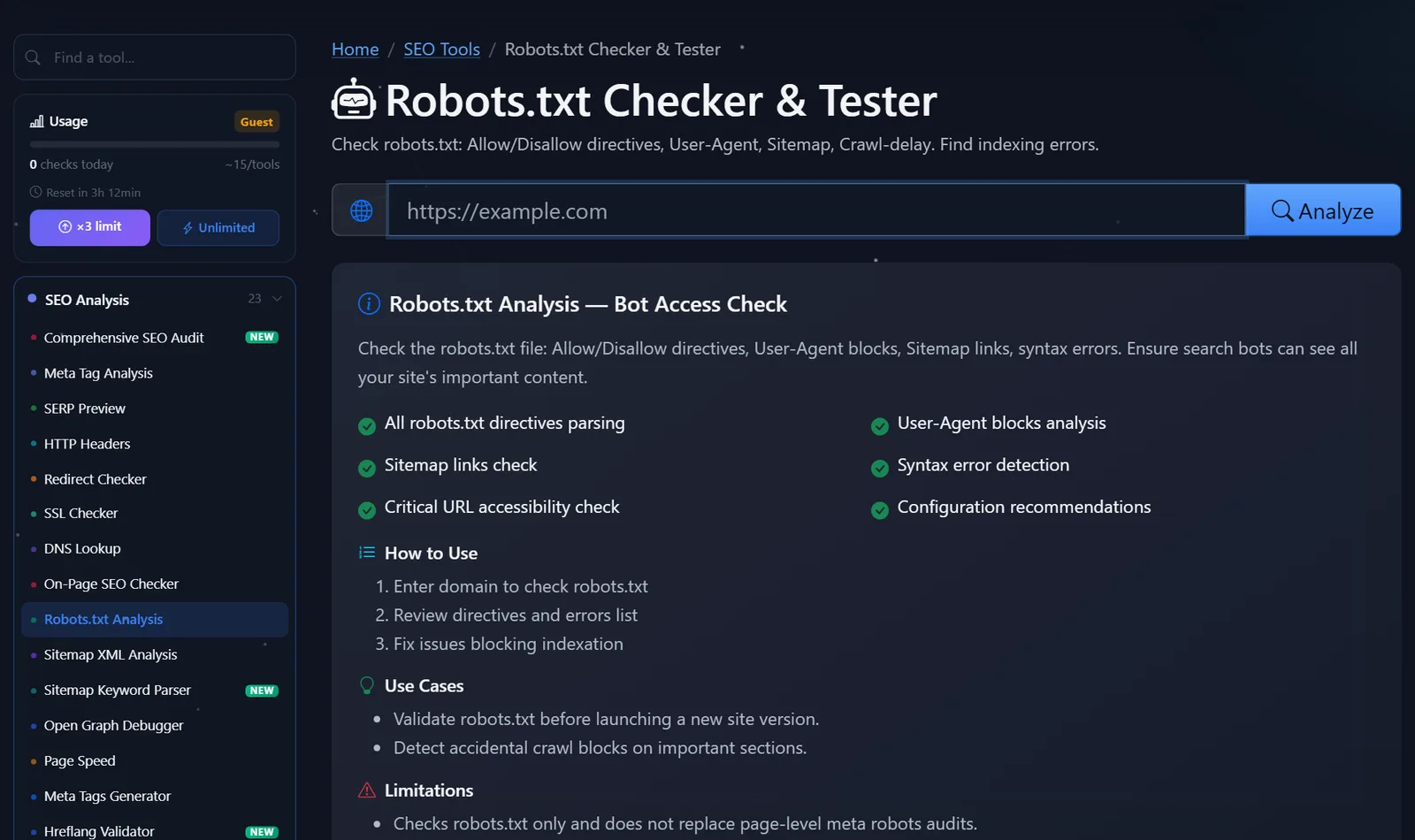
Tool page: address field, "Analyze" button, and description—what is checked, scenarios, and limitations.
Check robots.txt in two essential situations: before launching a new version of your site and after any move. This is when test restrictions are most likely to migrate to the production version. It's also useful to check your competitor's robots.txt file: the restricted sections show which pages they consider service pages and how their directory is structured.
How to read the result and what to correct first?
Move from rules that cover the entire site to cosmetics.
Disallow: /inUser-agent: *block. The entire site is closed. If this isn't a test version, remove this line immediately.- Important sections are closed.
Disallow: /catalogcloses not only the directory but also anything that begins with these characters, such as/catalog-sale/. The rules are based on the beginning of the path, and case is important. - CSS, JS, and images are blocked. A rule like
Disallow: /wp-content/prevents Google from viewing the page as a human would. The crawler should load styles and scripts. - There is no sitemap line or it leads to 404. Please provide the full sitemap address with the protocol.
- Syntax. Typos in directive names, rules outside the User-Agent block, and empty lines within the block—robots ignore invalid lines, and the rule silently fails.
- Directives that Google doesn't support. Google ignores
Crawl-delay, and Google doesn't supportNoindexin robots.txt. If you're relying on these, this rule doesn't apply.
An example of a correct file for a WordPress site:
User-agent: *
Disallow: /wp-admin/
Allow: /wp-admin/admin-ajax.php
Disallow: /?s=
Disallow: /cart/
Disallow: /checkout/

Sitemap: https://example.com/sitemap.xml
The admin panel, internal search, and store utility pages are closed, the AJAX handler (without which parts of the site break) is enabled, and the sitemap is specified. Everything else is enabled by default.
How do you know if a specific URL is open if there are multiple rules? Google applies the most specific rule—the one with the longest path. If a file contains Disallow: /blog/ and Allow: /blog/seo/, then the page /blog/seo/proverka/ is open, and /blog/news/ is closed. If the paths are the same length, the allow rule wins. The asterisk * represents any sequence of characters, and $ marks the end of the URL: Disallow: /*.pdf$ closes all PDF files, but not the page /pdf-guide/.
Another common finding is multiple blocks for the same robot, or a common block that overlaps a separate one. If a file contains User-agent: Google bot, Google bot reads only this block and completely ignores the rules in User-agent: *. Therefore, all necessary restrictions will have to be duplicated in its block.
A separate topic for 2026 is AI crawlers. User-agent: GPTBot block with Disallow: / prevents OpenAI from crawling the site. This is your decision, but keep in mind: if a site is closed to AI bots, it's harder for assistants to recommend it.
Comparison: PromoPilot robots.txt analysis and alternatives
| Tool | What's free? | Restrictions | Who is it suitable for? |
|---|---|---|---|
| PromoPilot - Robots.txt analysis | Analysis of directives and blocks, errors, risky rules, recommendations | Only robots.txt, no page meta tags | Quickly check your own or someone else's website |
| Google Search Console robots.txt report | How Google received your file, when, and with what errors | Only for your verified site | For website owners |
| Screaming Frog SEO Spider | Crawling a site using robots.txt and checking your rules | The program needs to be installed | Technical audit |
| Manual check in the browser | Open /robots.txt and read | Without analyzing errors and hints | If the file has three lines |
Conclusion: Search Console shows how Google sees the file, but only for your site. Online analysis works with any domain and explains what's wrong.
Robots.txt analysis is one of PromoPilot's 87 free SEO tools. If you don't have a robots.txt file or it's easier to rewrite it from scratch, check out the related article in the robots.txt generator section—there you'll find a visual builder for creating the file. And to check the sitemap itself, there's a separate sitemap.xml analysis tool.
Limitations: What robots.txt checking won't replace?
This tool only checks the robots.txt file and does not replace a page-level robots meta tag audit. A page may be open in robots.txt but blocked by a noindex meta tag or an X-Robots-Tag header. Such restrictions should be detected by performing a page check or a full audit.
Different search engines interpret non-standard directives differently. What one search engine supports, another will silently ignore. Rely on the standard User-agent, Allow, Disallow and Sitemap —all major search engines understand them.
And remember: robots.txt is not security. It politely asks robots not to enter, but it doesn't block access. The admin panel and personal data are protected with a password, not a "Disallow" line. Moreover, robots.txt is open to everyone: by listing "secret" sections in it, you expose them to curious people.
When is a free tool not enough?
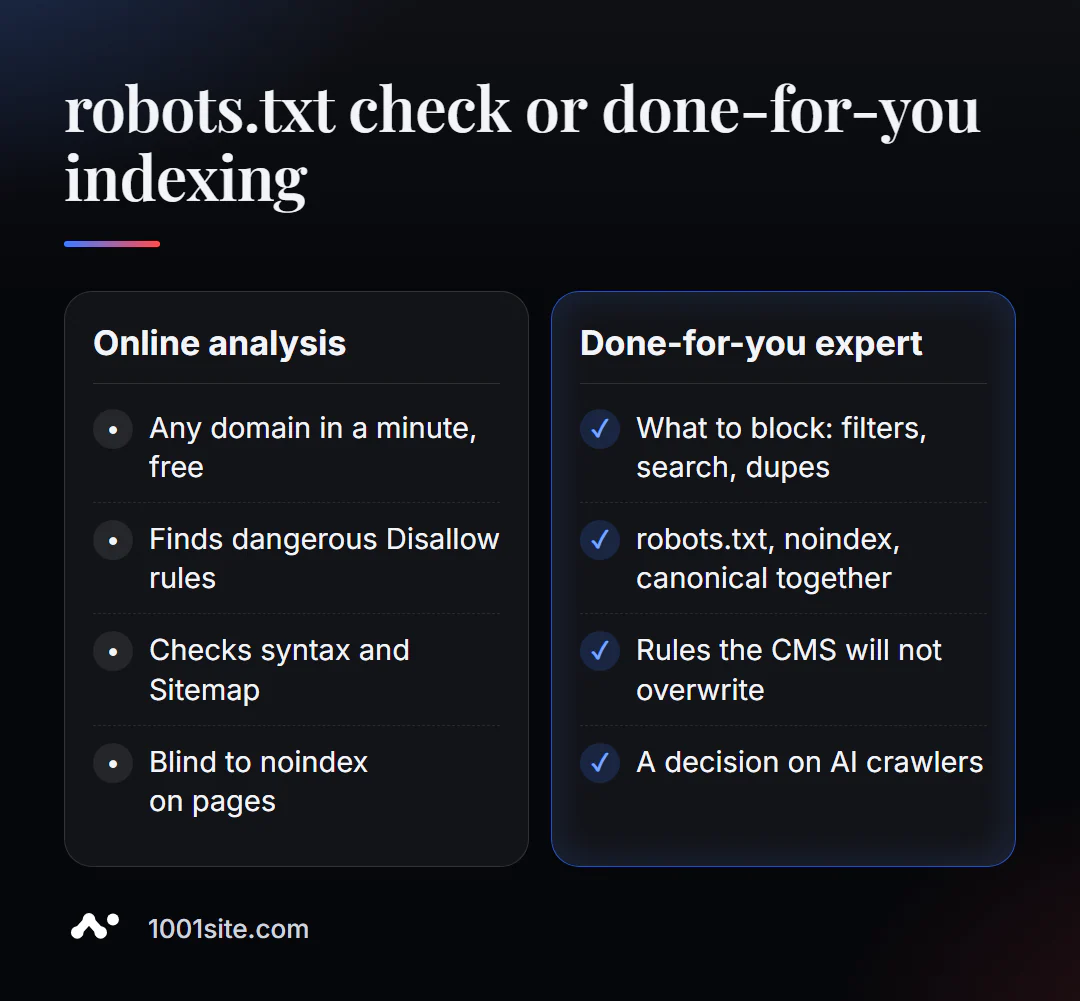
Finding a risky rule is half the battle. Deciding which sections to close is already a strategy. You need a specialist if:
- The store has thousands of pages of filters and sorting options, and it’s not clear which of them to close;
- the site dropped out of search results, but robots.txt “seems to be fine”;
- robots.txt is generated by the CMS or plugin, and your edits are overwritten;
- We need to decide whether to enable AI crawlers and how this will affect visibility in assistants.
What can I do for your website?
My name is Valeriy Danyuk, and I'm a developer and SEO specialist with 12 years of experience and over 200 clients. Robots.txt, meta tags, and sitemaps are the first things I check in every audit.
SEO and promotion
- Turnkey SEO audit: robots.txt, noindex, canonical, sitemap, and real indexing—with corrections.
- Autoblog with AI agents is a human-free editorial team that publishes articles and immediately opens them for indexing.
- GEO: How a Hotel Got Featured in ChatGPT, Gemini, and Perplexity — A Case Study on Visibility in AI Assistant Responses.
Websites and online stores
- A WordPress website with an AI assistant for €299 —with a proper robots.txt file and sitemap from day one.
- Website on 1001site: sitemap, structured data, and AI-bot indexing are configured automatically.
CRM, accounting and automation
- ERP, website, and AI-powered Telegram bot for auto dismantling in 6 days.
- A dropshipping platform with partner stores —where each store requires its own valid robots.txt file.
All cases are in the portfolio. Send me your address on Telegram, and I'll read your robots.txt and let you know if I've closed any unnecessary sections.
Result
- Checking robots.txt online in just a minute reveals rules that hide a site or its sections from robots.
- Fix in order:
Disallow: /→ closed sections → CSS and JS → Sitemap → syntax. - Disallow does not remove a page from the index; this requires
noindexon the open page. - If robots.txt is generated by the CMS and the edits don't stick, it's easier to entrust the setup to a specialist or switch to 1001site, where indexing is configured out of the box.
Check your file right now: run a free robots.txt analysis, and if you find any risky rules, write to me on Telegram.
Sources
- PromoPilot's robots.txt Analysis tool page — checks, sample results, and page questions.
- Google Search Central - Introduction to robots.txt and supported directives.
- Google Search Console Help - Robots.txt Report.