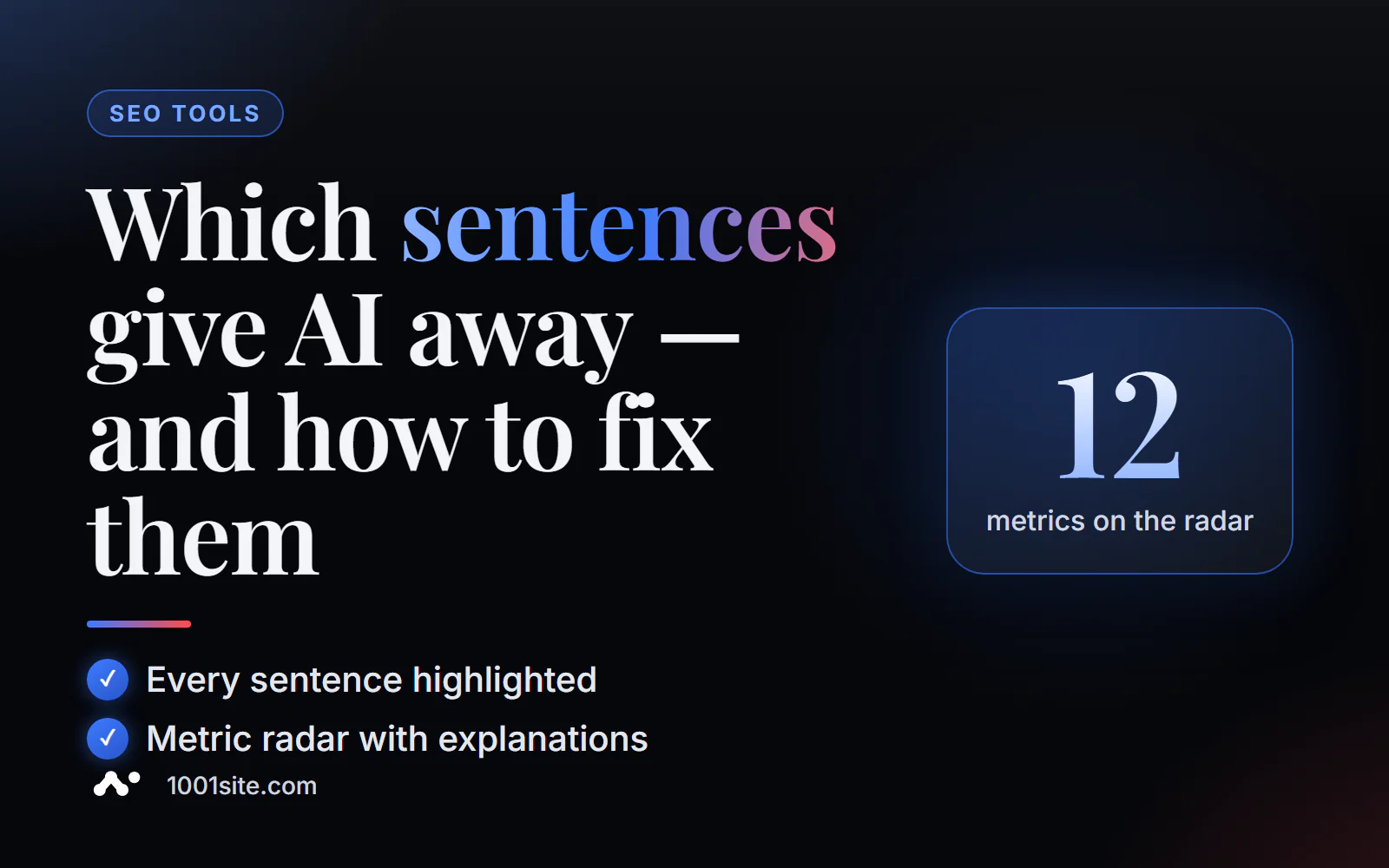
The short answer: to see which specific sentences in your text resemble AI, paste the text or link into PromoPilot's AI Detector PRO and click "Full Analysis." The tool will highlight each sentence for free, display a radar chart of 12 metrics (entropy, rhythm, vocabulary, Zipf's law, and others) with explanations, and the overall AI probability. This way, you're not randomly correcting the entire text, but 5-10 specific phrases.
I edit AI drafts for my blogs every week. The overall percentage only tells me "there's a problem," while the sentence highlighting tells me where the problem is: usually the introduction, section transitions, and conclusion.
What does AI detector PRO show?
If a regular detector is a thermometer, then PRO is a blood test: the same engine (18 heuristics, regression on 35 features, MLP neural network), but with analysis of where the number came from.
| Report block | What does it show? | How to use |
|---|---|---|
| SVG AI Probability Indicator | Overall assessment of the text | The starting point: you compare the result with it after editing. |
| Highlighting sentences | Each phrase is colored by AI probability | List of things to rewrite first |
| 12 Metrics Radar Chart | AI patterns, entropy, stylometry, vocabulary, rhythm, Zipf's law, and others | You can see why the text looks like machine-written text. |
| Explanations of metrics | What does each scale mean? | You don't need to understand statistics yourself. |
| Statistical profile | Numerical characteristics of the text | Comparison of versions before and after editing |
If you just need a quick answer to "was this written by AI?", there's a separate article in the series about the basic AI text detector. PRO is for those who refine text: editors, copywriters, and blog owners.
How to check a text on AI sentence-by-sentence?
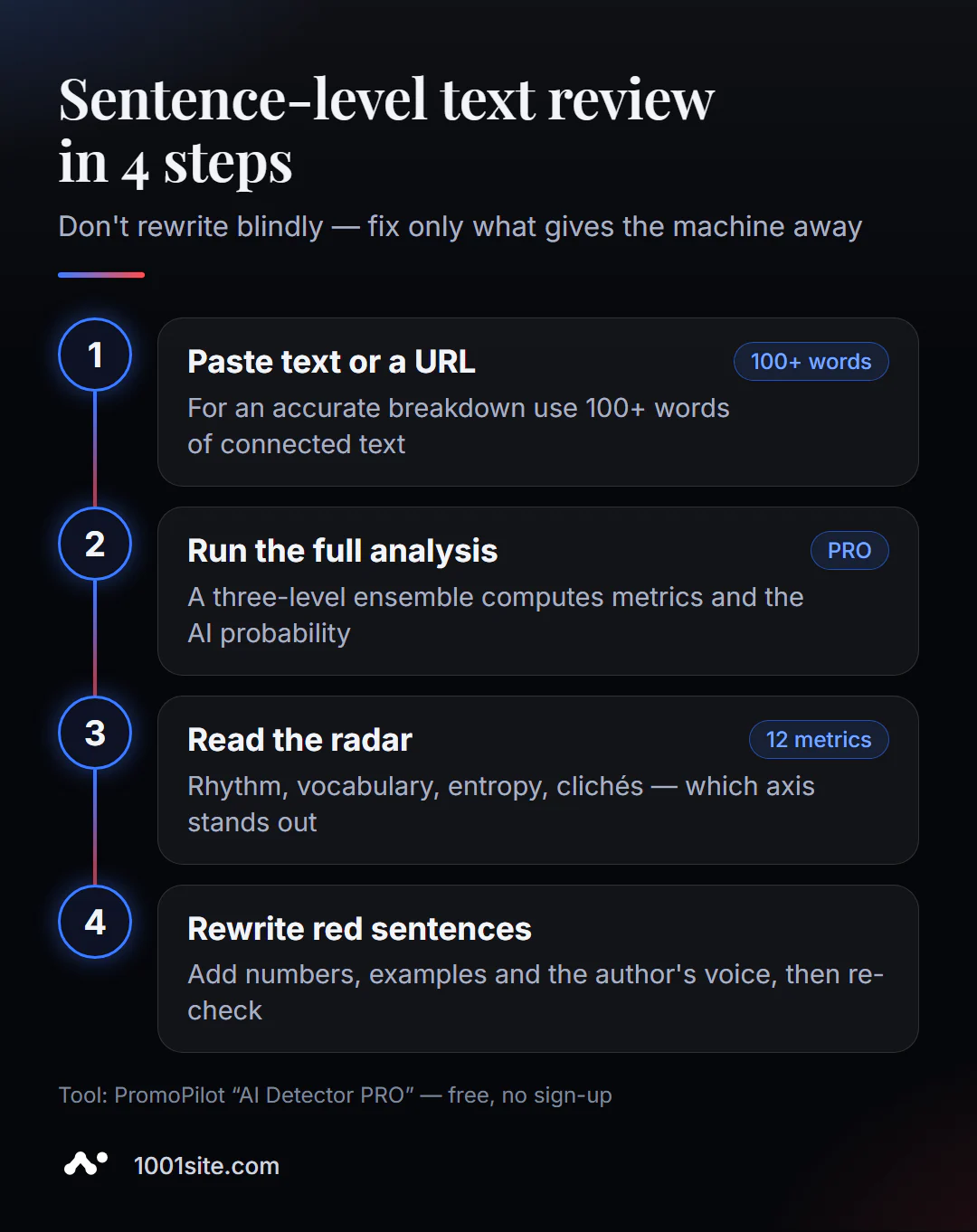
- Open AI Detector PRO. No registration required.
- Paste the text (minimum 30 characters, for accurate parsing - at least 100 words) or load the page by URL.
- Leave the language to auto-detect or select manually - Russian, English, Ukrainian, German, Polish, French, Spanish.
- Click "Full Analysis" and wait for the report.
- Start with the radar, then work your way through the highlighted offers from top to bottom.
- Rewrite and run the analysis again - compare the indicator and the radar shape.
This is what the tool page looks like before checking: a text field, a “Download by URL” tab, language selection, and a “Full Analysis” button.
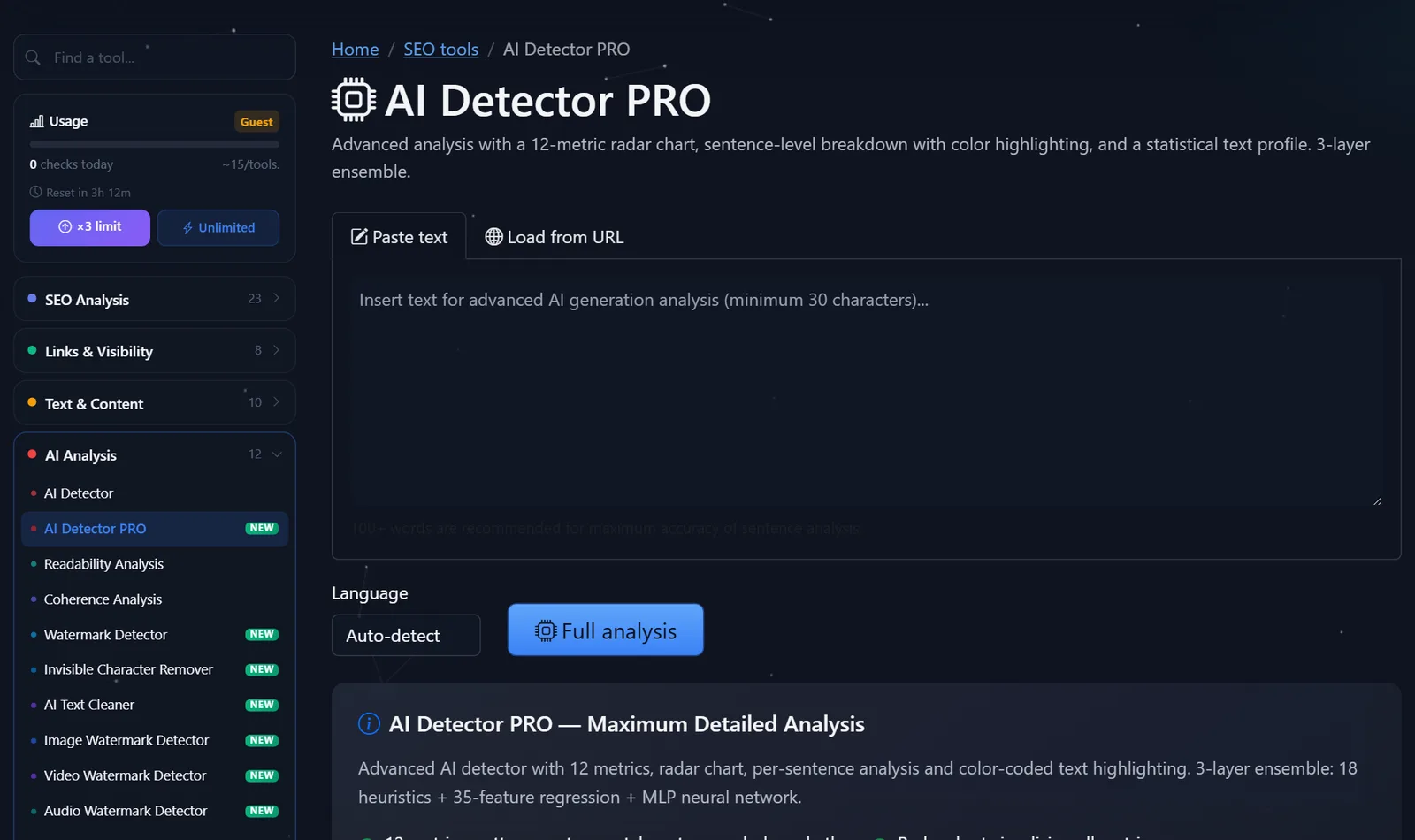
Guests are limited to about 15 reviews per day per tool; after free registration, this limit triples. One article typically requires 2–3 runs: the original and a couple of edits.
How to read the metrics radar and offer highlighting?
The radar shows the "fingerprint" of the text. A living, authored text usually has an uneven fingerprint: vocabulary protrudes in some places, rhythm in others. A machine-written text has characteristic peaks on those scales where patterns are predictable. Here's how I translate these metrics into editing language:
- Rhythm and entropy. All sentences are the same length and structured the same way—break up the long ones, add short ones. Insert a question or a three-word phrase.
- Dictionary and Zipf's Law. The word choice is too generic—replace generic words with professional terms and titles: not "promotion tool," but "Search Console."
- AI patterns. Clichés like "in the modern world," "plays a key role," "let's figure it out"—remove them without mercy.
- Stylometry. No authorial voice—add first person, experience, and an assessment: "I did this, and this is what happened."
When working with highlighting, follow the rule: "Red means rewrite, yellow means review." Typically, the introduction, transitions between sections, and conclusion are red: this is where models write the most general phrases. The middle, with its specifics, is often green.
Example: the introduction, "In the digital age, content quality is key," is a typical catchphrase. Compare this to "Out of 40 blog articles, only 6 generate traffic—and all of them contain numbers and screenshots": it's the same idea, but factual, and more engaging to read. It's precisely these substitutions that honestly reduce the "machine-ness."
How to edit AI text in a PRO report?
I've developed a time-saving process: from major edits to minor ones, with re-checking after each step.
- Structure. If an entire section is highlighted in red, it's easier to rewrite it according to the outline: thesis, example, conclusion. Rearranging words within it is useless.
- Introduction and conclusion. These are the most common parts of almost any generation. Start the article by answering the reader's question and end with a concrete action.
- Transitions. Remove linking phrases like "Now let's move on to the next point"—the headline already does that job.
- Individual suggestions. Next up are some specific backlight replacements.
Typical substitutions that I make most often:
| It was (red phrase) | It became | What has changed? |
|---|---|---|
| "It helps improve results." | "Server response time dropped from 900 to 200 ms." | A figure instead of a promise |
| "There are many ways" | There are three working methods, I'll start with the cheapest one. | Specificity and the author's voice |
| "It's important to take into account the specifics of the business" | "For a store with 300 products, it's a card template, not every page." | An example instead of a general place |
| "In conclusion, we can say" | Delete | A meaningless connection |
After making these edits, I run the analysis again. If the indicator has dropped and the radar has become "uneven," the text sounds more lively. If not, it means I've been editing the words, not the thought: it's time to return to step 1.
Comparison: AI Detector PRO and Alternatives
| Tool | What's free? | Restrictions | Who is it suitable for? |
|---|---|---|---|
| PromoPilot - AI detector PRO | Offer highlighting, 12-metric radar, explanations, URL verification | Guest daily limit; result - probability | For editors and authors who refine AI drafts |
| PromoPilot - AI text detector | AI percentage and paragraph breakdown | Without metrics and phrase highlighting | Quick yes/no check |
| GPTZero | Basic verification for a free account | Monthly word limit, detailed reports - in paid plans | Proofreading of English texts |
| Hemingway Readability Checker | Readability and highlighting of complex sentences, no word limit | It doesn't determine AI, only complexity. | Simplification of "heavy" phrases after the detector |
Conclusion: The PRO detector is useful when you need to correct the text rather than pass judgment. Hemingway complements it well: the detector highlights "machine-written" phrases, while Hemingway highlights complex ones. I run an article through both tools: first, I remove clichés using the PRO highlighter, then I simplify long sentences that became too complex after editing.
PromoPilot's catalog contains 87 free SEO tools, including readability and coherence analysis; each one is covered in a dedicated article in this blog section.
Limitations: When can sentence parsing not be trusted?
- Short texts. Metrics don't stabilize after 2-3 sentences—check at least 100 words.
- Lists and tables. The detector evaluates three-word items poorly; it's better to insert coherent text for analysis.
- Templated genres. Technical descriptions, legal texts, and product cards also sound flat to a human.
- The goal is to "fool the detector." If you rewrite for the sake of the green color, and not for the reader, you'll end up with a text full of errors and strange words. This doesn't make things any easier for the search engine or the client.
Any AI detector can make mistakes; PRO's result is also a probability, just with an explanation.
When is a free tool not enough?
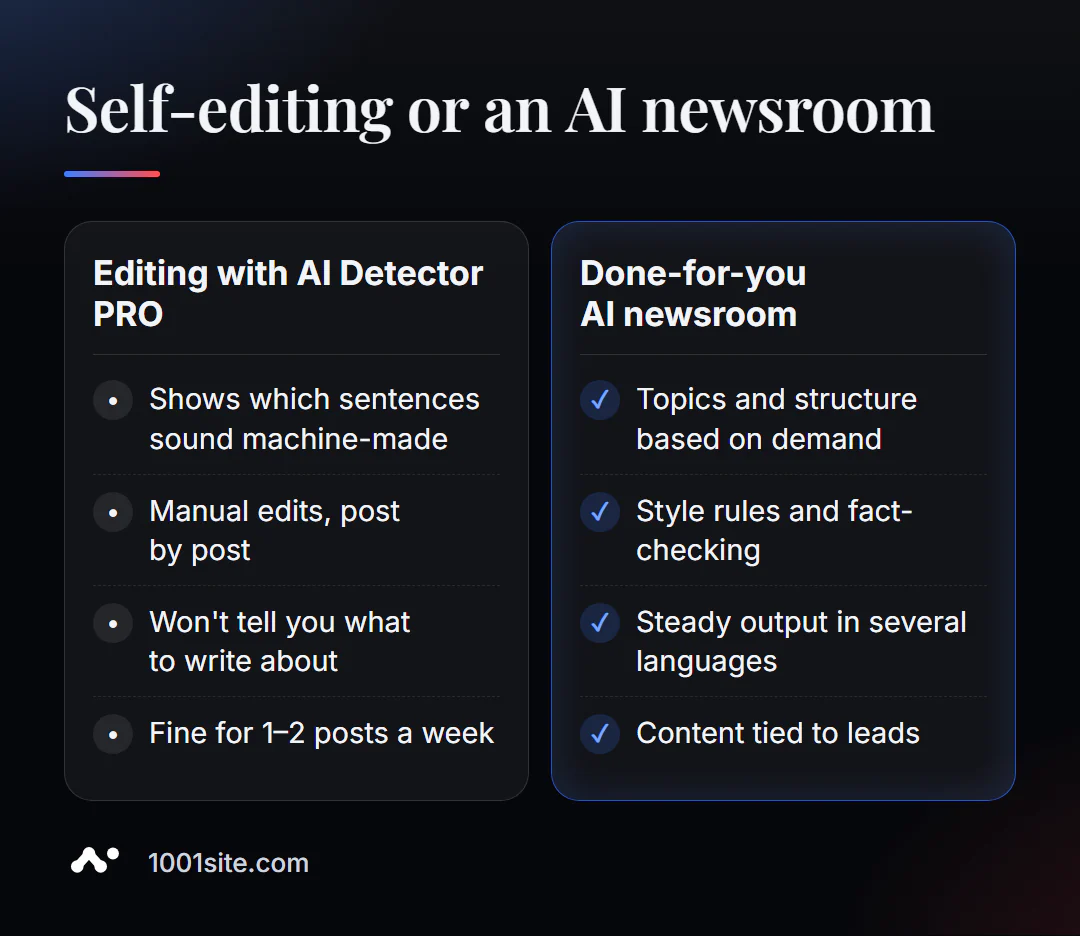
The detector suggests which phrases sound machine-like, but it won't tell you what to write about or what to add from experience. Help is needed if:
- There are a lot of articles and there is no time to edit each one manually using radar;
- the content is needed in several languages, but there is no native speaker at hand;
- After editing, the text is “green”, but there are still no requests from the blog;
- We need our own AI editor with style rules, not one-time checks.
What can I do for your website?
I'm Valeriy Danyuk, a developer and SEO specialist with 12 years of experience and over 200 clients. I build content processes where AI writes quickly, and quality is maintained through rules and checks.
SEO and content
- Turnkey SEO website audit: which articles work, which don't, what to rewrite and combine.
- Autoblog with AI agents: a human-free editorial team where text has an author, facts, and verification before publication.
- Multilingual content: how to create a multilingual website without a translator and a travel portal in 33 languages with RTL.
Websites
- Get a website in the style of someone else's website you like in minutes —at 1001site, with SEO settings out of the box.
Automation and bots
- An AI-powered Telegram bot for an online sauce store — the AI responds to customers in natural language.
- ERP + website + AI-powered Telegram bot for auto dismantling in 6 days.
Send me an article or a link to your blog on Telegram —I'll show you what to edit first.
Result
- AI text checking shows you exactly where the text sounds machine-like—correct 5–10 phrases instead of everything.
- A radar of 12 metrics explains the cause: rhythm, vocabulary, cliches, or lack of an authorial voice.
- The goal of editing is a useful text with experience and figures, and not a “green” result at any cost.
- When you have a lot of articles, it's more profitable to build a process: AI editing, auditing, or a new website with a blog on 1001site.
Take your weakest blog article and analyze it with AI Detector PRO —and if you want a second opinion, write to me.
Sources
- PromoPilot's AI Detector PRO tool page — metrics, ensemble, and limitations.
- Hemingway Editor - Description of the free Readability Checker.
- Official website of GPTZero.