
The short answer: to check an image for watermarks and AI signatures, upload it (PNG, JPEG, WebP, GIF, BMP, or TIFF up to 25 MB) to the PromoPilot image watermark detector and click "Check Image." The tool will find Content Credentials (C2PA), XMP and EXIF origin data, Midjourney, DALL E, Firefly, Stable Diffusion, ComfyUI, and Leonardo signatures, check the least significant bits for steganography, and generate a percentage risk score. For PNG, JPEG, and WebP images, you can download a cleaned copy.
I regularly collect catalogs and product cards with AI-powered photos. Before publishing, it's helpful to know what the image itself says about the product: social media and marketplaces read these tags.
What does a watermark detector check in an image?
The main thing to understand is that the detector doesn't "look" at the image through the eyes of a neural network. It reads what's written inside the file —the origin data and service fields left by cameras, editors, and generators.
| What does it check? | What is this | Why is this important? |
|---|---|---|
| C2PA / Content Credentials, CAI, JUMBF | A signed "history" of the file: who created it, what tool was used, what was changed | Platforms read C2PA and can mark an image as AI-generated. |
| XMP origin data | Fields like IPTC digitalSourceType (e.g. trainedAlgorithmicMedia) | They directly say that the image is generated |
| EXIF Software / Make | Program or camera, built-in generation parameters | PNGs from Stable Diffusion and ComfyUI often contain the entire prompt |
| Generator signatures | Midjourney, DALL·E, Firefly, Stable Diffusion, ComfyUI, Leonardo | The source is visible without any analysis |
| LSB analysis | Anomalies in the least significant bits of pixels | A sign of possible steganography - hidden data in an image |
| Result | Risk assessment in %, table of findings, technical metadata | Decision: Publish as is, flag, or clear |
Example from the tool description: the product-photo.webp file with XMP digitalSourceType and ComfyUI metadata is assigned a 100% risk rating, origin data and ComfyUI signature are found, and a cleaned copy of WebP is available.
How to check an image for watermarks online?
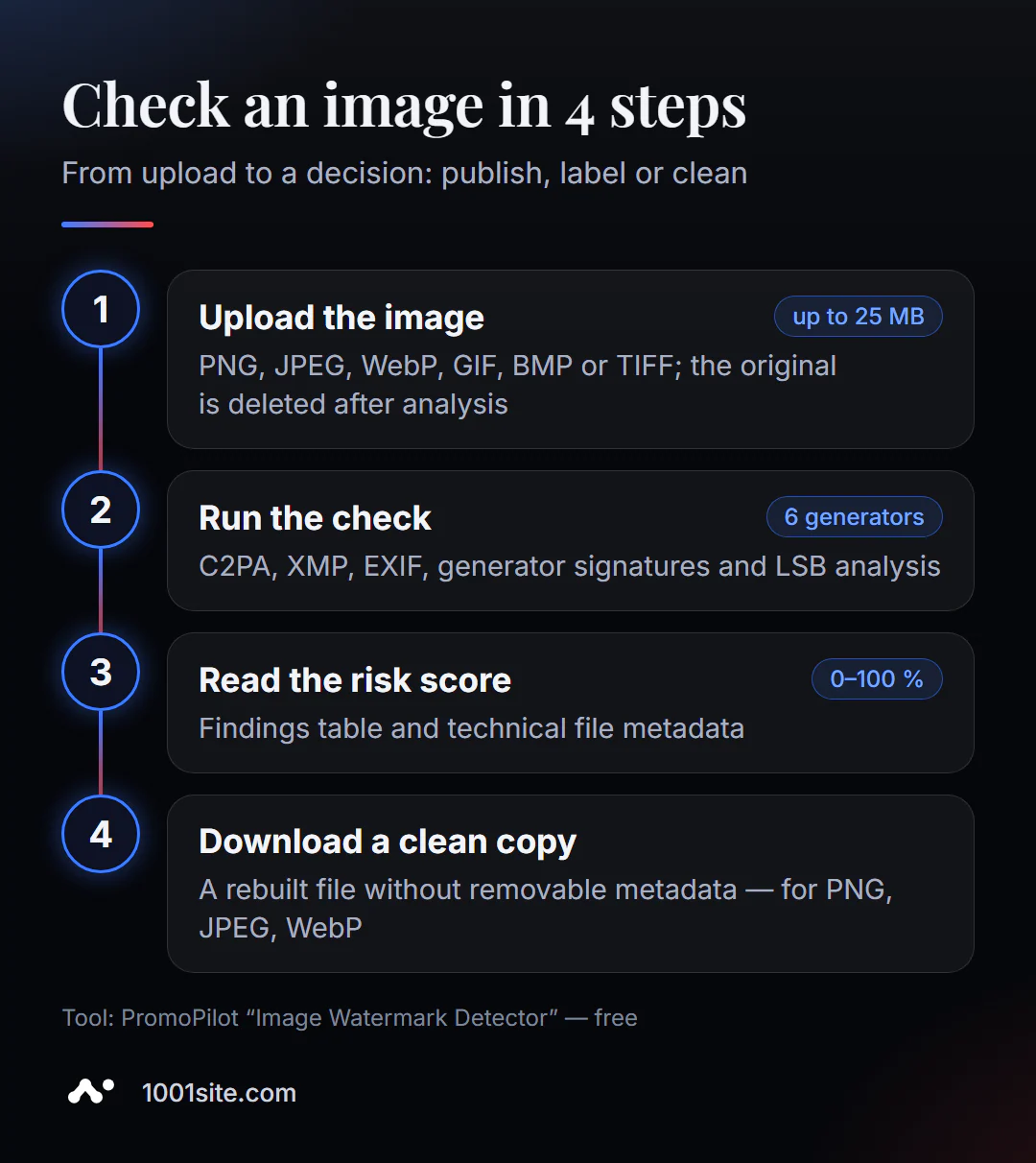
- Open the image watermark detector.
- Upload a file by dragging it into the field or clicking on it. PNG, JPG/JPEG, WebP, GIF, BMP, TIFF, up to 25 MB.
- Click "Check Image".
- Review the risk assessment, findings table and technical metadata.
- If you need a copy without metadata, download the rebuilt file from the temporary link (for PNG, JPEG, and WebP).
This is what the page looks like: a download area with a 25 MB limit, a verification button, and a note that the original file is deleted immediately after analysis.
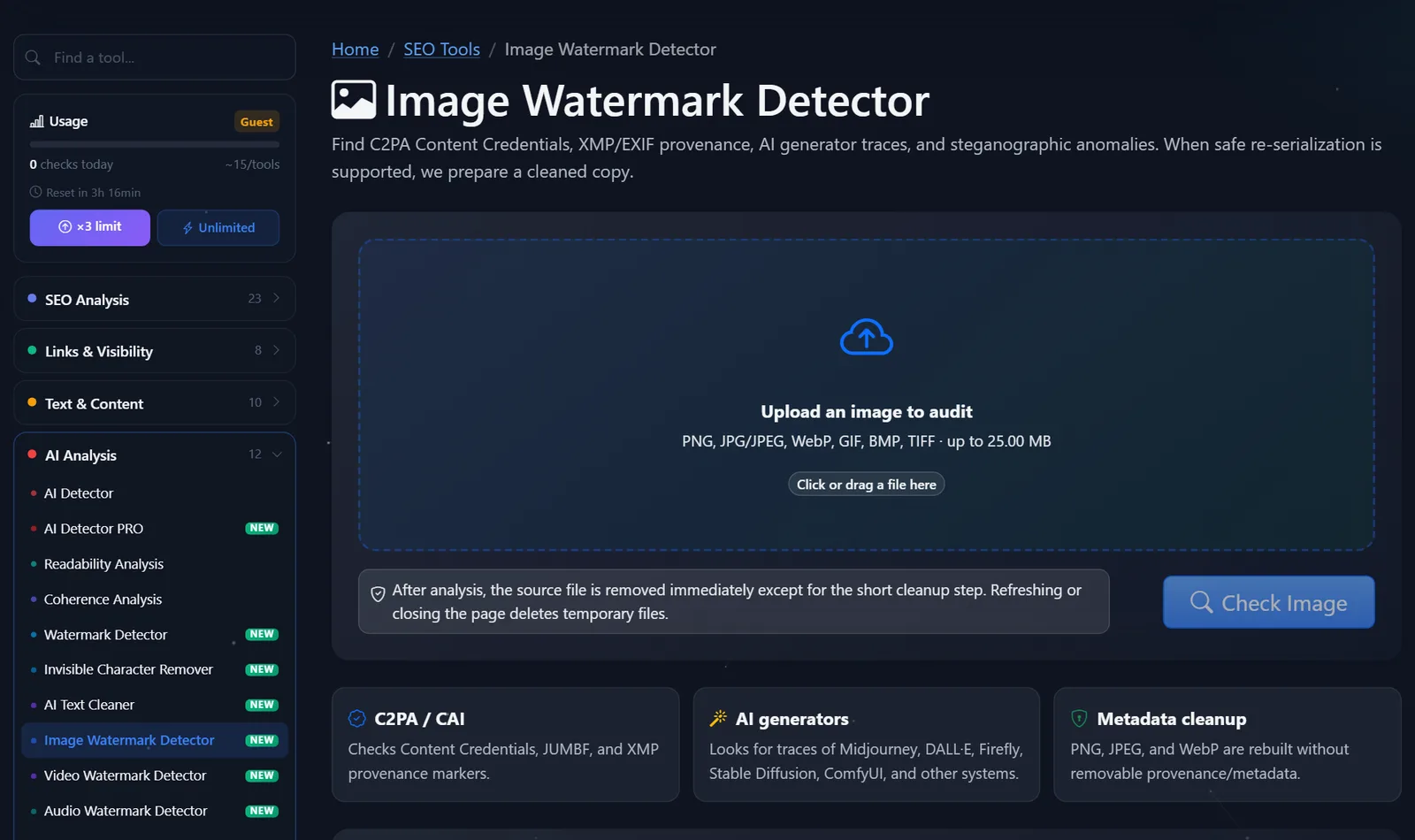
Guests have access to approximately 15 tests per instrument per day; after free registration, this number is tripled.
How to read a risk assessment and what to do with the findings?
Risk assessment is not about "how likely it is that an image was created by AI," but rather how clearly the file itself communicates this.
- The risk is high; C2PA or XMP digitalSourceType was detected. The file clearly states that it is generated. If you're publishing it as an illustration, that's fine, but on many platforms, it's more honest and safer to label it.
- A generator signature and parameters were found in EXIF. Check the metadata for any unnecessary information in the prompt: client name, internal project name, or file name containing personal data. This is a good reason to clean it up.
- LSB anomaly with no other findings. Possible hidden data. If the file came from an unverified source, do not use it on the site until you investigate.
- Risk 0%. This means only one thing: the file didn't reveal anything about itself. Metadata could have been removed, and the tool might not detect an invisible pixel mark (like SynthID).
When sanitization is appropriate: remove EXIF data with geolocation and phone model from your photos, remove service parameters and prompts from your generated images, and reduce the file size. When it's inappropriate: present a generated image as a real photo where it could mislead people, such as in reviews, news articles, or "photos from the property." Platforms and regulators, including in the EU, are only tightening their labeling rules for AI-generated content.
When to check images before publishing?
I highlight four situations in which checking takes a minute and saves a lot of nerves:
- Product cards on the marketplace and in the store. Platforms treat generated product photos differently. It's better to know in advance that the file contains an XMP file with a generation mark than to have your card rejected.
- Illustrations for blogs and PR. If the cover was created by a generator and the metadata confirms this, decide in advance whether to mark the image with a caption or replace it with a photo. For press releases and news articles, honest labeling is a rule of good form.
- My photos from my phone. EXIF often contains the device model, date, and GPS coordinates. This is normal for photos from the office or warehouse, but not for photos from home. Clearing the EXIF removes this data.
- Images from contractors and freelancers. This check will show whether the "original photo" was created by a generator and whether the EXIF prompt contains any other data or names of other projects.
Another benefit of cleaning a website is file size. ComfyUI's generation parameters and workflows can sometimes take up tens of kilobytes within a PNG. While this might be a minor issue for a single image, it can significantly increase page size for a catalog of hundreds of products.
Comparison: PromoPilot detector and alternatives
| Tool | What's free? | Restrictions | Who is it suitable for? |
|---|---|---|---|
| PromoPilot — image watermark detector | C2PA, XMP, EXIF, 6 generator signatures, LSB, risk score, clean copy | Up to 25 MB; PNG/JPEG/WebP only; pixel marks not guaranteed | Checking images before publishing on the website and marketplace |
| Content Credentials Verify | Viewing a file's C2PA history in a browser | Shows only Content Credentials; otherwise, it's empty. | Verification of photo authenticity and origin |
| ExifTool | Reading and writing EXIF, XMP, reading C2PA | Command line, installation required | For developers and batch processing |
| Google SynthID Detector | SynthID Watermark Search | Google AI content only; waitlist access | For journalists and researchers |
Conclusion: Content Credentials Verify provides more detailed C2PA data, ExifTool is more powerful for bulk processing, and SynthID Detector is the only one for the Google Pixel mark. The PromoPilot online detector is convenient because it combines everything into a single check and immediately suggests a clean copy.
The series includes separate articles on neighbor detectors for text, video, and audio, and all tests are collected in PromoPilot's catalog of 87 free SEO tools.
Limitations of image watermark detector?
- Visible signs are not affected. Logos, inscriptions, and watermarks from photo banks remain in place.
- Robust neural network watermarks do not remove or guarantee their detection.
- GIF, BMP, and TIFF are only checked; automatic cleaning is available for PNG, JPEG, and WebP.
- Risk assessment is about the file, not the pixels. A resaved image "loses" its metadata, but remains the same image.
When is a free tool not enough?
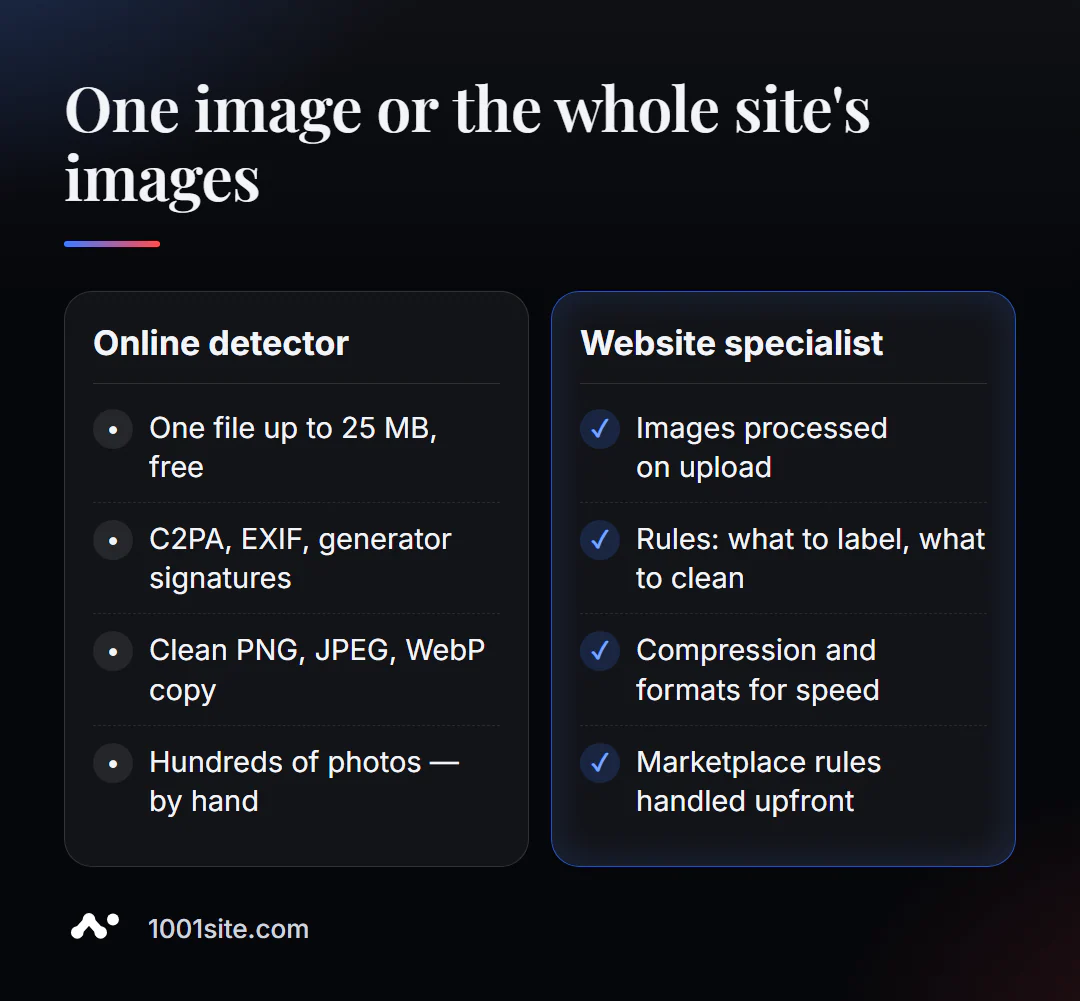
It's easy to check just one image. You need help if:
- There are hundreds of AI photos in the catalog, and the metadata needs to be processed automatically when uploaded;
- the marketplace or ad network rejects images and it is not clear why;
- you need to set up rules: what to label, what to clean, what to store;
- The images are heavy and slow down the site—it's worth optimizing them at the same time.
What can I do for your website?
I'm Valeriy Danyuk, a developer and SEO specialist with 12 years of experience and over 200 clients. I create stores and catalogs where hundreds of images are processed without any manual effort.
SEO and site verification
- Turnkey website SEO audit: image size and format, alt text, markup, speed – across the entire website.
Stores and catalogs
- A 300-item catalog in just a couple of minutes via MCP and Claude —photos and descriptions are uploaded in bulk.
- WooCommerce Online Store — 40+ Templates, €299.
- Transferring a store from Instagram to a website along with photos.
- A plastic surgery clinic's website uses AI technology, and image requirements are particularly stringent.
- You can build a website or store yourself at 1001site.
Platforms and accounting
If the marketplace rejects your photos or the site slows down due to images, write to me on Telegram.
Result
- Image watermark detector reads C2PA, XMP, EXIF, generator signatures, and checks LSB — free, up to 25 MB.
- High risk—the file itself indicates its AI origin; 0% does not guarantee that the image was taken by a human.
- Clean metadata for the sake of privacy and file size, but not for the sake of passing off a generated image as a real photo.
- Catalogs with hundreds of images require automated processing—this can be included in your store on 1001site.
Before your next publication , check the image in a detector —especially if it was created by a generator or sent by a contractor.
Sources
- PromoPilot's Image Watermark Detector tool page — checks, formats, limitations, example.
- Content Authenticity Initiative - Verify for Content Credentials (C2PA) tool.
- ExifTool - official documentation.
- Google - announcement of the SynthID Detector portal.