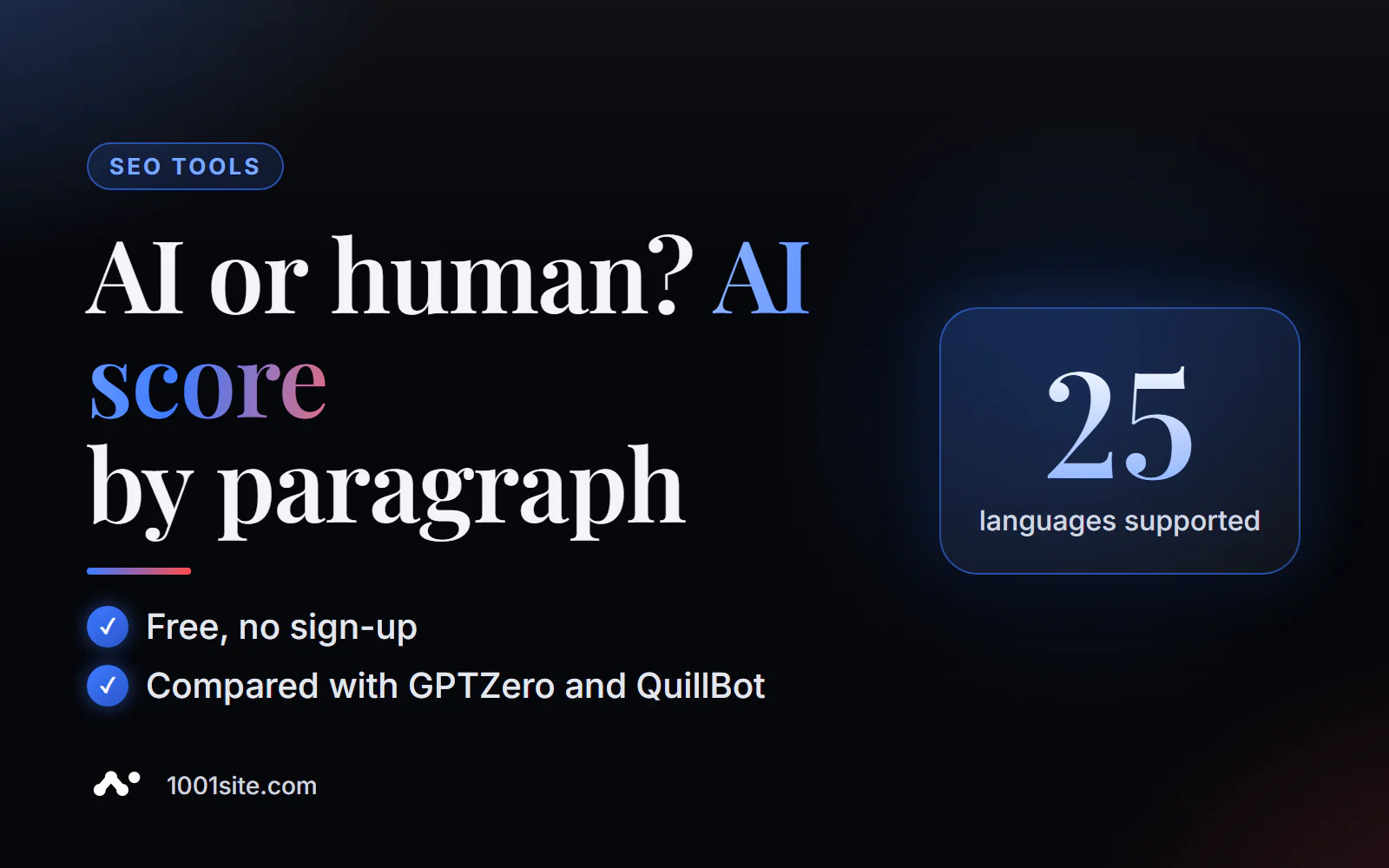
The short answer: to check whether text was written by AI, paste it (at least 100 words) or a link to a page into PromoPilot's AI text detector and click "Check." In a few seconds, you'll receive an overall AI score and a paragraph breakdown: which sections resemble machine text and which resemble real text. It's free, requires no registration, and is available in 25 languages. Below, you'll find how to read the score, where the detector makes mistakes, and what to do with the results.
I run several blogs where AI writes the drafts, and I add my experience and data. The AI detector isn't my police force, but a quick way to find paragraphs that sound "like everyone else" and rewrite them.
What does the AI text detector check?
The tool doesn't search for hidden " ChatGPT signatures" in the text—they're usually not there. It measures how statistically similar the text is to what language models produce using three independent methods and converts the results into a single probability.
| Level | What is he looking at? | Why do you need this? |
|---|---|---|
| 18 heuristic metrics | Entropy, burstiness (unevenness of sentence length), stylometry, perplexity | The model writes smoothly and predictably, while the human writes choppily; this is the main signal. |
| Regression on 35 features | Vocabulary, repetitions, frequent phrases, punctuation | Catches typical AI cliches, even if sentences are of different lengths |
| MLP neural network | Generalized text profile | Reduces features to a final probability |
| Paragraph analysis | AI percentage for each fragment | Mixed content is visible: where a person wrote, and where there is an insert from a chat |
| Language | Auto-detect or select: Russian, English, German, Ukrainian, etc. | Metrics are calculated according to the rules of a specific language. |
An important detail: processing occurs offline on the tool's server; the text isn't sent to third-party neural networks. This is convenient for client drafts.
How to check text using AI online?
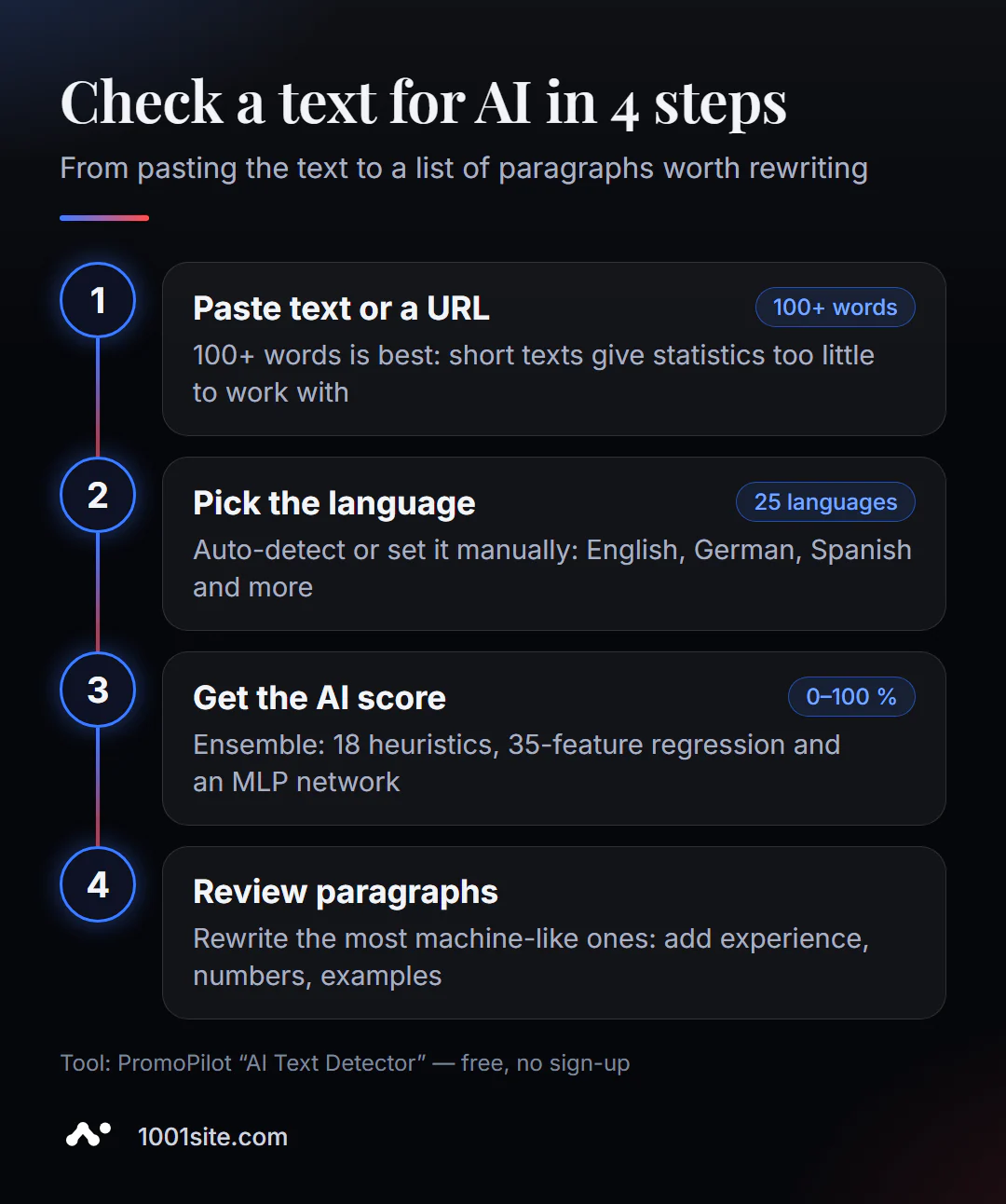
- Open the AI text detector – it works right in your browser.
- Paste the text into the "Paste Text" tab or switch to "Load from URL" to check the already published page.
- Select a language or leave it as "Auto-detect".
- Click "Check" and wait a few seconds.
- Study the overall AI percentage and the paragraph breakdown —this will tell you what to rewrite.
This is what the tool page looks like: a text field, a "text/URL" switch, a language selector, and a free guest check counter in the left column.
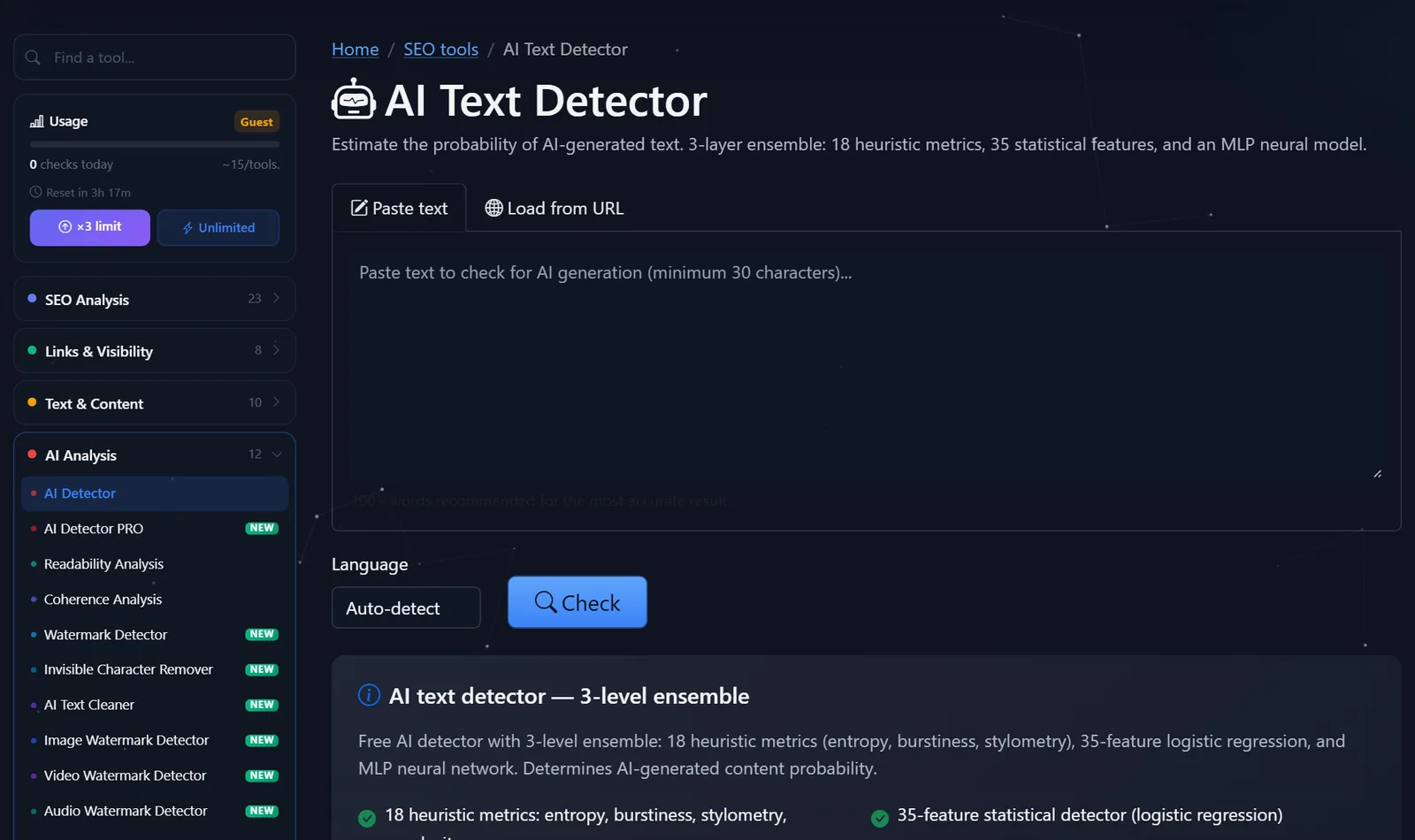
Guests can perform approximately 15 checks per day per tool, and after free registration, the limit triples. This is sufficient for checking blog articles or copywriting.
How to read AI percentage and what to do with it?
The main mistake is focusing on a single number. 62% AI doesn't mean 62% of the text was written by ChatGPT. It means that the text overall is statistically closer to machine-generated text than to human-generated text, with such confidence. Therefore, I interpret the result as follows:
- 0–30% — the text sounds human. No need to do anything if it's useful.
- 30–60% is the gray area. This is usually an AI draft edited by a human, or very "smooth" human text. See paragraphs.
- 60% or more is almost certainly unedited text. This isn't a sin in itself, but such text is often empty: generic words, no numbers or examples.
- One paragraph stands out above the rest —a classic example of mixed content: the author pasted a fragment from a chat. Rewrite it in your own words and with more specifics.
What really reduces the "machine-like" feel and simultaneously improves the text: personal experience ("I tested it on 40 product cards"), specific figures, practical examples, varying sentence lengths, and avoiding cliches like "in the modern world" and "plays a key role." Substituting letters and inserting typos is a bad idea: the reader notices it, but the meaning remains the same.
Comparison: PromoPilot AI Detector and Alternatives
There are dozens of AI detectors available today. Here are some free options that are actually used by editors and SEO specialists.
| Tool | What's free? | Restrictions | Who is it suitable for? |
|---|---|---|---|
| PromoPilot - AI text detector | AI percentage, paragraph breaks, 25 languages, URL check | Guest daily limit; result - probability | Quickly check an article or page without registration |
| GPTZero | Basic verification for a free account | Monthly word limit, advanced reports are paid | For teachers and those who check English texts |
| QuillBot AI Detector | Check in browser | Some features are available in the paid Premium version. | For authors who already use QuillBot for paraphrasing |
| ZeroGPT | Checking with highlighting of fragments | There are paid plans; non-English texts should be double-checked. | For a second opinion |
Conclusion: for Russian-language and multilingual content, a tool that explicitly supports the desired language and checks the page by link is more convenient. In questionable cases, it's useful to run the text through two detectors: if both yield a high percentage for the same paragraphs, the signal is more reliable.
In addition to the detector, PromoPilot offers 87 other free SEO tools, from page audits to indexation checks. If you want to understand not just "how much AI" but also what specific suggestions and metrics the machine generates, there's a separate article in the series about AI Detector PRO, with a breakdown of suggestions and a radar chart.
Can an AI detector make mistakes?
Perhaps the tool's page itself honestly warns about this: the result is a probability, not proof. Typical false positives:
- short texts - less than 100 words - there is nothing to rely on for statistics;
- dry genres - instructions, legal formulations, template product descriptions - sound "machine-like" even to a person;
- texts by non-native speakers - simple constructions and limited vocabulary are similar to AI;
- Heavily edited generation - after good editing, the detector may show a low percentage, and this is also normal.
Therefore, never blame an author based on a single number. Look at the breakdown, compare it with other texts by the same author, and ask the real question: does the text contain experience, facts, and usefulness?
Does AI-powered content impact SEO?
Google explicitly states in its official Search Central blog that it evaluates the quality and usefulness of content, not how it's created. They don't penalize AI, but rather massive, empty pages created for ranking reasons—whether by hand or a model.
In practice, I see three typical scenarios:
- AI draft + expert editing is a normal working scheme; such articles are ranked on par with manual ones;
- generation without editing for hundreds of pages - texts are similar to each other, do not answer the question more deeply than competitors, and over time they lose impressions;
- AI translation and adaptation work if someone has verified the terms and numbers.
The detector helps distinguish the first script from the second even before publication: if the entire text glows like it was written by a machine, it most likely lacks something that only the author can provide.
When is a free tool not enough?
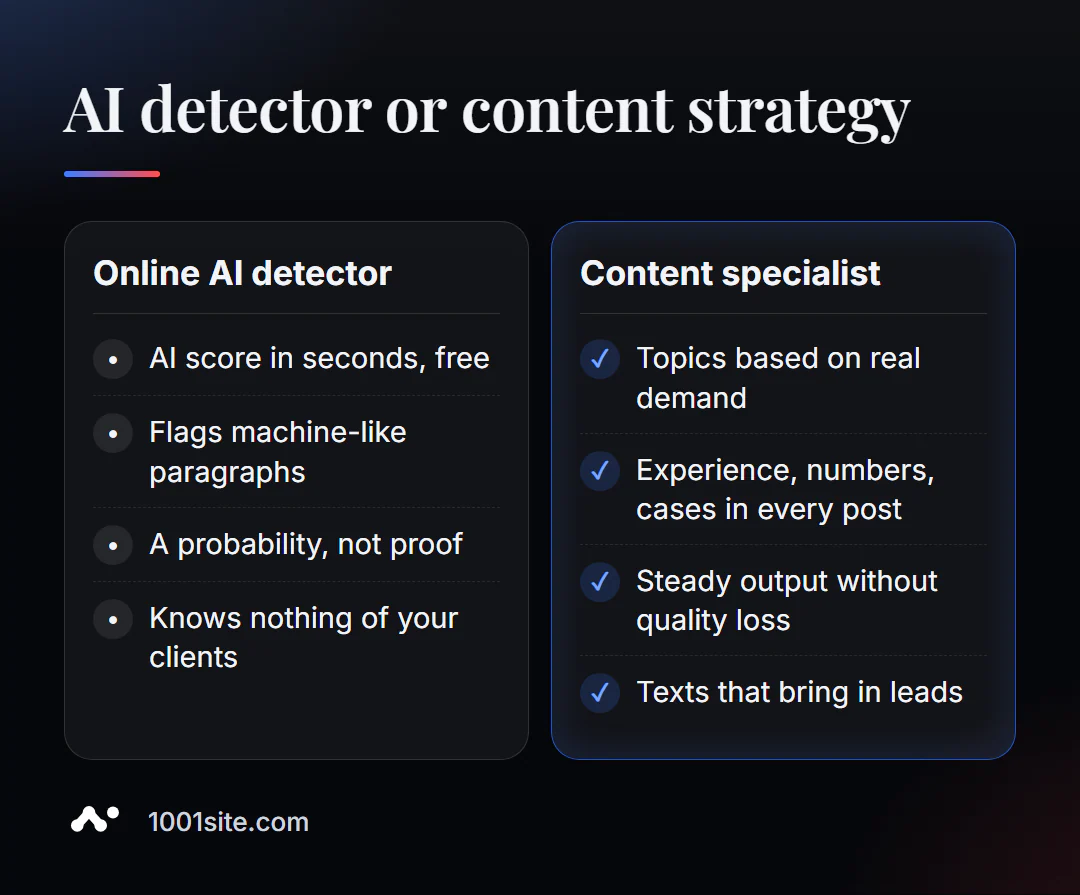
The detector answers the question "does it look like AI?" But the search engine and the client are more interested in something else: whether the text helps solve the problem. A specialist is needed if:
- There is a blog based on AI texts, but there is no traffic or requests;
- articles are similar to each other and compete for the same queries;
- We need to put content production on stream, but without losing quality and with expertise;
- You want your site to be recommended by ChatGPT, Gemini, and Perplexity, not just Google.
What can I do for your website?
My name is Valeriy Danyuk, I'm a developer and SEO specialist with 12 years of experience and over 200 clients. AI-powered texts are my daily workflow, so I know where they help and where they drag a website down.
SEO and promotion
- Turnkey website SEO audit: I check the content, structure, and technology, identify pages that aren't working, and advise on which ones to rewrite first.
- An SEO blog that attracts organic clients: AI writes and illustrates, while the methodology maintains expertise and specificity. How this pipeline works is discussed in an analysis of an autoblog with AI agents.
- GEO: How a hotel got featured on ChatGPT, Gemini, and Perplexity in 5 weeks.
Websites and stores
- A WordPress website with an AI assistant for €299 and 3 days —with an SEO-ready blog.
- Website on 1001site: An AI agent creates pages in your chosen style in minutes, with sitemaps, markup, and previews for social media automatically.
CRM, accounting and automation
- A CRM with a built-in customer database and decision makers for a Slovakian manufacturer.
- QuestFlow is a SaaS builder for AI-powered Telegram bots: when AI doesn't write articles, it communicates with clients.
Send me a link to your blog on Telegram - I'll look at a couple of articles and tell you what to rewrite to start generating leads.
Result
- The online AI text detector displays the probability of text generation and breaks it down into paragraphs—free and without registration.
- Check 100 words and read paragraphs, not just one big number.
- A high percentage is a reason to add experience, figures, and examples, not a reason to delete text: Google evaluates usefulness, not the writing method.
- If your content isn't generating leads, the problem isn't the "AI percentage" but the strategy—an audit or a new website on 1001site will help.
Start small: check your latest article in the AI detector, and if the results raise any questions, write to me on Telegram, and we'll figure it out together.
Sources
- PromoPilot's AI Text Detector page — description of the ensemble, languages, and limitations.
- Google Search Central - Official Position on AI-Generated Content.
- Official websites of GPTZero and QuillBot AI Detector.