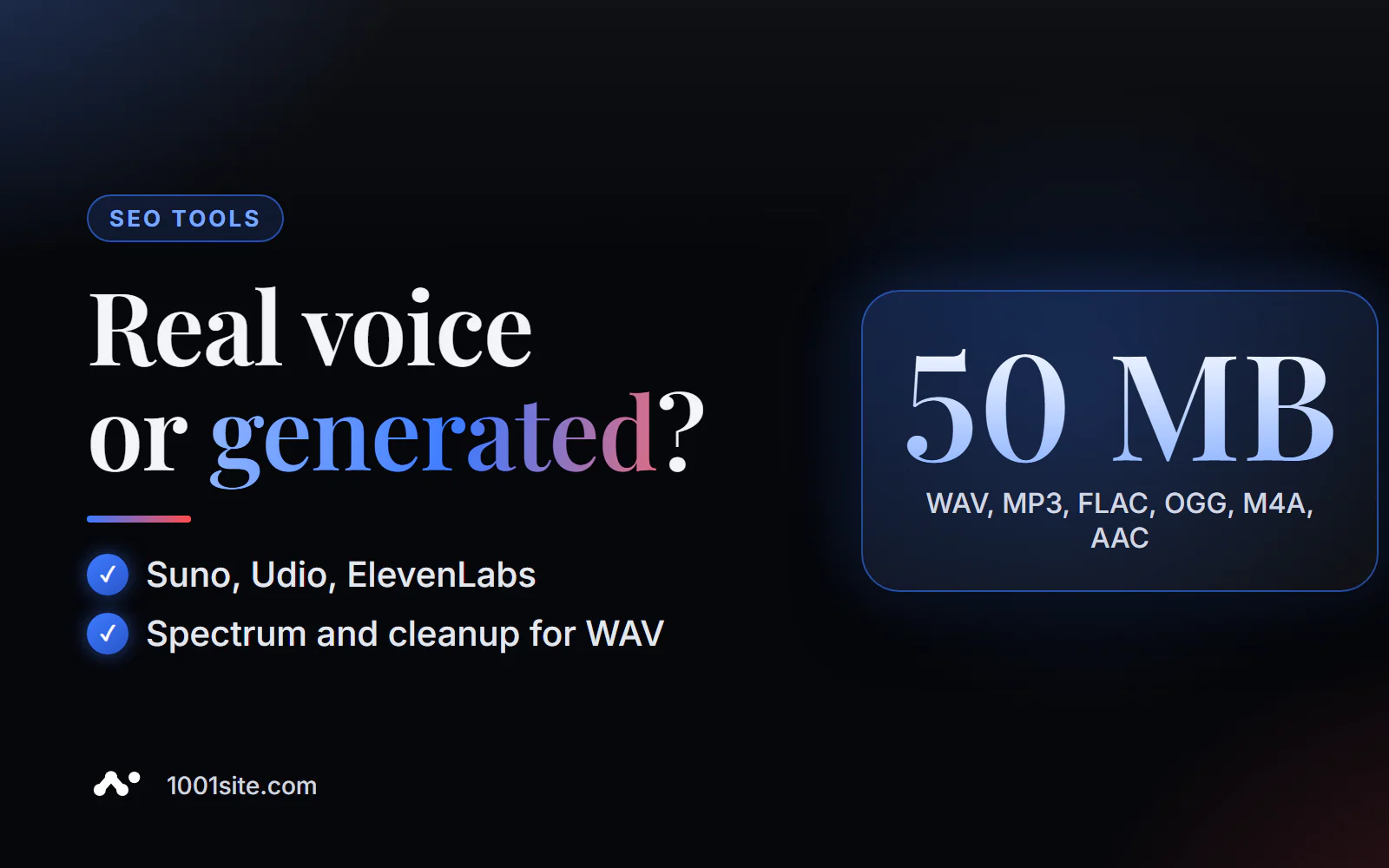
The short answer: to check audio for watermarks and AI signatures, upload a file (WAV, MP3, FLAC, OGG, M4A, or AAC up to 50 MB) to PromoPilot's audio watermark detector and click "Check Audio." The tool will detect metadata about the source and signatures of Suno, Udio, ElevenLabs, and other generators, if present, and, for WAVs, will also check for unusual high-frequency energy. The results will be a risk assessment and, for WAVs, a cleaned copy via a temporary link.
I create websites and AI-powered Telegram bots where users submit not only text but also files. Knowing what's in an audio file before publishing is as basic as checking an image before uploading it to a website.
What does an audio watermark detector check?
An audio file has two parts: the sound itself and its associated data. The detector examines both, but in different ways.
| What does it check? | What is this | Why is this important? |
|---|---|---|
| Origin metadata | Tags and fields about the program, source, and author | They may directly indicate generation or contain unnecessary data. |
| AI Audio Signatures | Suno, Udio, ElevenLabs and others - if recorded in metadata | They name the service where the track or voice was created. |
| Spectral anomalies (WAV only) | Unusual energy in the high frequency band | Possible sign of synthesis or hidden mark in the sound |
| Result | Risk assessment and list of findings | Decision: Publish, Flag, or Clear |
| Cleaning | Reassembled WAV without removed metadata | A clean file for publication - via a temporary link |
Example from the tool description: voiceover.wav with ElevenLabs metadata and a high-band anomaly – 100% risk, generator signature and spectral anomaly found, cleaned WAV copy available.
This detector is specifically for audio. There are separate articles in the series for images, videos, and text—each format has its own labels and cleaning methods.
How to check audio for watermarks online?
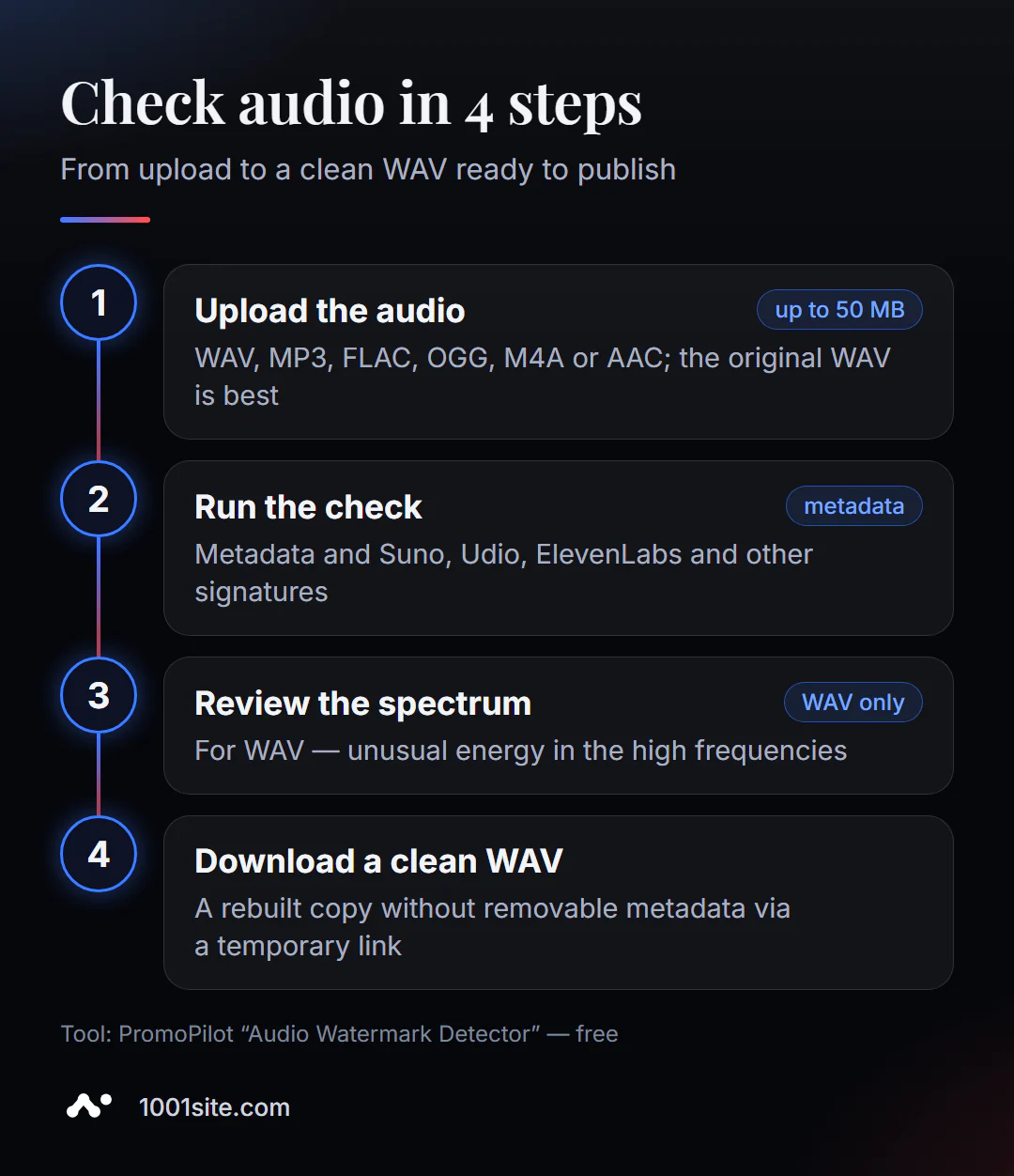
- Open Audio Watermark Detector.
- Upload a file —WAV, MP3, FLAC, OGG, M4A, or AAC up to 50 MB. If you have a WAV source, upload it as well: this will enable spectral analysis.
- Click "Test Audio".
- Explore findings: metadata, AI signatures, spectral signatures, and risk assessment.
- For WAV, download a cleaned copy if the metadata can be safely removed.
This is what the page looks like: a download zone with a 50 MB limit, a note about deleting the original file after analysis, and blocks for "AI audio signatures", "Spectral analysis", and "WAV cleaning".
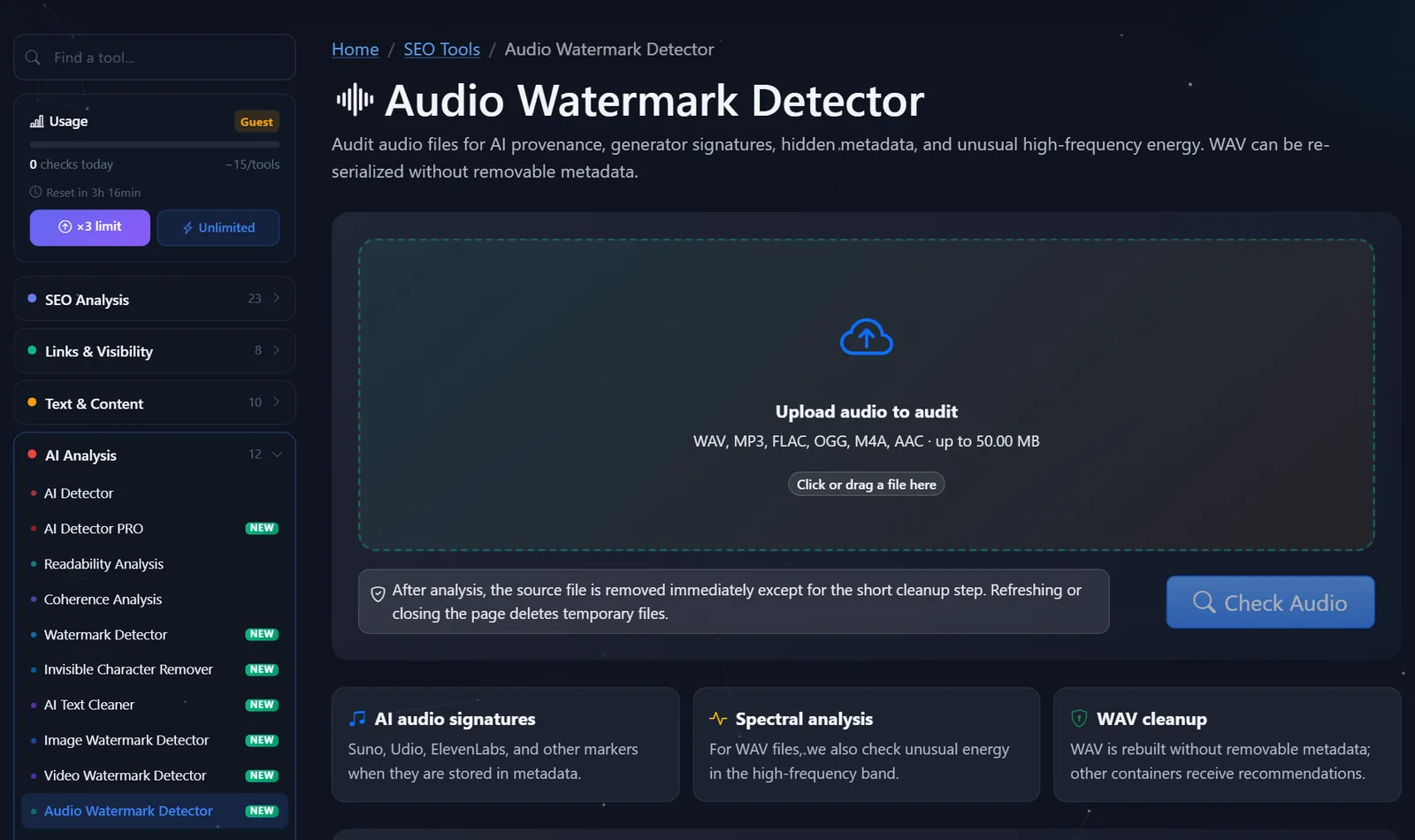
Guests have access to approximately 15 tests per instrument per day; after free registration, this number is tripled.
How to read the audio test result?
- A generator signature was found in the metadata. The file clearly indicates where it was created. If this is your track from Suno or a voiceover from ElevenLabs, the question is how you publish it: many platforms require AI content to be labeled, and generation services have their own terms of commercial use.
- A spectral anomaly was found in the WAV. This is a signal, not a death sentence: unusual energy in the upper band occurs both in the synthesis and in some processings. Compare this with other findings.
- Metadata containing unnecessary information —project names, e-mail addresses, and the contractor's studio name—is a reason to clean up the file, even if the audio was recorded live.
- Nothing found. The file doesn't provide any information: metadata may have been removed during conversion, and the neural network tool embedded in the audio doesn't guarantee detection.
A separate tip for voiceovers from a contractor: if the contract says "live voiceover" and the verification finds an ElevenLabs signature, that's a matter of discussion. If there's no signature but you have doubts, also run the voice through the free ElevenLabs classifier.
Metadata, Spectrum, and Watermarking in Audio: What's the Difference?
The term "audio watermark" is often used to refer to three different things, which causes a lot of confusion.
- Metadata are text tags next to audio: program, author, generator service. They are easy to read and easy to delete; resaving to a different format often erases them.
- Spectral traces are features of the signal itself, such as unusual energy in the high frequencies. They aren't visible in tags, but they are visible on the spectrogram. The PromoPilot detector checks for this for WAV files.
- A neural network watermark is an inaudible mark embedded in audio by a generator to survive compression and cropping. Only the service's native detector can detect it, such as Google 's SynthID Detector or ElevenLabs's check.
If you want to see the spectrum yourself, open the WAV file in Audacity, a free audio editor, and switch the track to spectrogram mode. A live recording is usually noisy across the entire band, while generated or compressed audio sometimes appears unnaturally smooth or has a sharp edge at the top. This is visually appealing, but interpreting it requires experience—the detector does this automatically.
When to check audio before publishing?
- Podcast and promotional video. Before release, ensure the metadata is free of working titles, unnecessary tags, and traces of services you don't want to disclose by mistake.
- Work acceptance. Voiceovers and music from contractors: what's recorded and what's generated. For music, this is also a licensing issue.
- User-generated content. Voice reviews and messages that are sent to the website or bot.
- Your own AI tracks. Before uploading to a website or social media, you can consciously decide whether to leave origin tags or explicitly mark the track.
It's impossible to clone someone else's voice without their consent, either with or without tags—the detector helps verify content, not hide its origin.
Comparison: PromoPilot detector and alternatives
| Tool | What's free? | Restrictions | Who is it suitable for? |
|---|---|---|---|
| PromoPilot — audio watermark detector | Metadata, Suno, Udio, ElevenLabs signatures, WAV spectrum, risk assessment, WAV cleanup | Up to 50 MB; WAV only cleaning; audio marks are not guaranteed | Checking audio before publishing |
| ElevenLabs AI Speech Classifier | Speech likely created by ElevenLabs; no login required | Only ElevenLabs; analyzes the first minute of recording | Voiceover testing |
| Google SynthID Detector | Finding the SynthID watermark in audio | Google AI content only; access limited | For journalists and researchers |
| MediaInfo | Detailed file tags and parameters | The program is for installation; it does not highlight AI signatures. | Technical analysis of the file |
Conclusion: The ElevenLabs classifier and SynthID Detector analyze the audio itself, but each is specific to its own service. The PromoPilot online detector is more versatile in formats and immediately returns clean WAV files, but relies on metadata and spectra. For important cases, use them together.
All PromoPilot checks are in the catalog of 87 free SEO tools.
Limitations of audio watermark detector?
- Audible jingles and watermarks are not removed.
- Robust neural network audio watermarks do not guarantee detection.
- Cleaning is only for WAV files. For MP3, FLAC, OGG, M4A, and AAC files, a check and recommendations are performed.
- Spectral analysis - WAV only: Compressed formats change high frequencies automatically.
When is a free tool not enough?
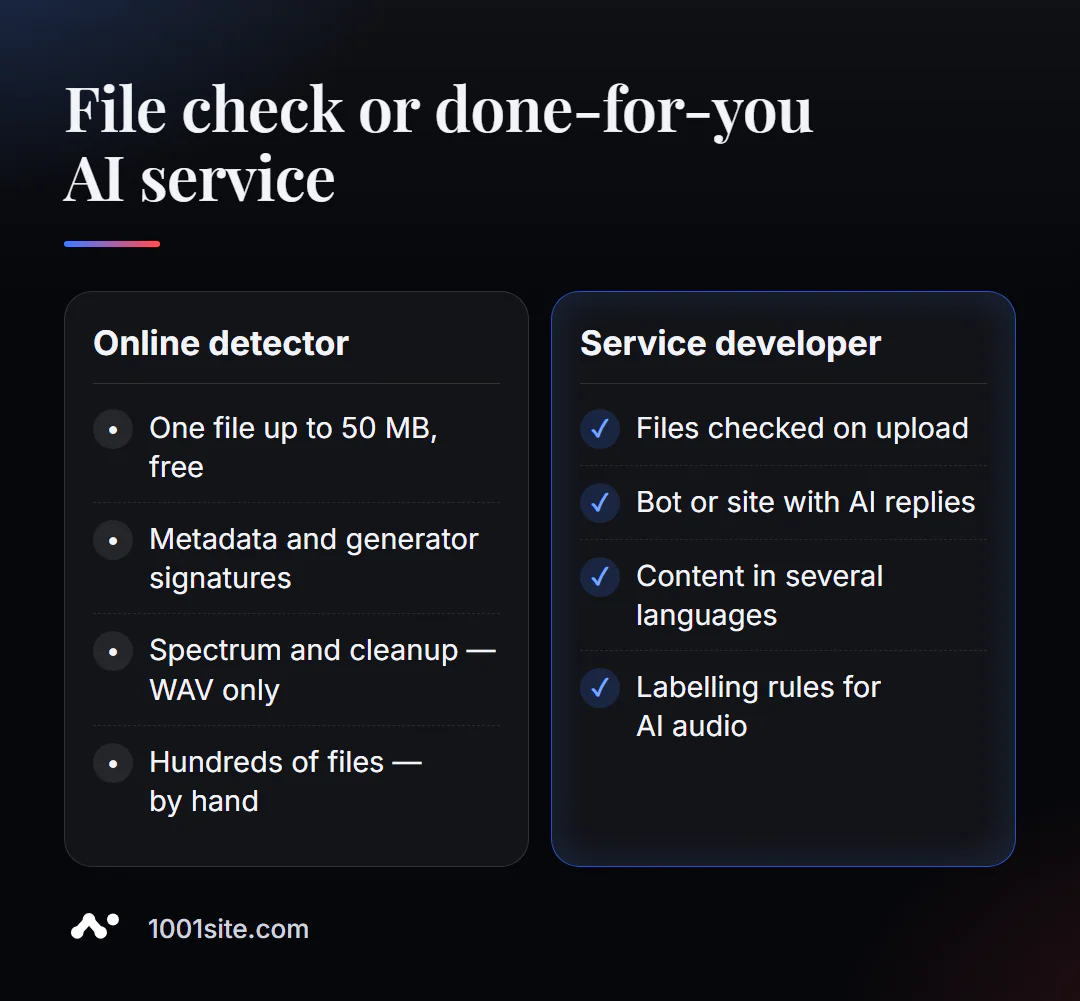
The detector will check the file. You need specialist assistance if:
- lots of audio - customer voice messages, catalog voiceovers, podcast episodes;
- You need a bot or a website that responds with voice and text;
- the content is released in several languages, and voice-overs need to be streamlined;
- We need to build checking and cleaning into file uploads.
What can I do for your website?
I'm Valeriy Danyuk, a developer and SEO specialist with 12 years of experience and over 200 clients. I create websites, Telegram bots, and AI-powered services.
SEO and content
- Turnkey SEO website audit: technology, content, and media files across the entire site.
- Multilingual website without translator and portal in 33 languages with RTL.
Websites
- Choose a platform – compare Tilda with a subscription fee and a website with AI; you can build a website in minutes on 1001site.
Bots and automation
- QuestFlow is a SaaS builder Telegram bots with AI.
- AI-powered equipment repair guide — vector database and bot.
- ERP + website + AI-powered Telegram bot for auto dismantling in 6 days.
If you need a bot or AI-powered website that accepts files and checks them automatically, message me on Telegram.
Result
- Audio watermark detector checks metadata, Suno, Udio, ElevenLabs signatures, and WAV spectrum—free, up to 50 MB.
- Load the original WAV: only it can be subject to spectral analysis and cleaning.
- "Nothing found" doesn't mean "recorded by a human"; ElevenLabs voices and Google content have their own detectors.
- If audio is part of a product, it's worth embedding verification into a website or bot: build one on 1001site or commission development.
Before releasing a podcast or video , check the audio in the detector - it only takes a couple of minutes.
Sources
- PromoPilot's Audio Watermark Detector page — checks, formats, limitations, example.
- ElevenLabs — description of the free AI Speech Classifier.
- Google - announcement of the SynthID Detector portal.
- MediaArea — description of MediaInfo.