The short answer: to check your sitemap.xml online, enter the domain or direct link to the sitemap in PromoPilot's XML Sitemap Analysis tool and click "Analyze." The tool will automatically find the sitemap via robots.txt, calculate the URL, evaluate the coverage and relevance of lastmod dates, display priority and changefreq values, check the XML syntax, and parse nested sitemap indexes. Free, no registration required.
When I audit a website, the sitemap almost always tells more about it than the homepage: it contains deleted products, test pages, old addresses before the move, and lastmod dates that are "updated" every night without a single change.
What does sitemap.xml analysis check?
A sitemap is a list of addresses you ask a search engine to crawl. If the list is dirty, the crawler wastes time on junk and is less likely to trust the rest of the file's data.
| What does the tool look at? | Example of meaning | Why is this for SEO? |
|---|---|---|
| Sitemap location | Found via the Sitemap: line in robots.txt | The robot finds the map without Search Console |
| Total number of URLs | 1240 addresses | Comparison with the actual number of website pages |
| Coverage and relevance of lastmod | 78% of URLs have dates | The search engine uses lastmod if the dates are correct. |
| priority and changefreq | 0.8, weekly | You can see how the CMS fills in the fields |
| XML validity | 2 structural problems found | An invalid file may not be readable at all. |
| Sitemap index structure | Nested sitemaps for products, articles, and categories | Large sites divide the map into parts |
The numbers in the example are taken from the tool description: "URL: 1240, lastmod coverage: 78%, 2 XML structural issues found." This is what a typical report for an average store looks like.
How to check sitemap.xml online?
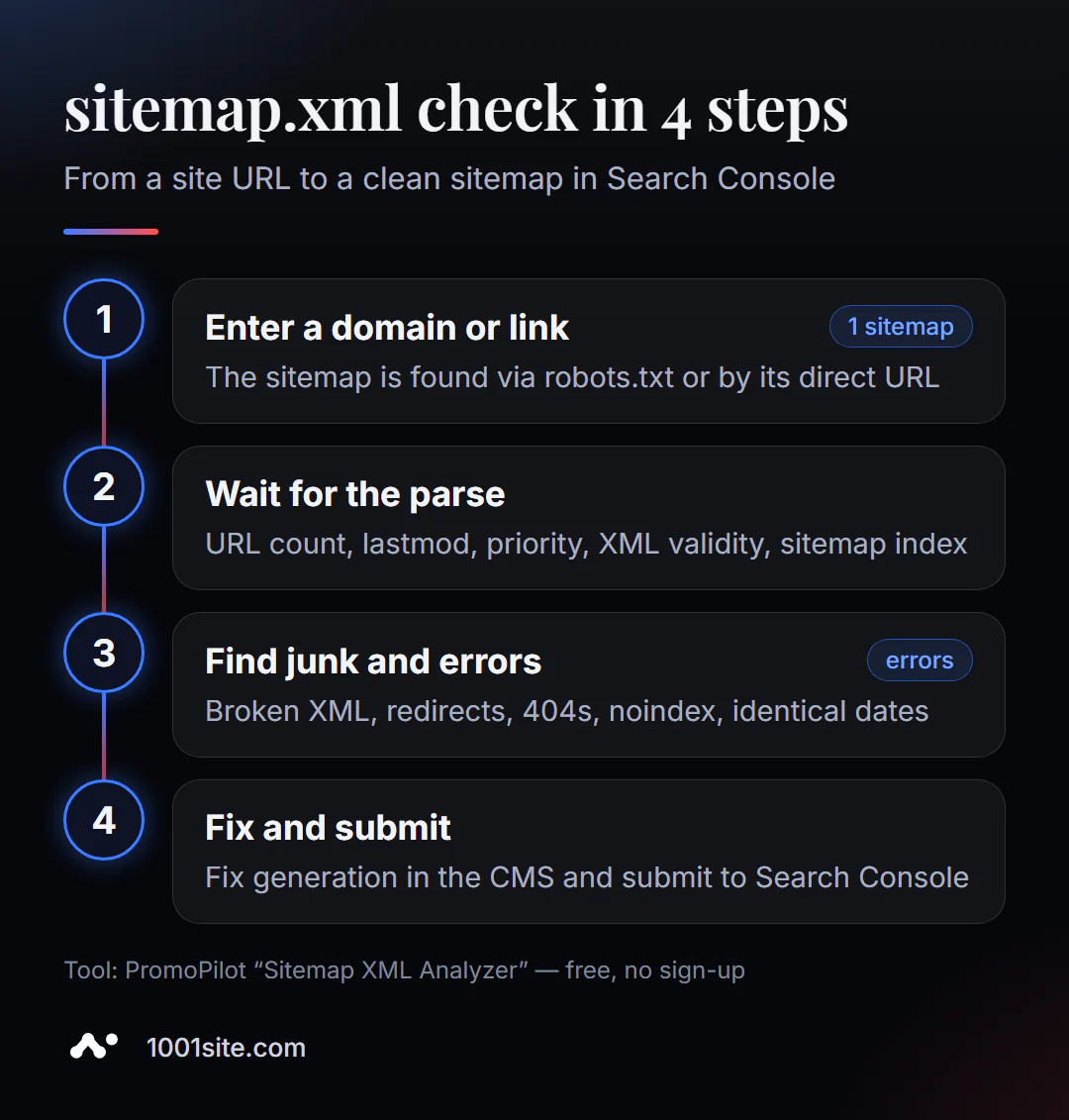
- Open the sitemap.xml analysis.
- Enter the domain or direct link -
https://example.comorhttps://example.com/sitemap.xml. - Click "Analyze" and wait for the analysis. Large sitemaps take longer to process.
- Look at the number of URLs and compare it with the actual number of pages.
- Check lastmod to see if it has dates and if they are the same for all addresses.
- Understand XML errors and nested sitemap structure.
- Correct the map generation in the CMS and submit the updated file to Search Console.
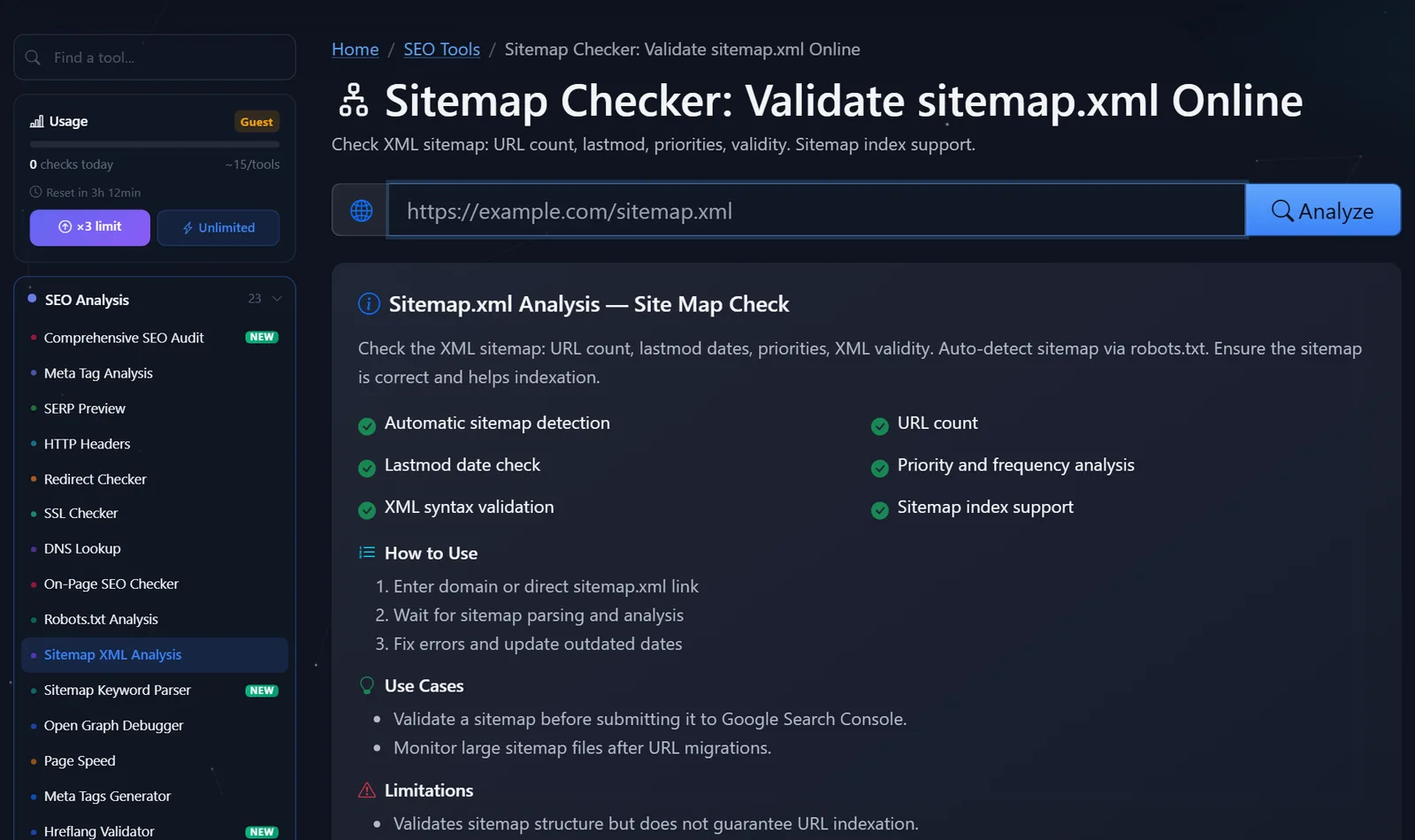
The tool's page contains a field for the sitemap address, an "Analyze" button, and a description: what is checked, usage scenarios, and limitations.
If the sitemap isn't found by domain, that's already the first sign: there's no Sitemap: line in robots.txt, and the file is located at a non-standard address. Add the line, and any robot will find the sitemap automatically.
When to run a check: before submitting a sitemap to Search Console for the first time, after moving or changing the URL structure, after updating the SEO plugin, and once per quarter for stores where products are constantly appearing and disappearing. Checking your competitor's sitemap is also useful—the number of URLs and the breakdown into attached files shows how large their catalog is and how it's structured.
How to read the report and what to fix first?
Move from what makes a file unreadable to what improves its quality.
- XML errors. An unescaped ampersand in the address (
&instead of&), a file break in mid-file, or an HTML page instead of XML—the map may not be fully readable. This is the first thing to fix. - The number of URLs doesn't match reality. The store has 800 products, but the map has 4,000 URLs—meaning filters, sorting options, pagination pages, or duplicates have been included. The opposite situation—120 URLs with 800 products—means the map isn't updating or is truncated.
- Redundant URLs. The sitemap should only contain canonical pages with a 200 code and no
noindex. Redirects, 404s, URLs closed in robots.txt, and non-canonical URLs should be removed. - False lastmod. If all 1,240 addresses have the same date—today's—the CMS sets the current time each time they're generated. Google only uses lastmod if it's consistently accurate, so such a "perpetually up-to-date" lastmod is useless.
- priority and changefreq. Google ignores these values. They don't cause any harm, but it's not worth wasting time tweaking them.
- Size and structure. One file should contain no more than 50,000 addresses and 50 MB uncompressed. If larger, split it into multiple files and combine them into a sitemap index.
A healthy sitemap entry looks like this:
<url>
  <loc>https://example.com/catalog/red-sneakers/</loc>
  <lastmod>2026-10-02</lastmod>
</url>
Full absolute address with protocol, the same address type as in canonical (with or without a slash at the end - but the same), and the date of the last real change.
A special tip for stores: divide your sitemap by type—products, categories, blog articles. This way, Search Console will show you which types of pages are indexed less effectively, and you'll immediately know where to dig further.
Comparison: Sitemap Analysis in PromoPilot and Alternatives
| Tool | What's free? | Restrictions | Who is it suitable for? |
|---|---|---|---|
| PromoPilot - Sitemap XML Analysis | Sitemap autosearch, URL count, lastmod, priority, XML validity, sitemap index | Checks the structure, but not the indexation of each URL | Check any card before sending it to search |
| Google Search Console Sitemap Report | Processing status, number of addresses found, and link to the indexing report | Only for your verified site, data is delayed | To site owners after sending |
| Screaming Frog SEO Spider | Crawling addresses from the map and checking their response codes | The program needs to be installed | Deep technical audit |
| Open the sitemap in a browser | View file with your eyes | Without counting and error checking | If there are dozens of addresses |
Conclusion: online analysis is useful before submitting a sitemap and for other sites, while Search Console is useful after submitting, when it's important to know what Google has done with the URLs. A crawler is useful when you want to check the response code for each URL in the sitemap.
Sitemap analysis is one of PromoPilot's 87 free SEO tools. If you don't have a sitemap at all, you can create one using the sitemap.xml generator, and to understand the topics your URLs cover, you can parse them with the sitemap keyword parser. Both tools are covered in the adjacent articles in this section.
Limitations: What does sitemap verification not guarantee?
The analysis verifies the sitemap structure but does not guarantee indexing of the URLs. Even a perfect sitemap is a request, not a command: search engines decide which pages to index based on their quality and usefulness.
The tool doesn't go through every page in the sitemap to check its response code and meta tags. This requires a crawler or a full site audit that compares the sitemap with the actual state of the pages.
Very large sitemaps take longer to process—please be patient or check individual nested sitemaps using direct links. Compressed sitemaps in .xml.gz format and image or video sitemaps are a separate issue: if you have such files, check the results against the Search Console report.
When is a free tool not enough?
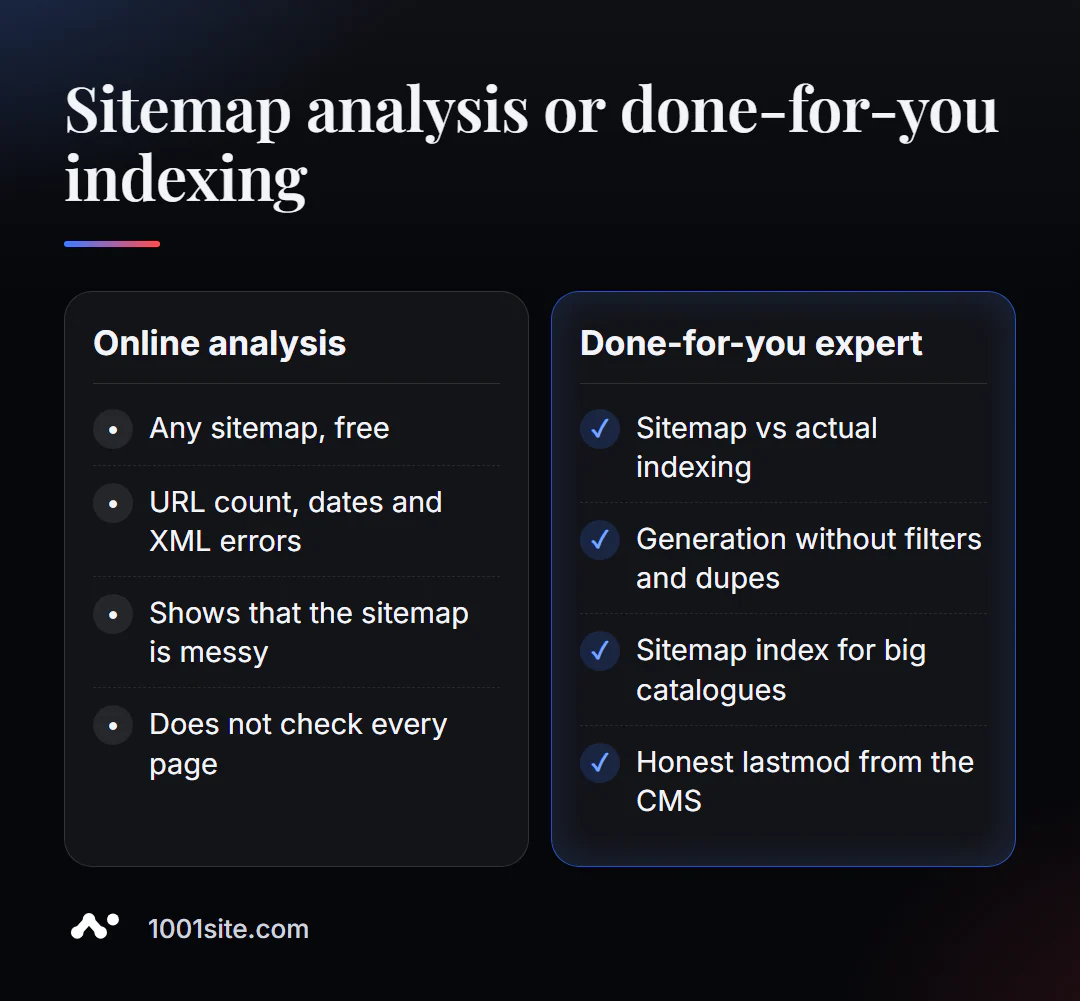
Analysis will show that the map is dirty. To clean it, you need to change how the engine generates it. You need a specialist if:
- There are thousands of filters and duplicates in the map, and the plugin doesn’t allow you to exclude them;
- After moving, the old addresses remained on the map, and new ones are indexed slowly;
- Search Console shows many "Found, not indexed" pages;
- The site has tens of thousands of products, several languages, and needs a well-designed sitemap index.
What can I do for your website?
My name is Valeriy Danyuk, and I'm a developer and SEO specialist with 12 years of experience and over 200 clients. I frequently work with large catalogs and multilingual websites, and a clean sitemap is crucial.
SEO and promotion
- Turnkey SEO audit: I check the sitemap against actual indexing, robots.txt, and canonical, and then correct the map generation.
- Autoblog with AI agents – new articles are automatically added to the sitemap immediately after publication.
- A tourism portal in 33 languages with RTL – where the sitemap must cover all language versions.
Websites and online stores
- A catalog of 300 products in a couple of minutes via MCP and Claude.
- 1001site website: sitemap, structured data, and server-side rendering are configured automatically, without plugins.
CRM, accounting and automation
- Accounting, bookkeeping, and a store with 30,000 products —a scale at which a sitemap index is essential.
- Dropshipping platform with partner stores.
All projects are in my portfolio. Send me a link to your sitemap on Telegram —I'll tell you what to remove.
Result
- The online sitemap.xml checker finds the map, calculates addresses, and checks dates, syntax, and attached files.
- Fix in order: XML errors → extra addresses → incorrect lastmod → size and breakdown.
- The map contains only canonical pages with a 200 code without noindex; Google ignores priority and changefreq.
- If the engine is generating garbage, it's easier to entrust the setup to a specialist or switch to 1001site, where the sitemap is built automatically.
Check your sitemap right now: run a free sitemap.xml analysis, and if the report puzzles you, message me on Telegram.
Sources
- PromoPilot's XML Sitemap Analysis tool page - checks, sample report, and page questions.
- Google Search Central - How to create a sitemap, size limits, and using lastmod.
- Google Search Console Help - Sitemaps Report.