Short answer: to create a robots.txt file online, open the PromoPilot robots.txt generator, select a preset (Custom, Allow all, Deny all, WordPress, Laravel, or Next.js), enter the paths for Disallow and Allow, enter the website address for the Sitemap line, and optionally check Crawl-delay or block AI crawlers. The completed file will appear on the right—you can copy it or download it. It's free and requires no registration.
I write robots.txt for every new website and know how easy it is to make mistakes manually: an extra space, a forgotten slash, a rule outside a block. The robots.txt builder eliminates this problem—you think about what to close, not the syntax. Below, we'll explain how to use it, what to close, and where to put the finished file.
What does the robots.txt generator do?
The generator is a form instead of a text editor. You select the settings, and the tool assembles them into a valid file and displays it in a live preview.
| Setting up | What sets | Why does the site need this? |
|---|---|---|
| Preset | Custom, Allow All, Deny All, WordPress, Laravel, Next.js | A ready-made starting point for your engine |
| Website URL | Address for Sitemap line | Robots find the sitemap themselves |
| Disallow Paths | Sections not to be scanned, one per line | The robot doesn't waste time on the admin panel and service pages. |
| Allow Paths | Exceptions within closed sections | Open the desired file in a closed folder |
| Crawl-delay (10 sec) | Pause between robot requests | Relieving the load on a weak server for robots that take it into account |
| Blocking AI crawlers | Ban for GPTBot, Claude, and other AI bots | Control who uses your content |
| Preview, copy, download | The finished robots.txt file | You can upload it to the server immediately. |
It's important to understand the limitation: the generator creates a file, but it doesn't check an existing one. If you already have a robots.txt file and want to find errors in it, you need to analyze the robots.txt file—the article in the next section is devoted to this.
How to create robots.txt online?
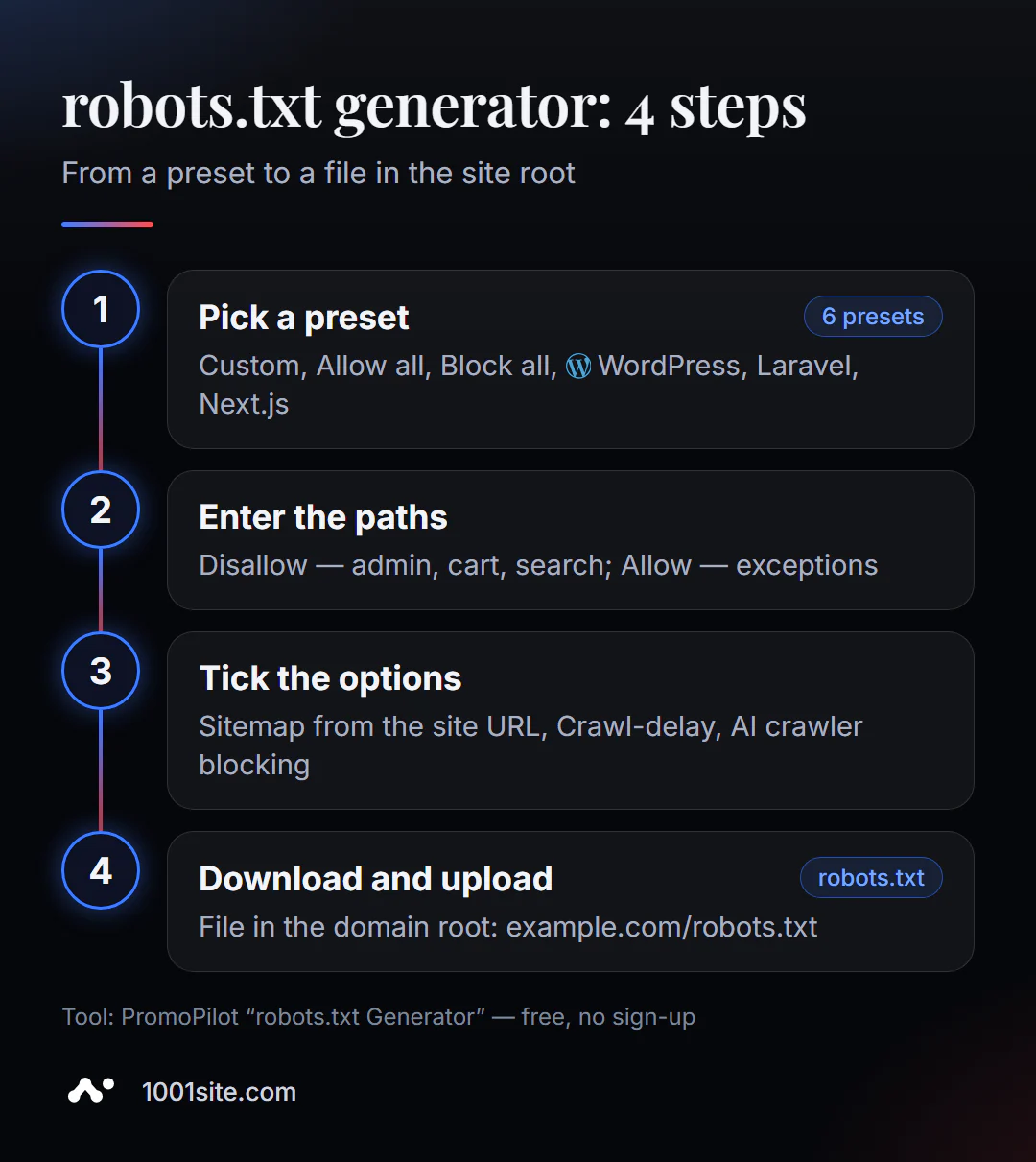
- Open the robots.txt generator.
- Select a preset for your engine. If your engine isn't listed, choose "Custom."
- Enter the website address —
https://example.com. This will create aSitemapline. - Add Disallow paths, one per line:
/admin/,/tmp/,/search/. - If necessary, add Allow exceptions inside restricted folders, such as
/uploads/images/. - Check the boxes: Sitemap, Crawl-delay, block AI crawlers.
- Copy or download the file and upload it to the root of the site.
On the left side of the page are the settings, and on the right is a live preview of the file with the "Copy" and "Download robots.txt" buttons.
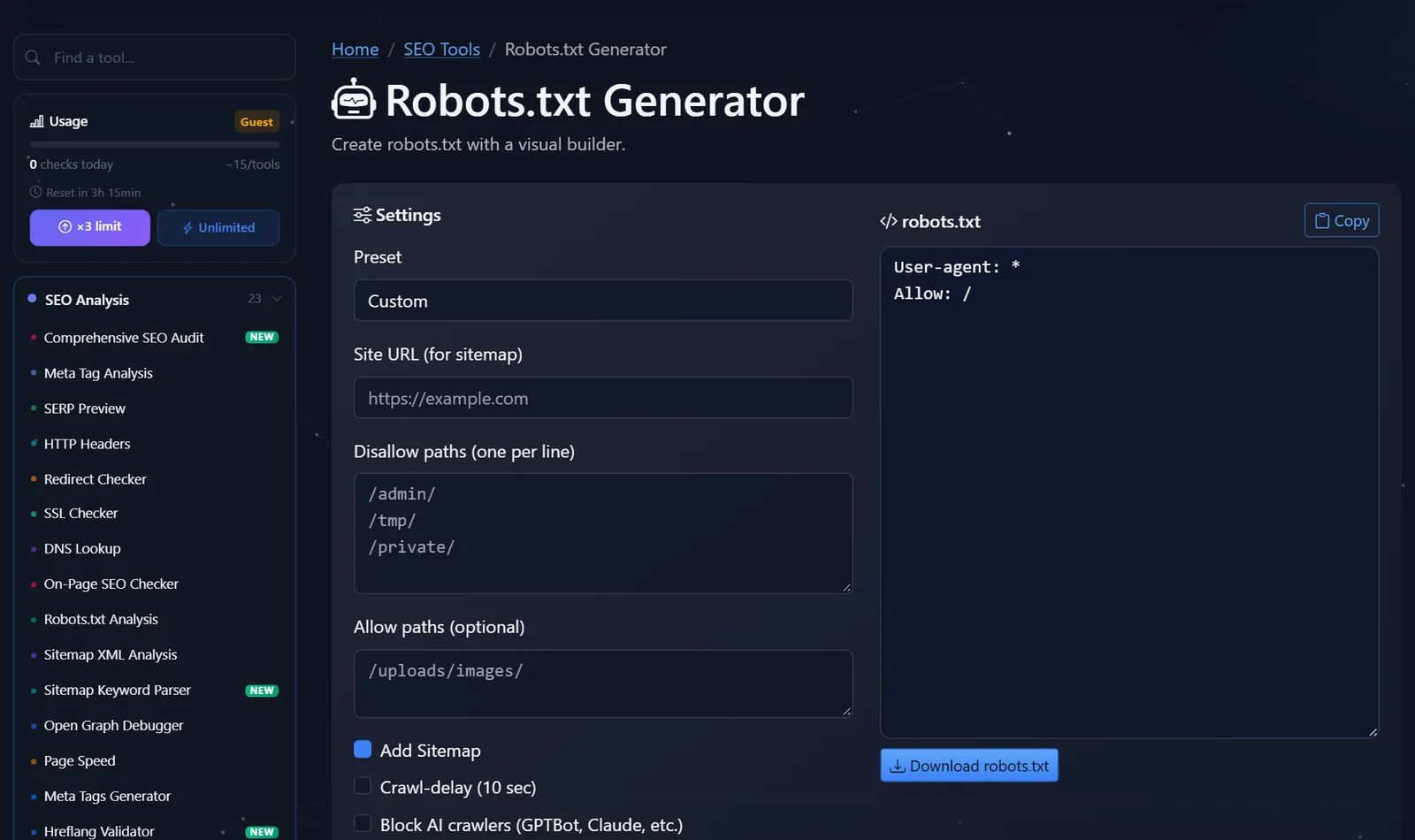
The file must be located strictly at the root of the domain: https://example.com/robots.txt. Robots won't find it in /blog/robots.txt folder or on another subdomain—each subdomain has its own robots.txt file.
Where exactly to upload the downloaded file depends on the platform:
- Regular hosting - through the panel's file manager or FTP to the folder where the main page is located (often
public_htmlorwww). - WordPress — if there's no physical file, the engine serves a virtual robots.txt file. Uploading the file to the root replaces it; the second option is to use the file editor in the SEO plugin.
- Next.js and other frameworks —the file is placed in the
publicfolder or generated from the project code so that it doesn't get lost during the next deployment. - Website builders - the file is usually edited in the SEO settings rather than uploaded manually.
The file must be named robots.txt in lowercase and saved in UTF-8 encoding as plain text. After downloading, open it in your browser: if you see your text, everything is in place.
What should and shouldn't be closed in robots.txt?
The main principle: close anything that doesn't add value to search and wastes the robot's time. Don't close anything that's essential for the robot to understand the page.
Usually closed:
- admin panel and personal account:
/admin/,/wp-admin/,/account/; - cart and checkout:
/cart/,/checkout/; - internal search:
/search/,/?s=; - service and temporary folders:
/tmp/,/cgi-bin/; - Endless combinations of filters and sorting options - neat, only if there are separate landing pages for the required filters.
Never close:
- CSS, JavaScript, and images—without them, Google won't see the page the way a human would;
- catalog, blog, product cards and landing pages;
- pages you want to remove from the index - for this you need
noindex, and the robot must be able to read it.
Here's the file you'll get for a typical WordPress store with WooCommerce:
User-agent: *
Disallow: /wp-admin/
Allow: /wp-admin/admin-ajax.php
Disallow: /cart/
Disallow: /checkout/
Disallow: /my-account/
Disallow: /?s=

Sitemap: https://example.com/sitemap.xml
Regarding flags. Google doesn't take crawl-delay into account—only enable it if your server is suffering from other bots. Blocking AI crawlers is a business decision: if you want ChatGPT, Gemini, and Perplexity to know about you and recommend you, don't block their access.
Another practical point is the test version of the site. For the staging copy, use the "Deny All" preset, but be sure to replace the file upon launch: a forgotten Disallow: / is what most often reduces traffic to new sites.
Comparison: PromoPilot Generator and Other Ways to Create Robots.txt
| Way | What's free? | Restrictions | Who is it suitable for? |
|---|---|---|---|
| PromoPilot — Robots.txt Generator | Presets, Disallow and Allow, Sitemap, Crawl-delay, AI bot blocking, download | You need to upload the file to the server yourself. | For beginners and anyone who doesn't want to remember syntax |
| Editor in a WordPress SEO plugin (e.g. Yoast SEO) | Editing a file directly from the admin panel | For WordPress only, you write the syntax yourself | For WordPress website owners |
| Robots file in Next.js | robots.txt is generated from the project code | Developer needed | Next.js projects |
| Text editor | Complete freedom | Easy to make mistakes, no clues | For those who know the standard by heart |
Conclusion: The generator is the fastest way to get a valid file without knowing the syntax. The plugin and project code are convenient when the file needs to change along with the website.
The generator is one of PromoPilot's 87 free SEO tools. After downloading the file, check it with a robots.txt analyzer, and for the sitemap line, use the sitemap.xml generator—both are covered in the adjacent articles in this section.
Generator Limitations: What It Won't Do for You
The generator doesn't know your site's structure. The WordPress preset will close the typical service paths, but it won't guess that your store's filters live in /filter/ and the internal search in /find/. You'll need to enter these paths yourself.
It doesn't upload the file to the server or check that the file is accessible at /robots.txt with a 200 status code. After uploading, open the address in a browser or run it through a parser.
And it doesn't replace noindex: if the goal is to remove pages from search results, robots.txt is not suitable. Finally, the file doesn't protect your data: it's public, and anyone can read which sections you've locked. Secrets are hidden behind a password.
When is a free tool not enough?
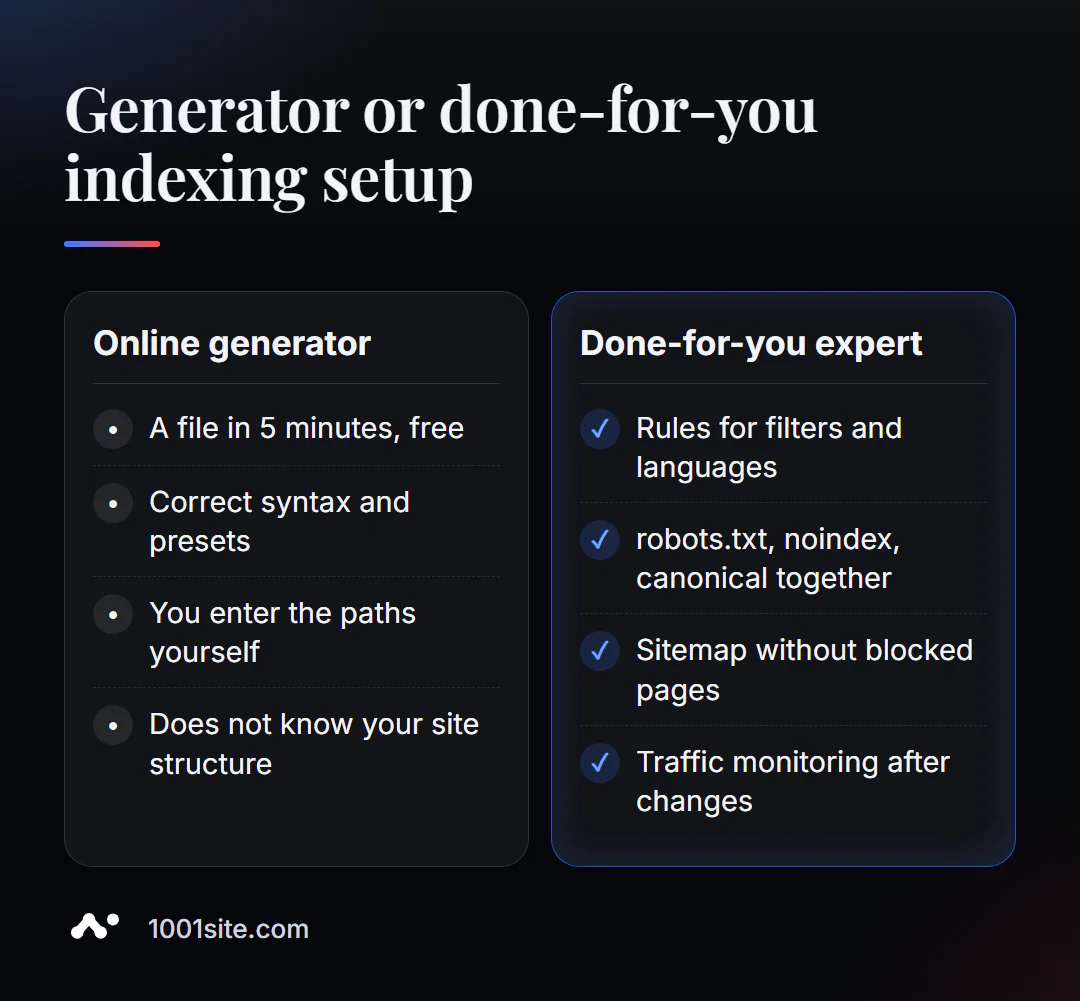
Generating a file takes five minutes. Deciding what to lock on a site with thousands of pages is a lot of work. You need a specialist if:
- The store has hundreds of filter combinations, and some of them generate traffic;
- the site is multilingual, on subdomains or with separate folders for languages;
- After editing robots.txt, traffic dropped, and it’s unclear which rule is to blame;
- You need to align robots.txt, meta tags, canonical, and sitemap into one system.
What can I do for your website?
My name is Valeriy Danyuk, I'm a developer and SEO specialist with 12 years of experience and over 200 clients. A proper robots.txt file is part of every website I build.
SEO and promotion
- Turnkey SEO audit: robots.txt, noindex, canonical, and sitemap as a unified system, not a set of random rules.
- An AI-powered SEO blog that brings in organic leads.
- A multilingual website without a translator —where robots.txt and sitemap must take into account all languages.
Websites and online stores
- WooCommerce online store: 40+ templates, €299 — with robots.txt for cart, filters, and checkout.
- A website on 1001site, where the sitemap and indexing are configured automatically. How this differs from a builder with a subscription fee? Tilda vs. AI-powered website analysis.
CRM, accounting and automation
- A monthly accounting system for an online store – a project for a company from the Czech Republic.
- QuestFlow is a SaaS builder Telegram bots with AI.
More in the portfolio. Not sure what to cover? Send me your website address in Telegram – I'll suggest rules for your structure.
Result
- The online robots.txt generator creates a correct file in five minutes: preset, paths, sitemap, flags.
- Close the admin panel, recycle bin, search, and service folders; do not close CSS, JS, the catalog, or the blog.
- robots.txt does not remove pages from the index - this is what
noindexis for. - A complex structure, filters, and languages are a reason to entrust the setup to a specialist or build a site on 1001site, where indexing is configured out of the box.
Create your own robots.txt file right now using the free robots.txt generator, and if you have any questions about the rules, write to me on Telegram.
Sources
- PromoPilot's robots.txt Generator tool page — settings, presets, and page questions.
- Google Search Central - How to Create and Submit a Robots.txt File.
- Next.js documentation - robots metadata file.