The short answer: to check your website's indexation online, enter your domain into PromoPilot's Site Indexation Checker. The tool will estimate how many pages the domain has in Google (search for "site:"), calculate the URLs in your sitemap.xml along with any embedded sitemaps, and display the index coverage percentage—with a simple explanation. It's free and requires no registration. Below, you'll find how to read the gap between the index and sitemap, why it can happen in both directions, and what to do in each case.
I do this check within the first minute of getting to know any site: one coverage figure immediately tells me whether the project has indexing issues or whether I can move on to the content.
What does a website indexing check show?
This is a look at the site as a whole, without delving into individual pages. The main value is comparing two numbers: what you told Google and what it took.
| Indicator | How is it calculated? | Why is this important for SEO and business? |
|---|---|---|
| Pages in Google index | Request site:domain via proxy | How many website pages can generate search traffic? |
| Addresses in sitemap.xml | Count all URLs, including embedded maps | How many pages do you consider important and suggest to Google |
| Index coverage, % | Index ÷ sitemap | How much has Google "accepted" your site? |
| Interpretation | Conclusion in simple language | There is no need to guess whether this is good or bad. |
| Rechecking pages | Moving on to checking individual URLs | Find the reason using a specific example |
How to check website indexing online?
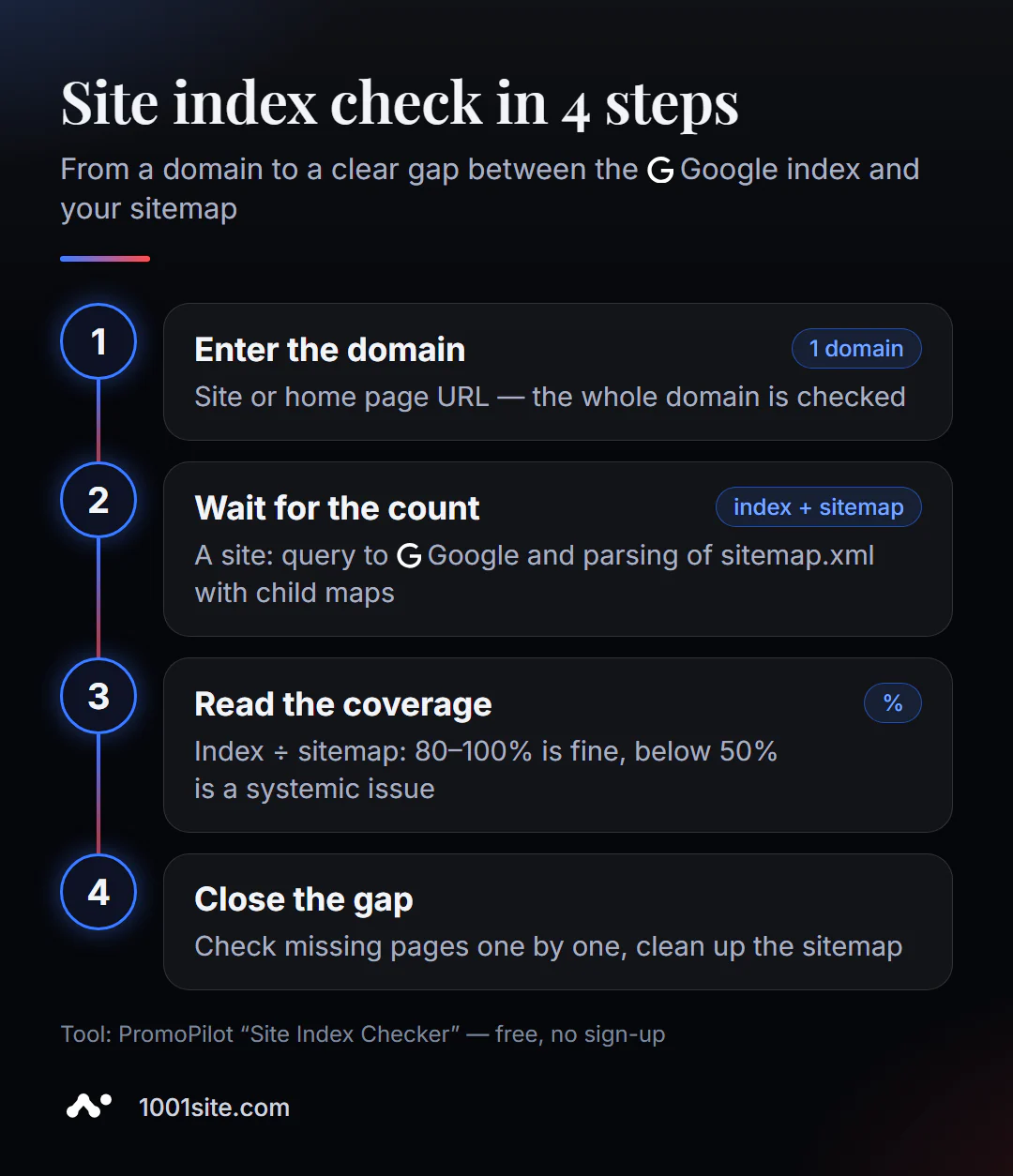
- Open Site Indexing Checker.
- Enter the website address - domain or home page.
- Click "Check Site" and wait for Google to request and parse the sitemap.
- Estimate the coverage - percentage and explanation below.
- Close the gaps: Check individual pages that are not in the index and fix the cause.
This is what the tool page looks like: a field for the domain, a counter for free checks, and a description of what is counted.
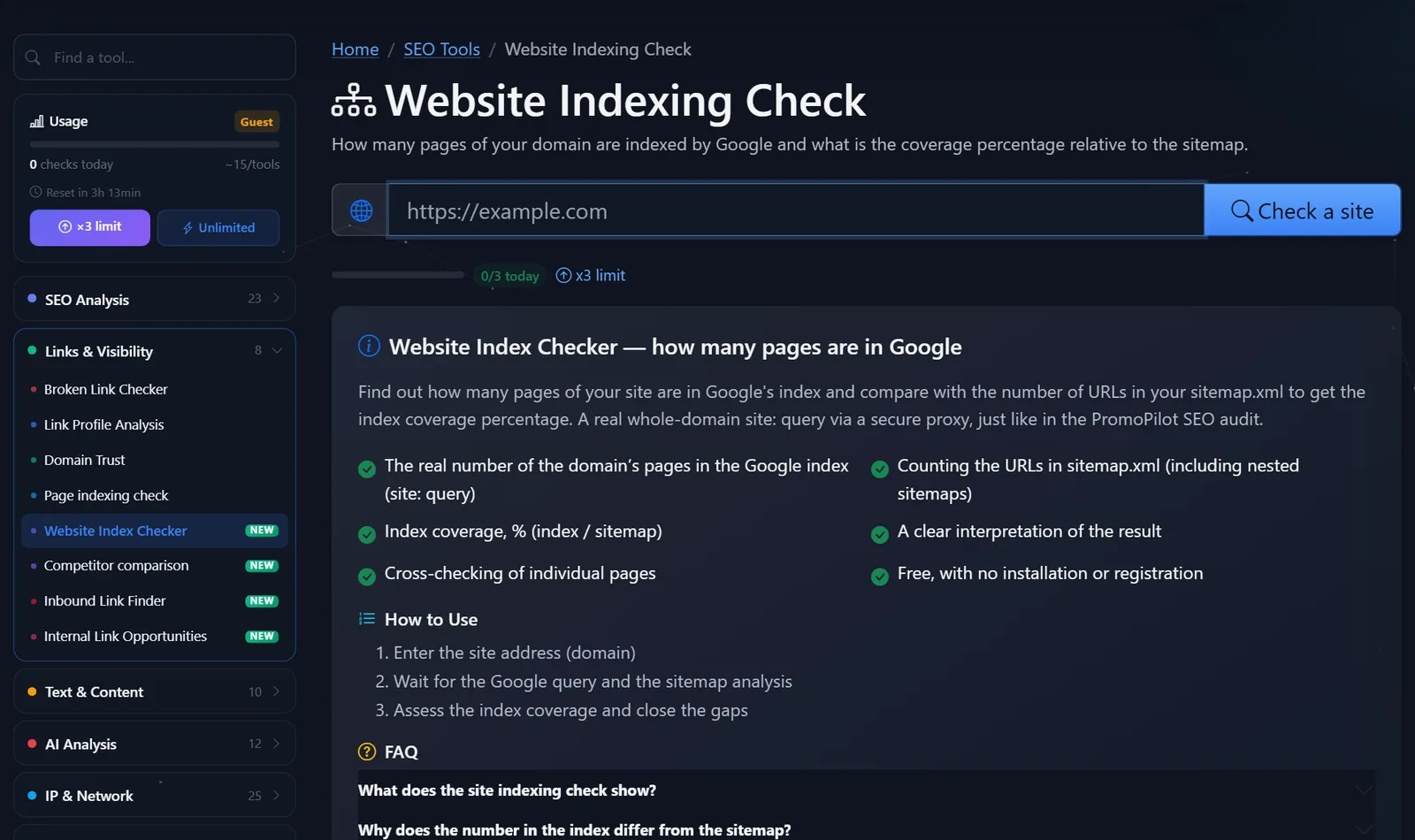
Important: The tool searches for sitemaps automatically. If there's no sitemap, or it's located at a non-standard address and isn't specified in robots.txt, the sitemap will contain zero addresses—and that's the first hit.
How to read index coverage and what to do with a gap?
My practical guidelines are not an official scale, but the experience of dozens of tests.
- 80–100% is normal. A small gap indicates new pages that Google hasn't yet reached.
- 50–80% — a significant portion of pages are not in search results. Look for a pattern: which section is missing?
- Below 50% - a systemic problem: closed sections, duplicates, thin pages, or a sitemap filled with junk.
- More than 100% means the index contains more pages than the map. This isn't a cause for celebration: it usually includes filters, tags, pages with parameters, and duplicates.
What to do if coverage is low:
- Take 3-5 URLs from your sitemap that aren't in Google and check them one by one using the Page Indexing Checker. Most often, the cause is the same: noindex in the section template, canonical URL for a category, or a disallowed robots.txt file.
- Clean your sitemap. It should only contain pages that return 200, without noindex, and with a canonical address. Redirects, 404s, and closed URLs in the sitemap confuse Google.
- Check the links to the missing pages. If a section isn't linked from the menu or categories, Google considers it unimportant.
- Evaluate the content. Google is reluctant to index hundreds of nearly identical cards or 150-word articles—they should be combined or expanded.
A typical scenario. An online store: the sitemap has 1,200 addresses, the index has about 450—coverage is less than 40%. Checking several missing pages revealed the same thing: the canonical for all the variation products pointed to the "parent" product, and for some parent products, it pointed to the category. After editing the template and rebuilding the sitemap, coverage increased to 85% within two months, and pages Google had previously been unaware of appeared in search results.
Another common finding is an outdated sitemap. The plugin stopped updating it a year ago, and the sitemap contains deleted products, while new sections haven't been added. The tool will show this indirectly: the sitemap contains suspiciously few or too many URLs compared to what you see on the website.
What to do if coverage is above 100%: Check the site:domain search results to see which addresses are redundant. Close the filter, sorting, and search results pages from the index (noindex or canonicalize to the main version), configure one domain version—with or without www—and 301 the other.
Comparison: PromoPilot website indexing check and alternatives
| Tool | What's free? | Restrictions | Who is it suitable for? |
|---|---|---|---|
| PromoPilot — Website Indexing Checker | Pages in Google, addresses in sitemap, coverage in %, interpretation | The number on site is an estimate, not exact data. | Quickly evaluate any website, yours or someone else's, without access |
| Search Console Indexing Report | Exact data: indexed, excluded and why | Only your verified website | For owners - for a detailed analysis |
| Manual site: query in Google | Estimated number of results | No comparison with sitemap and no explanation | First estimate in a second |
| Screaming Frog SEO Spider | Site crawl and comparison with sitemap | Doesn't know what's in the Google index; up to 500 addresses, installation required | Find orphaned and junk pages on the map |
Conclusion: Search Console provides accurate data for your site, but you need to know how to read its report. Online verification answers the main question with a single figure and works for any domain—for example, when evaluating a site before purchasing, for a new client, or for a competitor.
PromoPilot has 87 more free SEO tools. If coverage is low, the next step is to check the indexation of a specific page: there's a related article in the section that covers noindex, robots.txt, and canonical. The sitemap itself can be easily analyzed with a sitemap analyzer.
How accurate is the estimate of the number of pages in the index?
The number of pages for the query "site:" is Google estimate, not an exact count. For small sites, it's usually close to reality, but for larger sites, it can differ significantly and change from check to check. Exact figures for your site are available only in Search Console.
Therefore, look at the order of magnitude and dynamics, not the exact number. If the sitemap has 2,000 addresses and the index has about 300, there's a problem, regardless of the margin of error. If it's 1,900 versus 2,000, everything is fine. And check it once a month: an increase or decrease in coverage is more important than a one-time figure. It's convenient to record the results in a simple table—date, pages in the index, addresses in the sitemap, coverage—and compare them after each major change to the site.
When is a free tool not enough?
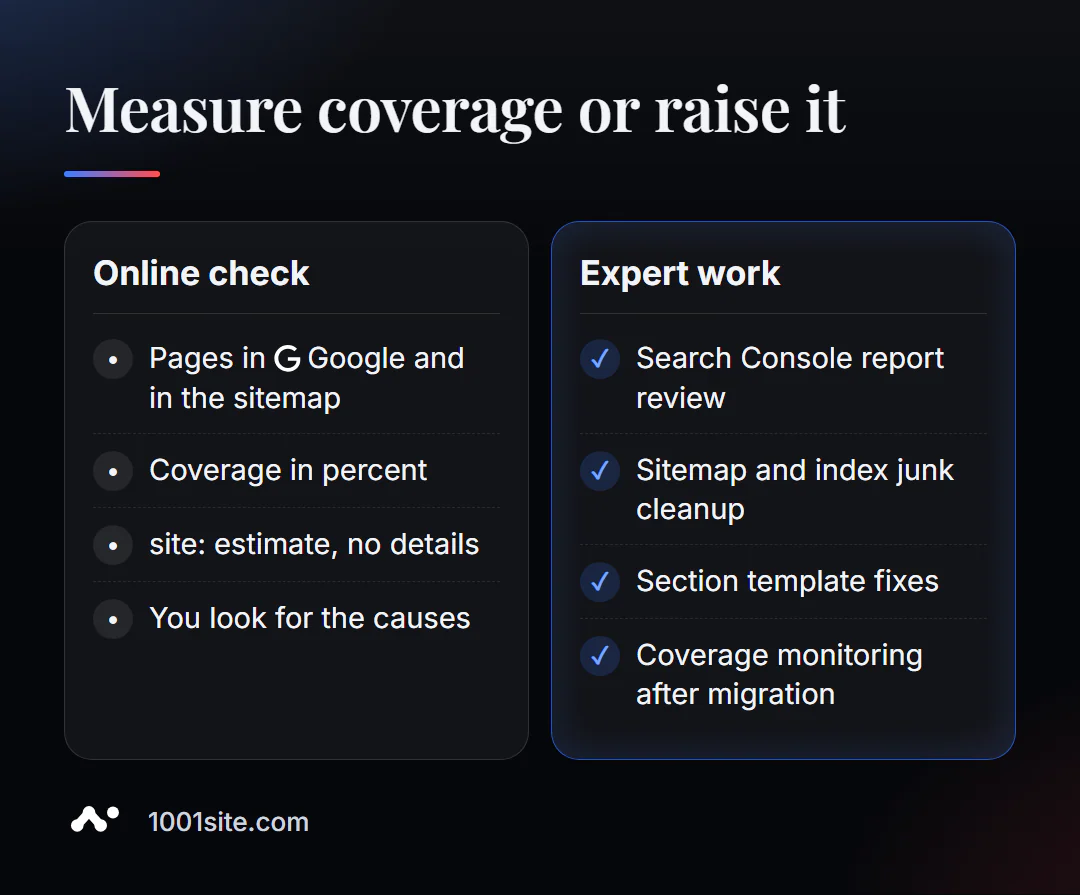
The coverage figure indicates the scale of the problem, but not its solution. A specialist is needed if:
- coverage is below 50% and the cause cannot be found in several examples;
- the index contains thousands of junk pages of filters and parameters;
- after moving or redesigning, coverage dropped sharply;
- The site is multilingual, and you need to understand which language versions Google has accepted.
What can I do for your website?
My name is Valeriy Danyuk, and I'm a developer and SEO specialist with 12 years and over 200 clients. Indexing large catalogs and multilingual websites is my daily work.
SEO and promotion
- Turnkey SEO audit: I analyze the indexing report, clean up the sitemap, close junk pages, and improve coverage.
- Articles that get indexed: AI-powered SEO blog that brings in organic clients.
- Multilingual indexing – a travel portal in 33 languages with RTL and an analysis of how to create a multilingual website without a translator: each language version must be indexed separately, otherwise the translation work is wasted.
Websites and online stores
- A 300-product catalog in just a few minutes —with a sitemap that updates automatically.
- 1001site website: sitemap, structured data, and server-side rendering are configured automatically, so pages are immediately visible to search engines.
CRM, accounting and automation
- Accounting, bookkeeping, and a store with 30,000 products —where index coverage is measured in thousands of pages.
- A monthly accounting system for an online store for a company from the Czech Republic.
Send me your domain in Telegram - I'll check the coverage and tell you which section is missing from the index.
Result
- Checking a website's indexation compares two numbers: pages in Google and addresses in the sitemap.
- 80–100% is normal; below 50% is a systemic problem; above 100% is junk in the index.
- Look for the cause using examples: check several dropped pages one by one and clean the sitemap.
- If your site's coverage has dropped after a move or there are thousands of pages, an audit is needed; a new site with a clean structure can be built at 1001site.
Check your site's index coverage —one number will tell you whether it's worth digging deeper.
Sources
- PromoPilot's "Website Indexing Check" tool page - calculation method, coverage, and limitations.
- Google Search Console Help - Page Indexing Report.
- Google Search Central - Sitemaps Description.
- Screaming Frog — official pricing page (free version limit is 500 URLs).