The short answer: to check hreflang online, paste the address of any language version of a page into the free PromoPilot hreflang validator and click "Check hreflang." The tool will extract alternative links from <head>, check the format of language and region codes, duplicates, the presence of x-default and links to the page itself, the HTTP status of each alternative, and, if the toggle is enabled, even cross-references between versions. Below is how to read the results and the most common errors.
I've worked on multilingual projects—from three-language websites to a 33-language portal with RTL—and hreflang has been a source of problems in almost every one of them. The most annoying mistake: everything is marked up, but one version doesn't link back—and Google shows visitors the wrong language version, even though everything appears fine at first glance.
What does the hreflang validator check?
Hreflang is a hint to search engines: "This page has versions in other languages, here are their addresses." Pages linked by this markup form a cluster. The validator checks whether this cluster is assembled correctly.
| Examination | What is he looking at? | Why is this for SEO? |
|---|---|---|
| Alternatives from head | All <link rel="alternate" hreflang="…"> tags on the page | This is the markup that Google reads. |
| Code format and duplicates | Language according to ISO 639-1, region according to ISO 3166-1 ( de, en-GB, cs-CZ), repetitions | Google simply ignores invalid code. |
| x-default | Is there a default version? | Shown to those who were not satisfied with any language |
| Self-reference | Does the page point to itself in the list? | Without it, the cluster is considered incomplete. |
| HTTP status of alternatives | Does every address respond with a 200 code? | 404 links or redirects break connections |
| Reciprocal links | Does each version reference back | Without confirmation, the hreflang pair is not taken into account. |
How to check a website's hreflang online?
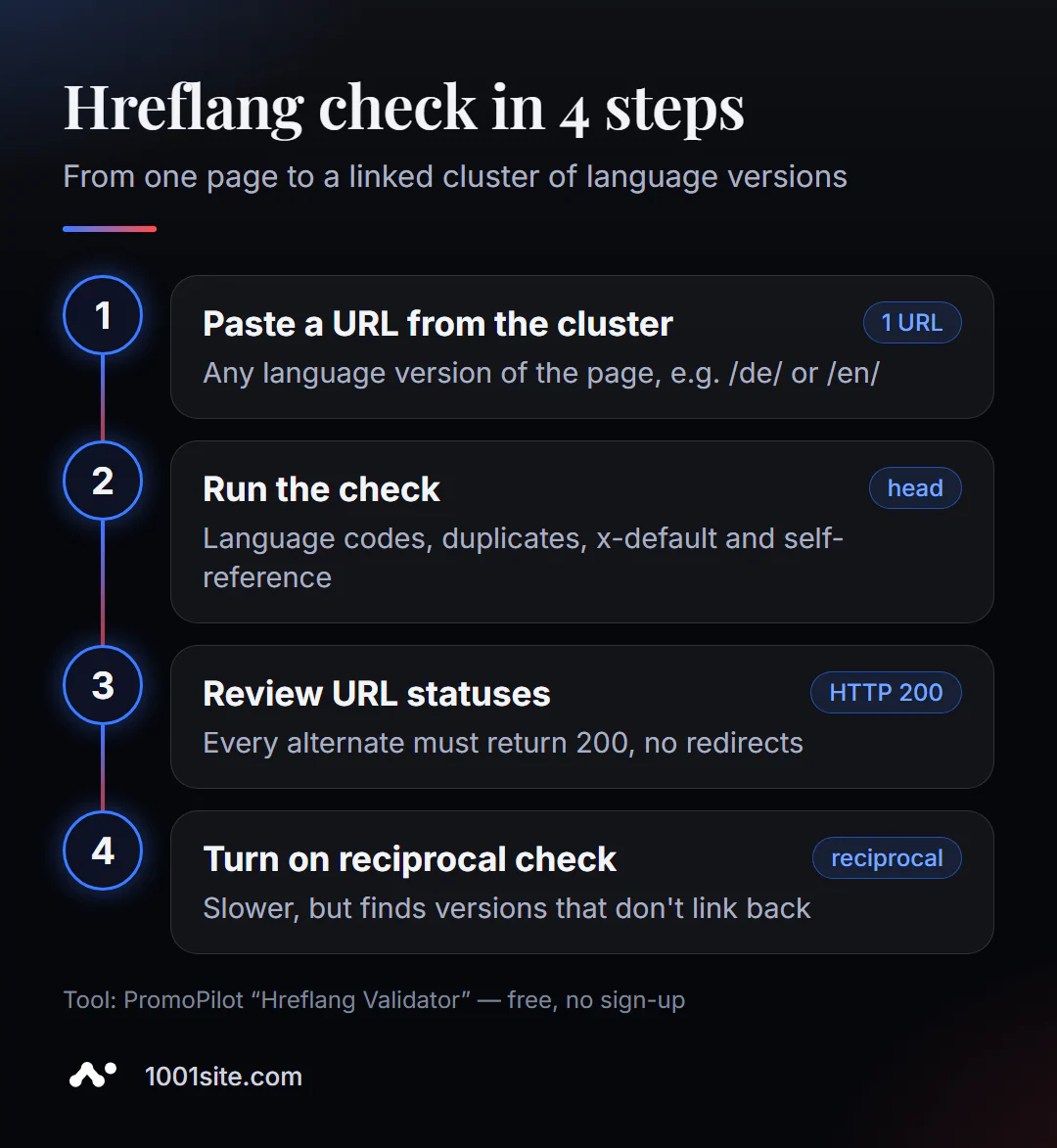
- Open the hreflang validator.
- Insert the address of the page that should be included in the cluster, for example
https://example.com/en/pricing/. - Decide whether reciprocal hreflang checking is necessary. The "Check reciprocal hreflang" toggle slows down the checking process: the tool opens each alternative and checks its markup. Enable it for your first check—reciprocal hreflang checking is the most common cause of broken links.
- Click "Check hreflang" and examine the problems: codes, x-default, self-reference.
- Fix any unrelated locales and test again with a different language version to ensure the cluster matches on either side.
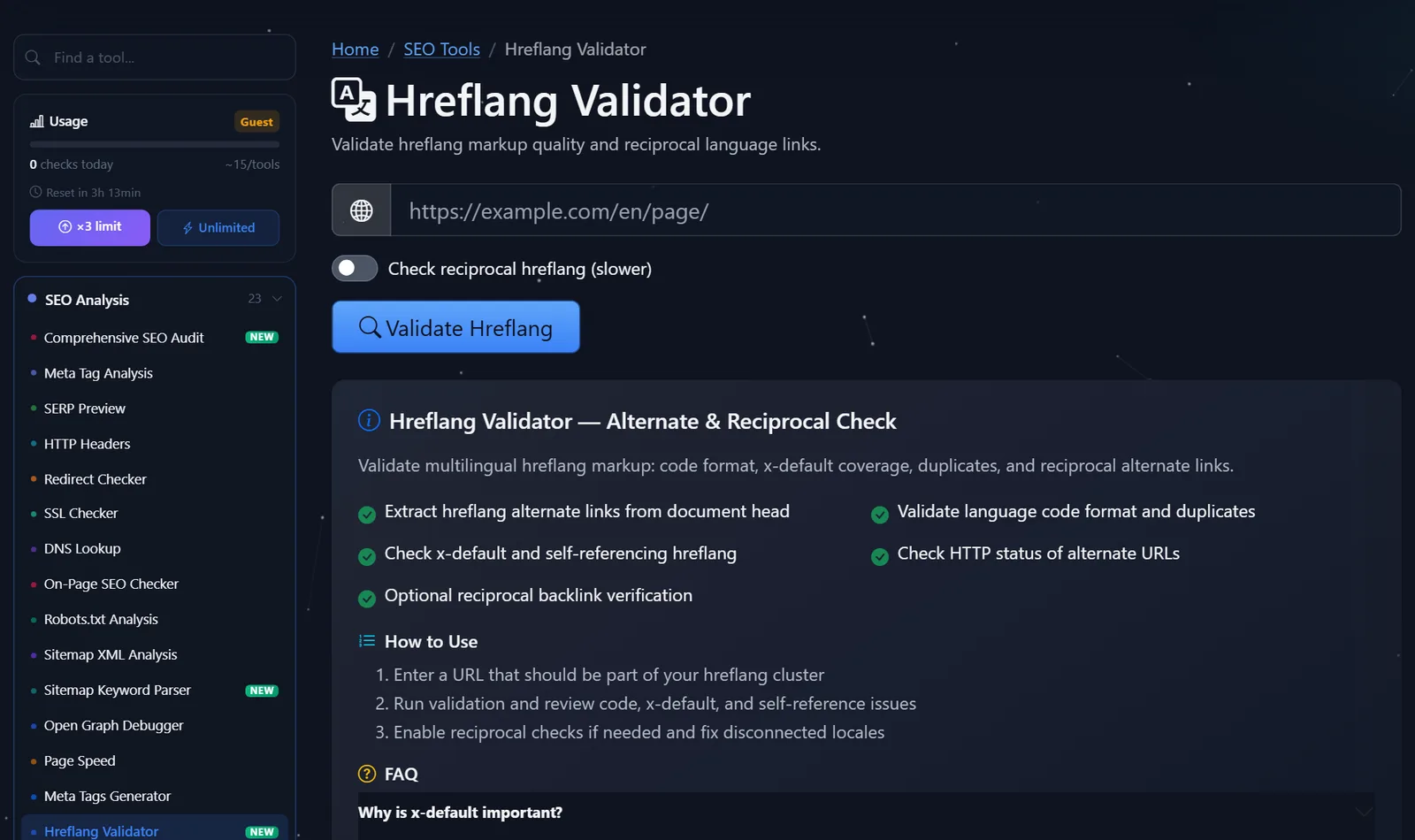
This is what the tool page looks like: the address field, the mutual verification switch, and a description of what is being checked.
How to read the result and what to correct first?
Hreflang errors are not all equal. I fix them in this order:
- Alternatives respond with an error or a redirect. If
/de/preise/returns a 404 or redirects to the homepage, the pairing doesn't work. The hreflang should only contain final URLs with a 200 status that match the canonical of these pages. - There are no backlinks. The English version links to the German version, but the German version doesn't link to the English version. This usually happens when a new language was added later and the template for the older versions wasn't updated.
- Incorrect codes. Common examples include
en-UKinstead ofen-GB,czinstead ofcsfor Czech,uainstead ofukfor Ukrainian, or a region without a language. The search engine ignores such strings. - No self-reference. Each version must also list itself.
- There's no x-default. It's not a bug, but without it, visitors "from other languages" get a random version.
- Duplicates. The same code is listed twice with different addresses— Google doesn't know which one to choose.
The correct cluster for a page in three languages looks like this—and is the same in each of the three versions:
<link rel="alternate" hreflang="en" href="https://example.com/en/pricing/">
<link rel="alternate" hreflang="de" href="https://example.com/de/preise/">
<link rel="alternate" hreflang="cs" href="https://example.com/cs/cenik/">
<link rel="alternate" hreflang="x-default" href="https://example.com/en/pricing/">
Another common pitfall is a canonical that points from all language versions to the English one. This contradicts hreflang: you're simultaneously saying "this is a duplicate of the English page" and "this is a separate German version." Each version's canonical should point to itself.
When are regions needed, not just languages?
The de code is for all German-speaking visitors. The de-AT code is only for those in Austria. Regional codes are needed if you have truly different content for each country: different prices, currencies, shipping, and legal information. If the texts are identical, language codes are sufficient—additional regional versions create duplicates and complicate support.
A good compromise for a store: de for all German-speaking countries plus de-CH if Switzerland has different prices in francs. Then Swiss visitors will see their own version, and everyone else will see the general one.
How to add a new language without breaking hreflang?
Most errors appear not when launching a site, but later—when adding a language. My checklist for this:
- Update the template of all existing versions, not just the new one: each page should list the new language.
- Do not publish blank or untranslated pages. If there is no translation yet, it is better not to include the page in the cluster than to refer to a stub.
- Check the URLs. Translated URLs (
/de/preise/instead of/de/pricing/) are good for users, but the hreflang should contain these URLs, without redirects. - Run the validator from both sides —the new version and one of the old ones, with mutual verification enabled.
- Update your sitemap to help the robot find your new pages faster.
This takes an hour, and errors missed at this step will confuse the results for months.
Comparison: hreflang validator and alternatives
| Tool | What's free? | Restrictions | Who is it suitable for? |
|---|---|---|---|
| PromoPilot — hreflang validator | Codes, duplicates, x-default, self-reference, HTTP statuses, reciprocal links | One cluster per check, reads markup from head | Quickly check the key pages of your or someone else's website |
| Google Search Console | URL Check: Which Canonical Version Did Google Choose? | Only for your verified site, there is no separate hreflang report | Understand how Google views a specific version |
| Screaming Frog SEO Spider | Crawling a site with hreflang reports | Installation is required, the free version has a limit on addresses | Audit all language versions at once |
| Ahrefs Webmaster Tools | Website audit, including hreflang errors | Only for your verified sites | Regular monitoring of your project |
Conclusion: for checking a specific page—for example, after launching a new language—an online validator is faster. A site with thousands of pages in dozens of languages requires a crawler that can crawl them all.
PromoPilot has 87 free SEO tools. Next in the series is an article on meta tag analysis: it also shows a page's hreflang, but without checking reciprocity and statuses.
What are the limitations of the hreflang validator?
The validator reads alternatives from the document's <head>. If your hreflang is in your XML sitemap or HTTP headers, the tool won't see it—this isn't a website error, but a validation feature. It checks one cluster at a time; to ensure the entire site is marked up correctly, you need to check the templates for all page types or run a crawler. And, of course, the validator doesn't evaluate translation quality—machine translation without hreflang editing won't save you.
When is a free tool not enough?
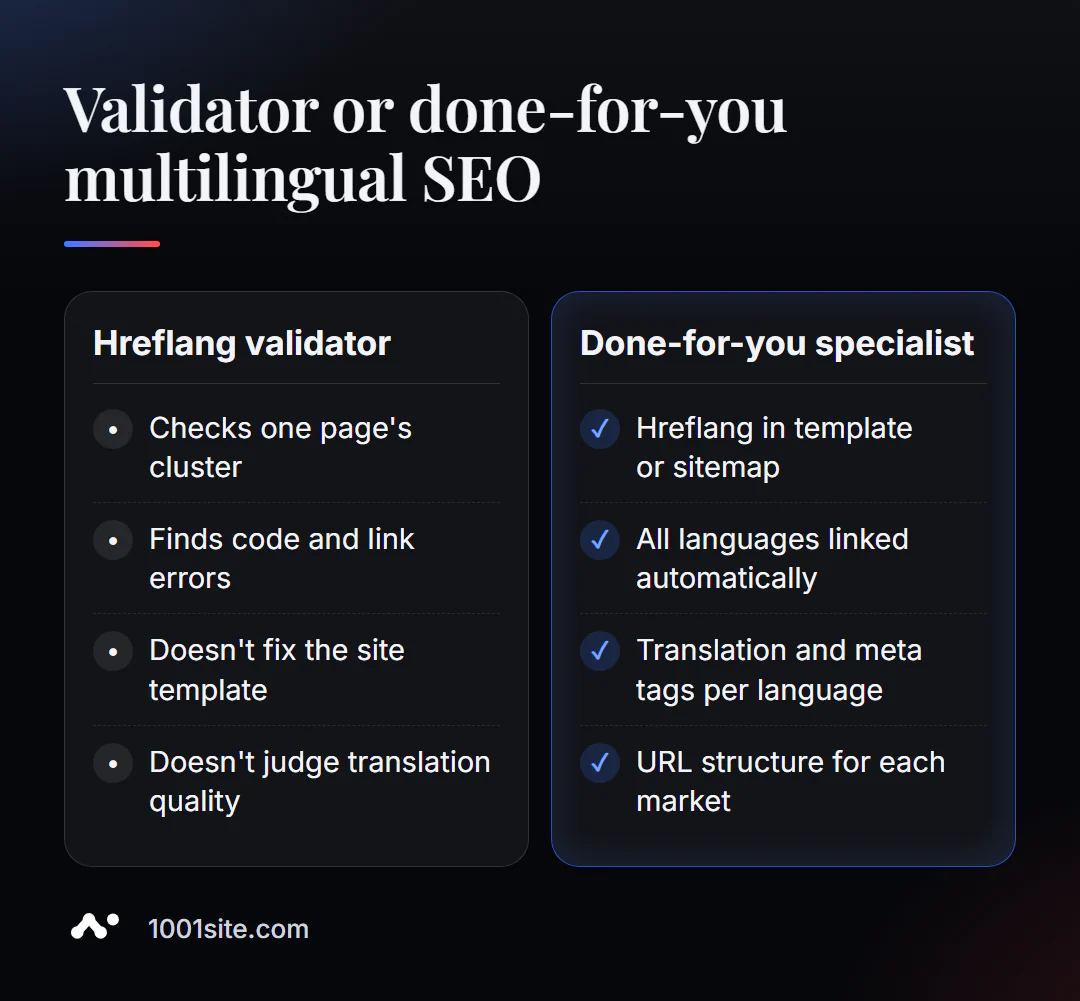
The validator will find an error, but will not rewrite the site template. A specialist is needed if:
- there are more than three languages, and hreflang needs to be generated automatically for each new page;
- You are entering new markets and deciding how to organize addresses: folders, subdomains or separate domains;
- Google stubbornly shows the wrong version, but at first glance there are no errors in the markup;
- Not only hreflang is needed, but also translation, meta tags, and markup in each language.
What can I do for your website?
I'm Valeriy Danyuk, a developer and SEO specialist: 12 years, 200+ clients, and many multilingual projects for Europe.
SEO and multilingualism
- Turnkey website SEO audit: I check hreflang, canonical, and indexing of all language versions and correct templates.
- How to create a multilingual website without a translator – a detailed analysis of the approach.
- A travel portal in 33 languages with RTL — hreflang for dozens of languages, including right-to-left.
- How a hotel got featured on ChatGPT, Gemini, and Perplexity in 5 weeks — GEO for an international audience.
- Autoblog with AI agents – articles in several languages at once.
Websites, stores and accounting
- The 1001site website operates in 107 languages: automatic translation, browser language, and RTL.
- A monthly accounting system for an online store for a company from the Czech Republic.
- Dropshipping platform with partner stores.
Send me the address of your multilingual website via Telegram – I'll check the clusters of key pages and tell you where you're losing traffic.
Result
- Online hreflang checker shows codes, x-default, self-reference, statuses and mutual cluster links.
- Fix in this order: broken alternatives → backlinks → codes → self-reference → x-default → duplicates.
- The canonical of each language version should point to itself, not to the "master" language.
- For large multilingual sites, hreflang is generated using a template, or a platform is used where languages are linked automatically, such as 1001site.
Check your site's most important page with a free hreflang validator —with mutual validation enabled.
Sources
- PromoPilot's Hreflang Validator page — list of checks and FAQ.
- Google Search Central - Documentation about localized versions of pages and hreflang.
- Screaming Frog and Ahrefs Webmaster Tools – site audit descriptions.