The short answer: to check your SSL certificate online, enter your domain or website address in PromoPilot's SSL Certificate Checker and click "Check." In a few seconds, you'll see the certificate issuer, validity period, number of days remaining until expiration, chain of trust, and supported TLS versions. No registration required. Below, you'll find information on how to read the results, the most common errors, and what to do to prevent your certificate from suddenly expiring.
Over the past 12 years, I've seen dozens of stores lose orders on weekends because of an expired certificate: the auto-renewal feature broke a month ago, and they only noticed when customers started writing, "Your site has been hacked."
What does an online SSL certificate checker check?
A certificate is a website's "passport": who issued it, which domains it covers, and until what date it's valid. The tool connects to the website just like a browser and parses this passport.
| Parameter | What does the tool look at? | Why is this important? |
|---|---|---|
| Publisher | Certificate Authority: Let's Encrypt, Sectigo, DigiCert, etc. | You can see who issued the certificate and where to renew it. |
| Validity period | Start date, end date, days to expiration | Expired certificate = full-screen browser warning |
| Chain of trust | Site Certificate → Intermediate → Root | Without an intermediate layer, some devices and integrations do not trust the site. |
| TLS versions | What protocol versions does the server support? | The outdated TLS 1.0 and 1.1 are no longer used by modern browsers. |
The tool description also includes technical details of the certificate—the list of domain names (SAN), the key, and the signature. The SAN is particularly useful: it immediately shows whether the certificate covers www, the store's subdomains and API, or just the primary domain. This is where the "certificate issued to another site" error most often occurs.
Good result: certificate from a well-known authority, more than 30 days left until expiration, complete chain, server supports TLS 1.2 and 1.3.
How to check a website's SSL certificate online?
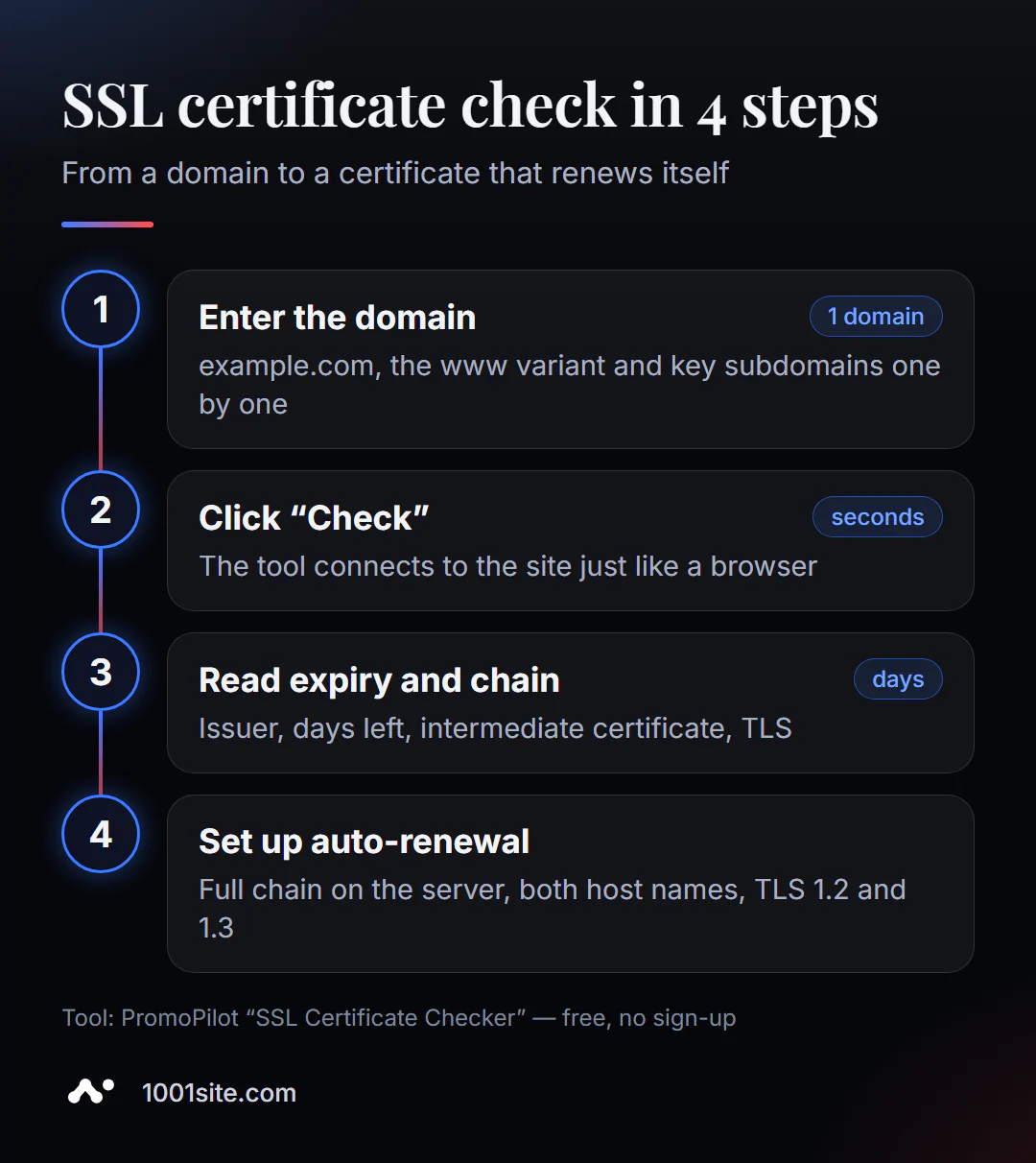
- Open the tool. SSL certificate verification works in your browser.
- Enter the domain (
example.com) or the full address - the protocol is optional. - Click "Check" and wait a few seconds.
- View the expiration date and number of days until expiration.
- Check the chain of trust and the publisher.
- Research the TLS versions the server supports.
The tool page contains one field for the domain, a verification button, and a description of what exactly is analyzed and why the certificate is needed.
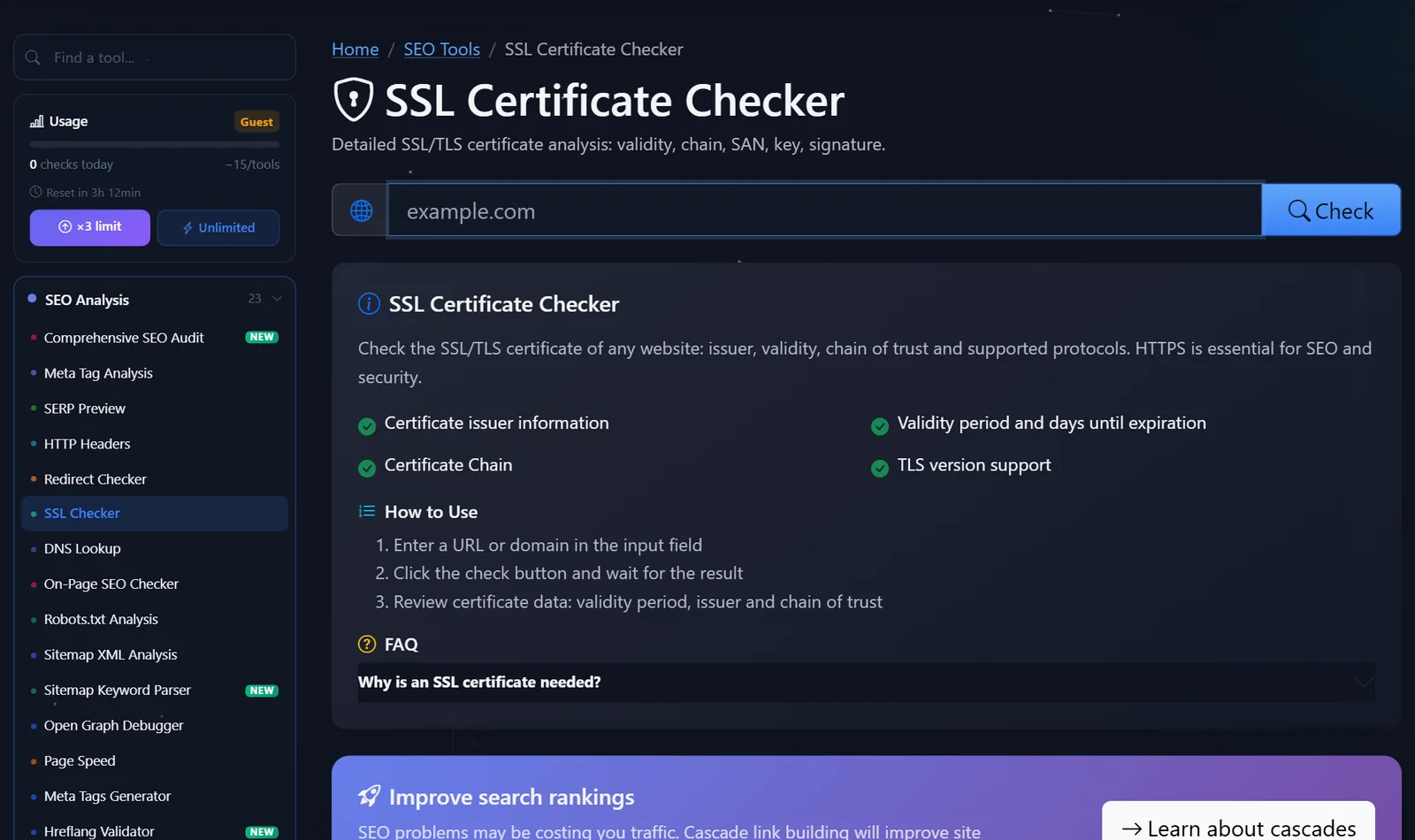
Check both the main domain, the www variant, and important subdomains— shop., api., mail. A certificate may cover one of them and not another.
How to read the result and what to correct first?
Move from what is already breaking the site for visitors to what will break it tomorrow.
- Your certificate has expired or is about to expire. If it's less than 14 days old, renew it immediately and find out why auto-renewal didn't work. Let's Encrypt certificates are valid for 90 days and should renew automatically.
- Incomplete chain. If the intermediate certificate is missing, the website will work on a computer, but not on some phones, payment webhooks, or bots. Install the full chain file (
fullchain) on the server, not just the website certificate. - The certificate is for the wrong domain. It was issued for
example.com, but the site opens atwww.example.com— the browser will display a name mismatch error. Reissue the certificate with both names. - Outdated TLS versions. If the server still offers TLS 1.0 and 1.1, disable them in the settings: modern visitors don't need them, and security scanners lower their scores for them.
- Self-signed certificate. Suitable for internal development, but not for a public website: browsers don't trust it.
A special note on timeframes. The industry is gradually reducing the maximum lifespan of public certificates: starting in March 2026, it will no longer exceed 200 days and will continue to decrease. Manual renewal "once a year upon reminder" is no longer available—automatic renewal is required.
A helpful habit: after checking, set a reminder 21 days before the expiration date. If auto-renewal is enabled, the deadline will automatically renew on that day; if not, you'll have three weeks to sort it out.
If you have access to the server, you can easily verify the tool's results from the terminal. The command below will display the certificate issuer and expiration dates as reported by the server:
openssl s_client -connect example.com:443 -servername example.com </dev/null 2>/dev/null | openssl x509 -noout -issuer -dates
The response will contain the lines issuer=, notBefore= and notAfter=. If the date in notAfter doesn't match the one you see in the hosting panel, it means a new certificate has been issued, but the server is still serving the old one: either it was forgotten to be restarted, or another server—for example, a load balancer or CDN—is serving requests.
Typical values found in reports and what they mean:
- "Days until expiration: 89" — a fresh Let's Encrypt certificate, auto-renewal enabled.
- "Days until expiration: 3" - auto-renewal is most likely broken: it usually kicks in around 30 days before the expiration.
- Issuer—the name of your hosting provider or CDN —the certificate was issued by the provider; you need to renew it there, not on your server.
Comparison: PromoPilot, SSL Labs, and Other Methods
| Tool | What's free? | Restrictions | Who is it suitable for? |
|---|---|---|---|
| PromoPilot - SSL Certificate Verification | Issuer, expiration date and days until expiration, chain, TLS versions | Without a deep analysis of ciphers and vulnerabilities | Quickly check your own or someone else's website |
| Qualys SSL Labs | A detailed server test with a letter grade | The check takes several minutes, the report is complicated for a beginner | For administrators who need a complete breakdown |
| Lock in the browser address bar | Current site certificate data | Doesn't show problems that other devices see | Check the publisher and date in a second |
| crt.sh | All issued domain certificates from CT logs | Shows release history, not server configuration | Find forgotten subdomains and other people's releases |
Conclusion: For regular quick checks, an online tool is convenient; for in-depth server configuration, SSL Labs; and for auditing all domain certificates, crt.sh.
SSL Check is one of PromoPilot's 87 free SEO tools. Related articles in this section include checking HTTP headers (to see if HTTPS is secured via HSTS) and checking DNS records if a certificate is not issued due to an incorrectly configured domain.
Limitations: What won't the SSL check reveal?
The tool displays the certificate status at the time of verification. It doesn't constantly monitor the expiration date and won't send you an email a week before expiration—that's a task for monitoring or your calendar.
It doesn't parse the cipher suite or search for configuration vulnerabilities—that's the SSL Labs level. And it doesn't check for "mixed content": if a page is opened via HTTPS but loads images or scripts via HTTP, the browser lock may still disappear. Look for such resources in the browser console or through a full site audit.
When is a free tool not enough?
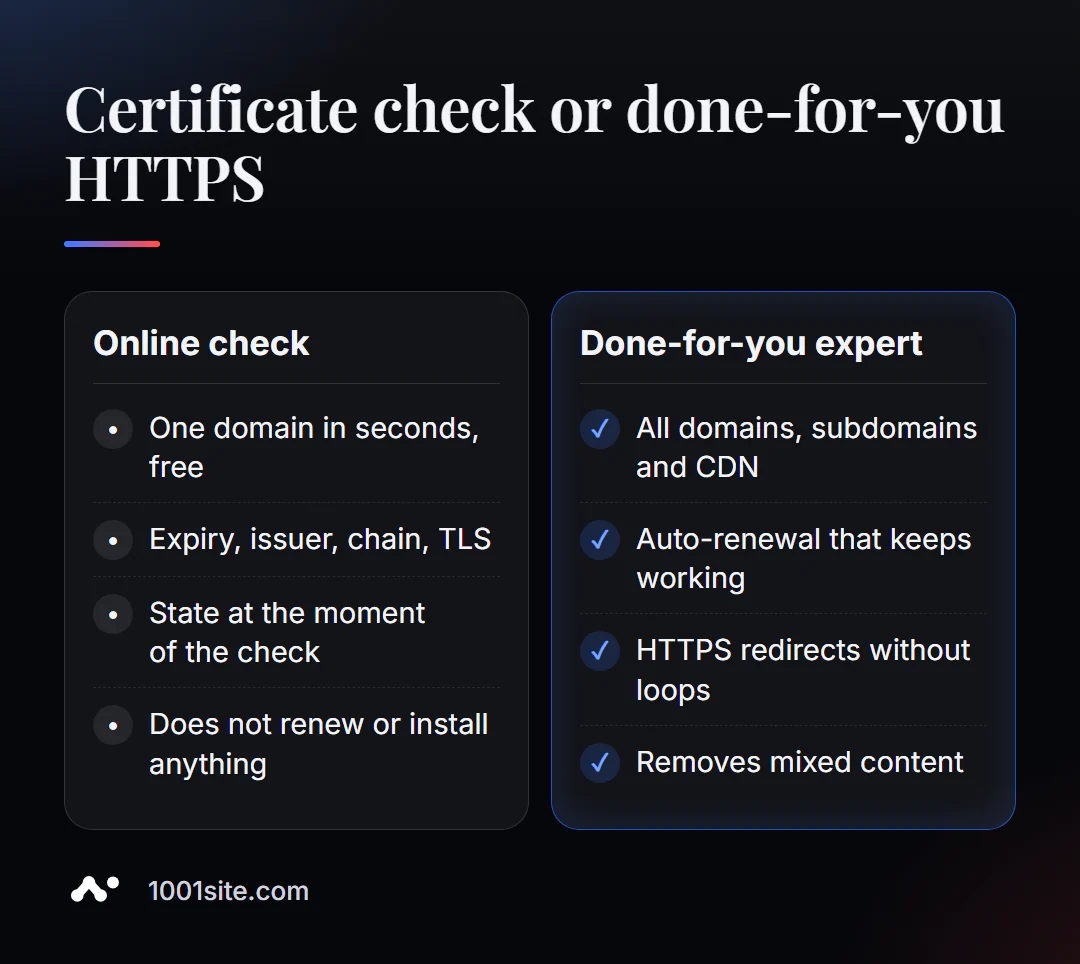
The tool will tell you what's wrong with the certificate. Fixing it requires access to the server, hosting panel, or CDN. You'll need a specialist if:
- auto-renewal breaks again and again, and the hosting points the finger at you;
- the site is behind a CDN, and it is unclear which certificate is on which section of the path;
- After switching to HTTPS, mixed content and circular redirects remained;
- You have a dozen subdomains and services, and you don't know which of them will expire soon.
What can I do for your website?
My name is Valeriy Danyuk, and I'm a developer and SEO specialist with 12 years of experience and over 200 clients. For me, HTTPS isn't a checkbox, but a basic requirement for every project.
SEO and promotion
- Turnkey SEO audit: certificates, HTTPS redirects, mixed content, security headers—and fixes, not just a report.
Websites and online stores
- A website on 1001site: the certificate on your domain is issued and renewed automatically, free of charge—no need to worry about deadlines.
- A plastic surgery clinic website powered by AI —where visitor trust is critical, and requests are sent to Telegram.
- A landing page for a new product in one evening – from concept to a working HTTPS page.
- An online store powered by WooCommerce with payment security configured.
CRM, accounting and automation
- Telegram AI bot for an online sauce store – integrations that break first in case of certificate issues.
- CRM with a customer database and decision makers for a Slovakian manufacturer.
The full portfolio is on the blog. Send me your domain via Telegram – I'll check the certificate, chain, and HTTPS redirects.
Result
- Check your SSL certificate online in seconds, showing the issuer, expiration date, chain, and TLS versions.
- Fix it in this order: expired → incomplete chain → domain mismatch → outdated TLS.
- Certificate validity periods are being shortened, making automatic renewal unavoidable.
- If you don't want to worry about certificates at all, build your website on 1001site, where SSL is automatically renewed.
Check your domain right now: run a free SSL check, and if there's a break in the chain, message me on Telegram.
Sources
- PromoPilot's SSL Certificate Checker page - what it checks and page questions.
- Qualys SSL Labs - SSL Server Test Description.
- crt.sh — search for certificates in Certificate Transparency logs.