The short answer: to check DNS records online, enter your domain in PromoPilot's DNS Lookup and click "Check." The tool will query your DNS and display all major record types—A, AAAA, CNAME, MX, NS, TXT, SOA, SRV—along with their TTL values. It's free and requires no registration. Below you'll find the meaning of each record, how to read the results, and the most common errors that break websites and emails after a move.
DNS is the most "invisible" part of a website: as long as everything works, no one thinks about it. But when a client complains that "the site isn't opening" or "the emails aren't being delivered," the first thing I do is check the domain records—in half the cases, that's where the problem lies.
What does checking DNS records show?
Each DNS record answers its own question: where the website is, who receives mail, who manages the zone. The tool collects them in a single report.
| Record type | What does it mean? | Example of meaning | What will break if there is an error? |
|---|---|---|---|
| A | IPv4 address of the website server | 203.0.113.10 | The site doesn't open or opens to someone else's server. |
| AAAA | Server IPv6 address | 2001:db8::10 | The site does not open on some mobile networks. |
| CNAME | Nickname of another name | www → example.com | The subdomain is pointing to the wrong place |
| MX | Mail servers and their priority | 10 mail.example.com | Letters don't arrive |
| NS | Servers that manage the zone | ns1.provider.net | All other entries are ignored. |
| TXT | Text records: SPF, service confirmations | v=spf1 include:… ~all | Emails are spam, service not verified |
| SOA | Zone Service Record: Main Server, Serial Number | ns1.provider.net … | Hint: Does the zone update? |
| SRV | Service addresses: telephony, instant messengers | _sip._tcp … | Services are not connecting |
Each record has a TTL —the number of seconds it can be cached by other servers. The TTL determines how quickly changes are visible to visitors. You can check any domain—your own, a contractor's, or a competitor's: DNS records are public.
How to check a domain's DNS records online?
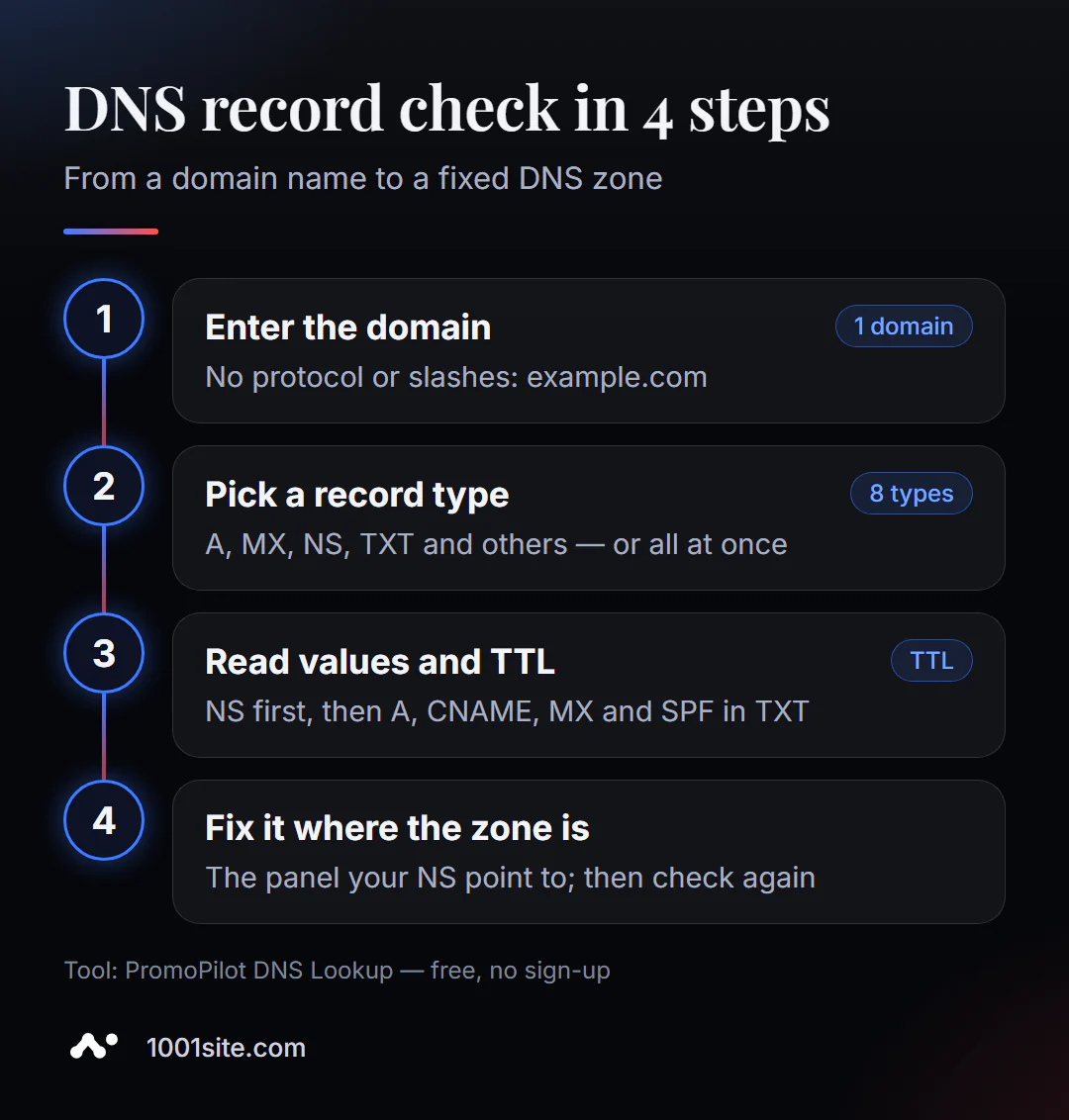
- Open the tool. DNS Lookup runs in your browser.
- Enter the domain without the protocol:
example.com, nothttps://example.com/. - Select a record type —A, MX, NS, TXT, and others—or view them all at once.
- Click "Check" and examine the found entries and their meanings.
- Compare with what it should be: IP from the hosting panel, MX from the mail service instructions.
- Correct the records where the zone is controlled (this can be seen from NS) and check again.
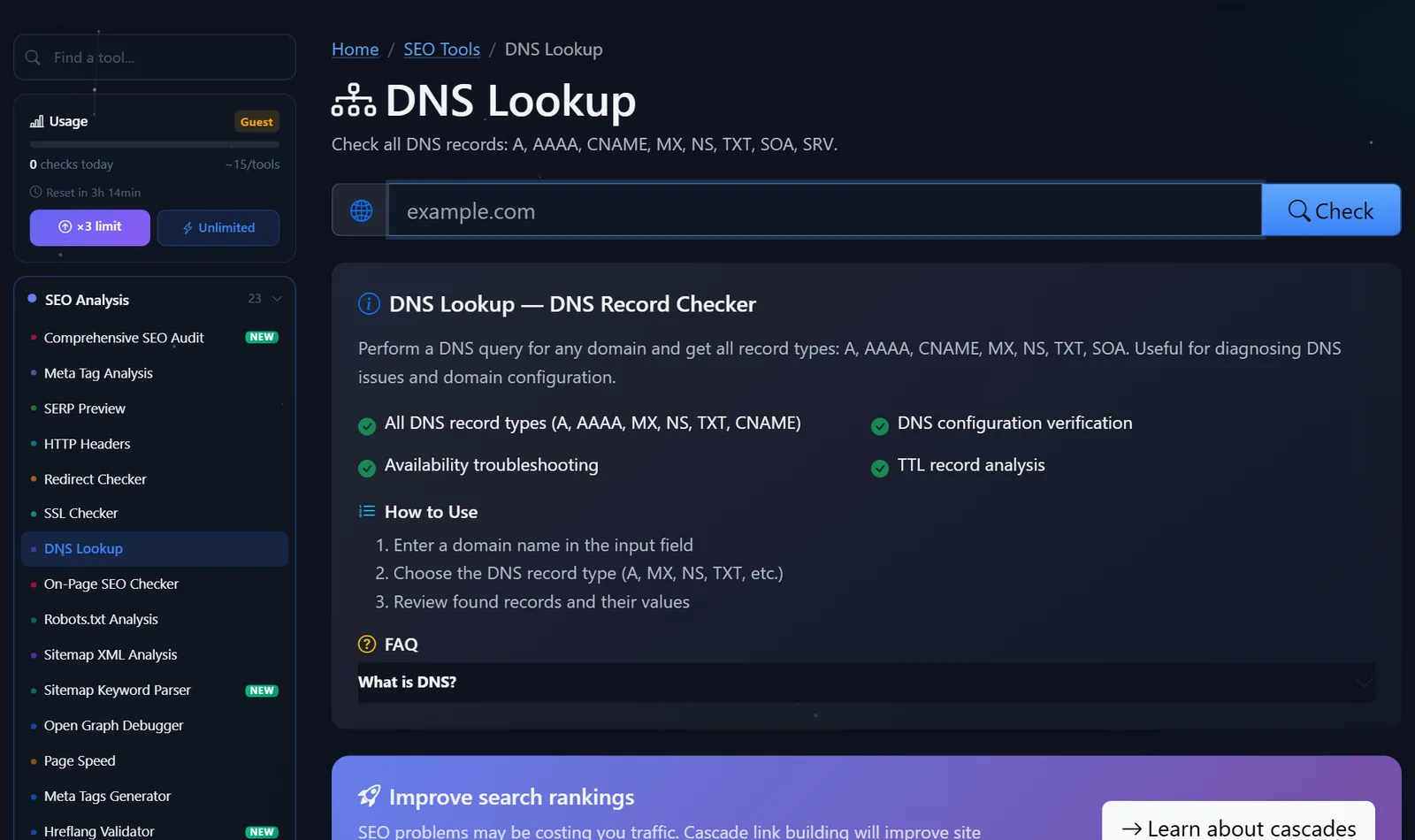
The tool page contains a field for the domain, a verification button, a brief description, and an answer to the question "What is DNS?"
The main advice: check the NS first. If the domain is delegated to the hosting servers, and you edit the records at the registrar, the changes will never take effect—no one will read them.
How to read the result and what to correct first?
DNS errors almost always appear at the same times: changing hosting, transferring a domain to a different registrar, or connecting email or a CDN. Here's how to check:
- NS points to where you edit the zone. This is the first and most important thing. Editing in the "wrong" panel is the most common reason for the phrase "I've changed everything, but nothing works."
- The A record points to the current server. After a move, the old IP often remains at the domain root or at
www. Check both names. - There are no CNAME conflicts. A single domain name cannot have both a CNAME and other records. If
wwwis a CNAME, it should not have its own A record. - MX records point to the desired email service. Two "old" and one "new" MX record will randomly cause emails to be lost.
- TXT: One SPF record per domain. Two
v=spf1records are a common error after connecting a second mailing service. They should be combined into one. - AAAA doesn't lead to nothing. If the hosting provider changes but the old AAAA record remains, some IPv6 visitors will end up on the old server.
How to manage TTL during a move: 24 hours before the IP change, lower the A-record TTL to 300 seconds. This way, after the switch, the old value will disappear from caches within five minutes instead of 24 hours. Once everything is working properly, the TTL can be reset to 3600 or higher.
Here's what a healthy, minimal area of a small website with email looks like in an external service—it's convenient for comparing your report to it:
example.com.      3600  A      203.0.113.10
www.example.com.  3600  CNAME  example.com.
example.com.      3600  MX     10 mx1.mailprovider.net.
example.com.      3600  MX     20 mx2.mailprovider.net.
example.com.      3600  TXT    "v=spf1 include:_spf.mailprovider.net ~all"
_dmarc.example.com. 3600 TXT   "v=DMARC1; p=quarantine"
One IP address for the site, www as an alias, two MX records with different priorities (the lower number is the primary server), and one SPF record. Anything beyond this should have a clear purpose: Google Search Console verification, CDN records, and DKIM.
And one more thing about SOA. It contains a zone serial number: if it hasn't changed after an edit, it means the changes haven't been published yet—or you edited the wrong zone.
Comparison: PromoPilot DNS Lookup and Alternatives
| Tool | What's free? | Restrictions | Who is it suitable for? |
|---|---|---|---|
| PromoPilot — DNS Lookup | All major record types and TTLs in one report | One domain per check, daily guest limit | Quickly view the zone of your or someone else's domain |
| MXToolbox DNS Lookup | Entries by type, many related post checks | The interface is in English only, advanced features are paid. | Mail diagnostics |
| Google Admin Toolbox Dig | DNS response in dig format | Raw conclusion without explanation | For administrators |
| whatsmydns.net | The meaning of the record on servers in different countries | Shows the spread, not the entire area | Check if the changes have been propagated |
| dig and nslookup | Any requests from the terminal | Need a command line | For those who are used to the console |
Conclusion: For a clear overview of all records, an online tool is suitable; for checking whether everyone has updated, use whatsmydns.net; for in-depth debugging, use dig.
DNS Lookup is one of PromoPilot's 87 free SEO tools. Next to it is SSL certificate and HTTP header verification: after editing your DNS, it's important to ensure that the certificate was issued on the new server. See the related articles in this section for more details.
Limitations: What DNS Lookup won't show?
The tool displays the records returned by DNS servers at the time of the request. It doesn't know if you changed a record five minutes ago if the old one is still cached. In that case, wait the TTL amount of time and check again.
It doesn't check whether the server itself is running at the detected IP address—that requires checking the site's status and HTTP headers. It also doesn't parse the contents of email records for SPF and DMARC rules: it will find a TXT record, but won't tell you whether the policy is correct. The suite has separate email checks for that.
When is a free tool not enough?
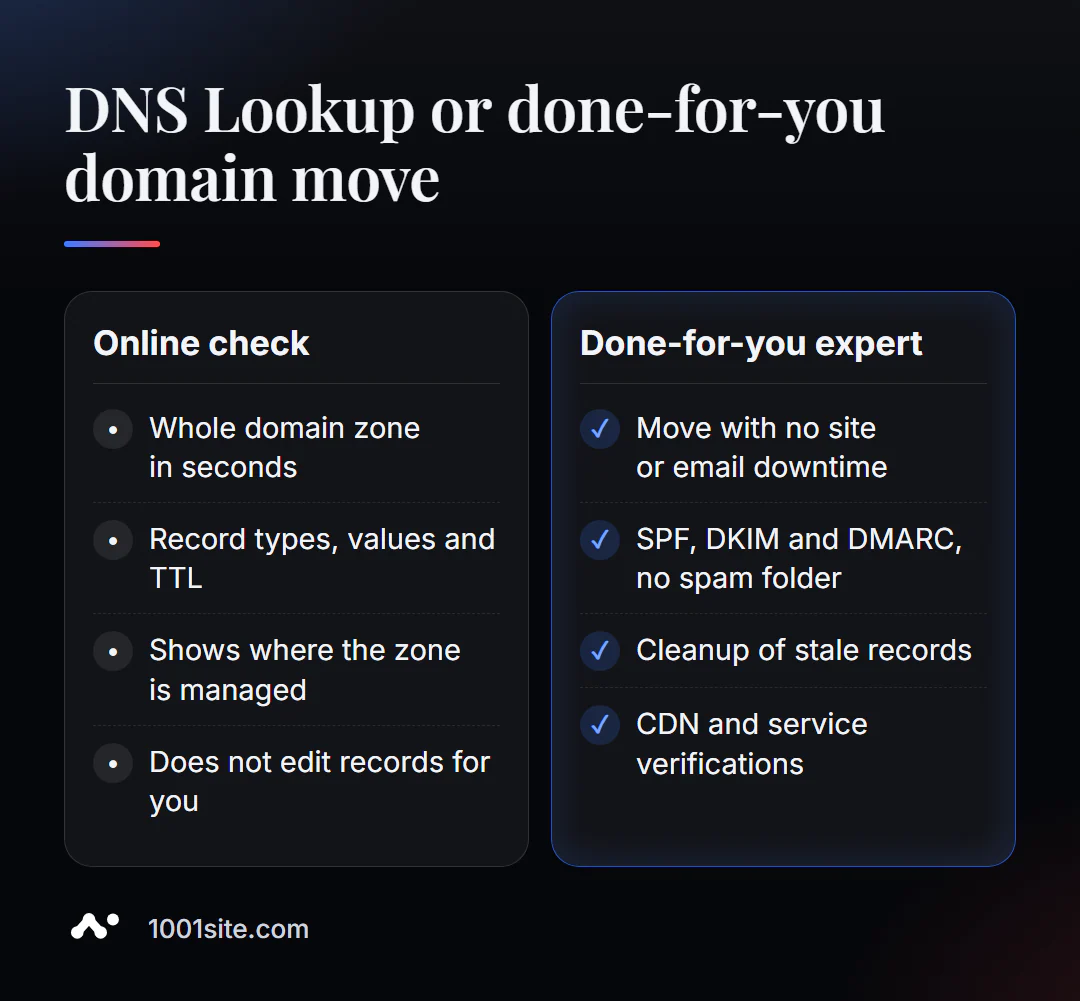
Viewing records is easy. Changing them without downtime is difficult when your website, email, CRM, and dozens of services depend on the domain. You need a specialist if:
- you are moving to a new hosting, and your website and email should not be down for even an hour;
- emails go to spam, and it’s not clear which entries to add and in what format;
- the zone was inherited from the previous contractor, and no one knows why there are 40 entries there;
- You need to connect a CDN, mail service, and ad confirmations simultaneously.
What can I do for your website?
My name is Valeriy Danyuk, I'm a developer and SEO specialist with 12 years of experience and over 200 clients. I handle domain transfers and email setup so clients don't notice the move.
SEO and promotion
- Turnkey SEO audit: DNS, SSL, redirects, speed, and indexing in one report – with corrections.
- A multilingual website without a translator – how to enter new markets without creating multiple domains.
Websites and online stores
- A website on 1001site with your own domain: you connect your domain, and the certificate is issued automatically. Is it worth the builder's subscription fee? Compare Tilda or an AI-powered website.
- A catalog of 300 products in a couple of minutes via MCP and Claude.
CRM, accounting and automation
- Accounting, bookkeeping, and a store with 30,000 products – a project for a company from the Czech Republic.
- QuestFlow is a SaaS builder Telegram bots with AI.
- AI-based equipment repair guide based on a vector database and bot.
All work is in the portfolio. Send me your domain in Telegram – I'll take a look at the zone and tell you what's unnecessary or dangerous.
Result
- Checking DNS records online shows the entire domain zone: website, email, service confirmations, and TTL.
- Start with NS, then A and AAAA, CNAME, MX and one SPF record in TXT.
- Reduce your TTL before moving, and changes will spread in minutes instead of days.
- If many services depend on the domain, it's best to entrust the move to a specialist or build a new website on 1001site with automatic SSL.
Check your domain right now: open a free DNS Lookup, and if you have any questions about the records, write to me on Telegram.
Sources
- PromoPilot DNS Lookup Tool Page - Record Types and Page Questions.
- MXToolbox and Google Admin Toolbox Dig - tool descriptions on the official websites.
- whatsmydns.net — DNS record propagation checker.