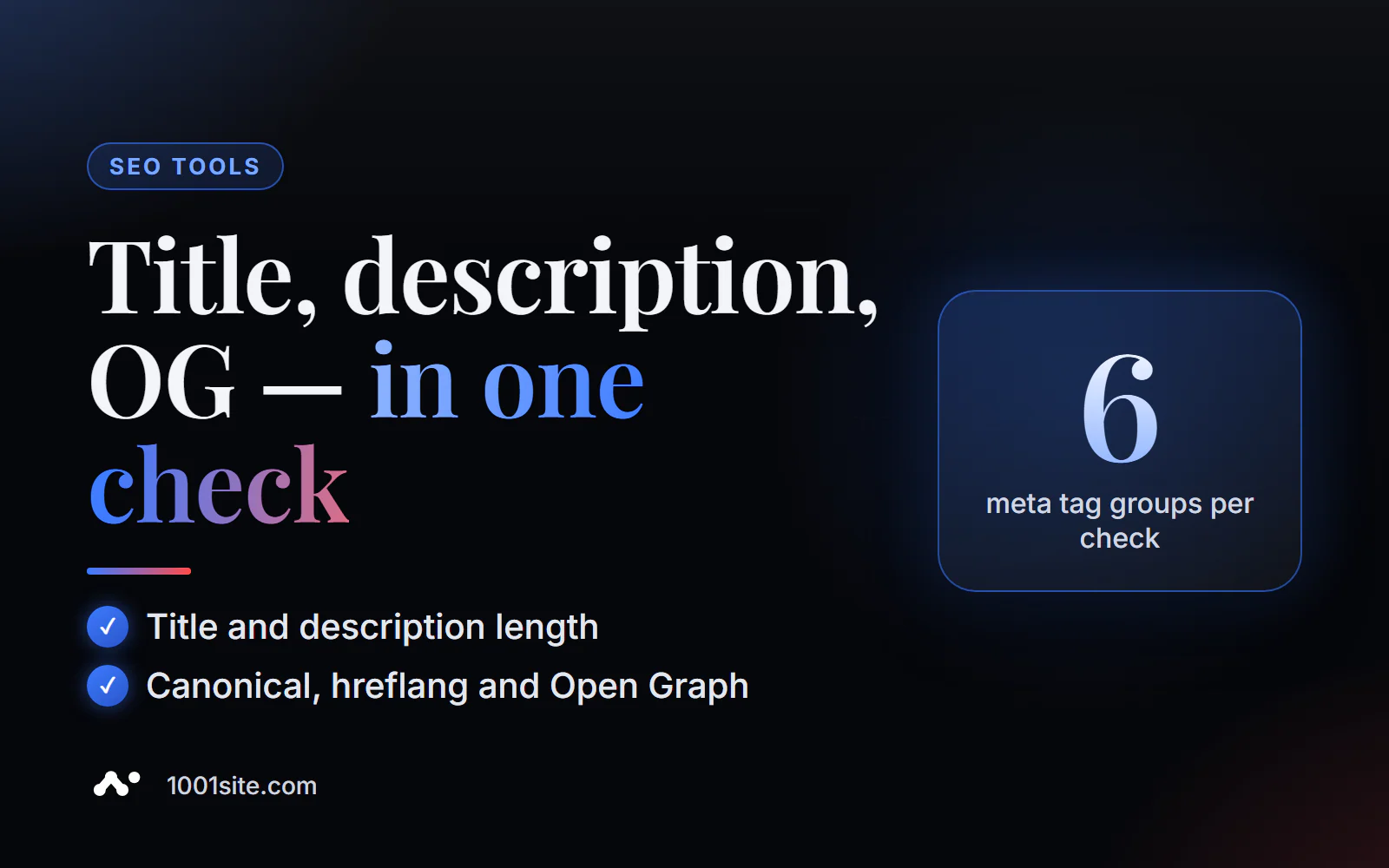
The short answer: to check your meta tags online, paste the page address into the free PromoPilot Meta Tag Analysis tool. In a few seconds, it will load the HTML and show you what the page is communicating to search engines and social media: title and description with length estimates, keywords, canonical, hreflang, Open Graph tags, and Twitter Cards. No registration required. Below you'll find what to look for in the results, the most common errors, and where to start fixing them.
I've been building websites and online stores for over 12 years, and I check meta tags every time I launch. The most common finding isn't a "bad" title, but a consistent one: after transferring the template, all 200 product pages are titled "Home - Store."
What does meta tag analysis check?
The tool reads the page's <head> section—what the visitor doesn't see, but which informs search engines and messaging apps about the page. Each group of tags serves a specific purpose.
| Tag | What does the tool look at? | Why is this important for SEO and business? |
|---|---|---|
| Title | presence, text, length | The main signal of the page topic and the clickable line in Google search results |
| Meta description | presence, text, length | Snippet description candidate: sells clicks if written for a query |
| Meta keywords | Is there a tag and what is in it? | Google doesn't take it into account, but it does reveal your keywords to competitors. |
| Canonical | preferred version address | Glues duplicates (filters, UTM tags) and protects against cannibalization |
| Hreflang | language and regional versions | Shows the right language version to the right audience |
| Open Graph and Twitter Cards | og:title, og:description, og:image, twitter:card | What does a link look like in Telegram, WhatsApp, Facebook, LinkedIn, and X? |
It's important to understand the boundaries: this is a check of a single page "as it currently is." It doesn't generate tags for you—there's a separate generator for that, more on that below.
How to check a page's meta tags online?
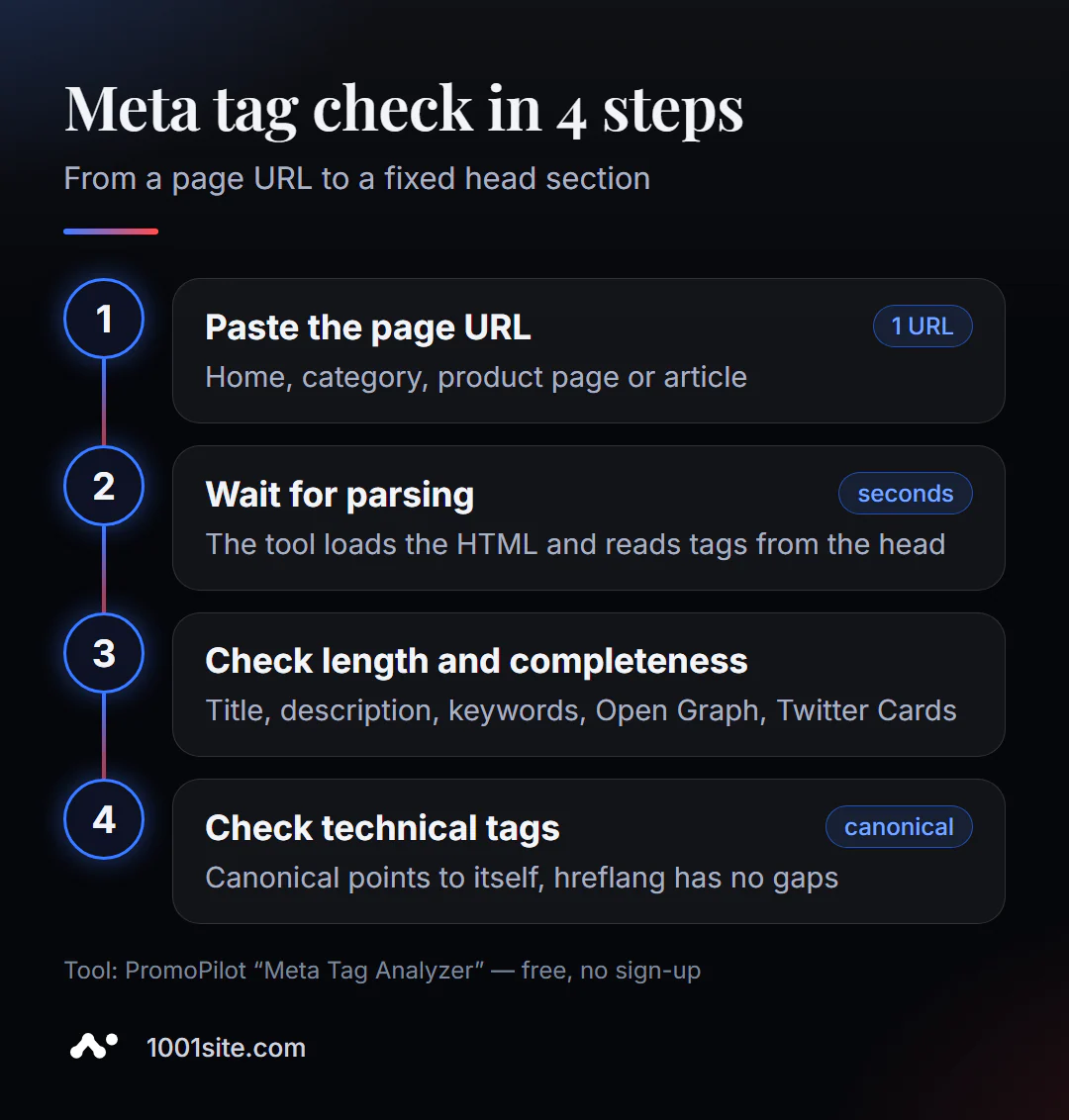
- Open Meta Tag Analysis - it runs in your browser, no extensions required.
- Insert the full page address starting with
https://. Check not only the homepage: the product page, category, and blog post often use different templates. - Click "Analyze" and wait for the page to load and parse—usually a few seconds.
- Study the title and description: are they there, what is it about, how many characters are there.
- Go down the list: canonical, hreflang, Open Graph, Twitter Cards. Mark any missing or suspicious values.
The tool's page looks like this: an address field, an "Analyze" button, a brief description of the tags being checked, and an FAQ. On the left is a count of today's checks.
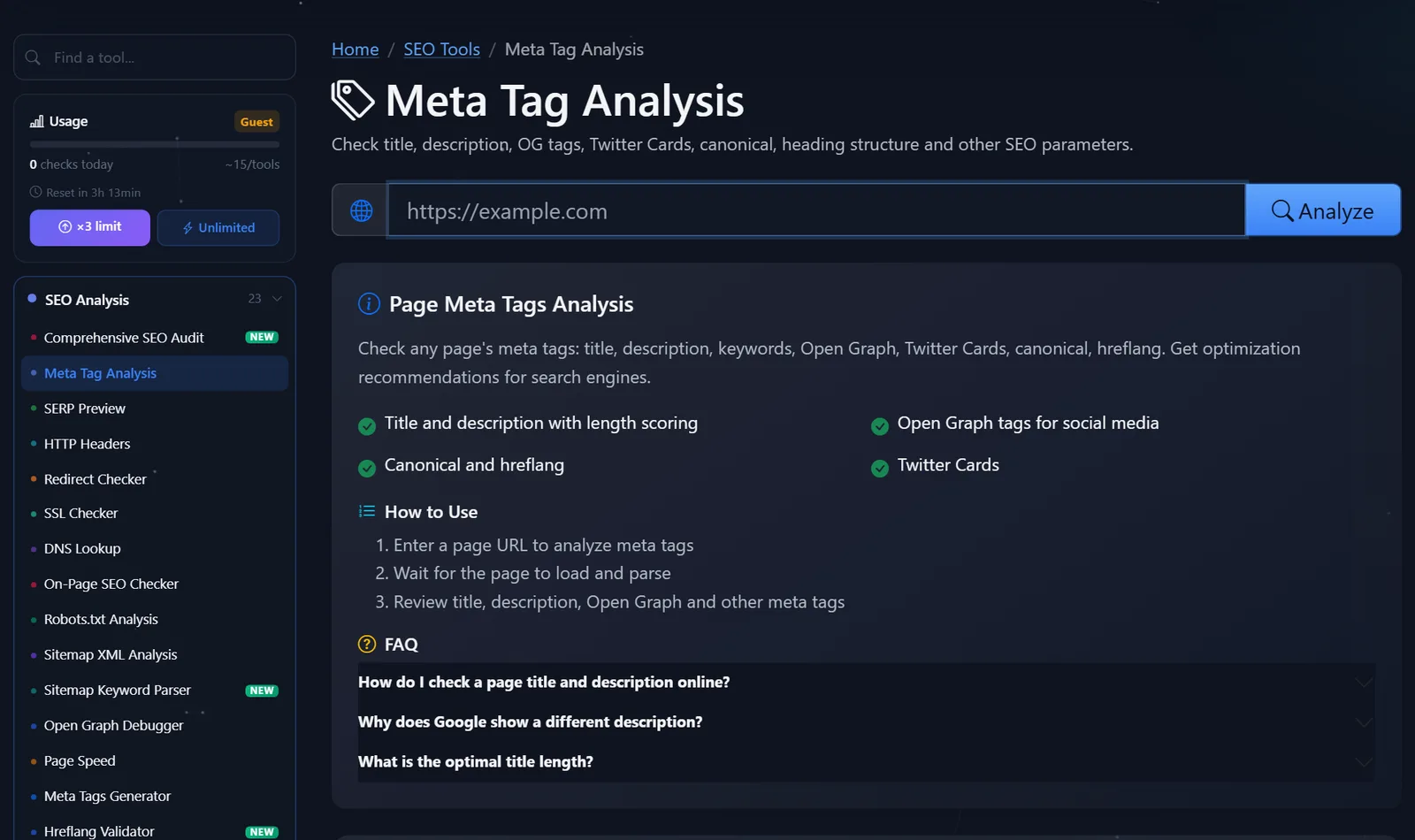
This is a lightweight tool, so the guest limit is enough to check all the site's key templates in one session. After free registration, the limit triples.
How to read the result and what to correct first?
Not all findings are equally important. I sort through the results in this order—from those that could knock a page out of the search results to those that simply improve its appearance.
- Canonical points to the wrong place. If a page's canonical points to the homepage or a test domain like
dev.example.com, search engines may not show the page at all. Correct: the canonical matches the page's URL (without UTM parameters or sorting parameters). - The title is empty or duplicated. "Home," "New Page," "Product" are indicators that the template doesn't provide a title. A good title would be:
Кожаный рюкзак Nord 20 л — купить с доставкой | BrandName. - The title is longer than 60 characters. A long title will be truncated with ellipses, and the most compelling part will be cut off. Keywords should be at the beginning.
- If the description is missing or shorter than 70 characters, Google will automatically select a piece of text—sometimes it's a menu bar or cookie notification. The guideline is 120–160 characters, with a separate description for each page.
- Hreflang is incomplete. If a site has multiple languages, each version must have links to all other languages and to itself. A separate hreflang validator performs a detailed reciprocity check.
- No og:image. It doesn't affect rankings, but a messenger link without an image gets significantly fewer clicks.
A special note about meta keywords: if the tag is full, I usually recommend removing it. It won't benefit Google, and your competitor will see your keyword list in a second.
A common pitfall is to fix a tag on one page and call it a day. If the error is in the template (for example, all blog posts have the same description), you need to fix the template, otherwise the error will return with every new publication.
Comparison: Meta Tag Analysis and Alternatives
There are different ways to view meta tags. Here's what each one offers for free.
| Tool | What's free? | Restrictions | Who is it suitable for? |
|---|---|---|---|
| PromoPilot — Meta Tag Analysis | Parsing the title, description, keywords, canonical, hreflang, OG, and Twitter Cards of any page | One page per check, daily limit | Quickly check your own or someone else's page without installation |
| Google Search Console | URL Check: Which canonical version has Google chosen, and is the page indexed? | Only for your verified site, does not evaluate the length of tags | To the site owner for indexing control |
| Screaming Frog SEO Spider | Crawling the site with the download of title, description, and canonical of all pages | The program needs to be installed; the free version has a limit on addresses. | A technical specialist can search for duplicates across the entire site. |
| Source code (Ctrl+U) | All contents of head | Nothing is evaluated, it is easy to miss a mistake | For the developer who knows what to look for |
Conclusion: for a one-time page check—your own or a competitor's—an online analysis is more convenient: the results are broken down into sections and a length assessment is provided. Search Console will show how Google itself sees the page, but a crawler is needed when there are hundreds of pages.
In addition to this tool, PromoPilot has 87 other free SEO tools. Our series also includes related articles: about a meta tag generator (when you need to rewrite your tags) and about SERP previews (when it's important to see how a snippet looks in Google in pixels).
How does meta tag analysis differ from the generator and SERP preview?
These are three different steps in a single process. Analysis answers the question "what's currently on the page and where are the errors?" The meta tag generator helps write new titles, descriptions, and Open Graph tags and produces the finished HTML. The SERP preview shows how the title and description will appear in search results on desktop and mobile devices, taking into account the pixel width.
It's also worth knowing the limitations of the analysis. The tool only sees the HTML returned by the server: if tags are inserted by a script already in the browser, the result may differ from what Google sees after rendering. And it only checks one page; duplicate titles between pages will only be revealed by crawling the entire site.
When is a free tool not enough?
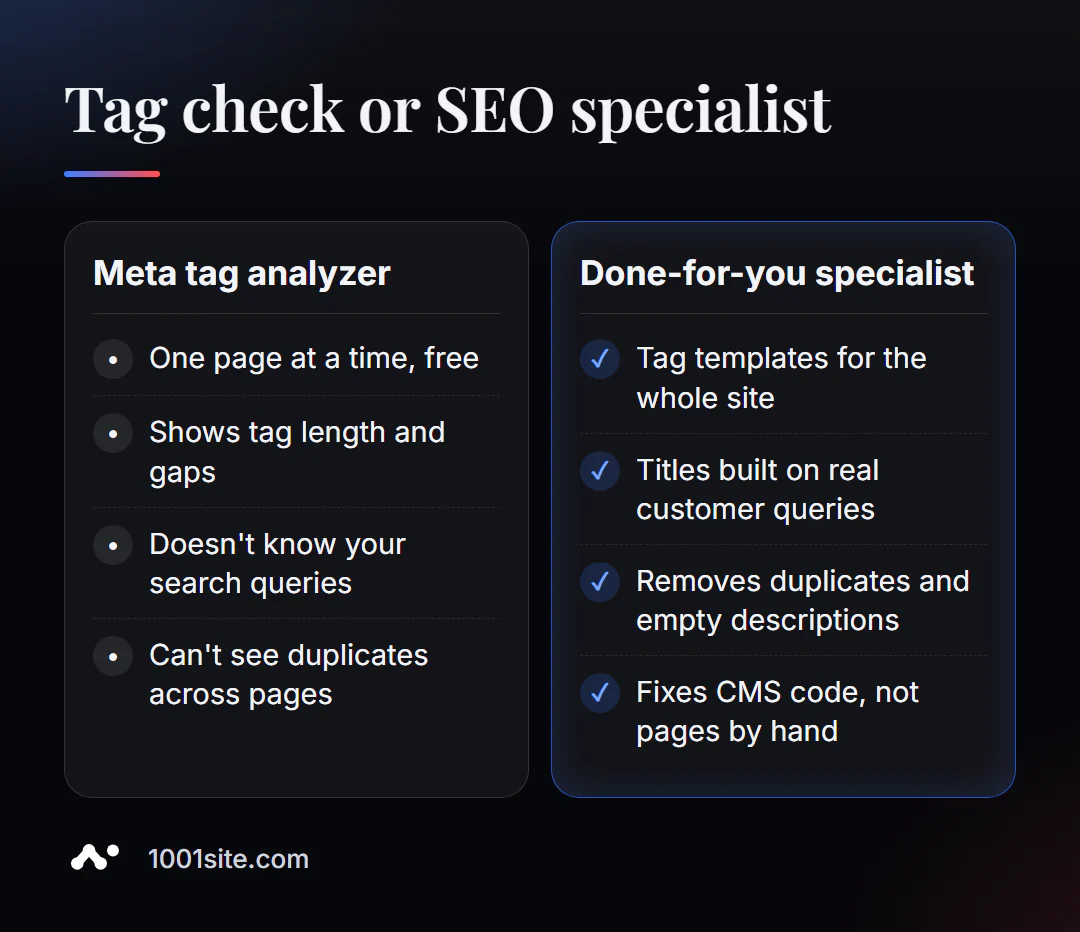
The tool will honestly show you if your title is long and your description is empty. But it won't tell you which words in the title will bring in customers—that requires data on demand and competitors. You need a specialist if:
- the store has hundreds of cards, and tags need to be generated using a template from the name, category, and price;
- after a redesign or moving to a new CMS, canonical and hreflang broke;
- pages are indexed, but there are few clicks - this means the snippet is not selling;
- You are not sure what queries the page should rank for.
What can I do for your website?
My name is Valeriy Danyuk, and I'm a developer and SEO specialist with 12 years of experience and over 200 clients. Meta tags are the first thing I edit on any project because they're the cheapest way to increase clicks.
SEO and promotion
- Turnkey website SEO audit: I check all pages, create title and description templates for real queries, and implement them into the code.
- Content that drives search traffic: an AI-powered SEO blog that brings in organic clients —each article has unique tags from day one. Learn how it works from the inside in our breakdown of the AI-powered autoblog.
Websites and online stores
- A WordPress website with an AI assistant for €299 and 3 days with configured meta tags and canonical.
- An online store on WooCommerce, where the card title is automatically compiled from the name and category.
- A 300-item catalog in just a few minutes via MCP and Claude —with descriptions and tags for each item.
- Website on 1001site: sitemap, structured data, and previews for social networks are configured automatically.
CRM, accounting and automation
- Own CRM with a customer database and decision makers for a manufacturer of swimming pool chemicals (Slovakia).
Send me your website address in Telegram - I'll look at the tags of key pages and tell you what to fix first.
Result
- Checking meta tags online takes a minute and shows the title, description, canonical, hreflang, and Open Graph of any page.
- Fix by priority: canonical → empty and duplicate title → title length → description → hreflang → og:image.
- Correct template errors within the template, not on each page; for hundreds of pages, enable sitewide crawling.
- If it's easier to rebuild the site than to patch it, build a new one on 1001site —the basic tags and previews are already set up there.
Check your main page and one product page right now with a free meta tag analysis. If you find a lot of things, write to me and we'll sort them out together.
Sources
- PromoPilot's Meta Tag Analysis tool page — list of tags checked and FAQ.
- Google Search Central - documentation on creating titles and descriptions in search results.
- Screaming Frog – Description of SEO Spider and its free version.