The short answer: to extract keywords from a sitemap, paste the sitemap address ( sitemap.xml or sitemap index) into the PromoPilot Sitemap Keyword Parser, select the stopword language and parsing limit (500 addresses by default), and click "Parse Sitemap." The tool will show the most common words and two-word phrases from page addresses, filter out technical noise, and export the results to CSV. It's free.
I use this technique before every content plan: in five minutes, I can see what the site is already talking about, what it's not talking about, and how a competitor's blog or directory is structured. Without text parsing or paid services.
What does a sitemap keyword parser do?
Page addresses are a condensed table of contents for a site. The article topic is already written in /blog/kak-vybrat-sneakers-dlya-bega/. The parser takes all the addresses from the sitemap, cuts them into words, and calculates the most common words and word pairs.
| What do you get? | Example | Why is this important for SEO and content? |
|---|---|---|
| Frequency of single-word terms | seo - 64, audit - 48, checklist - 19 | The main topics of the site are visible |
| Frequency of two-word phrases | seo audit – 22, technical seo – 11 | Phrases are closer to real queries than individual words |
| Cleaned URL list | Without stop words and technical parts of the address | The data is suitable for analysis |
| Export to CSV | Terms and frequencies in the table | Clustering and content plan in a table |
The numbers in the example are from the tool description. Note the ratio: if "SEO audit" appears 22 times and "technical SEO" only 11 times, the site is clearly biased toward one topic.
It's important not to confuse this tool with similar tools. Sitemap analysis checks the sitemap for errors, a sitemap generator creates one, and a parser neither checks nor creates anything—it extracts topics from existing URLs. The analysis and generator are covered in separate articles in this section.
How to extract keywords from sitemap online?
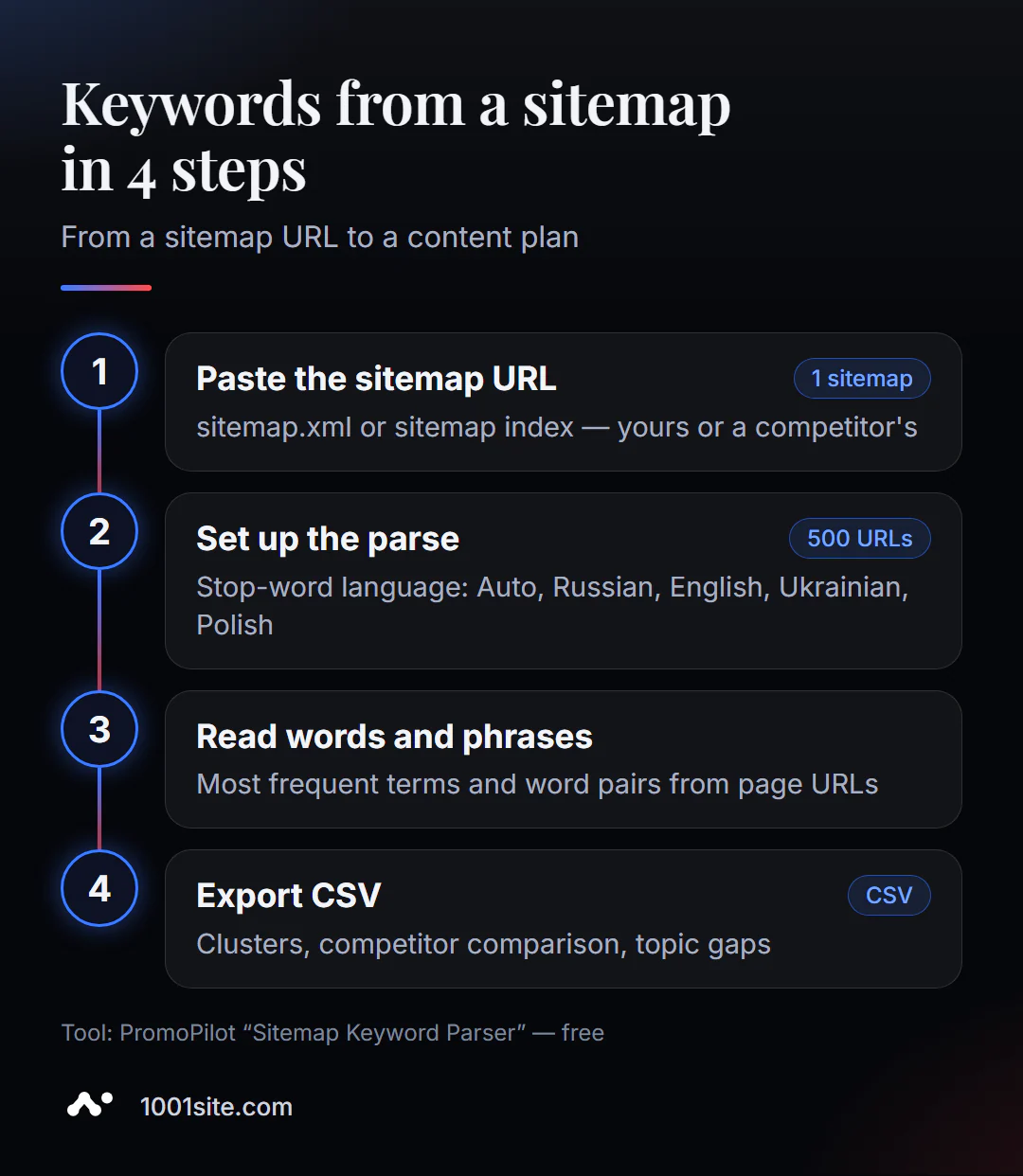
- Open the keyword parser from the sitemap.
- Paste the sitemap address —
https://example.com/sitemap.xmlor the sitemap index address. Where to find the sitemap:Sitemap:line in/robots.txt. - Select a stopword language: Auto, Russian, English, Ukrainian, or Polish. Stopwords are prepositions, conjunctions, and other noise like "and," "for," and "the."
- Set the parsing limit - how many addresses to process (default 500).
- Click "Parse Sitemap" and wait for the result.
- Explore the top words and phrases, then download the CSV to work in a spreadsheet.
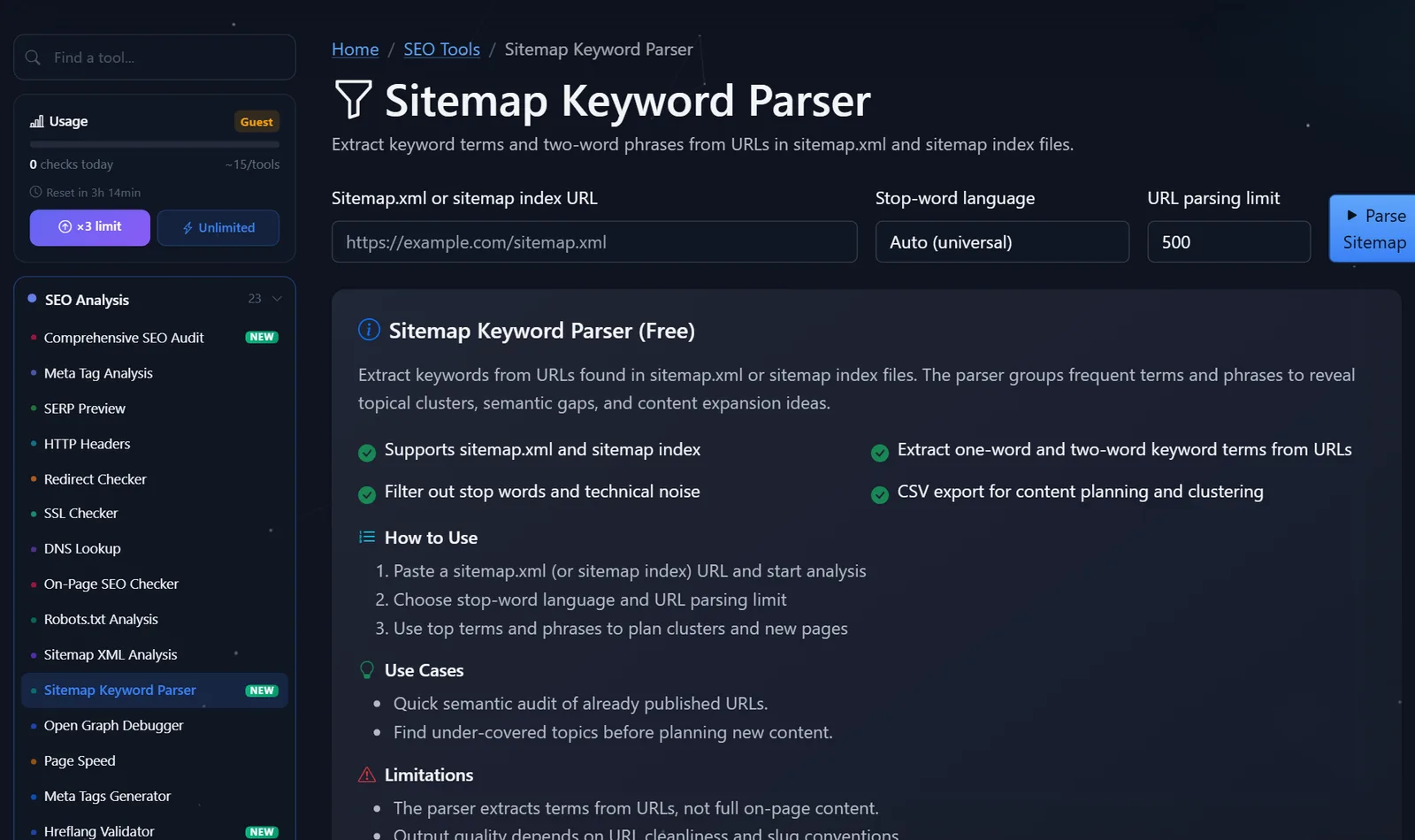
The tool page contains a field for the map address, a stopword language selection, a limit field, and a launch button; below are the description, scenarios, and limitations.
If your site has a sitemap index with separate maps for products, categories, and articles, start with the blog article map: the addresses there are usually the most "talkative."
A couple of settings tips. Choose the stop word language based on the URL language, not the website interface language: if the slugs are transliterated or in English, set it to "Auto" or "English." The 500 URL limit is suitable for the first pass; for a large catalog, increase it or analyze the nested pages one by one—this will prevent product topics from mixing with blog topics. And save a CSV file after each analysis: a re-run in six months will show how the site's theme has changed and which sections have expanded.
How to turn the result into a content plan?
The word list itself is raw material. Its value emerges when you compare it to demand and competitors.
1. Find clusters. Group phrases by meaning: "running shoes," "running shoes," "marathon shoes" — one cluster. One cluster = one landing page or blog section.
2. Compare with competitors. Review the maps of 2-3 competitors and compile the results into a table. A phrase that appears dozens of times in theirs, but not in yours, is a candidate for a new section.
3. Overlay demand. Check the search volume of the found phrases in a keyword selection tool. A topic that is actively searched for but not on your website should be the first one in the content plan.
4. Find overlaps and duplicates. If the same phrase appears in twenty URLs, check whether these pages are competing for the same query. This is classic cannibalization.
5. Evaluate the URLs. Lots of words like copy," " test," new," and old " indicate junk. This is a good reason to run a separate sitemap analyzer.
For example, a sporting goods store's top search terms are "sneakers" and "t-shirts," but the word "size" never appears. If the planner shows consistent demand for queries like "how to choose sneaker size," this could be a promising idea for a series of size guide articles, with links to the relevant categories.
Comparison: Sitemap Parser and Other Ways to Find Website Topics
| Tool | What's free? | Restrictions | Who is it suitable for? |
|---|---|---|---|
| PromoPilot — Sitemap Keyword Parser | Words and phrases from any sitemap URL, stop words, CSV | Only addresses, not page texts | A quick semantic audit of your website and your competitors |
| Google Search Console Performance Report | Real queries for which the site is shown in Google | Only for your verified site | Understand which queries are already finding you |
| Google Ads Keyword Planner | Query ideas and frequency forecast | A Google Ads account is required, and accurate figures are available for active advertising. | Assess the demand for topics |
| Screaming Frog SEO Spider | Crawling a website and extracting titles and texts | The program needs to be installed and configured. | Deep analysis of page content |
Conclusion: the sitemap parser answers the question "what the site is already about," Search Console answers the question "what queries people use to find it," and the planner answers the question "what people are searching for." The power lies in the combination of all three.
Parser is one of PromoPilot's 87 free SEO tools. The found phrases can be easily checked for cannibalization and keyword selection—the suite includes dedicated tools for this purpose.
Limitations: What won't the sitemap parser show?
The parser extracts terms from URLs, not from the full page content. If an article is called "How to Choose Running Shoes" and its URL is /blog/post-145/, the parser won't know anything about it.
The quality of the result depends on the purity of the URLs and the rules used to generate slugs on the site. Transliteration, abbreviations, product codes, and dates in URLs create noise that stop words only partially eliminate.
And the parser doesn't know demand: a frequent word in URLs doesn't mean that people are searching for that topic. Search frequency needs to be checked separately. Finally, it only sees pages that are in the sitemap: if a competitor has some sections outside the sitemap, they won't be included in the analysis.
When is a free tool not enough?
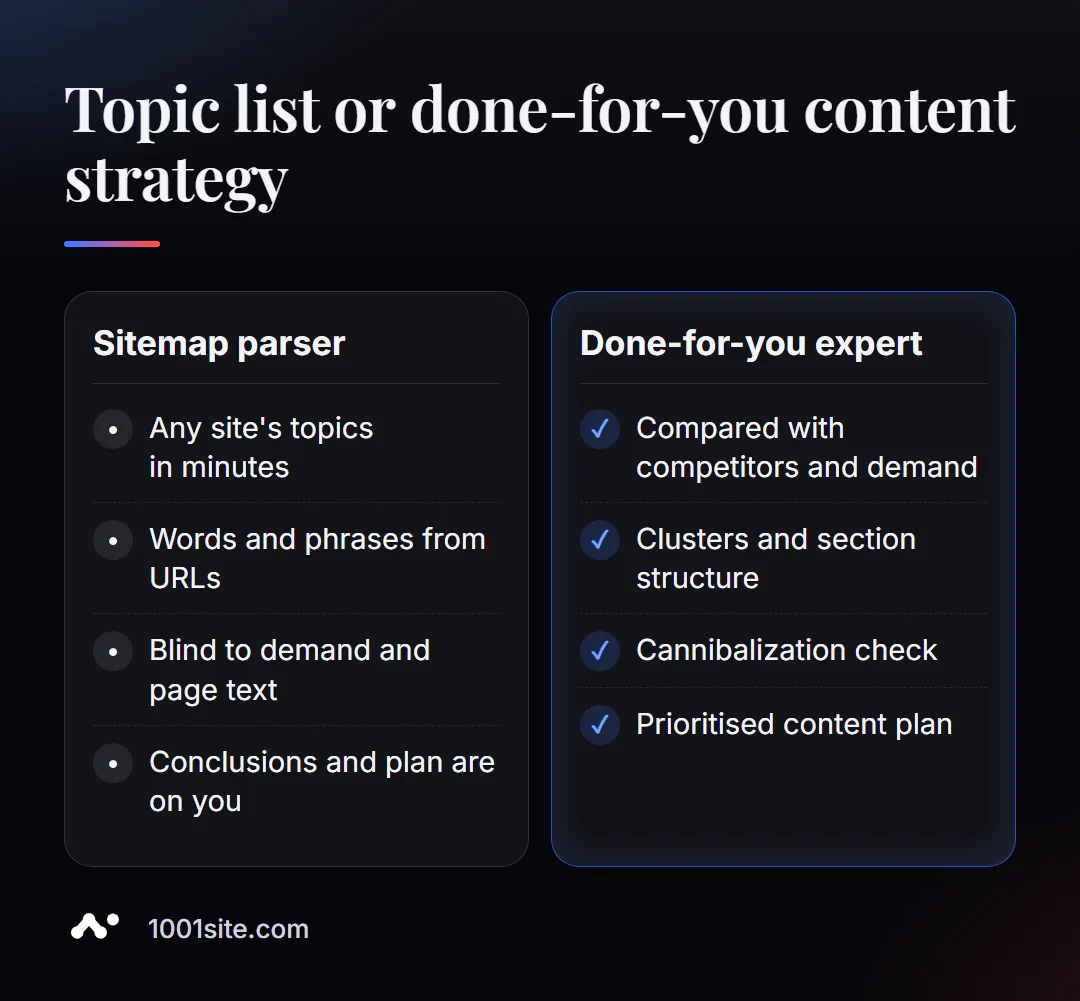
A parser provides the raw material. From this raw material, you need to assemble a strategy: which pages to create, which to combine, and how to link them. You need a specialist if:
- You have hundreds of articles and products, and it is not clear which of them compete with each other;
- your competitors are growing in search results, but you don’t understand what topics they are growing at;
- the addresses on the site are unreadable, and first the structure needs to be put in order;
- What is needed is not a list of topics, but a working content plan with deadlines and priorities.
What can I do for your website?
My name is Valeriy Danyuk, and I'm a developer and SEO specialist with 12 years of experience and over 200 clients. I base my content strategy on data, including analyzing competitor sitemaps.
SEO and promotion
- Turnkey SEO audit: semantics, section structure, cannibalization, interlinking – and a plan for what to write next.
- An AI-powered SEO blog that brings in organic clients: topics are identified based on semantic gaps, and articles are written and published by AI.
- Autoblog with AI agents – how an editorial team works without humans.
- A multilingual website without a translator – when topics need to be covered in several languages at once.
Websites and online stores
- A 1001site website with a blog, user-friendly URLs, and an automatic sitemap is a convenient foundation for content.
CRM, accounting and automation
- E-commerce agents instead of chatbots.
- An AI-powered equipment repair guide —a knowledge base that automatically answers customer questions.
All case studies are in my portfolio. Send me your website and a couple of competitors' ones via Telegram —I'll show you what topics you're missing.
Result
- The sitemap keyword parser shows in minutes which topics a site already covers with its URLs.
- Analyze not only your own map, but also the maps of 2–3 competitors—gaps are visible when compared.
- Overlay the result on the demand from the planner and queries from Search Console.
- If the addresses are unreadable, first clean up the structure—or build a website on 1001site with correct addresses from day one.
Analyze your sitemap right now with the free sitemap keyword parser, and for a content plan, come to Telegram.
Sources
- PromoPilot Sitemap Keyword Parser tool page - input data, sample result, and page questions.
- Google Search Console Help - Performance Report.
- Google Ads - Keyword Planner Description.