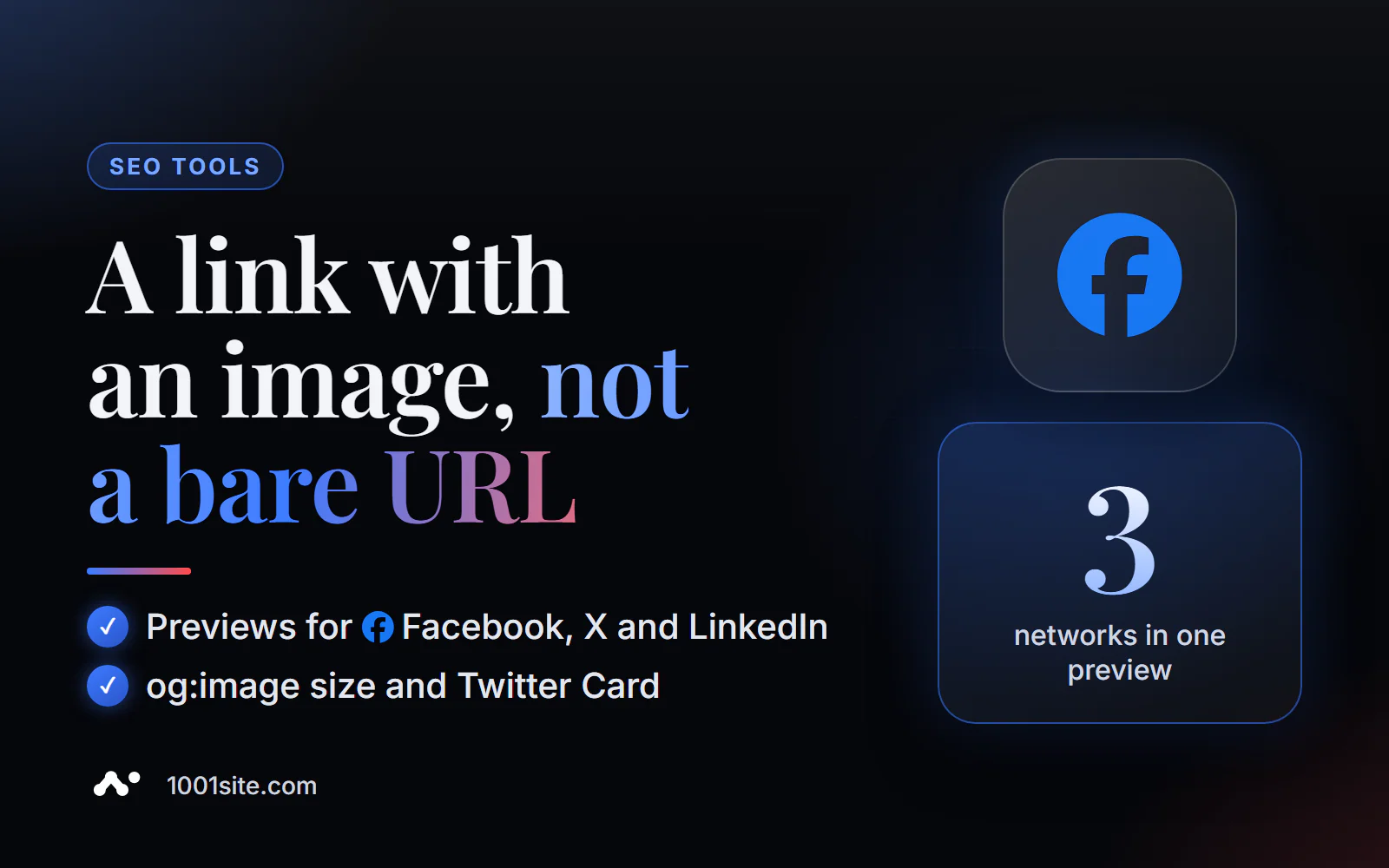
The short answer: to check Open Graph online, paste the page address into the free Open Graph Debugger PromoPilot. It will read all og:* and Twitter Card tags, check the presence and size of the image, evaluate the completeness of the markup, and display link previews for Facebook, X (Twitter), and LinkedIn—plus recommendations for what to add. No registration required. Below you'll find the required tags, the required og:image size, and how to update a "stuck" preview.
I've been making websites for 12 years, and I hear the question "Why doesn't Telegram link have an image?" from clients more often than I do questions about rankings. It's usually a five-minute job—if you know where to look.
What does Open Graph Debugger check?
When you insert a link into a post or message, the platform goes to the page and looks for Open Graph tags. If it finds one, it draws a neat card. If it doesn't, it takes whatever it finds or displays a bare URL. The tool checks only what social networks will read.
| What does it check? | What is he looking at? | Why does business need this? |
|---|---|---|
| All tags og:* | og:title, og:description, og:image, og:url, og:type, og:site_name, og:locale | From these, the sites collect the title, description, and image of the card. |
| Twitter Card | twitter:card, twitter:title, twitter:description, twitter:image | X (Twitter) reads its tags, and if they are absent, partially og |
| OG image | Is there a picture and what size is it? | The small image turns the card into a tiny icon on the side |
| Completeness assessment | How many recommended tags are filled? | Quick reference: is everything in place? |
| Network previews | cards for Facebook, X, and LinkedIn | You can see what the post will look like before publication. |
| Recommendations | What should I add or correct? | A ready-made task list for a developer or for you |
How to check Open Graph pages online?
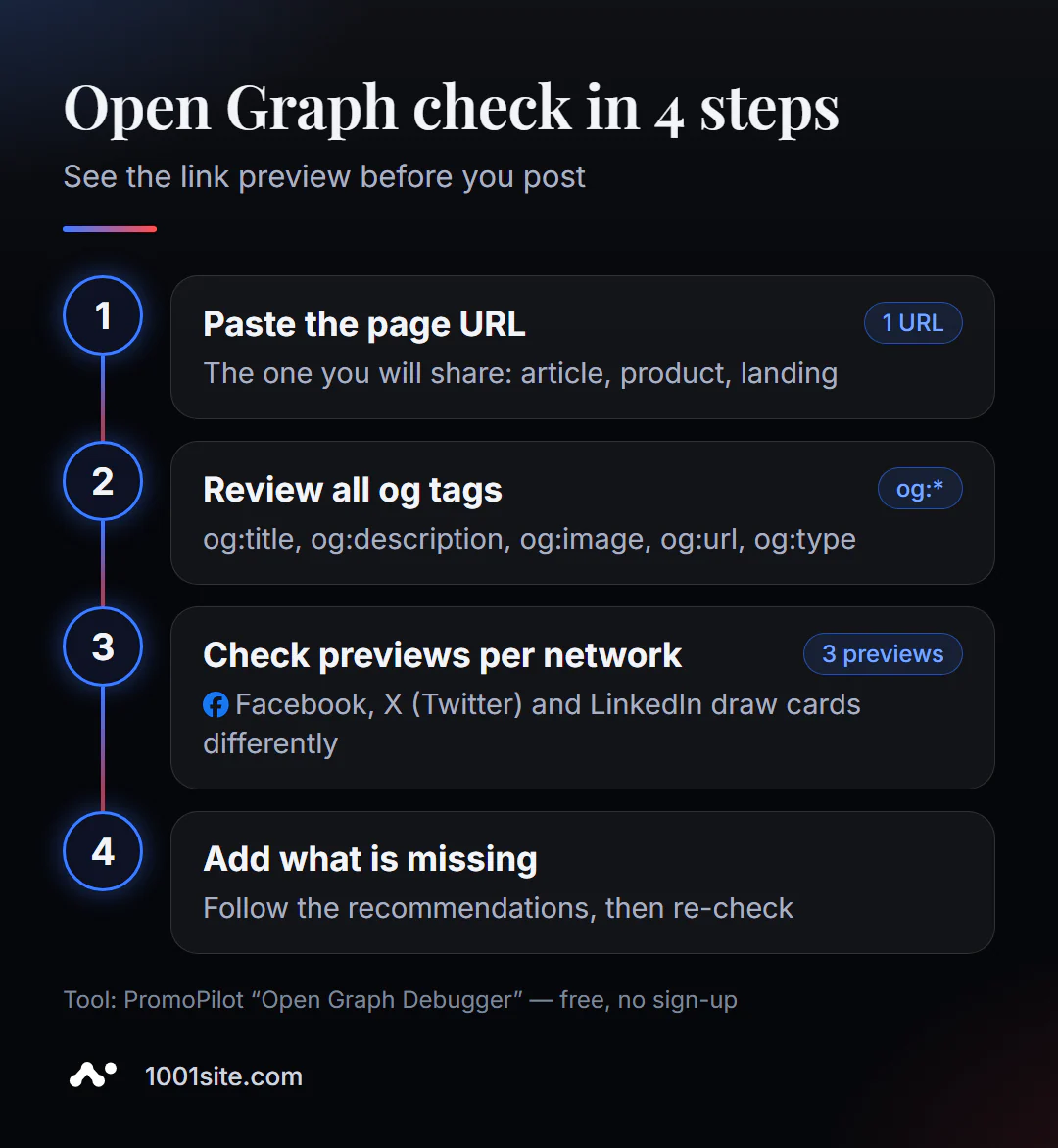
- Open Open Graph Debugger.
- Enter the URL of the page you want to share: an article, a product, or an advertising landing page. Click "Check."
- Go through the list of tags: which ones are set, which ones are empty, and whether there is a foreign or test address in og:url.
- Check the preview for each network: is the title cut off, is the image visible, and is there any important text around the edges.
- Please add the missing tags as recommended and check the page again.
Tool page: address field, "Check" button, list of checks and FAQ.
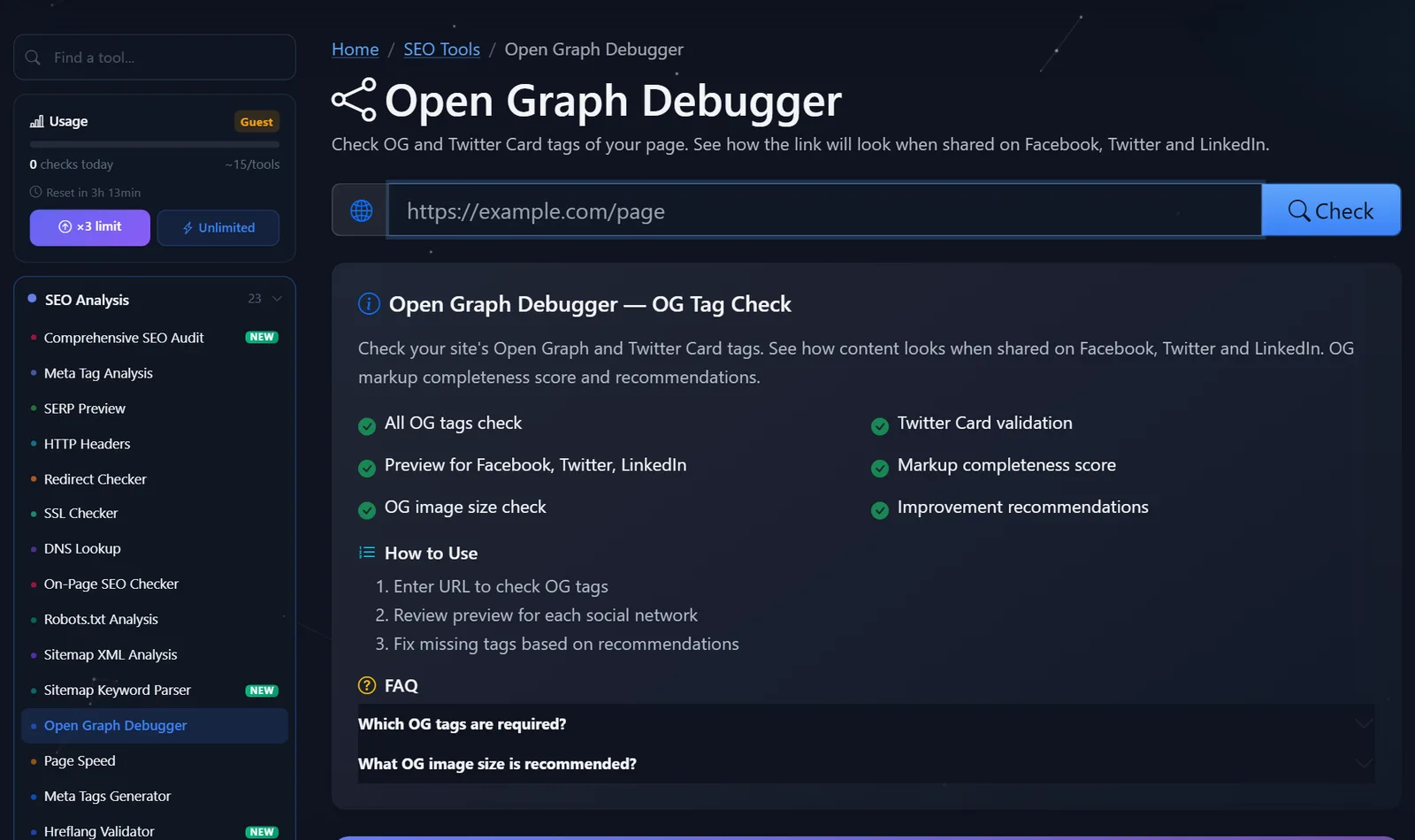
The tool is lightweight: a daily limit is enough for a guest to check all the site's templates—the homepage, category, product, and article. After free registration, the limit is tripled.
What are the most common errors in Open Graph?
Here's what I find on almost every other site, and in what order to fix it.
- There's no og:image or it's specified as a relative URL. Social networks won't understand
content="/img/cover.jpg"—the full URL starting withhttps://is required. Without an image, the post's reach drops significantly. - The image is too small. The 200x200 logo turns the card into a small square on the side. A 1200x630 image is needed.
- One og:image for the entire site. Every article and every product on social media should look the same—with the logo. For the blog and catalog, the image should be taken from the page's main photo.
- og:url leads to another address —the homepage, a test domain, or the
http://version. The platform can consolidate all links into a single page. - There's no twitter:card. Without it, X often shows a small card. For a larger image, you need
summary_large_image. - og:title duplicates the title with "buy" and the brand. In a social media feed, this looks like an ad; a lively headline, like for a post, is better.
The minimum correct set looks like this:
<meta property="og:title" content="Как выбрать кожаный рюкзак: 7 признаков качества"> <meta property="og:type" content="article"> <meta property="og:url" content=" https://example.com/blog/kozhanyj-ryukzak/"> <meta property="og:image" content=" https://example.com/img/og/kozhanyj-ryukzak.jpg"> <meta name="twitter:card" content="summary_large_image">How to prepare an image for og:image?
The image is the most noticeable part of the card, and it's where people often skimp. Here are a few rules I follow:
- The size is 1200×630 and the orientation is horizontal. The social network will crop the top and bottom of a square product photo, which may result in the product being missing a head or sole.
- The important thing is in the center. Different platforms crop the edges differently, and in the mobile feed, the card is even smaller. Keep text large and away from the edges.
- Minimal text. The title is already below the image; 3-6 words or no captions are needed on the image itself.
- Lightweight file. A JPG or PNG of reasonable size will load quickly, and the platform won't timeout.
- A dedicated image for each key page. For articles and products, it's convenient to create one automatically: an article cover or the main product photo.
A good test is to open the preview in the debugger on your phone. If the link isn't clear without zooming in, the image needs to be reworked.
How do I update an old preview after a fix?
A common scenario: you've fixed the tags, but the social network stubbornly displays the old image. The reason is cache: the platform has remembered the preview from the first share. On Facebook re-collecting the data in the Sharing Debugger helps, on LinkedIn, with Post Inspector, and on Telegram, with the @WebpageBot bot, which you send the link to. If all else fails, add a harmless parameter to the address, such as ?v=2: for the platform, this is a new link.
Comparison: Open Graph Debugger and Alternatives
| Tool | What's free? | Restrictions | Who is it suitable for? |
|---|---|---|---|
| PromoPilot - Open Graph Debugger | All og and Twitter tags, og:image size, previews for Facebook, X, and LinkedIn, recommendations | Doesn't clear social media cache | Check your page immediately before publishing it on any social media |
| Sharing Debugger (Meta) | Facebook Preview and Data Re-Collection | Facebook only, account login required | Reset old preview on Facebook |
| LinkedIn Post Inspector | LinkedIn Preview and Cache Refresh | LinkedIn only, login required | For those who are promoting on LinkedIn |
| @WebpageBot on Telegram | Updating the link preview in Telegram | Only Telegram, doesn't parse tags | For Telegram channel owners |
Conclusion: official platform debuggers are needed to clear the cache, but each platform only shows its own network. To see all previews and a list of missing tags in one go, a universal debugger is more convenient.
By the way, PromoPilot has 87 free SEO tools. If you haven't written tags yet, we have an article in our series about a meta tag generator that will create an Open Graph block with a preview.
How is the Open Graph Debugger different from meta tag analysis?
Meta tag analysis looks at a page through the eyes of a search engine: title, description, canonical, hreflang, and Open Graph are just one group. The debugger focuses on social media: it creates cards for different platforms, checks image size, and makes recommendations specifically based on previews. If links to your site are actively shared on social media and messaging apps, the debugger is more useful.
Both have one limitation: they read the HTML returned by the server. If tags are inserted by a browser script, many social networks won't see them—this needs to be fixed on the website's end. Another detail: the debugger checks the tags, but not the sharing itself. If the page is password-protected, geoblocked, or protected from bots, the social network may not be able to access it even if all the tags are present.
When is a free tool not enough?
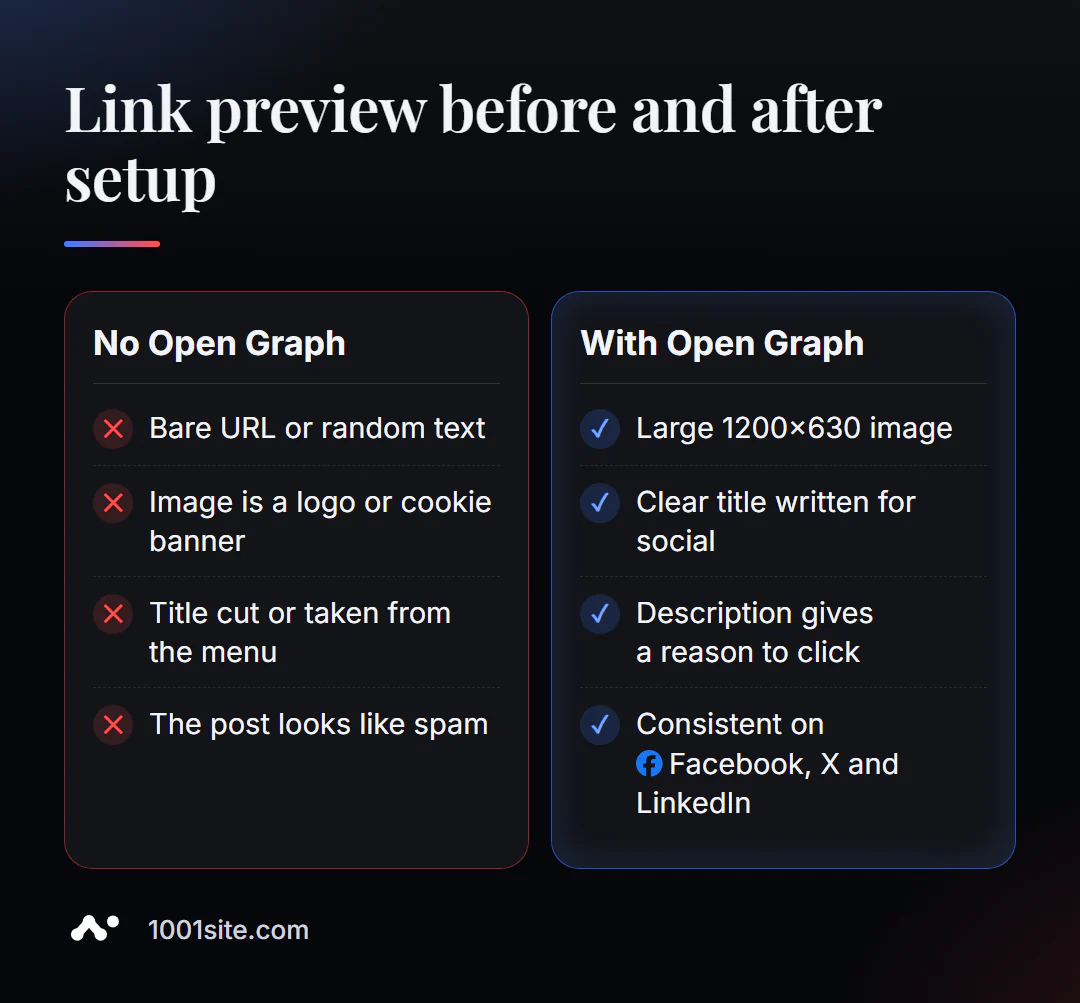
A debugger will show that the page doesn't have og:image. But if there are thousands of pages, manually inserting images isn't possible. A specialist is needed when:
- each product or article should have its own preview image, collected automatically;
- the site returns tags using a script, and social networks do not see them;
- You launch ads and mailings where each preview affects the cost per click;
- We need a combination of "website + Telegram channel + auto-publishing" with the right cards.
What can I do for your website?
I'm Valeriy Danyuk, a developer and SEO specialist with 12 years of experience and over 200 clients. A beautiful link preview is free reach, and I customize it for every project.
SEO and promotion
- Turnkey website SEO audit: I check all template tags, set up automatic preview images, and correct code.
Websites and online stores
- Transferring your store from Instagram to your website —products with proper previews for easy sharing.
- A landing page for a new product created in one evening – a NordHarvest case study with a ready-made card for social media.
- A plastic surgery clinic website with AI and applications via Telegram.
- Website on 1001site: previews for social networks and auto-publishing in Telegram are configured automatically.
Bots and automation
- Telegram bot with AI for an online sauce store.
- QuestFlow is a SaaS builder Telegram bots with AI.
- E-commerce agents instead of chatbots.
Send me a link that looks bad in a messenger on Telegram and I'll tell you which tag is missing.
Result
- An online Open Graph checker shows how a link looks on Facebook, X, and LinkedIn, and which tags are missing.
- The minimum required is og:title, og:type, og:image (1200×630, full address) and og:url, plus twitter:card.
- After fixing, reset the cache of the sites: Sharing Debugger, Post Inspector, @WebpageBot.
- For the catalog and blog, preview images should be collected automatically, like on 1001site.
Check the page you're about to share in the free Open Graph Debugger before your followers see the post.
Sources
- PromoPilot's Open Graph Debugger tool page — list of checks and FAQ.
- Open Graph Protocol (ogp.me) - mandatory and optional properties.
- Meta's Sharing Debugger and LinkedIn Post Inspector are the platforms' official tools.