The short answer: to find your IP address, open PromoPilot's "My IP Address" tool. No need to enter anything; the page will immediately show your external IPv4 or IPv6, hostname, country, city, provider, ASN, and time zone, along with your User-Agent and browser language. This is exactly what any website sees when you visit it. Below is how to read this data and where it can be useful for a website owner: whitelisting for the admin panel, filtering your traffic in analytics, and contacting hosting support.
I've been building websites and CRM systems for clients for 12 years, and I ask the question "What's your IP?" in almost every project: without it, I can't access the server, unblock clients after failed logins, or distinguish their visits from real customers.
What does the My IP Address tool show?
The page detects the connection automatically and displays it in two blocks: “Information” and “Browser Settings.”
| Parameter | What does it show? | Why does a website owner need it? |
|---|---|---|
| Public IP and protocol | IPv4 or IPv6 address, protocol icon | It is this address that is added to the whitelist of the server, CRM or firewall |
| Hostname and port | Reverse address name and remote port | The name shows the connection type: for example, cgnat in the name is the general address of the provider |
| Country, region, city | Geolocation based on the provider's database | Make sure your VPN is working before viewing regional search results or ads. |
| Provider, organization, ASN | Whose network is this? | It's easier for hosting support to figure out the blocking when you name the provider |
| Time zone | Geolocation belt | Explains "strange" times in logs and form emails |
| User-Agent, language, referrer | Browser data | Helps reproduce the website error in the same browser |
It's important to note that the tool displays the public IP address, not a local address like 192.168.1.15. The local address is only visible to devices on your home or office network; websites don't see it.
How to find out your IP address online?
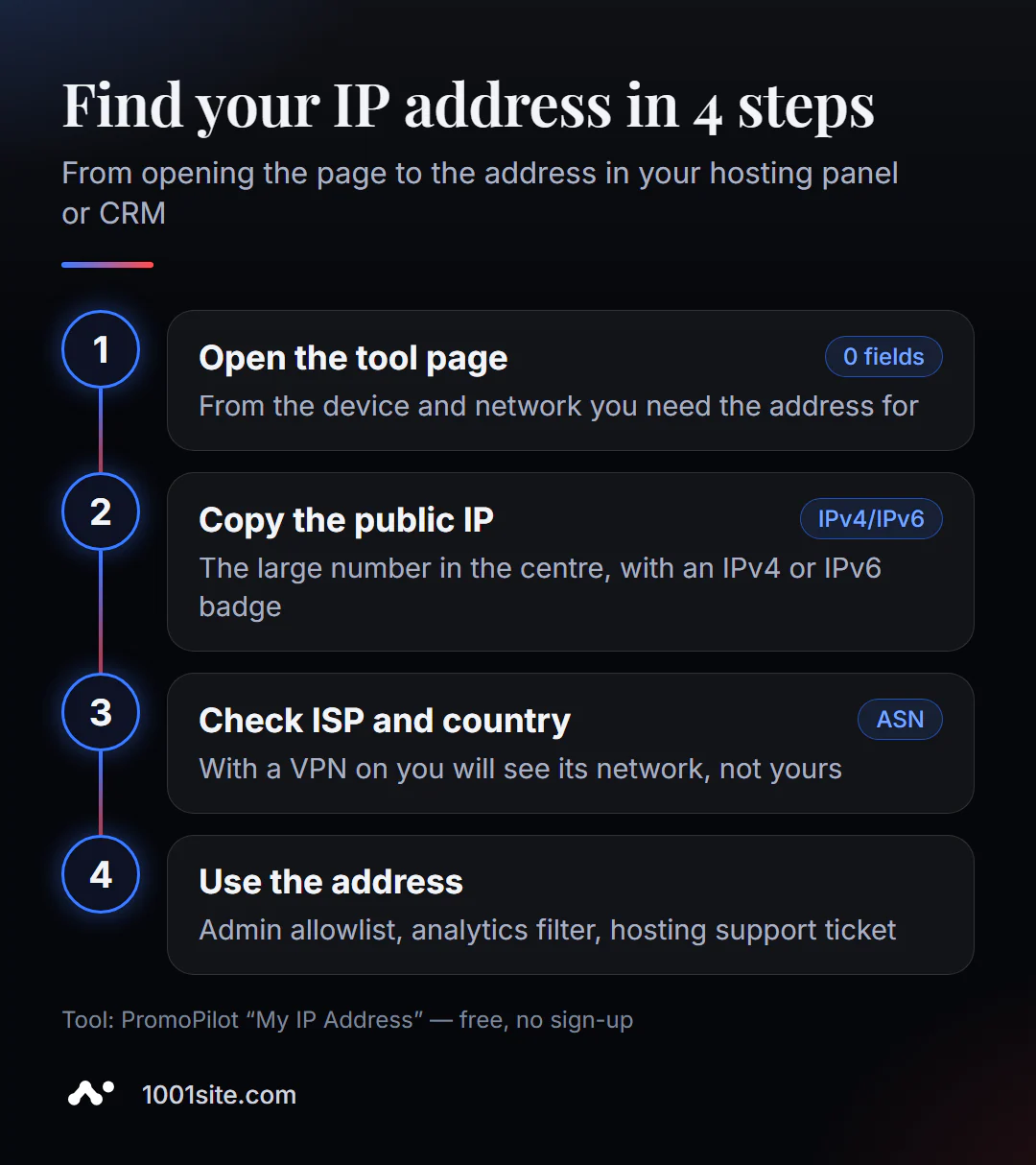
- Open "My IP Address" from the device and network for which you need the address: office Wi-Fi and mobile Internet will provide different IP addresses.
- Look at the large number in the center —that's your external IP address. Next to it is the IPv4 or IPv6 icon.
- Click "Copy" to avoid making mistakes in the numbers when pasting them into your hosting panel or support email.
- Check the "Information" section: the provider and country should match what you expect. If a VPN is enabled, its network will be listed there.
- Repeat in a day if you plan to add the address to the whitelist: if it has changed, then the IP is dynamic.
This is what the tool's page looks like. In the image, the address has been replaced with the documented 203.0.113.10, and the connection data is blurred out—you'll see the actual values there.
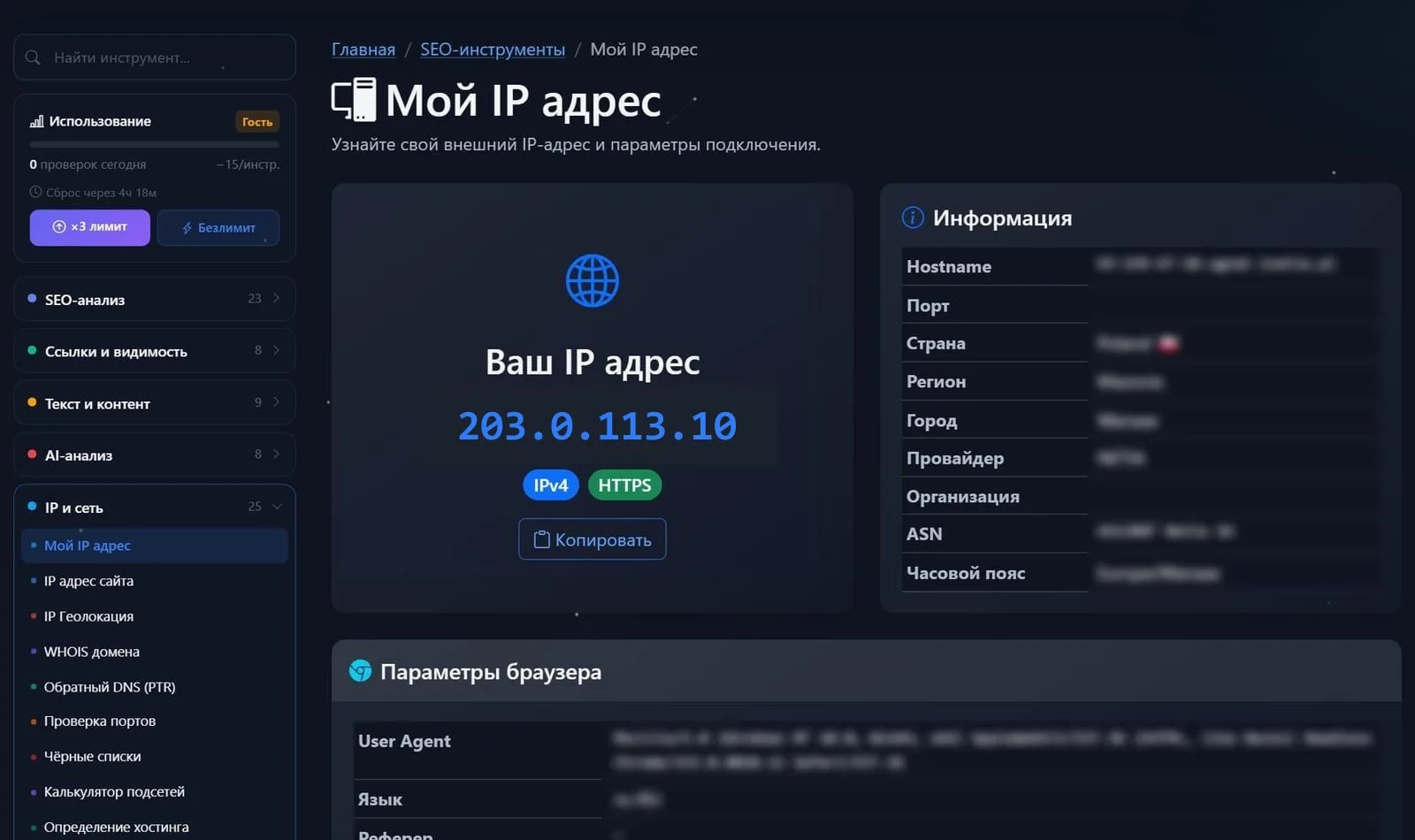
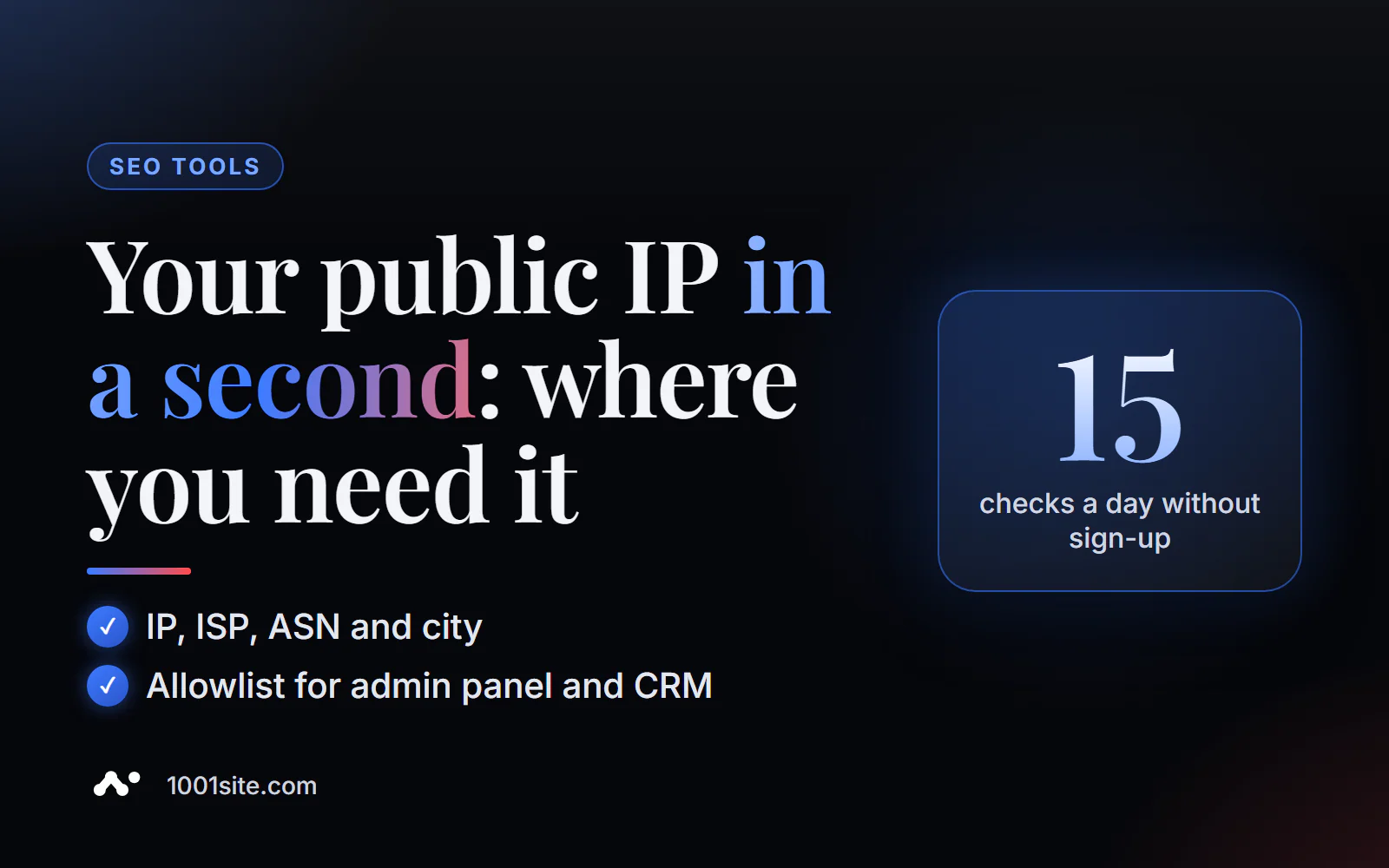
No registration required: this is a lightweight tool, with 15 such checks available per day for guests and 45 for registered users.
Why does a website owner need to know his IP?
There are five common situations where you need an external address—and in each one, a mistake costs time or money.
- Whitelist for the admin panel and server. Access to
wp-admin, phpMyAdmin, SSH, or the CRM panel can be restricted to the office IP address—this prevents password guessing by bots. - Unblocking after unsuccessful logins. Protections like fail2ban or WAF hosting block an address after a series of incorrect passwords. Support unblocks faster if the email includes the IP address.
- Filter your traffic in analytics. In Google Analytics 4, internal traffic is excluded by IP address—otherwise, your site edits become "visitors" and impact conversion.
- Check your VPN before checking search results. View rankings or ads in another country—first, make sure the address and country have actually changed.
- Analysis of disputed requests. If a website form records the sender's IP address, it's easy to identify its value and avoid confusing test requests with real ones.
How to read the result and what errors occur?
The main thing is to understand whether your address is stable. This determines whether you can rely on it.
- Static IP. The address doesn't change for weeks—it can be safely whitelisted. This is usually an office internet connection with a "fixed IP" service.
- Dynamic IP. The address changes after a router reboot. A whitelist will cut you off from your own admin panel one morning.
- CGNAT. The hostname contains
cgnator an address in the100.64.0.0/10range on the router: hundreds of subscribers share a single external IP address. Whitelisting such an address means letting in the neighbors, too. - IPv6 instead of IPv4. The site sees IPv6, but IPv4 is whitelisted, and access "doesn't work." Add both addresses or check the protocol you're accessing.
A common mistake newbies make is copying the address from the network card settings ( 192.168.xx or 10.xxx). This is a local address and won't tell the server anything.
Comparison: PromoPilot's "My IP Address" and Alternatives
There are dozens of ways to find out your IP address. Here's how they differ in practice.
| Tool | What's free? | Restrictions | Who is it suitable for? |
|---|---|---|---|
| PromoPilot — My IP Address | IP, host, geolocation, provider, ASN, browser data on one page | Daily limit of checks for a guest | For the website owner: everything you need to write to support on one screen |
| ipinfo.io | IP, geolocation, ASN, also via API | Network details are partly in paid plans | For developers who need an API |
| WhatIsMyIPAddress.com | IP and approximate location | There are a lot of ads on the page. | Quick one-time check |
curl ifconfig.me | Only the bare IP in the terminal | You need a terminal, without a provider and ASN | Checking the server's IP address |
Conclusion: for the everyday task of "finding an IP and sending it to the hosting service," a page where the address, provider, and ASN are immediately visible is more convenient. The curl command is indispensable when you need to find out the external address of the server itself—for example, to whitelist it for a payment gateway or CRM.
"My IP Address" is one of PromoPilot's 87 free SEO tools. If you need to find out not your own address, but someone else's website address or the exact location of an arbitrary IP address, the series has separate articles on website IP addresses and IP geolocation.
What are the limitations of checking your IP?
- The tool displays the public IP address. It doesn't see, and shouldn't see, the device's local network address.
- Geolocation depends on the relevance of the provider's database: the city may differ from the actual one, especially for mobile internet.
- Behind a corporate proxy or VPN, you'll see the gateway address, not your own. This is normal—that's what websites see.
- If the "Port" field is empty and "Organization" is not filled in, this is a feature of the provider's data and not a connection error.
When is a free tool not enough?
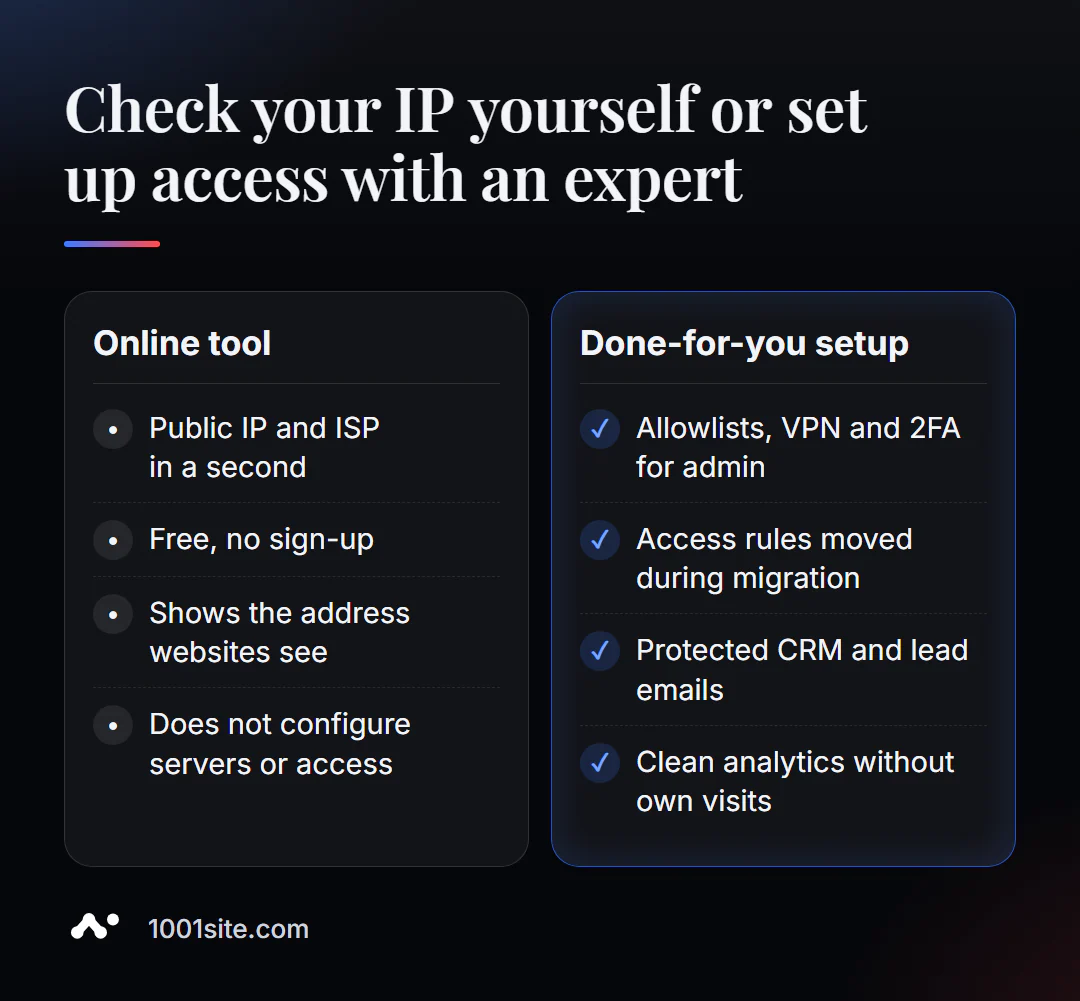
The tool honestly answers the question "what is my address?" But it won't configure server access or decide whether to disable the admin panel by IP. You'll need a specialist if:
- You're moving to a new hosting and need to transfer access rules, firewalls, and whitelists without downtime;
- The team has dynamic addresses, and the admin panel and CRM need to be protected—this requires a company VPN or two-factor authentication, not an IP list;
- Applications from the site come from suspicious addresses, and you need to filter out spam without losing customers;
- The analytics are mixing up your visits, contractors' visits, and bots' visits, and the numbers can no longer be trusted.
What can I do for your website?
My name is Valeriy Danyuk, and I'm a developer and SEO specialist. Over the past 12 years, I've built websites, stores, and CRM systems for over 200 clients. Networking details like IP access are part of every move and launch I manage.
SEO and promotion
- Turnkey SEO website audit: I check the entire site—from indexing to server settings—and fix the root cause of problems, not the symptoms.
- An SEO blog that brings in organic clients: articles are written, illustrated, and published by AI using my methodology, and the analytics are pure, without any direct visits.
Websites and online stores
- A WordPress website with an AI assistant for €299 and 3 days —with a bot-protected admin panel and a configured ticket email.
- Website on 1001site: hosting in the EU, SSL for your domain is issued and renewed automatically, no server configuration required. Example: migrating a store from Instagram to a website.
CRM, accounting and automation
- CRM with a built-in customer database and decision-makers – employee access, roles, and login protection.
- A monthly accounting system for an online store for a Czech company: warehouse, orders, and website in one system.
All projects are in my portfolio. Send me a link to your website and a task in Telegram – I'll show you how to block access to the admin panel and CRM without cutting off your team.
Result
- An external IP is the address you use to access any website; the local
192.168.xxis useless for servers. - IP whitelisting only works with a static IP address; a dynamic IP or CGNAT requires a VPN or two-factor authentication.
- Add your IP address to the internal analytics traffic filter and include it in every email to hosting support.
- A move, new access rules, and CRM security are all reasons to call a specialist, but a simple website without a server can be built on 1001site.
Check it out now: find out your IP address for free, and if you need to set up access to your website or CRM, write to me on Telegram.
Sources
- PromoPilot's "My IP Address" tool page - data composition and limits.
- ipinfo.io — description of IP and ASN data.
- WhatIsMyIPAddress.com is a service for checking your IP address.
- RFC 5737 - IPv4 Documentation Ranges (address 203.0.113.10 in the screenshot).