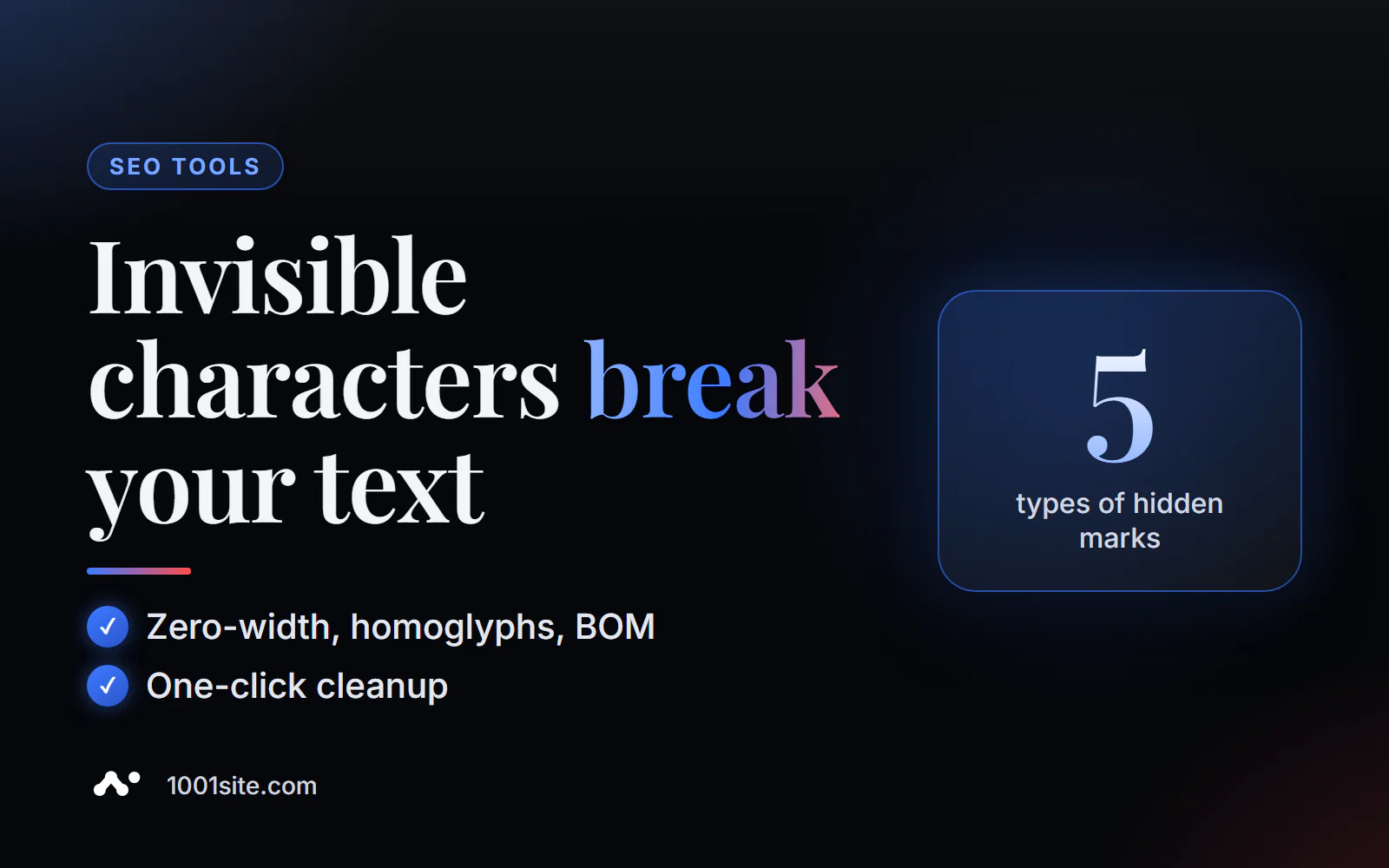
The short answer: to check text for hidden characters, paste it into the PromoPilot watermark detector and click "Check." In just a second, it will find zero-width characters (U+200B, U+FEFF, U+2060, and others), homoglyphs (letters of a foreign alphabet that are indistinguishable to the naked eye), invisible formatting, and steganographic inserts. With one click, you'll get a cleaned copy of the text. Free and no registration required.
In my experience, this is a common cause of "inexplicable" bugs: a category title isn't found by site search, even though the word is spelled correctly—and inside it, there's a zero-width character that arrived with the text from a messenger.
What does a watermark detector find in text?
This tool doesn't evaluate whether a text was written by AI—that's what an AI detector does, and there's a separate article about it in this series. The goal here is different: to find what's physically present in the text but invisible to the naked eye.
| Label type | Example | What's stopping you? |
|---|---|---|
| Zero-width characters | U+200B (zero width space), U+2060 (word joiner) | Word splits internally: search and keywords do not match |
| BOM and service symbols | U+FEFF at the beginning or middle of a line | Breaks headers, CSV, code and templates |
| Homoglyphs | Latin “a” (U+0061) instead of Cyrillic “a” (U+0430) | The word looks correct, but for search it is a different word |
| Invisible formatting | Hidden text direction control characters | Strange character order when copying and pasting |
| Steganographic inserts | Sequences of invisible characters with encoded label | They can be used to track where the text was copied from. |
The result is a detailed report of found tags (up to 5 types) and a cleaned version of the text. Languages: English, Russian, Ukrainian.
How to check text for hidden characters online?
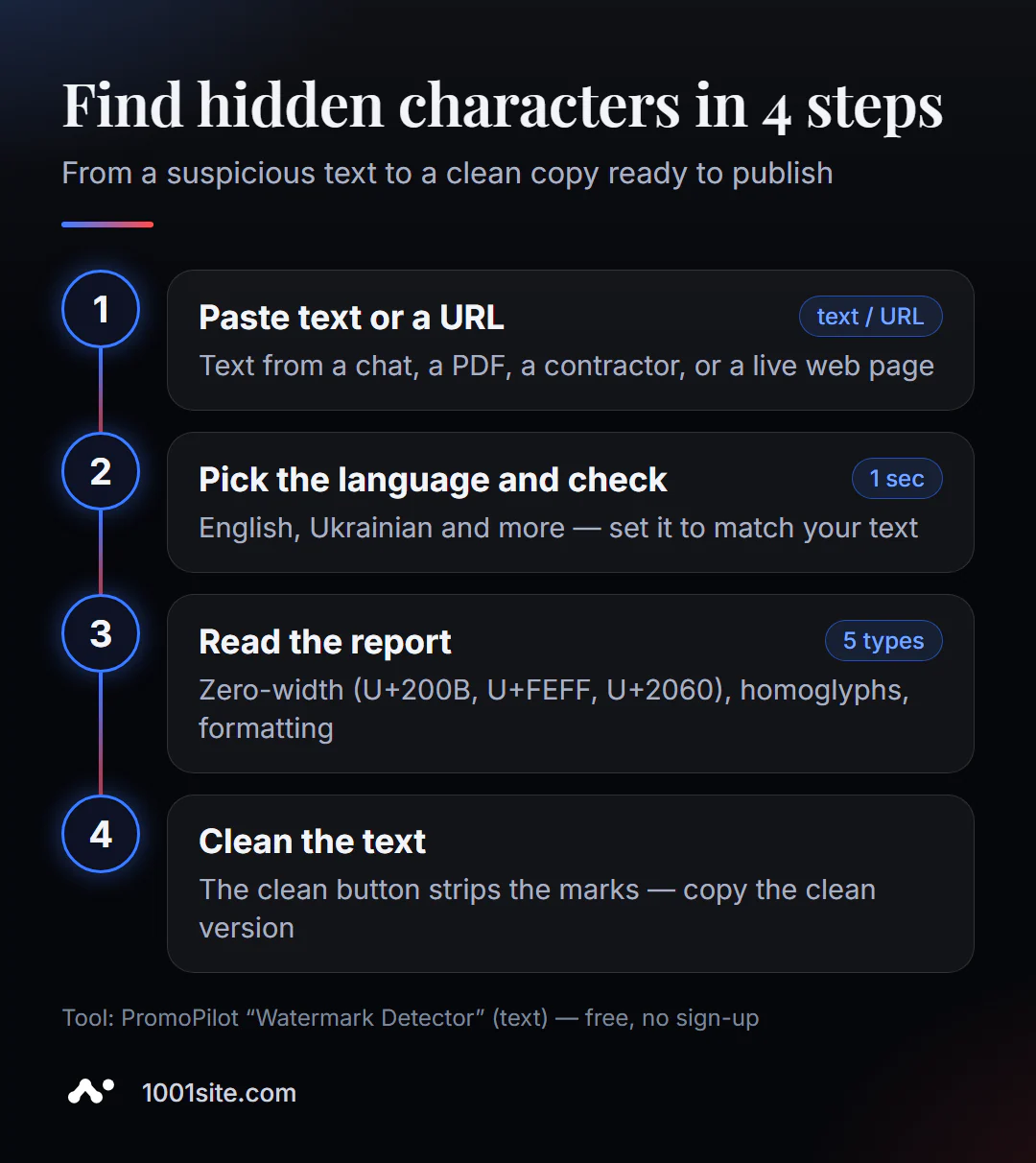
- Open the watermark detector - works in the browser.
- Paste the text or select "Download from URL" to check the published page.
- Select a language —English by default; for Russian text, switch manually.
- Click "Check" and examine the report: which symbols were found and where.
- Click the clear button and copy the clean version of the text.
This is what the page looks like: a text field, loading by URL, language selection, and a list of what the tool checks.
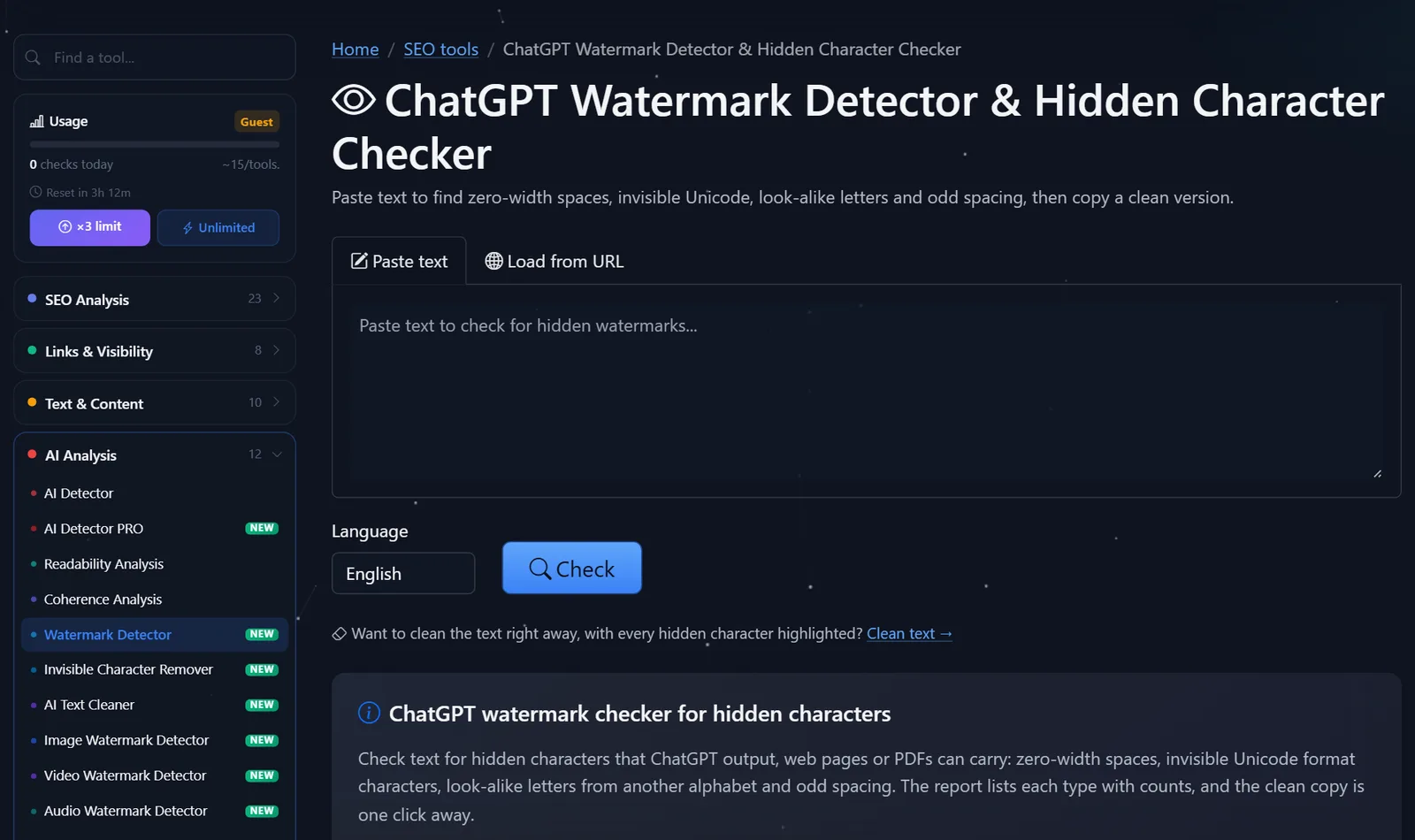
Guests have access to approximately 15 checks per day; after free registration, they can perform three times more.
Where do hidden symbols come from in text and what to do with them?
Most often, invisible objects appear not due to malicious intent, but through copying:
- From AI chats and messengers, service spaces and symbols are carried over along with the response formatting.
- From PDF and Word - hyphens, soft hyphens, non-breaking spaces and BOM.
- From other sites - sometimes deliberately: this is how they protect content from copying and track where it appears.
- From a copywriter or contractor - homoglyphs are sometimes used to "cheat" uniqueness checks.
What to do with the report:
- Always remove zero-width characters and BOMs from titles, URLs, and meta tags. They have no place there under any circumstances.
- Homoglyphs in the main text should be removed and their origin investigated. If the text was submitted by a copywriter, homoglyphs should be a cause for concern: this is a classic technique for substituting uniqueness.
- Non-breaking spaces between the number and the unit ("5 €," "10 min") can be left in. This is normal typography, and the tool is heuristic and can flag them as suspicious.
- Steganographic inserts in someone else's text are a sign that the author is monitoring copies. It's better not to sanitize it, but to write your own text: the tags aren't the main issue; the main one is copyright.
How do hidden characters affect SEO?
An invisible character isn't a "design error," but a genuine technical issue. Here's where it hits hardest:
- Title and H1. The word "delivery" with U+200B inside it appears to search engines as two fragments: "dost" and "avka." The page matches the query less well, and a strange gap sometimes appears in the snippet.
- URL and slug. If the title with the invisible tag is automatically converted into the page address, the URL will contain encoded garbage like
%E2%80%8B. This link is difficult to copy and looks suspicious. - Structured data and feeds. A BOM symbol or homoglyph in a product name can break the marketplace or Merchant Center feed, and the product will not pass moderation.
- Search and filters on the website. A customer searches for "cable," but the product listing says "cable" with an "e"—the item isn't found, even though it exists.
- AI assistant responses. Models may misrecognize words with substituted letters, meaning your text will be less likely to match the user's question.
That's why I check everything that ends up in titles, addresses, and product cards for invisible ones, especially during bulk imports.
Will the tool find ChatGPT and SynthID watermarks?
It is important to distinguish between two types of watermarks in text.
Symbolic characters are found in the text as symbols: invisible characters, homoglyphs, and formatting. The PromoPilot detector finds and removes them.
Statistical ones are built into the very word choice used during generation. For example, Google embeds a SynthID watermark into the text of its models and checks it in a separate portal, SynthID Detector. This watermark can't be removed with the "clear" button: it's not a symbol, but a pattern in the wording. Neither this tool nor other symbol checkers will detect it.
Therefore, "cleaned" text doesn't become "invisible to AI detectors"—and it shouldn't. The purpose of cleaning is to ensure that the text functions correctly on the website: it's searchable, copied, and displayed correctly.
Comparison: PromoPilot Watermark Detector and Alternatives
| Tool | What's free? | Restrictions | Who is it suitable for? |
|---|---|---|---|
| PromoPilot — Text Watermark Detector | Search for 5 tag types, report, one-click cleaning, URL checking | Plain text only, no DOC/PDF; daily guest limit | For authors, editors, and website owners |
| Code editor (e.g. VS Code) | Highlighting invisible and similar symbols | You need to install the program and clean it manually. | For developers |
| Regular expression search | Search [-] in the editor | Homoglyphs can't be found this way; you need skills | For those who work with large amounts of text |
| Google SynthID Detector | SynthID Watermark Verification | Google AI content only; access limited | For journalists and researchers |
Conclusion: for everyday text checking before publication, an online detector is the most convenient – it finds both symbols and homoglyphs and immediately produces a clean copy.
PromoPilot's catalog contains 87 free SEO tools, including dedicated watermark detectors for images, videos, and audio; each is covered in a separate article in this blog section.
Limitations of checking text for watermarks?
- Plain text only. Binary DOC and PDF files are not supported—copy and paste the text from them.
- Heuristics: A suspicious character isn't always harmful: a non-breaking space or a soft hyphen may be appropriate.
- Statistical watermarks are not visible. The tool looks for symbols, not patterns in words.
- Cleaning doesn't make text unique. If the text is someone else's, it remains someone else's after cleaning.
When is a free tool not enough?
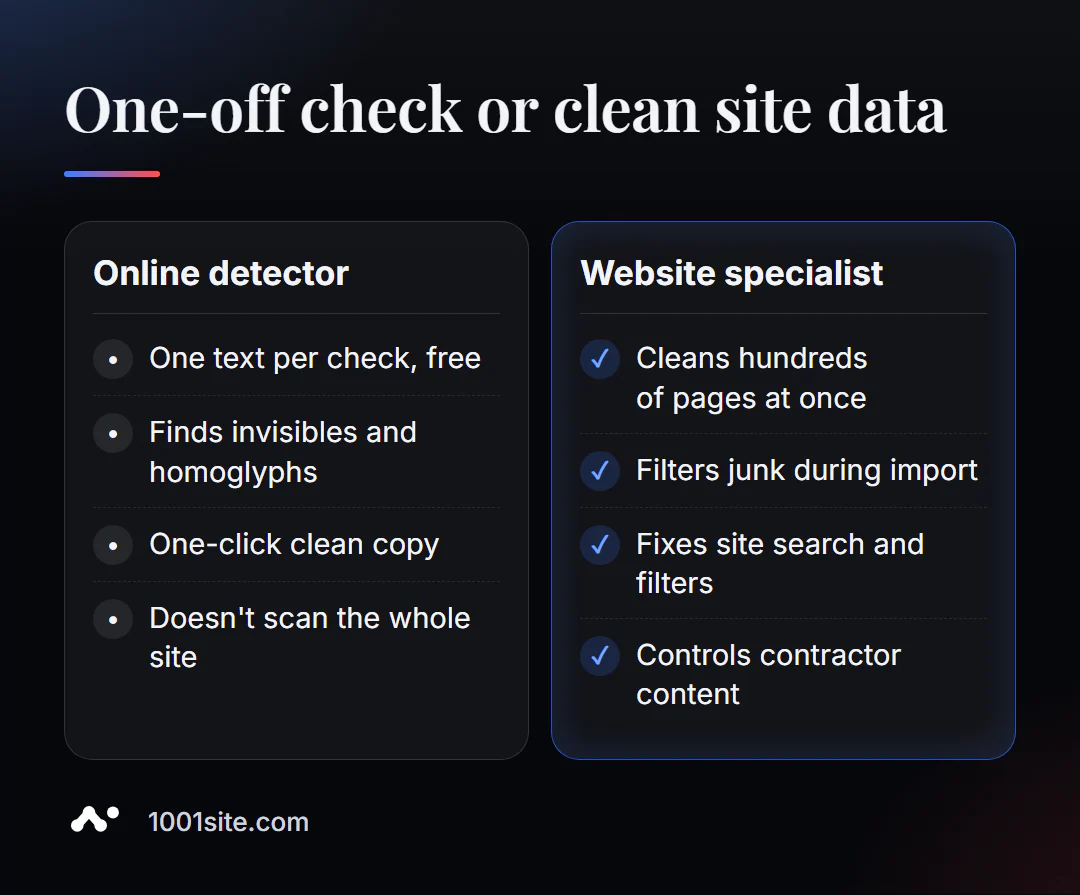
A one-time review solves the problem of a single text. A specialist is needed if:
- hidden symbols have already been distributed across hundreds of product cards and articles;
- Content comes to the site in a stream - from contractors, AI, and imports from social networks;
- The site search and filters behave strangely and the reason is unclear;
- We need automatic text cleaning during import, not manual.
What can I do for your website?
I'm Valeriy Danyuk, a developer and SEO specialist with 12 years of experience and over 200 clients. Data integrity is a key part of every build I create: imports, catalogs, and automation.
SEO and content
- Turnkey website SEO audit: I find broken titles, duplicates, and broken data across the entire site, not just on a single page.
- An SEO blog that attracts organic clients – AI-powered texts are reviewed before publication.
Websites and directories
- A 300-product catalog in just a few minutes via MCP and Claude —bulk import without data waste.
- When transferring a store from Instagram to a website, social media texts also need to be cleaned up.
- A WordPress website with an AI assistant for €299 or a 1001site website with content transfer via link.
Automation
- A CRM that automatically calculates prices and prints invoices is an example where clean data is paramount.
- QuestFlow is a Telegram bot builder with AI.
If the site "can't find" something that's definitely there, write to me on Telegram, and we'll find the reason.
Result
- Hidden symbols and homoglyphs are invisible to the eye, but they break searches, titles, and keywords.
- The watermark detector finds 5 types of marks and provides cleaned text in one click – for free.
- Statistical AI watermarks (like SynthID) are not embedded in symbols; they are checked by other tools.
- If the "garbage" has already spread across the site, a complete data cleanup is required - or a new site with a careful import to 1001site.
Before your next post , check your text for hidden characters, especially if it came from a chat or PDF.
Sources
- PromoPilot's Watermark Detector tool page — watermark types, limitations, example.
- Google - announcement of the SynthID Detector portal.
- Unicode standard - codes for zero-width characters and special characters.