The short answer: to check a domain's WHOIS, enter the name in PromoPilot's "Domain WHOIS" tool. It will show the registrar, registration, renewal, and expiration dates, DNS servers, statuses like clientTransferProhibited, and owner information if it's not hidden. No registration is required. For a website owner, this is a five-minute safety net: ensuring the domain is registered to you, renewed on time, and maintained where you think it is.
Over 12 years of working with clients, I've seen businesses lose domains due to expired auto-renewal cards and former contractors "holding" domains in their account. Both cases are visible in the WHOIS file if you check it.
What does a domain's WHOIS show?
| Field | What does it show? | Why does a website owner need it? |
|---|---|---|
| Dates of registration, renewal, expiration | When was the domain created, changed, and until what date is it paid? | Don't miss your renewal—a late renewal disables your website and email. |
| Registrar | The company through which the domain is registered | Know whose account to log into for renewal and setup |
| DNS servers (NS) | Who maintains the DNS zone? | This is where records are changed when moving a website and email. |
| Domain statuses | Flags like clientTransferProhibited | Find out if a domain can be transferred and if it is blocked |
| Owner | Name or organization, if not hidden | Check that the domain is registered to the company and not to a contractor |
The most underrated area is DNS servers. There's only one registrar, but DNS can be maintained by the hosting provider, Cloudflare, or a former developer. You need to change the records where the DNS servers point, otherwise the changes simply won't be applied.
How to check a domain's WHOIS online?
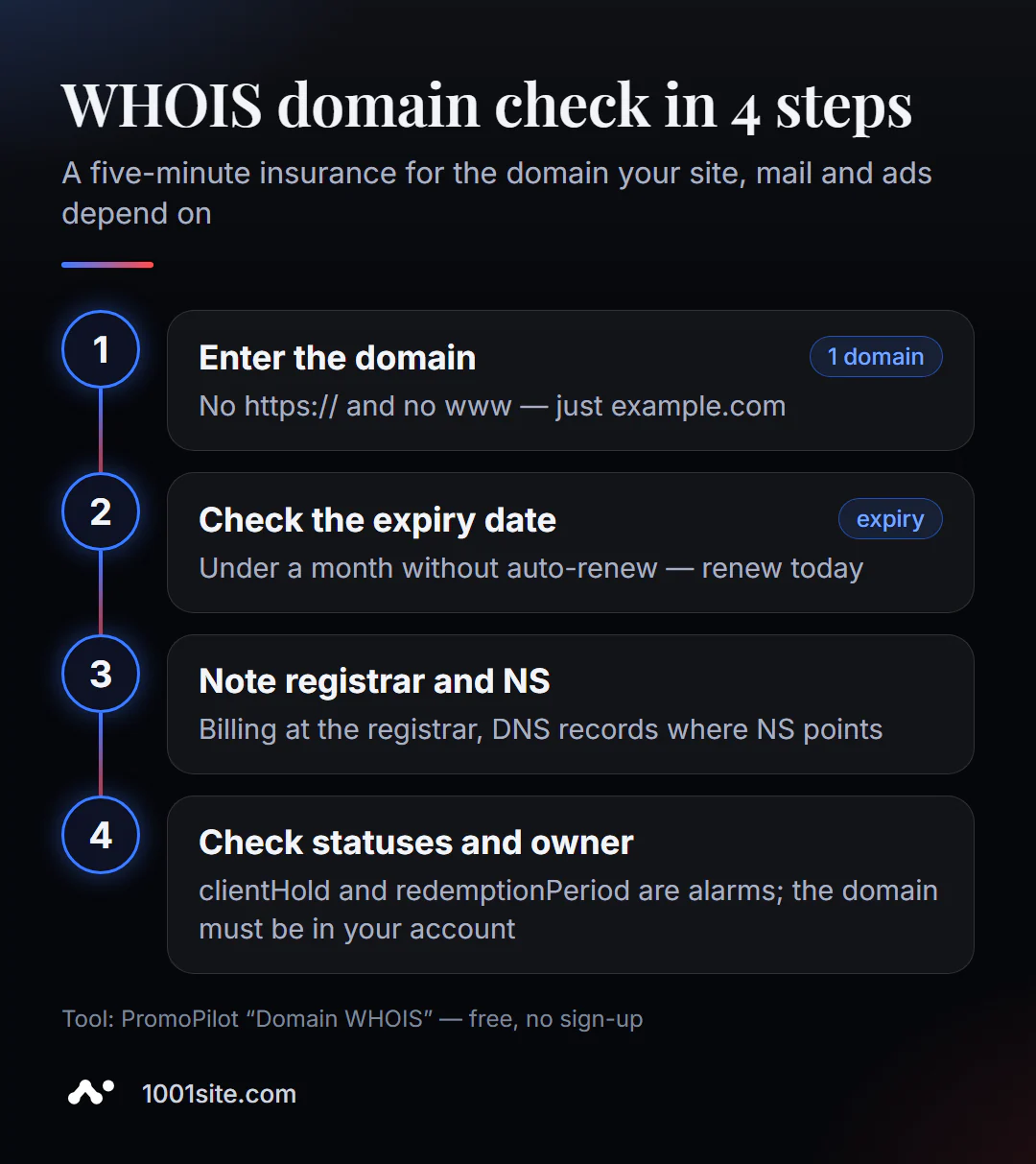
- Open "WHOIS domain" and enter the domain without
https://andwww. - Check the expiration date. If it's less than a month old and auto-renewal isn't set up, renew today.
- Make a note of your registrar and DNS servers. These are two different control points: payment and records.
- Check the statuses.
clientTransferProhibitedis normal protection;clientHold,redemptionPeriod, orpendingDeleteare alarms. - Verify the owner. The data is hidden—log in to your registrar account and verify that the domain is in your account.
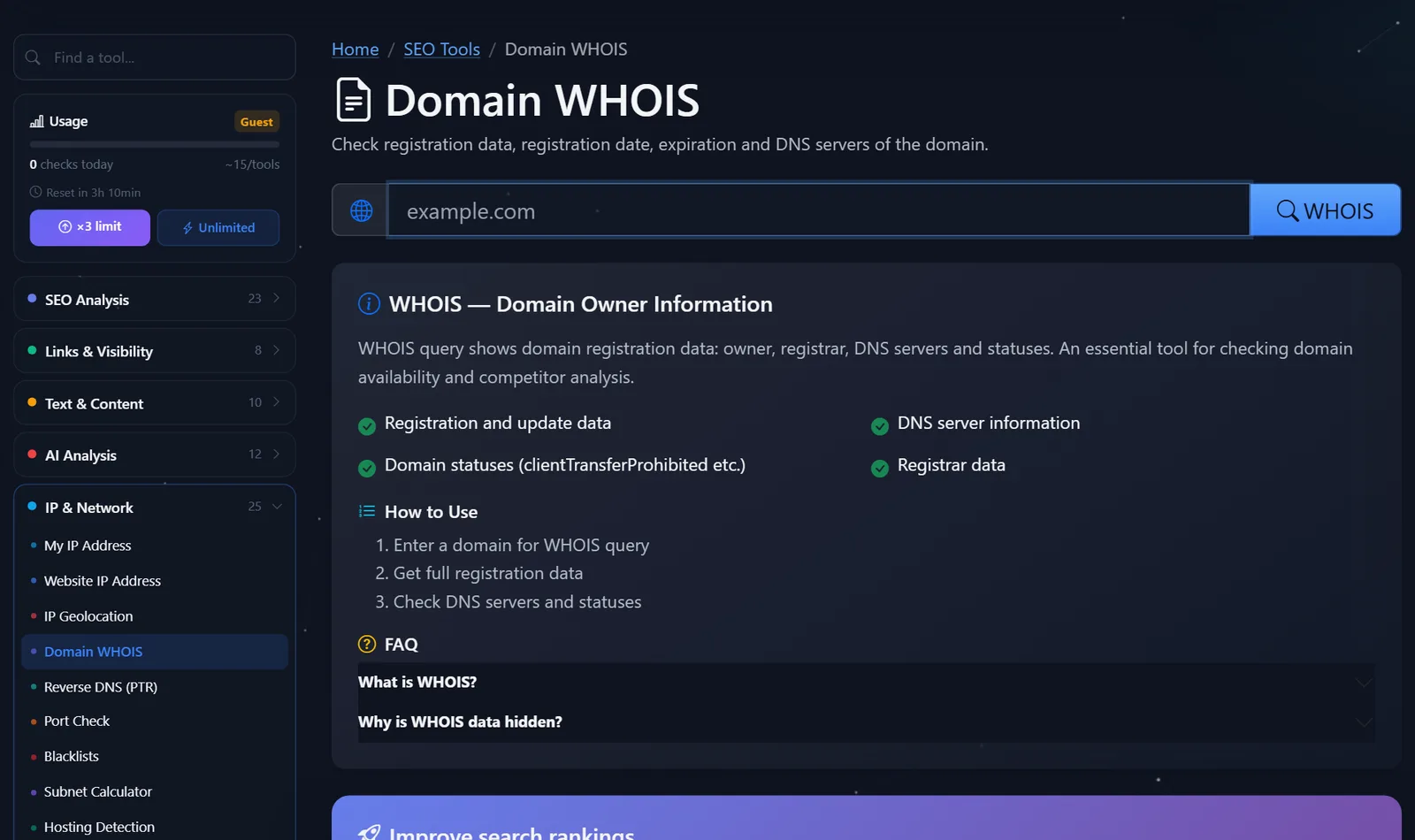
This is what the tool page looks like: a field for the domain and a request button.
The check should be repeated quarterly and definitely before moving the site, changing the contractor, or launching a major advertising campaign.
How to read domain statuses and what to fix first?
Statuses (EPP codes) are short flags assigned to a domain by the registrar and registry. Here are the main ones.
clientTransferProhibited— prohibits transferring to another registrar. This is an anti-theft protection; it can be disabled in your account before transferring.-
clientDeleteProhibited,clientUpdateProhibited— prohibit deletions and modifications. This is also protection, no need to worry. -
clientHoldorserverHold— the domain has been delegalized: the website and email are down. This could be due to non-payment, a complaint, or unconfirmed contact information. -
redemptionPeriod— the domain has expired and been deleted, but it can still be redeemed, usually for a higher price than a standard renewal. Act immediately. -
pendingDelete— the domain is about to become available, and it is almost impossible to save it.
The priorities are simple: first the expiration date and any alarm statuses, then the owner, then the DNS servers. Also remember the 60-day rule: in popular zones, a domain cannot be transferred again immediately after registration or transfer—plan your registrar change in advance.
Why should the domain be registered to you?
This is the main conclusion of any WHOIS check. A domain is the address that controls search rankings, links, advertising, and email. If it's registered to a designer, agency, or employee, you're dependent on their goodwill.
A typical scenario: a contractor registers a domain name "for convenience," but after three years, the relationship soured—and moving to a new website became a matter of negotiations. Transferring a domain name to a company takes anywhere from a few days to a couple of weeks and usually costs one renewal. Do it while the relationship is good.
What should I check in WHOIS before moving a website?
Moving to a new hosting or engine is the time when domain errors are most costly: the site crashes, email stops working, and requests are lost. My short checklist before every move:
- The expiration date is no less than three months. Renewing a domain in the middle of a move, when DNS and access rights are changing, is an unnecessary risk.
- The business owner has access to the registrar's account— not the contractor or former employee. The login, password, and two-factor authentication are the company's.
- The nameservers are known and accessible. If the DNS is maintained by the old hosting, the domain will remain without records after the account is closed. First, transfer the zone to its future location—to a registrar, Cloudflare, or a new hosting.
- The email records were already rewritten. MX, SPF, and DMARC are in the same zone as the website. If you move the zone without them, emails from the application form stop being delivered.
- No alarm statuses.
clientHoldturns planned work into an emergency in the middle of a move.
Five minutes on these steps can save days on recovery. This is especially true for small companies where the domain was once registered by a "programmer friend" and no one has opened an account in a long time.
Comparison: WHOIS PromoPilot and Alternatives
| Tool | What's free? | Restrictions | Who is it suitable for? |
|---|---|---|---|
| PromoPilot - WHOIS domain | Dates, registrar, DNS servers, statuses, owner (if open) | Daily limit of checks | Quick check of your own and someone else's domain |
| ICANN Lookup | Official RDAP data for general areas | Not all national zones, dry interface | Verification "from the source" |
| Registrar's website | WHOIS search and domain availability check | Convenient for its zones, domains for sale nearby | For those who want to buy a domain right away |
whois command | Full text answer | A terminal is required, the format depends on the zone | For administrators |
Conclusion: WHOIS PromoPilot is convenient as a quarterly checklist: everything you need is on one screen. ICANN Lookup is useful when data needs to be confirmed with a primary source, for example, in a domain dispute.
This is one of PromoPilot's 87 free SEO tools. If you're not interested in the owner, but rather in how old the domain is and whether it's worth buying with its history, there's a separate article in the series on checking domain age.
What are the limitations of WHOIS verification?
- Owner data is often hidden by the registrar's privacy service, and for individuals in the EU, by law.
- The format and completeness of the response depend on the domain zone: some national zones have less data.
- The registration date for domains transferred between registrars is sometimes displayed differently.
- WHOIS shows where DNS is served, but not the records themselves—they are looked up in a DNS record checker.
When is a free tool not enough?
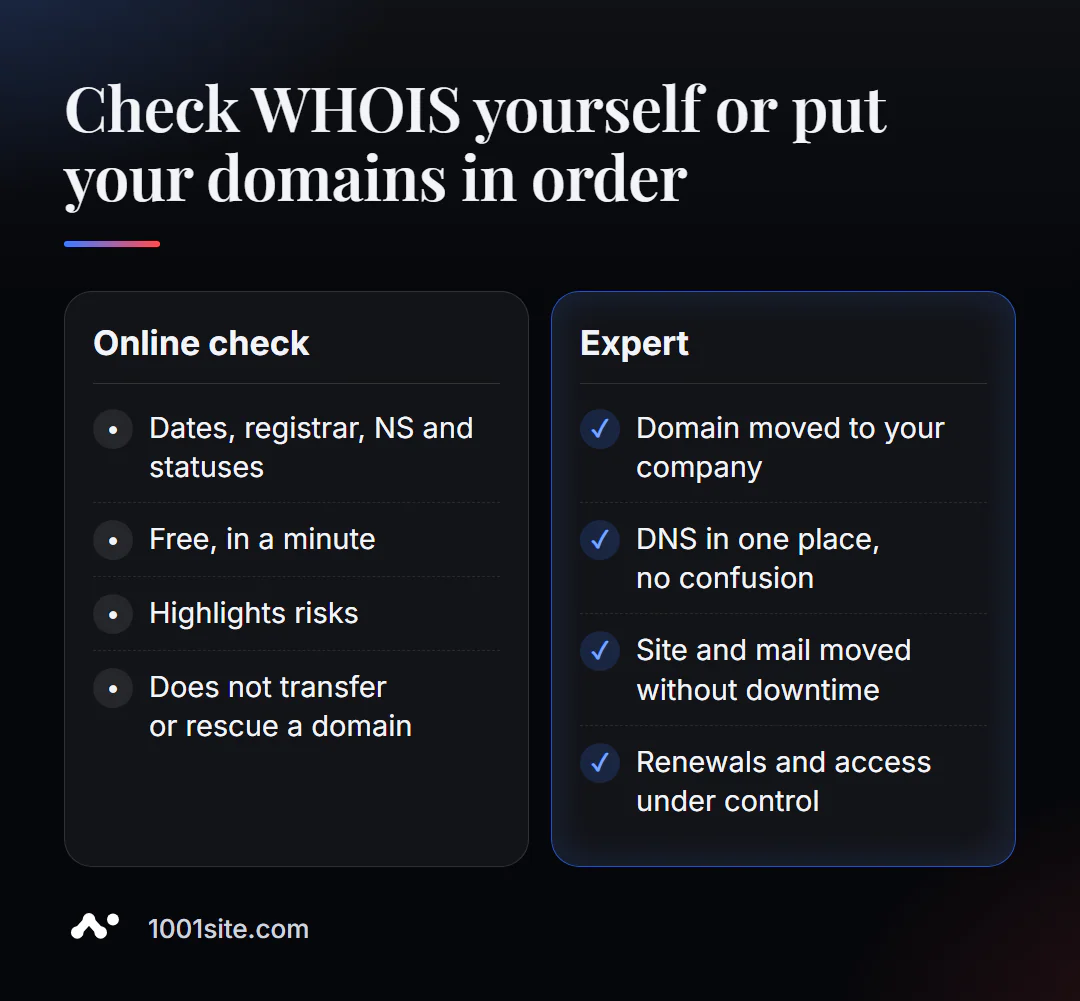
WHOIS highlights risks, but does not eliminate them. A specialist is needed if:
- the domain is registered to a former contractor, and it needs to be carefully transferred to the company;
- DNS is configured in several places, and when moving it is not clear where to change the records;
- the domain is expired or in
redemptionPeriod, and the website, mail and advertising are already up; - The company has dozens of domains with different registrars, and no one knows where what is being renewed.
What can I do for your website?
My name is Valeriy Danyuk, I'm a developer and SEO specialist with over 200 clients over 12 years. Before every move or launch, I start with the domain: whose domain it is, where the DNS is, and when the renewal is due.
SEO and promotion
- Turnkey website SEO audit: domain, DNS, redirects, indexing, and template – all in one report with corrections.
- A tourism portal in 33 languages: one domain, language versions, and stable indexing.
Websites and online stores
- A WordPress website with an AI assistant for €299 and 3 days —the domain is registered to the client, not me.
- A website on 1001site: you connect your domain, and the SSL is issued and renewed automatically. Which is more cost-effective? Read our analysis "Tilda with a subscription fee or a website with AI."
CRM, accounting and automation
- CRM with a built-in customer database and decision makers on the company domain, with email for requests.
- ERP + website + AI-powered Telegram bot for auto dismantling in 6 days.
All projects are in my portfolio. Not sure whose domain you own? Send it to Telegram —I'll look up the WHOIS and tell you what to do.
Result
- WHOIS shows the registrar, expiration dates, DNS servers, statuses, and sometimes the owner.
- First, check the expiration date and alarm statuses (
clientHold,redemptionPeriod), then check that the domain is in your account. - DNS records are changed where the NS servers point, and not necessarily at the registrar.
- Transfer your domain to a contractor now; you can create a new website on your own domain at 1001site.
Check your domain right now: free domain WHOIS. If you have any questions about the report, write to me on Telegram.
Sources
- PromoPilot's Domain WHOIS tool page – data composition and privacy disclaimer.
- ICANN Lookup is the official RDAP lookup for registration data.
- ICANN — EPP domain status directory.