The short answer: to locate a site by IP, paste the address or domain into PromoPilot's "IP Geolocation" tool and click "Detect." It will show the country, region, city, map coordinates, provider, organization, and ASN. Leave the field blank, and you'll see your connection details. Website owners don't need this out of curiosity: the IP from a form or order can tell whether the request came from a real customer or a bot, and whether the buyer's country matches the delivery address.
I've been building websites, stores, and CRMs for 12 years, and almost every CRM I build for clients has an "IP Requests" field. It's saved managers hours of calling fake numbers more than once.
What does IP geolocation show?
The tool takes an address (or finds the IP of a domain) and checks it against network databases.
| Parameter | What is he looking at? | Why does a website owner need it? |
|---|---|---|
| Country, region, city | Linking an address to a territory using the database | Check with the delivery address and phone number from the application |
| GPS coordinates and map | Conditional network point | See on the map that the "client from Prague" is connecting from another continent |
| Provider and organization | Who issued this IP? | A home ISP is a regular person; a data center is more like a bot or a VPN. |
| ASN | Autonomous System Network Number | Group spam by networks and block them entirely |
The most informative parameter for businesses isn't the city, but the provider. A request from a cloud hosting address is almost never sent by a live person on a phone.
How to determine location by IP online?
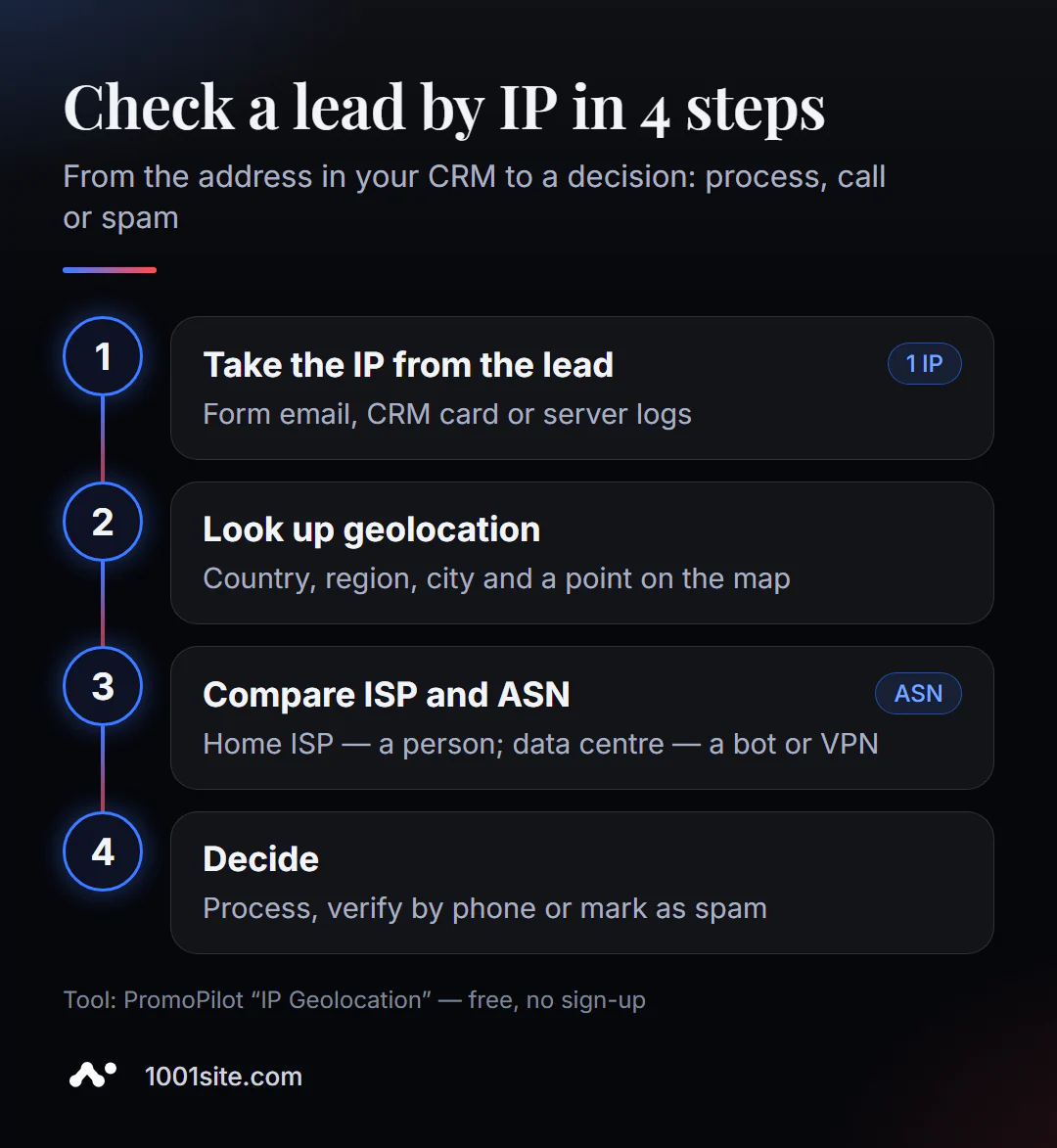
- Find the IP address. It can be found in the form email (if the form uses it), in the CRM request card, in the server logs, or in the anti-spam panel.
- Open "IP Geolocation" and paste the address. You can also enter the domain—the tool will automatically find its IP.
- Click "Detect" and view the country, city, and point on the map.
- Check the provider and ASN with what the client has provided about themselves.
- Decide what to do with the request: process it as usual, double-check it with a phone call, or mark it as spam.
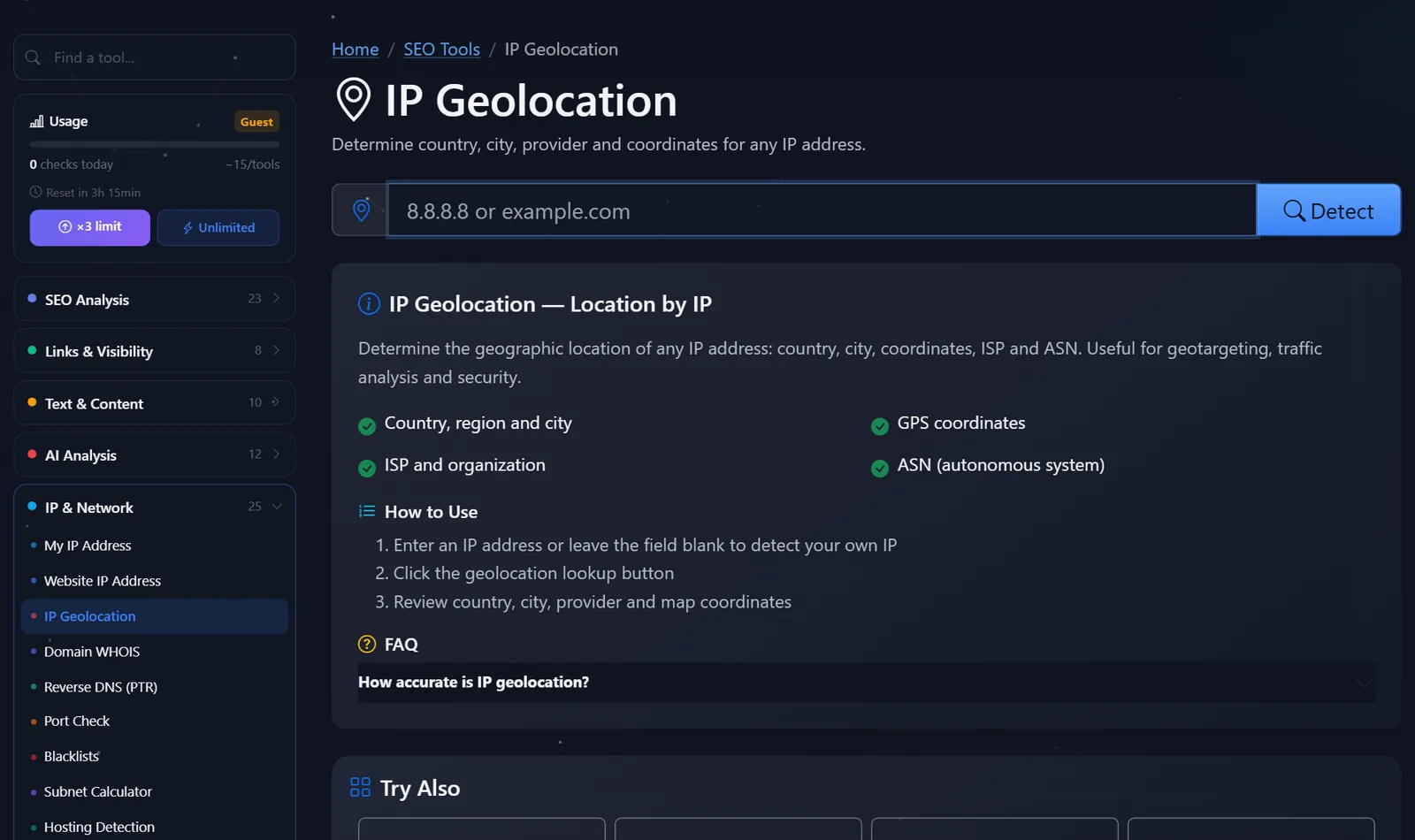
This is what the tool page looks like: one field for IP or domain and a “Detect” button.
If the IP address is missing from the application, this is a reason to revise the form. Recording the sender's address with the application is easy, and the benefits for resolving disputes are enormous.
How to read the results and filter out suspicious requests?
No single parameter alone proves deception. Look for a combination of features.
- Provider – data center or cloud. Names like large cloud platforms and hosting providers in the "Organization" field are a strong indicator of a bot or VPN.
- The country doesn't match the phone number and delivery address. The number and address are in Germany, but the IP address is in another part of the world. It's worth calling before shipping an expensive item.
- Multiple requests from the same ASN in a short period of time. This is a typical form attack. The solution is a CAPTCHA or server-level antispam, not manual deletion.
- The city is "wrong," but the country and home provider are the same. This is normal: the database shows the operator's node. Don't turn away a client because of the city.
Example: A store receives an order with cash on delivery in Brno, but the IP address belongs to a hosting provider in another country. A call to the number included in the order reveals that the number doesn't exist. Five seconds of IP verification saves the courier delivery time.
Where else can a website owner use IP geolocation?
- Ad verification. Launch a campaign in one country and see where clicks and requests are actually coming from.
- Server selection. Enter your website's domain and find out where the server is located. If your audience is in the EU, an overseas server will add hundreds of milliseconds to each request.
- Admin security. If there are suspicious logins in the logs, geolocation will tell you whose address it is and whether the network should be blocked.
- Analytics. Discrepancies between countries in your advertising account and analytics are often due to VPNs and mobile operators—this can be seen in the provider.
How do I save the sender's IP address in website requests?
There's nothing to check if the form doesn't record the address. The good news: this can be configured in half an hour on almost any engine.
- WordPress with Contact Form 7. A special tag
[_remote_ip]is added to the email template, and the sender's IP is included along with the request text. - The site is behind Cloudflare or another proxy. The server sees the proxy address, not the visitor's. The real IP is transmitted in the
CF-Connecting-IPorX-Forwarded-Forheader—the form must read this header, otherwise all requests will be "from the same data center." - Use your own CRM or bot. The IP address and source (page, UTM tags) are recorded in the request form along with the phone number. This makes verification a one-click process, and spam can be tagged and filtered automatically.
Remember the law: in the European Union, your IP address is considered personal data. Store it for a limited time, use it only to protect against fraud, and mention this in the website's privacy policy. This isn't a reason to refuse to record your IP address, but it is a reason to do so carefully.
Comparison: PromoPilot geolocation and alternatives
| Tool | What's free? | Restrictions | Who is it suitable for? |
|---|---|---|---|
| PromoPilot - Geolocation by IP | Country, city, map, provider, ASN by IP or domain | Daily limit of checks | Analysis of individual applications and orders |
| MaxMind GeoIP (demo) | Checking multiple addresses on the MaxMind website | Demo limit, full databases are paid | Checking against a commercial reference base |
| ipinfo.io | IP and API data page | Extended data in paid plans | For developers integrating verification into CRM |
| Site logs and analytics | Countries visited in reports | Not by separate request, often without a provider | Overall traffic picture |
Conclusion: for manual verification of the origin of this request, an online tool is the fastest—it displays the address, country, and provider on a single screen. If you receive hundreds of requests per day, it's worth integrating the verification into your CRM via an API and flagging suspicious ones automatically.
Geolocation is one of PromoPilot's 87 free SEO tools. It's easier to view your own IP address in "My IP Address," and your website's server in "Website IP Address"—each of which is covered in separate articles in this series.
What are the limitations of IP geolocation?
- Accuracy at the city level is significantly lower than at the country level, especially for mobile internet.
- VPNs, proxies, and corporate networks show the location of the gateway, not the person.
- Databases are updated with a delay: networks recently transferred by the provider may be listed in the old country.
- Geolocation does not identify a street or a house, only an approximate area and network.
When is a free tool not enough?
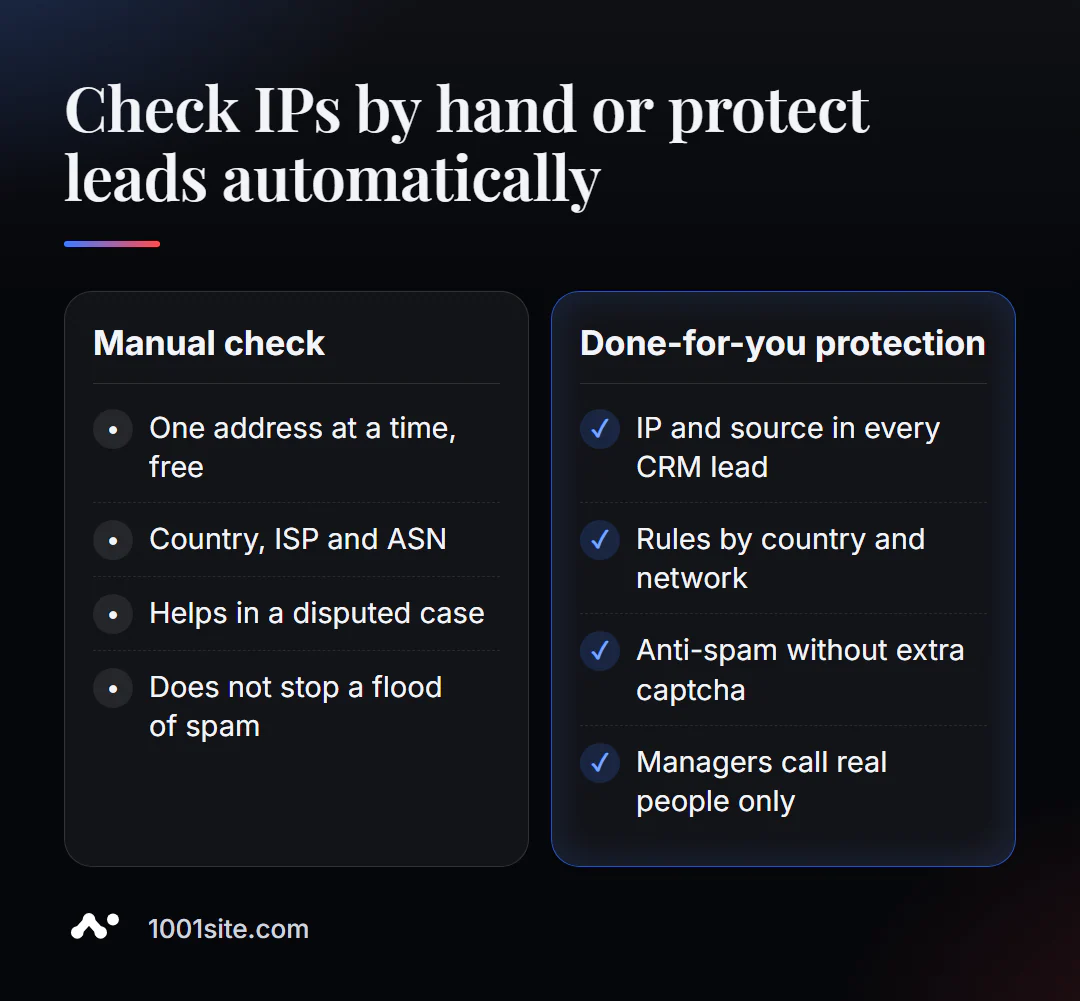
You can check a single suspicious address manually. But if you receive dozens of spam requests a day, manual work eats up your managers' time. A specialist is needed if:
- the website form is littered with spam, and the captcha irritates real customers;
- There is no IP or source of the request in the CRM, so there is nothing to handle disputes with;
- We need rules: orders from some countries are processed immediately, from others - subject to verification by phone;
- The ads are bringing clicks from the "wrong" countries, and it's unclear whether it's a bot or campaign settings.
What can I do for your website?
My name is Valeriy Danyuk, and I'm a developer and SEO specialist. Over 12 years, I've worked with over 200 clients, from landing pages to accounting systems. Website requests are my primary metric, so protecting and tracking them is a priority from day one.
SEO and promotion
- Turnkey SEO website audit: I check your website, forms, analytics, and traffic sources, and correct any issues found.
Websites and online stores
- A plastic surgery clinic website powered by AI: requests are sent to Telegram with full client information.
- A website on 1001site with order notifications via Telegram and guest registration without registration.
CRM, accounting and automation
- CRM with a built-in customer database and decision maker: each request with its source and history.
- An AI-powered Telegram bot for an online sauce store — handles customer orders and questions without a manager.
- E-commerce agents instead of chatbots: AI automatically processes inquiries and identifies real buyers.
- A dropshipping platform with partner stores —orders from multiple sellers in a single system.
All projects are in my portfolio. Are your website requests getting drowned in spam? Contact me on Telegram —I'll offer a solution tailored to your form and CRM.
Result
- IP geolocation provides the country, approximate city, provider, and ASN, but not the exact address.
- When it comes to verifying applications, the provider is more important: a data center versus a home operator is a reason to double-check.
- A discrepancy between the city and the delivery is normal, a discrepancy between the country and the phone is a signal.
- If you're experiencing a lot of spam, solve it with automated forms and CRM. You can also build a website with order notifications at 1001site.
Check a suspicious request right now: locate it by IP for free, and if there's too much spam, write to me on Telegram.
Sources
- PromoPilot's IP Geolocation tool page - data composition and accuracy disclaimer.
- MaxMind - GeoIP demo page.
- ipinfo.io — description of IP and ASN data.