The short answer: to see how your site appears in Google, paste the page address into PromoPilot's free SERP preview. The tool will automatically pull in the title and description and generate a Google -style snippet—separate for desktop and phone, taking into account the pixel width, favicon, and URL. You'll immediately see where the title will be cut off and how much of the description will remain. Below, we'll explain how to read the preview and how to rewrite the snippet to get more clicks.
I've been building websites for over 12 years, and the snippet preview is the last thing I look at before launching a page. One time, a client's landing page headline was cut off right before the word "free"—the strongest word in the entire offer.
What does the SERP preview show?
Ranking is half the battle. The other half is whether people will notice your result among ten others. The SERP preview shows exactly this: what your page's "card" will look like in search results.
| What does it show? | What it looks like in the tool | Why does business need this? |
|---|---|---|
| Desktop preview | Snippet in Google search results proportions on a computer | You can see if the entire title fits |
| Mobile preview | Snippet fits the width of the phone screen | Most search visits are from a phone |
| Title length in pixels | How much wider is the title than allowed? | Symbols are not exact measures: "Ш" is wider than "i" |
| Description length | How much description text is included in the snippet? | A truncated description loses the call to action. |
| Favicon and URL | Website icon and address breadcrumbs | A recognizable icon makes the result stand out from its neighbors |
You don't need to enter the title and description manually: the tool downloads them from the specified page automatically.
How to see how a website looks in Google?
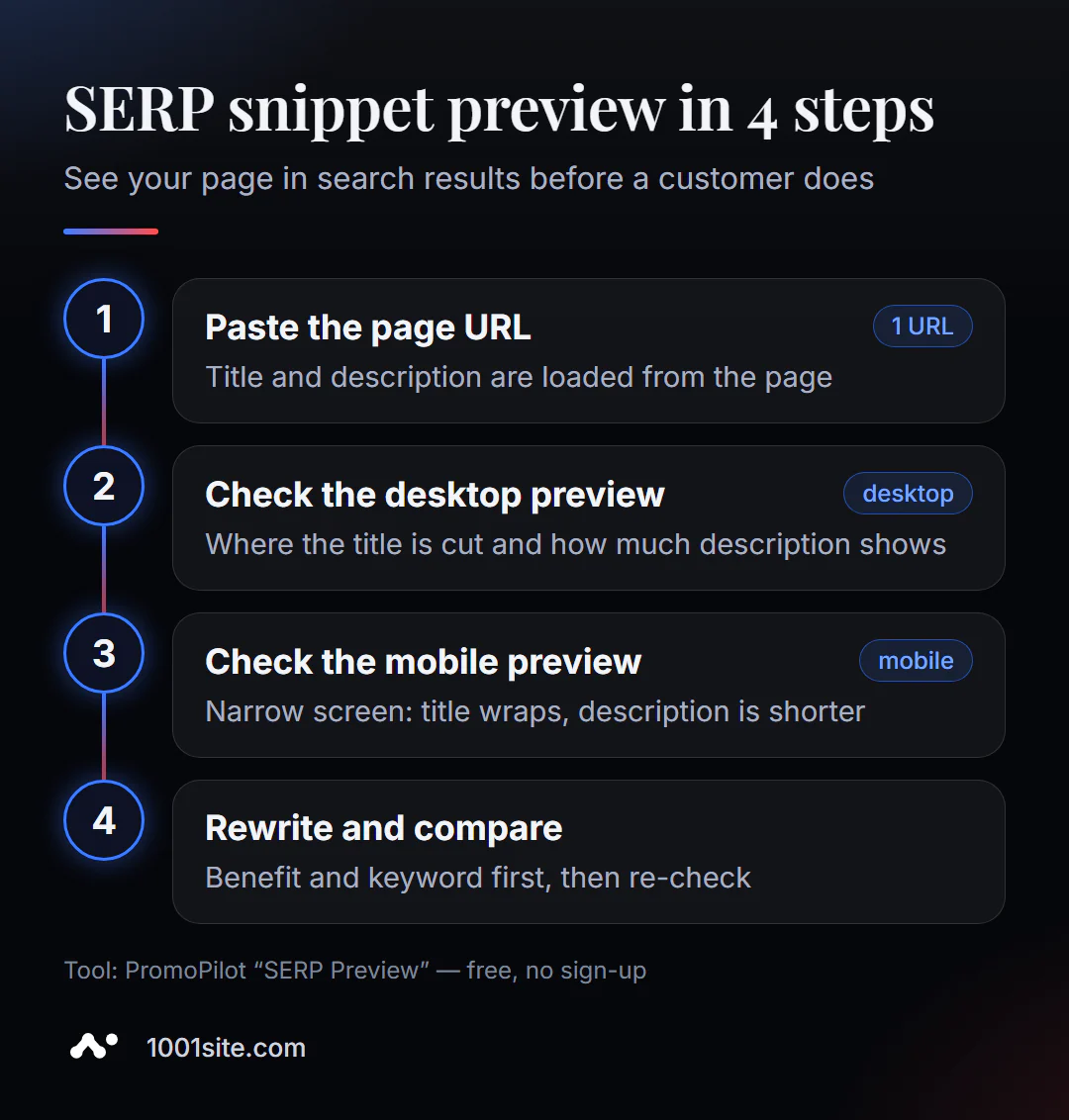
- Open SERP preview – works in your browser, no registration required.
- Paste the page address and click "Show." The title, description, favicon, and URL will be automatically selected.
- Look at the desktop snippet: is the title fully visible, and are there any ellipses in the middle of the phrase?
- Switch to the mobile preview - the title is carried over there, and the description is usually shorter.
- Rewrite the title and description in your CMS and check the page again.
This is what the tool page looks like: an address field, a "Show" button, and a list of what will be included in the preview.
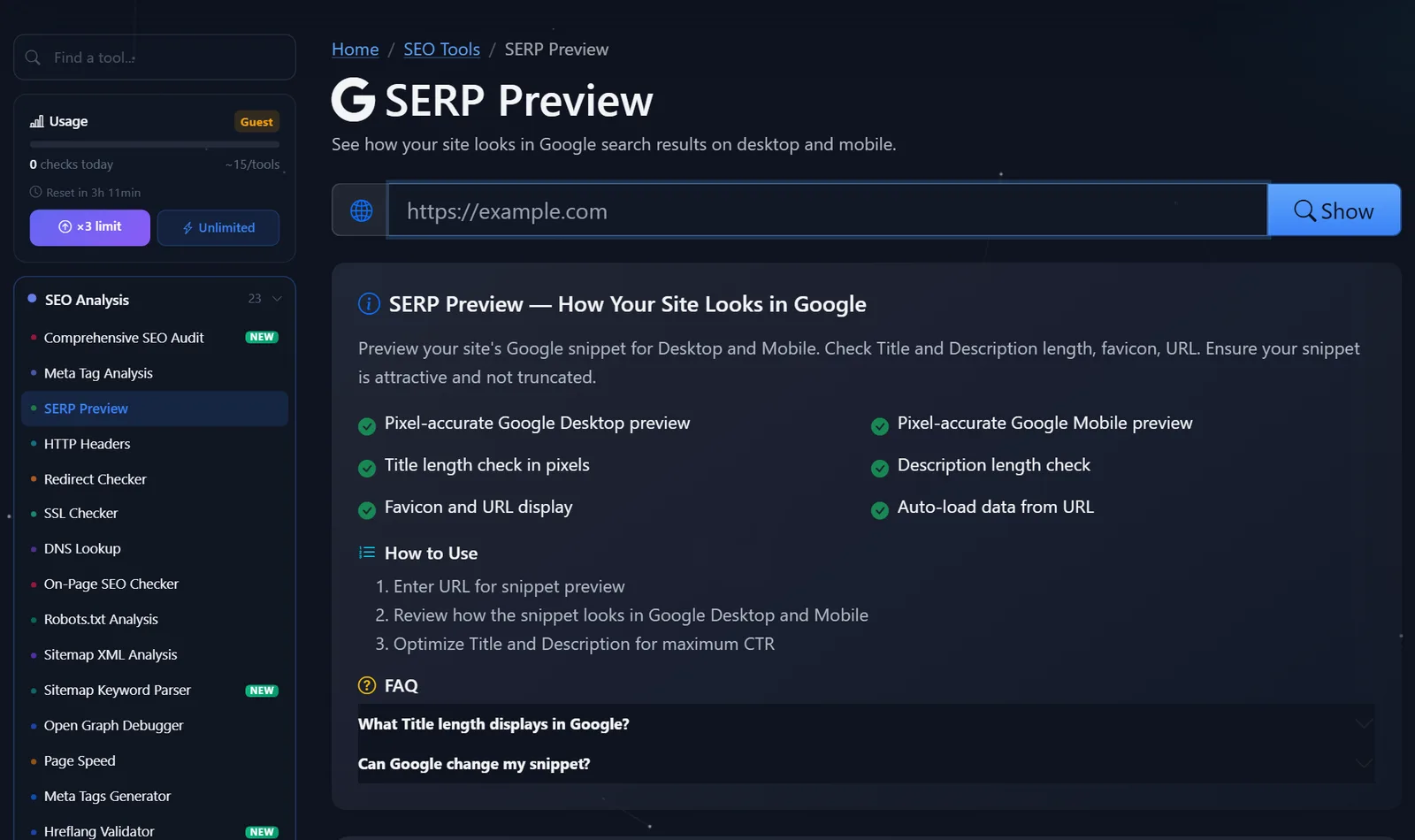
This is a lightweight tool: guests can perform several checks per day, and after free registration, the limit is tripled. It's more than enough to analyze the main page, a couple of categories, and key landing pages.
How to make a snippet more clickable?
The preview shows the problem, but you'll have to rewrite it. Here are the techniques I use most often.
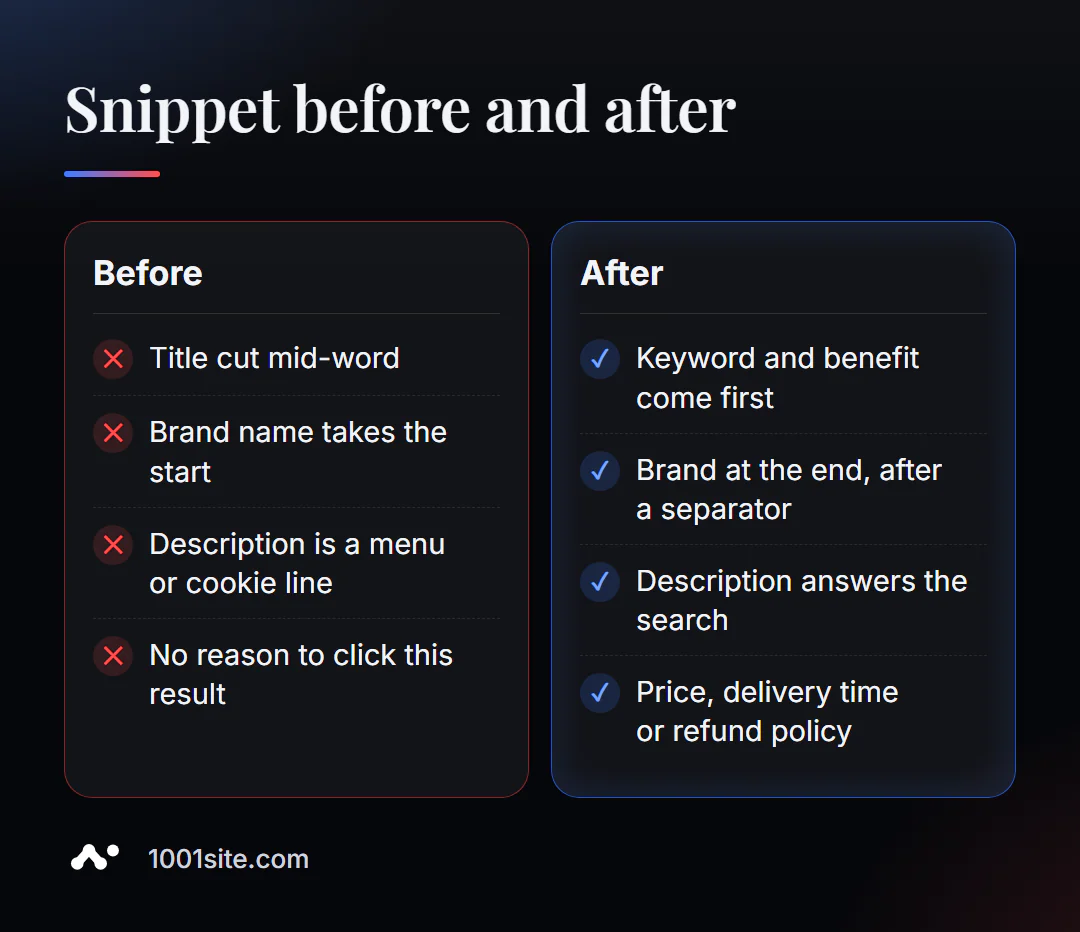
- The keywords are in the first 40–50 characters. The keyword and benefit should be clear, even if the end is cut off. Bad:
Добро пожаловать в студию Aurora — ремонт квартир под ключ. Better:Ремонт квартир под ключ за 45 дней — фиксированная смета | Aurora. - The brand should be at the end, after the separator. If people aren't already searching for your name, it shouldn't take up the most valuable space.
- Numbers and specifics. "Delivery in 24 hours," "from €299," "2-year warranty" are more eye-catching than "best prices."
- Description — the answer to a search question. A person searches for "how to choose a mattress for your back" — the description should promise an answer, not list the website's sections.
- The title and H1 text match in meaning. If the title in the search results promises one thing but the page itself promises something else, Google often rewrites the title itself.
A common mistake is to tailor the title to the preview at the expense of meaning: "Renovation | Apartments | Cheap | Fast." This title might work, but it looks spammy and rarely gets clicks.
Don't forget about the line above the title. The preview shows the favicon and page address: if the icon is a gray globe and the address is /index.php?id=4512&cat=7, the snippet looks unreliable even with a good title. A clear address like /remont-kvartir/pod-klyuch/ and a custom site icon make the result more noticeable and inspire trust even before a click. How to check that the favicon is set up correctly is in a separate article in the favicon checking series.
Another practice: create two or three headline versions and compare them side by side in a preview. Often, the version that seemed best on paper loses the most important word on a mobile screen.
Why isn't Google showing my title or description?
This is a frequently asked question on the tool's page. The short answer is that Google has the right to rewrite the snippet. It selects the description for each query and often uses a fragment of the page's text. It changes the title less frequently, but it does change it if the title is too long, keyword-heavy, is the same on many pages, or differs from the H1 tag.
That's why the SERP preview shows the "ideal" snippet—the one you submit Google. How a page actually performs for a specific query is only visible in the live search results and by the CTR in Search Console. If the CTR is low despite a good ranking, the snippet is the first thing they rewrite.
Comparison: SERP Previews and Alternatives
There are several ways to view a snippet, each with its own purpose.
| Tool | What's free? | Restrictions | Who is it suitable for? |
|---|---|---|---|
| PromoPilot — SERP Preview | Google preview for desktop and phone, title width in pixels, favicon and URL, tag autoloading | Shows a suggested snippet rather than the actual one for the query | Check the page before and after editing tags |
| Google Search Console | Impressions, clicks, and CTR for queries and pages | Only for its verified site, preview does not appear. | Find pages with low CTR |
| Google Live Search | A real snippet for a specific query | Depends on the query, region, and device; the page must be indexed | Check what Google is showing now |
| SEO CMS plugins | Preview directly in the page editor | Installation is required for your own website only. | For those who write texts in WordPress |
Conclusion: Search Console will tell you where the problem is (a page with a low CTR), the SERP preview will show you how to fix it, and what the snippet will look like after editing.
There are 87 more free SEO tools in the PromoPilot catalog. If you need to find errors in your tags rather than just scan them, check out our article on meta tag analysis; if you need to write tags from scratch, check out our meta tag generator.
What are the limitations of SERP previews?
The preview is a search results model, not the search results themselves. It doesn't include the rich elements that Google adds according to its own rules: rating stars, prices, questions and answers, dates. These are derived from structured data and are not guaranteed to be displayed.
The second limitation is the description. Google can replace even a perfect description with a fragment of text tailored to a specific query. And third, the tool takes tags from the HTML page, so if the site inserts them via a script in the browser, the result may differ.
When is a free tool not enough?
Previews are great for polishing a few important pages. But if there are hundreds of pages, rewriting each one manually isn't practical. A specialist is needed when:
- The store has hundreds of cards, and snippets need to be collected according to a template: name, key feature, price, brand;
- the positions are good, but clicks are few - you need to analyze the queries in Search Console and rewrite the snippets for them;
- extended snippets are needed (rating, price, FAQ) - this already requires markup and template edits;
- You want to see the site not only in Google, but also in the answers of AI assistants.
What can I do for your website?
I'm Valeriy Danyuk, a developer and SEO specialist with 12 years of experience and over 200 clients. Working with snippets is one of the fastest growth areas: rankings remain the same, but clicks increase.
SEO and promotion
- Turnkey website SEO audit: I find pages with low CTR, rewrite snippet templates, and implement them into the code.
- GEO — visibility in AI responses: How a hotel got featured in ChatGPT, Gemini, and Perplexity recommendations in 5 weeks.
- An AI-powered SEO blog that brings in organic clients —each article comes with a thoughtful title and description.
Websites and online stores
- A plastic surgery clinic website with AI and application collection via Telegram.
- Landing page for a new product launched in one evening – NordHarvest case study.
- Website on 1001site: social media previews and structured data are configured automatically.
CRM and automation
- A CRM for a car dismantling company that automatically calculates prices and prints invoices.
- Telegram bot with AI for an online sauce store.
Send me a link to your page on Telegram —I'll suggest two or three snippet options that will make it stand out in search results.
Result
- A one-minute SERP preview shows how a site appears in Google on a computer and phone, and where the title is cut off.
- The main thing is to put the title at the beginning, the brand at the end, and the description - the answer to the search question and specifics.
- Google may rewrite the snippet: keep the title short, unique, and consistent with H1.
- If there are hundreds of snippets, they are collected using a template in the code, or they are immediately taken to a platform where this is configured, for example, 1001site.
Check out your homepage in a free SERP preview right now—and compare it to what the live search results show.
Sources
- PromoPilot's SERP Preview tool page — features description and FAQ.
- Google Search Central - Documentation about titles and descriptions in search results.
- Google Search Console - Help on the performance report (clicks, impressions, CTR).