
The short answer: to create meta tags online, open the free PromoPilot Meta Tag Generator, fill in the title, description, canonical, robots, Open Graph, and Twitter Card fields. A preview of Google and Facebook content will appear on the right, along with the finished HTML code below. Simply copy it with one click and paste it into <head> of the page. You can start from scratch or download the current tags from an existing page via a link and edit them. Below is how to fill out each field and avoid common mistakes.
I've been making websites for 12 years, and meta tags are the first thing that gets lost when reworking a template. The generator is a lifesaver when I need to quickly put together the right block for a landing page or homepage without having to remember the og: and twitter: syntax.
What does the meta tag generator create?
The generator is a form with hints that turns your text into valid code. Here are the fields it fills in and what they do.
| Field | What do you enter? | Why does the site need this? |
|---|---|---|
| Title | Page title, 30-60 characters recommended | Blue link in Google search results and browser tab |
| Meta description | Description, 120-160 characters recommended | Candidate for snippet text under the heading |
| Canonical URL | Main page address | Merges duplicates with parameters and UTM tags |
| Robots | index/noindex, follow/nofollow | Enables or disables indexing of a page. |
| Open Graph | og:title, og:description, og:image (1200×630), og:type, og:locale | Link preview on Facebook, LinkedIn, and messengers |
| Twitter Card | twitter:card (summary_large_image or summary), title, description | Link card in X (Twitter) |
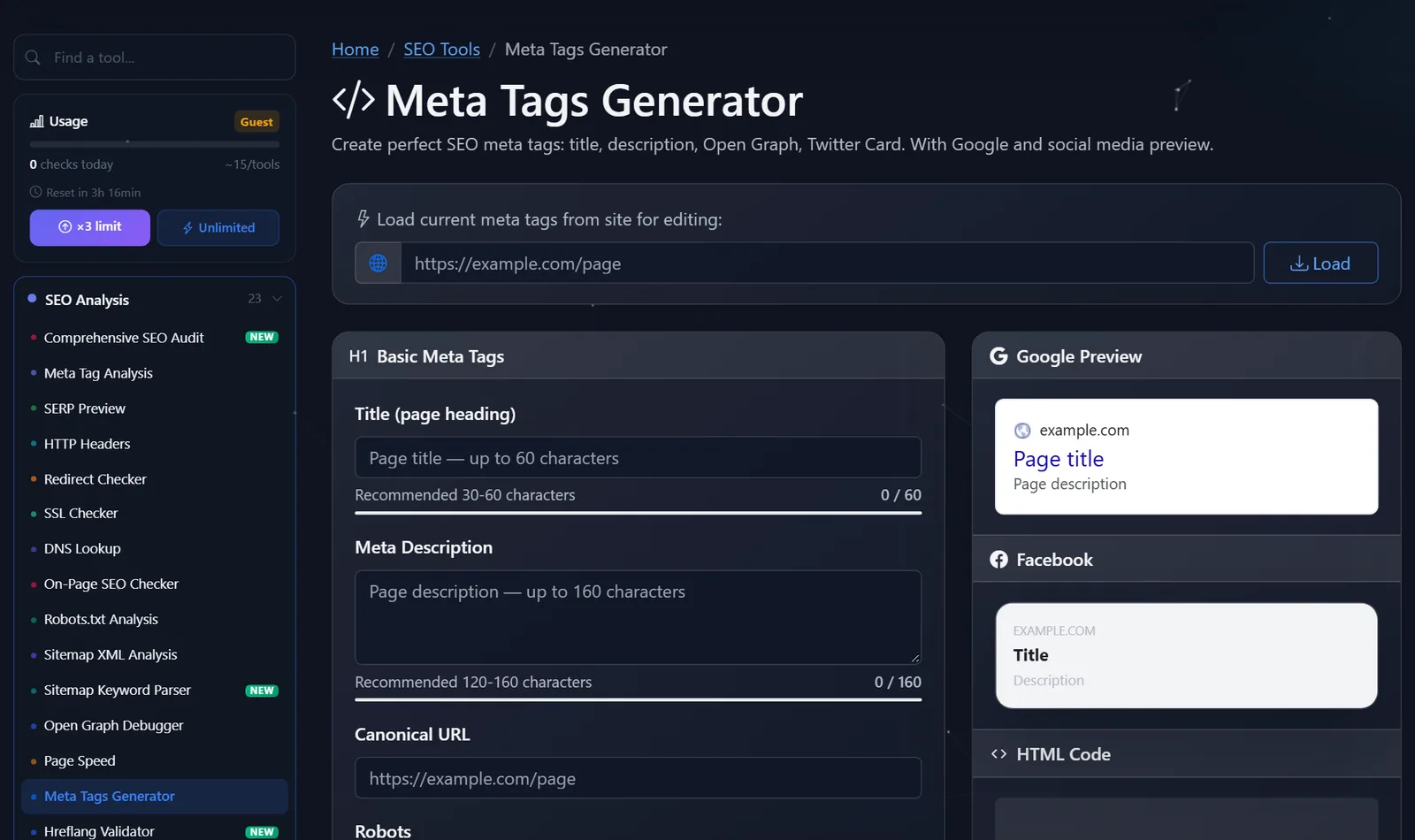
Below the fields are character counters with recommended ranges, on the right is a live preview of the Google snippet and Facebook post, and at the bottom is the generated HTML.
How to create meta tags online?
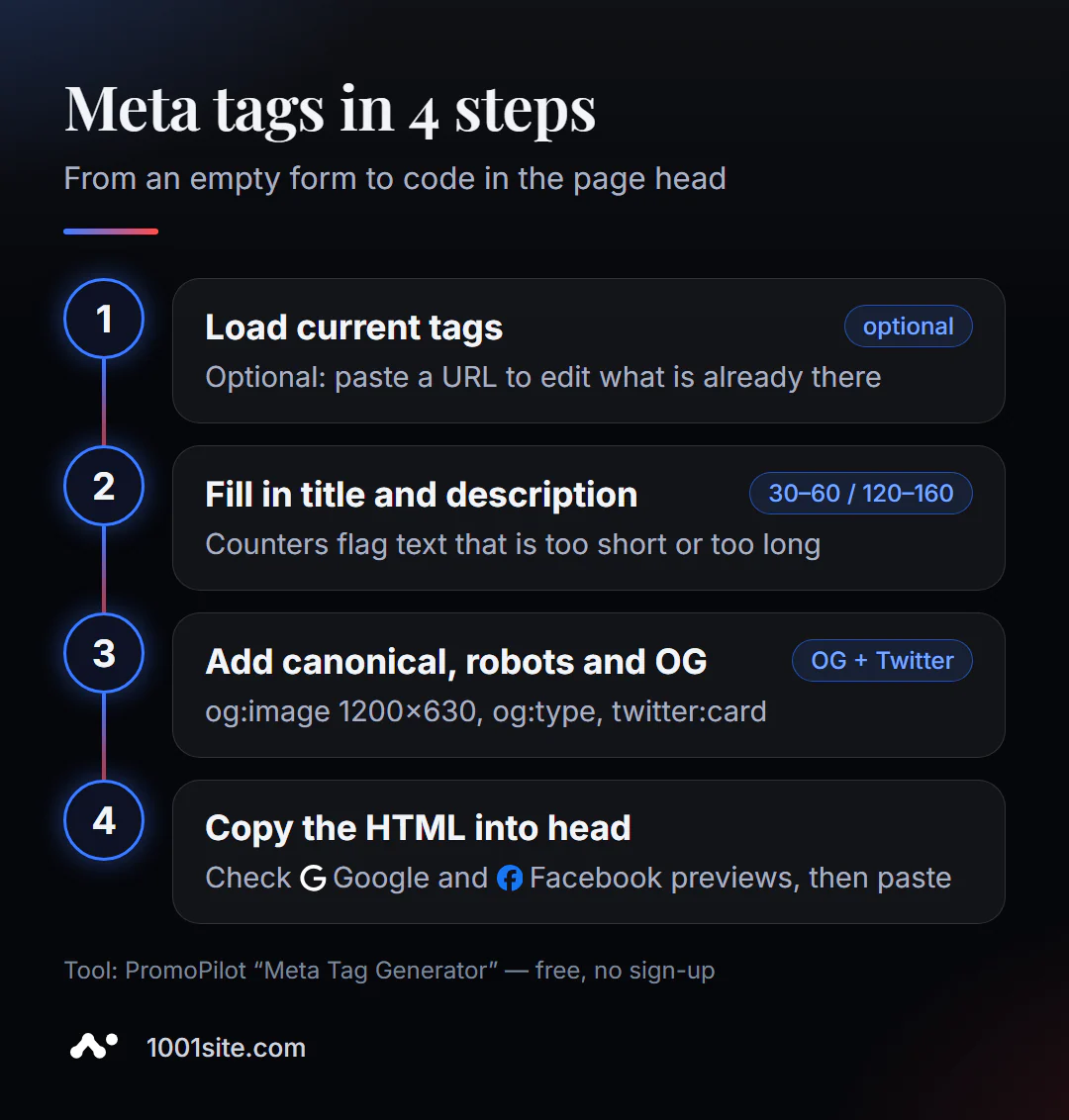
- Open the Meta Tag Generator. If the page already exists, paste its address into the top field and click "Upload" – the current tags will be inserted into the form.
- Write your title and description, keeping an eye on the counters. A red bar indicates the text is shorter or longer than the norm.
- Specify canonical - the full page address with
https://, without parameters. - Select robots. For a regular page,
index, follow.noindexis only for service pages: shopping cart, personal account, and site search results. - Fill in the Open Graph and Twitter Card: a 1200×630 image, type (
websitefor the main page,articlefor the article,productfor the product) and locale, for exampleru_RUoren_US. - Check the preview and copy the HTML code using the copy button.
The output will be something like this block, which is inserted into <head>:
<title>Кожаные рюкзаки: 120 моделей, доставка за 2 дня | Nord</title> <meta name="description" content="120 кожаных рюкзаков в наличии, доставка по Европе за 2–4 дня, возврат 30 дней."> <link rel="canonical" href=" https://example.com/ryukzaki/"> <meta name="robots" content="index, follow"> <meta property="og:title" content="Кожаные рюкзаки Nord — 120 моделей"> <meta property="og:image" content=" https://example.com/img/og-ryukzaki.jpg"> <meta property="og:type" content="website"> <meta name="twitter:card" content="summary_large_image">Please note: the og:title doesn't have to be a verbatim copy of the title. On social media, brand and "buy" sound intrusive, so a more relevant headline is appropriate, and the title should reflect the search query.
This is what the workspace looks like: a line for loading tags via a link, a form on the left, and a Google and Facebook preview on the right.
How to write a clickable title and description?
The generator tracks length, but not content. Here are the formulas I use for different page types:
- Home:
Что продаёте + для кого / где | Бренд— for example,Мебель из массива дуба на заказ | Woodline. - Category:
Категория + выбор/цена/доставка | Бренд—Кожаные рюкзаки: 120 моделей, доставка за 2 дня | Nord. - Product:
Название + ключевое свойство + действие-Рюкзак Nord 20 л из кожи — купить с гарантией 2 года. - Article:
Вопрос или польза + уточнение-Как выбрать матрас для спины: 7 критериев и ошибки.
Write your description as a short promise: what a person will get on the page and why they should click. Bad: "Welcome to our website! We offer a wide range of..." Good: "120 leather backpacks in stock, delivery across Europe in 2-4 days, free returns for 30 days. Choose a model by size and color."
Common code errors that the generator helps avoid:
- There are two title tags on the page —one from the template, the other from the plugin. After pasting the code, check that the old tag has been removed.
- Relative address in og:image (
/img/cover.jpg) — social networks expect the full address withhttps://. - Canonical on the homepage of all pages is a common template error that throws pages out of the index.
- noindex, forgotten after development - the site is launched, but the search engine does not see it.
Where do I paste the generated code?
The code is inserted into <head>, but the method depends on the engine. On a custom website, it's inserted directly into the page's HTML template. In WordPress, it's easier to avoid pasting the code manually and instead import the text from the generator into the fields of an SEO plugin (Yoast SEO or Rank Math): the plugin will automatically generate the tags and avoid creating duplicates. In website builders, look for the "SEO" section in the page settings.
After publishing, check the results: our article on meta tag analysis will tell you how to ensure that the tags on the live page match the intended ones, and our article on SERP previews will tell you how to see the snippet in the search results on a phone.
Comparison: Meta Tag Generator and Alternatives
| Tool | What's free? | Restrictions | Who is it suitable for? |
|---|---|---|---|
| PromoPilot — Meta Tag Generator | Title, description, canonical, robots, OG and Twitter Card, Google and Facebook previews, ready-made HTML | One page at a time, write the texts yourself | Landing page, homepage, custom website, idea testing |
| Yoast SEO / Rank Math | Title, description, and OG fields directly in the WordPress editor | WordPress only, plugin installation required | For WordPress website owners |
| SEO settings in the builder | Title and description fields for a page | The set of fields is limited by the platform capabilities | Websites on constructors |
| Manual coding | Full control | It's easy to make mistakes in syntax and duplicates. | For developers |
Conclusion: if your site is on WordPress, fill out the fields in the SEO plugin and use the generator as a draft with a preview. For a custom website or a separate landing page, the generator produces ready-made code the fastest.
In addition to the generator, PromoPilot offers 87 more free SEO tools, from an Open Graph debugger to a Schema markup generator.
What are the limitations of the meta tag generator?
The generator doesn't know what search queries you're being searched for—you choose the keywords in the title. It doesn't check for uniqueness: if you insert the same description into 50 pages, the tool won't notice. And it works with a single page: for a store with hundreds of products, tags are compiled using a template in the site code, not manually.
When is a free tool not enough?
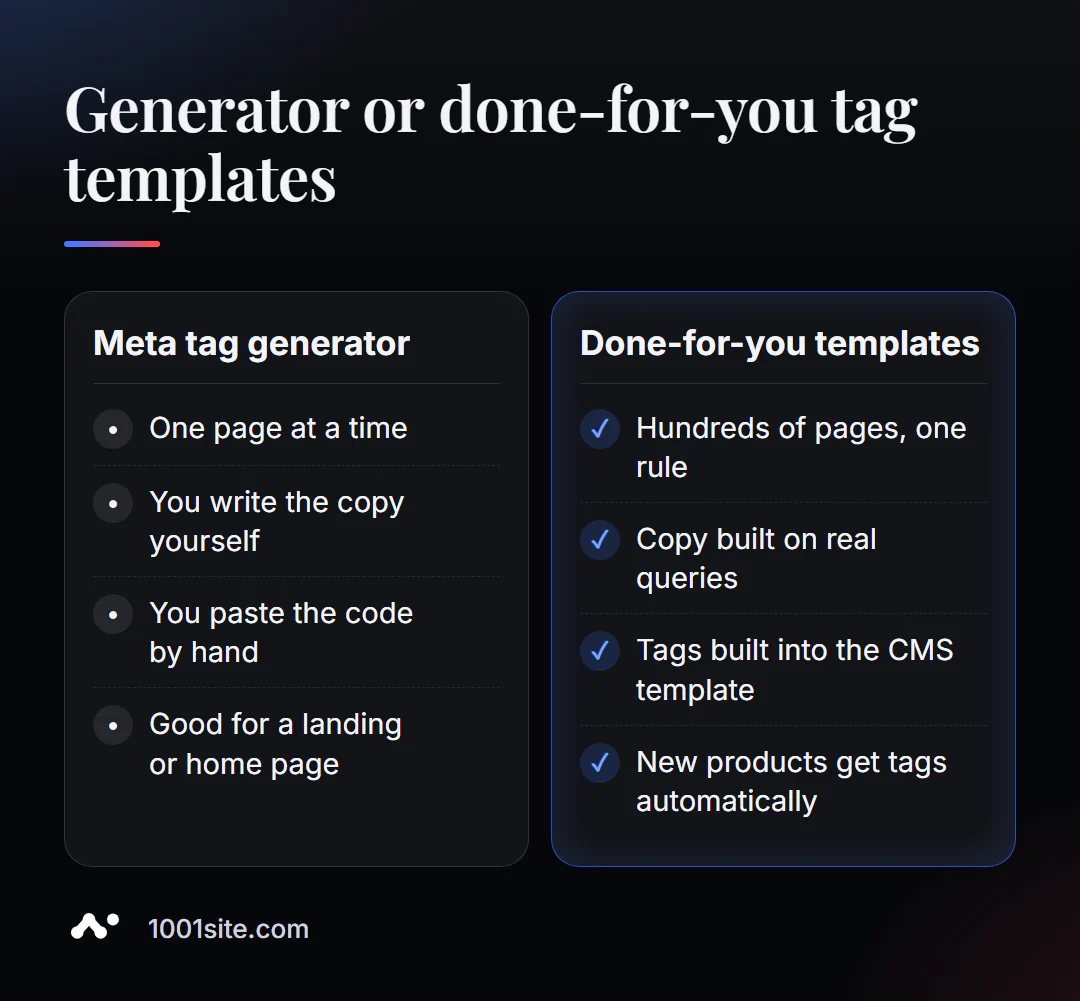
The generator is ideal for five pages. For five hundred, a different approach is needed. A specialist is needed if:
- You have a catalog, and tags should be assigned automatically to each new product;
- the site is multilingual, and tags are needed in each language with the correct locale;
- you don’t know what queries bring in buyers, and titles are written “by eye”;
- After changing the CMS, tags were lost or duplicated.
What can I do for your website?
I'm Valeriy Danyuk, a developer and SEO specialist with 12 years and over 200 clients. I include meta tags in templates from day one so that website owners don't have to worry about them every time they publish.
SEO and promotion
- Turnkey website SEO audit: I collect keywords, write tag templates for all page types, and implement them into the code.
- Autoblog with AI agents is an editorial team where tags and previews for each article are automatically generated.
Websites and online stores
- A WordPress website with an AI assistant for €299, including a configured SEO plugin and tag templates.
- Create a website in the style of someone else's website you like in minutes —at 1001site, social media previews and layout are automatically configured.
- A 300-item catalog in just a few minutes —descriptions and tags for each item via MCP and Claude.
- Transferring your store from Instagram to your website so your products can be found in search results, not just in your feed.
CRM and automation
Send me your website address via Telegram and I'll suggest a title formula for your key pages.
Result
- The online meta tag generator assembles a ready-made head block: title, description, canonical, robots, Open Graph, and Twitter Card with a preview.
- Keep your title to 30–60 characters, your description to 120–160 characters, and put the keyword and benefit first.
- After pasting the code, check that the tags are not duplicated and that og:image is specified as the full address.
- For a catalog and multilingual site, tags are collected using a template—or a platform where this has already been done, such as 1001site.
Collect tags for your homepage using a free meta tag generator —it will take less time than reading this article.
Sources
- PromoPilot Meta Tag Generator tool page - fields, recommended ranges, and FAQ.
- Open Graph Protocol (ogp.me) — description of the og:title, og:image, og:type, og:locale tags.
- Yoast SEO and Rank Math plugin documentation for WordPress.