The short answer: to find opportunities for internal linking, enter the source page address, the target URL you want to enhance, and a list of keywords into PromoPilot's Internal Linking Opportunity Finder. The tool will find all mentions of these phrases on the page, check whether each one already links to the target page, sort the opportunities by frequency, and display surrounding text fragments—all you need to do is add a link. It's free, no registration required. Below you'll find information on which pages to check, how to add links, and what mistakes to avoid.
This is the most underrated way to boost a sales page: most of my clients have dozens of blog posts that mention the service, but not a single one links to it.
What does the search for interlinking opportunities find?
The tool solves a specific problem—and solves it quickly. It doesn't evaluate all the links on a page, but rather looks for specific missing links.
| What does it show? | How it works | Why is this for SEO? |
|---|---|---|
| Keyword mentions | Search for entered phrases in the donor page text | Where on the page is there already a reason to put a link? |
| Link to target URL | Checking whether a mention contains a link to the desired page | Separates ready links from missed ones |
| Priority | Sort by frequency of mentions | What phrases to start with |
| Context | A fragment of text around each mention | Find a place in the editor in seconds |
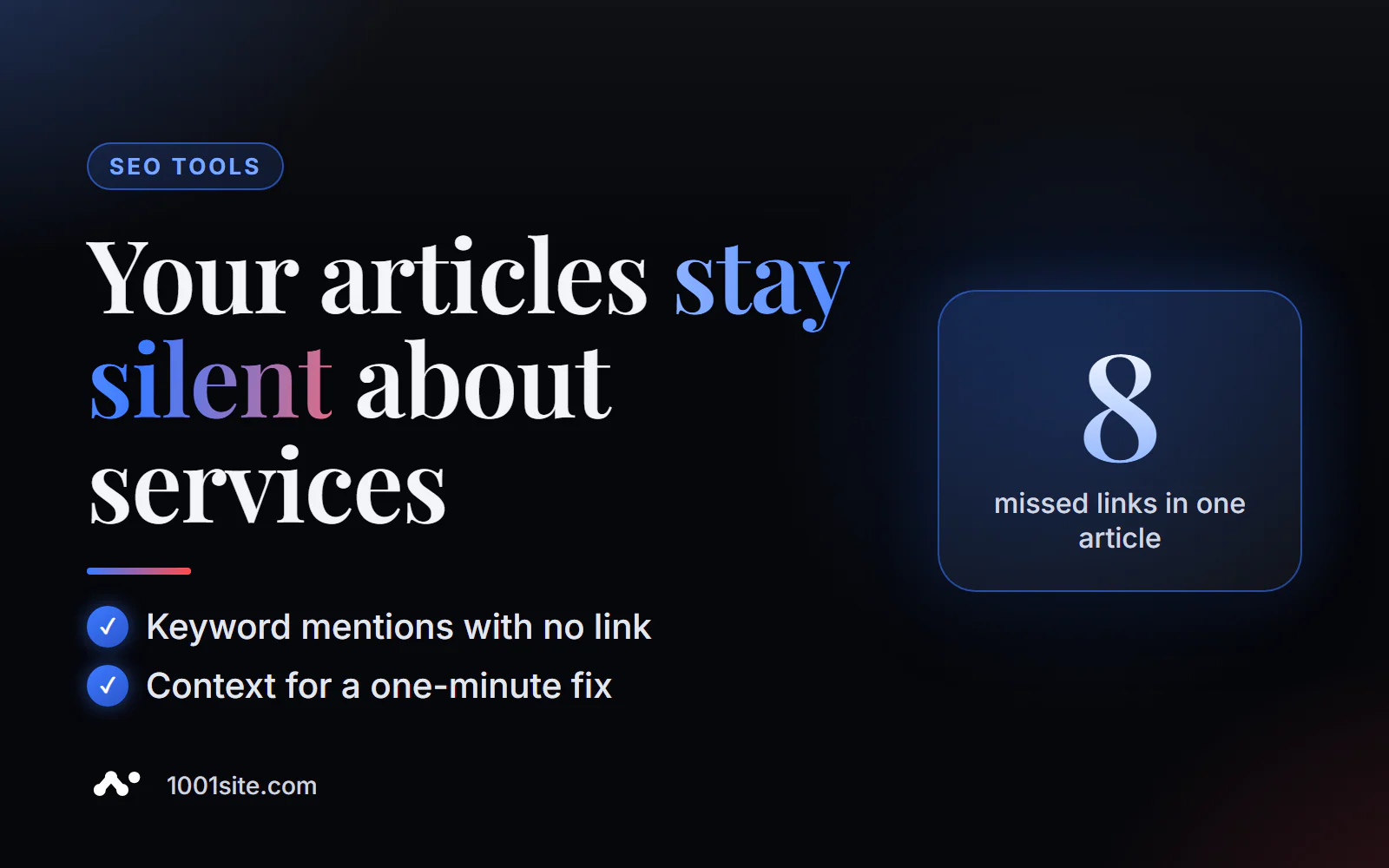
Example from the tool description: the phrase "SEO audit" appears 12 times on the page, but only 2 mentions link to the target URL—8 opportunities to place a link were found.
How to find places for internal linking online?
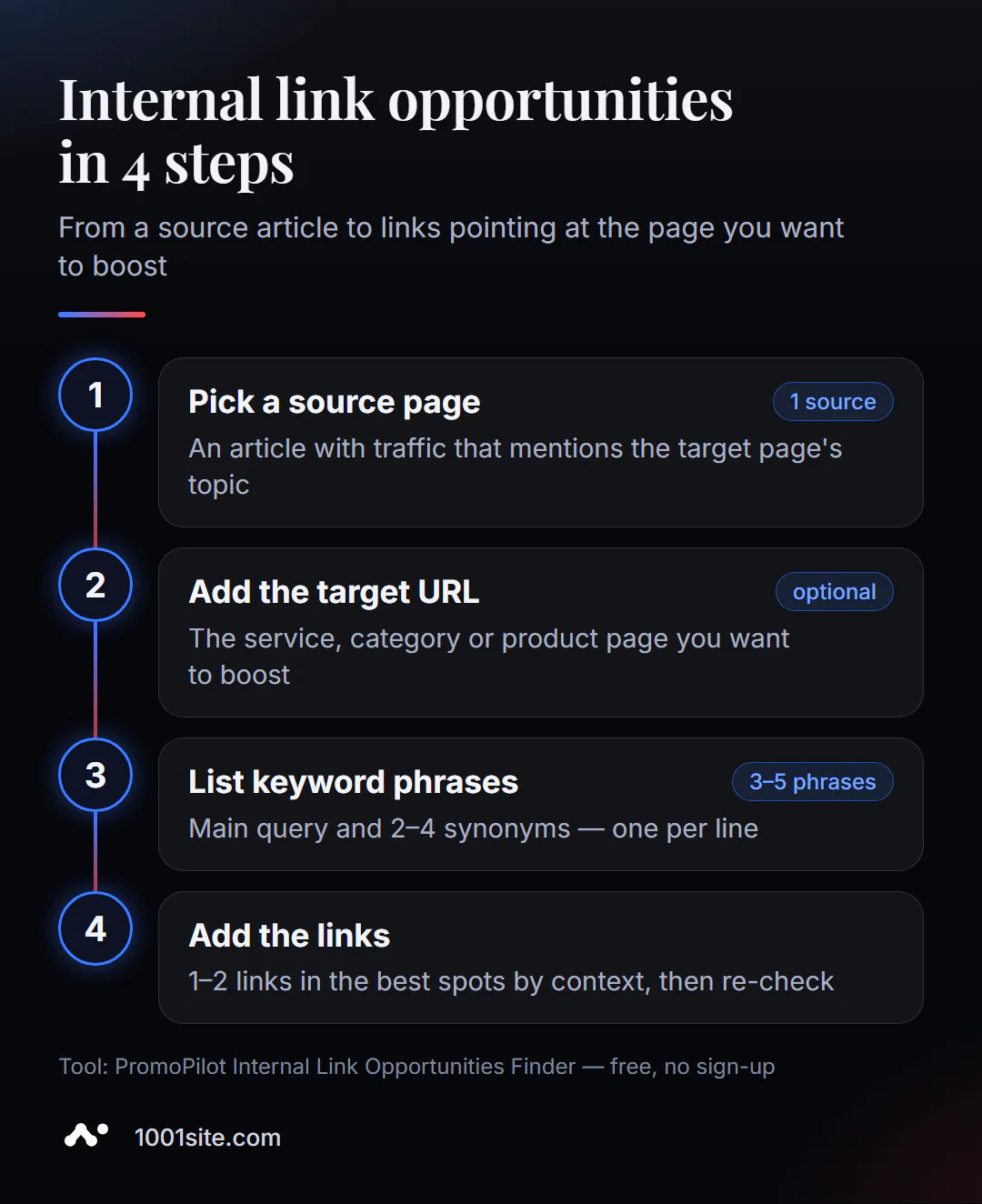
- Select a donor page - an article or section where the topic of the target page is mentioned in a meaningful way.
- Open the tool and paste the donor URL.
- Add the target URL - the page you want to boost (this field is optional, but it will give you more accurate results).
- List your keywords one per line or separated by commas: the main query of the landing page and 2-4 synonyms.
- Click "Find Opportunities," study the context, and place links in the most relevant places.
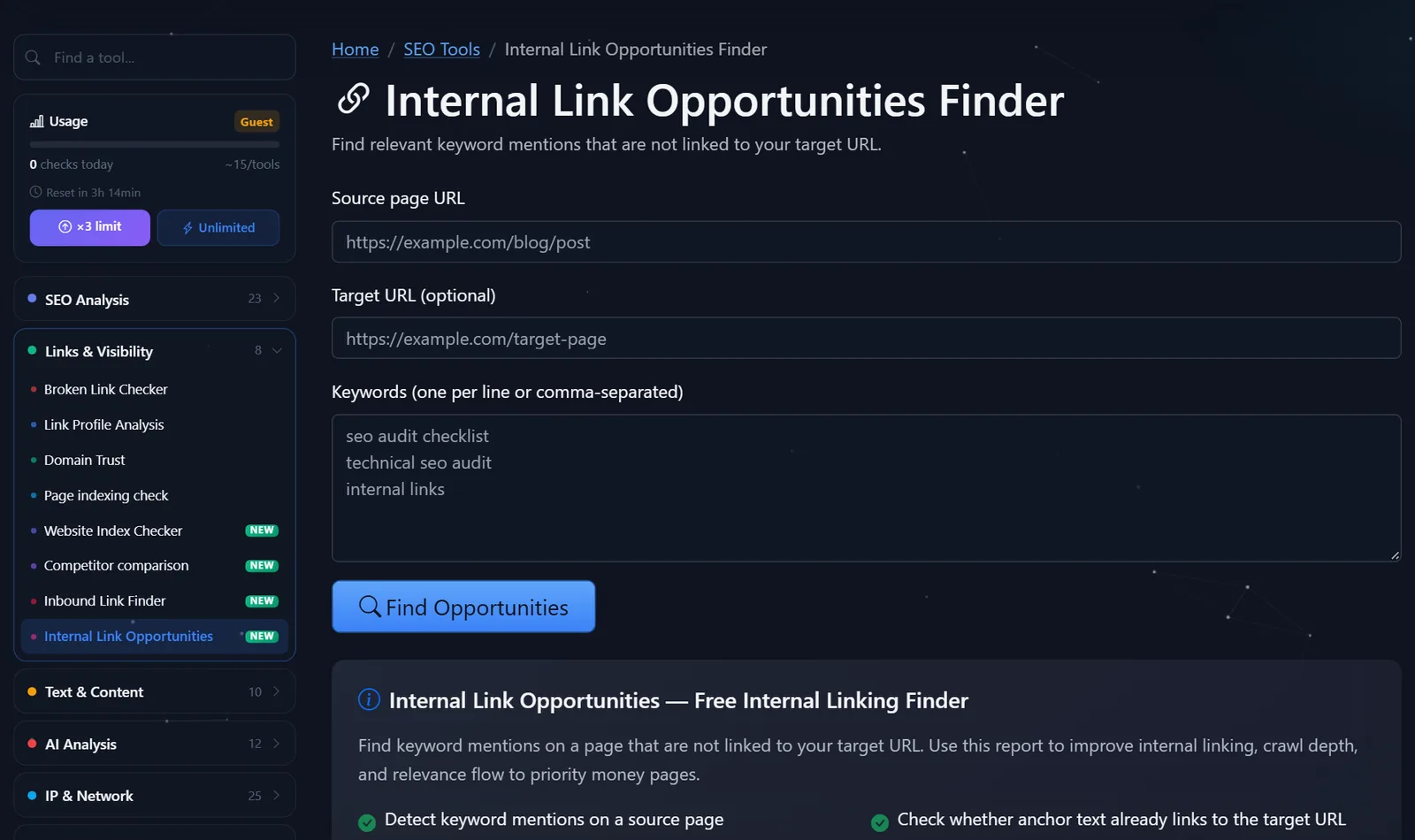
This is what the tool page looks like: the fields “Donor Page URL”, “Target URL (optional)”, “Keywords” and the “Find Opportunities” button.
How to select keywords: Take the landing page's main search query ("coffee machine repair"), its variations ("fix a coffee machine," "coffee machine service"), and how articles describe the topic ("if the coffee machine doesn't heat up"). The closer the keywords are to the actual text, the more natural placements you'll find.
If you don't specify a target URL, the tool will simply show all mentions of the phrases on the page—this is convenient when you're still choosing which page to boost. However, for final analysis, it's better to specify a target URL: this way, you can see which mentions already link to it, and which don't or link to another page. The latter case is especially interesting: the anchor text may point to an outdated URL or to a neighboring page with a similar topic.
How to place links correctly and what to do first?
Finding the right locations is half the battle. It's important to place links in a way that helps both the reader and the robot.
- Start with strong donors. Articles with traffic and external links carry more weight. Use Search Console to see which blog pages get the most clicks and start with those.
- One or two links to a landing page from a single article. Keep the rest of the mentions in text. Ten identical links look spammy and don't add any value.
- The link is in the first half of the text. It's seen and clicked more often.
- The anchor text describes the landing page. A link with the words "coffee machine repair" is better than one with "here" or "more details." But don't make all anchor text the same exact query—vary the wording.
- Check the results. Re-run the tool on the same page: the mention with the new link should move from "opportunities" to "already linked."
The workflow I recommend to my clients is to take one commercial page that needs to be improved once a month, find 5-10 target pages for it using site search, and run each one through the tool. In an hour, you'll get 10-15 new internal links with meaningful anchors—without creating a single new article. After a month or two, compare the target page's rankings and clicks in Search Console.
Don't forget the reverse direction: it's useful to link to two or three of the best articles on the topic from the service page. A reader who isn't yet ready to buy will get answers to their questions, and the robot will get a clear connection between the service and expert materials.
Common mistakes include linking to the landing page from articles on a different topic (this doesn't help and confuses the reader), linking from one page's anchor text to another (this leads to cannibalization), and forgetting about older articles—they're usually where the most missing content is.
Comparison: PromoPilot Interlinking Opportunities and Alternatives
| Tool | What's free? | Restrictions | Who is it suitable for? |
|---|---|---|---|
| PromoPilot - Internal Link Opportunities | Unlinked mentions, link to target URL, context | One donor page per launch | Quickly strengthen a specific page with links from a specific article |
| Search site: in Google | Website pages where the phrase appears | Doesn't show if the link already exists; a lot of manual work | Find donor candidates sitewide |
| Ahrefs Webmaster Tools | Internal Linking Opportunities Report in Site Audit | Only verified websites, registration required | For owners who regularly audit the site |
| Screaming Frog SEO Spider | Custom phrase search across the entire site | Installation and configuration required; free for up to 500 addresses | Mass search for mentions on a large website |
Conclusion: A convenient combination is to first find donors using the Google query site:вашсайт.com "ремонт кофемашин" then run the top 5-10 through the tool and add contextual links. For regular site auditing, Ahrefs Webmaster Tools is suitable.
This is one of PromoPilot's 87 free SEO tools. A page's link profile analysis will help you see all the links on a page—internal and external, nofollow, and anchor text—and a cannibalization checker will help you determine which similar pages to link to. Both are covered in separate articles in this section.
What are the limitations of searching for interlinking opportunities?
Each run analyzes one donor page, not the entire site. For a blog with hundreds of articles, this means choosing donors in advance—based on traffic and topic.
The second limitation is dynamic content. If the site is built as an SPA and the text is loaded by scripts, it may not appear in the server-side HTML response, and references will not be found. Sites with server-side rendering don't have this problem. Third, the tool searches for the entered phrases—it doesn't include synonyms, so it's best to create a broad keyword list: include different cases and forms—"coffee machine," "coffee machines," "coffee machine," "coffee machine."
When is a free tool not enough?
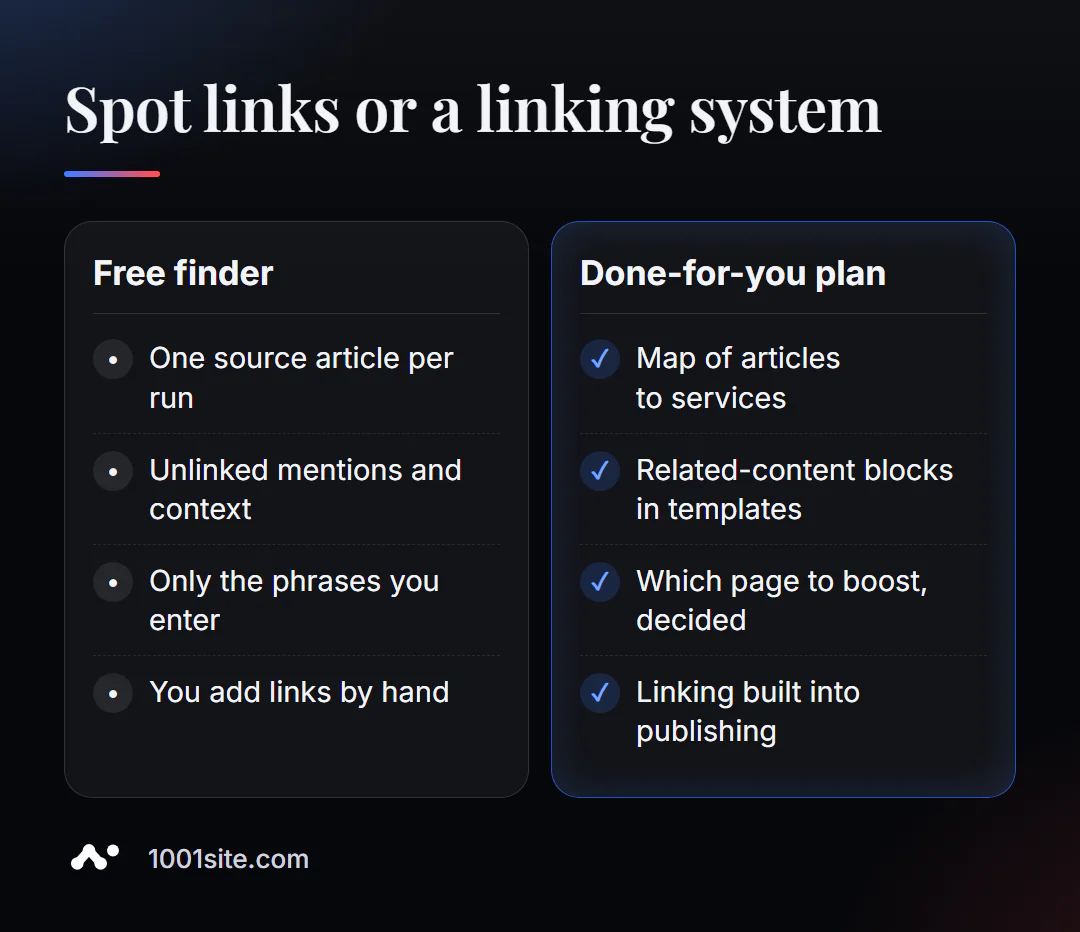
The tool is great for this specific task. But if there's essentially no interlinking on the site, a system is needed. A specialist is needed if:
- There are hundreds of articles on the blog, and you need to decide which of them lead to which services;
- links need to be embedded into templates: blocks “related articles”, “related services”;
- pages compete with each other, and it is unclear which one to strengthen;
- The site is on SPA, and links from the text are not visible to robots.
What can I do for your website?
My name is Valeriy Danyuk, I'm a developer and SEO specialist with 12 years and over 200 clients. I incorporate internal linking into website structure and the content publishing process.
SEO and promotion
- Turnkey SEO audit: linking scheme, arrangement of links from strong articles to commercial pages, blocks of related materials in templates.
- A blog where articles link to services themselves: an AI-powered SEO blog that brings in organic clients, and an autoblog with AI agents where interlinking is part of the pipeline.
Websites and online stores
- A plastic surgery clinic website powered by AI —articles about procedures link to services and appointments.
- A WordPress website with an AI assistant for €299, including a related content block.
- A 1001site website with server-side rendering: text and links are immediately visible to search engines, without SPA issues.
CRM, accounting and automation
- The AI-powered equipment repair guide is a knowledge base where articles are interconnected.
- E-commerce agents instead of chatbots.
Send me the address of the page you want to boost in Telegram – I'll tell you which articles to link to it from.
Result
- The tool finds mentions of your keywords on the page without a link to the target URL and shows the context.
- Start with donors who have traffic; one or two links from the article, in the first half of the text.
- The anchor describes the landing page and is not repeated word for word in all articles.
- If you need a site-wide system, order a linking scheme, and a new site with the correct structure can be built at 1001site.
Find missing links in your most popular blog post - usually there are several opportunities on the first run.
Sources
- PromoPilot's Internal Link Opportunities Finder tool page - input data, example, and limitations.
- Google Search Central - Link and Anchor Requirements.
- Ahrefs Webmaster Tools - Free website audit.
- Screaming Frog SEO Spider is a crawler with custom search.