The short answer: to generate text variants, paste the source text into the PromoPilot Content Spinner, select the language (Russian, Ukrainian, English, German, Polish, French, or Spanish), the number of variants—up to 10—and the replacement intensity. Click "Generate": the tool will replace words and phrases with context-sensitive synonyms and process spintax templates. No registration required. Below, we'll explain how to write templates, what tasks the spinner is useful for, and when it turns into spam.
The spinner has a bad reputation, and deservedly so: ten years ago, it was used to churn out thousands of pointless articles. I use it differently—for advertisements and posts that require 5-10 closely related phrases to test. It saves an hour of work there.
What does a content spinner do?
The spinner takes one text and produces several variants with the same meaning. Unlike a paraphrase, it doesn't rearrange sentences, but rather changes words—so variants are generated quickly and in the right quantity.
| Function | How it works | Why is this necessary? |
|---|---|---|
| Synonymous replacement | Changes words and phrases to ones that are close in meaning | The options don't match word for word. |
| Taking context into account | Selects a synonym based on the topic and style of the text | "Key" in a text about locks will not become a "spring" |
| Spintax templates | Processes options in curly braces separated by a vertical bar | You decide what can be changed and what can be changed |
| Number of options | From 1 to 10 per run, default 3 | Immediately set up for A/B testing or a series of posts |
| Intensity | Slider, default 50% | Controls how much the variants differ from the original |
You can paste the text manually or upload it from a page via a link. The result is a list of options that are copied one by one.
How to create text options in a spinner online?
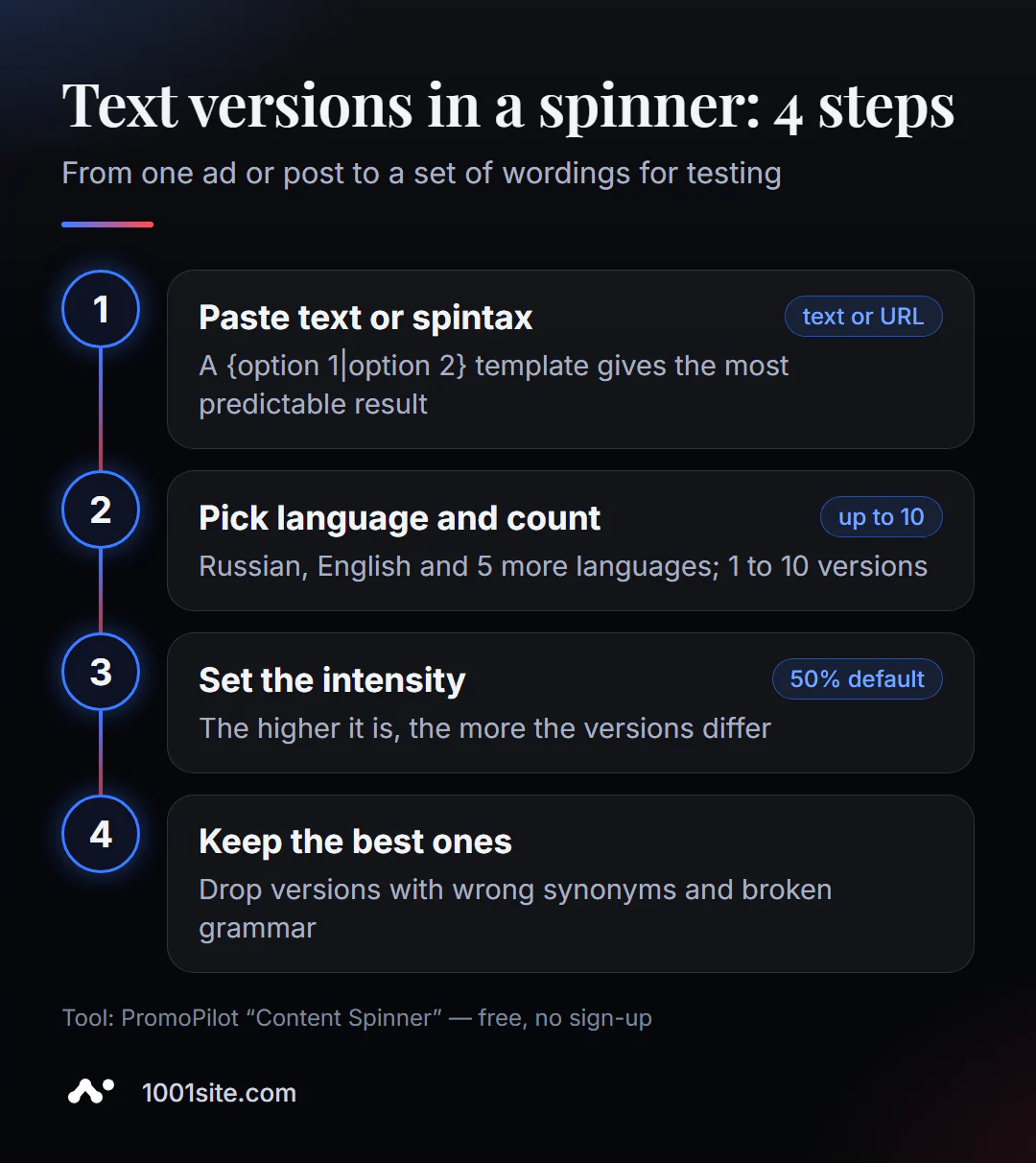
- Open the spinner - it works in your browser without installation.
- Paste the source text or upload it from the link in the "Upload from URL" tab. If you need control, you can use the text marked with spintax.
- Select a language. English is the default; switch to Russian for text.
- Specify the number of options in the "Options" field: 3 for quick check, 10 for ads.
- Set the intensity and click Generate.
- Select the best options - usually five or six out of ten are used.
This is what the tool page looks like: a text field, language, number of options, intensity slider, and a "Generate" button, with a description of the features below.
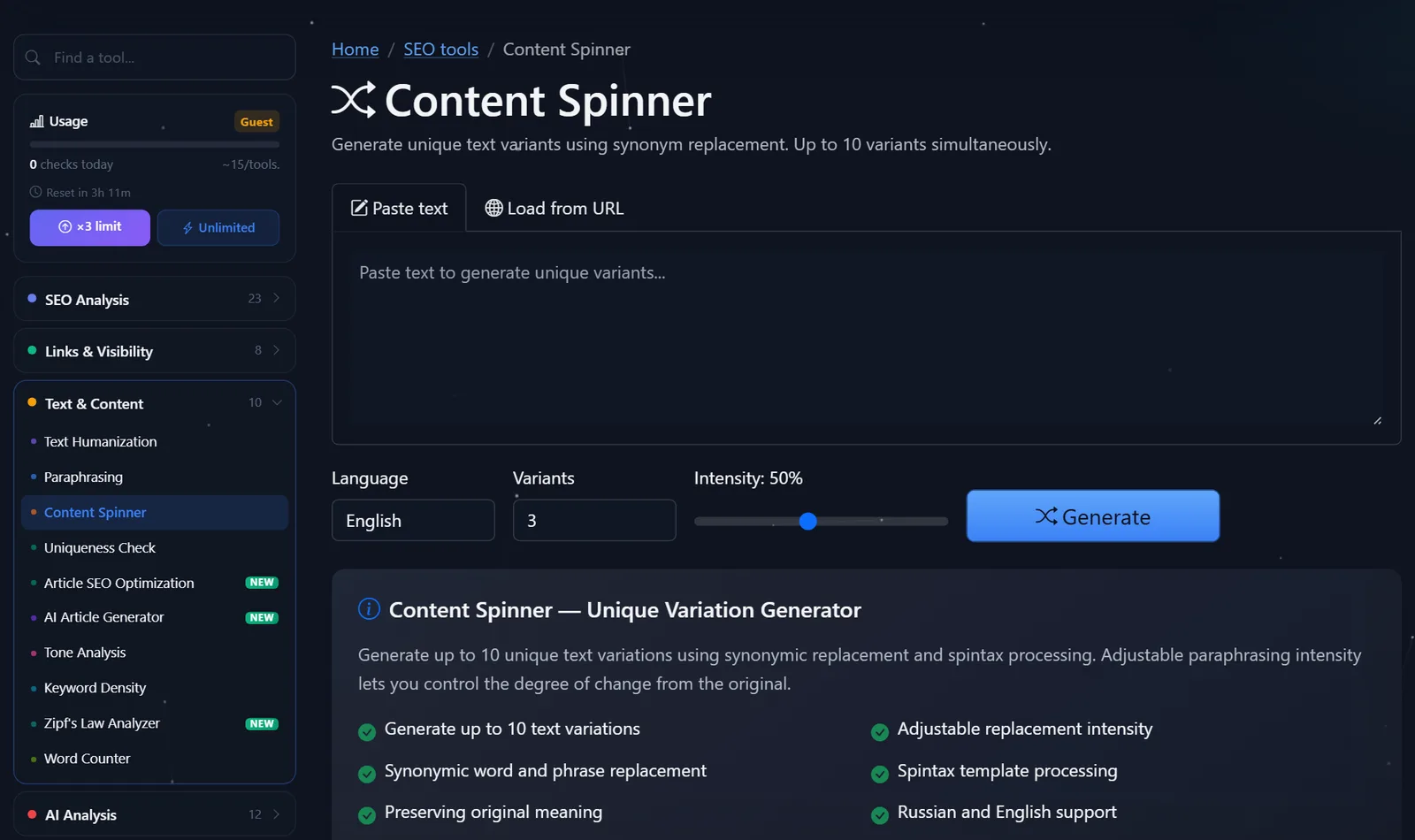
The remaining free spins for today are shown in the "Usage" block on the left; after free registration, the limit is tripled.
How to write spintax and check variants?
Automatic synonym replacement works, but a manual template produces the best results. Spintax is a set of curly braces with variations separated by a vertical bar:
{Fast|Free|Convenient} delivery {around Prague|all over the city} — {order|place an order} before 2:00 PM.
This pattern yields 3 x 2 x 2 = 12 combinations, and each one sounds natural because you, not a dictionary, chose the options. My rules for patterns:
- Change anything that doesn't convey facts. Verbs, adjectives, and formal forms—yes. Prices, deadlines, and names—never.
- Keep your ads consistent in length. Otherwise, some ads won't fit within the ad platform's character limit.
- Don't nest parentheses deeper than two levels —the pattern will become unreadable and the error will be difficult to find.
After generating, check the options for typical spinning errors:
- Incorrect synonym. "Place an order" has become "decorate an order"—delete this variant immediately.
- A broken agreement. Replacing a word with a different gender breaks the endings: "bystraya dostavka" → "bystraya perevoz" (fast delivery).
- Variations that are too similar. If two variants differ by just one word, they're useless for an A/B test—increase the intensity.
- Lost keyword. In SEO text, a spinner can replace a keyword with a synonym—replace it.
What tasks is a spinner best suited for?
A spinner is especially useful when you need a lot of short, similar text, but writing each one by hand is time-consuming and tedious. Here are some tasks where I use it myself or recommend it to clients:
- Advertisements. For headline testing, you need 5-10 wordings for a single offer. The spinner with a template generates them in a minute, and the best options are determined by click statistics.
- Posts on Telegram and social media. One promotion announcement in three versions for different channels, so subscribers who follow all channels don't see a duplicate.
- Product descriptions for the same series. A T-shirt in five colors: the specifications are the same, but the introductory phrase is different. You enter the color and size manually.
- Support response templates. Several polite response options to prevent customer communications from sounding like an answering machine.
These tasks have one thing in common: the variants aren't published as separate search pages. They live within an ad, a conversation, or a single product page, so there's no risk of duplicates.
Comparison: PromoPilot Spinner and Alternatives
Text variants can be generated using a synonymizer, a neural network, or manually. Here's what's available for free.
| Tool | What's free? | Restrictions | Who is it suitable for? |
|---|---|---|---|
| PromoPilot — Content Spinner | Up to 10 variants, spintax, 7 languages, URL input | Daily limit, proofreading required | Advertisements, posts, descriptions of products of the same series |
| Spinbot | Online text spinning | English-oriented, without control via Spintax | Quick rough rewrite in English |
| ChatGPT or Gemini | Give me 10 variations of this phrase. | It can change the facts, the result is different every time | Creative headline options |
| Manual spintax | Full control | Slow for long texts | Advertising with strict requirements for wording |
Conclusion: for short texts, a spinner with a manual template is the most predictable way to generate a set of options. A neural network is more creative, but the facts in its options must be verified each time.
Spinner is one of PromoPilot's 87 free SEO tools. If you need to change the form of your text rather than just duplicate it, check out the adjacent article in the series about the paraphrase tool; if you need to remove AI-related features from your draft, check out the article about the humanizer.
Why is spinning dangerous for SEO?
The main risk is misusing a spinner. Google spam policy explicitly defines large-scale content creation for ranking reasons rather than for reader benefit as abuse. A hundred spinned articles like "flower delivery in city N" are a classic example: the search engine recognizes the pattern, and the entire site, not just those pages, can be filtered.
The safe boundary is simple: the spinner is for text variations within a single task (ads, posts, tests), not for creating new pages. If you need dozens of landing pages for cities or services, each one should contain its own unique features: prices, deadlines, reviews, addresses, photos.
The second limitation is quality on long texts. While the spinner works well on a paragraph, on a 2,000-word article, the consistency errors pile up, and proofreading eats up all the time savings.
When is a free tool not enough?
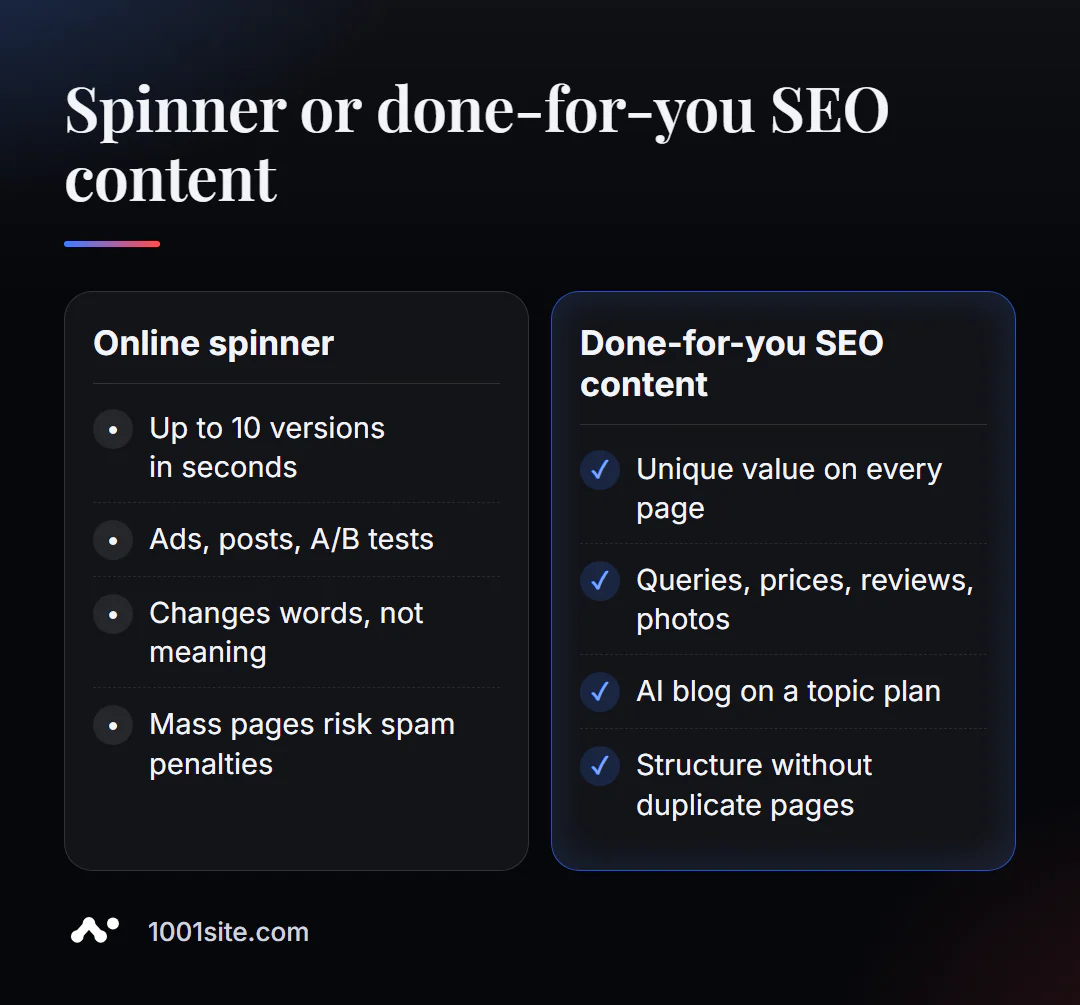
Spinner solves a specific problem: quickly generate a few keywords. When you need dozens of unique pages or a blog that rises in search results, you need a system, not synonyms. A specialist is needed if:
- you want landing pages for many cities or services and are afraid of duplicates;
- the site has already lost its position after the mass publication of similar texts;
- we need a stream of articles, each of which answers its own request;
- We need advertising texts in several languages.
What can I do for your website?
My name is Valeriy Danyuk, I'm a developer and SEO specialist with 12 years of experience and over 200 clients. I build content systems where AI writes a lot, but every page remains useful.
SEO, content and promotion
- An AI-powered SEO blog that brings in organic clients: each article has its own unique search query and benefit—no spinning.
- Turnkey SEO audit: I find duplicates and unusable pages that are dragging down your site and suggest solutions.
- How a hotel got featured on ChatGPT, Gemini, and Perplexity — GEO promotion in 5 weeks.
Websites and online stores
- A catalog of 300 products in a couple of minutes via MCP and Claude.
- A landing page for a new product launched in one evening – a NordHarvest case study; a similar website can be built on 1001site in the style of the world's best websites.
CRM, accounting and automation
All projects are in the portfolio. Send me a link to your website via Telegram —I'll let you know if there are any pages on it that Google might consider similar.
Result
- Spinner gives up to 10 text options at a time through synonyms and spintax templates.
- The best result is manual spintax: you set the options, the tool collects combinations.
- Leave prices, terms, and names as they are; delete variants with incorrect synonyms after generation.
- Massive spin-off pages are spam for Google; for growth, you need unique, useful pages, and it's easy to manage them on a site built on 1001site.
Start with an ad or post: generate options for free, and if you need a content strategy without the risk of filters, write to me on Telegram.
Sources
- PromoPilot Content Spinner tool page - languages, number of variants, spintax.
- PromoPilot SEO Tools Wiki – Description of features and related tools.
- Google Search Central - Spam Policy, Large-Scale Content Creation Section.
- Spinbot is the official page of the service.