The short answer: to humanize text online, paste a draft from ChatGPT, Gemini, or Claude into PromoPilot Text Humanization, select a language (25 languages or auto-detect), one of nine style profiles, and intensity—60% by default. Click "Humanize" and get a version with a lively rhythm, free of bureaucratic jargon and formulaic connections, retaining the structure and meaning of the original. No registration required. Below, we explain how to choose a profile, what to check next, and where the method's limits lie.
I run SEO blogs where AI writes the drafts, and I know the main problem with such texts: they're well-written, but "plastic." The reader doesn't finish the second paragraph, and all the work on the article is thrown into the trash. The humanizer removes this plastic in a minute, and then I fill in what the AI can't know—numbers and experience.
What does a text humanizer do?
Humanization is not paraphrasing or synonymization. The tool's purpose is to change the statistical "fingerprint" of machine text—sentence length and rhythm, repetition of constructions, typography—while preserving headings, paragraphs, and lists.
| Stage | What does it do? | Why is this important for text and business? |
|---|---|---|
| Signature analysis | Looks for signs of machine writing: uniform phrase length, cliches, and consistent vocabulary | Understand what exactly the AI is producing in your draft |
| De-bureaucratization | Removes bureaucratic jargon and "watery" phrases | The text is shorter and clearer, the reader does not leave the page |
| Diversification of structure | Mixes short and long sentences, changes the order of parts | A lively rhythm is the main characteristic of a text written by a person. |
| Paraphrasing and Entropy | Diversifies vocabulary without losing meaning | Less repetition of the same word |
| Grammar and coherence | Checks every sentence (SentenceValidator™ - 10 checks at 7 checkpoints) | The rewritten text does not fall apart into incoherent phrases |
| Preserving markup | Headings, paragraphs and lists are processed separately | There is no need to retype the article |
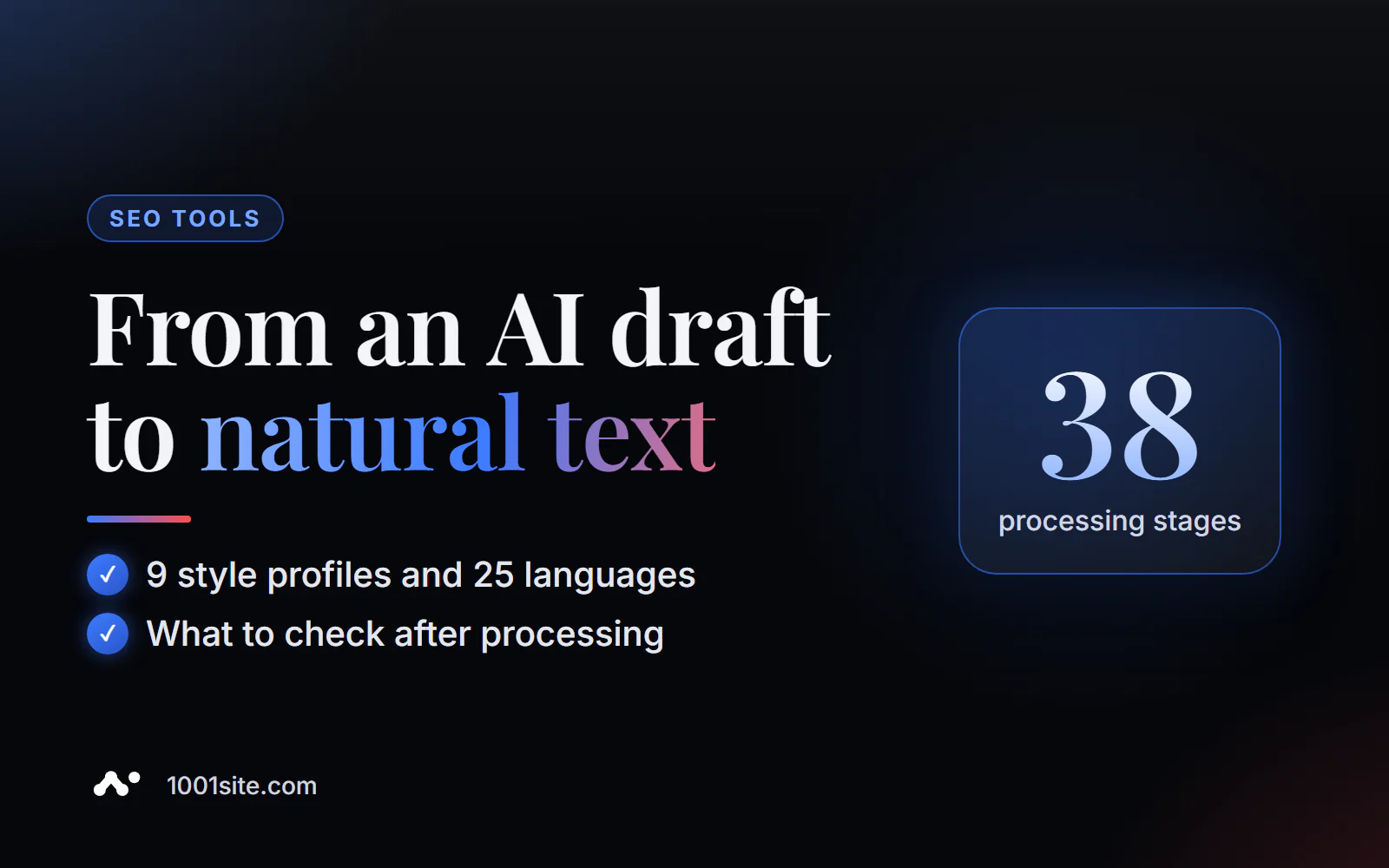
The pipeline has 38 stages in total. Processing takes place on the service's server, and, according to the developer, the text is not shared with third parties. With the same seed, the result is deterministic: the same input produces the same output—convenient if you need to repeat the edits.
How to humanize text online?
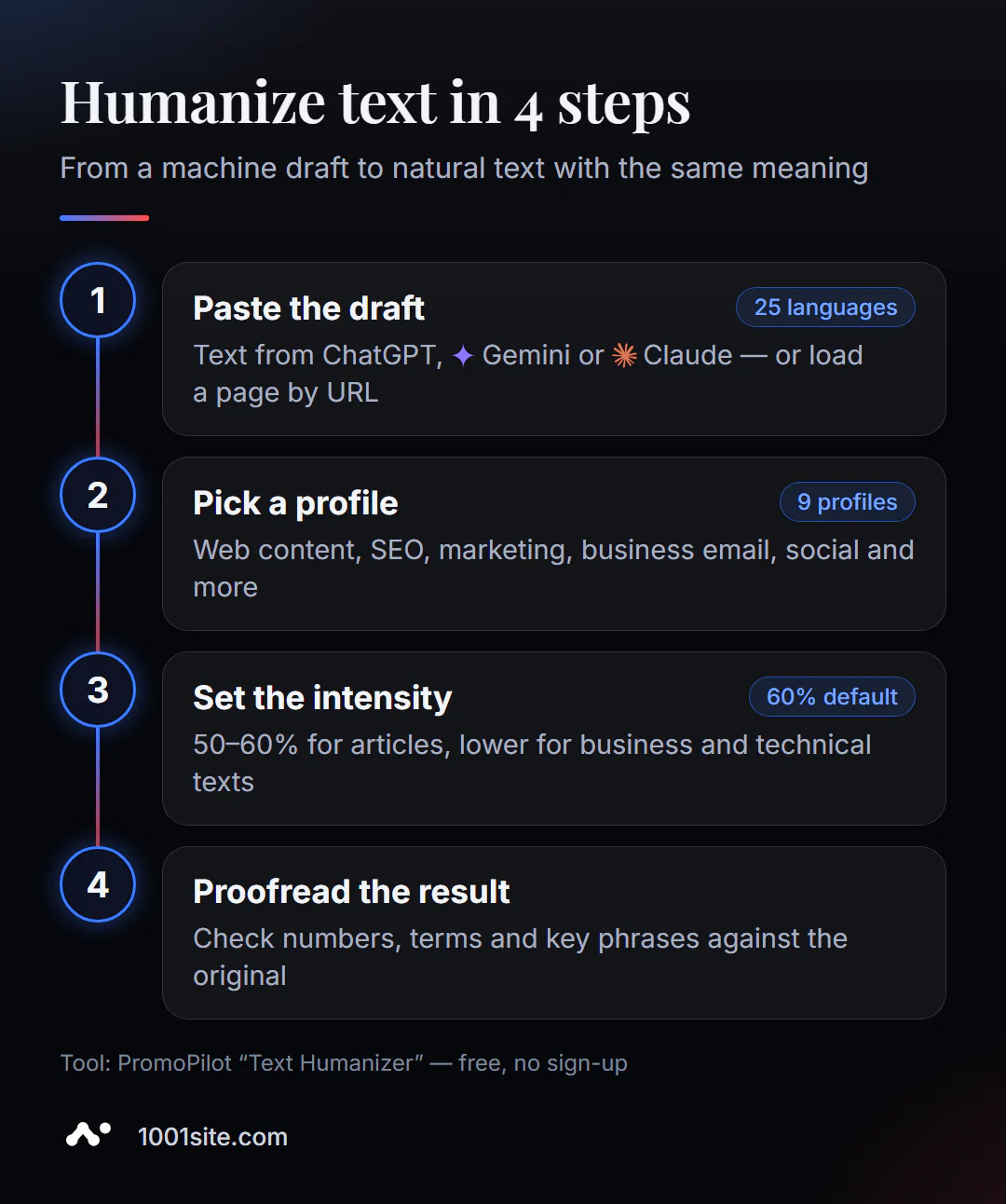
- Open Humanizer. It works in your browser, no installation required.
- Paste text in the Insert Text tab or load a page from a link in the Load from URL tab.
- Select a language - auto-detection works well, but for mixed texts it's better to specify it manually.
- Select a profile: Chat/Social Media, Web Content, SEO, Documentation, Official, Academic, Marketing, Social Media, or Business Correspondence.
- Use the slider to set the intensity and click Humanize.
- Subtract the result and copy it - be sure to check the numbers, names and terms.
This is what the tool page looks like: a text field, two input tabs, a language and profile selection, an intensity slider, and a counter of free checks for today in the side menu.
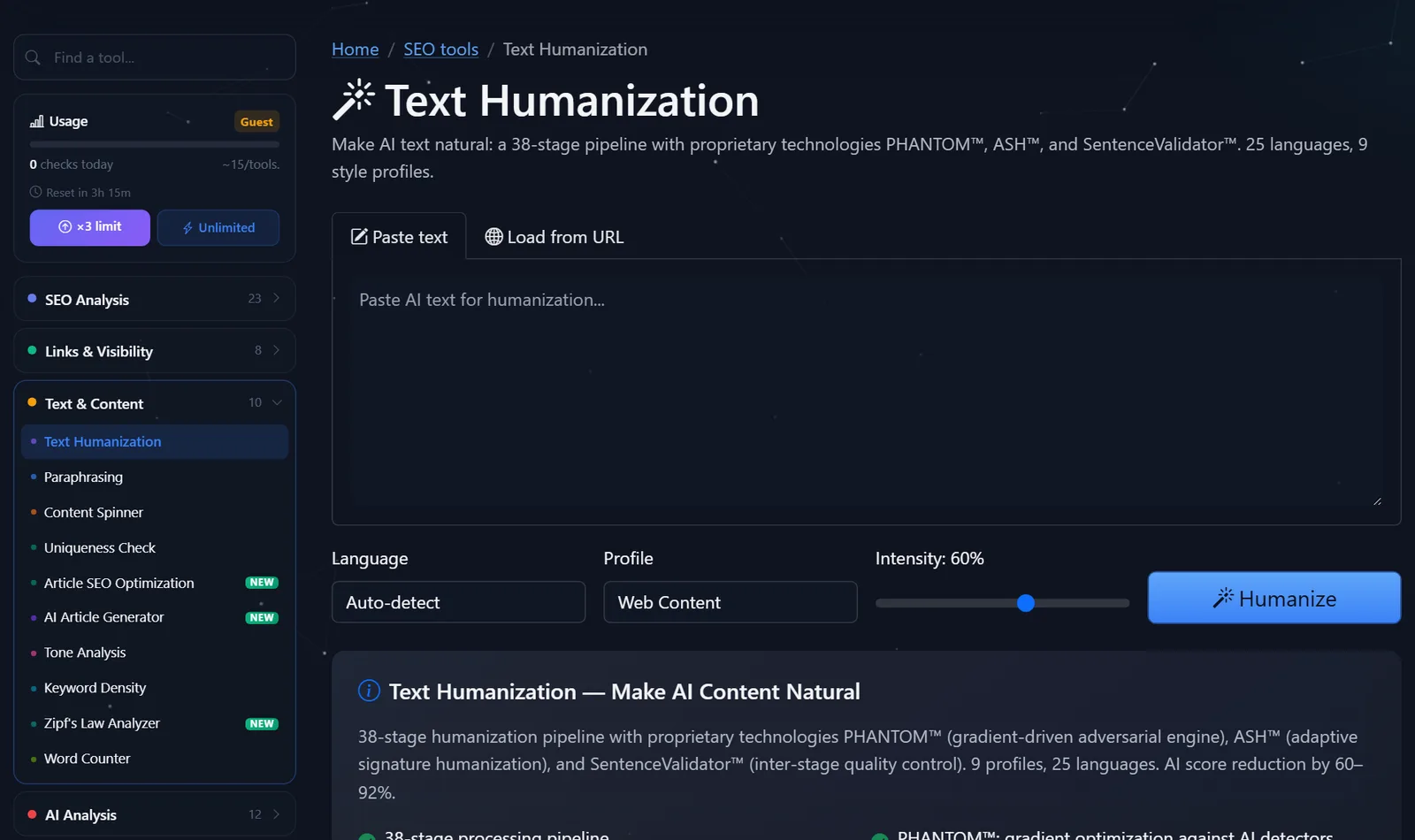
Guests are allowed several edits per day, and after free registration, the limit triples. This is enough for a couple of articles per week.
How to choose profile and intensity?
The profile determines which direction to shift the style, and the intensity determines how much. This is where it's easiest to get wrong, so here are my working settings.
- A blog article or service page— "Web Content" or "SEO"—50–60%. The structure and keywords remain, while clichés like "in the modern world" and "plays an important role" disappear.
- Telegram or social media post — "Chat/social media," 60–70%. Phrases become shorter, and a conversational tone emerges.
- A commercial proposal or letter to a client— "Business Correspondence"—40–50%. High intensity here is detrimental: the business text must remain precise.
- Abstract or educational material — "Academic," 30–40%. Terminology is more important than variety.
Typical errors after humanization that I catch during proofreading:
- The terms have shifted. "Conversion" has become "transformation"—I'm manually resetting the term.
- The numbers have gotten lost. "Delivery in 2 days" has become "fast delivery"—I'm checking all the numbers against the original.
- It's too colloquial. 90% intensity in a business text makes it sound too familiar—I lower it to 50% and run it again.
- The keyword has disappeared. For SEO purposes, I make sure the main query remains in the title and first paragraph.
Comparison: PromoPilot Humanizer and Alternatives
There are several ways to make AI text more natural. Each has its own merits, and the choice depends on the language and length.
| Tool | What's free? | Restrictions | Who is it suitable for? |
|---|---|---|---|
| PromoPilot — Humanization of Text | 25 languages, 9 profiles, intensity, URL input | Daily Limit, AI Score Decrease Rates - Developer Data | Quickly revive a draft in Russian and other languages without registration |
| QuillBot AI Humanizer | Basic humanization mode | Some modes and volumes are available through a paid subscription, most of which are in English. | For English-speaking authors and students |
| Prompt in ChatGPT or Gemini | "Rewrite Lively" in chat | The result often sounds like AI again, a series of clarifications are needed | For those who are willing to iterate manually |
| Manual editing | Free, maximum control | Length: 20–40 minutes per article | Key pages of the site |
| GPTZero | Checking text for signs of AI | This is a detector, not a humanizer. | Control of the result after editing |
Conclusion: for a stream of drafts, an online humanizer is more convenient—it's faster than manual editing and more predictable than a prompt. For the homepage and key services, an editor's hand is still needed. An AI detector can help check how machine-readable the text looks before and after—the article in this series is dedicated to it.
In addition to the humanizer, PromoPilot offers 87 other free SEO tools: paraphrasing, spinner, uniqueness checker, sentiment analysis, keyword density, and dozens of technical website checks. It's important not to confuse humanization with paraphrasing: the paraphraser changes syntax according to rules and without a neural network, while the humanizer specifically targets machine-written text.
What are the limitations of text humanization?
The main limitation is clearly stated in the tool's description: the AI score reduction figures are the developer's claim, not an independent benchmark. The service claims a reduction of 60–92 points (in its example, from 94% to 2% for English text), but the detectors vary and are updated, and no one can guarantee the results.
The second limitation is that the humanizer doesn't add knowledge. If the draft lacks facts, examples, and personal experience, they won't be there after processing either. Google evaluates usefulness and expertise, not style per se, so a "lively" text that's empty won't be useful anyway.
Third, subtle meanings. In legal, medical, and technical texts, any rearrangement can change the meaning. I humanize such texts at a low intensity and check them line by line.
When is a free tool not enough?
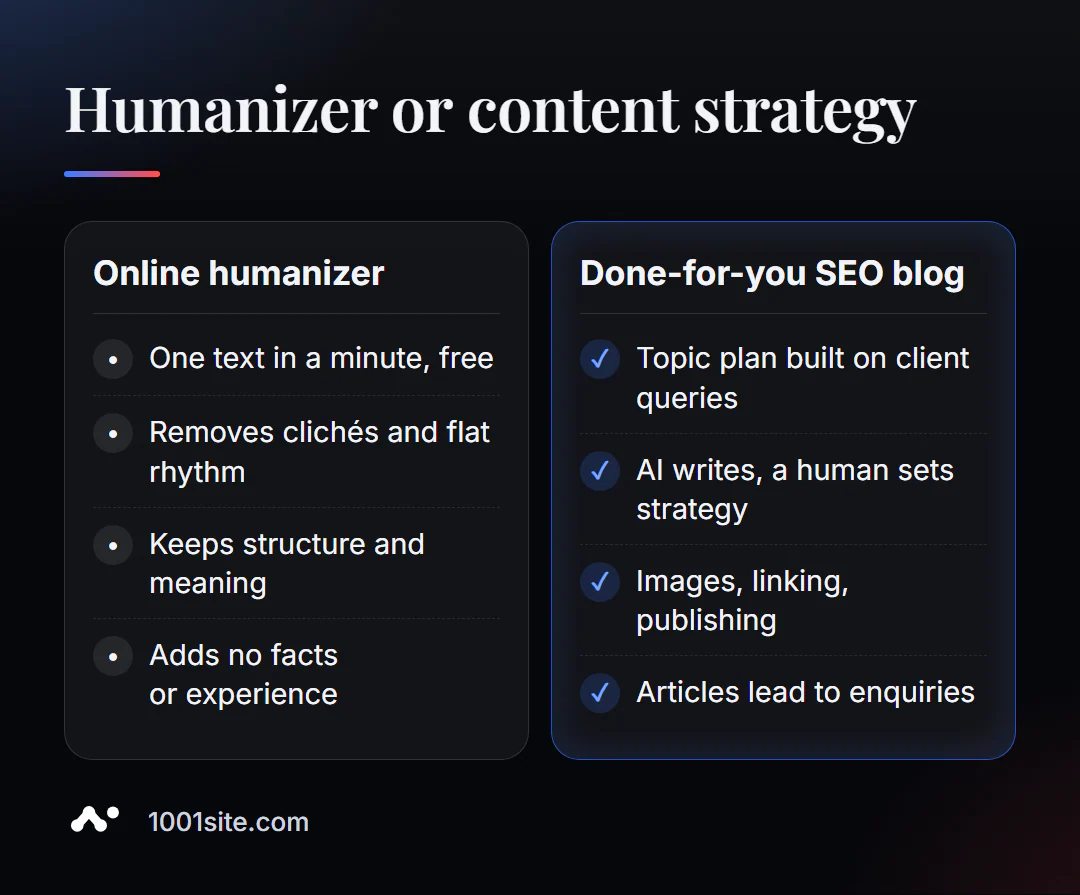
A humanizer answers the question "how to make text come alive." But they don't know what to write about, what queries generate clients, or how to build a blog so articles last for years. A specialist is needed if:
- You publish dozens of AI articles, but there is no traffic or applications;
- the articles are "live", but do not answer the queries people are searching for you by;
- we need a system: a topic plan, cross-linking, pictures, scheduled publication;
- Content needs to be released in several languages at once.
What can I do for your website?
My name is Valeriy Danyuk, I'm a developer and SEO specialist. Over the past 12 years, I've built websites and systems for over 200 clients. AI content is my daily work: I build editorial offices where AI writes and humans set the strategy.
SEO, content and promotion
- An SEO blog that brings in organic clients: AI writes, illustrates, and publishes articles using my methodology— a case study of an SEO blog with AI.
- Autoblog with AI agents: a human-free editorial office where the blog is run by AI agents.
- Turnkey SEO website audit: I check not only the technology but also the content—which pages need to be rewritten, merged, or created.
- GEO — promotion in AI assistant responses: how a hotel got recommended by ChatGPT, Gemini, and Perplexity in 5 weeks.
Websites and online stores
- A WordPress website with an AI assistant for €299 and 3 days —with a blog ready for SEO from day one.
- A website on 1001site in the style of the world's best websites: an AI assistant writes texts in a dashboard, and the sitemap, markup, and previews for social media are configured automatically.
CRM, accounting and automation
- Telegram bot with AI for an online sauce store.
- A CRM with a built-in customer database and decision makers for a Slovakian manufacturer.
All projects are in my portfolio. Send me a link to your blog on Telegram —I'll tell you what's stopping your articles from bringing in clients.
Result
- Humanization removes the hallmarks of machine writing: even rhythm, cliches, bureaucratic jargon, while preserving structure and meaning.
- Choose a profile based on the publication channel; intensity is 50–60% for articles, lower for business and technical texts.
- After processing, check the numbers, terms, and key phrases: the tool changes form, but you check the facts.
- The AI score reduction is a service statement, not a guarantee; the goal is useful and lively text, and a website for such content can be built on 1001site.
Try it on your draft: humanize your text for free. And if you need more than just text, but a blog that brings in clients, write to me on Telegram.
Sources
- PromoPilot's Text Humanization tool page — profiles, languages, pipeline stages.
- PromoPilot SEO Tools Wiki - Limitations and Developer Disclaimers.
- QuillBot is the official page of AI Humanizer.
- GPTZero is the official website of the AI text detector.