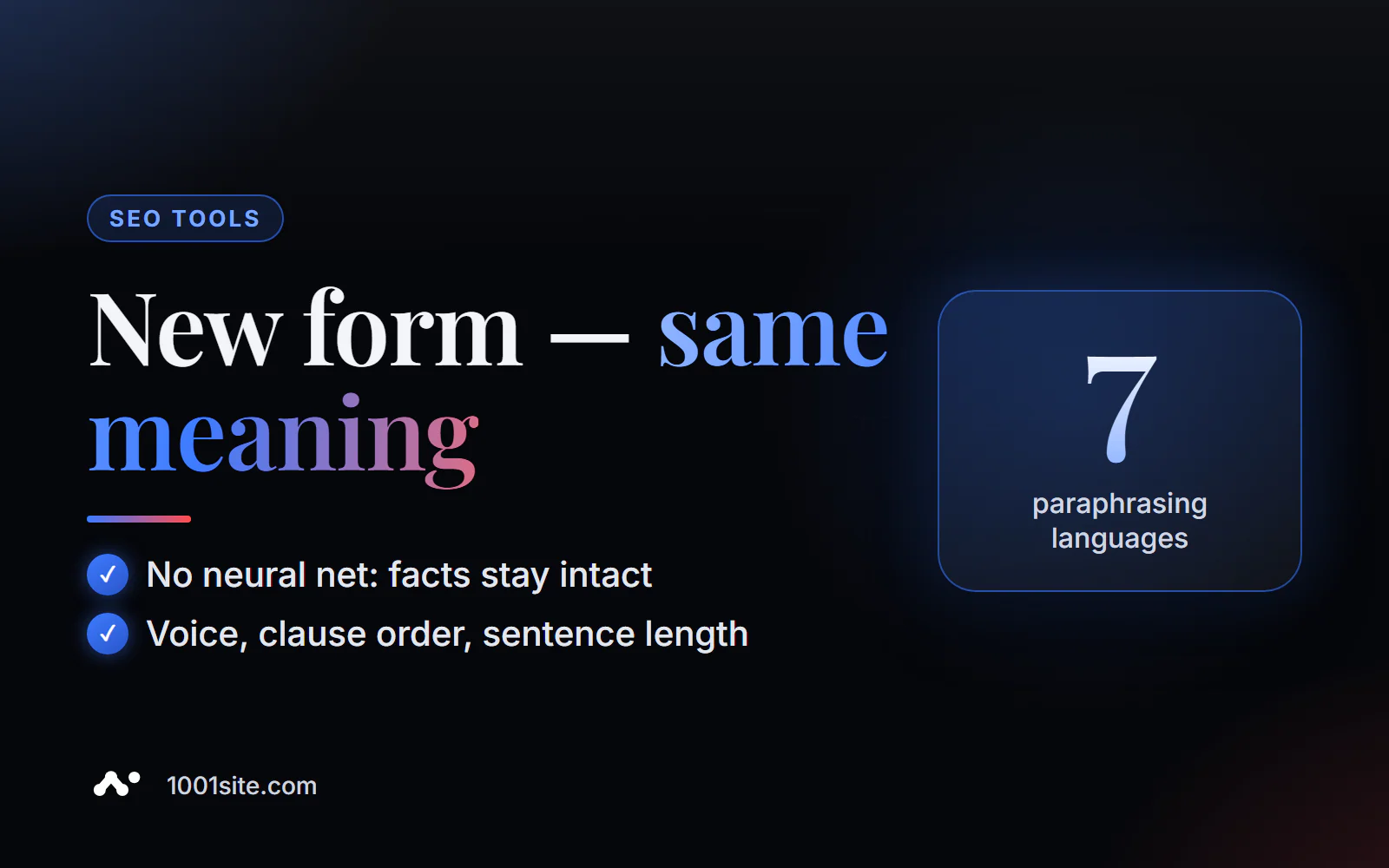
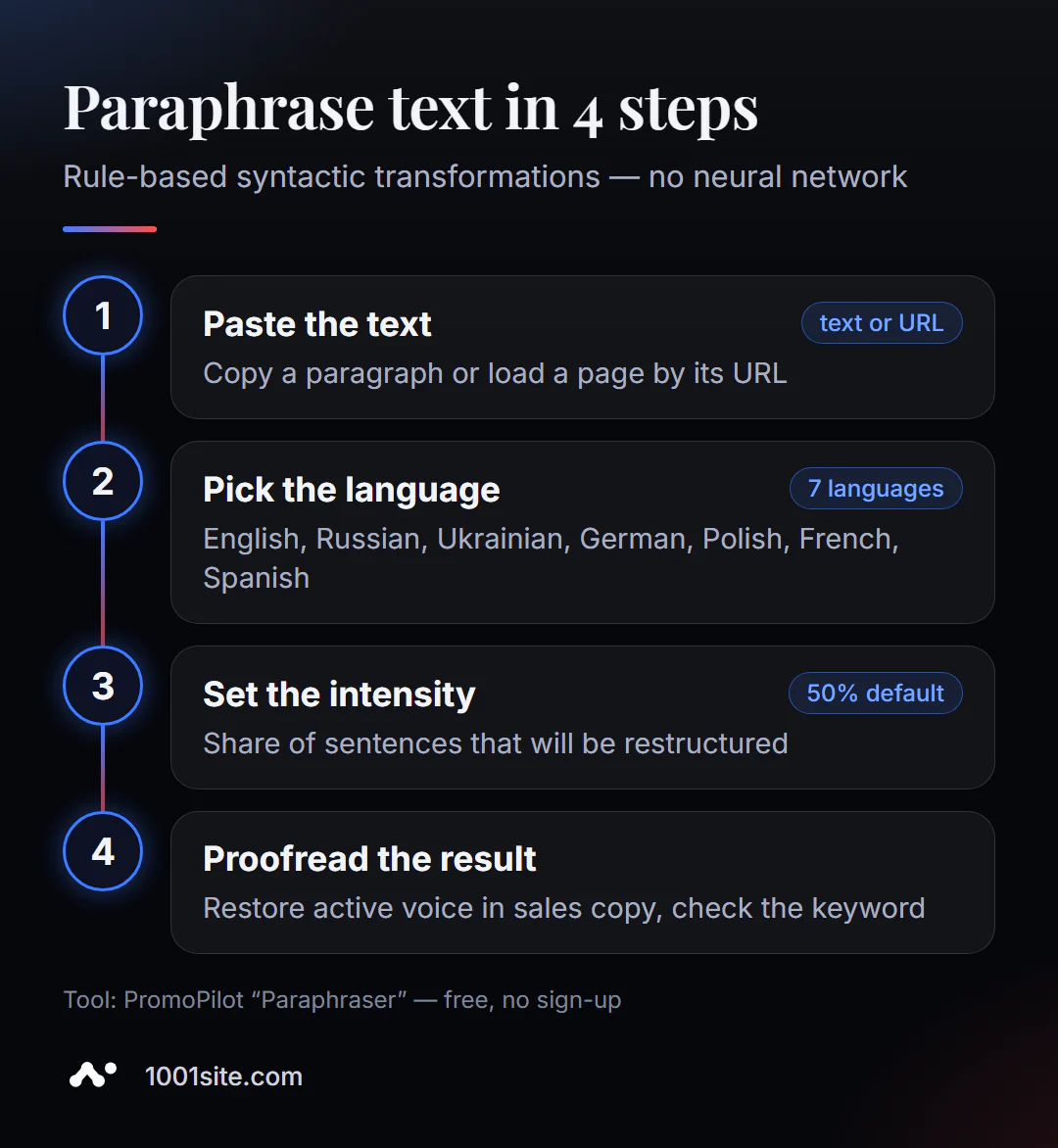
Short answer: to paraphrase text online, paste the text into PromoPilot Text Paraphrasing, select a language (English, Russian, Ukrainian, German, Polish, French, or Spanish) and intensity—the default is 50%. Click "Rephrase": the tool will rearrange sentence parts, switch active and passive voice, and break up long phrases. A neural network isn't involved, so the facts and terms remain the same. No registration is required.
I use paraphrasing when I need to repackage my own text: a service description for a second landing page or an article preview for a newsletter. The message is the same, but the wording isn't word-for-word identical—and you don't have to spend time refining every phrase.
What does a text paraphrase do?
The tool works with syntax, not a dictionary: the words remain yours, but the sentence structure changes. This is the main difference from synonymizers and AI rewriting.
| Transformation | Example | Why is this necessary? |
|---|---|---|
| Rearrangement of subordinate clauses | "Even though the deadline was tight, we delivered the project on time." → "We delivered the project on time, even though the deadline was tight." | Changes the rhythm of a paragraph and the emphasis of a phrase |
| Change of collateral | "The team has checked the site" → "The site has been checked by the team" | Brings the object to the forefront - a product, a service, a result |
| Breaking up long sentences | One phrase of 40 words → two of 20 | The text is easier to read on a phone |
| Moving the adverb to the beginning | "We respond to requests quickly" → "We respond to requests quickly" | Diversifies the same type of phrase beginnings |
| Nominalization | "We've set up advertising" → "Ad setup complete" | Makes the tone more formal - for reports and documents |
Because the rules are applied mechanically, the result is predictable: the tool will not invent a new fact, distort a figure, or replace the term "conversion" with something random.
How to paraphrase text online?
- Open the paraphrase tool - it works right in your browser.
- Paste text in the Insert Text tab or load a page from a link in the Load from URL tab.
- Select a language. English is the default. For Russian text, switch manually, otherwise the rules won't work.
- Set the intensity using the slider: the higher it is, the more sentences will be rebuilt.
- Click "Rephrase" and compare the result with the original.
- Copy the text and read the places where the change in voice made the phrase more difficult.
This is what the tool page looks like: a text field, language selection, intensity slider, and a start button; below is a description of the transformations.
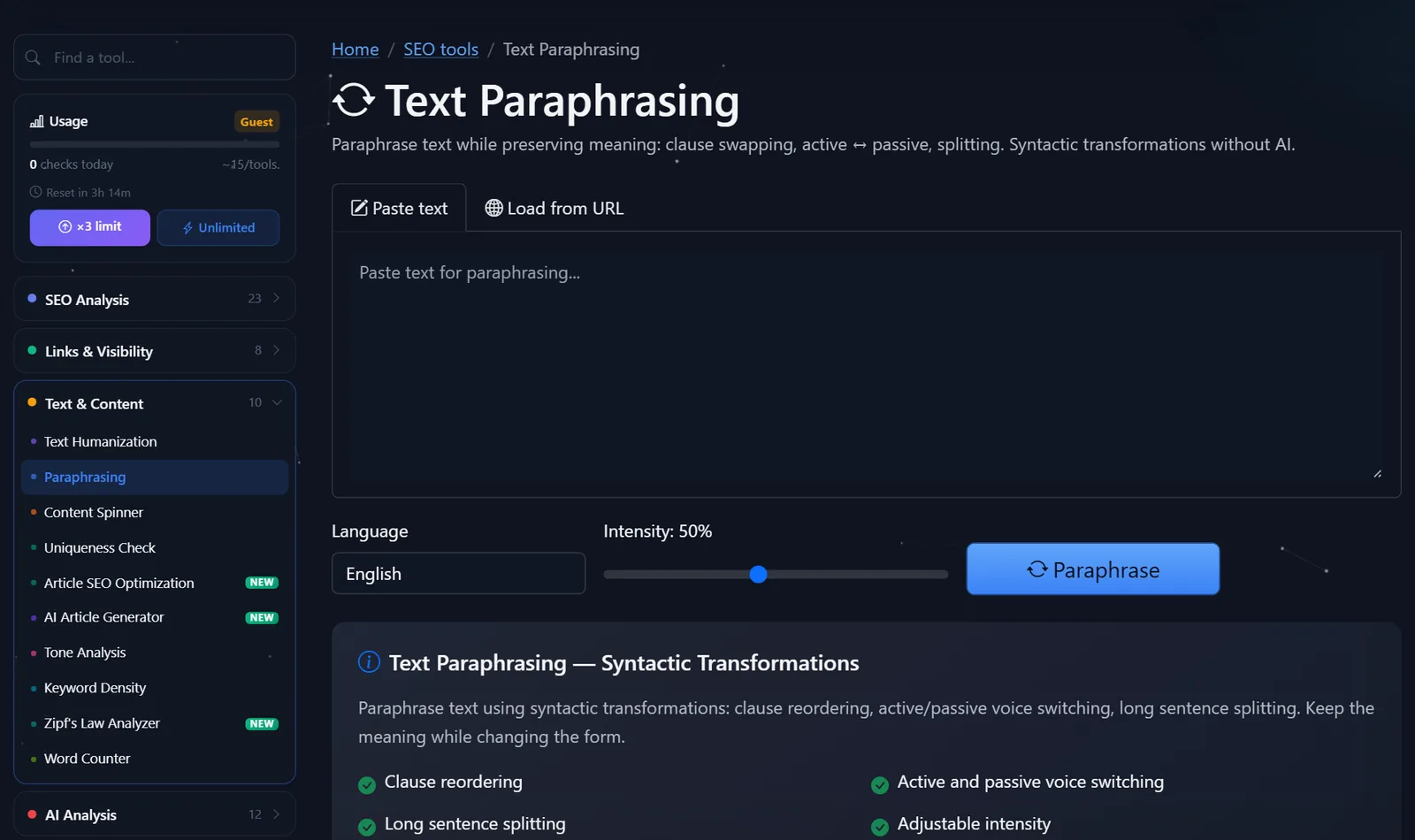
You can see how many free spins you have left today in the "Usage" section of the sidebar; after registering for free, the daily limit is tripled.
What intensity should I choose and what should I correct afterwards?
Intensity is the proportion of sentences to which transformations are applied. My benchmarks are:
- 20–30% — light editing: the text remains largely unchanged, but repetitive phrase openings are removed. Suitable for service pages.
- 50% is the golden mean for announcements, descriptions, and posts: the form changes noticeably and is read naturally.
- 70–100% — extensive revision. Useful when a second version of the text is needed for another page, but requires mandatory proofreading.
What most often needs to be corrected manually:
- Use the passive voice where it's unnecessary. "The order will be delivered by us" sounds worse than "We will deliver the order." Keep advertising texts in the active voice.
- Nominalization in sales copy. "Delivery" instead of "we deliver" kills the flow. This is a negative for commercial pages.
- Broken logic after splitting. If a long phrase hinged on "which," after splitting, check what the pronoun in the second sentence refers to.
- The keyword has shifted. For SEO text, make sure the main query remains in the first paragraph and subheading.
Where is paraphrasing useful for a website and SEO?
The most common scenario in my practice is similar pages. For example, a delivery service has landing pages for "flower delivery in Prague" and "flower delivery in Brno." The terms and conditions on both pages are identical, and search engines see almost identical text. I write the text once, then for the second page, I run 60% of it through a paraphraser and add a few lines about the city. The meaning and terms are the same, but the wording is not.
Here's how it works in practice. The original phrase: "If you order before 2:00 PM, the courier will deliver the bouquet the same day, and we'll send you a photo of the bouquet via messenger before delivery." After rephrasing: "The courier will deliver the bouquet the same day if you order before 2:00 PM. We'll send you a photo of the bouquet via messenger before delivery." The time, conditions, and promise remain the same—the order of the parts and the length of the sentences have changed.
Other tasks where the tool saves time:
- article announcements for Telegram, newsletters, and social media, so as not to copy the first paragraph word for word;
- descriptions of products from the same series that differ only in color or size;
- meta descriptions for a group of similar pages - as a draft, which you then shorten to 150-160 characters;
- Simplifying a complex text from a lawyer or engineer: breaking up long sentences immediately makes it more readable.
Comparison: PromoPilot Paraphraser and Alternatives
There are various ways to rewrite a text in your own words: using rules, synonyms, or a neural network. Here's what you can get for free.
| Tool | What's free? | Restrictions | Who is it suitable for? |
|---|---|---|---|
| PromoPilot — Text Paraphrasing | Syntax transformations in 7 languages, URL input | Doesn't change vocabulary, daily limit | Repackage your text without the risk of distorting the facts |
| QuillBot Paraphrasing Tool | AI paraphrasing in basic mode | Advanced modes and larger volumes are available by subscription, and work best in English. | For English-speaking authors and students |
| SmallSEOTools Article Rewriter | Rewrite articles online | Synonymous replacement, quality highly dependent on language - proofreading required | Rough rewrite without style requirements |
| ChatGPT or Gemini with Prompt | "Retell it in your own words" | Facts may be added or lost, verification is required | A thorough rewrite followed by proofreading |
Conclusion: if precision—numbers, terms, names—is important, a correct paraphrase is more reliable than a neural network. If a complete style overhaul is required, AI will do a better job, but the result will need to be checked line by line.
Paraphraser is one of PromoPilot's 87 free SEO tools. Adjacent to this section are a humanizer, which removes machine-generated text, and a spinner, which generates suggestions using synonyms; both are covered in the adjacent articles in this series. Briefly: the humanizer is for AI drafts, the spinner is for series of similar texts, and the paraphraser is for repackaging the form.
How does paraphrasing differ from rewriting and uniqueization?
A rewrite is a retelling: the author reads the source and writes it anew, often with a different structure and new examples. A paraphrase only does part of this work—modifying the syntax. They won't add an example, remove an unnecessary paragraph, or restructure the article to suit a different query.
Hence the main limitation: paraphrasing doesn't make someone else's text your own. Rearranging parts of a sentence doesn't negate borrowing—neither from a copyright standpoint nor from the standpoint of search engines, which value originality over word rearrangement. Use the tool for your own texts, and for others', provide a citation and a link to the source.
When is a free tool not enough?
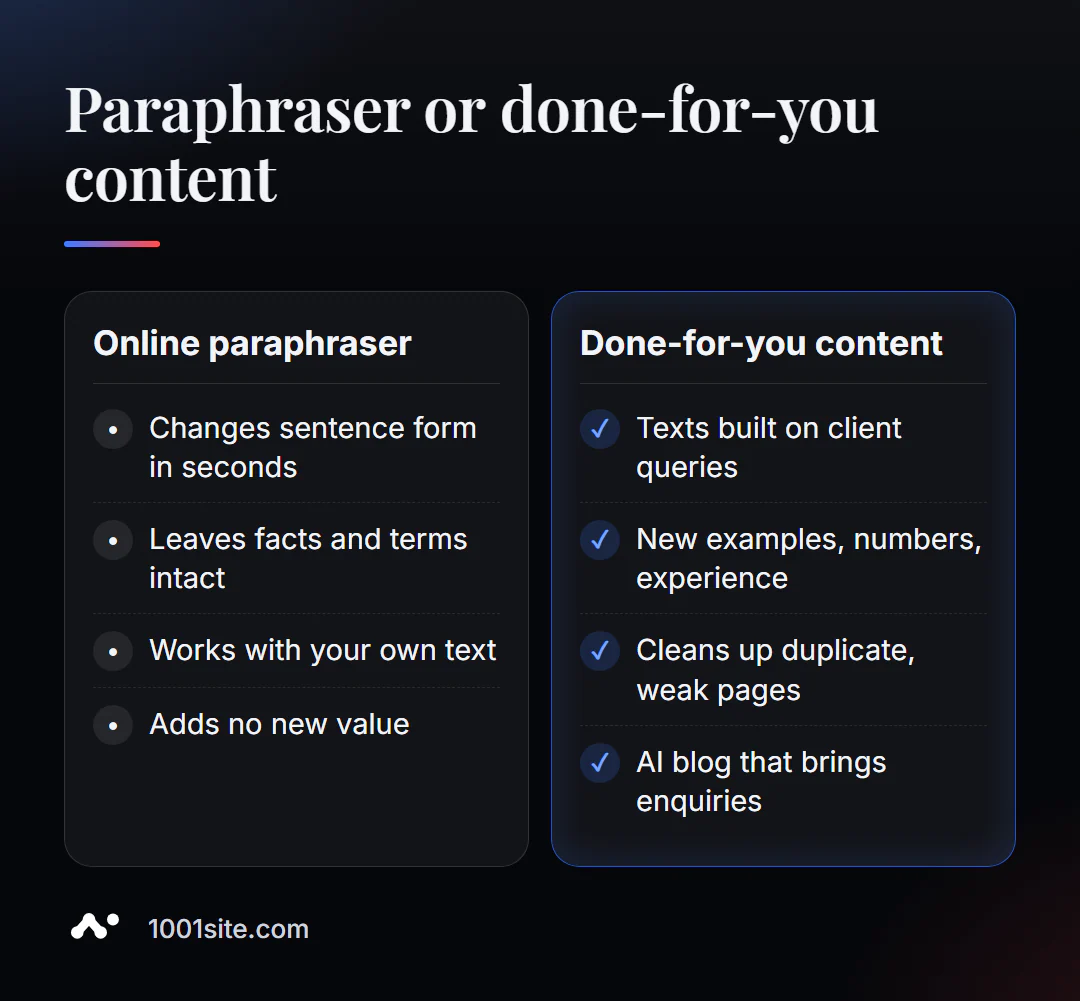
A paraphraser helps with form, but not with content. When website texts aren't bringing in clients, the problem usually goes deeper than word order. A paraphraser is needed if:
- There are dozens of similar pages on the site, and you don’t know which ones to combine and which ones to rewrite;
- We need texts for specific requests, not variations of old ones;
- the blog is at a standstill: there are articles, but no traffic;
- The website needs to be translated and adapted for several countries.
What can I do for your website?
My name is Valeriy Danyuk, I'm a developer and SEO specialist with 12 years of experience and over 200 clients. For me, content isn't a separate service, but rather a part of a website that sells.
SEO, content and promotion
- A blog that writes itself and attracts clients from search engines: an AI-powered SEO blog – from topic planning to illustrated publications.
- Autoblog with AI agents – how an editorial team works without humans.
- Turnkey SEO audit: I find duplicates and weak pages, and advise what to rewrite and what to delete.
- A multilingual website without a translator and an example of scale – a tourism portal in 33 languages with RTL support.
Websites and online stores
- Get a website in the style of someone else's website you like in minutes —at 1001site, we rewrite the texts for your business, and SEO settings are included right out of the box.
- WooCommerce online store for €299 with 40+ templates to choose from.
CRM, accounting and automation
- AI-powered equipment repair guide — a vector-based knowledge base and bot.
All projects are in my portfolio. Send me your website address via Telegram – I'll suggest which texts should be rewritten first.
Result
- The paraphraser changes the form of sentences according to the rules: order of parts, voice, length - without a neural network and without the risk of distorting the facts.
- An intensity of 50% is suitable for most tasks, 70% and above is only suitable for proofreading.
- After processing, return the actual collateral in the selling phrases and check the keyword.
- Paraphrasing doesn't make someone else's text your own; to grow traffic, you need new, useful content, and a website for it can be built on 1001site.
Try it on your own text: paraphrase a paragraph for free and compare it with the original. If you need content that brings in clients, write to me on Telegram.
Sources
- PromoPilot's Text Paraphrasing tool page — languages, intensity, and transformation types.
- PromoPilot SEO tool wiki – description of the correct syntactic transformations.
- QuillBot is the official page for the Paraphrasing Tool.
- SmallSEOTools is the official Article Rewriter website.