The short answer: to compare your website with a competitor online, paste two URLs—your own and someone else's—into PromoPilot's Competitor Comparison tool and click "Compare." The tool will check both sites across 20+ metrics—meta tags, response speed, compression, HTTPS and security headers, content size, Schema.org, Open Graph, canonical, robots.txt, and sitemap—and summarize the results in a table alongside recommendations. It's free, no registration required. Below is how to read the table and what findings are truly worth improving.
I start every conversation with this comparison: "Why is our competitor ranking higher than us in Google?": in half the cases, the answer is visible within a minute, and it's not about links, but about banal meta tags and speed.
What does the website comparison tool compare?
The tool opens both pages as a search robot and collects the same set of metrics from them. According to the description on the tool's page, there are 22 on-page metrics.
| Group | What is being compared? | Why is this important? |
|---|---|---|
| Meta tags | Length and presence of title and description, H1–H3 headings | The basis of how a search engine understands a topic and builds a snippet |
| Speed | TTFB (Server Response Time), HTML Size, Compression | A slow website loses visitors and loses rankings. |
| Safety | HTTPS and security headers | Trust signals for browsers and visitors |
| Content | Volume of text, links, images | Thin pages lose out to detailed ones |
| Markup | Schema.org and Open Graph | Rich snippets in Google and beautiful previews in messengers |
| Technique | lang, canonical, robots.txt, sitemap.xml | Basic Indexing Hygiene |
| Result | Summary table and recommendations | Where are you ahead, where are you behind, and what to do? |
How to compare your website with your competitor's online?
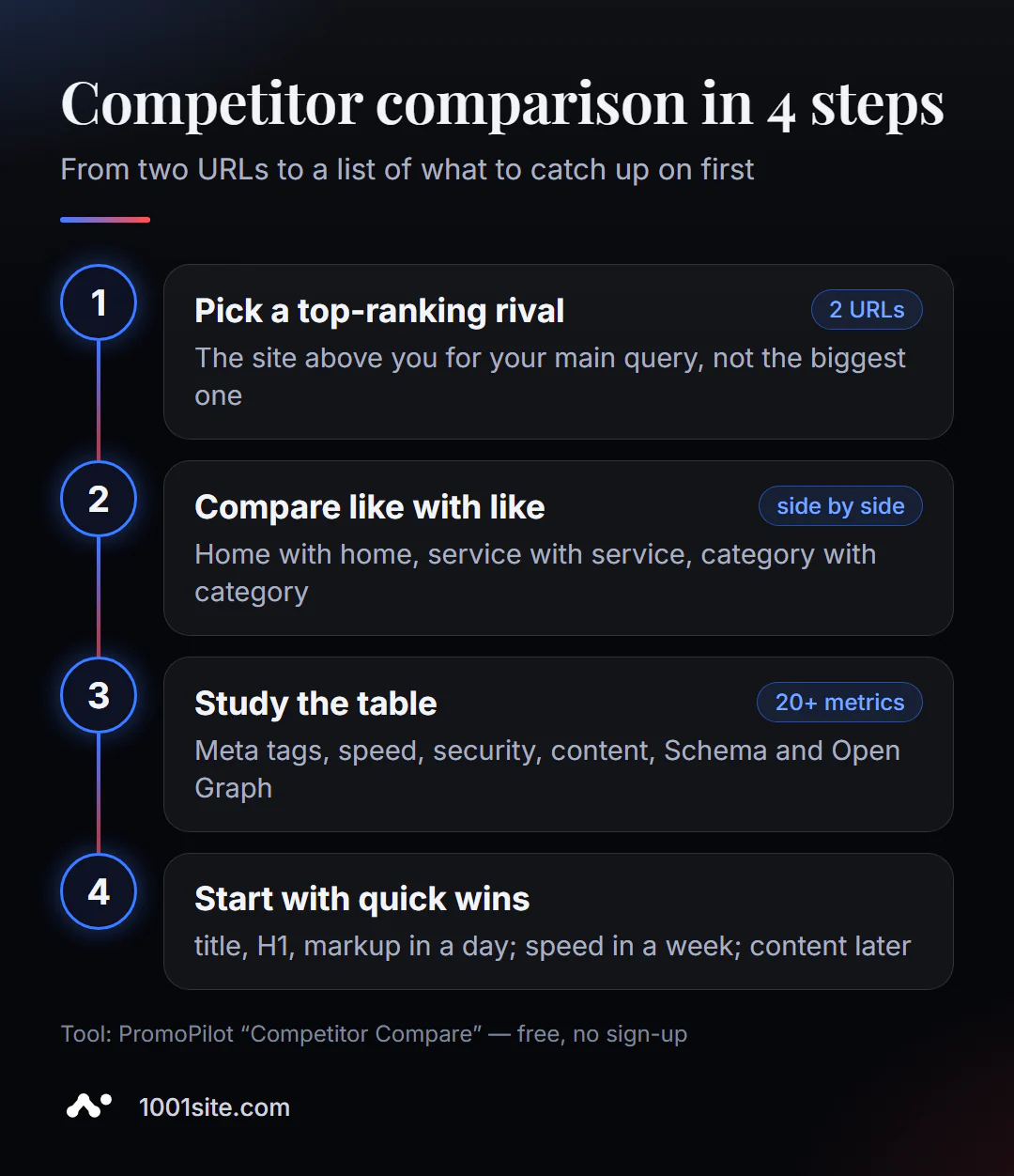
- Find the right competitor. Not the "biggest in the niche," but the site that ranks higher than you for your main Google search query.
- Open Competitor Comparison and paste two addresses: yours on the left, your competitor's on the right.
- Compare comparable things: homepage with homepage, service page with the page of the same service, category with category.
- Click "Compare" and wait for the table.
- Write down the gaps and start with those that are corrected the fastest.
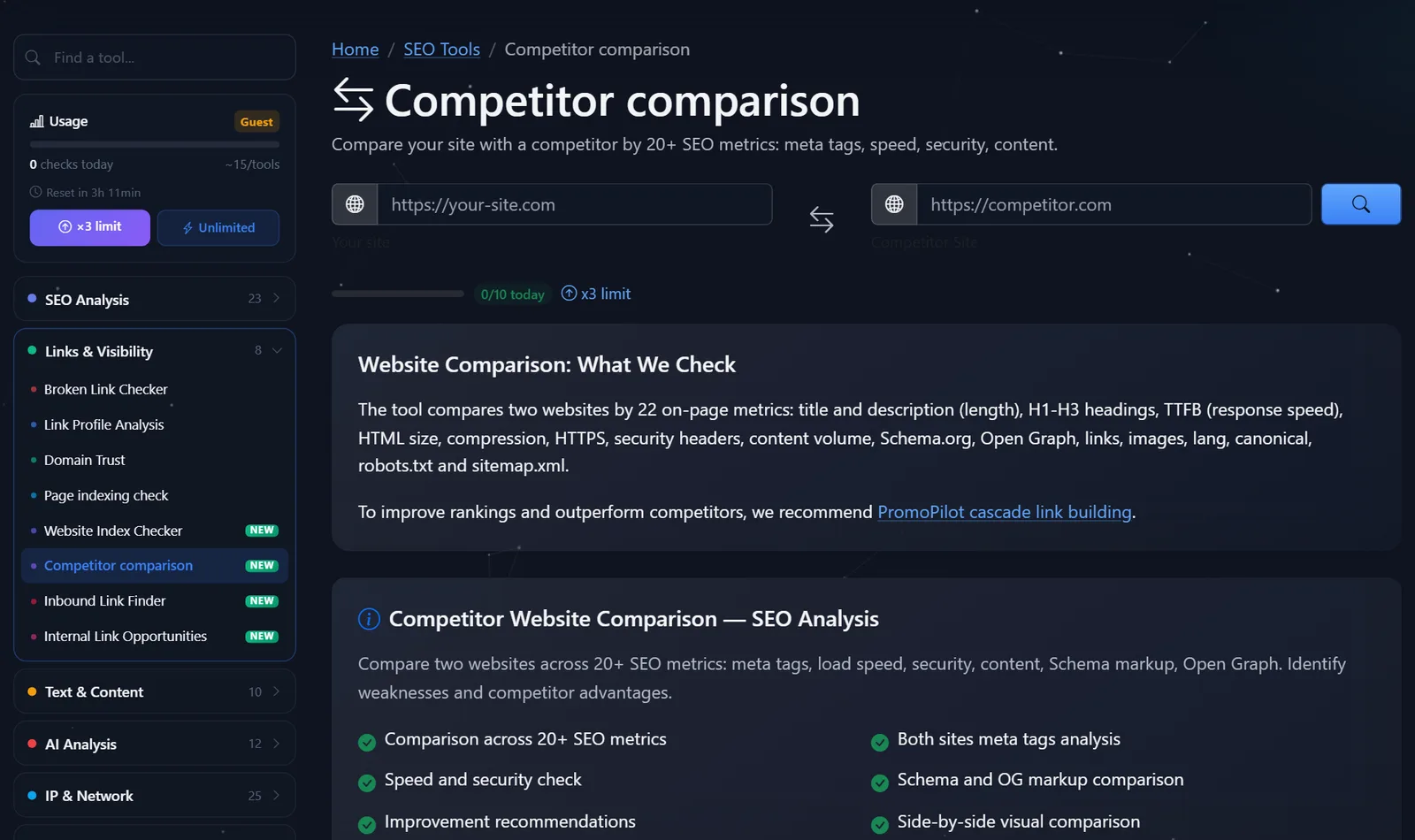
This is what the tool page looks like: two fields—“Your site” and “Competitor site,” a counter of free comparisons for today, and a description of the metrics.
Tip: Run a comparison against three top-ranking competitors for the same keyword. If all three outperform you on the same metric—for example, they all have three times as much text or all have Schema markup—that's a search result requirement, not a fluke.
How to read a comparison and what to catch up with first?
Not everything a competitor does "better" is worth copying. I divide the gaps into three groups.
Quick wins - for the day:
- Title and description. Your competitor's title contains the query and fits within the snippet length, while yours contains the company name and "Home." Rewriting will take 10 minutes.
- H1. There is no H1 or there are several of them - this can be corrected in the template.
- Open Graph and Schema.org. Organization, product, service, and FAQ markup. Doesn't directly impact rankings, but improves snippets and previews.
- Canonical, lang, sitemap, robots.txt. Basic things that are often simply forgotten.
Average tasks per week:
- Speed. If your TTFB is 1.5 seconds versus your competitor's 0.3, it's likely due to hosting, cache, or heavy plugins. Compression (gzip or brotli) is enabled in the server settings.
- Security headers and HTTPS - server or CDN settings.
Strategic - a month or more:
- Content volume and structure. If a competitor's service page contains 1,500 words with answers to questions, prices, and examples, while yours only has 200 words and an application form, the ranking gap is explained by this. What's needed here isn't copy-pasting, but a better page.
How I present the results for the client: a simple table with three columns—"metrics," "ours," "the leader's"—and a fourth column, "solution": catch up, bypass, or ignore. For example, "Schema.org: no / has service markup and FAQ / catch up in a day"; "text length: 200 / 1,500 words / bypass — write a better page, with prices and examples"; "HTML size: 80 / 40 KB / ignore, has almost no impact on speed." This table turns the comparison into tasks that can be assigned to the developer and the author.
A month or two after the edits, repeat the comparison with the same competitor: if the gaps have been closed, but the positions haven't shifted, it's time to look at what's not in the table; more on that below.
A common mistake is chasing metrics for their own sake. More text for the sake of length or ten H2 headings "like your competitor" won't help if they don't answer the client's questions.
Comparison: PromoPilot and other ways to research your competitors
| Tool | What's free? | Restrictions | Who is it suitable for? |
|---|---|---|---|
| PromoPilot — Competitor Comparison | Two websites side by side on 20+ metrics, recommendations | Doesn't show traffic, keywords, or external links | Quickly understand technical and on-page lag |
| Google PageSpeed Insights | Speed and Core Web Vitals of any page | One page at a time, speed only; compare manually | A deep analysis of your own and other people's page speeds |
| Similarweb | Traffic and Source Assessment | Free - limited data, this is an estimate | Understand the scale of your competitor |
| Semrush | Domain overview: queries, traffic, links | Free - several requests per day, registration required | See which queries your competitor is using to get traffic |
Conclusion: the technical and on-page gaps are best assessed using a free side-by-side comparison. Competitor traffic and queries can be found in Similarweb and Semrush, but the free portion is limited there, and the numbers are estimates.
Comparison is one of PromoPilot's 87 free SEO tools. If you want to dig deeper into any of the metrics, there are separate speed, meta tag, and domain trust checks nearby. And who's linking to a competitor can be found in the inbound link search—there's a separate article in this section about that.
What data is missing in comparison with the competitor?
The tool compares what's visible on the pages. It doesn't know how much traffic a competitor has, what queries they rank for, how many external links they have, or how long they've been working on the site. And these factors often weigh as much as meta tags.
Therefore, if your metrics are roughly equal to a competitor's, but they still rank higher, look for the cause outside the page: external links, brand and reviews, domain age and history, and visitor behavior. And remember: comparing two main pages reveals the template and technology, but not the entire site—a competitor may have dozens of strong articles that give them weight.
When is a free tool not enough?
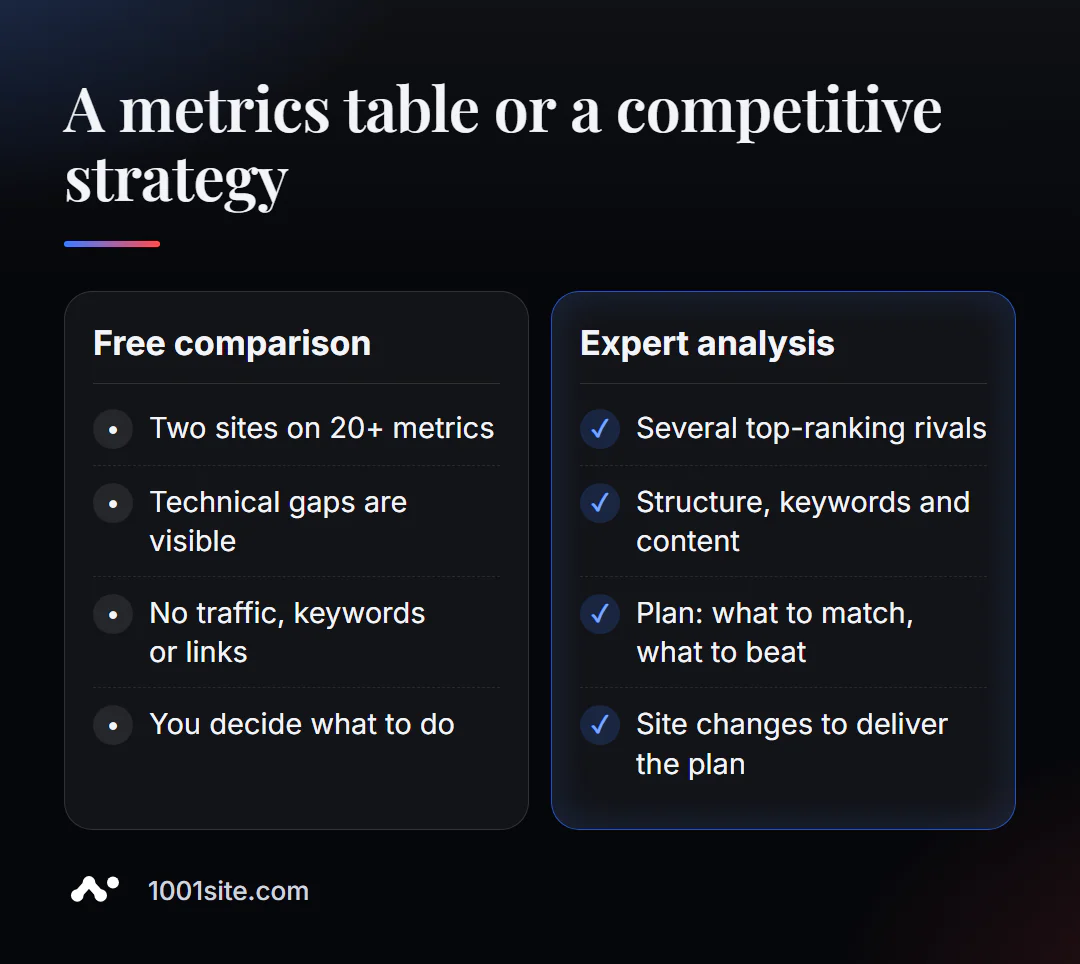
The table shows the differences in metrics. But strategy is the answer to the question "what to do to get around it." A specialist is needed if:
- according to the metrics you are equal or ahead, but the competitor is still higher;
- There are many competitors, and we need a general picture: structure, requests, content;
- the gap in speed and technology is limited by the engine or hosting;
- It's easier and cheaper to create a new website than to catch up with the old one.
What can I do for your website?
My name is Valeriy Danyuk, and I'm a developer and SEO specialist with 12 years and over 200 clients. Competitive analysis is the first thing I do before any redesign or promotion.
SEO and promotion
- A turnkey SEO audit with analysis of top competitors: structure, content, techniques – and a plan to beat them.
- Beat the competition where they aren't: How a hotel got featured on ChatGPT, Gemini, and Perplexity in 5 weeks.
Websites and online stores
- A website in the style of someone else's website you like in minutes —when your competitor has a strong design and you don't. The text is rewritten specifically for your business.
- A landing page for a new product launched overnight is a quick way to get to market before your competitors.
- If you're choosing a platform, consider Tilda with a subscription fee or a website with AI, and how much a turnkey website costs in 2026. You can build your own website on 1001site in minutes.
CRM, accounting and automation
- An AI-powered Telegram bot for an online sauce store responds to customers faster than competitors can read their messages.
Send me your website and your competitor's website on Telegram - I'll tell you what's different and what's not worth emulating.
Result
- Comparing a website with a competitor using 20+ metrics per minute reveals technical and on-page lags.
- Compare similar pages and multiple top-ranking competitors for the same query.
- Start with quick wins - title, H1, markup, canonical - then speed, then content.
- If your metrics are equal and your competitor's are higher, the cause is off-page, and a deeper analysis is needed. A technically inferior site is often easier to rebuild on 1001site.
Compare your site with a top-ranked competitor —the first growth points will be visible right in the table.
Sources
- PromoPilot's Competitor Benchmarking tool page — list of metrics and how it works.
- Google PageSpeed Insights - page speed test.
- Similarweb — website traffic assessment.
- Semrush - domain and query overview.