
Like someone else's website? Copy its style in a few minutes.
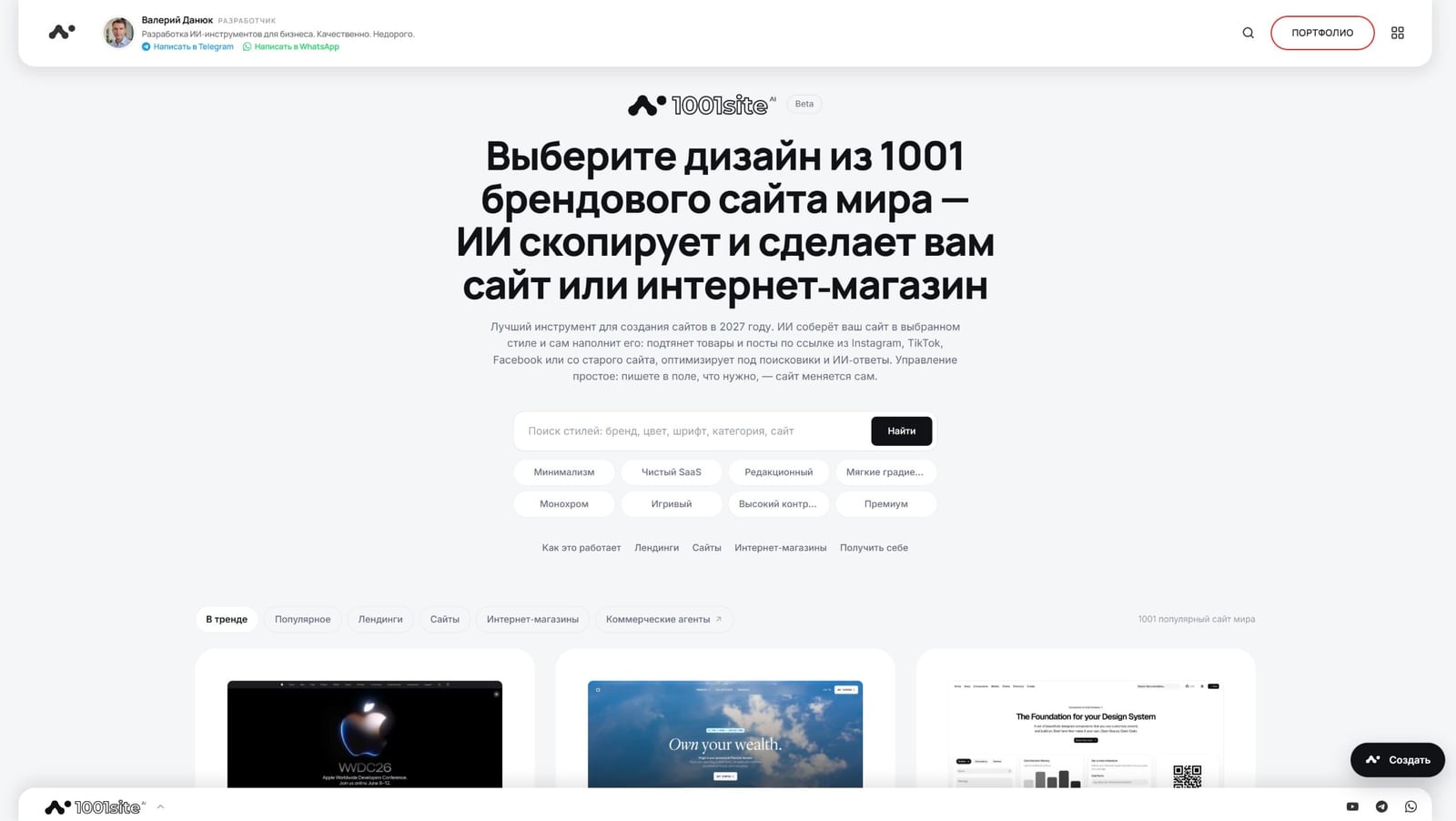
If you like the look of someone else's website—a competitor's store, a studio's portfolio, or a service's landing page—you can transfer its style to your own website without a designer or layout. At 1001site, this is called clone mode: you specify a style from the catalog or a link to a sample website, and the AI replicates the design exactly—stripes, fonts, colors, animations—while rewriting the text and products for your business. In the channel's post, the author demonstrated this with a real-life example: the reference 21tsi.com and the result comag.vibevox.pro, and also explained how the service began.
Every week, the author's Telegram channel publishes new AI-powered business automation cases. You can subscribe here: t.me/promtvibeadd.
How It All Began: WordPress Websites for €300
In September 2024, the author systematized online store development into a format understandable to the client: in 3 days, a website with Elementor visual editor, payment and delivery options, and built-in AI for SEO-friendly articles. According to him, the price was "off the charts" – 300 euros for a polished WordPress template with 80 ready-made themes and custom plugins, although the client received a feature set that the author himself estimated at 4,500 euros.
The scheme proved so effective that it began to be resold: according to the author, three of his entrepreneurial clients, initially uninitiated in IT, opened similar businesses with his consent in Austria, Spain, and Italy, selling copies of his solution under franchise agreements. No one has counted how many people copied the combination without consulting the author and are still selling it as freelancers. The author still offers WordPress development services – now a separate offer for €299, including an AI assistant and Telegram bot.
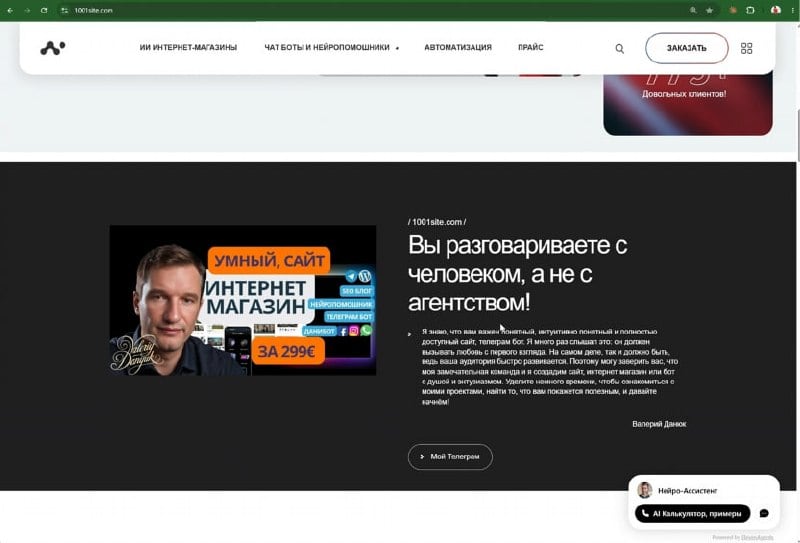
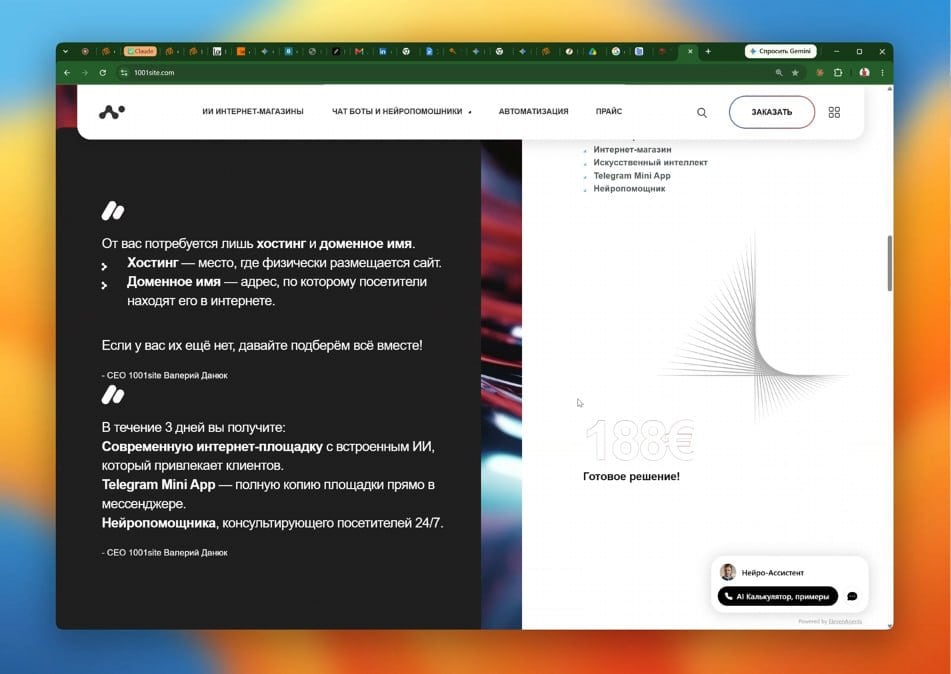
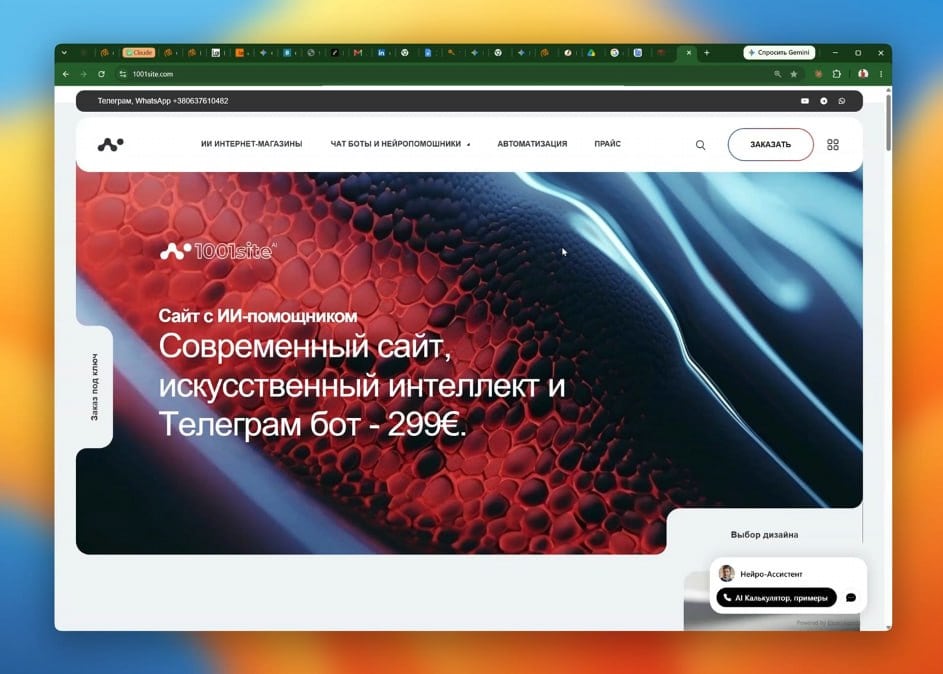
The website 1001site.com was created specifically for this service—as a business card with ready-made packages. The service subsequently evolved into a standalone tool, and in this post, the author shows what it has become.
What has changed in two years?
In short: development has accelerated dramatically, and website orders now start with someone else's link: "Here's a website, make it similar." According to the author, the industry has experienced a boom in chatbots and simple neural assistants, and now autonomous AI agents, which are getting smarter with each model update, have come to the fore. What used to take a week of manual coding can now be accomplished with a single request.
Almost every client already has a website or social media page. They come to us with a specific understanding: processes need to be automated, and the old site no longer sells and can't compete—visitors come and go empty-handed. The author has observed that the very wording of the request is also changing: instead of a vague "make it beautiful," the client brings a link to a top-tier website with a familiar UX and proven conversion rate and asks for "adapting it similarly, but in your own way."
Reference: 21TSI.com
The author used 21tsi.com, an incubator website for sports technology brands, as an example. The design is dark and minimalist: large typography, numbered sections (.01,.02), a carousel of brand portfolios, and portrait photos in contrasting lighting.
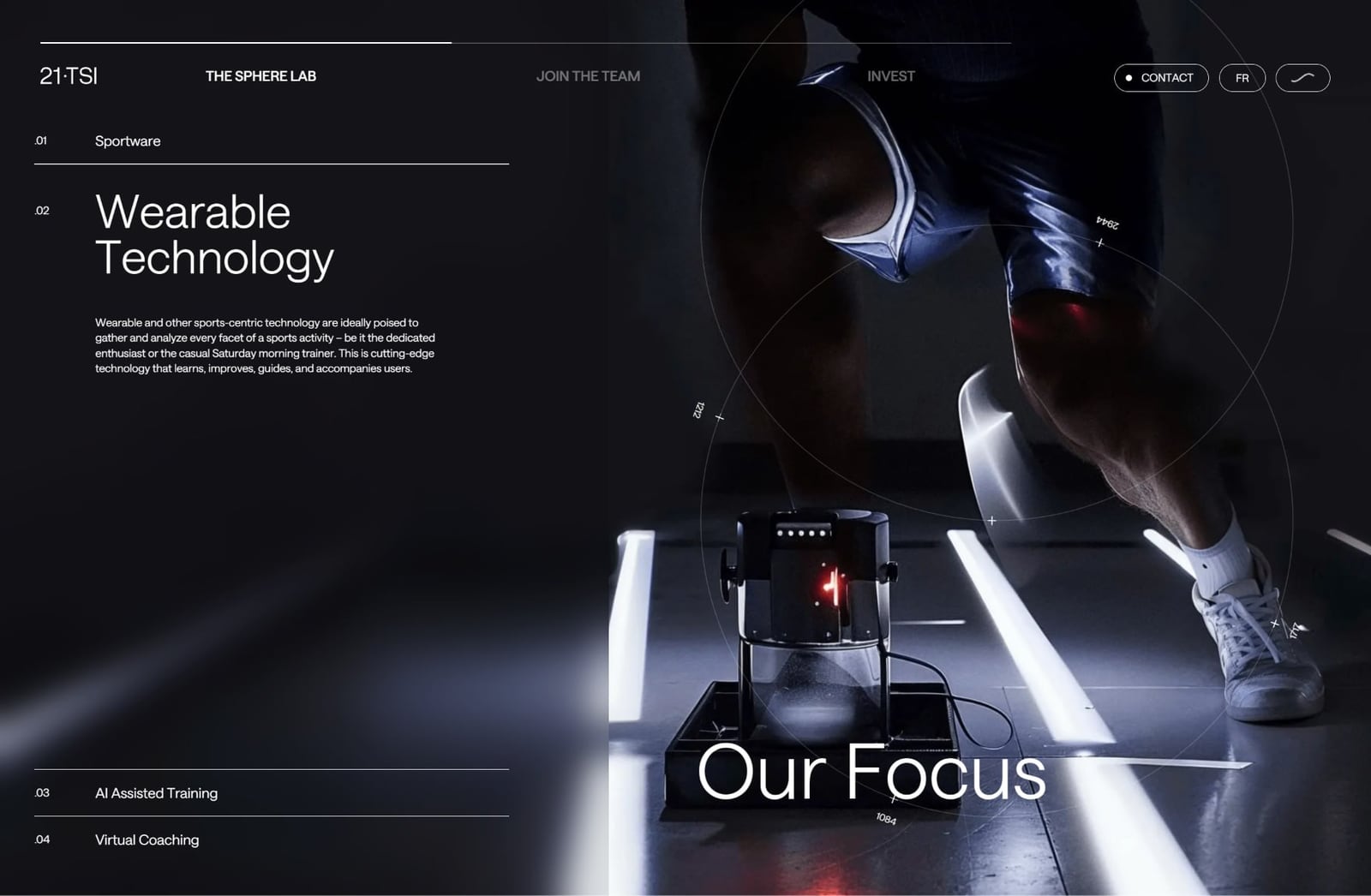
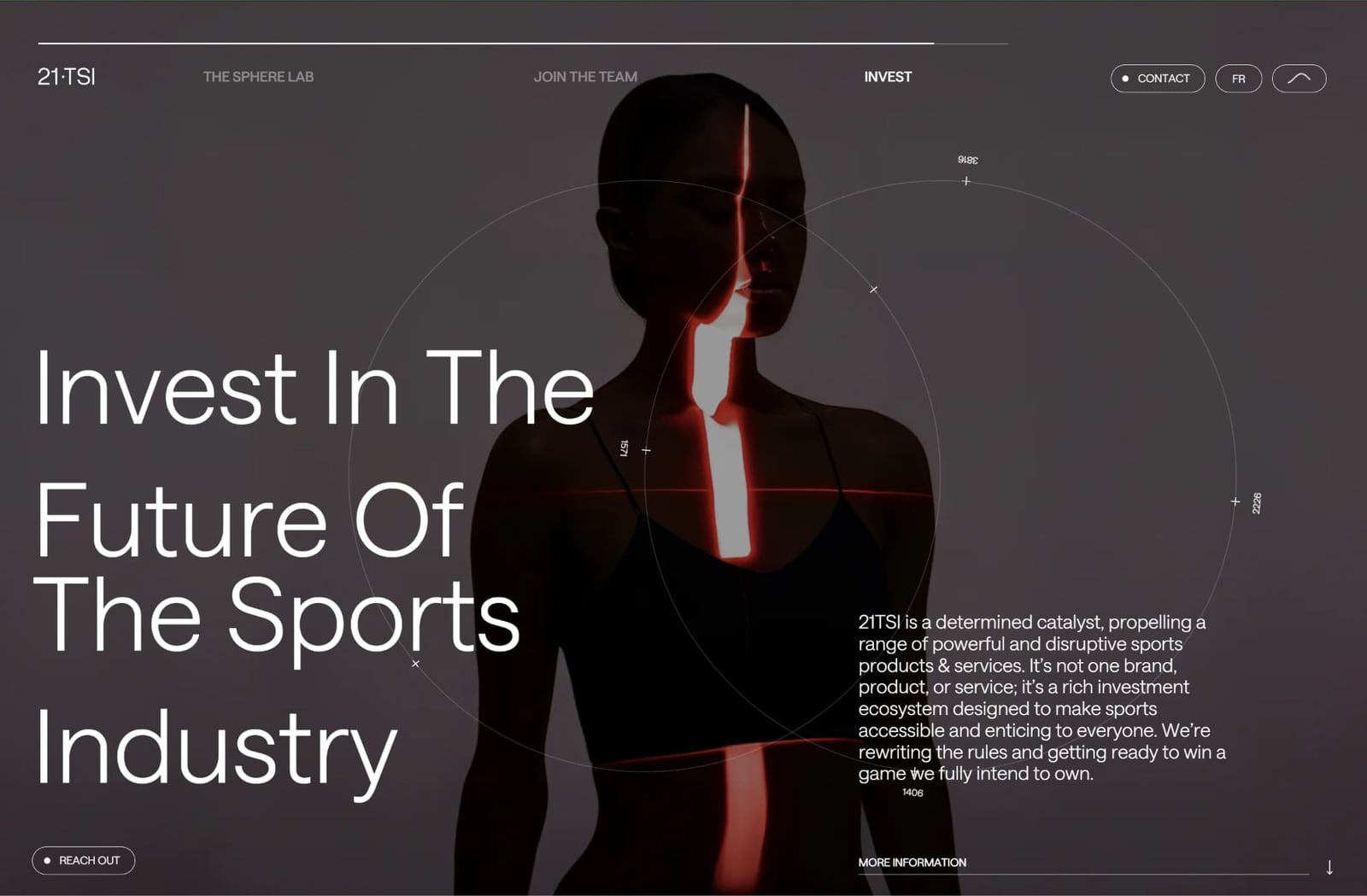
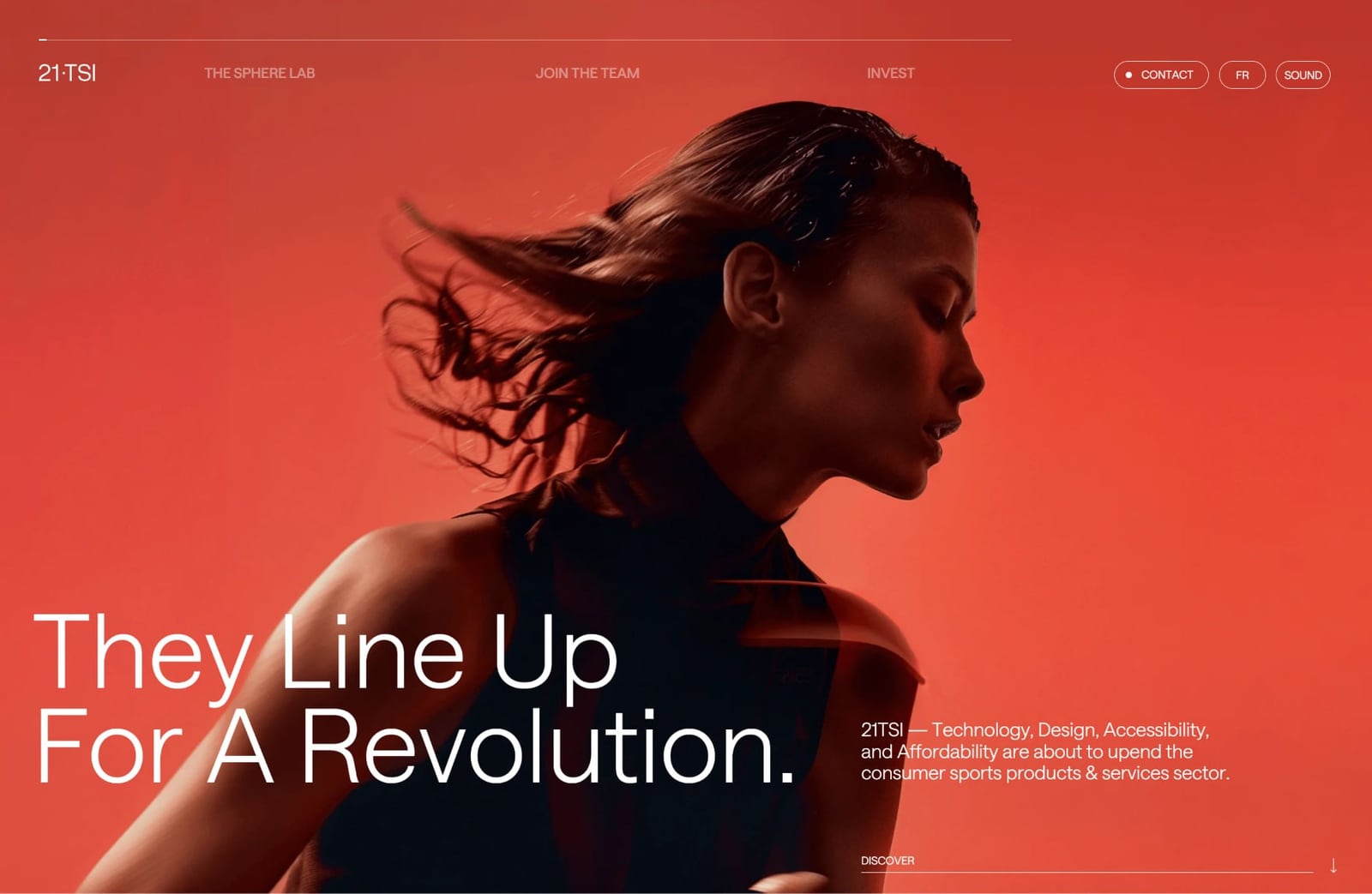
Replicating such a website manually in an evening isn't possible: the rhythm of sections, typography, and light and shadow have to be designed individually for each screen. This is what clone mode does for you.
Result: comag.vibevox.pro in the same manner
The result is comag.vibevox.pro, a demo platform for the Commerce Agents product. The style is immediately recognizable: the same dark red background, large, full-screen headlines, and portrait shots with contrasting lighting. However, the site's purpose is different – a showcase for an AI agent for sales on Instagram, TikTok, and Facebook.
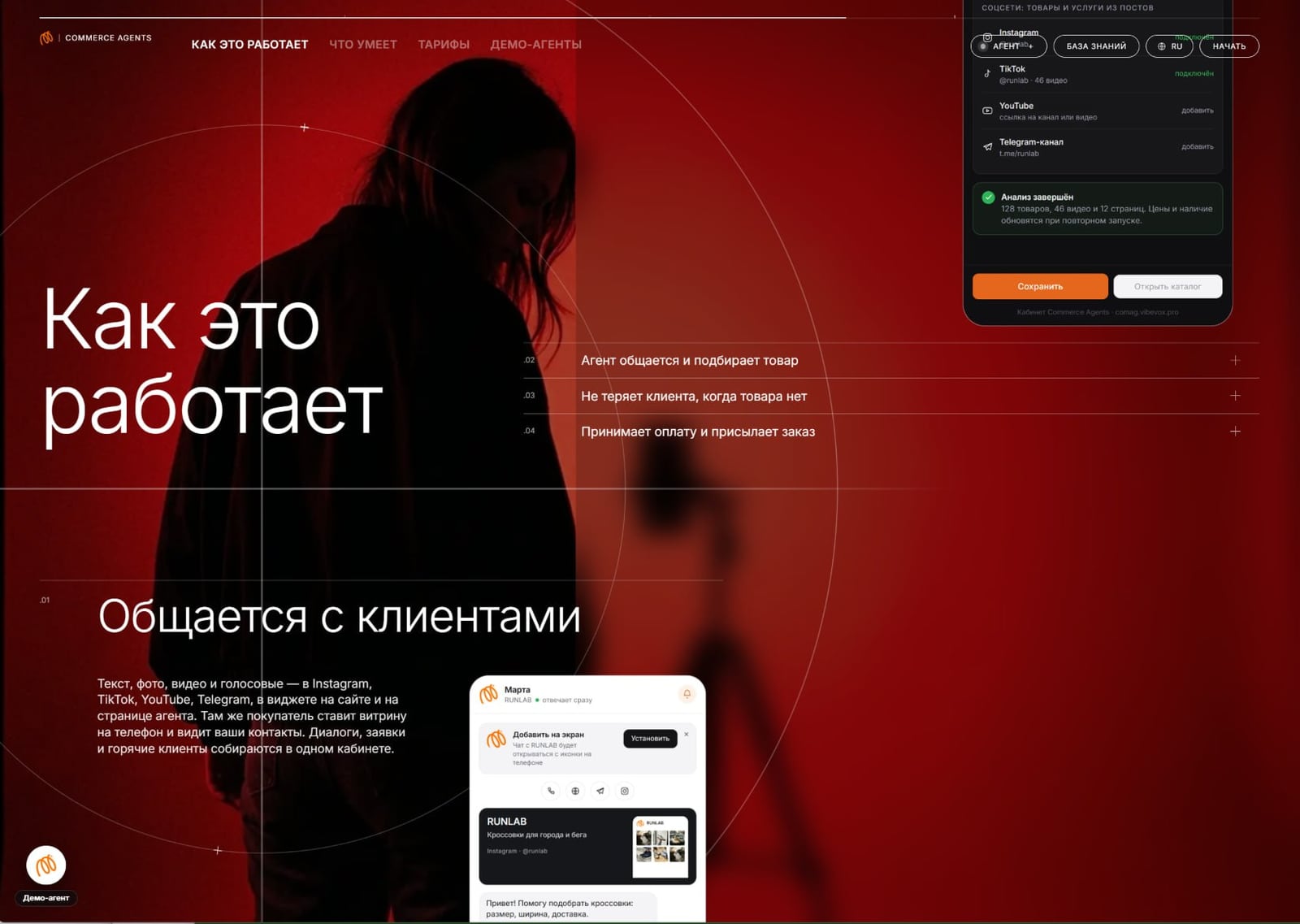
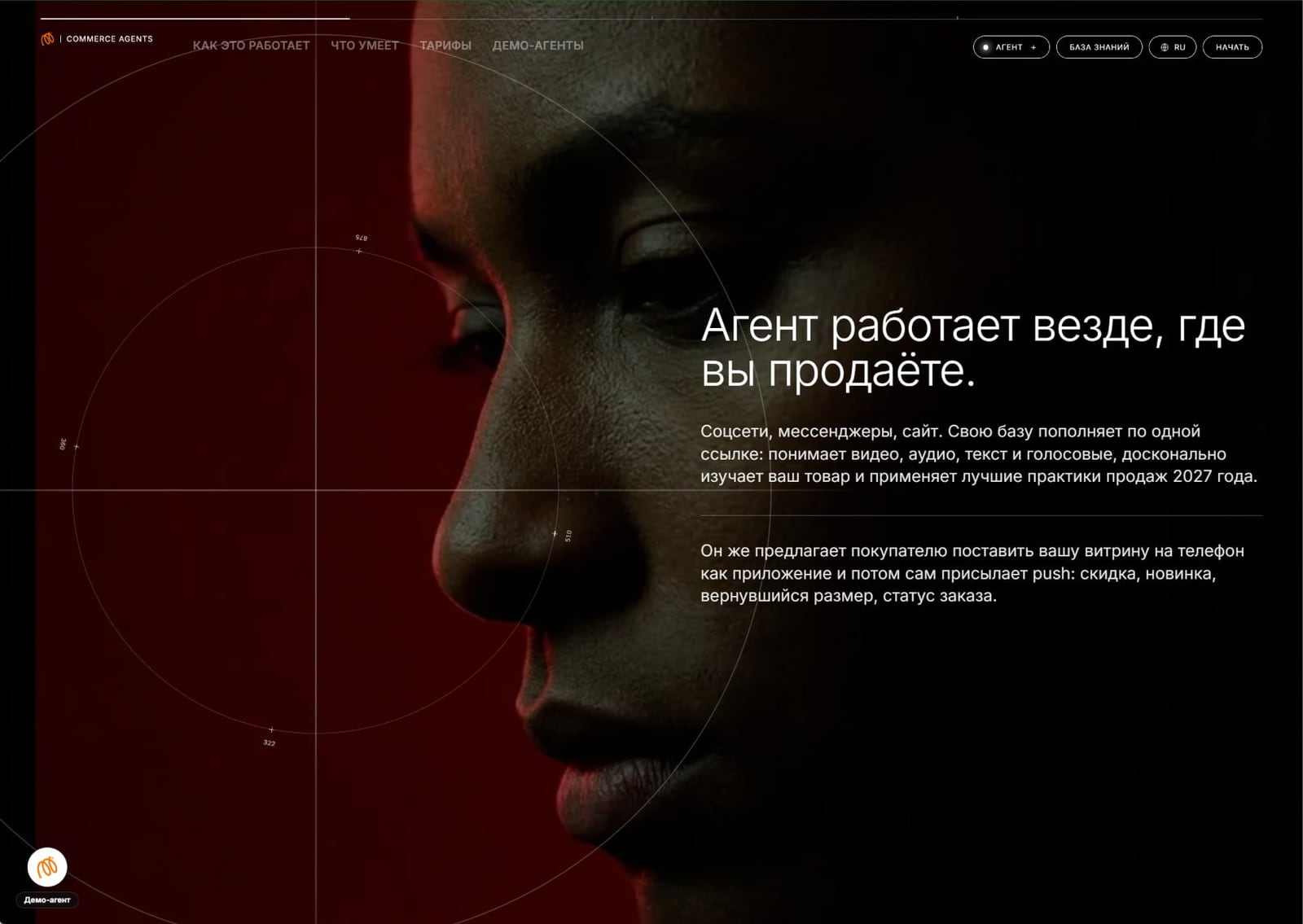
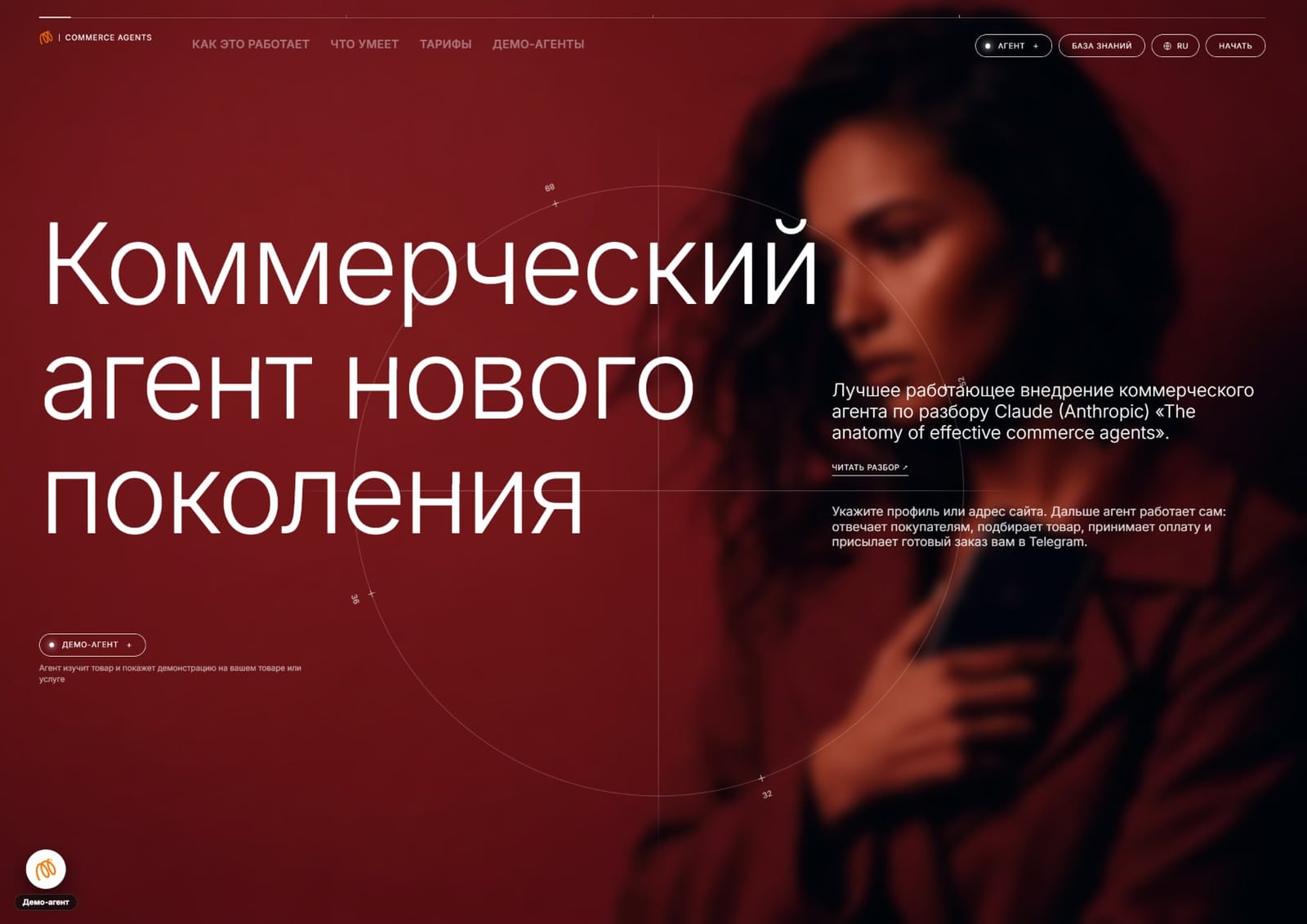
This blog has already analyzed this website, but from a different perspective: in a case study about e-commerce agents, instead of chatbots, it shows how comag.vibevox.pro conducts a dialogue with the buyer and guides them through to payment. This article discusses the appearance of the same platform—the origins of its design.
You can get the same package—a reference style plus a website or online store with AI content—through 1001site AI: choose a style from the catalog or enter a link to a sample, and the AI will build the website within minutes of payment.
What exactly is copied and what remains yours?
The design is copied—stripes, fonts, colors, animations—and the AI rewrites the text and products to suit your business. This is how the service describes clone mode: it replicates the reference site exactly in form, but doesn't transfer the competitor's content to your site.
The simple template and clone mode are designed differently:
| A standard ready-made template | Clone mode based on reference | |
|---|---|---|
| Source of design | one static option for all clients | style from the catalog or a link to the site of your choice |
| Structure and typography | preset by template | repeat the selected reference |
| Texts, products, prices | you enter it manually yourself | AI collects from your link to an old website, Instagram, TikTok or spreadsheet |
| Reapplying a style | usually unavailable | You can change it at any time by clicking "Select another" |
If you later decide to manually adjust the color or font and then apply the style again, the style will win: it will overwrite your manual color scheme edits, but your own CSS, added separately, will remain.
Will this not be a violation of someone else's copyright?
There's no definitive legal answer for every case—it depends on what exactly is being copied. General practice in web design distinguishes between form and brand: borrowing the composition, palette, rhythm of sections, and overall feel of a website is common, and trends diverge. Protected elements of a competitor—a logo, brand illustrations, verbatim text, a recognizable character—shouldn't be copied under any circumstances, and clone mode doesn't transfer them. The reference content doesn't appear on your website: texts and products are compiled from your data.
If your reference site is a direct competitor's website in your niche and city, it's best not to duplicate it exactly, even if technically permitted: recognition is more important than ostentatious similarity. This restriction doesn't apply to formal inspiration—take the style of any website from the thousands of examples in the catalog or insert your own link.
Updated platform: how many styles and languages are there really?
On September 19, 2026, the service was updated. In the post, the author wrote that on the day of the release 1001site already supported 109 languages and included 1,450 website, store, and landing page references—this is his own estimate at the time of publication. According to the service itself, as of the day of this article's publication, the catalog contains over 1,000 styles (1,294 in the registry) and 107 interface languages. The catalog numbers are subject to change, so it's best to check the exact numbers on the 1001site.com page itself.
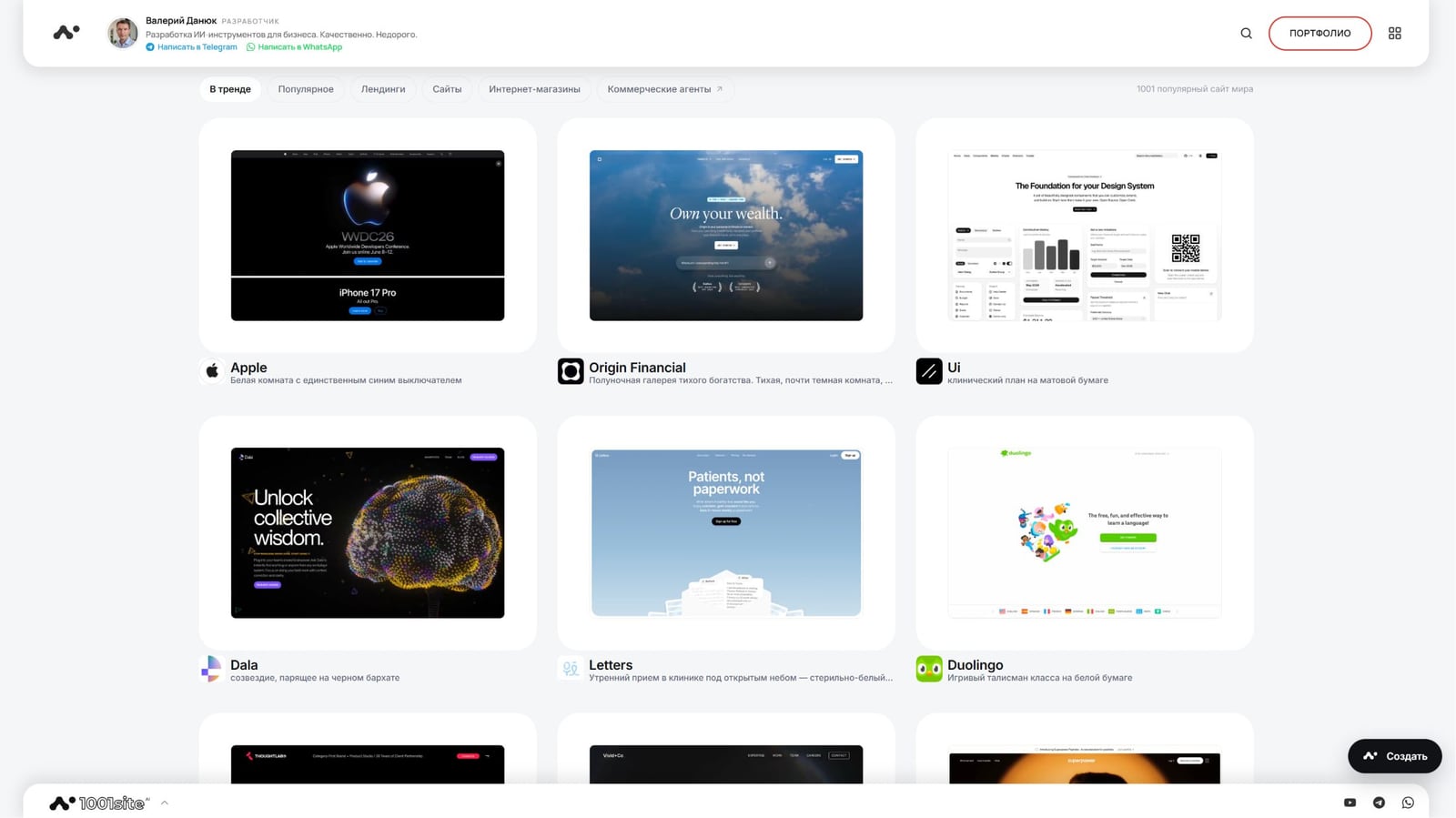
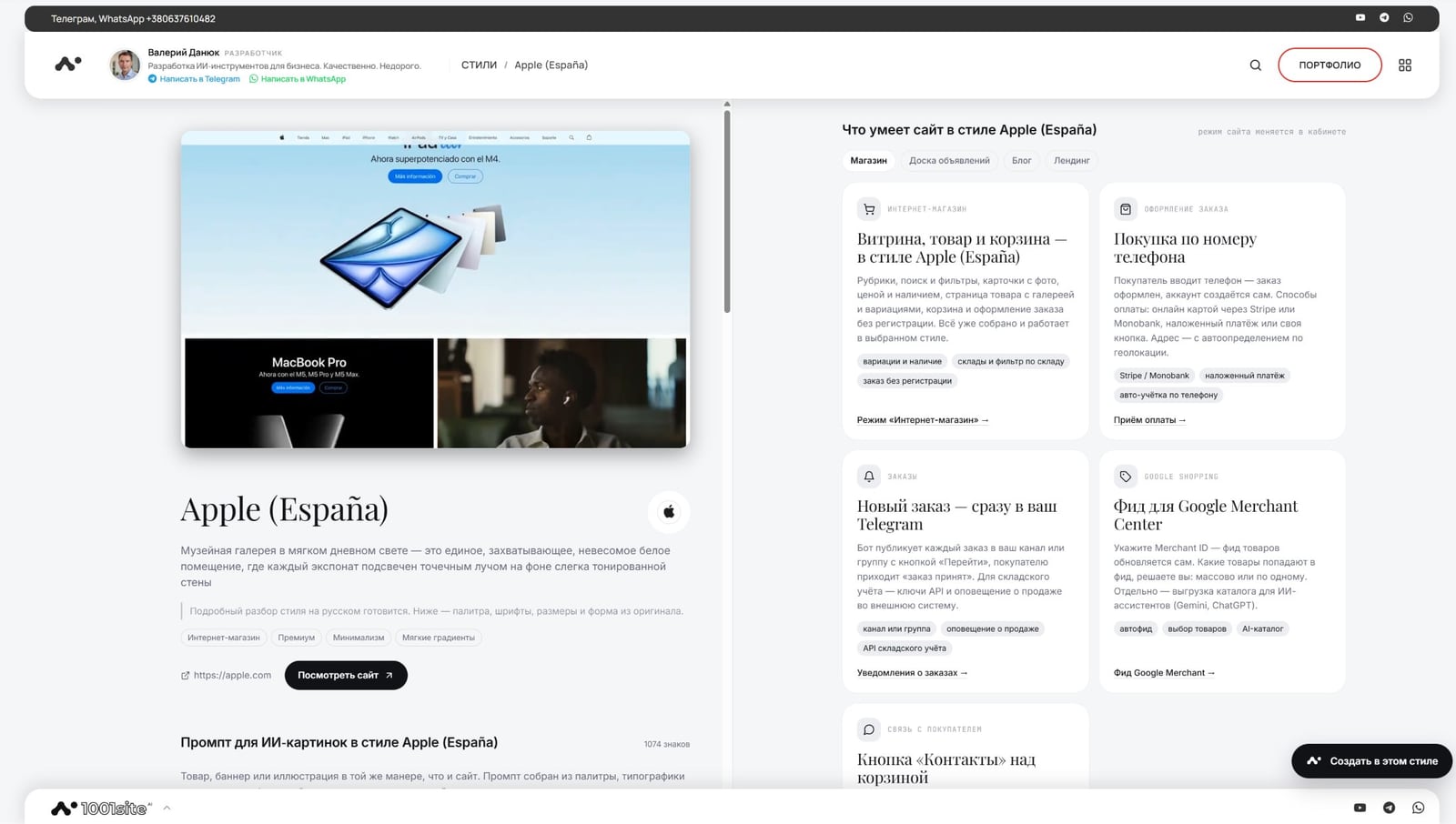
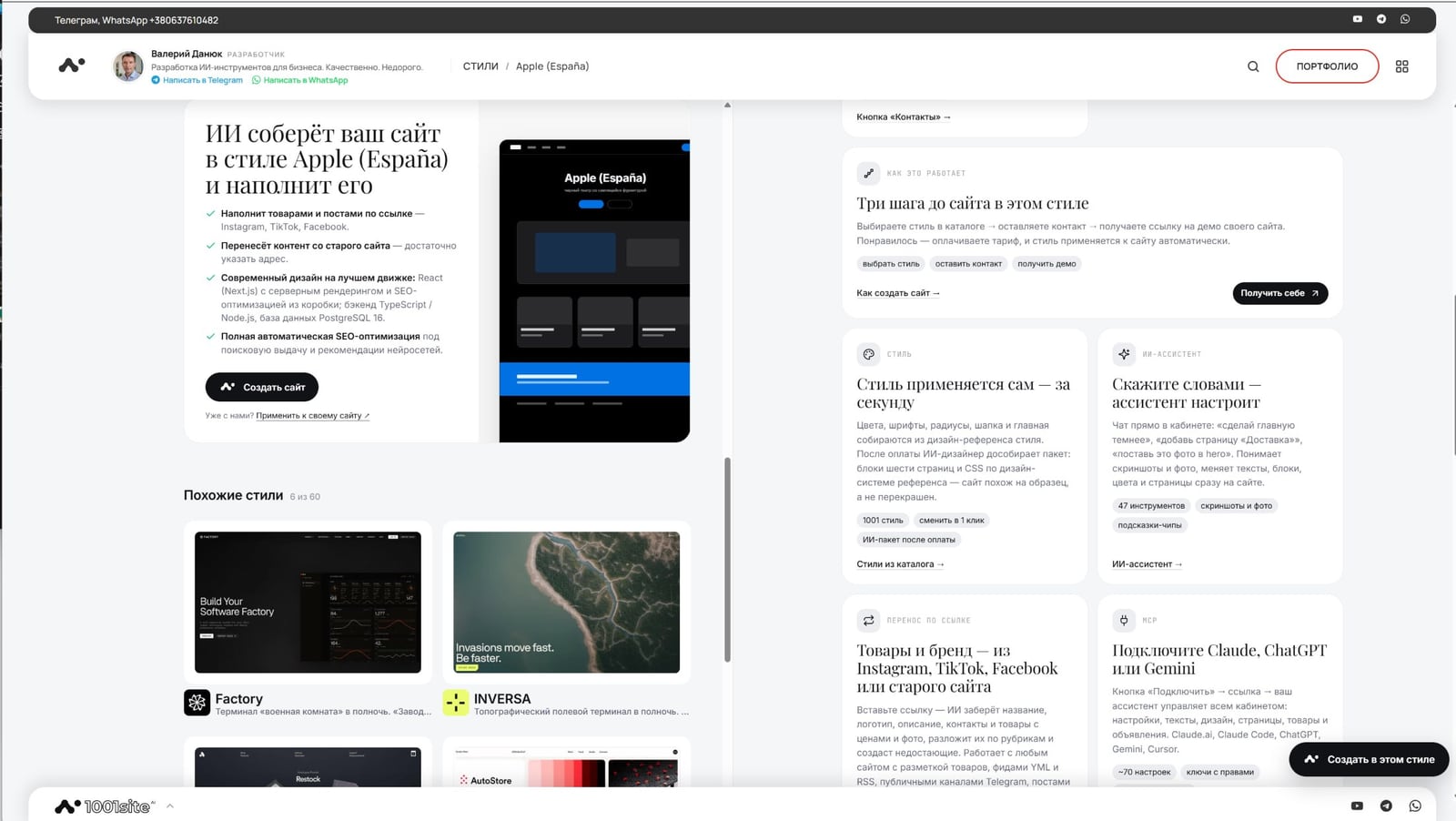
The style page not only features a preview but also a list of features this website can offer. An online store with a shopping cart and payment options Stripe or Monobank, order processing via phone number without registration, new order notifications in Telegram, and automatic catalog uploads for Google Merchant Center (the service through which products appear in Google search and ads) are all pre-configured for this style. There's also a prompt for AI-powered images in this style—useful if you need banners or illustrations in the same style as the website itself.
What does clone mode look like inside the interface?
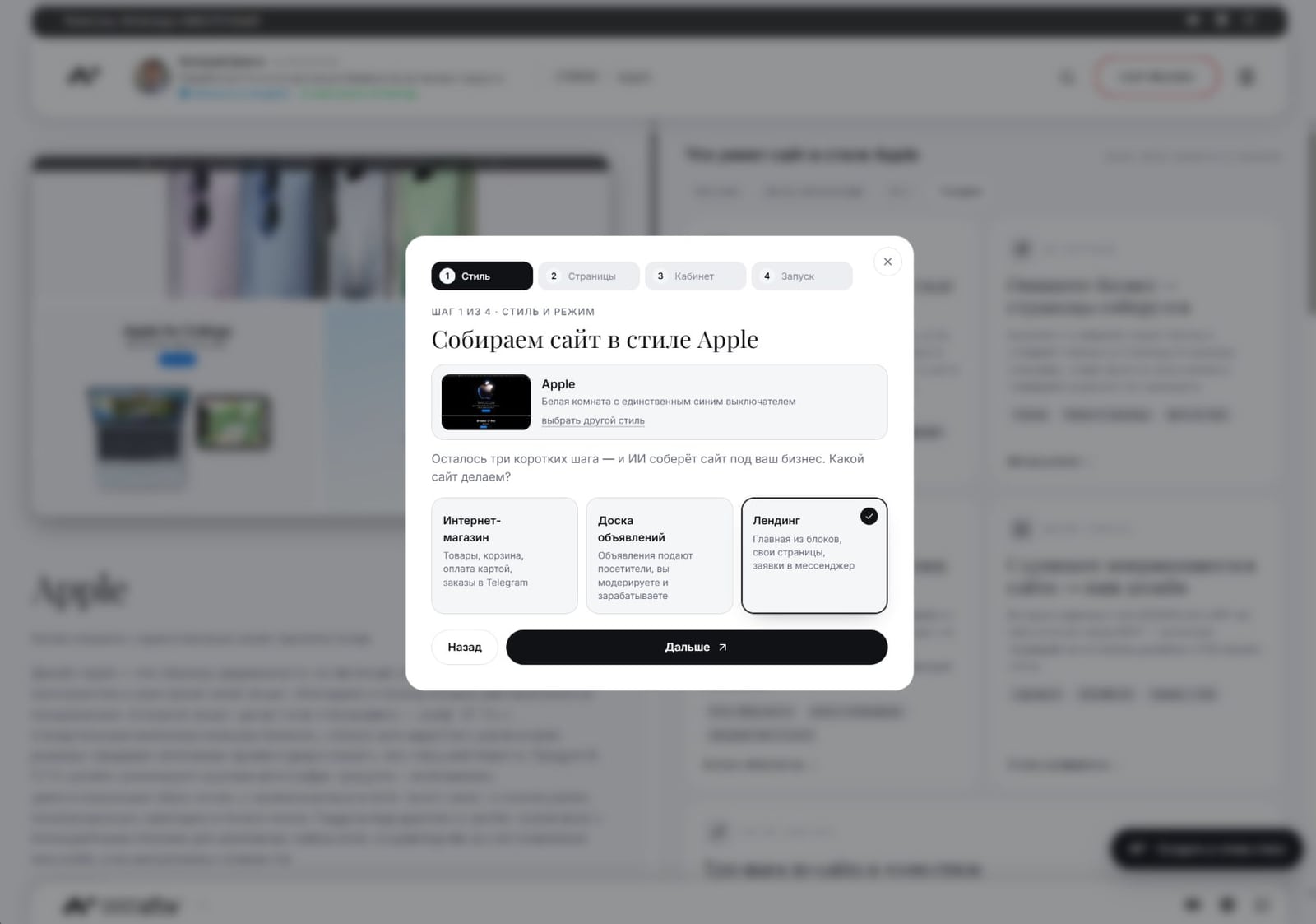
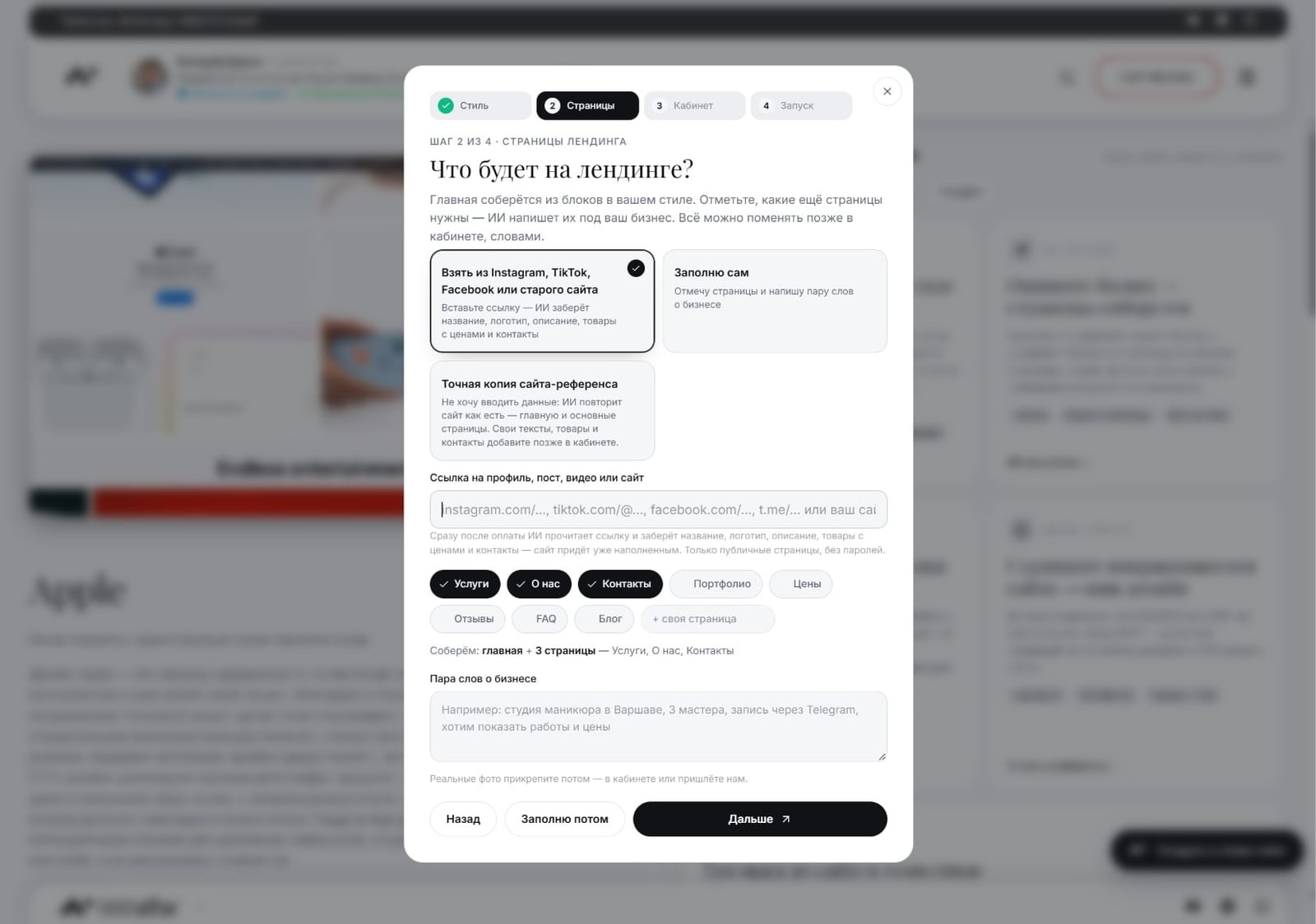
When creating a website, in the "Pages" step, among the content options is the "Exact copy of the reference site" option—you can see its name in the pop-up screenshot below. There's no need to enter data manually: the AI replicates the homepage and main pages of the reference site as is, and you can add your own text, products, and contacts later in your account. Next to it is the "Take from Instagram, TikTok, Facebook, or an old website" option: in this case, the AI only pulls in the content, while the design remains the same as you selected in the catalog.
- The "Style" step: select a template from the catalog and select the site mode: online store, classifieds, or landing page.
- The "Pages" step - select the content method, including "Exact copy of the reference site," and which pages you need: services, about us, contacts, prices, reviews, FAQ.
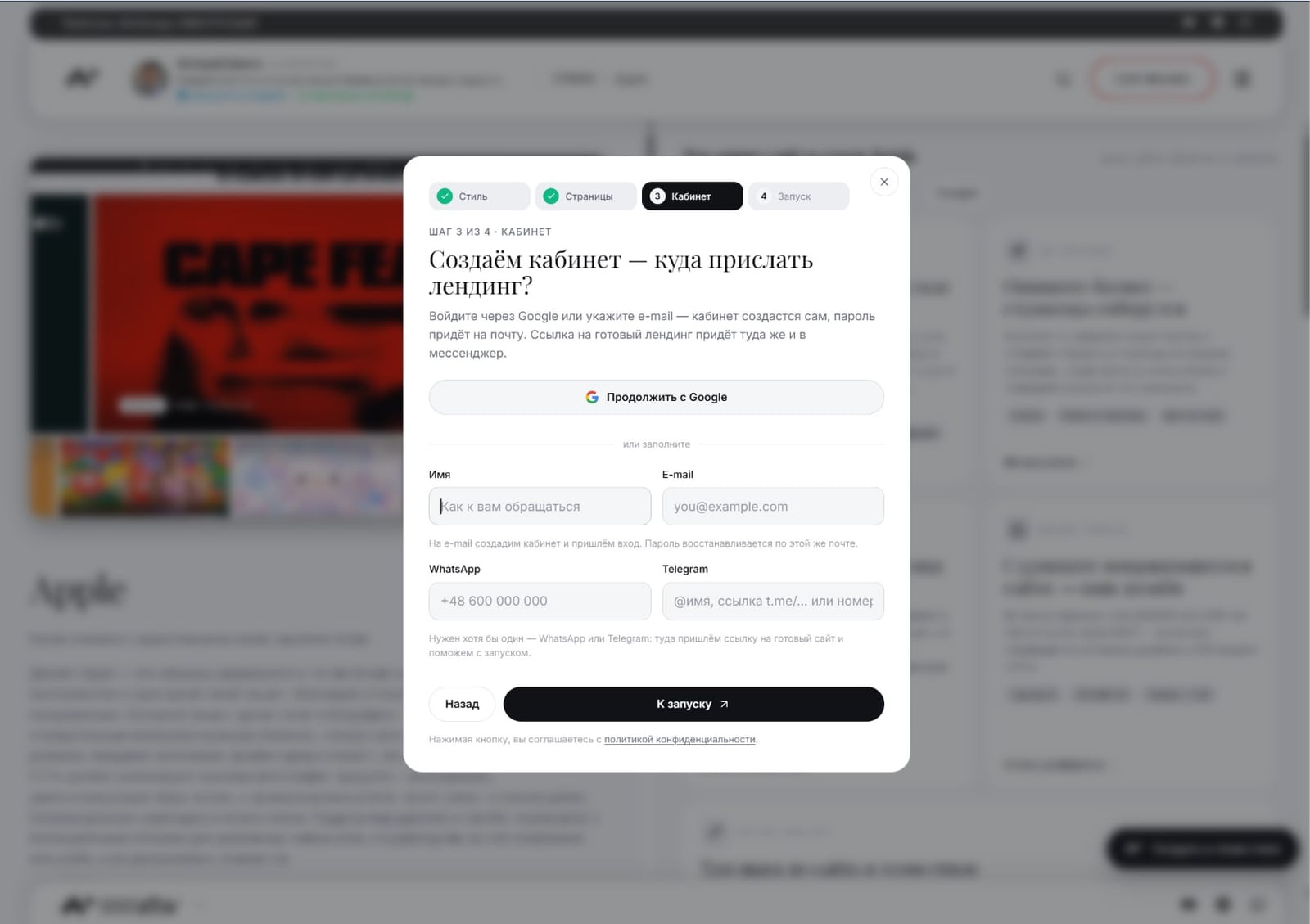
- The "Account" step - log in via Google, e-mail, WhatsApp, or Telegram; a link to the finished website will be sent here.
After payment, the account's AI assistant, the "Website Build Agent" module with chat, takes over the task; the blog previously discussed this in the DANSOY sauce store case study. You can message the assistant with words like "make the homepage darker" or send a screenshot of the desired block.
The style description in the form of files—ready-to-use AI text (DESIGN.md), a Tailwind theme, CSS variables, and JSON with design parameters—can be downloaded from the style page. These are easy to pass to Claude, ChatGPT, or Cursor with the "make in this style" command if you're already doing some of your work through third-party AI tools.
Who is this approach suitable for?
For a business owner without an in-house designer, this is the quickest way to a website that looks expensive: find a similar example, provide a link, or choose a style from a catalog—and avoid months of negotiations with a contractor. Then it's a matter of pricing and content. The second target audience is a freelancer or a small web studio that builds custom websites for clients. The author explicitly states that the tool eliminates the tedious work of parsing styles, admin layout, domain mapping, SEO setup, and hosting for each project, leaving time for what truly distinguishes one contractor from another: taste and content management.
If a specific example isn't important to you and "just a neat, modern website" is enough, take a style from the catalog: you don't need someone else's link for this.
Where to start if you want a website in a similar style?
The easiest way is to find a reference site you like in advance and keep two links handy: one to it and one to your old website or social media pages with your products. Then, in the "Style" step of the website creation pop-up, search for a similar example in the catalog (search by brand, color, font, and category), or skip straight to the "Pages" step and select "Exact copy of reference site," entering your link. The AI will build the website in a few minutes after payment, and you can fill it with text, products, and contacts immediately using the link to Instagram, TikTok, Facebook, or your old website—or gradually, using the AI assistant in your account.
Sources
- Post from the "Business with AI" channel: https://t.me/promtvibeadd/448
- Styles from the 1001site catalog (knowledge base) - https://1001site.com/wiki/styles/
- Transfer by link (knowledge base) - https://1001site.com/wiki/import-link/
- 21tsi.com - reference from the post
- comag.vibevox.pro - result from the post, Commerce Agents demo
- Case Study: E-Commerce Agents Instead of Chatbots - https://1001site.com/blog/agenty-elektronnoj-kommercii-vmesto-chat-botov/
Want the same process for your website or online store—from a link to a favorite example to a finished page? You can do it with 1001site AI.
Project links
Discussion
Post and comments in Telegram channelБизнес с ИИ | Через замочную скважину · 21 September 2026
Questions and Answers
Isn't it plagiarism to copy someone else's design exactly?
Clone mode replicates the style: stripes, fonts, colors, animations, and composition. The competitor's brand elements—the logo, signature illustrations, and text—are not included in clone mode. In the example from the post, the result (comag.vibevox.pro) is recognizably similar to the reference (21tsi.com) in feel and typography, but it's not a pixel-for-pixel copy: the content and brand remain yours.
Will my texts and products also be copied from the reference site?
No. According to the service, clone mode transfers the design—stripes, fonts, colors, and motion—and the AI rewrites the texts to suit your business, with products organized into standard blocks. The reference content doesn't appear on your website.
How is clone mode different from a regular ready-made template?
All clients receive a single, static template. Clone mode is built for a specific reference you choose: any style from the catalog or a link to a favorite website. In the website creation pop-up, this page layout option is called "Exact copy of reference site."
Is this suitable if I make custom websites for clients - as a freelancer or a studio?
The author of the post directly addresses the function of this audience: there's no need to waste time parsing styles, coding the admin panel, linking domains, SEO, and setting up hosting for each order. Style files (DESIGN.md, Tailwind v4, CSS Variables) can be handed over to Claude, ChatGPT, or Cursor—"do it in this style"—if you're doing most of your work using AI tools anyway.
Subscribe to my Telegram channel
In the channel « Бизнес с ИИ | Через замочную скважину», I watch and talk about how clients who have contacted me use AI in their businesses. I encourage discussion—let me know in the comments, and I'll respond directly.
Similar projects
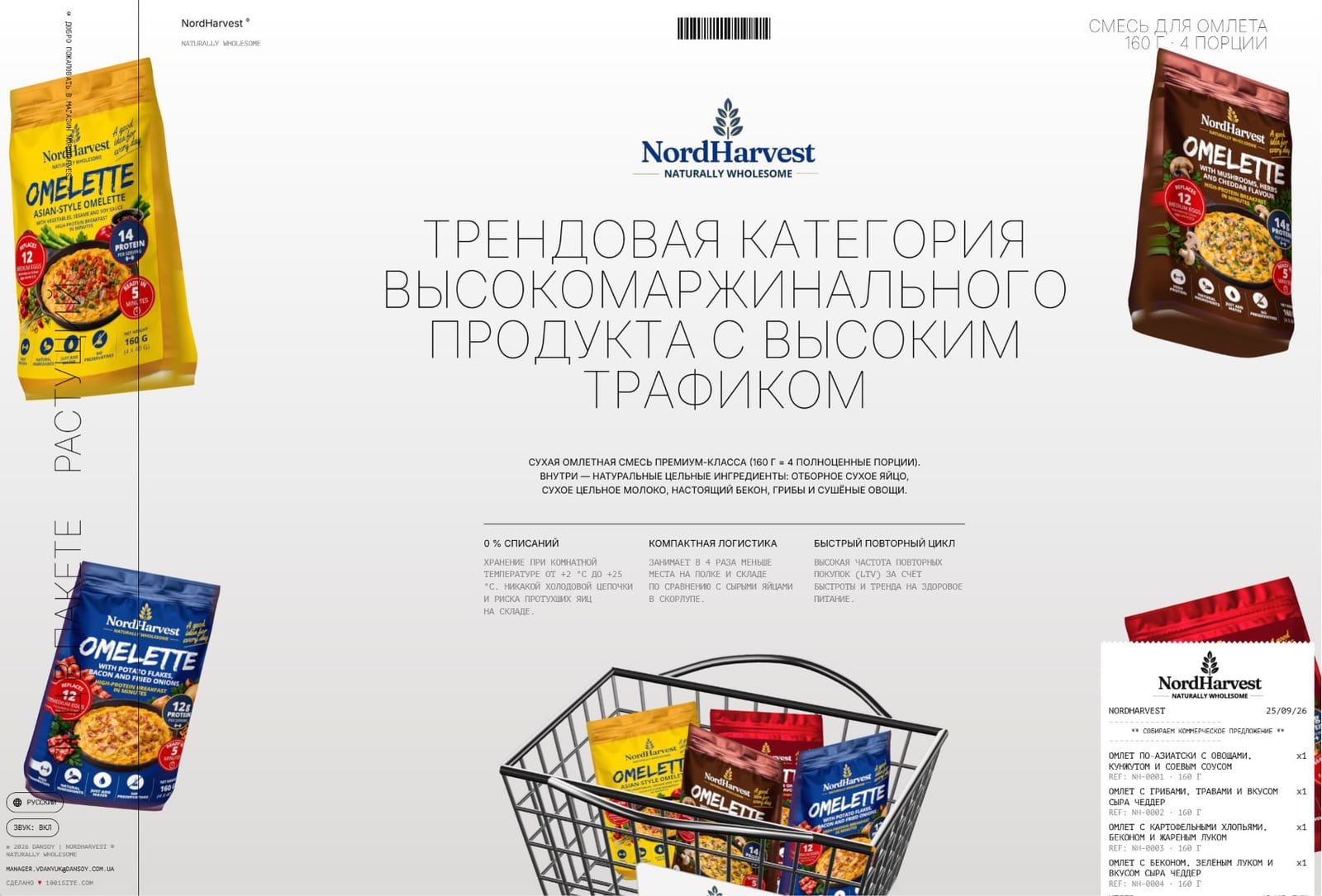
A Landing Page for a New Product in One Evening: A Case Study from NordHarvest
A Landing Page for a New Product in One Evening with 1001site – Order Builder and Automatic Quote Generation from a Business Card Photo.
Restaurant website: menu and ordering via Telegram and WhatsApp without aggregators
Menus are displayed as pages or a display with a shopping cart, and orders are placed directly via Telegram or WhatsApp, bypassing the delivery aggregator.
AI-powered landing page: how to build a service website with a link to Instagram without text
You insert an Instagram link, and AI prepares the text and structure of the service website. We'll break down what's transferred automatically and what you need to check yourself.