An AI-powered landing page at 1001site starts with a link to your Instagram profile or post. From there, the AI fetches key business data and automatically writes the homepage text according to landing page guidelines. The entire website is built in 2-7 minutes, and the brief from the link is automatically compiled in another 1-3 minutes in the background. Next, we'll explore what exactly is transferred automatically, what needs to be manually verified, and how requests from the finished website reach you via Telegram and WhatsApp.
What is an AI-powered landing page and who is it suitable for?
A landing page is a website mode without ads or a shopping cart. A product catalog with online payment is a separate "Online Store" mode. Here, the homepage is composed of blocks: a header, benefits, gallery, call to action, FAQ, and contact information. The website has its own "About Us" and "Services" pages, and news is displayed as a feed of posts on the homepage. According to 1001site this mode is suitable for business card websites, service websites (repair, installation, consultations), portfolios, company blogs, and event websites.
This is exactly the scenario where a workshop, salon, or consultant owner doesn't need a catalog with prices for hundreds of items—they just need a single, compelling screen with a clear offer and a contact method. An AI-powered landing page solves this problem without hiring a designer: the AI assistant assembles the blocks based on your description; you only specify the order and adjust the words. News and promotions don't need to be managed in a separate channel—the "Posts" section publishes the post directly to the website's main feed, Telegram, and WhatsApp in a single action.
What does AI take from an Instagram link, and what should you check yourself?
The AI pulls key business data from the link and then writes the main page block text itself—but the entire text needs to be reviewed and edited before showing the site to clients. This editing is a standard step with any AI-based website builder, not just 1001site.
When creating a website, paste a link to your Instagram profile or post on the content screen and click "Analyze." This is where you'll find the website name and icon, contact information, social media profiles, and, most importantly, a business description: this is what becomes the brief. According to 1001site, the AI creates homepage sections and pages tailored to your business, following the rules of sales landing pages—value proposition on the first page, specific benefits, steps to take, responses to objections, and an action button.
The limitation here is fundamental: without logging in, the entire Instagram profile cannot be viewed—only a link to a specific post or public profile is needed; login and password are not required. An independent review of the AI website builder Durable notes a similar limitation among major market players: websites built with a limited set of templates begin to look similar to each other, and manual refinement is still required (Adi Avraham, aiwebsitebuilder.com, 2026). Manually reviewing and editing drafts is a common practice in the genre, and 1001site is no exception.
How to build a website in 5 steps: from link to publication?
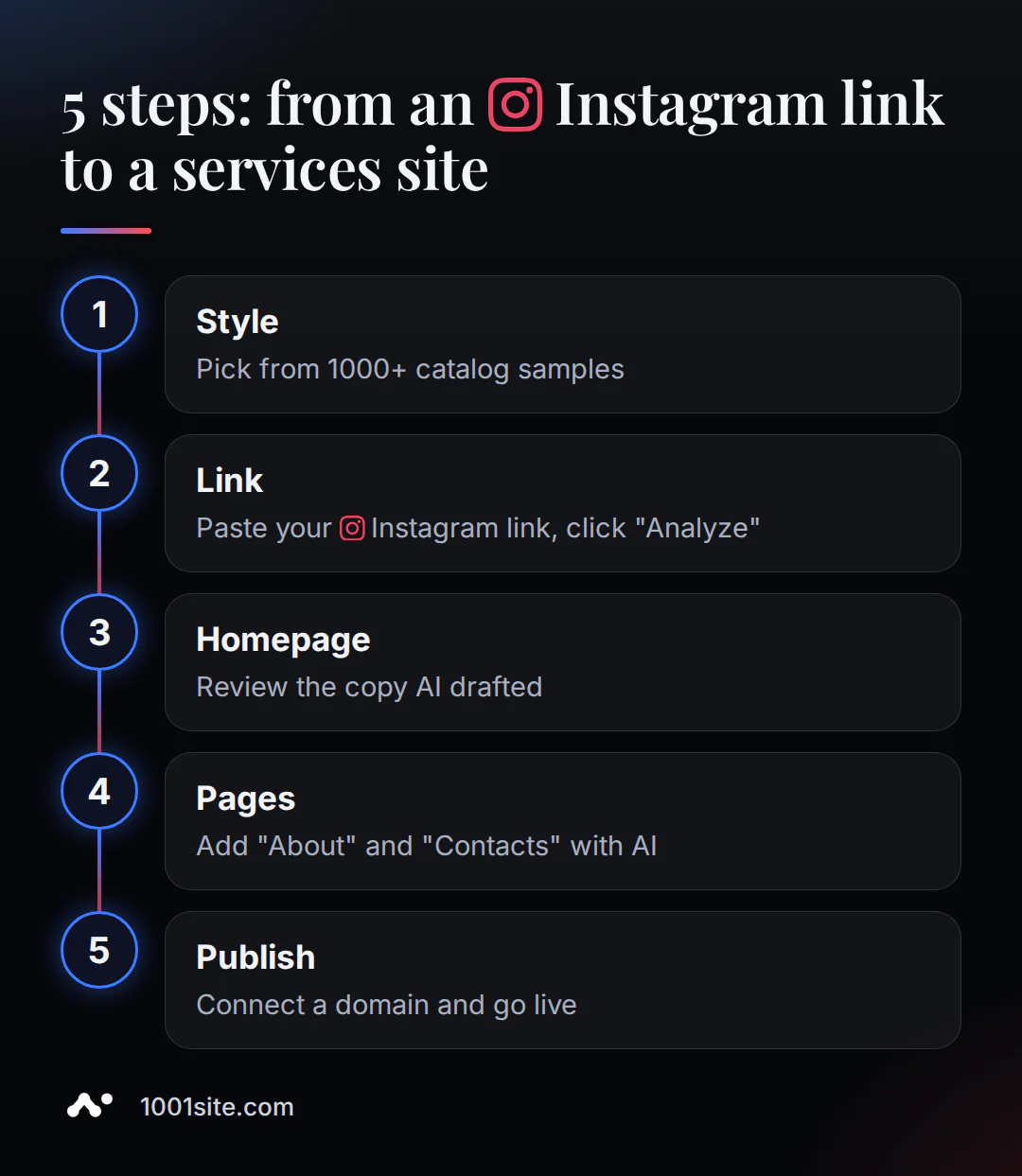
From an Instagram link to a working website, there are five steps, and AI handles most of them. All you have to do is choose a style, check the homepage text, and confirm the domain—without these three decisions, the site won't be published. The AI handles assembling blocks, transferring the brief, and adding pages automatically.
- Choose a style from the catalog. 1,000+ samples – from simple business cards to vibrant portfolios; the design is preset, so you don't have to create it from scratch.
- Insert your Instagram link. At the content stage, enter a link to your profile or post, click the "Analyze" button, and the brief with your business's basic data is processed.
- Check and refine your homepage. "Design your homepage with AI" will already suggest a ready-made header, benefits section, and contact information based on your brief—your task is to read and adjust the wording to reflect actual prices and services.
- Add "About Us" and "Contact Us" pages. The "Pages with AI" team creates missing pages from blocks in a consistent style and automatically adds them to the site menu.
- Connect your domain and publish. Choose your own domain with a free SSL certificate or a temporary address. Your website is ready to be displayed to clients.
There's no manual visual block editor—this is a deliberate decision 1001site: the homepage and pages can only be edited via an AI assistant or a connected MCP chat ( Claude, ChatGPT, Gemini) to ensure that the block remains responsive and consistent with the site's style after any edit. If you prefer the "connect chat and edit everything with words" approach, the article on MCP connection covers all three setup steps.
Want to build a website like this using your own data? Choose a style and insert your link – then the AI will finalize the draft, and you'll review it.
How do website requests get to Telegram and WhatsApp?
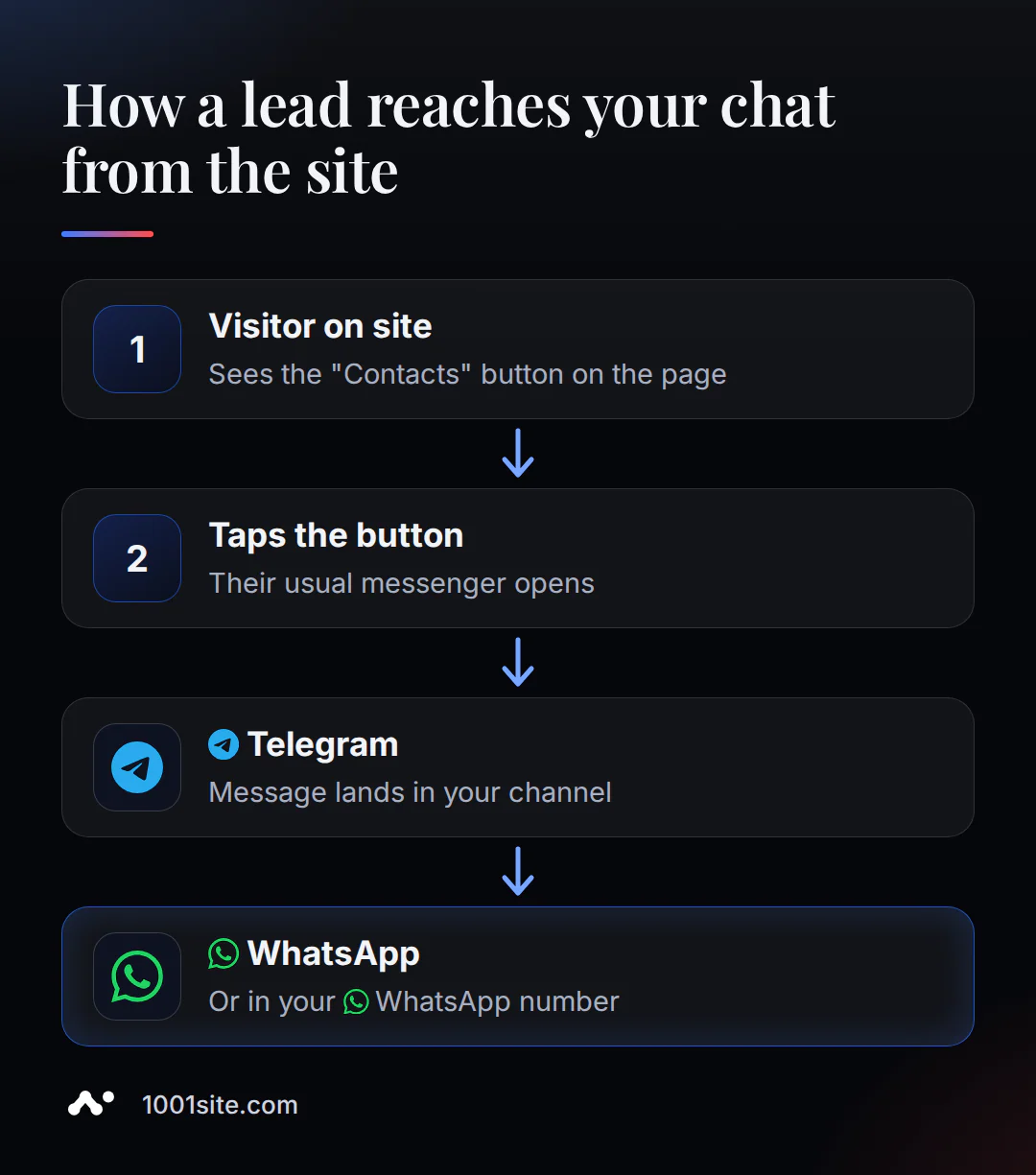
The client doesn't fill out a form or wait for an email: they click a button on the website, and a chat with you opens immediately in their preferred messenger—without any additional registration.
The application form in Landing mode works through the "Contacts" or "Call to Action" block, and each page of the site features a floating "Contacts" button: clicking it reveals subbuttons WhatsApp, Telegram, phone, and your own links. Technically, these are direct links like wa.me/ваш_номер and t.me/ваш_username intermediate form or separate CRM to check applications.
This addresses a common pain point for small service businesses: according to industry publication TechRadar Pro, small businesses increasingly rely on social media messaging for their client communications, even when they already have a website (TechRadar Pro, 2025). The "Contact Us" button integrates this habit directly into the website—the request goes where you already respond, and isn't lost between channels.
What are the most common mistakes people make when assembling something themselves?
Here are five mistakes you risk making the first time you build a landing page with AI—and not just at 1001site, these are common pitfalls of the genre.
- They expect a finished sales copy starting from a single phrase. AI produces a solid draft—it still needs your revisions to the business facts before showing the website to clients.
- They don't clearly indicate the contact method. If the "Contact" button is left blank, it won't appear on the site at all, leaving the visitor without a clear next step.
- They don't support our usual messenger. The website is built, but requests are still sent to Instagram Direct because they forgot to fill out the WhatsApp or Telegram button.
- They publish without fact-checking. The AI writes truthfully, but only you know the details about prices, address, and opening hours—this is the text that is always read before publication.
- They settle on a template-based first screen. The limited set of generation patterns in any AI builder sometimes results in websites that look similar to each other—this can be fixed by editing the text and block order; there's no point in abandoning the tool.
AI-powered landing page, a regular AI builder, or a studio – which one to choose?
A landing page with a link wins with its draft speed and ready-to-use messaging app, without any additional configuration. A standard AI builder offers design flexibility without being tied to a single design library, while a studio or freelancer is needed when a completely custom structure is required and you're willing to wait longer to achieve it.
| Criterion | Landing page with AI via link ( 1001site) | A regular AI constructor | Studio or freelancer |
|---|---|---|---|
| Transferring data from Instagram | Yes - name, logo, description, contacts | As a rule, no - the questionnaire is filled out manually | Manually, from your words |
| Who finishes the text? | You edit the AI's draft with words in chat | You rewrite the text in the editor yourself | Copywriter, if included in the service |
| Applications are accepted via Telegram / WhatsApp | Built-in Contacts button | Usually a separate setting or widget is needed | It is configured individually, for a separate job |
| Post-launch edits | Via an AI assistant or MCP, without a visual editor | Via the platform's drag-and-drop editor | Through a contractor, separate payment |
| Time to draft | Minutes (assembly + link parsing) | Seconds and minutes for a draft, then the text needs to be finalized | Days of the week |
| Price | from €25 for the first month, then €45/month | from ≈ €3/month, tariffs and limits vary for each platform | individually, usually more expensive and longer |
None of the major AI builders on the market—not Wix, not Durable, not Hostinger Website Builder—automatically transfer data from Instagram: this link (social network link → brief → finished text) is simply not available. The deciding factor here isn't the subscription price, but the very presence of this feature—most platforms simply don't have it. The differences in accepting requests via Messenger are similar: the built-in button is a feature of 1001site, while most platforms don't have it by default.
How much does an AI-powered landing page cost for the service industry?
The AI landing page is built on the "All Inclusive" plan - €45 per month, with the first month discounted at €25 using the monthly promo code, and then at full price. There is no trial period or free plan. You can cancel at any time; the site remains active until the end of the paid period. The paid period is non-refundable, as the service is digital and provided immediately.
If you need an additional website on the same account, you'll pay an additional €20 per month per website, with a single rate for the entire account. There's also a way to avoid any manual setup: the "Turnkey" service costs €1,650 one-time, where all the work—style, structure, text, domain, Telegram and WhatsApp integration—is handled for you, and hosting for the first 12 months is free.
Frequently asked questions
Below are the most frequently asked questions about transferring data from Instagram, editing a draft, and choosing a site mode.
Sources
- Landing Mode - 1001site Knowledge Base
- Filling by link - knowledge base 1001site
- The "Contacts" button is part of the 1001site knowledge base.
- Article: site via Claude without code ( MCP)
- Adi Avraham. Durable AI Website Builder Review, aiwebsitebuilder.com
- Madison Zoey Vettorino. AI Website Builders: The Pros and Cons, HubSpot Blog
- TechRadar Pro. Websites still matter, but can't survive on their own
Need a similar website for your services? Paste your Instagram link into the style catalog – a draft will be created in minutes, and you can fine-tune the details yourself, using words in the chat.