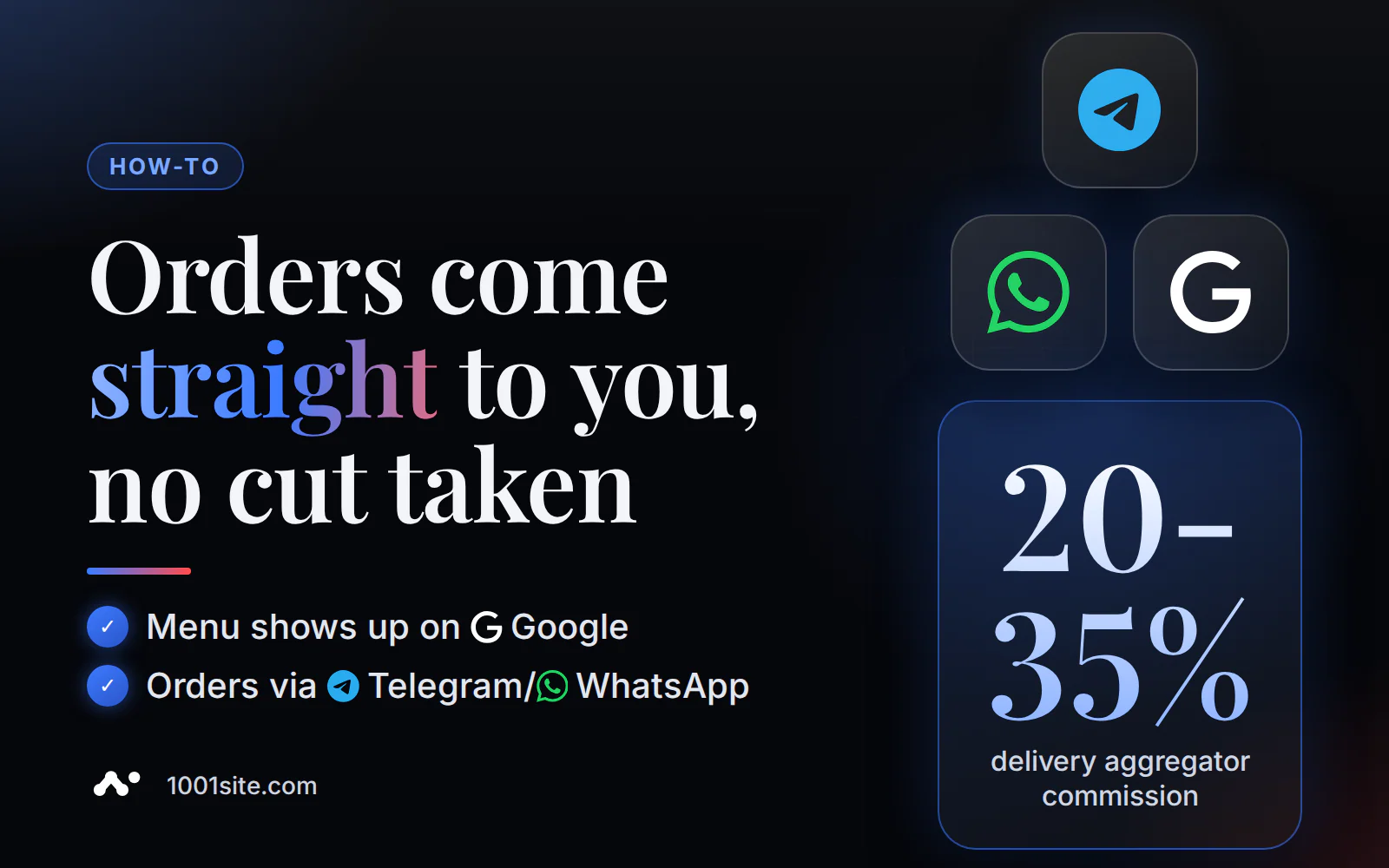
A restaurant's website on 1001site generates AI based on a description or a link to an old menu or Instagram post: the menu is either displayed as a "Landing Page" page (if you accept orders via Messenger) or as an "Online Store" display with a shopping cart and online payment. A completed order or menu question is sent directly to your Telegram channel or WhatsApp, eliminating the need for a delivery aggregator and its commission on each receipt.
What does a restaurant gain by creating a website with a menu and ordering system?
The restaurant receives a page with an up-to-date menu, visible in search results and easily accessible on a phone, and a direct ordering channel via messenger—without the need for a delivery aggregator. Unlike a PDF file or photo, the menu text is searchable and searchable by dish names.
Technically, the website is assembled by an AI assistant: using a text description of the establishment or a link to the old website, an Instagram or Facebook post, or a public Telegram channel. Next, in the dashboard, the website mode is selected—"Landing Page" or "Online Store"—the "Contacts" button is enabled with WhatsApp and Telegram, and the menu is ready to display to customers. Clicking the link pulls the name, photo, and price from the post caption—all that remains is to manually check and correct anything the AI missed.
Why don't a PDF menu and Instagram profile replace a website?
PDF menus aren't searchable on Google and haven't been physically updated for months. Instagram requires customers to take an extra step—leaving the app to order—and most don't do that. Both traditional website alternatives obscure the storefront but don't close the order.
Search engines don't read the text inside a standard PDF file: the dish "truffle pasta" simply won't show up, even if it's available. The owner of restaurant web design firm Easy Eatery puts it bluntly: "By using a PDF menu, you're effectively driving customers into a dead end: the only option is to go back or leave the site entirely" (translation by Paul Dean, easyeatery.co.uk). On a phone, zooming and horizontal scrolling add another challenge, and sometimes the file needs to be downloaded before it can be opened.
Instagram presents a different challenge: a restaurant may have a thousand followers, but the platform itself isn't your channel. The algorithm and reach change without your input, and the single, familiar "contact me directly" doesn't provide a clear next step for visitors—the message can easily get lost in their private messages. According to research by Hospitality Technology, 70% of consumers prefer to order directly from a restaurant; third-party services are chosen significantly less frequently (translation, hospitalitytech.com). A website with a clear order button addresses this need: the menu is immediately visible, and the next step is obvious—contact you directly.
Which website mode should I choose: a landing menu or an online store with delivery?
A landing page is suitable if the menu is a display window with ordering via messenger, while an online store is needed if customers themselves add their order to a cart and pay by card online. The payment method and menu size are decisive; the size of the establishment is secondary.
| Criterion | Landing menu | Online store |
|---|---|---|
| As shown in the menu | Website pages made of blocks, menus with text and photos | A product showcase with categories, search, and filters |
| Shopping cart and online payment | No - the order is placed through the "Contacts" button | Yes - cart without registration, payment Stripe or Monobank |
| Who counts the delivery? | You agree on it yourself in correspondence | You too - the site does not calculate delivery in any mode |
| Order notification | The message arrives in a private message or in a Telegram / WhatsApp channel. | A separate "Orders" tab in your account + notifications in Telegram channel |
| Suitable for | Coffee shop, bar, takeaway establishment with several options | A restaurant with a large menu and active delivery service requires customer order history. |
An important caveat for both modes: the website doesn't automatically calculate delivery costs either on the landing page or in the store—the address in the cart remains as text, and you specify the delivery amount yourself. 1001site also doesn't offer automatic table reservations—the "Contact" button will work for inquiring about a table, but it will be a regular message, not a calendar entry.
How to Build a Restaurant Website Without a Programmer: 5 Steps
From choosing a style to placing your first order via Telegram or WhatsApp, it's just five steps, and the AI assistant handles the menu transfer automatically. Manually, all you have to do is select the website mode, check prices, and connect messaging apps.
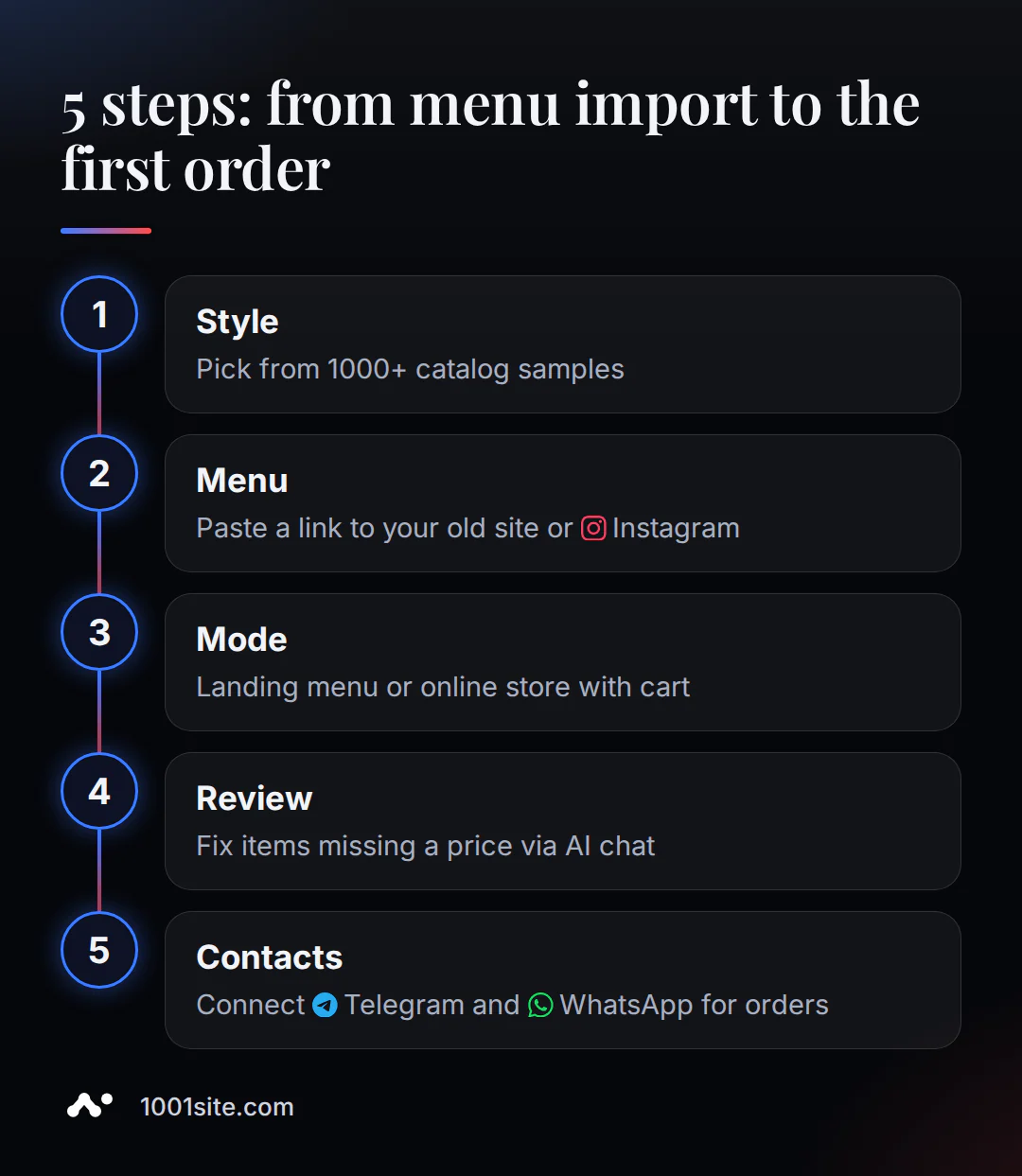
- Choose a style from the catalog. 1000+ design samples – no need to create a website from scratch.
- Transfer the menu via link. Paste the old website address, an Instagram post link, or a public Telegram channel link—the AI assistant will extract the dish names, photos, and prices from the caption.
- Select the site mode. "Landing Page" if the menu is a storefront with an order form, or "Online Store" if you need a shopping cart with online payment.
- Check and correct the items. For dishes without a price in the original caption or with an inaccurate name, please add the correct words in chat with the AI assistant.
- Enable the "Contacts" button. Specify Telegram and WhatsApp for orders—without this step, the button won't appear on the website at all.
Transferring by link does not create duplicates when re-launching: each position remembers the external source number, and re-inserting the same link will only update the prices in existing positions.
Want to build a website like this using your own menu? Choose a style and insert a link to your old menu or Instagram —then the AI will create a draft, and you can review it.
How does an order get from the website to Telegram or WhatsApp staff?
Customers don't fill out a form or call—they click a button on the website, and a chat with the order opens in their favorite messenger, without an intermediary aggregator. For orders placed through the shopping cart, a separate notification is sent to your Telegram channel.
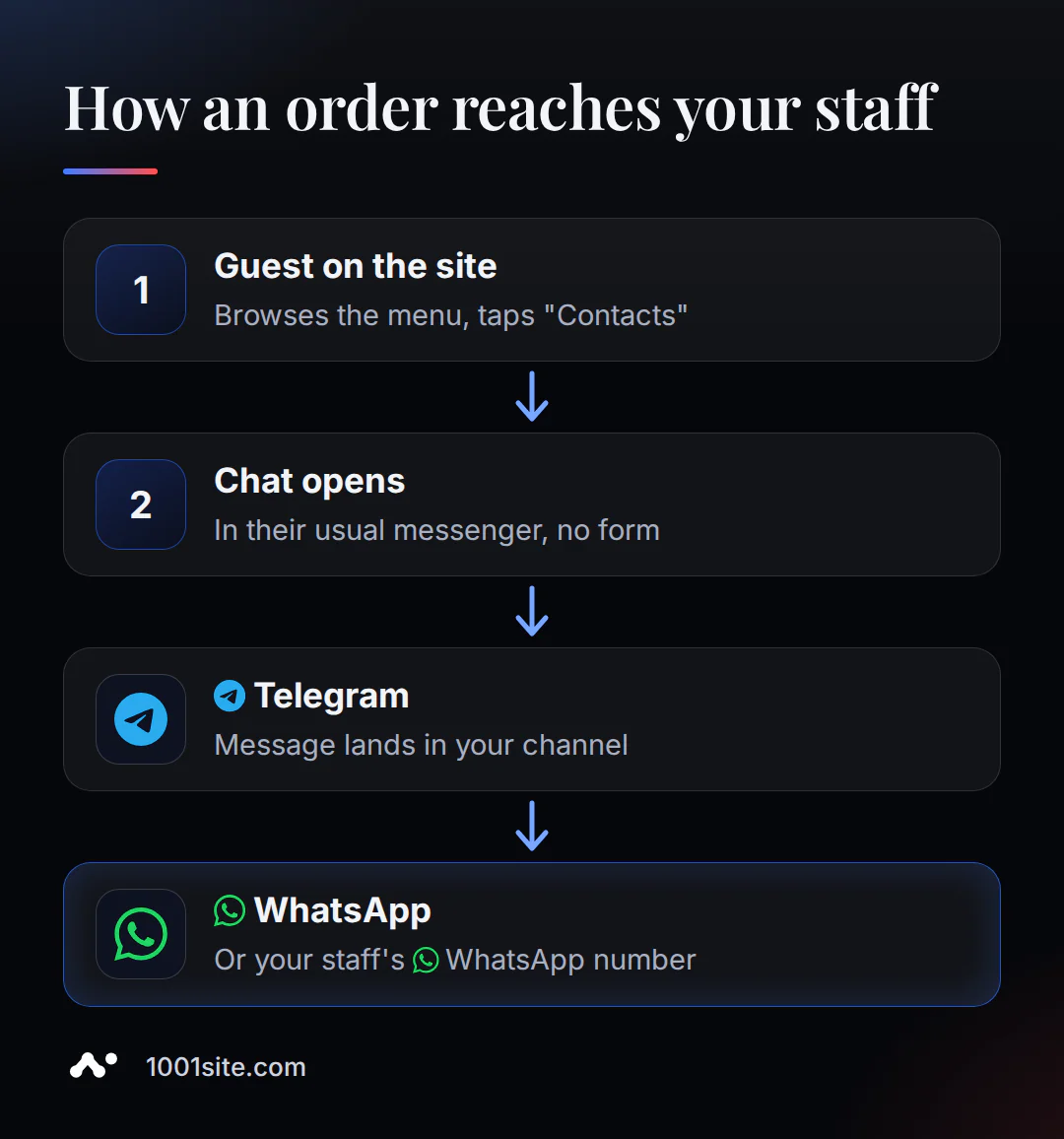
The "Contacts" button is a floating button on every page of the website: clicking it expands subbuttons WhatsApp, Telegram, phone, and your own links. Technically, these are direct links like wa.me/ваш_номер and t.me/ваш_username, without a form or separate CRM to check requests. If the "Online Store" mode is selected, orders from the cart have a second channel: the "Orders" tab in the dashboard. If integration is enabled, a notification about each new order is sent directly to the staff's Telegram channel —a bot sends a message as soon as an order is placed.
This solves a common problem in the restaurant business: requests scattered across phone calls, Instagram messages, and WhatsApp are easily lost without a single notification channel. The "Contact" button and notification bot consolidate orders into a single stream, right where you already respond.
How much does a restaurant lose on delivery aggregator commissions?
The typical delivery aggregator commission in the EU and US is 20-35% of the order amount, while the effective charge for a restaurant—taking into account packaging, acquiring, and platform promotional discounts—reaches 35-45%. Our own messaging ordering channel doesn't charge this commission at all.
According to market data from delivery industry analysts (burguerastudio.com, datalatte.pro, blog.menuviel.com), Glovo takes a commission of approximately 25-35%, while Wolt takes 20-30%. Uber Eats takes between 7 and 30% depending on the plan and delivery method – 7% for pickup with a confirmed price, 15% for restaurant delivery, and up to 30% for other plans. Carla Briones, owner of the small Westboro establishment Freshii, describes it this way: "Uber Eats, DoorDash, and SkipTheDishes are the biggest players, and they take between 25 and 30 percent of the bill" (translation, according to CBC). Given the low margins typical for restaurant meals, this commission effectively turns an order through an aggregator into a loss.
| Criterion | Your own website + messenger | Delivery aggregator |
|---|---|---|
| Commission per order | No | 20-35% of the base rate, up to 35-45% taking into account fees |
| Who owns the client's contact? | You have a history of correspondence in Telegram / WhatsApp | Platform |
| Repeat order without platform discount | Yes, you write to the client yourself. | Usually no - the client remains in the aggregator's application |
| Is registration required in the aggregator? | No | Yes, subject to platform terms and conditions |
Toast POS, a major restaurant cash register manufacturer, describes a straightforward alternative this way: "Online ordering... allows guests to order pickup, drive-thru, or delivery directly from the restaurant's order page—all revenue from the order stays with you, with no middleman fees" (translation, pos.toasttab.com). The aggregator remains in place—the restaurant simply gains its own ordering channel, independent of third-party commissions.
What are the most common mistakes people make when assembling something themselves?
Here are five mistakes that are most often made when building a restaurant website for the first time - and these are typical mistakes for this type of website, not just 1001site.
- A menu is a picture or scan instead of text. Like a PDF, a photo menu is not searchable—the dish won't appear when you search, even if it's available.
- An aggregator as the only ordering channel. It's easy to launch quickly, but the 20-35% commission on each order makes sales growth unprofitable.
- The menu is uploaded once and forgotten. Prices change, items are removed from the stoplist, and the website still displays the old version; the disconnect between the website and the restaurant itself undermines customer trust.
- The only call to action is "write to Direct." Without a clear button and a single channel, some messages aren't processed on weekends, and orders are lost.
- Focusing solely on one social network without its own channel. Any platform can limit its reach, but the site isn't dependent on someone else's algorithm.
How much does a restaurant website with a menu and messaging app ordering cost?
The website is built on the "All Inclusive" plan - €45 per month. The first month is €25 with a monthly promo code, and then at full price. There is no trial period or free plan. You can cancel at any time, and the website remains active until the end of the paid period.
If you need an additional website on the same account, you'll pay an additional €20 per month per website, with a shared rate for the entire account. Alternatively, you can skip the setup: the "Turnkey" service costs €1,650 one-time. The style, menu, text, domain, and Telegram and WhatsApp integration are all created for you, and hosting for the first 12 months is free.
Frequently asked questions
Four questions about table reservations, delivery calculations, choosing a mode, and transferring menus from Instagram.
Sources
- Landing Mode - 1001site Knowledge Base
- Online Store Mode - 1001site Knowledge Base
- The "Contacts" button is part of the 1001site knowledge base.
- Telegram: Ad Reception and Distribution - 1001site Knowledge Base
- Paul Dean. Why your restaurant website shouldn't use PDF menus, Easy Eatery
- Hospitality Technology. 70% of Consumers Prefer to Order Direct from Restaurants
- Toast POS. Online ordering examples for restaurants
- CBC. Karla Briones, Freshii Westboro, on delivery app commissions
Need a similar website for your menu? Just upload it using the link in the style catalog – a draft will be created in minutes, and you can connect Telegram and WhatsApp for orders the same day.