The short answer: to check your website's favicon online, enter your domain in PromoPilot's free Favicon Checker and click "Check." The tool will find all icons declared in HTML and located in standard paths like /favicon.ico, display a preview and size of each, check the Apple Touch Icon, and tell you which sizes are missing. Below is a minimal set of icons, the finished code, and the reasons why Google is showing a gray globe instead of your logo.
I've been making websites for 12 years, and I know: favicons are forgotten more often than any other element. The designer creates the logo, the developer builds the website, and yet no one ever adds a favicon to the tab—until the first client asks, "Why does our competitor have a favicon in Google and we don't?"
What does Favicon Check check?
A website icon is no longer just a single favicon.ico file. Browsers, iPhone, Android, and Google all use different files and sizes. This tool aggregates them all into a single report.
| What does it check? | What is he looking at? | Why does the site need this? |
|---|---|---|
| Icons from HTML | All tags <link rel="icon">, shortcut icon, apple-touch-icon | It is these that browsers and Google take first and foremost |
| Standard paths | /favicon.ico in the root of the site and other typical addresses | Many systems look for the icon there even without a tag. |
| The size of each icon | Width and height in pixels, format ICO, PNG, SVG | The small icon is blurry on high definition screens. |
| Apple Touch Icon | Is there an icon for iPhone and iPad? | Without it, a screenshot of the page will appear on the Home screen. |
| Preview | What does each found icon look like? | You can see broken, empty or foreign (template) icons |
| Recommendations | What sizes are missing? | A ready-made list of tasks for a designer |
How to check a website's favicon online?
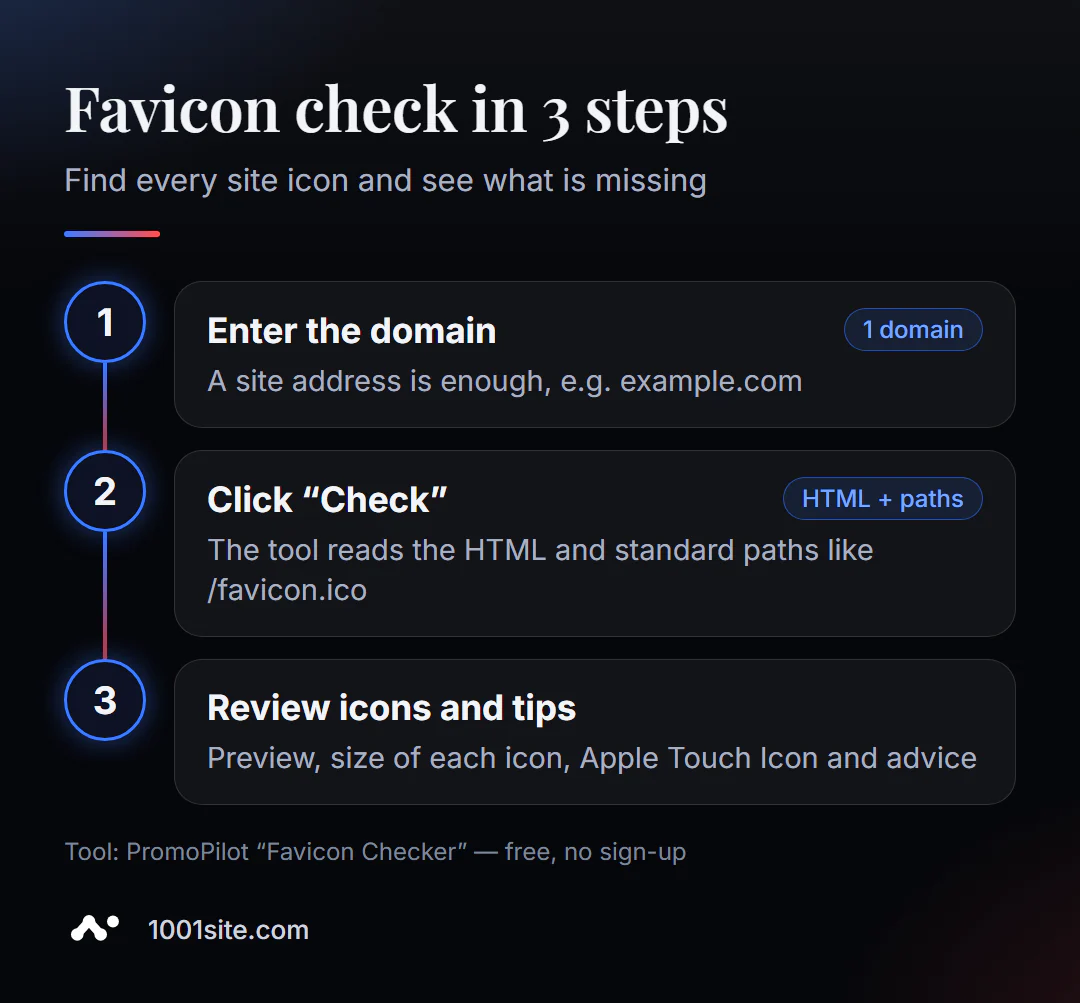
- Open Favicon Checker.
- Enter the domain -
example.comis enough, without specifying the page. - Click "Check." The tool will analyze the homepage HTML and standard paths.
- Review the icons found: preview, format, and size of each. Check if there is a standard CMS or hosting icon among them.
- Read the recommendations and provide the missing dimensions to the designer or make them yourself.
Tool page: domain field, "Check" button, and description of checks with FAQ.
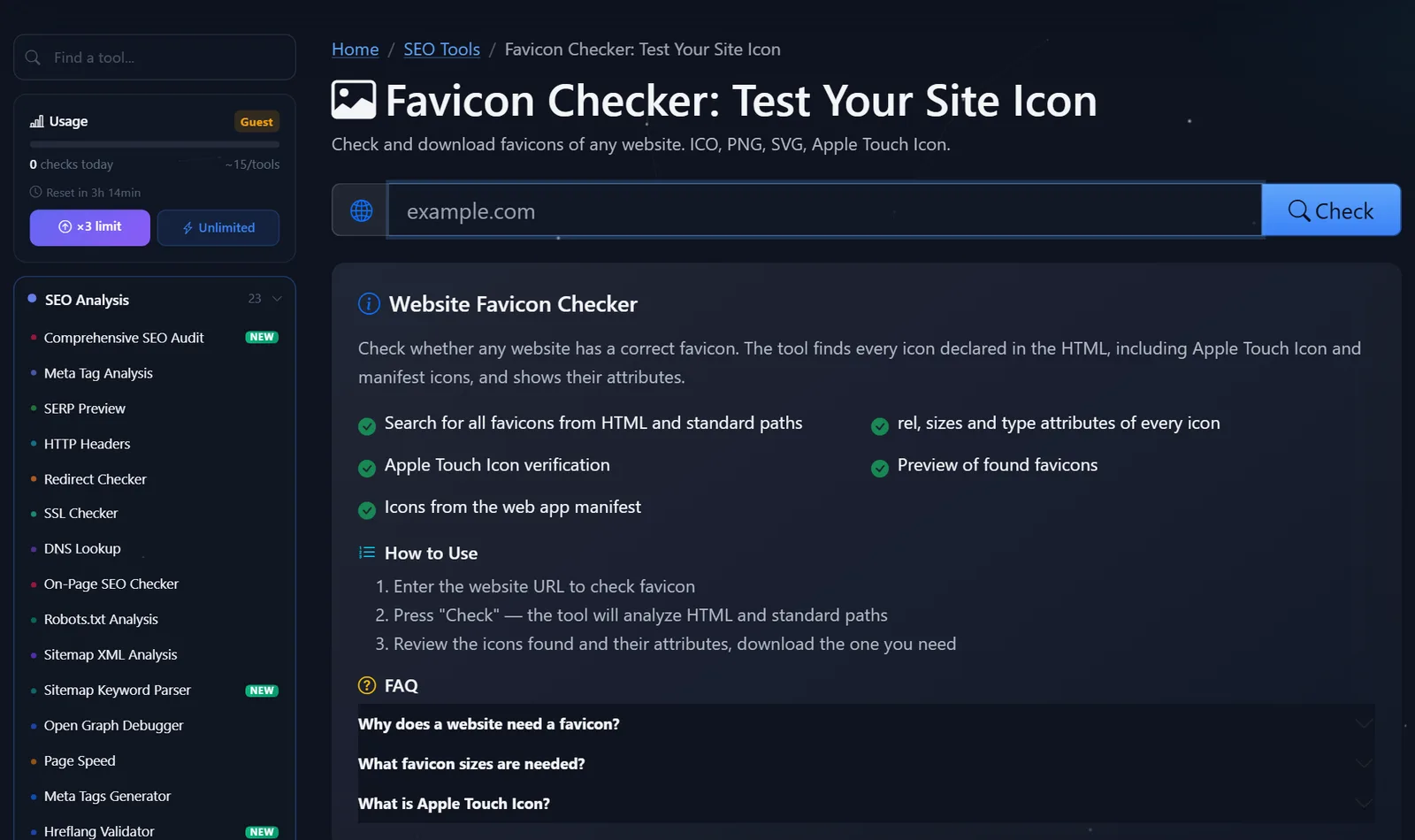
Verification is easy—the guest limit is enough to check your own site and a couple of competitors' sites for comparison. Icons from any site can be viewed and downloaded—handy if you need to find the original of your own logo, lost along with an old contractor.
What favicon sizes are needed in 2026?
Icon generators often produce 20 files, but what's really needed is a compact set. Here's the minimum I use for all my projects:
| File | Size | Where is it used? |
|---|---|---|
favicon.ico | 16×16 and 32×32 in one file | Old browsers, systems that look for an icon in the root |
favicon.svg | Vector | Modern browsers, clear on any screen |
apple-touch-icon.png | 180×180 | iPhone and iPad Home Screen |
icon-192.png and icon-512.png | 192×192 and 512×512 | Web-manifest: Android, installing a website as an app |
And the code for <head>:
<link rel="icon" href="/favicon.ico" sizes="32x32">
<link rel="icon" href="/favicon.svg" type="image/svg+xml">
<link rel="apple-touch-icon" href="/apple-touch-icon.png">
<link rel="manifest" href="/site.webmanifest">
Design tip: At 16 pixels, the logo and text become a blur. Use a symbol, the first letter of the name, or a simplified character on a contrasting background. For the Apple Touch Icon, don't use a transparent background—iOS will fill it with black.
How to make a favicon yourself, without a designer?
If you don't have any icons at all, you can create a basic set in half an hour. Here's the procedure:
- Use a symbol, not the entire logo. Use the first letter of the name, a symbol from the logo, or a simple geometric shape in the brand color. Make sure it's recognizable at 16 pixels.
- Draw a 512x512 square. Any graphics editor or online designer will do. Leave some margins around the edges so the sign doesn't run into the borders.
- Save the source file as SVG —it will become
favicon.svg, and all PNGs of the required sizes can be cut without loss of quality. - Generate the remaining sizes (ICO, 180, 192) in the icon generator and place the files in the root of the site.
- Paste the code into the head and check the result in the tool again.
Check how the icon appears in the browser's dark theme: a black icon on a transparent background simply disappears in a dark Chrome tab. A light background or a contrasting outline will help.
Why doesn't Google show the site's favicon?
The most frequently asked question: If you see a gray globe next to an address in the search results, there are usually several reasons:
- The icon isn't square. Google requires a 1:1 aspect ratio and a size of at least 8x8, but recommends larger than 48x48: the tiny 16x16
favicon.icolooks blurry in search results. - The icon is blocked from robots. Google -Image must have access to the icon file, and Google must have access to the main file. If the image folder is blocked in robots.txt or the file is returned with an error, the icon will not appear in the search results.
- The tag isn't on the homepage. Google takes the favicon from the domain's or subdomain's homepage; the homepage section, like
example.com/shopisn't suitable. - The icon's address is unstable. If the path changes with each site build (
/icon.a83f2.png), Google may not be able to update it quickly. - It's been a while. Google doesn't update the favicon immediately after a fix; you can speed it up by requesting a rescan of the homepage in Search Console. Google doesn't provide an exact timeframe, so check the results no sooner than a few days later.
- The icon violates the rules. Google replaces unacceptable images with a standard icon.
Comparison: Favicon Checker and Alternatives
| Tool | What's free? | Restrictions | Who is it suitable for? |
|---|---|---|---|
| PromoPilot - Favicon Checker | All icons from HTML and standard paths, sizes, previews, Apple Touch Icon, recommendations | Doesn't create icons, checks the main one | Quickly check your website or a competitor's |
| RealFaviconGenerator | Generating a set of icons and code, checking favicon | The generator produces a lot of files, you need to figure out which ones to keep | For those who need to make icons from scratch |
| Google Search Console | Request rescan of the main | Only its verified site, does not check the icon | Speed up icon updates in search results |
| Developer tools in the browser | Tab with manifest and icons | You need to know where to look | For developers |
Conclusion: an online tool is more convenient for checking, a generator for creating a set, and Search Console for speeding up updates in Google.
By the way, PromoPilot has 87 free SEO tools. You can easily see how the favicon looks next to the title in the SERP preview—we have a separate article about it in our series.
What are the limitations of favicon verification?
The tool checks what the site advertises and returns: it won't tell you when Google updates the icon in search results—that's up to the search engine itself. If icons are added by a script after the page loads, some may not be included in the report. The check also looks at the domain as a whole—if different sections of the site have different icons (for example, a store subdomain), check them separately.
When is a free tool not enough?
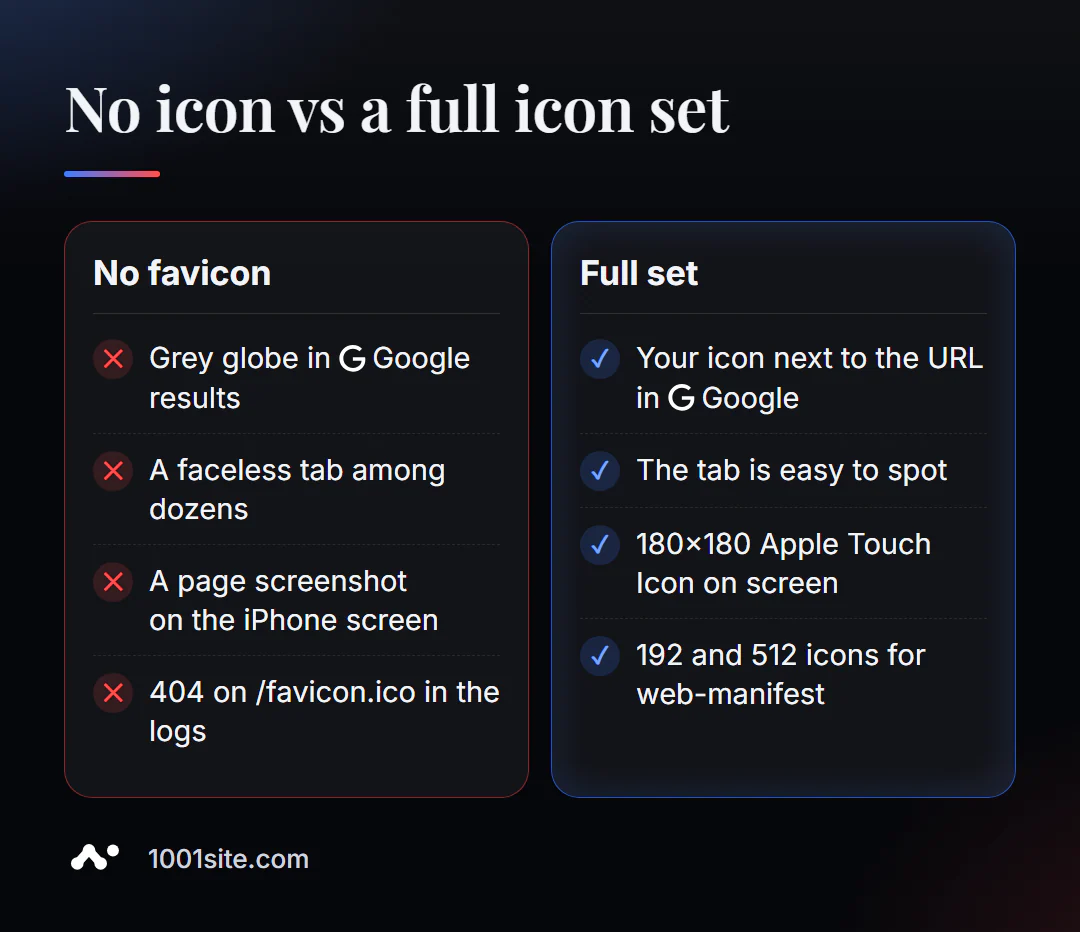
A favicon is a minor issue that rarely requires a specialist. But there are times when a minor issue is a symptom. Help is needed if:
- the icon is correct, but Google has been showing a globe for months - this means the problem is with the robot's access or with the template;
- the brand doesn't have a simple logo and needs a corporate style that works on 16 pixels;
- the site is compiled using a builder, and the paths to the icons change with each update;
- The favicon is just one of dozens of minor errors that have accumulated over the years.
What can I do for your website?
I'm Valeriy Danyuk, a developer and SEO specialist with 12 years and 200+ clients. I set up favicons, social media previews, and markup on every website before it launches.
SEO and audit
- Turnkey website SEO audit: I find all the technical details—from favicon and previews to indexing and speed—and fix them in the code.
Websites and online stores
- Create a website in the style of someone else's website in minutes —at 1001site, icons, previews, and layout are configured automatically.
- Tilda with a subscription fee or a website with AI —an honest comparison of approaches.
- How much does a turnkey website cost in 2026? What are the factors that determine the price?
- WordPress website with AI assistant for €299 and 3 days.
CRM and automation
- A custom CRM system with a customer database and decision-makers for a company from Slovakia.
- A CRM for a car dismantling company that automatically calculates prices and prints invoices.
Send me the website address in Telegram - I'll check the icons and five or six other little things that are often forgotten.
Result
- Favicon Checker finds all site icons, their sizes, and shows which ones are missing in a minute.
- Minimum set: favicon.ico, favicon.svg, Apple Touch Icon 180×180, and icons 192 and 512 for web-manifest.
- For Google the icon must be square, larger than 48x48, accessible to the robot and declared on the main page.
- If it's easier to rebuild a website than to fix minor issues, 1001site customizes icons and previews automatically.
Check your domain with the free Favicon Checker – and check your main competitor's domain at the same time.
Sources
- PromoPilot's Favicon Checker page — list of checks and FAQ.
- Google Search Central - Search Results Favicon Requirements.
- RealFaviconGenerator — generates and tests a set of icons.