The short answer: to create an XML sitemap online, enter your homepage URL into the PromoPilot XML Sitemap Generator and click "Generate." The crawler will crawl your site's internal links (up to 100 pages), mark the last modification date for each URL, filter out non-text resources, and generate the finished XML file. Simply upload it to the site's root directory and submit it to Google Search Console. It's free and requires no registration.
A sitemap is the first thing I add to any new website, even before the first article. A new domain without external links needs one especially: it lets Google know about pages it otherwise wouldn't be able to find. Below, I'll explain how to create a sitemap, where to place it, and how to submit it to search engines.
What does the sitemap.xml generator do?
The generator works like a miniature search robot: it opens the homepage, collects links to internal pages, follows them, and so on until it has a list. From this list, it creates a file in a format understood by search engines.
| What does the tool do? | What does it look like? | Why is this necessary? |
|---|---|---|
| Scans the site | Up to 100 pages per launch | No need to write out addresses manually |
| Finds internal links | Follows links from the main page onwards | The map includes pages that have links |
| Installs lastmod | Last modified date for each URL | The search engine sees that it has been updated |
| Filters non-text resources | Images, PDFs, and scripts are not included in the list. | The map contains only pages |
| Returns an XML file | Ready-made sitemap.xml for download | You can upload it to the server immediately. |
The difference with other tools is simple. The generator creates a sitemap from scratch. If you already have a sitemap and need to check it for errors, you need a sitemap.xml analysis, and if you want to understand the topics covered by website URLs, you need a sitemap keyword parser. Separate articles in this section are dedicated to both.
How to create a sitemap.xml online?
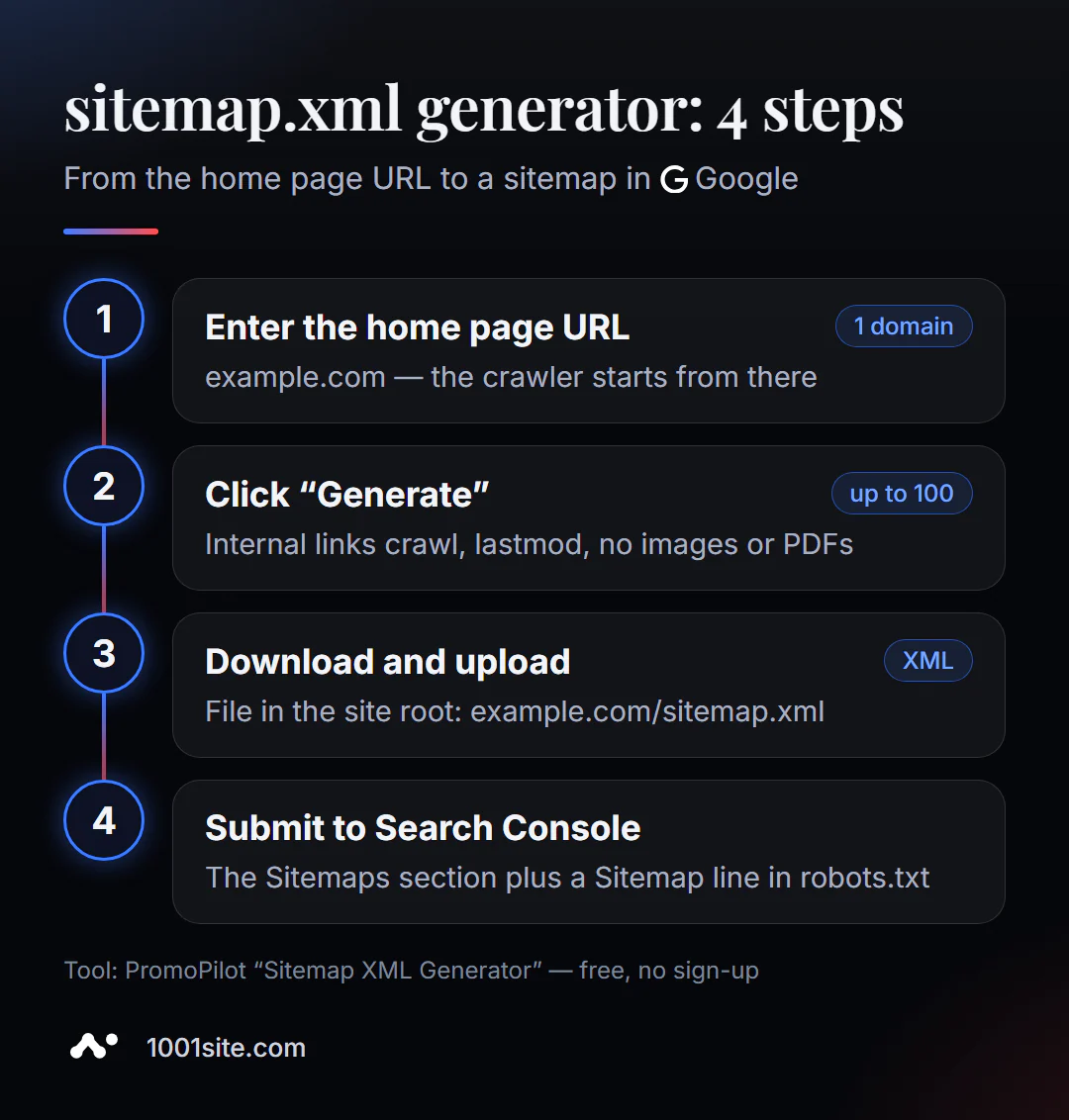
- Open the sitemap.xml generator.
- Enter the home page address -
example.comorhttps://example.com. - Click "Generate." The crawler will crawl the internal links—this takes anywhere from a few seconds to a minute.
- Download
sitemap.xml. - View the file in any text editor and remove
<url>blocks that don't belong in the search: "thank you for your request" pages, test pages, duplicates. - Upload the file to the root of your site so it opens at
https://example.com/sitemap.xml. - Submit the sitemap to Google Search Console and add the
Sitemap:line to robots.txt.
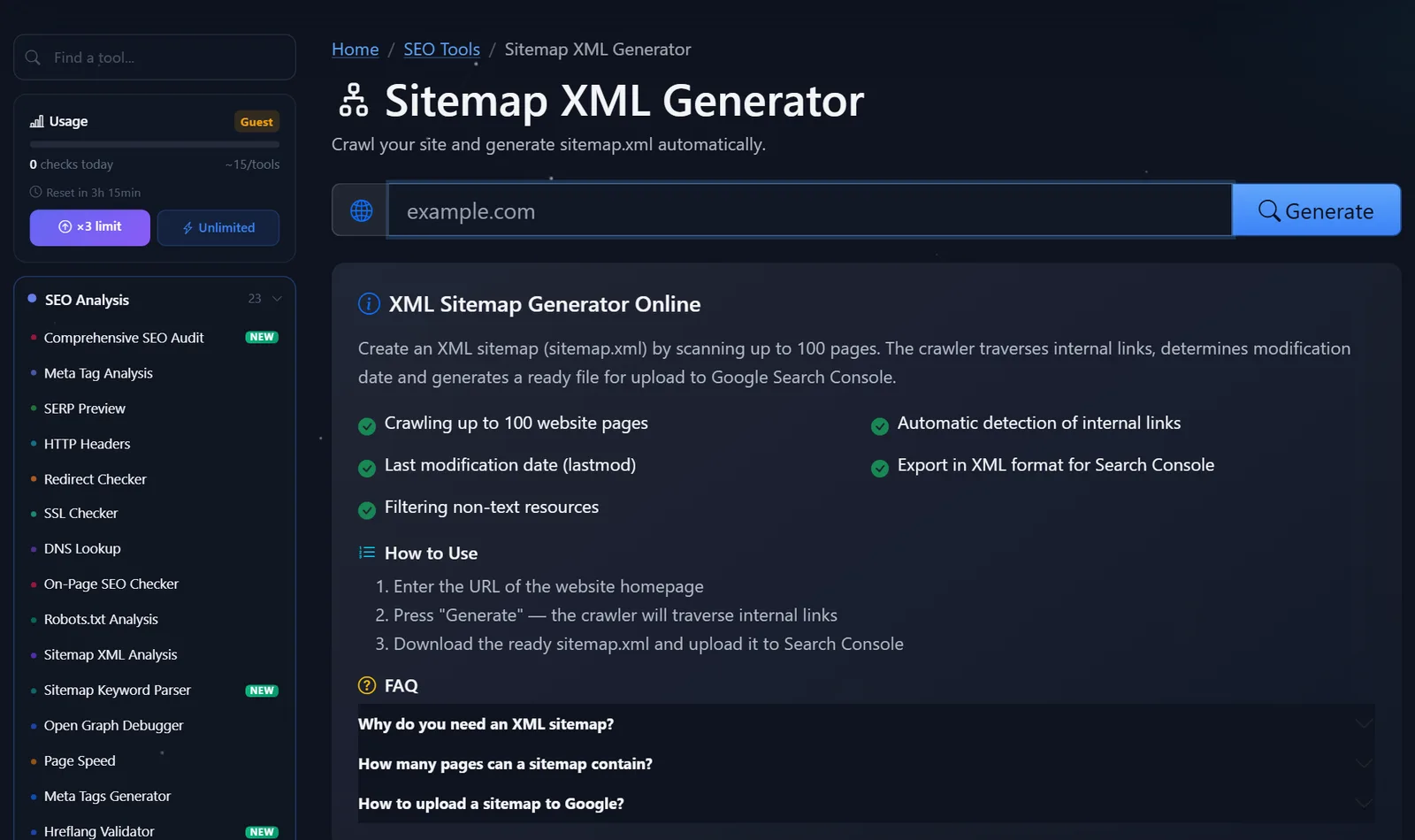
The tool's page includes a domain field, a "Generate" button, a description of the features, and answers to three frequently asked questions about the sitemap.
The finished file looks something like this - one <url> block for each page found:
<?xml version="1.0" encoding="UTF-8"?>
<urlset xmlns="http://www.sitemaps.org/schemas/sitemap/0.9">
  <url>
    <loc>https://example.com/</loc>
    <lastmod>2026-10-10</lastmod>
  </url>
  <url>
    <loc>https://example.com/services/</loc>
    <lastmod>2026-09-28</lastmod>
  </url>
</urlset>
Before uploading, quickly check three things. All addresses begin with the same variant of the domain the site runs on: https://, with or without www —but the same. There are no pages with parameters like ?utm_source= or ?sort= in the list. And the number of addresses roughly matches the number of pages you know on the site. If the generator finds 100 addresses for a site with 20 pages, there are duplicates somewhere—this is cause for an audit.
Important: The crawler only finds pages that have links. If the landing page for the ad isn't linked anywhere, the generator won't see it. Add this address to the file manually.
How to upload a sitemap to Google without making mistakes?
Generating the file is half the battle. Here's what to do next.
1. Place the file in the root directory. Use your hosting file manager or FTP to place it in the same folder as your home page. Check: the address https://example.com/sitemap.xml should open in the browser and display the XML, not a 404 page.
2. Submit the sitemap to Search Console. Open Google Search Console → "Sitemaps" → enter sitemap.xml → "Submit." After a while, the status will change to "Successful," and the number of URLs found will appear.
3. Add the following line to robots.txt:
Sitemap: https://example.com/sitemap.xml
This way, the map will be found by other search engines and AI crawlers, even without being sent to their systems. The old method of "pinging" Google with a link containing the map's address no longer works: Google deprecated it in 2023, leaving Search Console and robots.txt.
4. Update the sitemap. A static file doesn't know about new pages. If you add a section or five articles, regenerate the sitemap and replace the file.
Typical mistakes at this stage:
- the file is uploaded to a subfolder (
/files/sitemap.xml), and the root is specified in Search Console; - the map contains addresses with
http://, but the site works onhttps://- or vice versa, withwwwand without; - If the map includes pages closed by robots.txt or with
noindex, the search engine will see a contradiction; - The map was sent, but the site is blocked from indexing with the line
Disallow: /— first check robots.txt.
Comparison: PromoPilot Generator and Other Ways to Create a Sitemap
| Way | What's free? | Restrictions | Who is it suitable for? |
|---|---|---|---|
| PromoPilot — XML Sitemap Generator | Site crawling, lastmod, resource filtering, XML downloading | Up to 100 pages, static file | Landing pages, business cards, small blogs |
| XML-Sitemaps.com | Online map generation by website address | Free only for small sites, then paid | For those who are used to this service |
| Built-in WordPress sitemap or SEO plugin | A map that updates itself | Only for your CMS, you need to set up exceptions | WordPress sites |
| Screaming Frog SEO Spider | Map based on the results of a full site crawl | The program needs to be installed; the free version has a limit on addresses. | For medium-sized sites and auditors |
Conclusion: An online generator is the fastest way for a small website without a CMS or with a CMS that doesn't support sitemap generation. For a store or blog that's constantly growing, a sitemap that the CMS automatically updates is more reliable.
The generator is one of PromoPilot's 87 free SEO tools. A ready-made Sitemap: line can be easily added via the robots.txt generator, and the generated sitemap can be verified with a sitemap analyzer. More on this in the related articles in this section.
Generator limitations: where won't it help?
Scanning is limited to 100 pages. For a store with 500 products, the map will be incomplete—you'll need a CMS generator or a crawler without this limit.
The generator only sees linked pages. Orphaned pages without incoming links, as well as pages loaded by a script after a click, won't be included in the map.
And the file is static: it captures the site at the time of generation. To keep the map current, it needs to be recreated after every significant change.
Finally, a sitemap is a hint, not a guarantee. Even a perfect sitemap won't force Google to index a weak or duplicate page; it only helps it find it. If pages are found but not indexed, the cause is usually content, duplicates, or technical restrictions.
When is a free tool not enough?
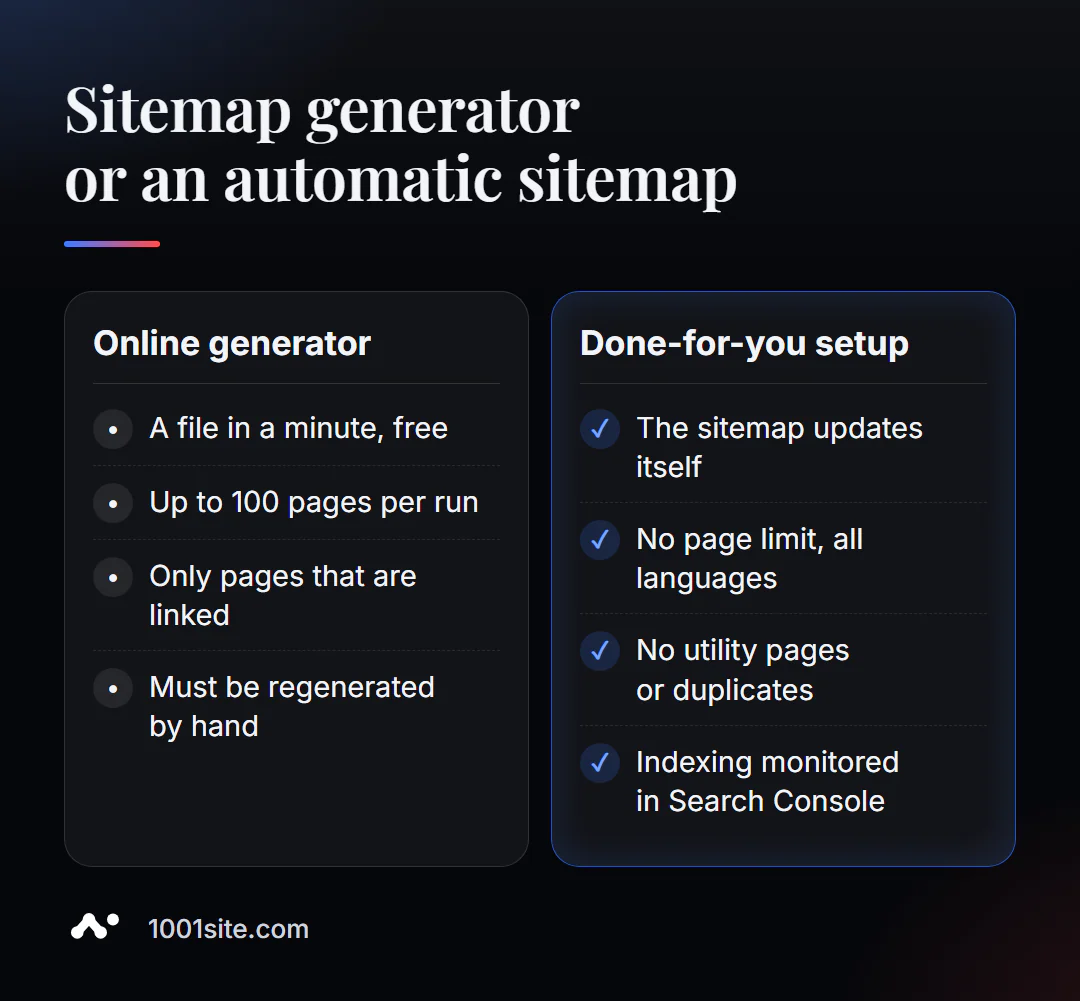
For a 15-page business card, an online generator is sufficient. You need a specialist if:
- The site has more than 100 pages and they are constantly changing;
- the site is multilingual, and the map must take into account the language versions;
- the map has been sent, but the pages are still not indexed;
- You are moving to a new domain and want the new addresses to be indexed faster.
What can I do for your website?
My name is Valeriy Danyuk, and I'm a developer and SEO specialist with 12 years of experience and over 200 clients. The websites I build have sitemaps that are automatically generated and updated along with the content.
SEO and promotion
- Turnkey SEO audit: sitemap, robots.txt, indexing in Search Console, and reasons why pages aren't showing up in search results.
- Hotel recommendations from ChatGPT, Gemini, and Perplexity in 5 weeks – how to make your site visible not only to Google.
Websites and online stores
- 1001site website: sitemap, structured data, and social media previews are built automatically, without plugins or manual generation.
- A landing page for a new product in one evening and a website in the style of someone else's website you liked —with a sitemap from day one.
- Transferring your store from Instagram to your website —products appear on the website and immediately on the map.
CRM, accounting and automation
All case studies are in the portfolio. Send me your website address via Telegram – I'll tell you if a static map is enough or if it's time for an automatic one.
Result
- The online sitemap.xml generator creates a sitemap for a small website in a minute—up to 100 pages with lastmod dates.
- Place the file in the root, submit it to Search Console and add the
Sitemap:line to robots.txt. - Remove service pages from the map and check that the addresses match the working version of the domain.
- A growing website needs a sitemap that updates itself—for example, on the 1001site site.
Create your sitemap right now with the free sitemap.xml generator. If your pages aren't indexed even with a sitemap, message me on Telegram.
Sources
- PromoPilot XML Sitemap Generator tool page - features, 100 page limit, and page questions.
- Google Search Central - How to create and submit a sitemap, file size limits.
- Google Search Console Help - Sitemaps Report.