
Landing page with a 3D cost calculator for one evening: ARCON case study
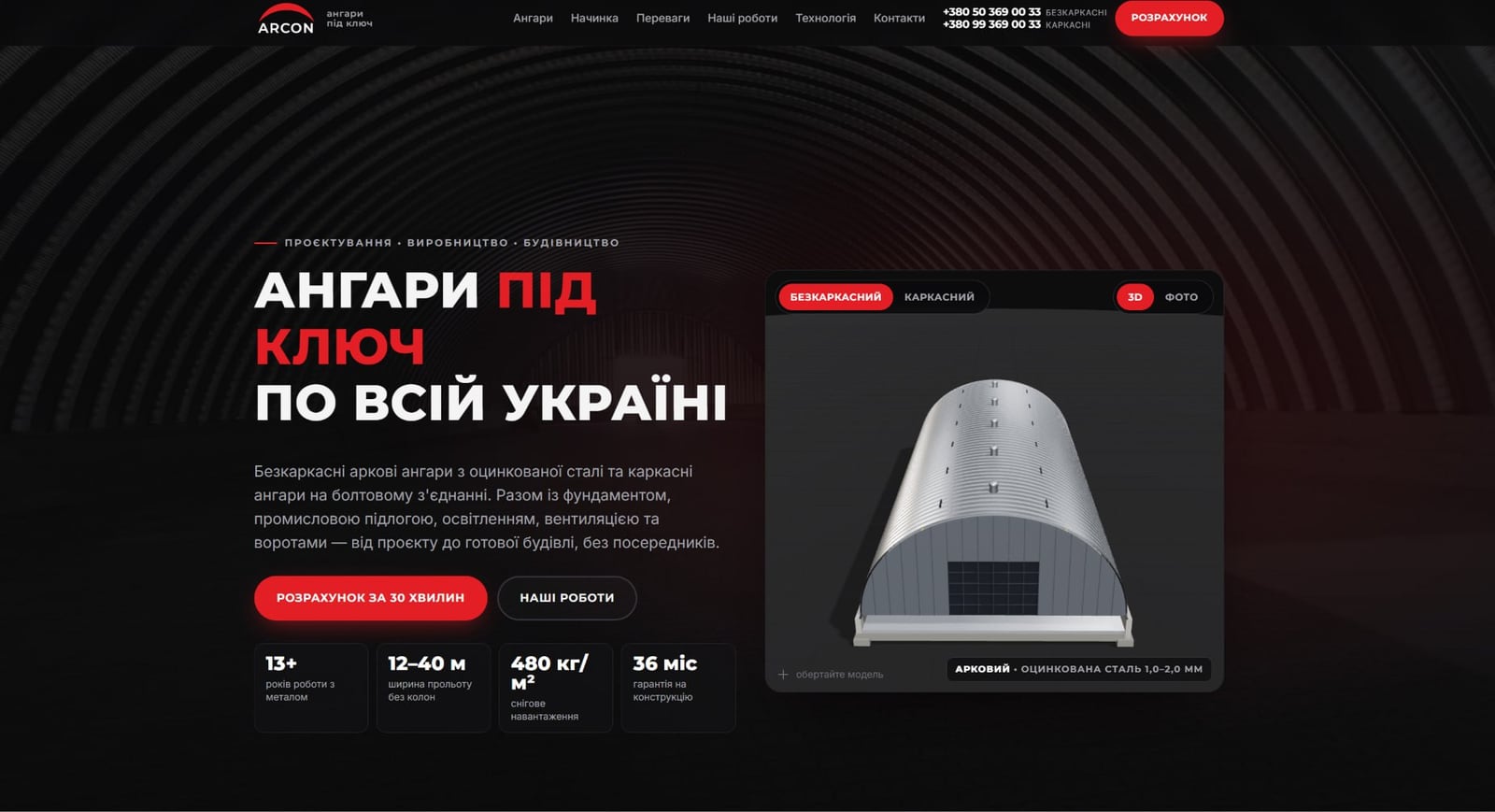
In one evening, I created a landing page for steel hangar manufacturer ARCON—with the client's signature black and red style, interactive 3D models of the structure layer by layer, and a calculator that calculates the hangar's cost in real time. The site was built with paid advertising on Facebook and Google right in mind, and the first screen immediately answers the question "how much will it cost"—even before you call the manager. I built it using 1001site AI —I'm exploring its components and how its automatic price calculation works.
The challenge: a website for paid advertising, built in one evening
ARCON builds turnkey frameless arched and framed hangars for agribusiness, ports, logistics complexes, and industrial sites throughout Ukraine. The client needed a tool for cold traffic: a person clicks on an ad, understands within seconds that they are dealing with a reliable company, and either immediately estimates the price or submits a request. A standard business card with a description of services doesn't solve this problem.
My starting materials included a company price list—a ready-made brand book with colors and a structured presentation, but without a website for advertising. I transferred the areas of application from the same price list to the landing page using icons: agribusiness, ports and terminals, logistics complexes, grain and equipment storage, manufacturing, aviation—it was immediately clear which areas to target with copy and which audience to target with advertising. I put together the landing page in one evening, ready for the first campaign launch.
How was the client's corporate style transferred to the landing page?
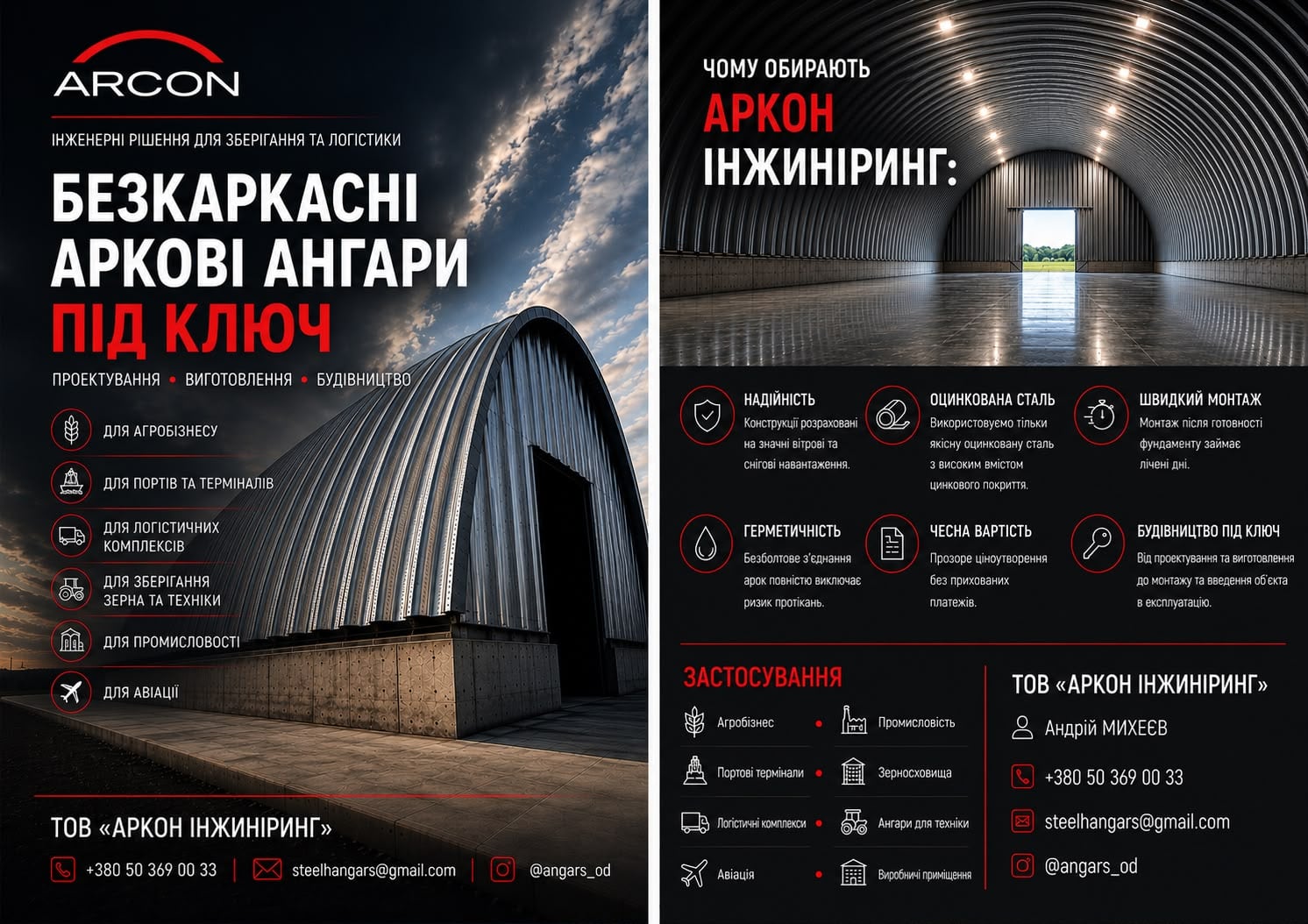
I took the colors, font, and presentation structure directly from ARCON's price list: black background, white text, red accents, and an arc in the logo. This way, visitors who have already seen the company's brochure or business card recognize the brand at first glance.
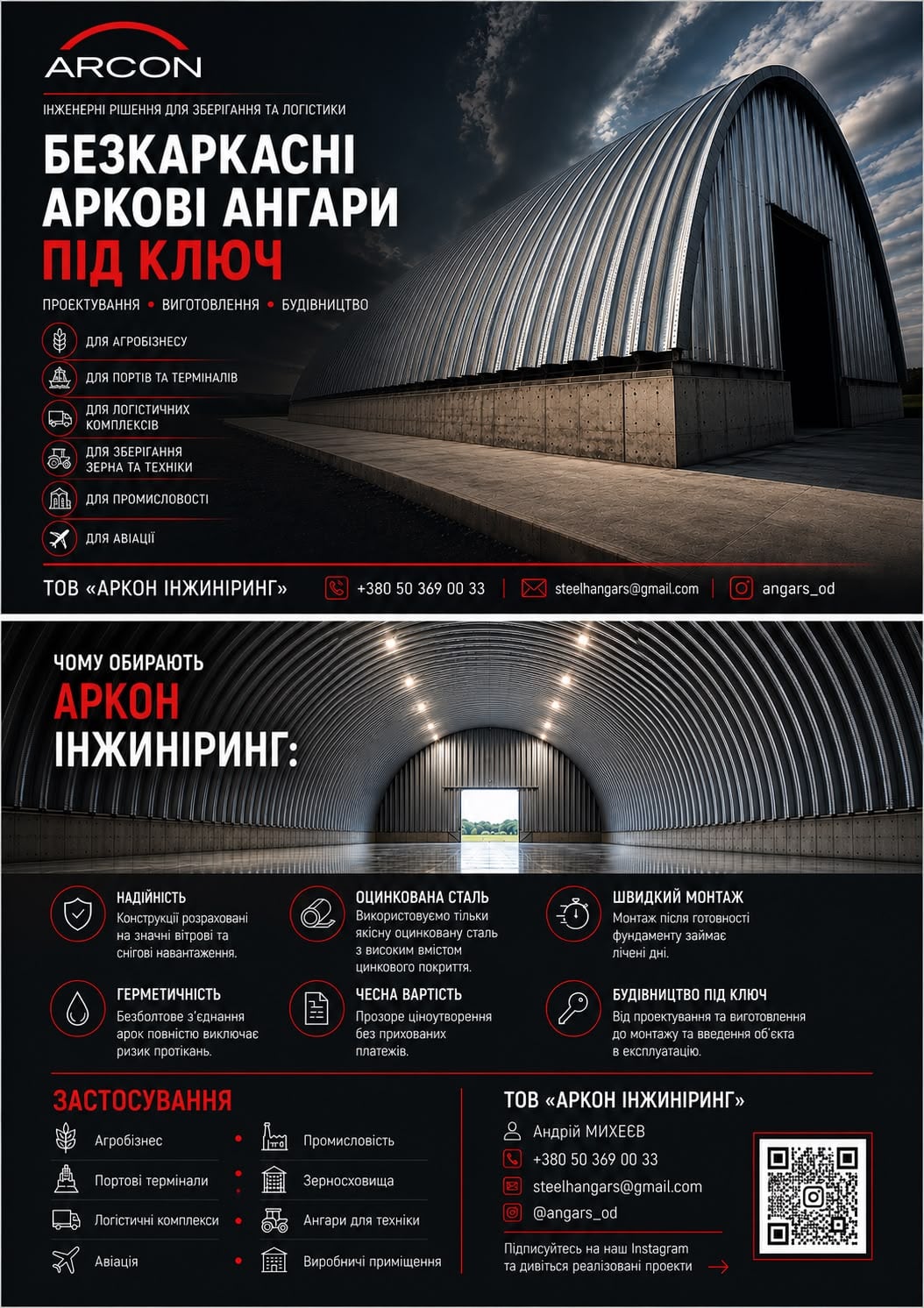
I used a basic dark style referenced from the 1001site catalog as a basis, and the client's exact red color was applied over it by the account's AI assistant with a command like "create a dark theme with my red." The result is the same price list, only now in the form of pages, buttons, and a calculator.
Why does a landing page need interactive 3D models of a hangar?
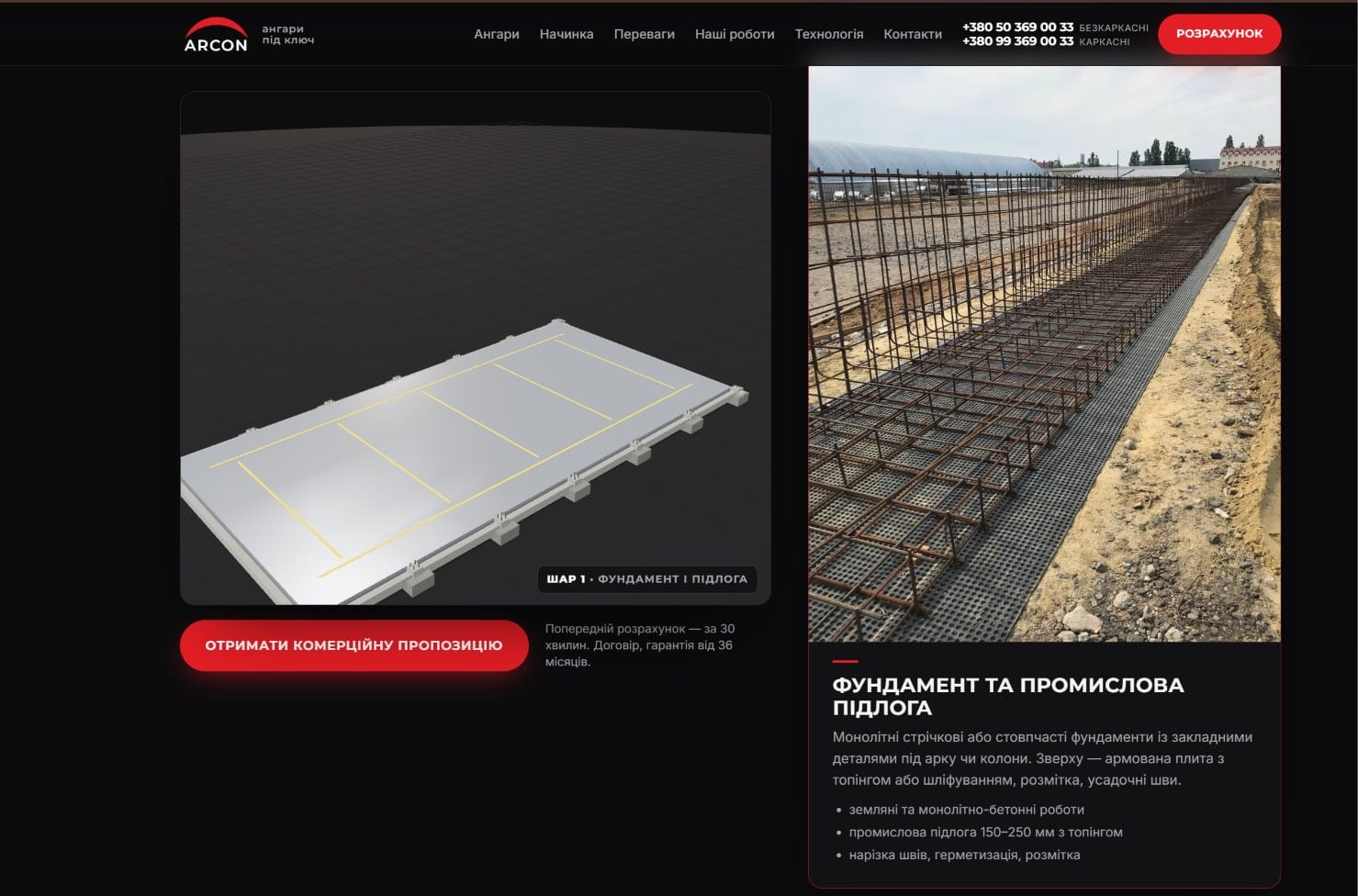
A 3D model of a hangar can be rotated and examined layer by layer—the foundation, supporting structure, lighting, and ventilation. A photo of the finished building doesn't provide such an analysis, which is precisely what answers the main question of a cold visitor: "What am I buying anyway, and what is it made of?"
Under each layer, I've included a real photo from the construction site: this confirms that the 3D diagram is based on a real ARCON facility.
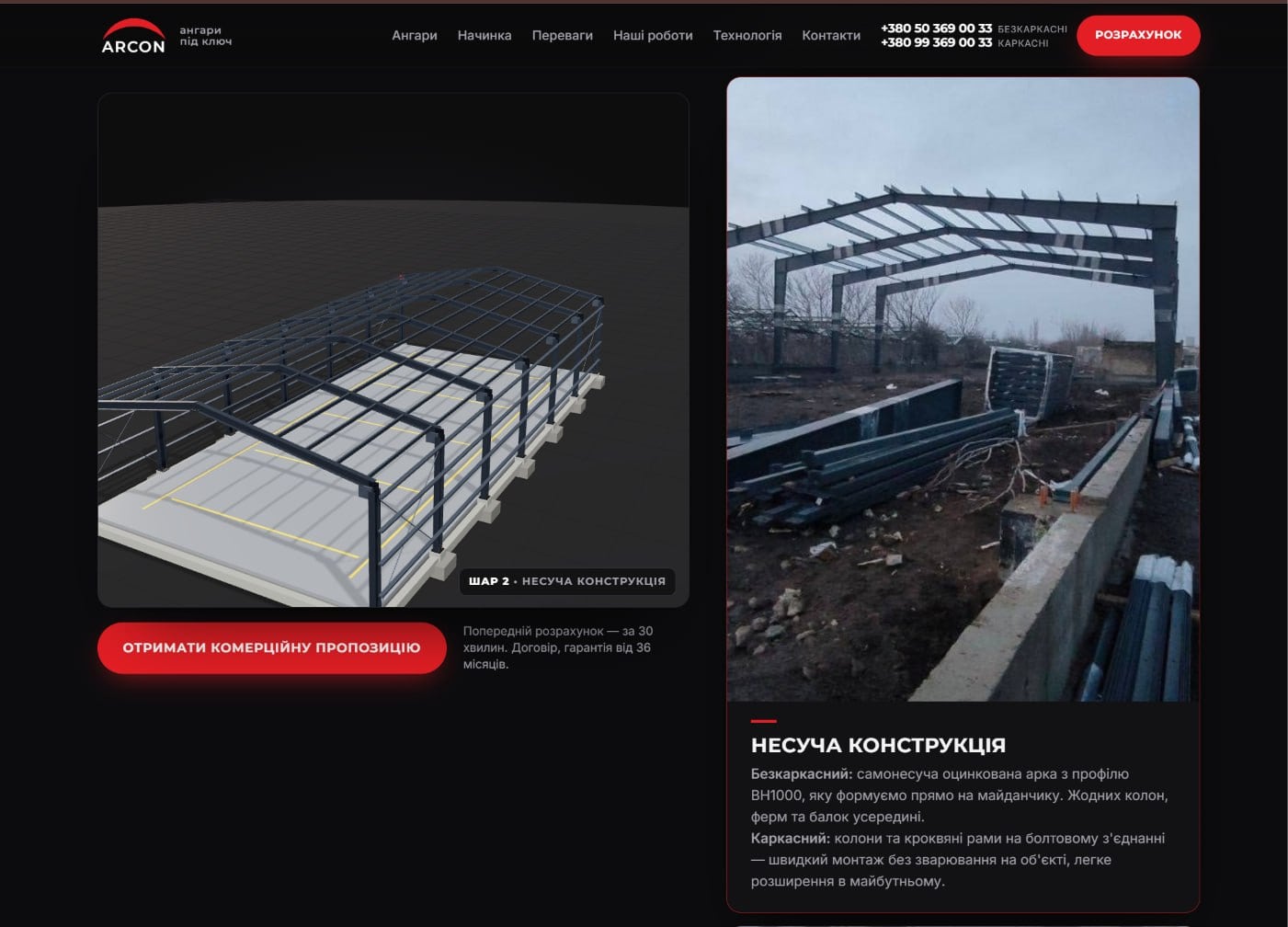
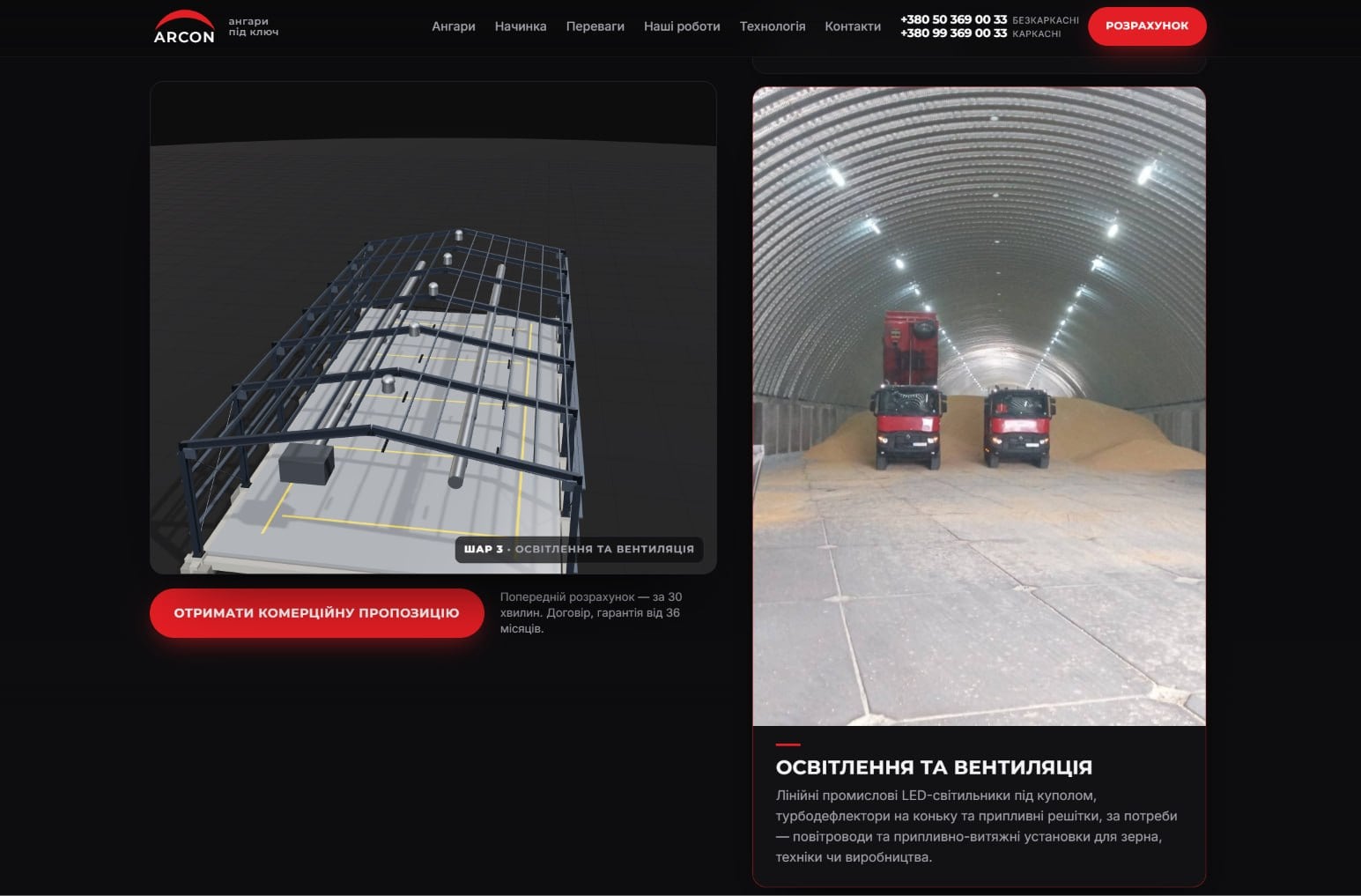
Above the layers block is the landing page's main screen with switches for "Frameless/Frame" and "3D/Photo": visitors can choose the design type and rotate the model with their mouse. There's no need to call a manager for this.
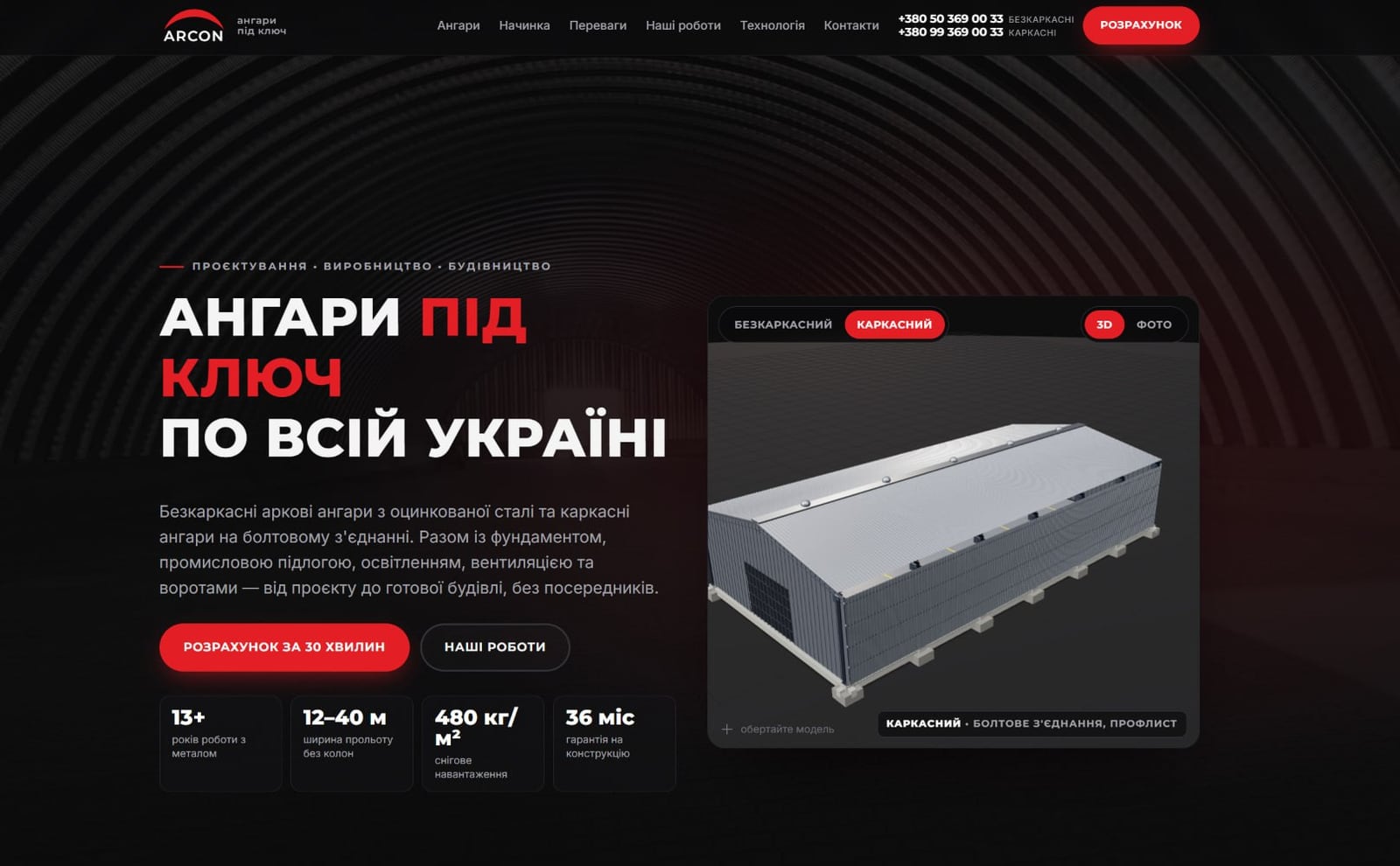
On the same screen, four trust numbers appear next to a 3D model: over 13 years of metal experience, span widths of 12-40 meters without columns, snow load rating up to 480 kg/m², and a 36-month structural warranty. This is the same language used to convince buyers in the price list on paper, only now alongside an interactive model.
How does the 3D hangar cost calculator work?
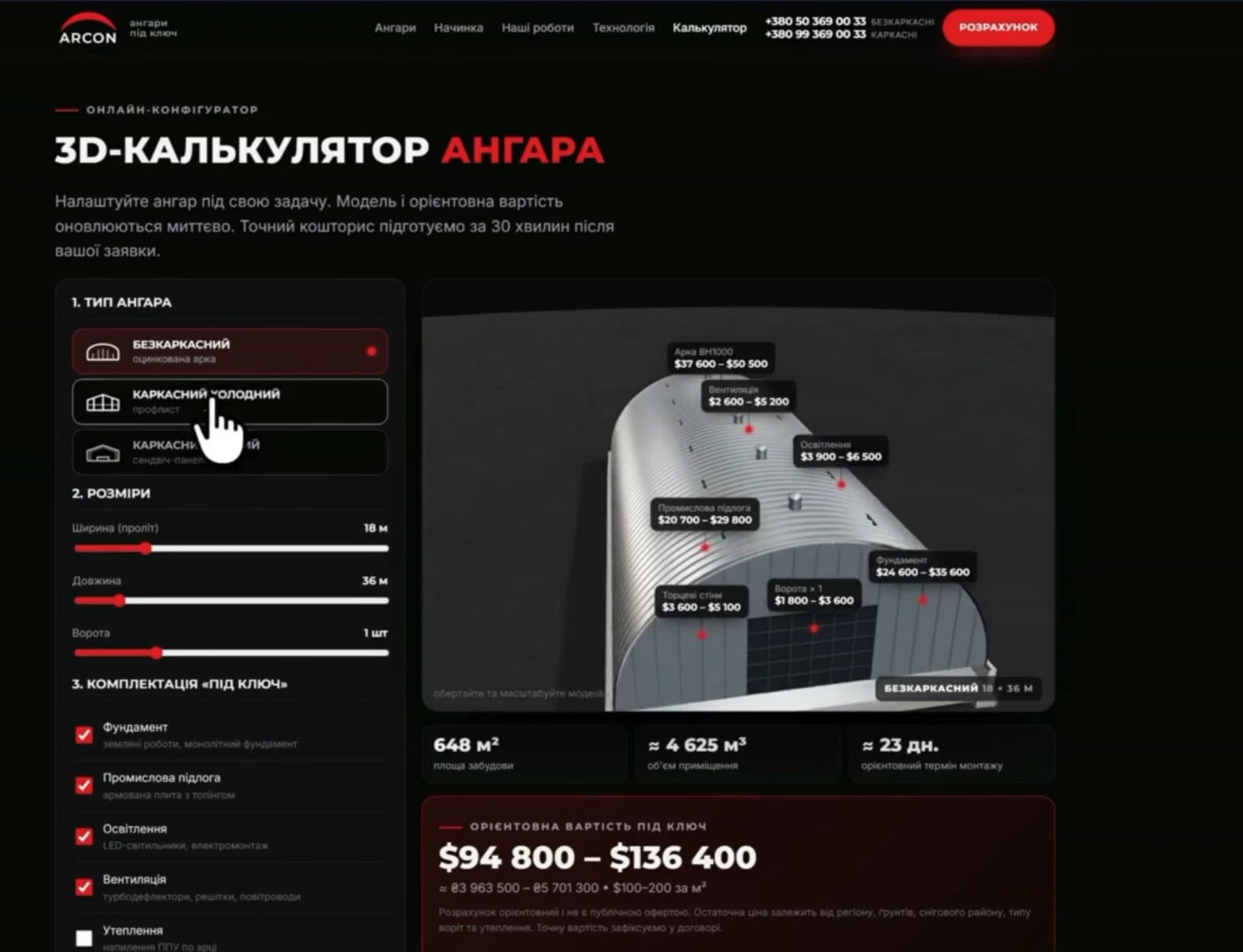
The 3D calculator on the ARCON landing page changes the model and price range instantly as the width and length sliders are adjusted. The visitor selects the hangar type, dimensions, and accessories—and the 3D model and estimated cost of each component (frame, foundation, gates, lighting) are updated live, without refreshing the page.

You can then drill down to the details: choose a frameless, cold, or warm frame type, add a foundation, industrial flooring, lighting, and ventilation—and see what the final price range is for each component separately.
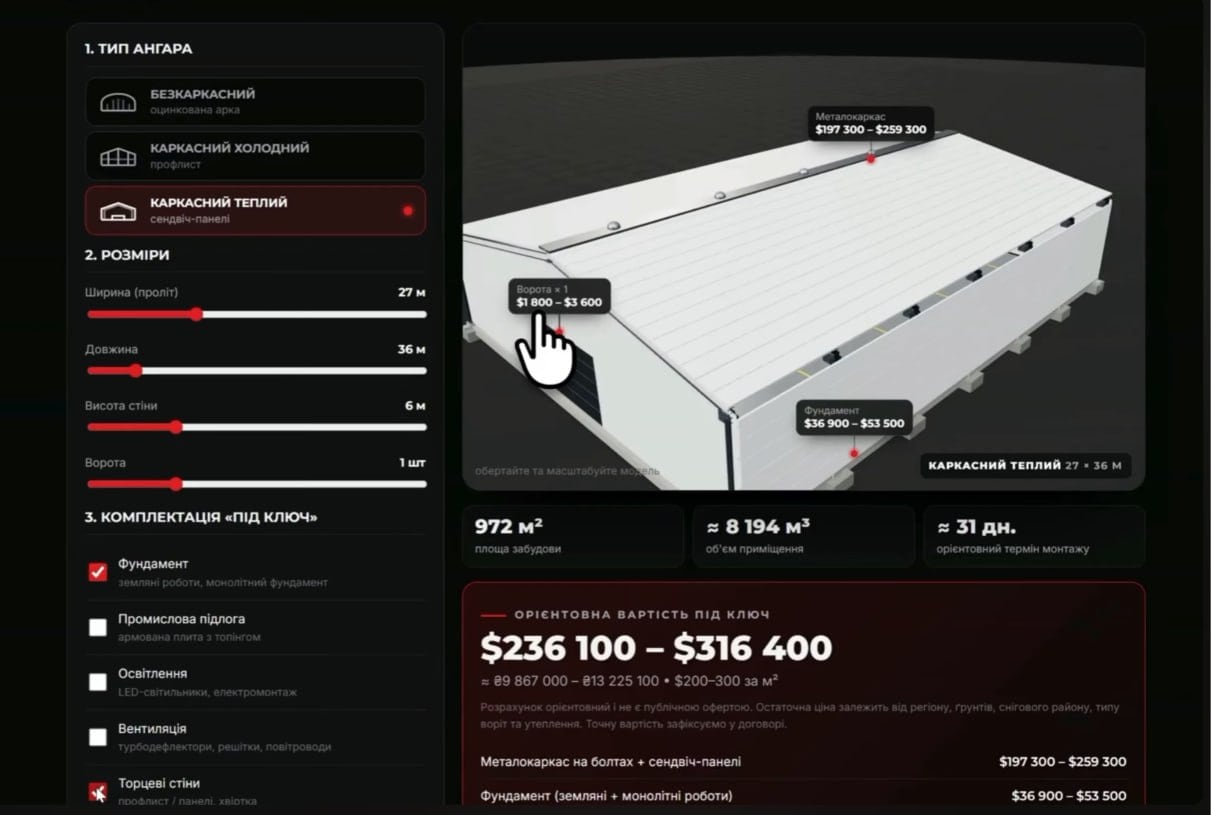
The difference from a regular landing page without a calculator is immediately visible:
| Regular landing page | Landing page with a 3D calculator | |
|---|---|---|
| How to find out the price | Leave a request and wait for a call from a manager | Move the sliders and see the fork immediately |
| What the visitor sees | Photos of completed objects | A 3D model of exactly its dimensions |
| When non-targeted leads are filtered out | After talking with the manager | Before placing an order, please refer to the price range on the screen. |
Why does this work specifically with Facebook and Google ads?
Interactive 3D models keep visitors on the page longer, and the calculator eliminates pricing issues even before they apply. For the advertising budget, this translates into a specific metric—cost per lead: visitors spend longer viewing the page, understand the price more accurately, and are less likely to leave without contact.
The landing page is designed for the strict requirements of paid traffic: fast loading and responsiveness protect the budget from accidental bounces, and a clear structure with immediate value proposition addresses the audience's primary concern within seconds of clicking. The ability to rotate the 3D model increases time spent on the site—a direct signal of engagement for advertising algorithms. The calculator builds trust: visitors "build" a hangar to their own dimensions, understand the pricing logic, and are more likely to provide contact information than if they were told "call me to find out the price."
What does a manager receive when a visitor submits a request?
According to the author of the post, requests from the ARCON landing page are sent to managers via Telegram immediately after the form is submitted. For the 1001site landing page, this delivery is configured through the "Contacts" block with a messenger button or through the same custom integration that powers the calculator. 1001site has documented notification delivery to Telegram as a ready-made feature for orders—here, it was applied to the request from the landing page. The request flow is structured as follows:
- The visitor configures the hangar in the 3D calculator and sees the price range.
- Clicks “Reject commercial offer” or “Rozrahunok for 30 hvilins”.
- Fills in contact information in the form on the landing page.
- A request with hangar parameters is immediately sent to the manager via Telegram.
- The manager calls back with an exact estimate while interest is still warm.
A breakdown of the entire landing page assembly is in the author's video, embedded below on the page.
What is this landing page technically made of?
This is 1001site "landing" mode: a homepage block, custom pages, and an application form, without a shopping cart or ad submission. The 3D models and calculator are third-party widgets inserted through the "custom HTML" block: in "landing" mode, they appear in the general list of blocks along with the hero, gallery, and form. The builder itself doesn't implement this 3D mechanics for you—it only provides a ready-made place to insert them.
The landing page is hosted on its own domain, arcon.in.ua, with its own SSL certificate, which 1001site issues and renews itself. You can edit the text, numbers in the benefits section, or add a new hangar type using the dashboard's AI assistant—without having to contact the developer for every minor edit.
How much does it cost and how quickly does such a landing page get built?
A standard landing page on 1001site is built by an AI agent in 2-7 minutes after payment for the "All Inclusive" plan—€45 per month. The first month is €25 with a monthly promo code. There's no trial period. However, embedding a third-party 3D calculator using the "Custom HTML" block and customizing the style to match the exact brand color requires manual work on top of the builder: it can't be created with a single click in a pop-up.
The "Turnkey" plan is suitable for this volume of customization—a one-time fee of €1,650. The entire website is built for the client, from style and text to the domain and Telegram integration, with 12 months of hosting included. For those who already have an in-house developer, the "All Inclusive" plan is sufficient for this task—the widget is then inserted using the same "Custom HTML" block.
Who would benefit from a landing page with a 3D calculator, other than selling hangars?
This format solves a specific problem: the price of the product is calculated based on the parameters of the specific object, and the site must filter out irrelevant requests even before a manager is called. This is relevant not only for hangars – greenhouses, swimming pools, balcony glazing, custom furniture and kitchens, gates, and fences all fit the same model.
If the product price is the same for everyone and selection is based on photos and descriptions, a calculator is unnecessary—a standard landing page with an application form will suffice. A similar example is the case of how the NordHarvest brand created a landing page for a new product in one evening: it also has a deadline and paid traffic, but the product price is fixed, and instead of a calculator, the landing page itself turns the product selection into a commercial offer.
I'll add that I personally communicated with the ARCON team during the project and recommend them as a hangar contractor.
Sources
- Post from the "Business with AI" channel: https://t.me/promtvibeadd/457
- ARCON Landing Page: https://arcon.in.ua/
- Landing page creation video: https://youtu.be/uOOGNCFzeyM
Project links
Discussion
Post and comments in Telegram channelБизнес с ИИ | Через замочную скважину · 5 November 2026
Questions and Answers
Is it possible to create a landing page with 3D models and a cost calculator without your own development team?
Yes, that's exactly how the ARCON landing page is built—on 1001site. The branding, blocks, and texts are assembled using a style catalog and an AI assistant, and for the complex interactive section (3D viewer and calculator), there's a "custom HTML" block in "landing page" mode, where a ready-made third-party widget is embedded. This type of build is typically offered under the "Turnkey" plan—a one-time fee of €1,650, with the client paying only for the domain.
How does the 3D cost calculator on the landing page work?
The calculator itself is a third-party 3D configurator, embedded into the page as a "custom HTML" block: it changes the model and price based on width, length, and configuration without reloading the page. 1001site is responsible for the website surrounding the calculator—the style, text, and application form—and application delivery to Telegram is configured using the same integration.
Is this landing page format suitable only for selling hangars?
No. The "3D model plus calculator with parameters" format is suitable for any business where pricing is based on dimensions and configuration: greenhouses, pools, glazing, custom furniture and kitchens, gates and fences.
What if a business doesn't have 3D models of its product?
You can start without 3D, using simple photos and an application form. This is a standard 1001site landing page filled with a link to the old website, Instagram, or a product listing. 3D models and a calculator are added as a separate step once they generate a profitable volume of applications from paid advertising.
Subscribe to my Telegram channel
In the channel « Бизнес с ИИ | Через замочную скважину», I watch and talk about how clients who have contacted me use AI in their businesses. I encourage discussion—let me know in the comments, and I'll respond directly.
Similar projects
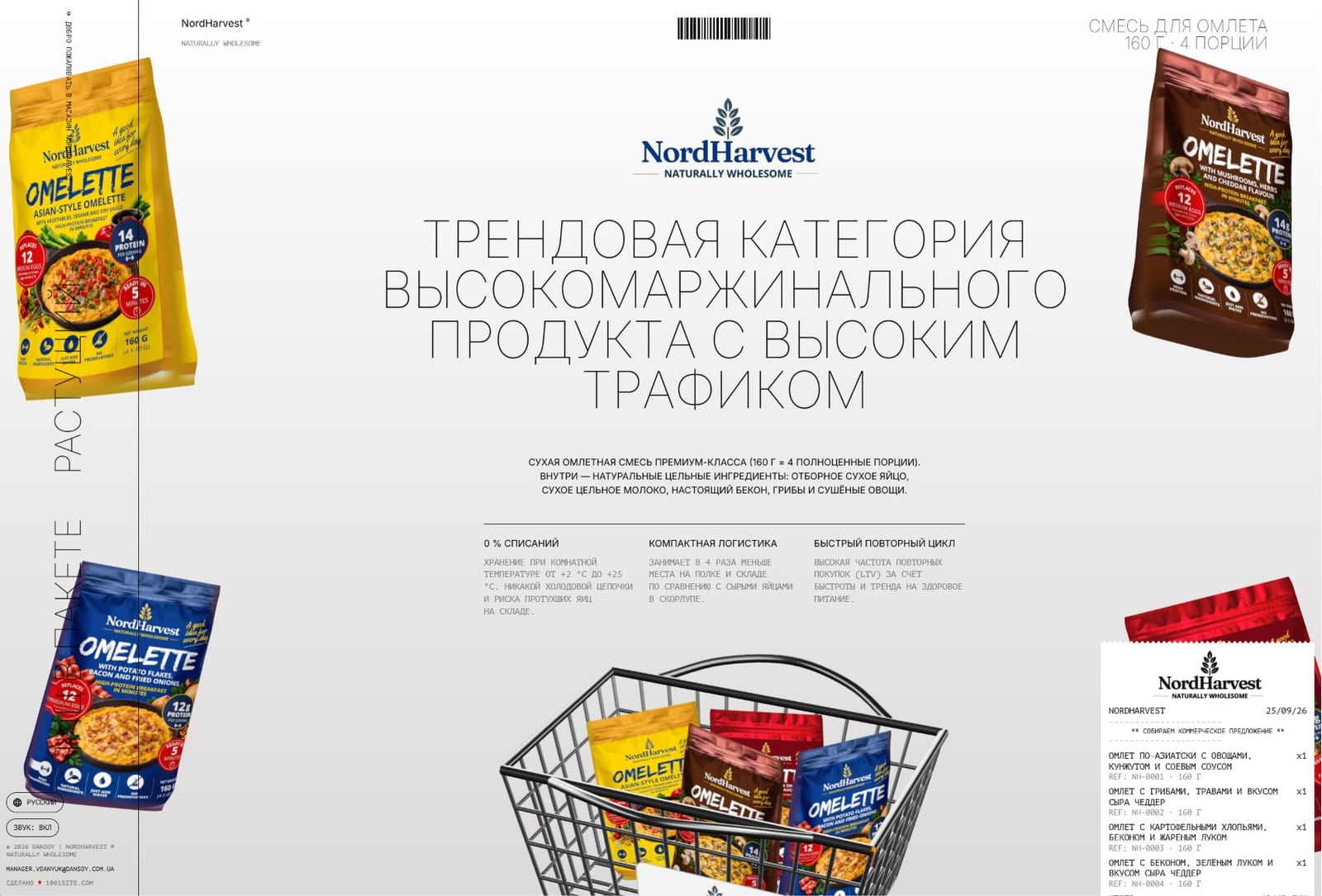
A Landing Page for a New Product in One Evening: A Case Study from NordHarvest
A Landing Page for a New Product in One Evening with 1001site – Order Builder and Automatic Quote Generation from a Business Card Photo.

Why ChatGPT Doesn't Recommend Your Website: 7 Checklists for Small Businesses
ChatGPT, Gemini, and Perplexity don't see everything. 7 checks that distinguish real GEO hygiene from agency myths—and what 1001site AI does itself.

Restaurant website: menu and ordering via Telegram and WhatsApp without aggregators
Menus are displayed as pages or a display with a shopping cart, and orders are placed directly via Telegram or WhatsApp, bypassing the delivery aggregator.