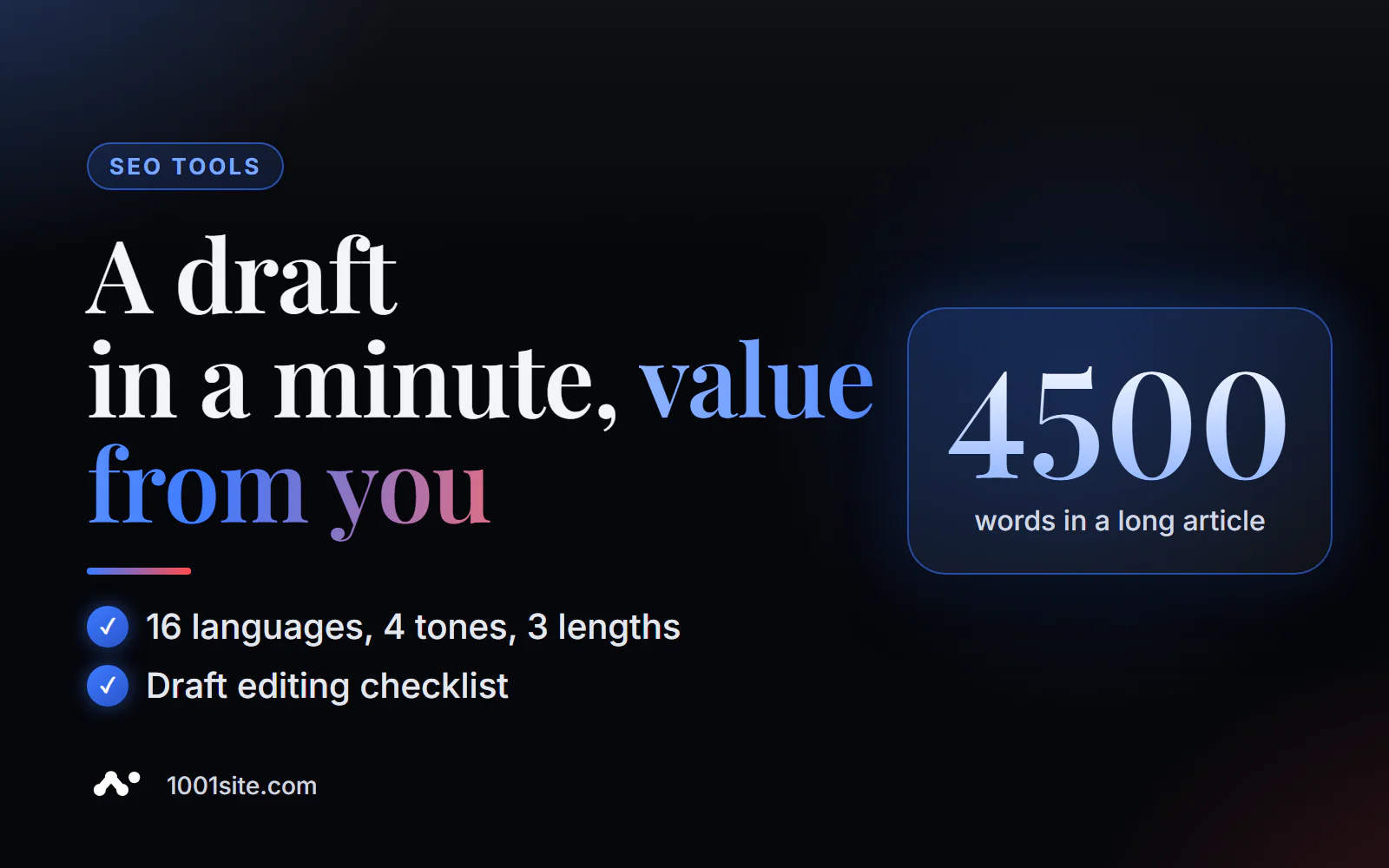
The short answer: to generate an AI-powered article online, enter a keyword or topic into the PromoPilot AI Article Generator, select the language (16 languages), tone—informational, commercial, educational, or entertaining—and length: short (800-1200 words), medium (1500-2500 words), or long (3000-4500 words). Add your preferences and click "Generate." You'll get an article with an H2-H3 structure, lists, FAQ, SEO title, meta description, and snippet preview. No registration required.
I run blogs where AI writes articles, and I know the catch: generating text is easy, but making it attract clients is not. A generator saves hours on the first draft, but the final say always belongs to a human.
What can the AI article generator do?
The generator writes the article from scratch—unlike an SEO optimizer, which requires your finished text. The input is just a query and settings, and the output is a draft ready for editing.
| Setting or result | What is this | Why is it important for SEO and business? |
|---|---|---|
| Keyword or topic | A required field, such as "how to choose a website hosting provider" | The article is built around the query by which people will search for you. |
| Language | 16 languages, including Russian, English, German, and Chinese | Website content for multiple markets |
| Tone | Informational, commercial, educational, entertaining | The tone matches the reader's intent: to find out, to buy, to learn |
| Volume | 800–1200, 1500–2500, or 3000–4500 words | Based on the depth of the topic and the volume of competitors in the search results |
| Structure | Headings H2–H3, lists, FAQ and article outline | The text is easy to read, and the FAQ covers clarifying questions. |
| SEO title and description | Meta Tags and Snippet Preview | The article can be published without separate work on the snippet |
How to generate an article with AI online?
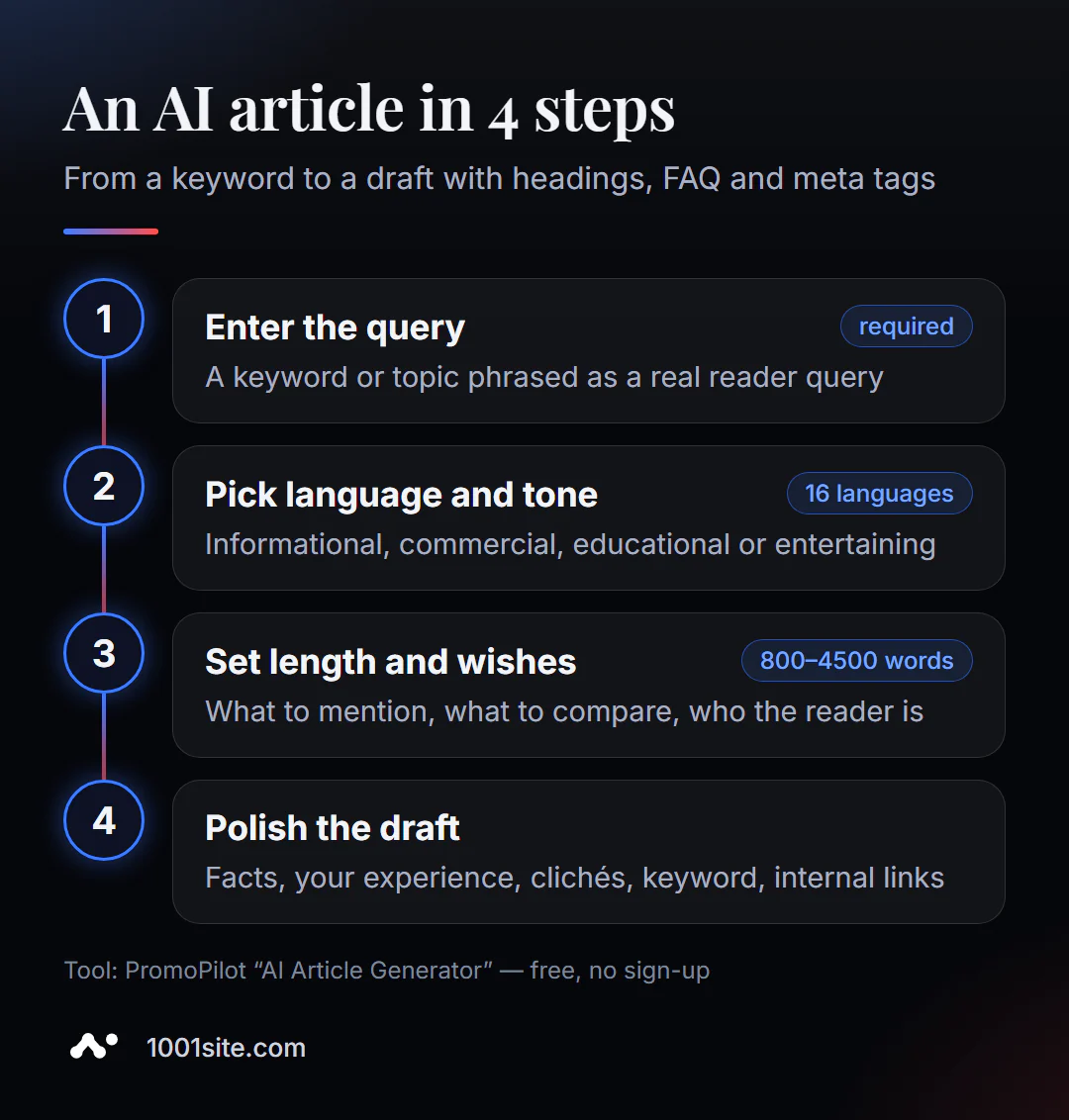
- Open the article generator - it runs in your browser.
- Enter a keyword or topic —preferably in the form of a real query: “how to choose hosting for a website,” not “hosting.”
- Choose the language and tone of the article. For a blog, it should be informational or educational; for a service page, it should be commercial.
- Select a volume. Focus on pages that are already ranking high for your query.
- Fill in the “Additional wishes”: what to mention, what to compare with, who to write for.
- Click "Generate" and proceed to finalizing the draft.
This is what the tool page looks like: a field for a keyword, a choice of language, tone and volume, a field for additional wishes and a “Generate” button.
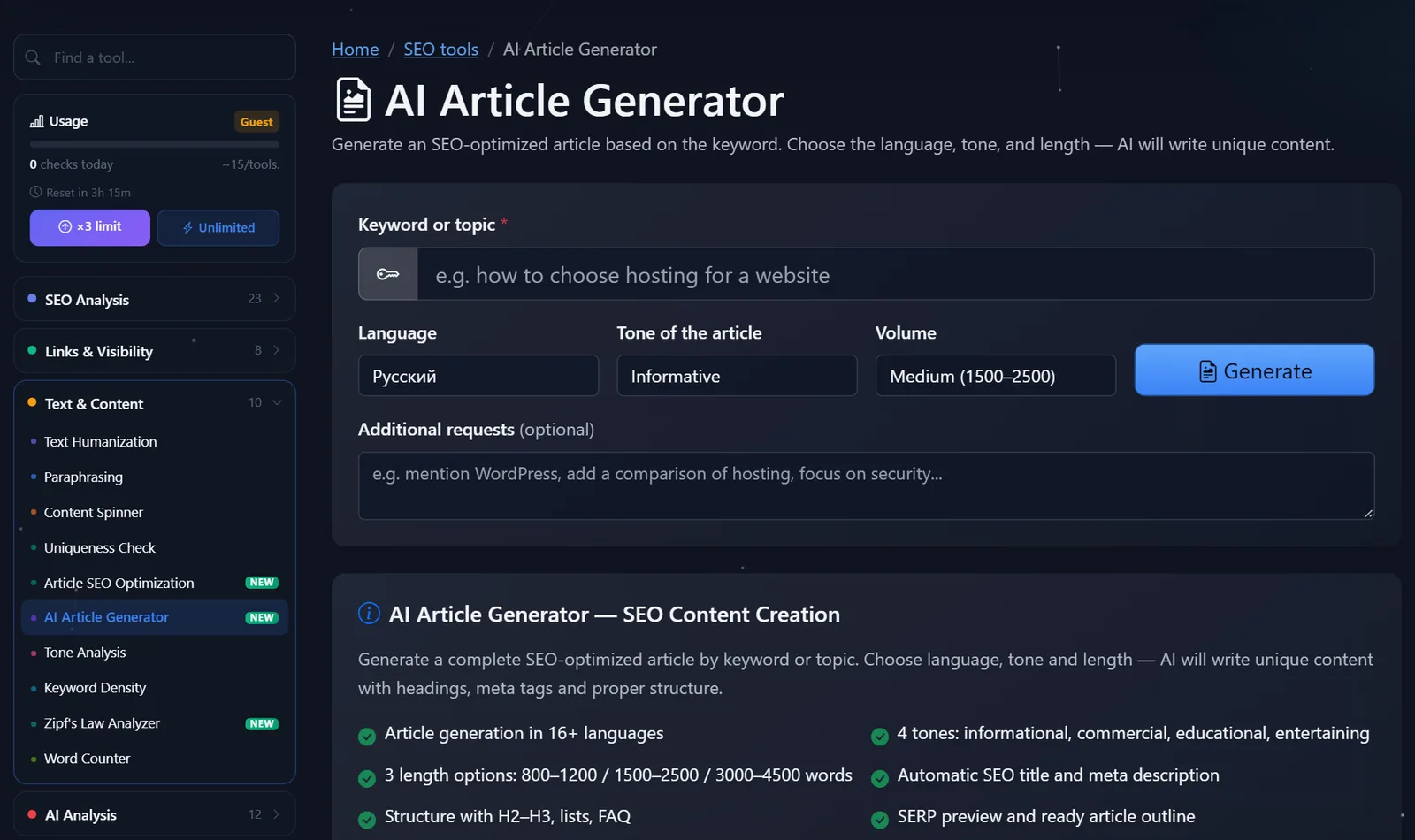
You can see how many free generations are left today in the "Usage" section of the sidebar. After registering for free, your free generations are tripled.
How to set up a generator so as not to get water?
The quality of a draft is 80% determined by the input. Here's what works for me:
- A query, not a topic. "How to care for orchids in winter" will yield a specific article, while "orchids" will yield a review of everything and nothing.
- Suggestions with facts. "Mention that we deliver within Prague in two hours, compare three types of packaging, write for gift buyers"—and your specifics will appear in the article.
- The tone matches the intent. Someone searching for "laptop repair price" wants numbers and records, not a history of laptop repairs. This is a commercial tone.
- The length is no more than necessary. A long 4,000-word article on a simple question is just fluff, and the reader will leave before reaching the answer.
After generation, I go through the draft using the same checklist:
- Facts. AI can make up numbers, dates, names, and characteristics—I check every single one.
- Experience. I'll add 2-3 of my own examples, cases, or observations—things not included in other articles.
- Clichés. I remove "in the modern world" and "plays an important role"; if the text sounds robotic, I run it through a humanizer.
- Key: I check that the query is in the title, H1, and first paragraph, but not in every sentence.
- Links. I put internal links to my services and related articles.
What tone and volume should I choose for the task?
The same settings don't work for every article. Here are the combinations I use most often:
- A blog post with instructions ("how to choose," "how to set up") is educational in tone and averages 1,500–2,500 words. There's plenty of space for steps, examples, and FAQs.
- The answer to a specific question ("How long does a bouquet last without water") is informational, a short article of 800-1200 words. Anything longer is just water.
- A page for a commercial query ("flower delivery Prague price")—commercial tone, short or medium length. Be sure to include prices, deadlines, and payment methods in your requests.
- A long guide or market overview is informational in tone, a long article of 3,000–4,500 words. This draft will require the most editing: check every fact and comparison.
- A light post for social media or a newsletter - keep it entertaining, short, and then edit it down to the desired length.
When in doubt, generate two drafts with different tones and compare them: you can usually tell right away which one is closer to how your customers speak.
Comparison: PromoPilot Article Generator and Alternatives
You can get an AI-powered article from a specialized generator or a universal chatbot. The difference is how much work remains for you.
| Tool | What's free? | Restrictions | Who is it suitable for? |
|---|---|---|---|
| PromoPilot — AI Article Generator | Article with H2–H3, FAQ, title, description, and snippet preview, 16 languages | Daily limit, draft requires editing | Get a quick SEO-structured draft on request |
| ChatGPT | Prompt text in the free plan | You need to request the structure, meta tags, and FAQ separately. | For those who can write detailed prompts |
| Google Gemini | Prompt text | Same thing: you assemble the SEO package yourself. | For Google ecosystem users |
| Human author | — | Expensive and takes longer | Key articles with expert opinions and interviews |
Conclusion: a universal chatbot is more flexible, but you'll have to put together the SEO components—title, description, FAQ, and query-specific structure—yourself. A specialized generator provides all of this right away. Neither can replace your experience in writing.
The generator is one of PromoPilot's 87 free SEO tools. If you already have text and need to optimize it for a specific query, you don't need a generator, but an article SEO optimizer—the next article in the series is dedicated to that.
What does Google say about AI-written articles?
Google position is articulated in its documentation for website owners: what matters is the usefulness of the content, not the method of its creation. An AI-powered article that honestly and completely answers a reader's question has the same chance of being found as a human-written article.
But there's a limit. Mass-generated pages for rankings, without providing any value to the reader, is the massive creation of useless content, and Google considers it spam. A hundred generated articles without a single fact about your business won't generate traffic and could actually harm your entire site.
Hence the rule of thumb: the generator is for the draft and structure, and a human is for the facts, experience, and verification. This is how all my AI blogs work.
When is a free tool not enough?
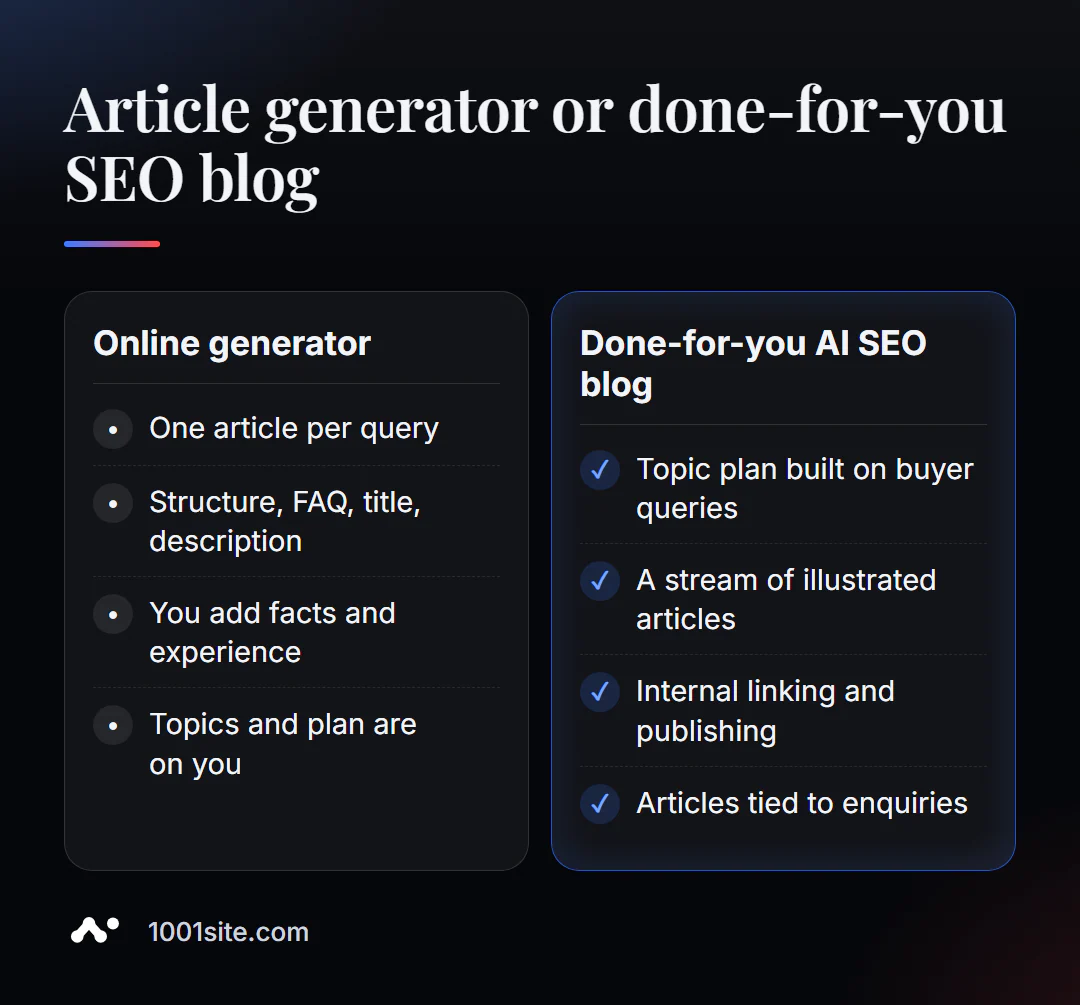
The generator produces one article. A blog that brings in clients is a topic plan based on real queries, consistency, images, interlinking, and connection to requests. A specialist is needed if:
- You generate articles, but traffic and requests are not growing;
- It is unclear which topics will attract buyers and which will attract casual readers;
- you need to publish 10-30 articles a month and not spend your day on it;
- I need a blog in several languages at once.
What can I do for your website?
My name is Valeriy Danyuk, and I'm a developer and SEO specialist with 12 years of experience and over 200 clients. AI-powered content is the foundation of my SEO projects: I build systems where AI writes content, while strategy and quality are under control.
SEO, content and promotion
- An AI-powered SEO blog that brings in organic clients: AI writes, illustrates, and publishes articles using my methodology—from topic planning to publication.
- Autoblog with AI agents – how an editorial team works without humans.
- Turnkey SEO audit: I check which articles are working, which ones are competing, and what to write next.
- A multilingual website without a translator – how to enter multiple markets with one blog.
Websites and online stores
- A 1001site website with a blog and an AI assistant in your dashboard: texts, pages, and posts are edited with words, and SEO settings are enabled right out of the box.
- A catalog of 300 products in a couple of minutes via MCP and Claude.
CRM, accounting and automation
- QuestFlow is a SaaS builder Telegram bots with AI.
- ERP + website + AI-powered Telegram bot for auto dismantling in 6 days.
All projects are in my portfolio. Send me a link to your blog on Telegram —I'll show you how to turn AI articles into a stream of applications.
Result
- The generator writes an SEO article based on your query: H2-H3 structure, lists, FAQ, title, description, and snippet preview.
- Quality depends on the input: a specific request, a tone that matches the intention, and wishes with facts.
- Be sure to refine the draft: facts, experience, cliches, keywords and internal links.
- Google values usefulness, not the writing method; masses of empty articles are spam. A blog with useful content is conveniently maintained on a website built on 1001site.
Try it on one query from your niche: generate a draft article for free, and if you need a blog that runs without your involvement, write to me on Telegram.
Sources
- Page of the PromoPilot AI Article Generator tool - languages, tones, volumes, results.
- PromoPilot SEO Tools Wiki – Description of the generator and related tools.
- Google Search Central — guidelines for using generative AI in content and spam rules.