The short answer: to analyze a page's link profile, paste its URL into PromoPilot's Link Profile Analysis tool. The tool will collect all the links on the page, count internal and external links, mark dofollow and nofollow links, display anchor text, link equity distribution, broken links, and provide cross-linking recommendations. It's free and requires no registration. Important: this refers to the page's outbound links, not who links to you. Below is how to read the report and what to improve.
I do this analysis for each of my client's key pages: it often turns out that a service page gives more weight to the footer and social media than to its own sections.
What does a page's link profile analysis show?
The tool opens the page, finds each link tag, and sorts them by type.
| Parameter | What is he looking at? | Why is this for SEO? |
|---|---|---|
| Internal links | Links to pages of your own website | Through them, the robot's weight and attention flows to important sections. |
| External links | Links to other domains | Useful sources increase trust, unnecessary ones take away weight and visitors |
| dofollow / nofollow | Does the link have the rel="nofollow" attribute? | You can see which links you pass weight to and which you don't. |
| Anchors | Link text | Google understands from the anchor what the page to which the link leads is about. |
| Weight distribution | Share of links by sections and types | Where does the page "vote" with its links? |
| Broken links | Links leading to an error | Dead ends for robot and visitor |
| Recommendations | Tips for interlinking | Where to start editing |
How to analyze links on a page online?
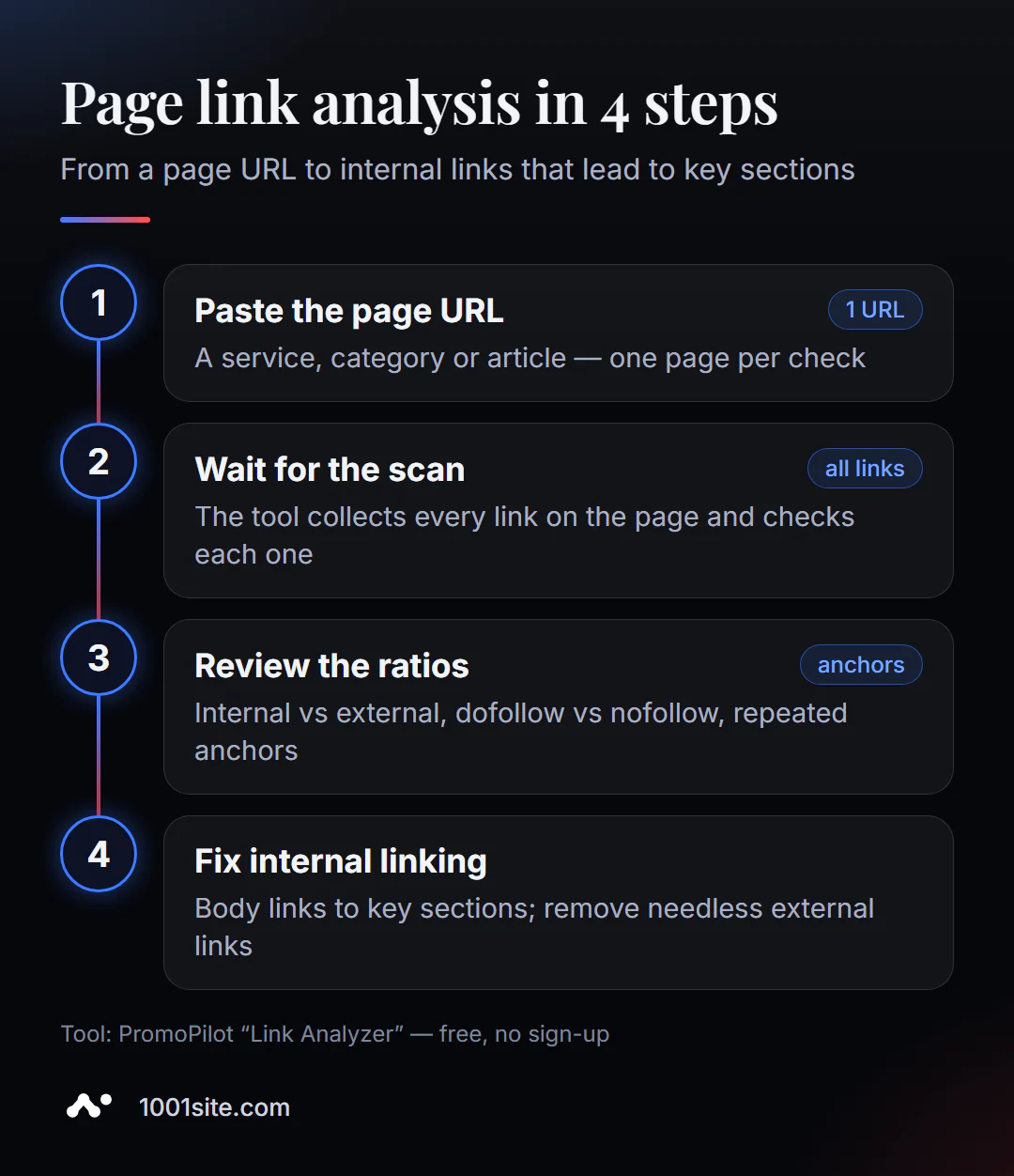
- Open Link Profile Analysis - works in your browser.
- Insert the address of a specific page: services, categories, articles. The analysis proceeds one page at a time.
- Click "Analyze" and wait for the tool to scan all the links.
- Look at the ratios: how many internal and external, how many nofollow, which anchors are repeated.
- Correct the interlinking according to the recommendations and check the page again.
This is what the tool's page looks like: an address field, an "Analyze" button, a list of features, and a short FAQ.
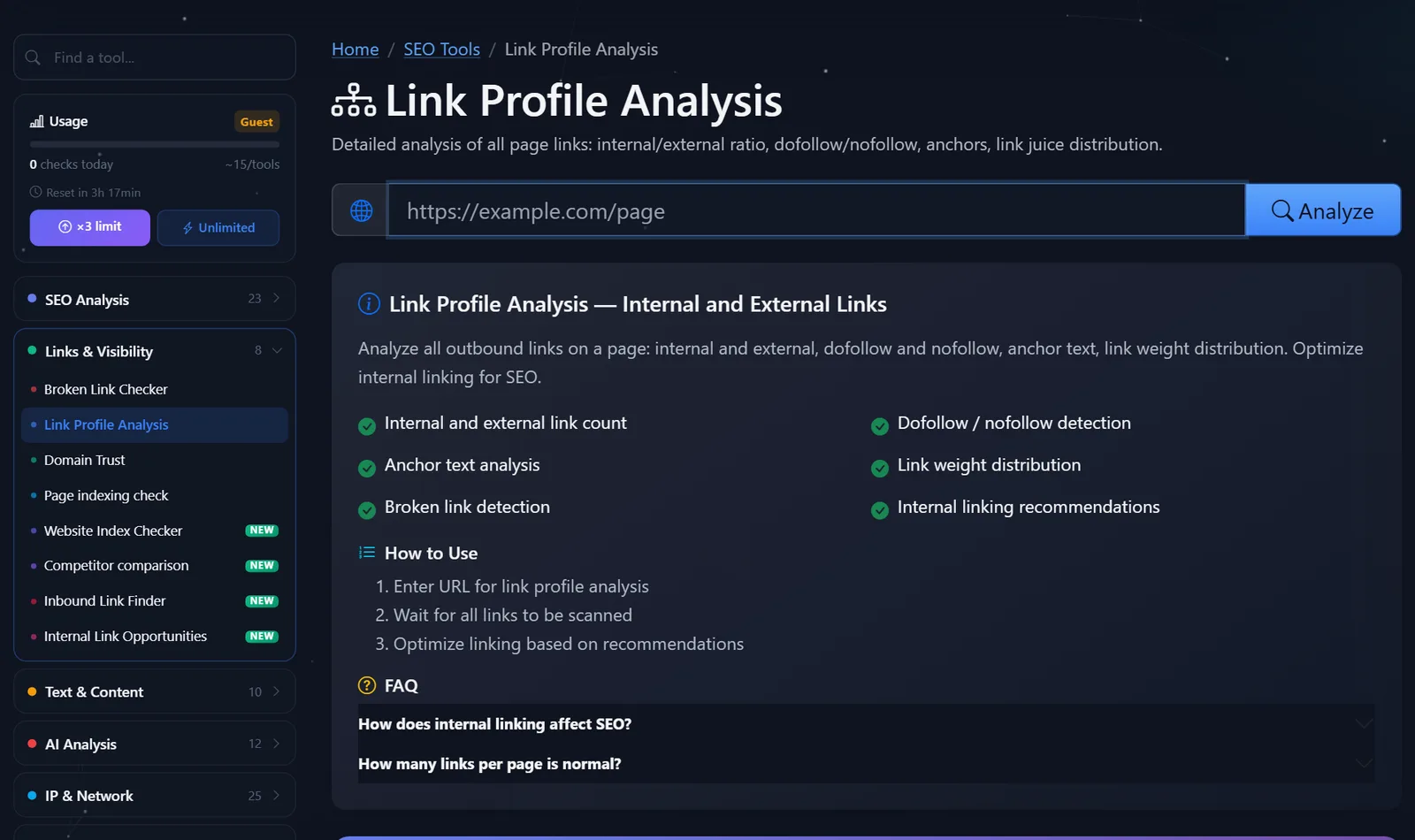
Which pages to check first: the homepage (it distributes authority to the entire site), service and category pages that generate inquiries, and the 3-5 most visited blog articles. These are the ones that provide the most value from links to commercial sections. Service pages—contacts, policies, and shopping cart—almost never need to be analyzed.
This analysis works for other people's pages too. Open a competitor's page that ranks high for your query and see which sections it links to from the text and what anchors it uses. This is a quick way to understand how a competitor has structured their website without having to crawl their entire site.
Tip: Compare two pages—one that ranks well and one that's struggling. The difference in interlinking is usually immediately obvious: the strong page has links to adjacent sections from the text, while the weak page only has a menu.
How to read the report and what to fix first?
The numbers themselves don't mean anything—what matters are the proportions and the meaning of the links. That's what I look at first.
- Links from the text to important pages. If the main text of a service doesn't contain any links to related services, case studies, or prices, this is the first thing to add. Links from the content carry more weight than those from the menu.
- Anchors. "Learn more," "here," "read more" don't tell Google anything. The anchor should describe the page it leads to: "DeLonghi coffee machine repair," "service rates."
- External dofollow links. Links to sources, documentation, and partners are fine. Links to random sites, especially in the footer or from old plugins, should be cleaned or blocked with an attribute.
- Duplicate links. Five links to the same page with different anchors confuse crawlers. The first one is usually the one that counts; keep the most meaningful one.
- Broken links. Fix or remove immediately.
Example. Service page: 140 links, 118 of which are menu, footer, and blog tags, 9 external dofollow links to social media and catalogs, and only 3 links from the text—all with the anchor "more." After editing: 8 links from the text to related services and case studies with descriptive anchors, external links to social media—on a single line, tags removed from the service template.
External link attributes: rel="sponsored" — for advertising and affiliate links, rel="ugc" — for comments and reviews, rel="nofollow" — when you don't vouch for the link. There's no need to nofollow every external link: links to reputable sources are a normal part of a useful page.
Comparison: PromoPilot Link Profile Analysis and Alternatives
| Tool | What's free? | Restrictions | Who is it suitable for? |
|---|---|---|---|
| PromoPilot — Link Profile Analysis | All page links, dofollow/nofollow, anchors, weight, recommendations | One page at a time; only outgoing links | Quickly analyze the interlinking of a specific page, yours or someone else's |
| Google Search Console, Links report | Internal and external links to your website pages | Only your verified website, without anchor analysis on the page | Understand which pages of your site receive the most internal links |
| Screaming Frog SEO Spider | All site links, incoming and outgoing tabs | Up to 500 addresses, installation required | Technical audit of the entire website's interlinking |
| Ahrefs Webmaster Tools | Internal link reports during audit | Only your verified sites | Regularly monitor your website |
Conclusion: for a single page—especially someone else's, like a top-ranking competitor's—online analysis is fastest. For a comprehensive picture of the entire site, you need a crawler or Search Console.
The Search Console report and crawler describe the site as a whole, while online analysis answers the question "what's wrong with this page right now"—so they complement each other rather than replace each other.
This is one of PromoPilot's 87 free SEO tools. If you need to find specific places in the text where you can add a link to an important page, there's a separate article in the section on finding internal linking opportunities. And the inbound link search shows who's linking to your site from outside.
How does this analysis differ from searching for incoming links?
This is a common source of confusion. "Link profile" in SEO jargon sometimes refers to external links to a site, but this tool analyzes the links on the page itself —something you can fix right now in the editor.
It doesn't show external links to your site—that is, backlinks. For these, you need to search for incoming links, Search Console (report "Links" → "External Links"), or commercial databases. Also, the analysis only shows links in the server's HTML response; links that appear only after scripts run may not be included in the report.
When is a free tool not enough?
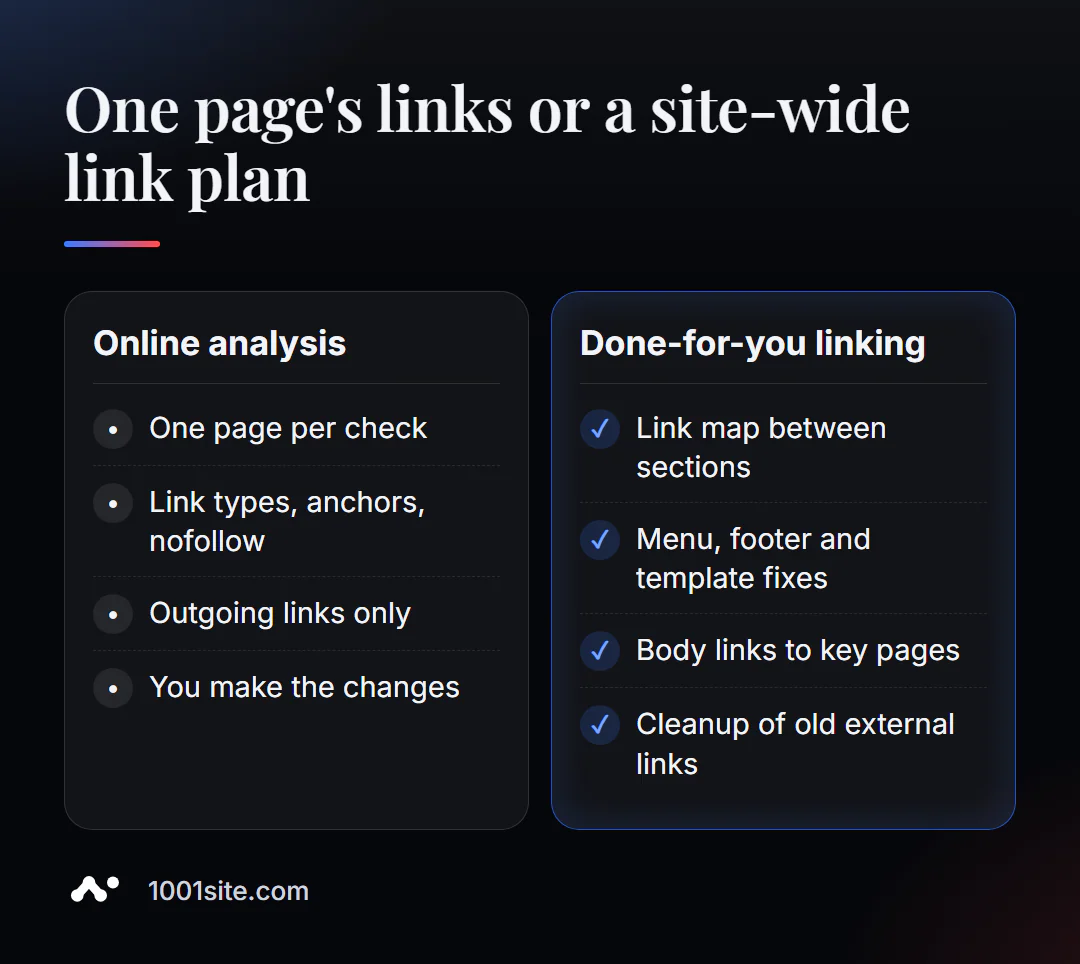
Analyzing a single page shows how it manages its links. But interlinking is a site-wide system. A specialist is needed if:
- important pages receive few internal links, and you don’t understand where to get them;
- links in the menu, footer and tags are generated by a template, and manual editing does not help;
- The site has hundreds of pages, and a diagram is needed: which sections link to which;
- The template still contains old external links from themes and plugins.
What can I do for your website?
My name is Valeriy Danyuk, I'm a developer and SEO specialist with 12 years of experience and over 200 clients. I design interlinking alongside the website structure, not just add it on later.
SEO and promotion
- Turnkey SEO audit: internal linking scheme, cleaning up unnecessary external links, editing menu and footer templates.
- Content that connects pages: An AI-powered SEO blog that brings in organic leads.
- Visibility in AI responses, where structure and links also matter: How a hotel got featured in ChatGPT, Gemini, and Perplexity.
Websites and online stores
- A plastic surgery clinic website powered by AI and client acquisition via Telegram —services, doctors, and case studies are all connected.
- A catalog of 300 products in a couple of minutes with categories and cross-links.
- A website on 1001site in the style of the world's best websites: menu, sitemap, and markup — automatically.
CRM, accounting and automation
- A CRM with a built-in customer database and decision makers for a Slovakian manufacturer.
- QuestFlow is a SaaS builder Telegram bots with AI.
Send me the address of the page that's not growing in Telegram - I'll look at its links and suggest what to change.
Result
- Analysis of a page's link profile shows its outgoing links: internal and external, dofollow and nofollow, anchors and broken ones.
- The main thing is links from the text to important pages with clear anchors, and not the number of links in the menu.
- Mark external links appropriately: sponsored, ugc, or nofollow; keep useful sources open.
- If the links are generated by a template or the site is large, you need a linking scheme - or a new site with the correct structure on 1001site.
Check the links on your service's main page and count how many of them lead to where you want the customer to go.
Sources
- PromoPilot's Link Profile Analysis tool page — list of checks and limitations.
- Google Search Central - How to mark outbound links with sponsored, ugc, and nofollow attributes.
- Screaming Frog — official pricing page (free version limit is 500 URLs).
- Ahrefs Webmaster Tools - Description of free access for your websites.