Creating a website in the style of another website—one that's identical in style, but unique—isn't necessarily a reason to call a designer or fear a lawsuit. Laws in most countries protect specific elements: text, photos, logos, and code. The general feeling of "just like theirs" is almost never protected as a whole. Below, we'll discuss this distinction, the mechanics of AI clone mode, and the steps to apply the chosen style to your website.
Is it legal to use someone else's website as a model?
Yes, in most countries, the law is built on one principle: copyright protects the specific embodiment of an idea. The idea itself remains free for all to use. Taking a website's general style as a template and creating your own version is a common practice in web design, but the risk zone begins when the template becomes a verbatim copy of text, photos, code, or branded graphics.
The basis of this principle is the "idea versus embodiment" doctrine. It is enshrined in US law (17 USC §102(b)) and explained on the USPTO page:
"Copyright protection does not extend to ideas, procedures, processes, systems, methods of operation, concepts, principles, or discoveries."
For a website, this means something simple. The very idea of a "large welcome block at the top and product cards below" doesn't belong to anyone. What belongs to anyone is the specific text, the specific photographs and illustrations, the specific code of a specific website.
This isn't a single legal system worldwide—the details vary in the European Union, the United Kingdom, Ukraine, Kazakhstan, and Uzbekistan. The principle of "the idea is free, the implementation is protected" is recognized almost everywhere, so it serves as a working guideline throughout this article. This does not constitute legal advice specific to your specific situation.
What in design is copyrighted and what is not?
The law generally protects what is truly original: text, photographs, illustrations, logos, and code. Common layout techniques—a large block with a photo at the top, product cards in a grid, a footer with contact information—are considered generally accepted patterns. They don't become anyone's property. The table below shows the differences in specific website elements.
| Website element | Usually protected by copyright | You can take it as an example |
|---|---|---|
| Text (descriptions, articles, slogans) | Yes | No, rewrite it in your own words. |
| Photographs and illustrations | Yes | No, use your own or open cans |
| Logo and corporate graphics | Yes | No, never. |
| Page source code | Yes | No, the code is rebuilt. |
| Structure (hero block, cards, footer) | Usually no | Yes, it is a common pattern. |
| Palette, typography, rhythm of animations | Controversial area (trade dress with brand recognition) | Yes, be careful with famous brands |
The law firm SprintLaw puts it this way:
"Copyright does not generally protect: ideas and concepts, business methods, functional elements, general designs."
Trade dress is a separate issue: if a website's overall appearance has become so distinctive of a particular brand that consumers confuse the source, this situation can be protected through unfair competition law. In Ingrid & Isabel v. Baby Be Mine (2014), the Northern California Court recognized that a website's appearance and appearance can constitute protectable trade dress. O'Neill Tran Law advises caution in such situations:
"If a third-party site has a unique element you want to transfer, it's better to be safe than sorry."
For a new, small business, the risk of trade dress is usually low: this protection requires proving that customers truly associate a style with a specific brand, a lengthy process that small sites rarely have to endure.
What exactly does the AI transfer from the sample?
The 1001site AI agent takes a sample and transfers only the shape: colors, fonts, roundings, shadows, and animations. The style leaves the site's text, products, pages, and native CSS untouched—this keeps the process within the safe zone described above.
The 1001site knowledge base describes what changes when you apply a style:
| What's changing? | How exactly? |
|---|---|
| Colors | Background, cards, text, accent; default light or dark theme as per sample |
| Fonts | A similar font is selected from Google Fonts |
| Form | Rounding of buttons and cards, density, shadows |
| Animations | One of four sets: calm, soft, glow, dynamic |
But here's what remains yours in any case:
"The style doesn't affect your text, products, categories, pages, or your CSS. Your CSS edits are saved alongside the style block."
After selecting a style, the AI assistant rebuilds the main page and sections based on that template: composition, imagery, typography, and text tone—but rewrites it for your business. Clone mode replicates the template's style almost exactly—stripes, fonts, colors, and movement. Products are then filled with standard catalog blocks.
How to find a style in a catalog of 1000+ samples?
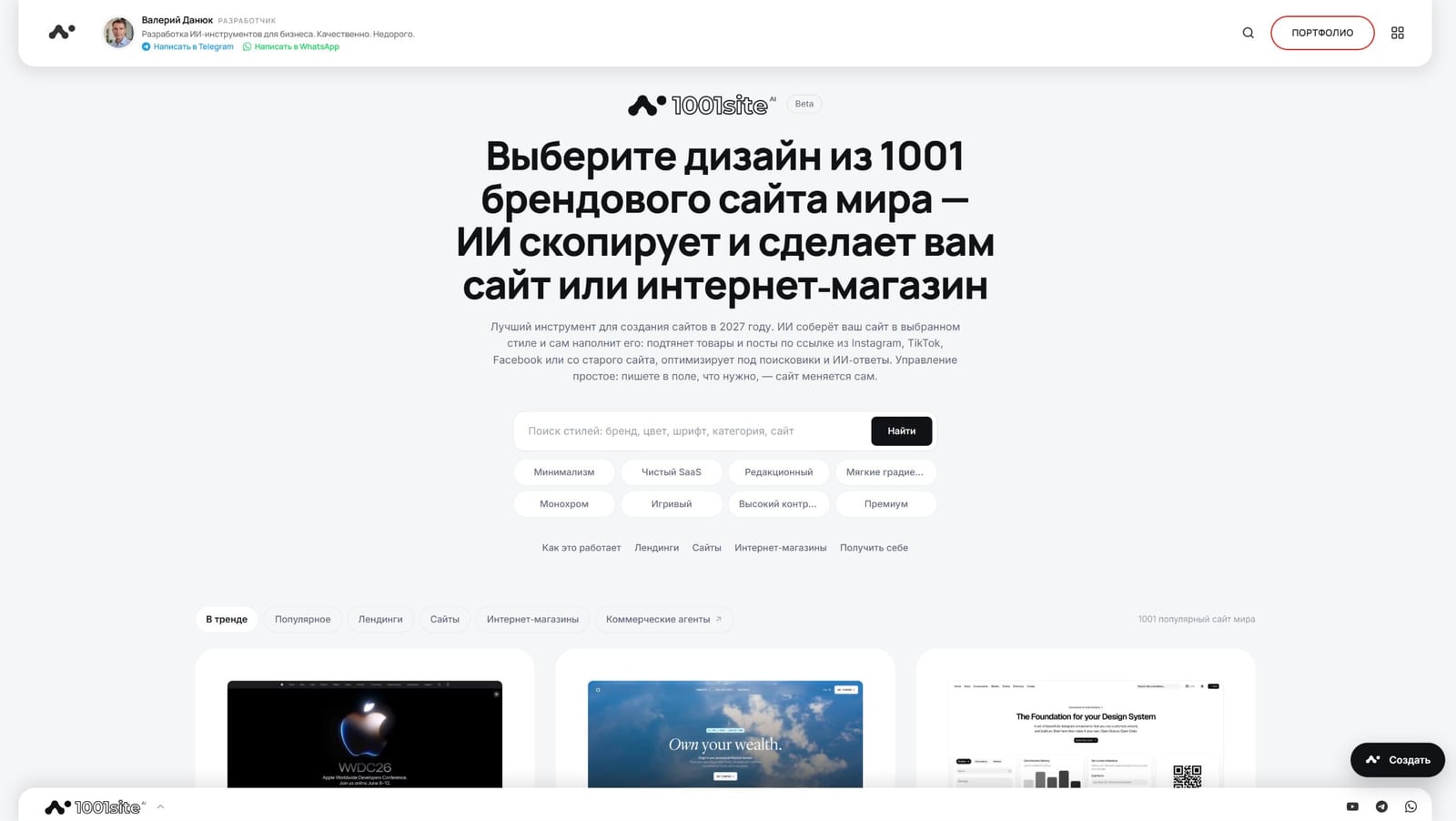
1001site catalog contains over a thousand styles of real websites and online stores (1,294 in total). Search by brand name, color, font, or category, or use quick filters: minimalist, clean SaaS, premium, high contrast, monochrome. Each style has a separate page with video previews and files for AI tools.
The catalog feed displays cards in three columns, and hovering over a card launches a short video of the sample website. The "Trending," "Popular," and "Online Stores" tabs help narrow your search by purpose. Each style page is detailed: a preview with a video and tagline, a description of the style's characteristics, a palette with color codes, typography with font substitutions, "dos and don'ts" for this style, and a list of similar styles.
For technically minded users and AI tools, each style has its own files: DESIGN.md (full and compact), Tailwind v4 theme, CSS Variables, and Design Tokens in JSON. These can be copied or downloaded directly from the style page—conveniently, give them to Claude, ChatGPT, Cursor, or the 1001site assistant with the "make in this style" command.
How to Apply Style to Your Website: 4 Steps
You can apply the style directly in your dashboard or on 1001site.com itself—the result is the same: in a few seconds, the site receives new colors, fonts, roundings, and animations, and the AI agent rebuilds the main page to match the template.
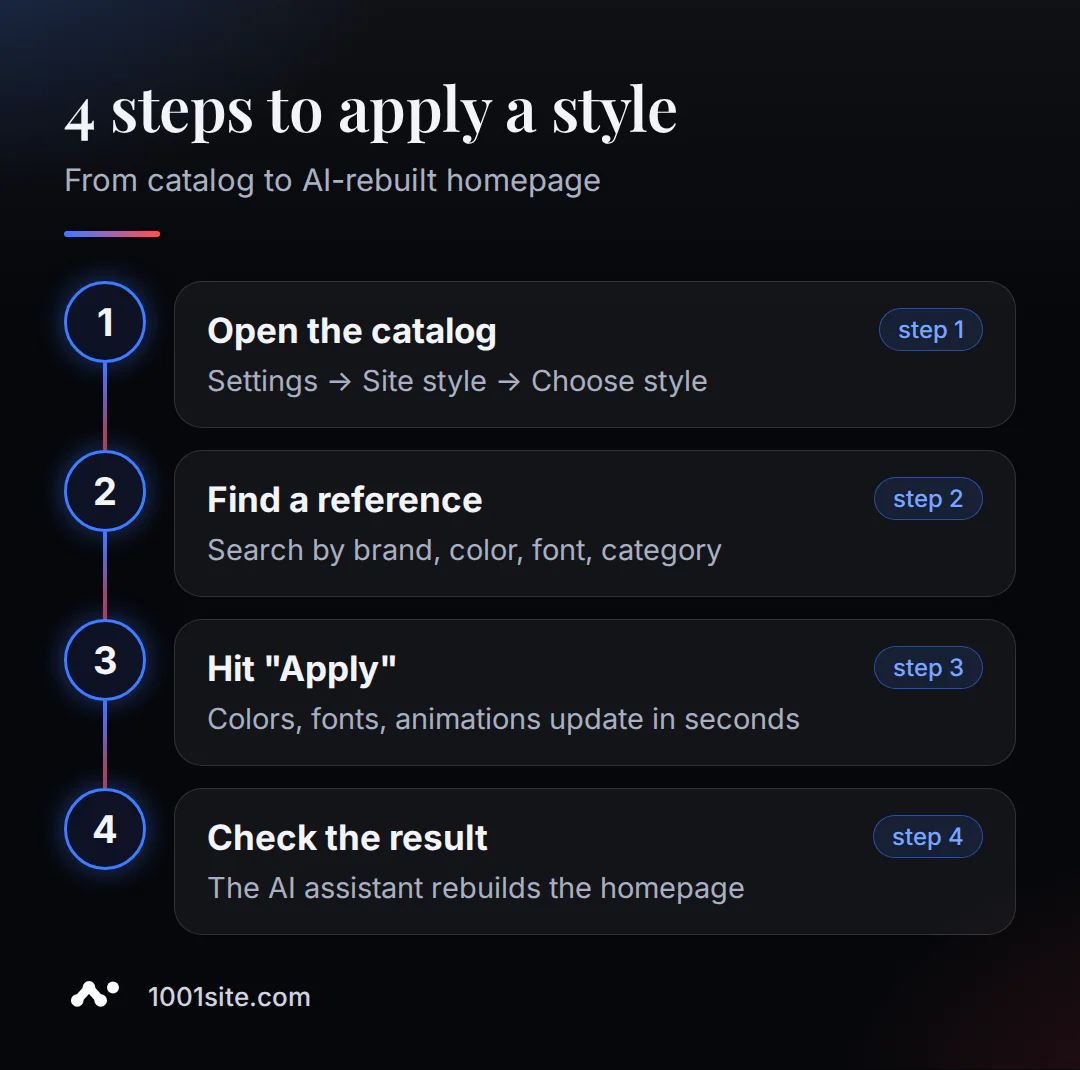
- Open the catalog. In your account: Settings -> Home and Menu -> "Site Style" -> "Select Style." Or directly in the "Create a Site" pop-up on 1001site.com if you don't have a site yet.
- Find a sample. Search by brand name, color, font, or category: "apple," "minimal," "dark," "shop."
- Click "Apply." Colors, fonts, roundings, shadows, and animations will update within a few seconds.
- Check the result by clicking the "See what I've got" link. If you want your homepage to look more like the sample, ask the AI assistant to organize it into blocks: hero, benefits, gallery, and contacts.
Changing the style later is just as easy: “Select another” -> “Apply” - the previous style is replaced entirely, without accumulating old edits.
How is this different from AI website cloners and vibe coding?
Services like Lindo, UX Pilot, and Alloy clone someone else's website design via a link—it's fast. Some offer basic hosting and SEO tag transfer (that's how Lindo works), but none of them handle order processing, payment, or Telegram and WhatsApp integration. The developers transfer responsibility for third-party rights to the user in writing. 1001site solves a different problem: a complete website, where style is just one step.
| What | AI website cloner | 1001site AI |
|---|---|---|
| Entrance | Link to someone else's website | Style from the catalog |
| Content rights | On the user | Rewritten anew |
| Hosting and domain | No, it needs some setup. | Included with your own domain |
| SEO and messengers | Not included | Telegram, WhatsApp, Stripe |
| Result | Design or layout | Working business website |
UX Pilot writes about this directly in its tool description:
"UX Pilot helps you learn from existing websites and adapt their structure—it doesn't include copying brands and content verbatim. You're responsible for ensuring the final website respects intellectual property, trademarks, and copyright."
Alloy has an even stricter disclaimer: the tool only allows you to clone websites you own or have rights to. If you want to not only choose a style but also manage the finished website using Claude, ChatGPT, or Gemini, that's a separate step, covered in detail in the article "Creating a Website with Claude Without Code."
What mistakes turn a reference into a risk?
The idea of taking a sample isn't a problem in itself. The difficulties arise at the processing stage, when it's done lazily. Here are five patterns that are most common.
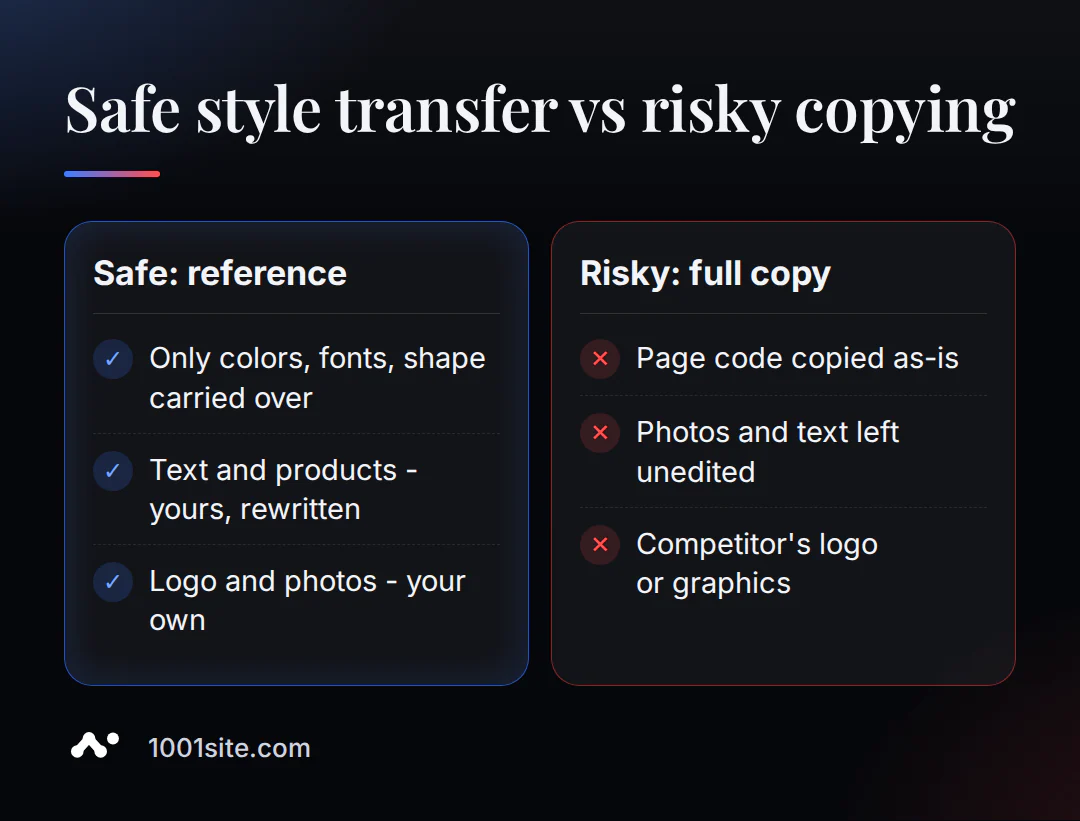
- Download the entire source code of someone else's page and pass it off as your own development.
- Copy photos and descriptions without a single edit. A business owner described a similar situation on the Shopify Community forum: "The photos matched, the sidebars with descriptions matched, and the course programs were exactly the same"—only the price was different.
- Not adapting the idea to your brand, product, and audience, although the point of a reference is precisely in adaptation.
- Select the "exact copy" mode where it was sufficient to take a sample as a basis.
- Whether you're transferring a logo, brand illustrations, or other unique graphics, these elements are protected under almost any interpretation of the law.
The same cloning technology can sometimes be harmful: according to Malwarebytes, attackers clone websites of major brands and replace payment links with their own. The key isn't the tool itself, but whether the resulting website actually contains their own content.
What it looks like in practice: two real-life examples
The author of 1001site has already confirmed two cases of style transfer. Both are fully analyzed in separate blog posts with photos of each step. Here's a link to each, without recounting the details.
The first case is the “Website by reference: 1000+ styles” case.
The second case is the “Landing page for a new product in one evening” case.
How much does it cost and what should I check after applying the style?
Style application is included in the "All Inclusive" plan - €45 per month; the first month is €25 with the monthly promo code. There is no trial period or free plan. After a style has been applied, the site is not yet ready to display to clients - a short test is required.
- Check the prices and currency of the products if you filled the site using a link: they come from the source as is.
- Complete your brand - logo, slogan, corporate color - in the "Branding" section.
- Ask the AI assistant to format your homepage according to the sample if the automatic result doesn't meet the requirements.
- Connect your domain and messengers - Telegram and WhatsApp - before giving the link to clients.
To get started, select a style from the 1001site catalog: then the AI agent will show you the result in just a few minutes.
Sources
- USPTO. Copyright basics - idea-expression dichotomy
- SprintLaw. Can You Copyright a Website Design in the US?
- Bliss Drive. Can I Copy a Website Design?
- O'Neill Tran Law. Inspiration or Infringement: Trade Dress and Website Design
- Liz Brown. Bridging the Gap: Improving IP Protection for the Look and Feel of Websites, NYU JIPEL
- Legal500 (ex-Mondaq). Ingrid & Isabel v. Baby Be Mine - look and feel like a trade dress
- UX Pilot. Website Cloner
- Alloy. Free AI Website Cloner
- Malwarebytes Labs. Criminals are using AI website builders to clone major brands, 2026
- Styles from the catalog - 1001site knowledge base
- 1001site.com Style Catalog - Knowledge Base