You can add a "Translate Page" button to your website overnight, but it won't do anything for your Google rankings, much less for getting your site cited by ChatGPT. Creating a truly multilingual website is a different matter: 1001site AI automatically translates text into 107 languages, using the page language selected based on the visitor's browser, and the server returns ready-made HTML—without a JavaScript widget, which search bots and AI crawlers simply can't see. Below, we'll discuss what exactly breaks with translation widgets and what 1001site does differently.
Every week, I share similar small business case studies using AI tools on the "Business with AI" channel. If you're interested, check them out: t.me/promtvibeadd.
How does automatic website translation differ from the "Translate page" button?
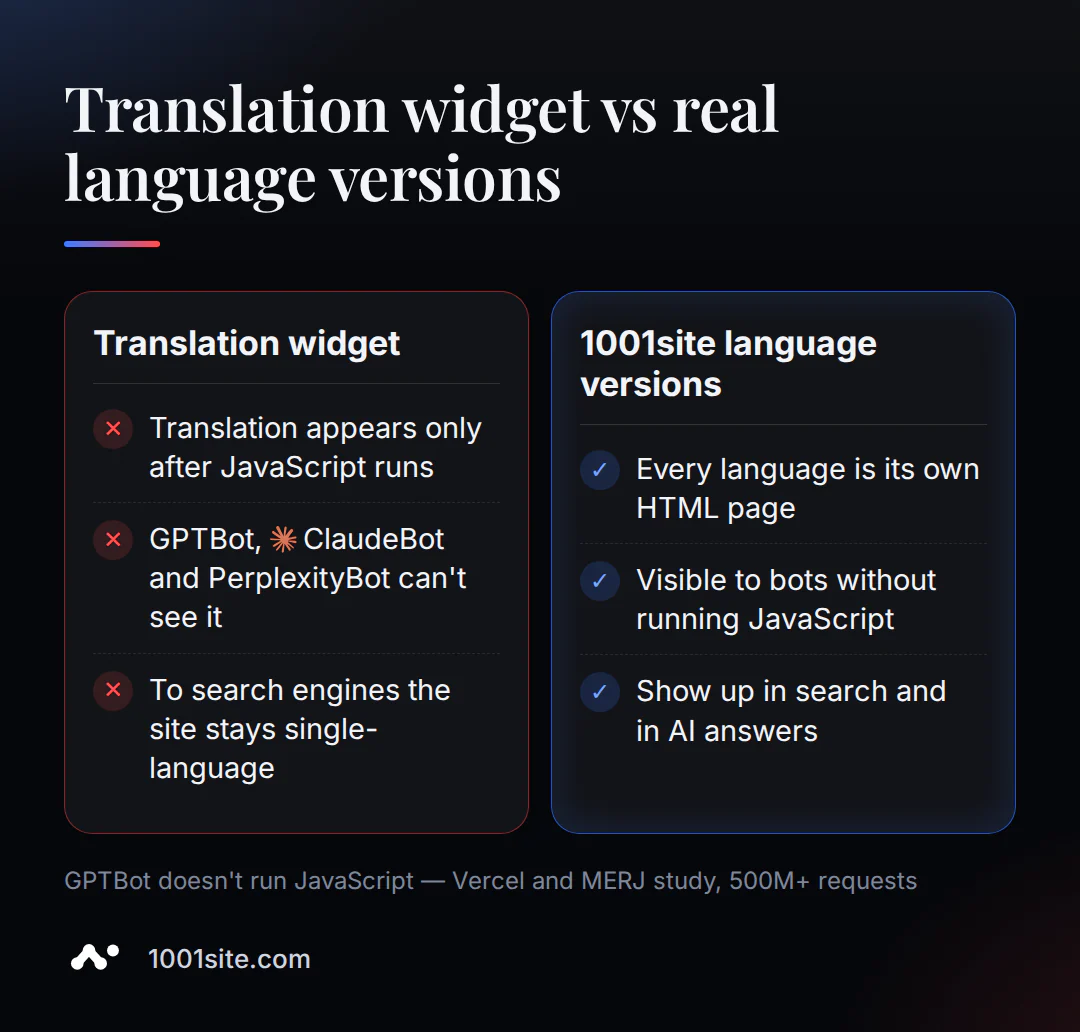
A "Translate Page" button or a JavaScript widget like the classic Google Translate for websites only changes the text in the specific visitor's browser—the translated version doesn't have its own URL, and no search engine can save or index it. Autotranslation works differently: each language version is a separate page with its own URL, which the server returns already translated, before any JavaScript.
The JavaScript translation widget has a systemic problem: it doesn't create a new page at all. The script replaces the text in the DOM after the browser has loaded the original HTML, leaving the search bot or AI crawler with the original HTML, in the original language. The translated version exists only in the browser of the user who opens it: it has no URL and can't be saved or indexed.
The situation is getting worse: the classic Google Translate widget for websites will be discontinued on October 1, 2026 – websites that relied on it as their only solution will lose their translation service on the same day ( Google Search Central; gtranslate.io).
With 1001site AI, the content you've written for your website—product cards, posts, and pages—is automatically translated into 107 languages, and each language version has its own URL. The landing page, blog, and knowledge base of 1001site.com itself operate in the same 107 languages—the editorial team behind this article relies on the same technology it describes.
Why can't Google and ChatGPT see the translator widget?
Google determines the language of a page by algorithmically analyzing the visible text—hreflang markup and the lang attribute don't influence this decision. AI assistant bots don't execute JavaScript at all. If a translation exists only in JavaScript, none of them will see it.
«Google doesn't use hreflang or the HTML lang attribute to detect the language of a page; instead, we use algorithms to determine the language» - Google Search Central, Localized Versions of your Pages
(Translation: Google does not use hreflang or the lang attribute to determine the language of a page - the language is determined by algorithms that analyze the content itself.)
The situation is even more dire for AI bots. A joint study by Vercel and MERJ, which analyzed over 500 million GPTBot requests, found no instances of JavaScript execution: bots sometimes download .js files, but never execute them ( jangwook.net). AI crawlers have strict timeouts for crawling a single page—rendering JavaScript at such a scale is simply computationally expensive for them, so they prefer to quickly grab the raw HTML and move on.
How it works for the main bots:
- GPTBot ( ChatGPT) - downloads HTML, does not execute JavaScript.
- Claude Bot ( Claude) - behaves the same way.
- PerplexityBot - also does not perform.
- Google -Extended (the infrastructure for Gemini) is the only exception: it can render JS because it uses the same infrastructure as the regular Google bot.
If the website translation is loaded only by the script after the first page rendering, for GPTBot, Claude Bot, and PerplexityBot the website remains monolingual – regardless of what the live visitor sees in the browser.
Multilingual support in 1001site AI is built into the same website builder that creates the website itself—there's no need to purchase a separate add-on. You choose a style from the catalog, the AI agent populates the site using your link or description, and immediately translates it into 107 languages, without a separate plugin or additional charges for each language. What technically happens and why both search engines and AI assistants detect it is covered in the following sections.
How does a search engine know that a page has versions in other languages?
In technically correct multilingualism, each language page links to itself and all other versions, the links are always reciprocal, and the code format is language first, followed by a hyphen and region if necessary. Without this, search engines may simply ignore the entire set of language versions.
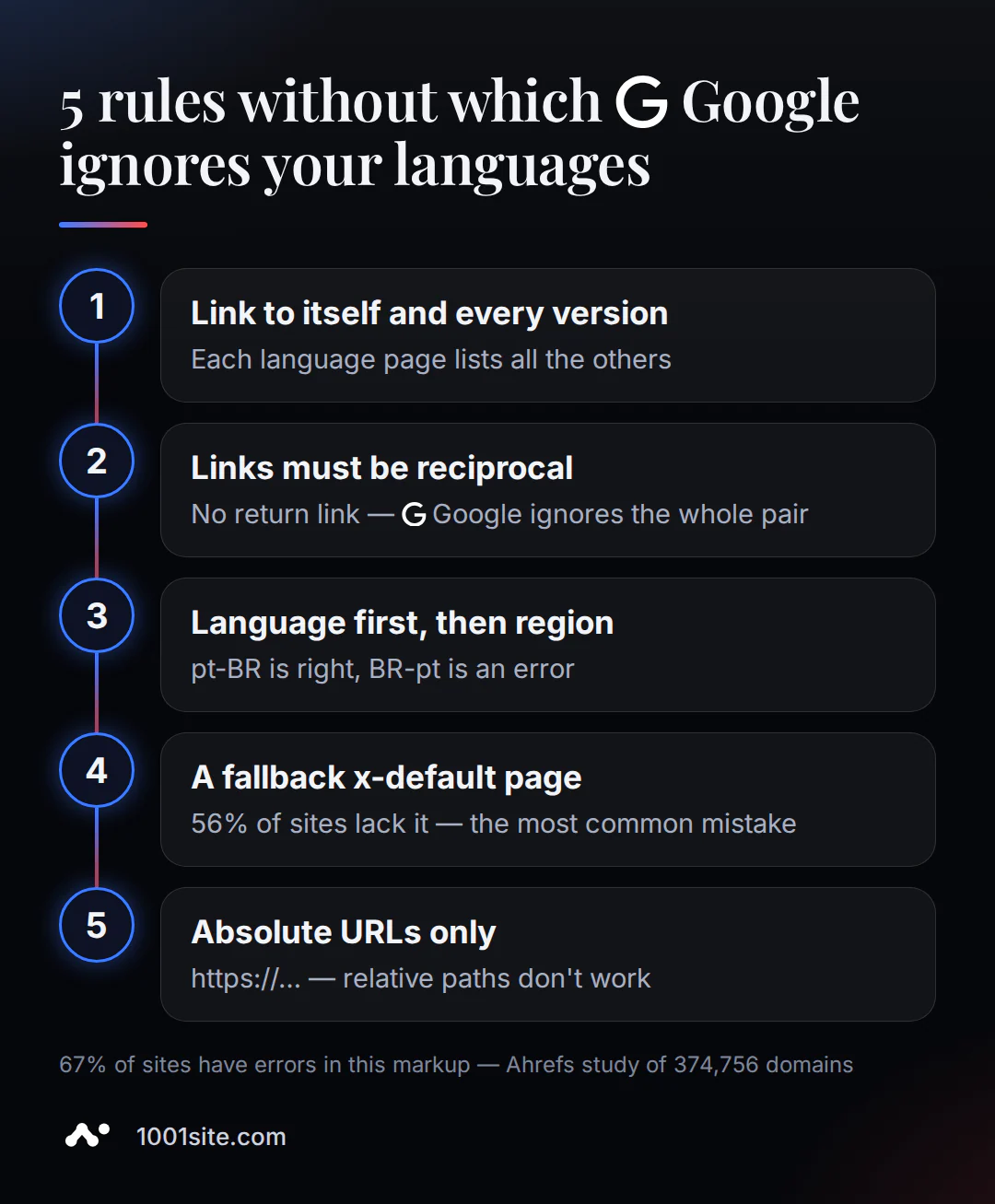
The basic rules that underpin technical multilingualism in classic SEO are:
- Each language version must link to itself and to all other versions of the page - not just to "neighboring" languages.
- Links must be reciprocal: if a Russian page links to an English version, the English version must link back. Otherwise, Google will simply ignore the entire pair.
- The format is language code (ISO 639-1) first, followed by a hyphenated region code (ISO 3166-1) if necessary. The correct order
pt-BR;BR-ptis invalid. Specifying a region without a language is also not allowed. - For visitors whose language is not included in the version list, a fallback page
x-defaultis required. - Only full addresses with the protocol (
https://...) are specified - relative paths do not work.
«If two pages don't both point to each other, the tags will be ignored» - Google Search Central, Localized Versions of your Pages
(Translation: If two pages do not link to each other, the markup will be ignored.)
An Ahrefs study of 374,756 domains shows how common this error is: 67% had at least one issue with this markup, and the most common one was the lack of a fallback version of x-default (56.3% of domains) ( Ahrefs). These five rules aren't theoretical—they're technically how language transitions work on most websites where they work at all: each version has its own URL, and there's no substitution of text at a single URL.
Subdomain, subfolder, or a separate domain for each language – which should you choose?
For small and medium-sized businesses, a subfolder ( site.com/de/) is almost always the best choice—it immediately inherits the authority of the main domain and doesn't require separate SEO for each country. A subdomain and a separate domain for each language are only justified for specific legal or marketing reasons.
| Option | Example address | What do you get? | Weak spot |
|---|---|---|---|
| Subfolder | site.com/de/ | Inherits the authority of the main domain immediately, minimal maintenance | Less "pure" geotargeting for one specific country |
| Subdomain | de.site.com | Simply technically separate it from the main site | Google and users often see it as a separate site - domain authority is not inherited automatically |
Your own domain ( site.de) | site.de | Clear geotargeting for a specific country | Expensive, each domain raises SEO reputation from scratch |
Google itself doesn't say one option is right for everyone. But SEO publications agree almost unanimously: "there is hardly ever a reason to choose anything but a subdirectory"—a subdirectory is almost always the best choice ( Search Engine Journal). (Translation: there is almost never a reason to choose anything but a subdirectory.) Neither a subdomain nor a custom domain are necessary for good ranking in a specific country, as long as the language markup is configured correctly and the content is truly tailored to the audience. A formal translation without such adaptation is not enough.
How does 1001site translate a website into 107 languages without a translator or layout designer?
Not only the interface—buttons, menus—is translated, but also the content you've written: product descriptions, posts, and "About Us" pages. The page language is automatically selected based on the visitor's browser, without manual switching. RTL (right-to-left) support is available for Arabic and Hebrew: multilingualism isn't limited to the "European set" of left-to-right languages.
The website is built quickly and without manual coding: after payment, an AI agent builds the homepage and internal pages in the chosen style in 2-7 minutes, with the texts rewritten each time for a specific business. Technically, the website runs on server-side rendering ( React / Next.js), which directly answers the question from the previous section: each language version has ready-made HTML that bots see immediately, without any JS stubs.
What happens automatically with SEO and website visibility in ChatGPT, Gemini, Perplexity?
When creating a website, a sitemap.xml, structured data, duplicate-free canonical URLs, and a robots.txt file are automatically generated. A separate switch allows indexing by AI bots (GPTBot, Claude Bot, PerplexityBot) and adds the site to llms.txt —a robots.txt-like file for AI assistants.
Server-side rendering is the same principle that solves the problem mentioned in the section on widgets: "content is visible to bots without executing JavaScript; the page renders quickly (First Contentful Paint takes less than a second)" ( 1001site knowledge base, SEO section). This is complemented by a set of automation features that the website owner doesn't need to configure manually. The sitemap is updated with every change, structured data is generated for product pages, canonical URLs remove duplicates, and robots.txt allows crawling by default for major search and AI bots.
A separate toggle, "Enable site for AI indexing," specifically addresses AI assistants: when enabled, it opens the site to GPTBot, Claude Bot, PerplexityBot, and others, adding it to llms.txt; when disabled, it explicitly blocks these bots in robots.txt. Plus, the built-in SEO analyzer checks basic settings (title, description, indexing) with a single click and suggests any necessary improvements.
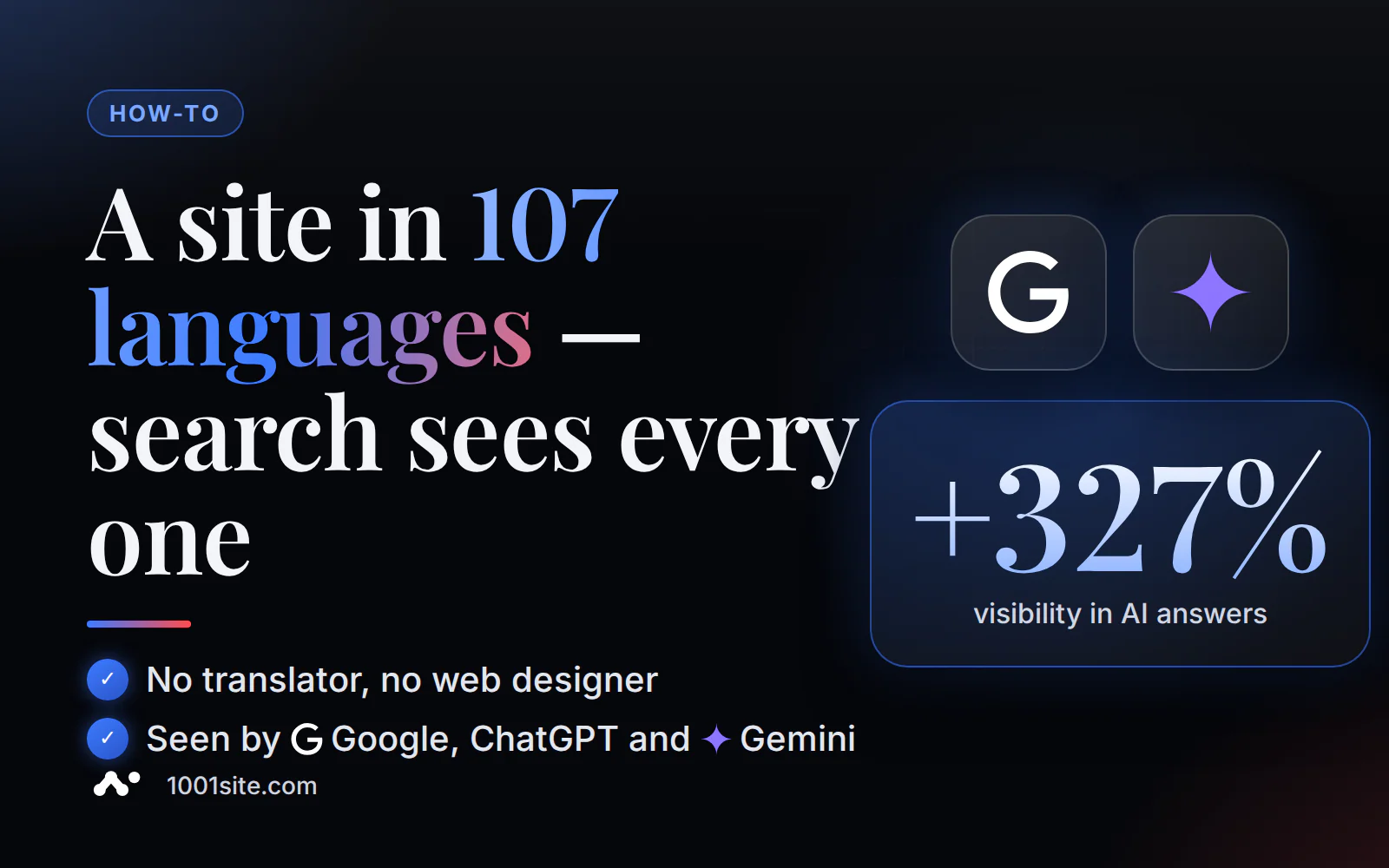
This directly impacts business visibility, according to a Weglot study for Search Engine Journal (September 2026): translated websites received 327% more visibility in AI search results than their untranslated counterparts, based on a sample of 1.3 million citations in Google AI Overviews and ChatGPT. The study's conclusion is clear: "translation itself becomes a visibility signal"—the mere fact of a high-quality translation available to a crawler becomes an independent visibility signal ( Search Engine Journal). A similar effect in another niche is discussed in a case study on how to rank a hotel in ChatGPT, Gemini, and Perplexity recommendations. GEO works the same way regardless of industry: bots must actually see the content to cite it.
What mistakes most often kill a multilingual website's ranking?
The most common problems with a multilingual website are simple oversights: a forgotten backlink between language versions, displaying different languages at the same address instead of separate URLs, hard IP auto-redirection, and crude machine translation without proofreading.
Five mistakes that are most common in real-life discussions:
- One-way hreflang. You set up a link from a Russian page to an English one, but forgot to add the reverse link. Google silently ignores the entire pair, and the owner can't understand why the English version isn't ranking.
- Displaying different languages at the same URL —via a cookie or saved session, without changing the URL. Google explicitly recommends against this: "Don't use IP analysis to adapt your content. IP location analysis is difficult and generally not reliable." (Translation: don't adapt content to an IP address—IP geolocation is difficult and generally unreliable.) You need different URLs for different versions, otherwise the bot only sees one of them.
- A rigid automatic redirect based on geolocation without manual selection. In industry discussions, people regularly complain about situations like "my browser is set to English, but the site stubbornly shows me a version in another language." An automatic redirect without the option to manually switch is annoying and hurts conversion rates.
- Incomplete translation. An article has been translated, but the menu, footer, or product page remain in the original language. The reader has switched languages, but part of the interface is still not in that language.
- Machine translation without proofreading terminology. A telling example from practice: the phrase "translation bureau" in a raw machine translation is translated as the literal "translation bureau" instead of the industry-standard "translation agency"—the actual search term. From an SEO perspective, this is a critical error: the page no longer matches how the audience actually formulates the search query.
How many language versions does your business really need?
You only need the languages your customers actually speak, not all 107 at once. Google warns that extra language versions add unnecessary burden without real benefit if they don't reach a real audience.
Google 's John Mueller downright mocks the "let's make it in all languages, just in case it's useful" logic: "Let's create all languages! Let's make pages for all countries! What if someone in Japan wants to read it in Swahili? Let's make even more pages!"
And he adds, to the point: "Most of these 'pages created because you can't' get very little traffic, add very little value, and add significant overhead (crawling, indexing, canonicalization, ranking, maintenance, hreflang, structured data, etc.)" – most such pages receive little traffic, add little value, and create significant overhead ( Search Engine Journal). His advice is straightforward: limit yourself to languages that are truly critical and valuable to your audience.
For businesses selling in Europe, Ukraine, Kazakhstan, and Uzbekistan, a reasonable starting point is 2-3 languages native to your current audience and the clients you already work with or plan to work with in the near future. The technical limit of 107 languages in 1001site AI is not going anywhere—the other versions are simply waiting for the moment when a specific country's audience becomes genuine.
How much does a website cost in multiple languages?
1001site AI doesn't have a separate "language" plan or per-language fee: 107 languages and automatic AI indexing are included in the single "All Inclusive" plan—they're not sold as a separate paid add-on. Terms: €45 per month, with the first month discounted by €25 using the monthly promo code (€45 from the second month onward). There's no trial period or free plan, and you can cancel at any time. If you need a fully prepared, turnkey website, the style, structure, text, products, domain, and training are all created for you for a one-time fee of €1,650, with 12 months of hosting included. For the exact and current terms, please visit the pricing page.
Want to see how this works on your website? Choose a style in the 1001site AI builder and check how your site looks in another language before you pay.
Sources
- Localized Versions of your Pages - Google Search Central
- Managing Multi-Regional and Multilingual Sites - Google Search Central
- Hreflang: The Easy Guide for Beginners - Ahrefs
- Subdomain vs. Subdirectory vs. ccTLD - Search Engine Journal
- Google's John Mueller Cautions Against Overuse of Multi-Language Content - Search Engine Journal
- Translated sites boost AI visibility (Weglot study) - Search Engine Journal
- AI Crawlers Don't Render JavaScript - jangwook.net
- Google Translate's Website Translator widget discontinued - gtranslate.io
The technical side is handled by an AI agent - all you have to do is choose a style and confirm the result.