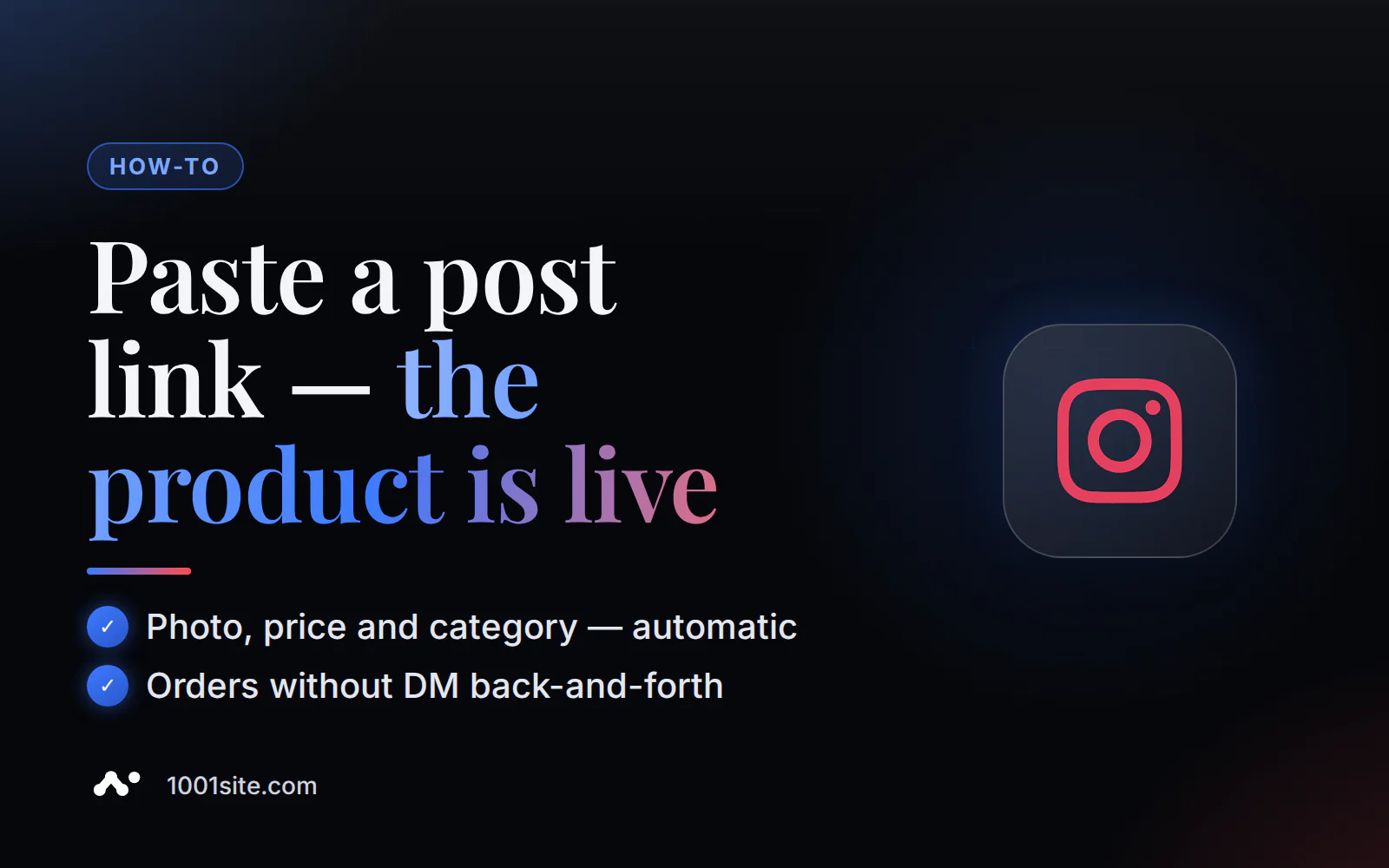
Want to transfer your store from Instagram to your website without manually entering a single listing? Give the 1001site AI assistant a link to a post or Reels—it will read the text, price, and photo, show a preview, and, after your confirmation, compile a catalog with categories. This takes minutes—manual transfers usually take days. This is especially important now, because Instagram stopped accepting payments and redirects buyers to the seller's website as of August 2025.
Every week, I share similar small business case studies using AI tools on the "Business with AI" channel. If you're interested, check them out: t.me/promtvibeadd.
Why doesn't Instagram complete the sale itself anymore?
In short: from June to August 2025, Meta phased out in-app payments on Instagram and Facebook Shops in all countries. Buyers will still find products in their feed, but to pay, they're now redirected to the merchant's website. Order processing, returns, and customer support have also moved there.
Meta's own wording regarding this change is straightforward:
"Shoppers will still discover new products on Facebook and Instagram, but they will now be directed to your website to checkout." - Meta, as cited by valueaddedresource.net
Jana Radjodzic, founder of Coruzant Technologies, cites three reasons for Meta's refusal to pursue a full sales cycle:
- Payment processing is a labor-intensive, low-margin operation.
- Regulatory pressure on ownership of the entire "display - showcase - payment" chain.
- Sellers faced "attribution gaps, limited data, and a checkout flow they could not optimize."
In a coruzant.com article, she puts it directly to sellers: "Fix your product data first. Agents read catalogs, not campaigns." Both algorithms and AI agents primarily read product data in the catalog.
What has changed in practice is shown in one table:
| Until summer 2025 | From August 2025 | |
|---|---|---|
| Payment | Partially took place inside Instagram | Only on the seller's website |
| Order processing and returns | Meta took over some of the work. | Fully on the seller |
| What does business need? | Product catalog on Instagram | Instagram catalog + website with shopping cart and payment options |
What can and can't you sell through Instagram Shopping?
Instagram Shopping is designed only for physical products and requires a business account linked to a Facebook page, a verified website domain, and a supported country—without these requirements, your application will simply not be approved. If your business sells services, digital goods, or operates in a country outside the supported countries, you won't be able to connect to Shopping at all, leaving your own website as the only viable way to accept online payments.
Meta's official wording: "Shops are for selling physical goods, and you can't select a catalog containing a different type of inventory such as hotels, flights, destinations, vehicles, or home listings." Simply put: the catalog is not suitable for hotels, flights, real estate, and similar categories (source: Catalog Eligibility Requirements, Meta Business Help Center).
A separate limitation is geography. Shopping is fully functional only in the US; 13 other countries are in open beta (Canada, Mexico, France, Germany, Italy, Spain, the UK, Australia, India, Japan, Korea, Taiwan, Thailand), and 8 have limited functionality (Brazil, Denmark, the Netherlands, Norway, Sweden, Switzerland, Ukraine, Indonesia) (source: Supported countries for Shops, Instagram Help Center). For sellers from Kazakhstan, Uzbekistan, or most of the EU outside this list, Instagram Shopping served as a storefront rather than a full-fledged store with payment options until 2025.
What problems arise when manually transferring a directory?
On forums, store owners regularly complain about the same things: the Shop application freezes without explanation, the catalog syncs partially, and the habit of "writing direct messages for pricing" on the website only hurts sales. The reasons vary, from Meta's closed moderation algorithms to a simple lack of time to manually navigate catalog settings, item by item.
On the Shopify Community forum Instagram Instagram shows 7 products out of a Facebook catalog of 234," with no clear explanation as to why the others weren't included (source: community.shopify.com). Others have been complaining for years that their connection requests are marked as "under review" and remain there for months without a single response from Meta.
Three typical mistakes when transferring on your own:
- They're transferring the "write to direct for the price" logic to the website, even though on the website, the buyer expects to see the price immediately and place an order without further correspondence.
- They forget to set up a privacy policy and return policy on the new website, which is why their Shopping request is later rejected for a technical reason unrelated to the product itself.
- They copy photos and captions from Instagram exactly: square photos with no angles, captions without structure—this works worse on the website than in the feed.
HUNTD founder Alexis Adjei described the same problem from a different angle—after her business page was deleted without warning after months of audience growth: "... Instagram is a front window, not a storefront. If you don't have anything built behind it—an email list, a customer journey, a place for people to land—you're at the mercy of something you don't own." Instagram, she said, is a storefront where the deal can't be finalized. Without a website behind it, you're dependent on a platform you don't own (source: thevisionairesedit.substack.com).
You don't have to deal with this manually—you can delegate it to AI. In 1001site AI, catalog transfer from Instagram is a ready-to-use feature of the dashboard assistant: the builder creates a website in your style from a catalog of 1,000+ templates, and pulls content from a link, without having to enter cards one by one.
How does AI transfer products from Instagram to the website?
In short: paste a link to a post or Reels into the AI assistant's chat. It reads it for up to a minute, shows a preview of what it finds, and, after you say yes, publishes the products with photos and categories. It then automatically creates any missing categories and downloads the photos to its storage—without any manual editing required on your part.
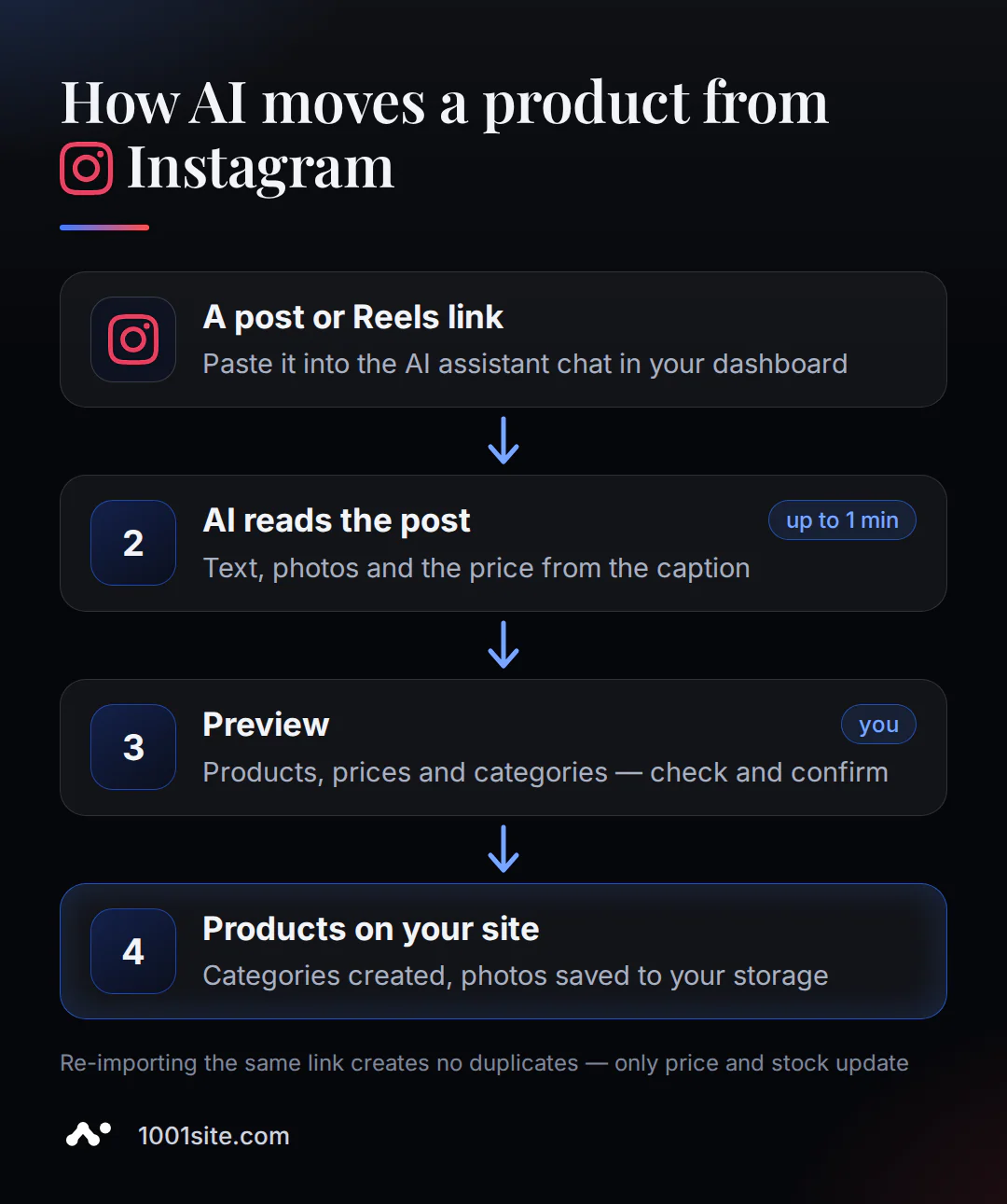
Procedure in the 1001site account:
- Open the AI assistant using the button in the lower right corner of your account - the input line already contains a suggestion for "Product from Instagram or Facebook."
- Insert a link to a specific post or Reels, for example: "Transfer a product from this Instagram post https://... " The assistant reads the link for up to a minute.
- Check the preview: how many products were found, what their names and prices are, and what categories will be created. If there are more than ten products, or some have no prices, the assistant will ask what to load. You can respond with simple words: "Load all" or "No candles."
- Confirm the upload. The assistant will create the missing categories, download the photos to your storage, and publish the products. The response will contain links to the completed cards.
- The assistant will then suggest the next step: generate category icons, write SEO descriptions, or translate the catalog into other site languages.
I've already used the same "give me a link and let the AI figure it out" principle on a similar task for another product. Claude used MCP to analyze a trove of source 3D models and then "sliced" them into 300 individual products by category (for more details, see the case study on a 300-product catalog). The transfer from Instagram to 1001site follows the same logic, except the source is an Instagram post.
If you haven't yet chosen a website style, you can insert your Instagram link directly in the second step of the "Create Website" pop-up: the "Take from Instagram, TikTok, Facebook, or an old website" box will take your name, logo, business description, and up to 12 products right away during the build.
What will be transferred automatically, and what should you check yourself?
AI is limited to what it sees in an open post—that's how any third-party service accesses Instagram content, not just ours.
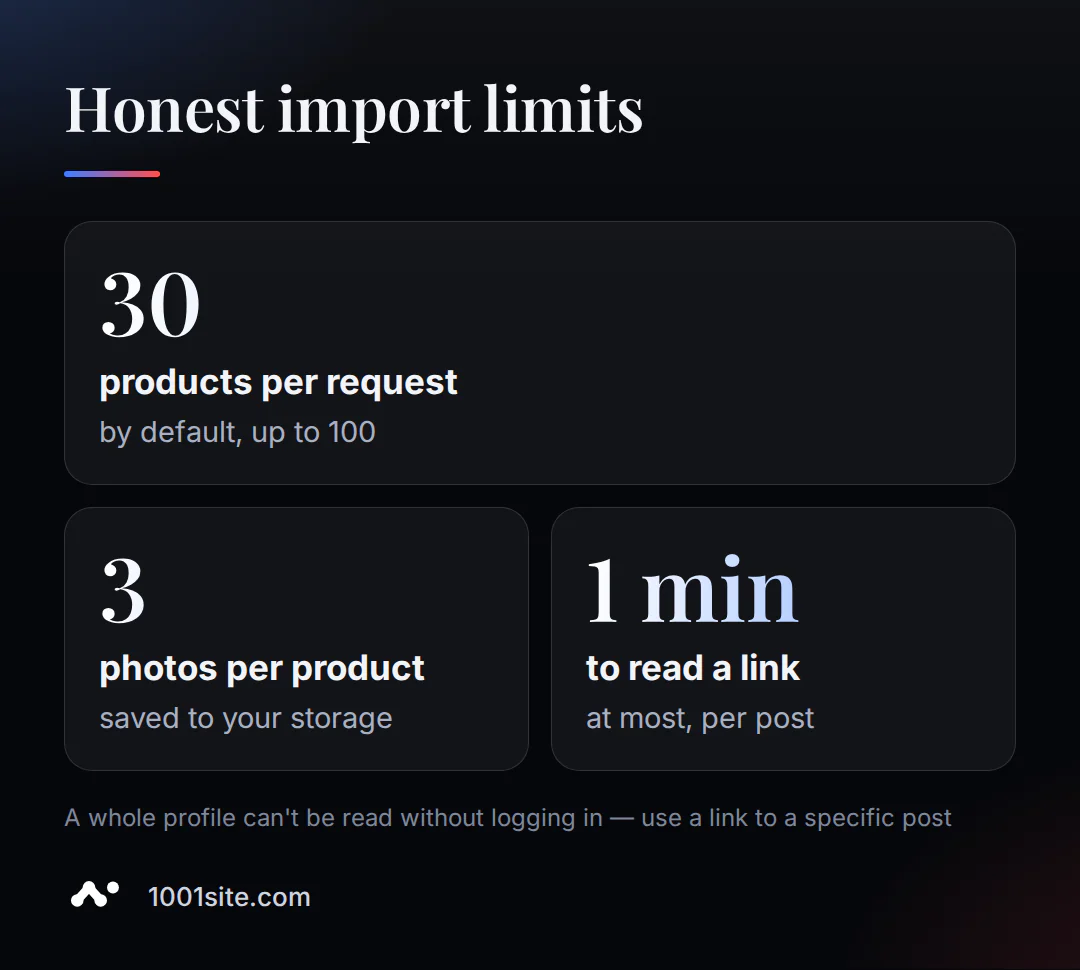
Four limitations to know in advance:
- You can't read an entire Instagram profile without logging in—not with us, not in general. You need a link to an individual post or Reels, each of which becomes a separate product.
- By default, up to 30 products are transferred per request, with a maximum of 100. Larger catalogs should be transferred in parts or via a YML/RSS feed, if the supplier has one.
- The text, photo, and price are extracted from the post. If there's no price in the caption, the assistant will directly ask what to do with it—it doesn't come up with the price itself.
- Photos don't remain as links to someone else's server: they are downloaded to your storage, up to three per item.
Restarting the transfer using the same link doesn't create duplicates—each product's external source code is remembered, so only the price and availability are updated.
Where do the goods go after they are transferred?
Transferred products are immediately available in "Online Store" mode, complete with categories, variations, a shopping cart without registration, and order notifications sent directly to your Telegram. The buyer places the order directly on the website, without having to send direct messages for pricing.
On the website, customers see a storefront with categories and filters, a product card with a gallery and variations (for example, size), add the item to their cart, and place an order without registration—an account is created automatically using their phone number. Payment can be enabled via Stripe (globally) or Monobank (Ukraine), or they can opt for "order by phone" only, eliminating online payment altogether. New orders are sent to your Telegram channel or group if you enable notifications in the integrations.
If your products are stored in different warehouses, enable a warehouse filter in the settings. The list can be manually entered or pulled from your accounting system. For online stores on your own domain, products are also automatically compiled into a feed for Google Merchant Center.
Is it possible to transfer a store not only from Instagram?
The same AI assistant reads links to the old website, TikTok, Facebook, and a public Telegram channel—the mechanism is the same, the only difference is what it can extract from a specific source. This is convenient if you run a business in several locations and don't want to fill your website from each source separately.
| Source | What to insert | What will happen? |
|---|---|---|
| Old site | store address or product page | Name, description, price, photo, availability, variations |
| Supplier feed | link to YML, RSS or Atom | All products in the feed with supplier categories |
| TikTok | link to video or profile | Caption, video cover, price from the caption; in "deep mode," the AI watches the entire video and extracts the speech and prices from the screen. |
| link to a post, video, or Reels | text, photo, price from the caption | |
| Telegram | link to a public channel | Recent posts are being converted into products with photos. |
If you're migrating from an old site to Shopify, WooCommerce, Tilda, OpenCart, or PrestaShop, the same "provide a link and confirm a preview" principle works, without manually exporting and importing files.
How much does it cost and how long does it take?
In short: link transfer is included in the 1001site AI plan. The website itself is built by the AI in 2-7 minutes after payment. You can preview the catalog and confirm the transfer in one go, without a separate import fee. Pay for the website, not for the AI reading your feed.
The "All Inclusive" plan costs €45 per month, with the first month discounted by €25 using the promo code. (There's no trial period or free plan; you can cancel at any time.) If you'd like the complete website transfer and setup, there's a "Turnkey" plan for €1,650 per month, including your domain and 12 months of hosting for free. Full terms and current prices are available on the plans page.
Want to see how this works for your catalog? Paste your Instagram link into the 1001site AI builder and preview it before you pay.
Sources
- Catalog Eligibility Requirements - Meta Business Help Center
- Commerce eligibility requirements - Instagram Help Center
- Supported countries for Shops on Facebook and Instagram
- Meta Phases Out Native Checkout on Facebook and Instagram Shops - valueaddedresource.net
- Meta is Dropping Native Checkout - GoDataFeed
- Instagram Commerce Report - Coruzant Technologies
- Don't Build on Borrowed Land - The Visionaire's Edit
- Instagram only shows 7 products out of a Facebook catalog of 234 - Shopify Community
- Transferring goods via link - knowledge base 1001site
In 1001site AI, it's a simple matter: choose a style, insert an Instagram link, and see what the AI generates. If you'd like to explore the rest of the catalog and store mode features after the migration, 1001site knowledge base has 28 articles covering all site modes, from categories to Google Merchant Center feed.