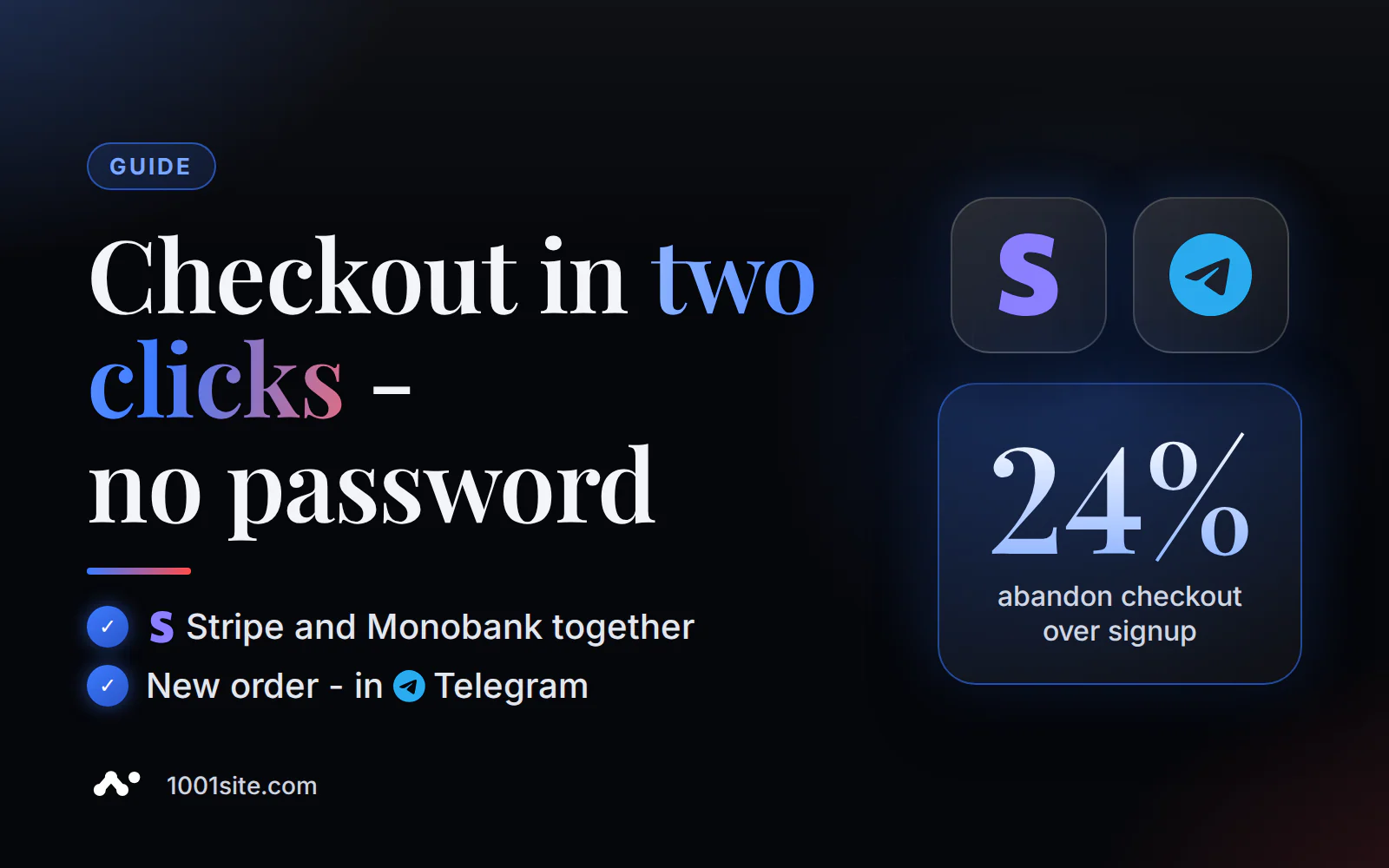
An order without registration means the buyer places it using their name and phone number, without a password or personal account—an account is created automatically. You choose your payment method: card through Stripe or Monobank, cash on delivery, or your own button without online payment; you can enable multiple payment methods at once.
Does a buyer need to register to purchase?
No. In the "Online Store" mode, orders are placed using your name and phone number, without a password or personal account. An account is created automatically—it's only needed so the buyer can later open the "My Orders" section and view their purchase history. There's no need to create a profile in advance: the "Add to Cart" button takes you directly to checkout.
In the 1001site knowledge base, this is called the "guest path" - the order goes through immediately, without the extra step of registration before payment.
What payment methods can be connected?
Four options: online card payment via Stripe, via Monobank, cash on delivery (payment upon delivery), and a custom button that doesn't require online payment at all—for example, "Order by Call." These options can be combined: one store can connect both Stripe and Monobank, and the customer can see which options are available to them in their shopping cart.
Stripe operates worldwide and accepts cards, Apple Pay, and Google Pay. Monobank is a Ukrainian bank; its acquiring service accepts cards from both Ukrainian and international customers, but is primarily suitable for stores that accept hryvnia payments. If you're not yet ready for online payments, disable them completely and only use cash on delivery or the quick contact button—the website doesn't require you to enable your card.
1001site AI will assemble this link automatically —a catalog, a shopping cart, and payment via a link to the old website, Instagram, or a product listing—without a developer.
Why does ordering without registration bring more sales?
Because mandatory registration is one of the most common reasons why shoppers abandon their carts at the last step. According to the independent usability lab Baymard Institute, 24% of US shoppers abandoned a store in the last quarter because of forced account creation. Almost half of websites hide the "Buy as a guest" button so much that shoppers simply don't find it—and leave without even noticing that registration is optional.
Nielsen Norman Group notes another mobile nuance: even for a customer with an existing account, it's easier to place an order as a guest on a small screen than to remember a forgotten password. This is especially noticeable for audiences who read and buy on their phones—an extra login screen acts as an "exit" button.
"We were losing over 90% of our customers at this step," one online store owner described the effect of mandatory registration before ordering on the Shopify Community forum (translated from English).
A separate reason for rejection is excessive form fields. According to the same Baymard data, 39% of websites require a phone number without any explanation as to why it's needed—and some shoppers won't enter it on principle. A short caption under the field ("Needed for contact regarding delivery") alleviates most questions.
How do I connect Stripe and Monobank to my account?
You can connect both methods in one section of your account - "Integrations → Payment." It takes just one step, no developer or code required.
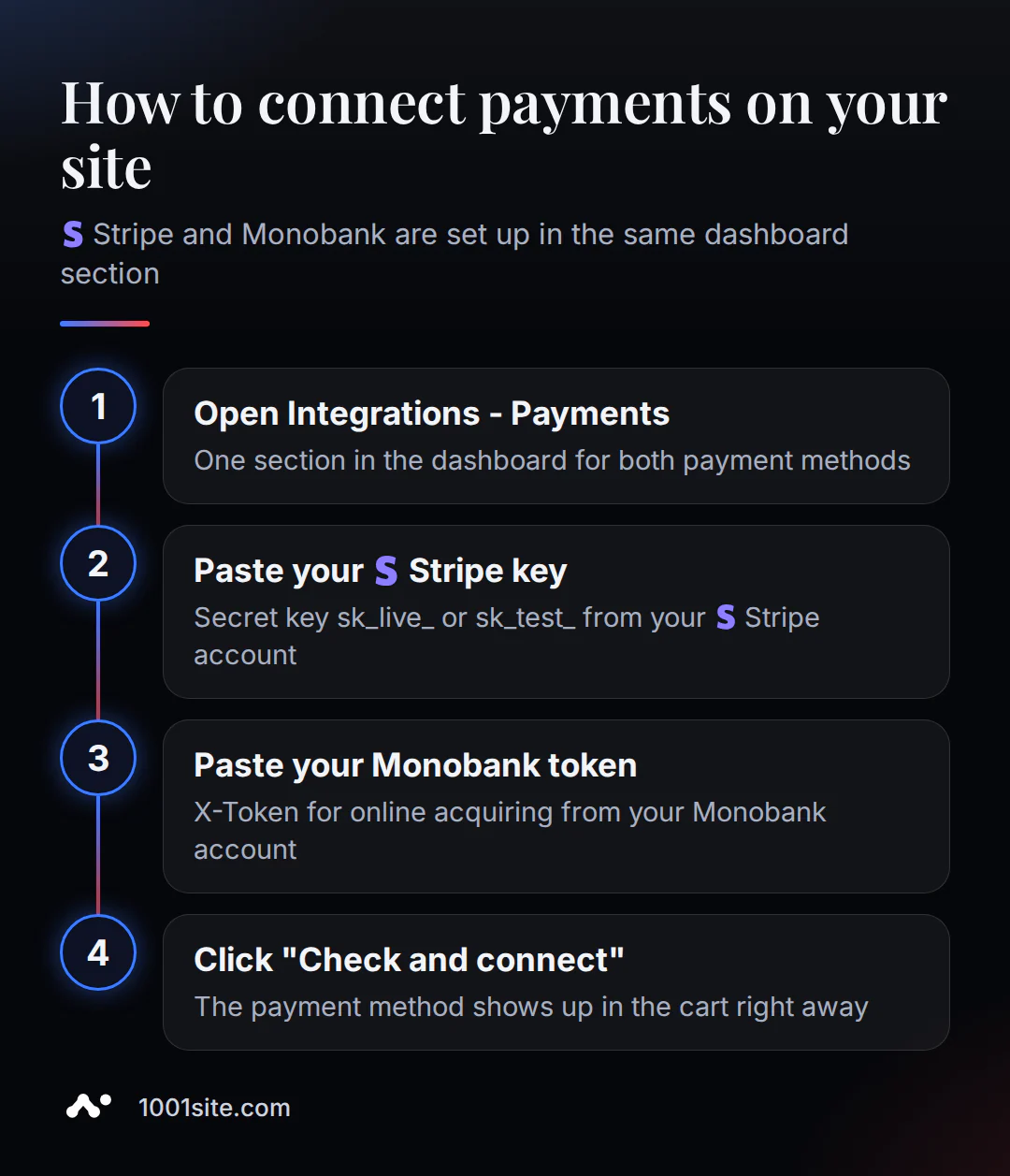
- Open “Integrations → Payment” in your website dashboard.
- For Stripe, insert the secret key -
sk_live_for live payments orsk_test_for testing. - For Monobank, insert the X-Token for Internet acquiring from Monobank personal account.
- Click "Check and connect" - the payment method will immediately appear in the customer's cart.
Important. If Stripe responds "key invalid," check two things: the secret key (
sk_...) is entered in the field—a key starting withpk_is not valid there—and the correct mode (test or production) is enabled. For Monobank this token can be generated in the business accountweb.monobank.uawithout visiting the bank.
Monobank also offers an alternative to the standard one-time payment: "Purchase in Partials": 3 to 25 payments, no interest for the buyer, with the merchant paying the commission. This is an additional option within Monobank acquiring system and is activated using the same token.
Online payment or cash on delivery: which to choose?
There's no single right answer—it's a balance between the seller's risk and the buyer's trust. Online payment eliminates the risk of non-refund and speeds up the money's arrival in the account, but requires the buyer to trust and pay upfront to an unfamiliar store. Cash on delivery reduces this barrier for new buyers, but increases the rate of refused parcel pickup.
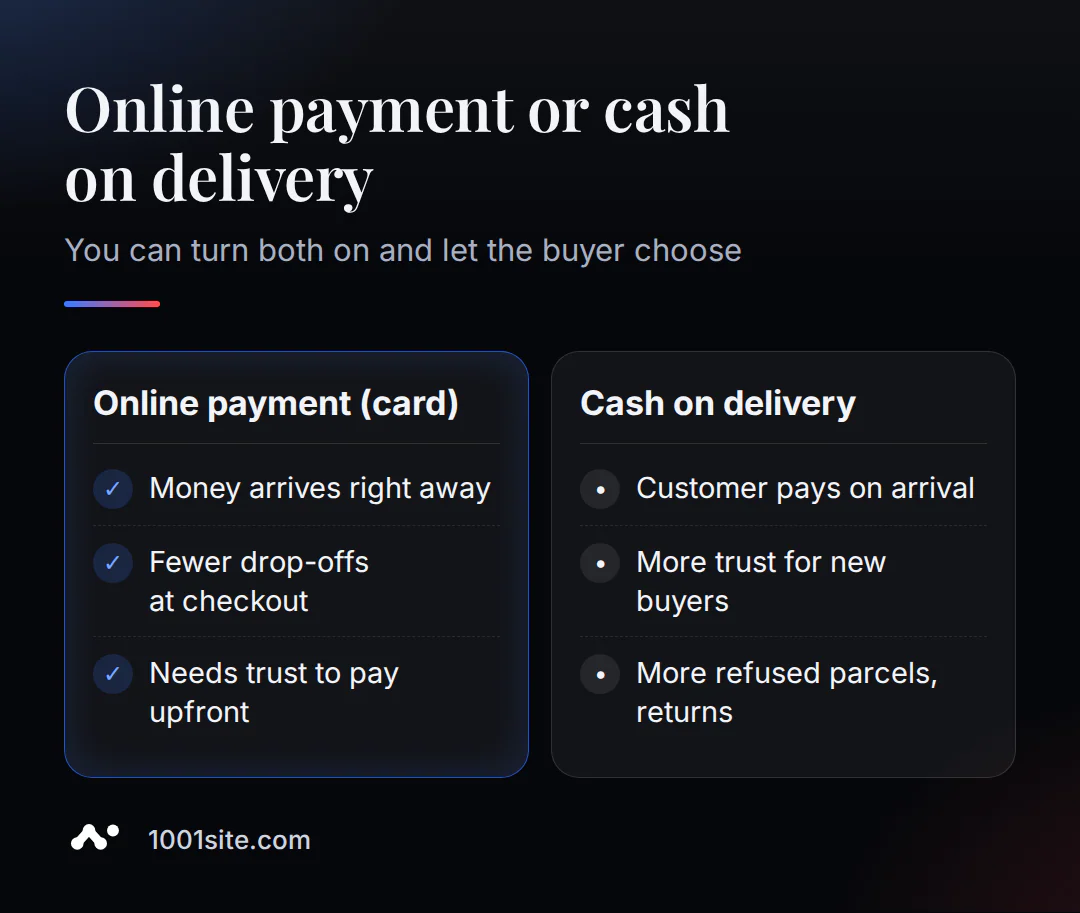
| Criterion | Online payment ( Stripe / Monobank) | C.O.D |
|---|---|---|
| When the money is in the account | Immediately after ordering | After delivery and receipt |
| Seller's risk | Minimum - payment confirmed in advance | Unredeemed parcel, return shipping costs |
| New buyer's trust | Need it in advance - pay in advance | Above - pays when the goods are already in hand |
| Suitable for | Repeat buyers, digital and valuable goods | New store without order history |
Sergey Merkulov, the owner of a Ukrainian online store, wrote ina column on Datum Review that after disabling cash-on-delivery, sales remained unchanged, while the number of returns dropped significantly. This is the personal experience of one store, and it's not enough to draw conclusions about the market as a whole. However, the general trend is clear: cash-on-delivery primarily alleviates buyer distrust, while its impact on sales volume is less pronounced.
For shoppers in Ukraine, Kazakhstan, and Uzbekistan, cash on delivery is a common practice, especially for new stores with no prior history of reviews. In Europe, card payments are more often expected, and cash on delivery is the exception rather than the norm. A common compromise in any of these markets is to accept both methods simultaneously and let the buyer decide for themselves, without any pressure from you.
What does the buyer enter when placing an order?
A phone number is a required field; your name is listed next to it, your address is automatically determined by geolocation, and you can add a custom field at the bottom, such as "Special Conditions" for a comment on your order.
A disclaimer: the address field is a text field, not a shipping calculator. The website doesn't calculate shipping costs—that's up to you or your courier. The shipping cost is only used in the Google Merchant Center feed if you sell through Google Shopping—it doesn't affect what the customer sees in the cart itself.
How can I find out about a new order without sitting in my office?
Your order is sent via bot to your Telegram channel or group immediately after you place it—this works with all plans. Setup is quick: create a bot with @BotFather, add it as a channel or group administrator, paste the token and channel address into your account, and then click "Test Connection" to receive a test message and a summary for today.
In your account, each order has the following statuses: "Under Review" → "In Progress" → "In Delivery" → "Completed," along with the invoice number and payment status. If you've already set up notifications for ads posted to the same Telegram channel, you can use the same bot for orders—these are two different types of notifications on a single token.
How much does it cost to enable payment on the website?
Connecting Stripe and Monobank is included in the website plan; there's no separate fee for the "Integrations → Payment" section itself. "All Inclusive" is €45 per month, with the first month being €25 with a promo code. There's no trial period. "Turnkey" is a one-time cost of €1,650 if you want your website and payment system set up for you, including a domain and training.
The service's terms are simple: "We don't charge a commission on your sales." Monobank however, charges its own acquiring fee: 1.3% for Ukrainian cards and 2% for international cards. Stripe charges its own fees, which vary by region. Check the current rates on the pricing website and in your Stripe account before signing up.
Build an online store with 1001site AI – your catalog, shopping cart, and payment options are all in one place, no developer required.
Sources
- Guest customers in Stripe Checkout
- How to Reduce Checkout Friction - Stripe Tips
- Apple Pay and Google Pay out of the box in Stripe Checkout
- What is acquiring? - Monobank knowledge base
- "Purchase in Parts" - Monobank documentation
- Make Guest Checkouts Visible - Baymard Institute
- Why Explain the Phone Field - Baymard Institute
- Mobile Checkout - Nielsen Norman Group
- Guest Checkout Discussion - Shopify Community Forum
- Losing Customers Due to Mandatory Registration - Shopify Community Forum
- Cash on Delivery Observations - Datum Review Column