A product feed is a file containing all the store's products, which Google Merchant Center automatically fetches on a schedule and displays in Google Shopping with prices and photos. In 1001site the feed is already integrated into the "Online Store" mode: no need to manually assemble the file or maintain a separate plugin—just copy the prepared URL and paste it into Merchant Center once. We'll break down the entire process: what's required, which products Google will allow or reject, how long to wait for the first impression, and how other website builders handle this task.
What do I need to do to get my products listed on Google Shopping?
The feed is only available in the "Online Store" mode of the website; in the "Classifieds" mode, this feature is completely absent. The reason lies in Merchant Center itself: the service works with products on price and availability pages, while classifieds simply don't have such a page.
In addition to the site mode, you need your own domain. Google Merchant Center requires a verified domain, and the feed link is linked to it—a temporary URL like <slug>.asd.vibevox.pro won't open the Merchant Center integration section. The third requirement is a Google Merchant Center account that's registered and has passed domain verification. All three requirements are configured once—the feed is connected, and you don't need to repeat any of these steps each time you change your catalog.
How to connect a product feed to 1001site?
Enabling this feature takes just one login to your account: copy the feed URL from the "Integrations" section, paste it into Merchant Center as a scheduled feed, and fill out the "Delivery" section once in your site settings. No code access or third-party plugins are required—the feed updates automatically from then on.
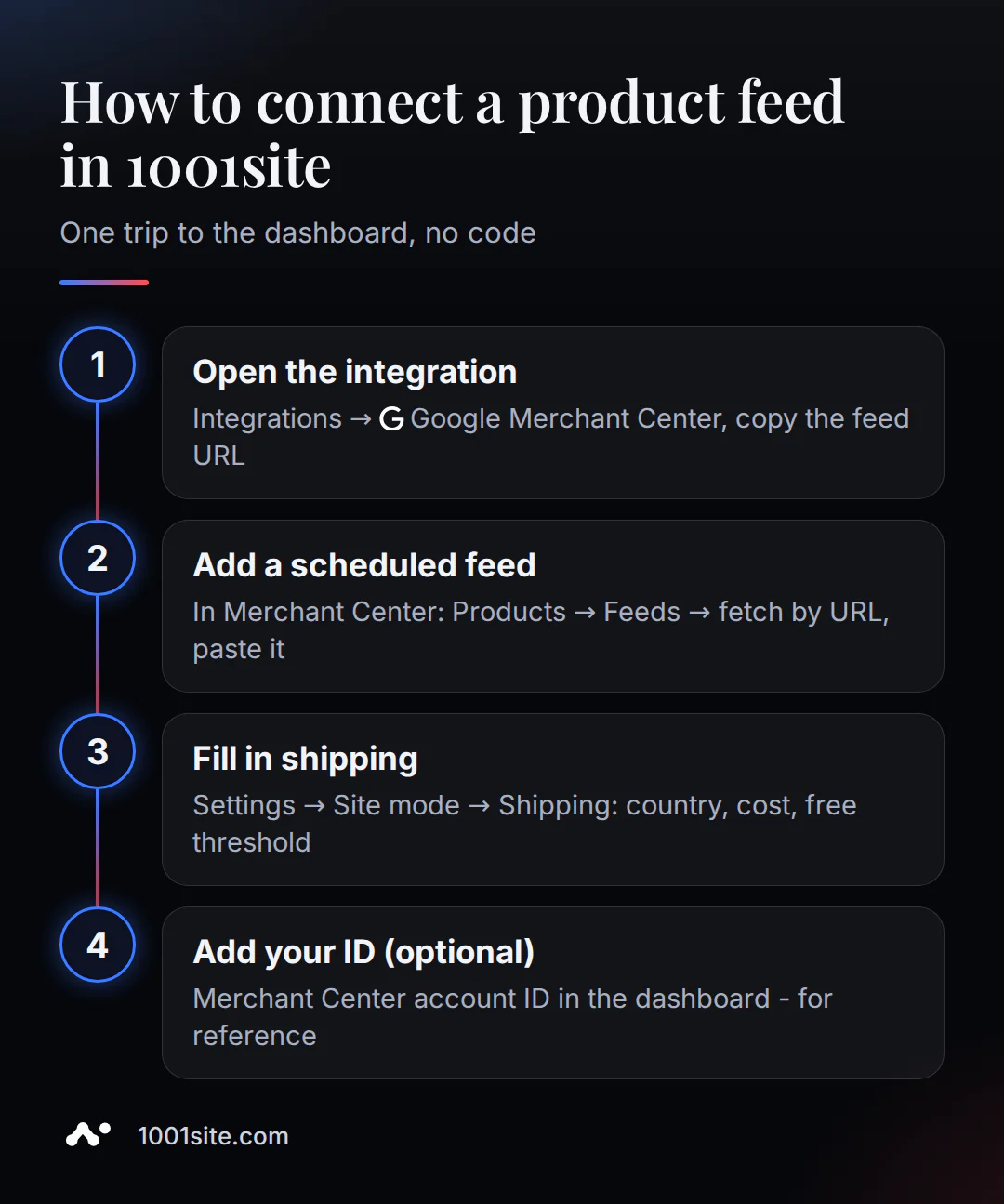
- Open Integrations → Google Merchant Center in your account and copy the product feed URL—it's unique to your store.
- In the Merchant Center, go to Products → Feeds, select Add feed by link (scheduled upload), and paste the copied URL.
- Fill out the "Delivery" section in Settings → Site Mode: delivery country, cost, and free shipping threshold—this data goes directly to the feed and is needed Google to calculate the final price for the buyer.
- Optional, but helpful: Enter your Merchant Center account ID in your 1001site account for reference if you have more than one person working with your store.
1001site AI will build an online store tailored to your style and prepare a feed for Google Shopping without any code changes. From there, you can manage your products in your regular account, just like the rest of your catalog.
Which products will Google show and which will it reject?
By default, all active products with prices and photos are included in the feed, and each has a "Add to Google feed" toggle—you can exclude specific items or mark them in bulk. However, being included in the feed and appearing in search results are two different things: Google itself also reviews the product, and some listings are rejected.
Merchant Center itself sets out the pricing requirement: "Accurately specify the product price and currency; they must match the price on the product page, in structured data, and during checkout" (translated) - support.google.com. If the product is out of stock, the price must remain clearly visible directly on the product page – this is an easy-to-overlook detail.
Photos are more stringent: "Don't use promotional text, watermarks, or frames" and "don't submit placeholder or generic images" (translation) - ibid. Currently, the minimum product photo size is 100x100 pixels (250x250 for clothing), but starting January 31, 2027, Google will raise the threshold to 500x500 pixels for all product photos. If a store uses old, small photos, they will have to be replaced in advance.
The most common reasons for disapproving a specific product are an incorrect or missing GTIN, a generic photo instead of the actual one, promotional text in the photo, and price or availability discrepancies between the feed and the website. For the latter case, Google has a preemptive disapproval mechanism: it blocks only the disputed product. The entire store suffers only when such violations accumulate and go uncorrected.
How is an automatic feed better than a one-time file upload?
The link feed automatically fetches the current price and availability from the website with each scan, while a one-time file upload is a snapshot of the catalog at a single point in time. The difference becomes noticeable after a month of operation, when prices and availability in the catalog begin to change.
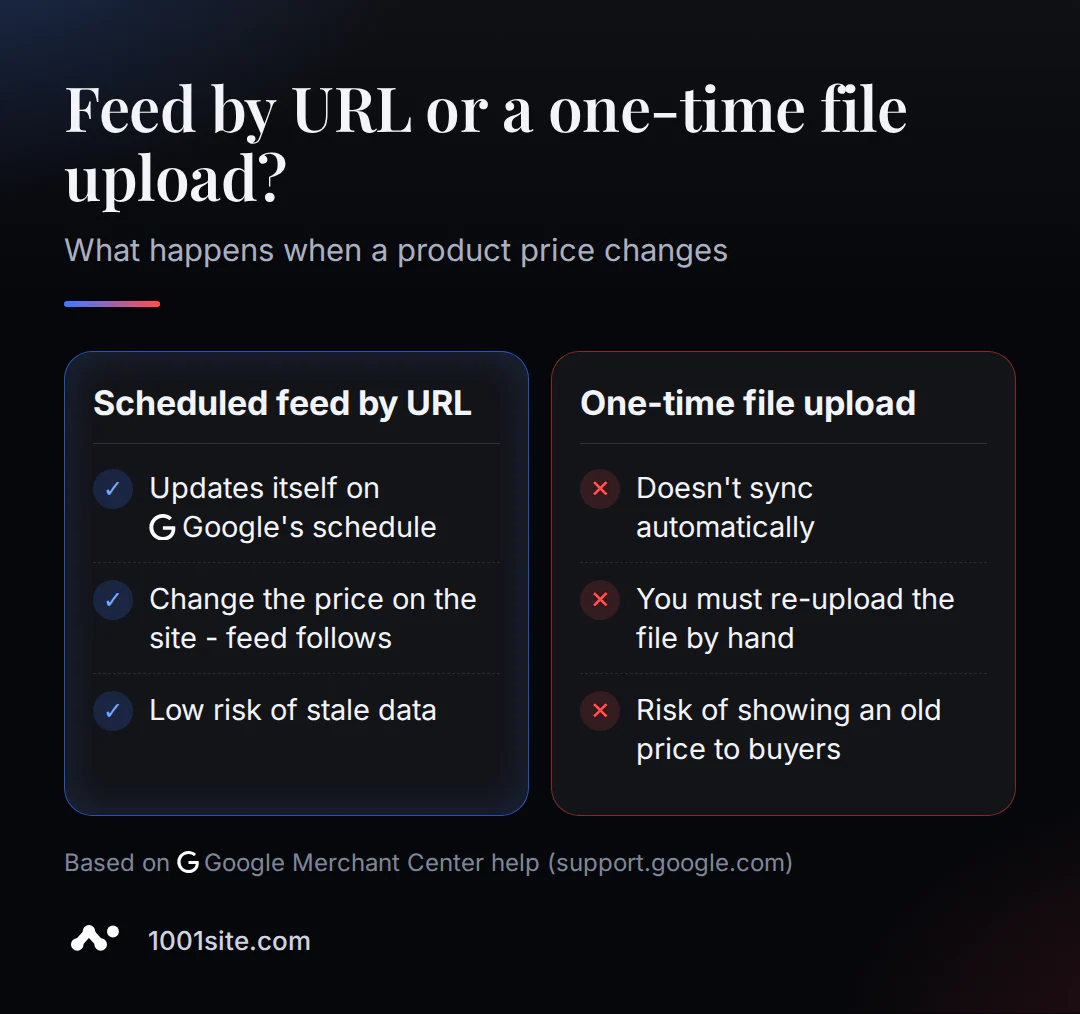
| Link feed (like in 1001site) | One-time file download | |
|---|---|---|
| Updating data | myself, according to Google schedule | only by hand, after each change |
| What does the owner do? | changes the price/stock on the site - the feed picks it up automatically | reassembles and uploads the file |
| Risk of obsolescence | low - the feed is fresh at the time of scanning | High - they forgot to reupload, the product is "hanging" with the old price |
Merchant Center itself honestly describes the drawback of the second approach: "Please note that with this option, product data is not automatically synced—the file must be re-uploaded each time it changes" (translated) - support.google.com. A linked feed doesn't have this kind of re-uploading: Google automatically accesses the URL and fetches the most current version.
How long does it take to see the first products in the search results?
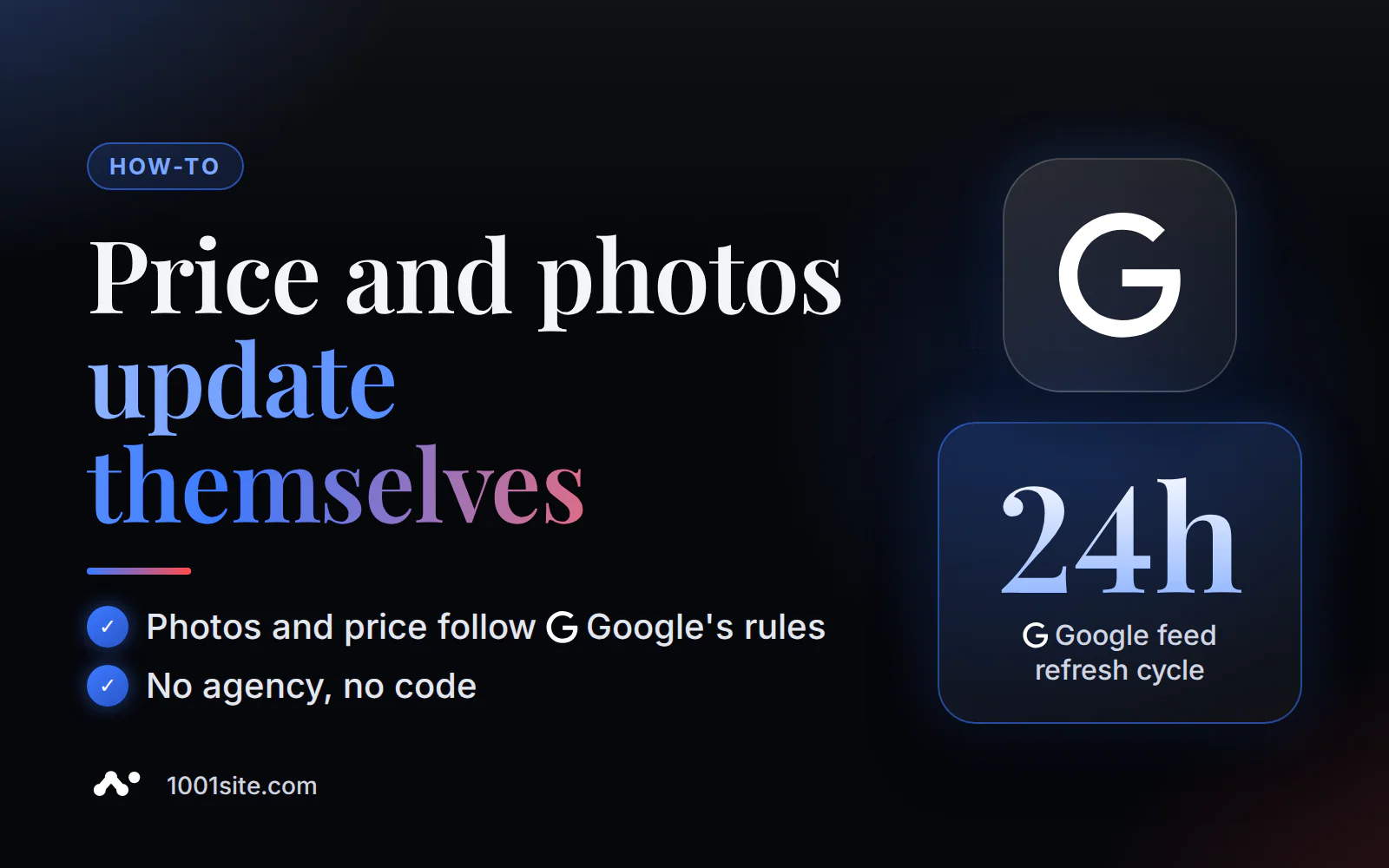
By default, Google scans your feed file every 24 hours, but you can schedule it more frequently. The first appearance of products consists of two consecutive delays: the site prepares an up-to-date feed, then Google checks and approves each product individually.
In practice, for small stores on various platforms, the actual time to first impression is about a week: 24 to 30 days for the initial catalog scan, plus 1-3 business days for moderation of specific products. Advertising consultant David Rothwell (Practical Ecommerce) specifically warns: "Products in Merchant Center 'go stale' after 30 days without updating" (translation) - practicalecommerce.com. A feed, which updates automatically, isn't affected by this: no need to remember to update it manually after a month or a year.
How does it work with Shopify, Wix, Squarespace and others?
Website builders handle this differently: not all integrate the feed as seamlessly as 1001site. Shopify, BigCommerce, WooCommerce, and Wix require a third-party app or plugin that requires separate installation and configuration. Squarespace and Ecwid, like 1001site, have the feature built into their builder.
| Platform | How to connect a feed |
|---|---|
| Shopify | third-party app " Google & YouTube " from the App Store, manual category mapping |
| BigCommerce | A separate application called " Google Channel" allows you to check a website using an HTML tag. |
| WooCommerce | Free plugin " Google for WooCommerce ", depends on hosting and website theme |
| Wix | via third-party apps from the Wix App Market, not built into the builder core |
| Squarespace | Built-in integration in the Commerce section, connection via Google account |
| Ecwid | Built-in automatic catalog synchronization with Google Shopping |
For Shopify, BigCommerce, and WooCommerce the feed is an add-on to the platform, meaning it's another account and another point where something might diverge from the main catalog. Squarespace, Ecwid, and 1001site have the feed built into the builder itself, and they're equally easy to set up. 1001site difference lies elsewhere: importing a catalog via a link or from Instagram and accepting payments via Stripe are integrated into the same package as the feed, from scratch and without the need for programming.
Is Feed already an ad in Google Shopping?
No, these are two separate steps. A connected feed already includes free listings—product cards in search results—without paying for impressions. Paid campaigns like Performance Max are set up separately in Google Ads, and the feed only serves as a source of product data for them—the ads themselves are compiled in the same place, in Ads.
For a small store, it makes sense to start with free listings and see which products are shown and how often before investing in a paid campaign – especially since the data requirements (price, photos, availability) are the same for both formats.
How much does it cost to connect a feed to 1001site?
There's no separate fee for the feed—it's included in the "All Inclusive" plan, €45 per month (first month is €25 with the current promo code). 1001site doesn't offer a trial period or a free plan, but you can stop your subscription at any time, and the site will remain available until the end of the month you've already paid for.
You can also build a catalog and website content with a one-time, turnkey order for €1,650. This includes product transfer, payment and feed setup, and free hosting for the first year. The best deal for your catalog size is discussed in the article "How Much Does a Turnkey Website Cost?"
Who is too early to connect a feed, and who is it time?
It makes sense to connect a feed as soon as the store has its own domain and the catalog is already populated—after that, it's a single login, without a separate, multi-day task. It's too early if the site is still running on a temporary address without a domain, the catalog is just being migrated, or the business is structured like a classifieds board, where a feed isn't available at all.
If a store without a warehouse sells directly from a supplier, order acceptance and customer responsibility have their own specifics – these are discussed in the article about dropshipping stores without a warehouse. Build your online store on 1001site AI and connect your domain – your Google Shopping feed will be ready immediately.
Sources
- Product Data Specification - Google Merchant Center Help
- Adding products via a feed link (scheduled fetch) - Google Merchant Center Help
- Reasons for Product Disapproval - Google Merchant Center Help
- Practical Ecommerce - Setting Up Merchant Center for Small Stores
- Shopify - Connecting a Google & YouTube Channel
- Squarespace - Google Merchant Center Integration
- Ecwid - automated Google Shopping campaigns