Google Sites is a free website builder from Google: a few pre-made blocks, a couple of clicks, and an address like sites.google.com/view/мойбизнес is ready. This is sufficient for a business card with an address and phone number. For businesses that want to accept orders, collect requests on Telegram, and be featured in search results, the free plan won't be enough due to an architectural limitation of the builder, which even a paid subscription doesn't address.
Is it possible to sell on a free website on Google?
No: Google Sites does not physically have a shopping cart, checkout, or payment processing—either on the free tier or on the paid Google Workspace.
You can still sell a product, but only through a third-party service like PayPal, Stripe, Square, Gumroad, or similar. Clicking this button opens a third-party checkout in a separate tab, effectively forcing the buyer to leave your site to pay. Comparisons of builders also note that Google Sites doesn't offer the usual "apps" or "plugins" that can be used to customize your store, as is the case with WordPress.
This kind of workaround can handle a one-time sale of a single product. A catalog with multiple items, variations, and remaining stock turns this into a manual process: the product page, photo, and payment link need to be updated separately for each item.
How to blog and accept requests on Telegram and WhatsApp using Google Sites?
There's no way – Google Sites doesn't have a dedicated "blog" content type and doesn't have built-in messaging integration. The Themeisle review puts it bluntly: " Google Sites doesn't even have a built-in blog tool" (translated quote) – only static pages without a feed, categories, or comments.
A Telegram or WhatsApp button can only be added via a third-party embed widget (such as one from Elfsight or Common Ninja). This widget resides in its own iframe and can't "float" across the entire page like a regular contact button on a full-fledged website—it simply occupies the block it's embedded in.
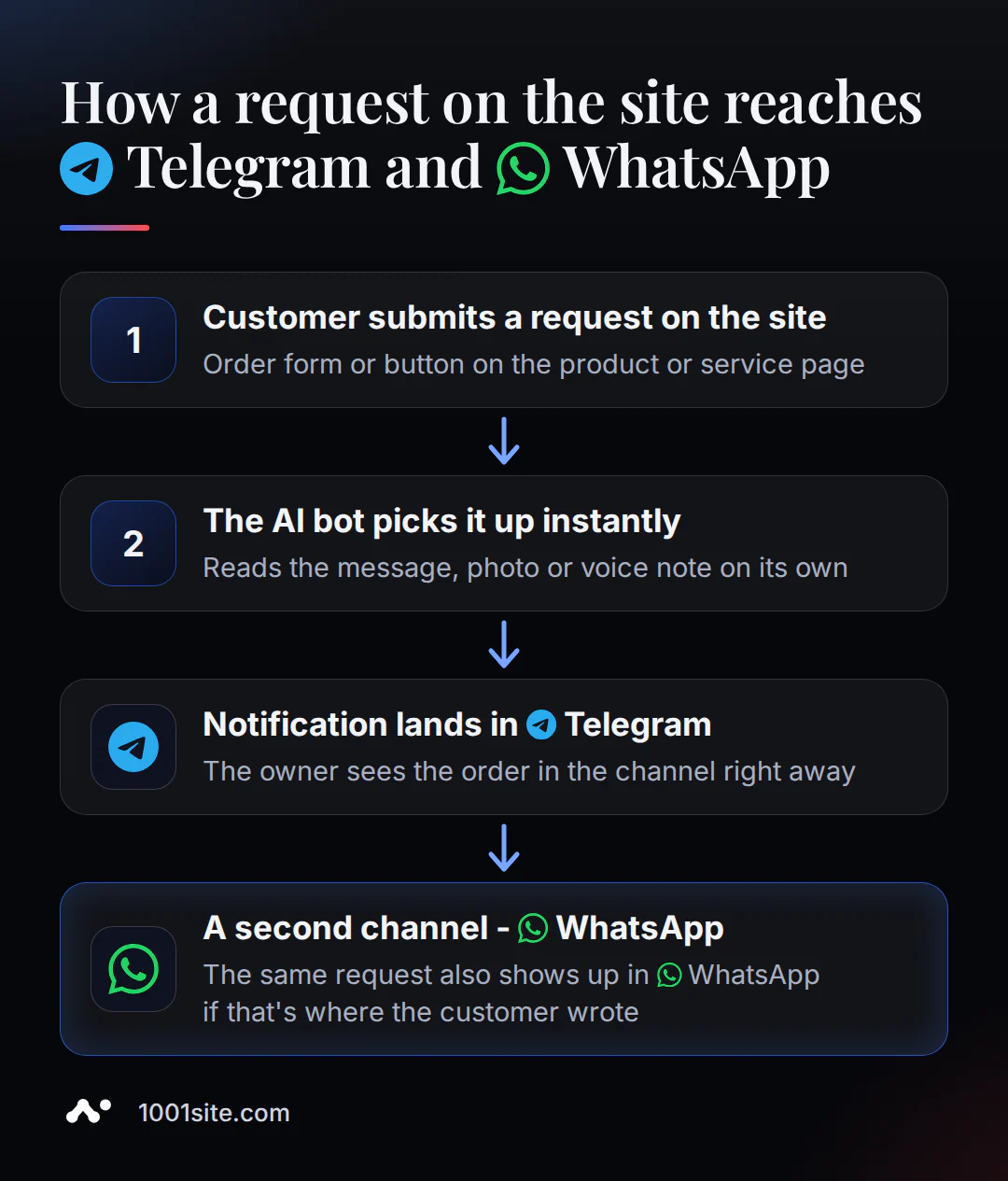
On a website builder like 1001site AI, this approach is built in from the start. A Telegram bot accepts orders and ads directly from groups, channels, and private messages, and the owner receives a notification about each order in the channel—without third-party widgets or redirects to a third-party service.
Google Sites and Search: Will Google and AI Assistants See Your Site?
Partially. The new version Google Sites doesn't have a field for a custom meta description, and there's almost no room to insert structured data. nDash's analysis of the limitations clearly states: adding a meta description to a page in the new version Google Sites isn't possible - " Google Sites doesn't have that option" (quote translation). Google Sites does have a "hide in search" toggle, but it works as a query without a guarantee - Google help itself clarifies that hiding isn't guaranteed to work.
Sources differ on the automatic sitemap, and Google hasn't published an official document with a direct answer. Therefore, it's impossible to definitively say "there is no sitemap." It's more honest to say that Google Sites doesn't seem to have a reliable and documented way to submit a sitemap to Google Search Console.
On the 1001site website, AI SEO is automatically generated when a product or page is saved. The URL is added to sitemap.xml, structured data is added for advanced search results, previews for social media, and an llms.txt file with instructions for AI bots like GPTBot, Claude Bot, and PerplexityBot. Learn more about this mechanism in the SEO and AI indexing article.
Do you need a paid Google Workspace for your domain?
No – if you've already purchased a domain from any registrar, you can link it to Google Sites for free using a regular personal Google account. Google official help doesn't specify a paid subscription for this step.
Google Workspace (from €6.80/month on an annual plan) is used for a different purpose: to purchase a new domain directly from Google upon registration, get business email for that domain, or add storage space and administrative features for your team. The domain itself costs a separate fee from a third-party registrar – approximately €10/year, regardless of which builder you ultimately choose.
1001site AI also offers free custom domain registration: two A-records in DNS, the "Issue Certificate" button in your account, and your site opens via https:// in about 30 seconds, with a clear "Done" confirmation on the screen. For a breakdown of the steps, see the article on custom domain registration.
When Free Google Sites Is Really Enough
If your website doesn't need to find strangers through search, accept money, or collect applications, Google Sites handles these tasks for free. A business card with the name, address, hours, and directions is suitable for businesses whose primary customer channel is a brick-and-mortar store, phone calls, or personal recommendations.
Service pages follow the same logic: an employee's handbook, the team's internal knowledge base, and a temporary stub while the "real" website is being developed. The limitations in the sections above don't interfere here, as the task never required sales, a blog, or search engine indexing.
Google Sites or an AI-powered website: what you get for free at the start
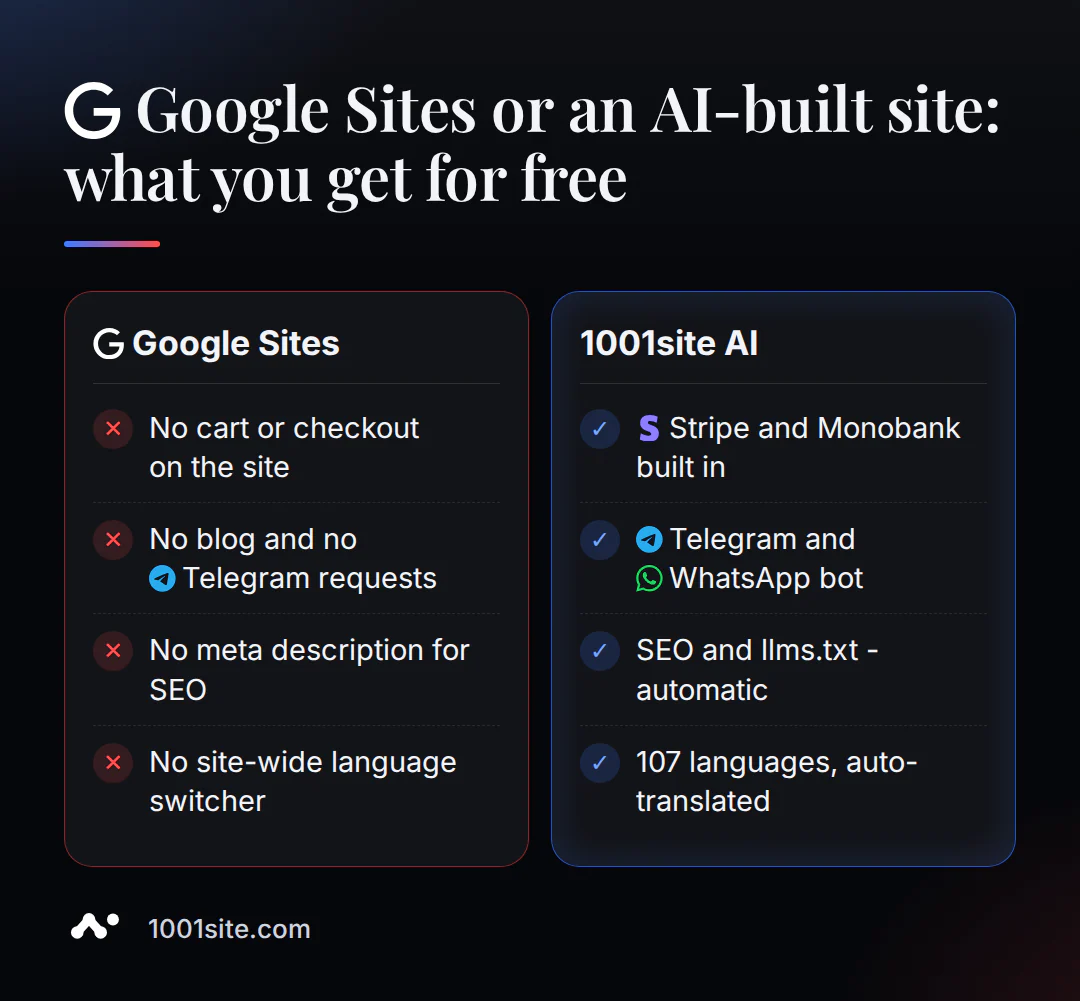
Both Google Sites and 1001site AI offer a free first step ( 1001site AI doesn't offer a trial plan, but offers a promo code for the first month). From there, their paths diverge in the builder's architecture—a distinction that goes deeper than just design differences.
| Criterion | Google Sites | 1001site AI |
|---|---|---|
| Sales and Payments | Only a third-party service button (PayPal, Stripe) in an external tab | Online store with Stripe and Monobank, order without registration |
| Applications in Telegram / WhatsApp | No, only an embed widget in its own frame. | A bot for accepting requests and sending order notifications to the channel |
| Blog and posts | There is no separate content type | Yes, with automatic publishing to Telegram, WhatsApp, and Threads |
| SEO and AI indexing | No meta description field, sitemap not guaranteed | Sitemap, structured data, and llms.txt are generated automatically. |
| Interface languages | There is no language switcher on the site, only a machine translation widget | 107 languages with automatic translation of the interface and content |
| Your own domain | Free, HTTPS is connected automatically on Google side, without a button or progress bar | Free, SSL is issued by clicking a button in your account with confirmation, in about 30 seconds |
How much does a website that sells cost if Google Sites isn't enough?
1001site AI's "All Inclusive" plan costs €45 per month, with the first month reduced to €25 using a promo code. There is no trial period or free plan. You can cancel at any time, and the site remains active until the end of your paid period.
For those who don't want to build a website themselves, there's a "Turnkey" option for €1,650 one-time: style, structure, text, products, photos, domain, Telegram, and WhatsApp are all set up for you, and 12 months of hosting are included free. A second website on the same account costs an additional €20 per month.
The choice here is determined by the task at hand, not by an abstract "better" choice. A storefront without sales can easily remain on Google Sites for free. A website that needs to accept orders and requests won't be able to do so with any free builder, no matter what the plan. Such a website is built using the 1001site style catalog, a pre-existing reference, or a business description.
Sources
- Linking a Custom Domain to Google Sites - Official Google Help
- Request to hide a site from search - Official Google Help
- Google Sites Review: Most People Shouldn't Use It - Themeisle
- Google Sites - Overview of Features and Limitations - WebsitePlanet
- Understanding Custom Meta Description Limitations with Google Sites - nDash
- Google Sites for Business: What the Free Builder Can and Cannot Do - web60.ie
- Google Sites E-commerce - CartMango