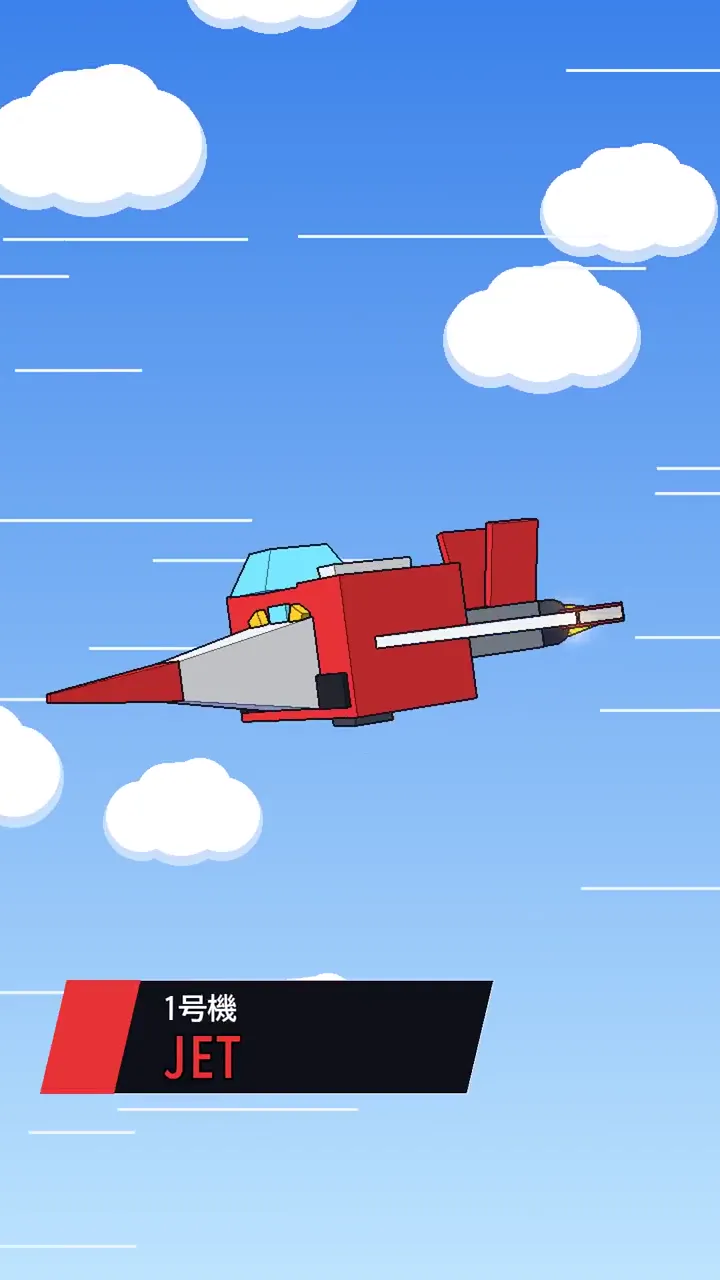
3D ਟੈਂਪਲੇਟ
three.js ਦੀ ਵਰਤੋਂ ਕਰਦੇ ਹੋਏ ਰੀਅਲ-ਟਾਈਮ 3D ਵੀਡੀਓਜ਼ ਲਈ ਸੁਧਰੇ ਹੋਏ ਪ੍ਰੋਂਪਟ ਲਈ ਇੱਕ ਟੈਂਪਲੇਟ। Prompt Motion ਗੈਲਰੀ ਲਈ ਸੰਰਚਿਤ—ਆਪਣੀ ਖੁਦ ਦੀ ਕਹਾਣੀ ਪਾਓ।
ਸੁਧਾਰਿਆ ਗਿਆ ਪ੍ਰੋਂਪਟ
Prompt Motion ਗੈਲਰੀ, ਜਿਸਨੂੰ ਵਕਰਦਾਰ ਕੰਧਾਂ 'ਤੇ ਵੀਡੀਓ ਕਾਰਡਾਂ ਦੀ 3D ਸਪੇਸ ਦੇ ਰੂਪ ਵਿੱਚ ਦੁਬਾਰਾ ਕਲਪਨਾ ਕੀਤੀ ਗਈ ਹੈ, three.js ਨਾਲ ਇੱਕ ਸਵੈ-ਨਿਰਭਰ HTML ਪੰਨੇ ਦੇ ਰੂਪ ਵਿੱਚ ਬਣਾਓ।
ਸ਼ੈਲੀ: Prompt Motion ਦੇ ਆਪਣੇ ਵਿੱਚ ਨਰਮ ਦਿਨ ਦੀ ਰੌਸ਼ਨੀ ਅਤੇ ਚਿੱਟੀ ਜਗ੍ਹਾ: ਕਾਲਾ ਅਤੇ ਚਿੱਟਾ, Geist, ਇੱਕ ਸੰਤਰੀ ਲਹਿਜ਼ਾ.
ਦਸਤਖਤ ਸ਼ਾਟ ਵਾਪਸੀ ਦਾ ਰਸਤਾ ਜਿੱਥੇ ਪੱਤਿਆਂ ਦੇ ਗਲਿਆਰੇ ਉੱਪਰੋਂ ਦਿਖਾਈ ਦੇਣ ਵਾਲੇ PROMPT MOTION ਅੱਖਰਾਂ ਵਿੱਚ ਘੁਲਦੇ ਹਨ। ਹੈ। ਇਸ ਵੱਲ ਸਭ ਕੁਝ ਬਣਾਓ।
ਕੈਮਰਾ: ਇੱਕ ਫਿਲਮ ਕੈਮਰਾ, ਔਰਬਿਟ ਕੰਟਰੋਲ ਨਹੀਂ। ਹਰ ਸ਼ਾਟ ਇੱਕ ਨਾਮਕ ਮੂਵ (ਡੌਲੀ, ਕਰੇਨ, ਔਰਬਿਟ, ਪੁਸ਼-ਇਨ, ਰੈਕ ਫੋਕਸ) ਦੀ ਵਰਤੋਂ ਕਰਦਾ ਹੈ, ਜੋ ਕਿ ਅੰਦਰ ਅਤੇ ਬਾਹਰ ਆਸਾਨ ਹੁੰਦਾ ਹੈ, ਅਤੇ ਕੈਮਰਾ ਕਦੇ ਵੀ ਜਿਓਮੈਟਰੀ ਵਿੱਚੋਂ ਨਹੀਂ ਲੰਘਦਾ।
ਰੋਸ਼ਨੀ ਅਤੇ ਸਮੱਗਰੀ: ਇੱਕ ਕੁੰਜੀ, ਫਿਲ ਅਤੇ ਰਿਮ ਲਾਈਟ ਜਿਸ ਵਿੱਚ ਨਰਮ ਪਰਛਾਵੇਂ ਹਨ, ਪ੍ਰਤੀਬਿੰਬਾਂ ਲਈ ਇੱਕ ਵਾਤਾਵਰਣ ਨਕਸ਼ਾ, ਡੂੰਘਾਈ ਲਈ ਧੁੰਦ, ਭੌਤਿਕ ਤੌਰ 'ਤੇ ਵੱਖ-ਵੱਖ ਖੁਰਦਰੇਪਨ ਵਾਲੀਆਂ ਸਮੱਗਰੀਆਂ, ACES ਟੋਨ ਮੈਪਿੰਗ। ਕੁਝ ਵੀ ਡਿਫਾਲਟ ਸਮੱਗਰੀ ਵਾਂਗ ਨਹੀਂ ਦਿਖਣਾ ਚਾਹੀਦਾ।
ਗਤੀ: ਚੀਜ਼ਾਂ ਇੱਕ ਦੂਜੇ ਨਾਲ ਪ੍ਰਤੀਕਿਰਿਆ ਕਰਦੀਆਂ ਹਨ (ਜੋ ਹਿੱਟ ਹੁੰਦਾ ਹੈ, ਜੋ ਰੋਸ਼ਨੀ ਦੇ ਨੇੜੇ ਹੁੰਦਾ ਹੈ), ਸਪ੍ਰਿੰਗਸ ਜਾਂ ਸਧਾਰਨ ਭੌਤਿਕ ਵਿਗਿਆਨ ਦੁਆਰਾ ਚਲਾਇਆ ਜਾਂਦਾ ਹੈ, ਕਦੇ ਵੀ ਲੀਨੀਅਰ ਟਵੀਨਜ਼ ਨਹੀਂ।
ਪਾਬੰਦੀਸ਼ੁਦਾ: ਡਿਫਾਲਟ ਸਮੱਗਰੀ ਅਤੇ ਰੋਸ਼ਨੀ, ਫਲੋਟਿੰਗ ਟੈਕਸਟ ਲੇਬਲ, ਹਰ ਚੀਜ਼ 'ਤੇ ਚਮਕ, ਪੂਰੇ ਵਿਚਾਰ ਦੇ ਰੂਪ ਵਿੱਚ ਇੱਕ ਹੌਲੀ-ਹੌਲੀ ਘੁੰਮਦੀ ਵਸਤੂ, ਕੋਈ ਵੀ ਚੀਜ਼ ਜੋ ਇੱਕ ਤਕਨੀਕੀ ਡੈਮੋ ਵਰਗੀ ਦਿਖਾਈ ਦਿੰਦੀ ਹੈ।

ਸ਼ਾਟ, ਲਗਭਗ ਤਿੰਨ ਸਕਿੰਟ ਹਰੇਕ:
1. ਇੱਕ ਕਾਰਡ ਦੇ ਕਿਨਾਰੇ 'ਤੇ ਨਰਮ ਰੌਸ਼ਨੀ ਵਿੱਚ ਮੈਕਰੋ, ਫਿਰ ਇਸਦੇ ਚੱਲ ਰਹੇ ਵੀਡੀਓ 'ਤੇ ਧਿਆਨ ਕੇਂਦਰਿਤ ਕਰੋ (ਸਾਈਟ ਤੋਂ ਇੱਕ ਅਸਲੀ ਪੋਸਟਰ)। 2. ਡੌਲੀ ਬੈਕ: ਇਹ ਇੱਕ ਹੌਲੀ-ਹੌਲੀ ਵਕਰ ਵਾਲੀ ਕੰਧ 'ਤੇ ਸੈਂਕੜੇ ਕਾਰਡਾਂ ਵਿੱਚੋਂ ਇੱਕ ਹੈ, ਸਾਰੇ ਚੱਲ ਰਹੇ ਹਨ; ਸੰਤਰੀ ਰੌਸ਼ਨੀ ਦੀ ਇੱਕ ਲਹਿਰ ਕੰਧ ਦੇ ਨਾਲ-ਨਾਲ ਚੱਲਦੀ ਹੈ ਅਤੇ ਹਰੇਕ ਕਾਰਡ ਲੰਘਦੇ ਸਮੇਂ ਥੋੜ੍ਹਾ ਜਿਹਾ ਝੁਕਦਾ ਹੈ। 3. ਕੰਧ ਦੇ ਉੱਪਰ ਅਤੇ ਉੱਪਰ ਕਰੇਨ: ਇਸਦੇ ਪਿੱਛੇ, ਹੋਰ ਕੰਧਾਂ ਗਲਿਆਰੇ ਬਣਾਉਂਦੀਆਂ ਹਨ। 4. ਇੱਕ ਕਾਰਡ ਖੁੱਲ੍ਹਦਾ ਹੈ, ਭਾਰ ਨਾਲ ਕੈਮਰੇ ਵੱਲ ਝੁਕਦਾ ਹੈ ਅਤੇ ਸੈਟਲ ਹੋ ਜਾਂਦਾ ਹੈ; ਇਸਦਾ ਪ੍ਰੋਂਪਟ ਇਸਦੀ ਪਿੱਠ 'ਤੇ ਛਾਪਿਆ ਜਾਂਦਾ ਹੈ ਅਤੇ 3D ਕਿਸਮ ਦੇ ਰੂਪ ਵਿੱਚ, ਲਾਈਨ ਦਰ ਲਾਈਨ ਉੱਠਦਾ ਹੈ। 5. ਦਸਤਖਤ ਸ਼ਾਟ: ਸੰਤਰੀ ਰੌਸ਼ਨੀ O ਨੂੰ ਟਰੇਸ ਕਰਦੇ ਸਮੇਂ ਬਹੁਤ ਪਿੱਛੇ ਅਤੇ ਉੱਪਰ ਖਿੱਚੋ। 6. ਵਰਡਮਾਰਕ ਅਤੇ ਪ੍ਰੋਂਪਟ-ਮੋਸ਼ਨ.ਕਾੱਮ 'ਤੇ ਸੈਟਲ ਹੋਵੋ।

1. ਇੱਕ HTML ਫਾਈਲ, ਇੱਕ CDN ਤੋਂ three.js, ਕੋਈ ਬਿਲਡ ਸਟੈਪ ਨਹੀਂ। ਹਰ ਚੀਜ਼ ਨੂੰ ਕੋਡ ਵਿੱਚ ਮਾਡਲ ਕਰੋ; ਕੋਈ ਡਾਊਨਲੋਡ ਕੀਤੇ ਮਾਡਲ ਨਹੀਂ, ਅਤੇ ਕਾਰਡਾਂ ਲਈ ਸਾਈਟ ਦੇ ਆਪਣੇ ਵੀਡੀਓ ਪੋਸਟਰਾਂ ਤੋਂ ਇਲਾਵਾ ਕੋਈ ਟੈਕਸਟਚਰ ਨਹੀਂ।
2. MeshPhysicalMaterial, RoomEnvironment ਤੋਂ ਇੱਕ PMREM ਵਾਤਾਵਰਣ, ਸਾਫਟ ਸ਼ੈਡੋ, ACES ਟੋਨ ਮੈਪਿੰਗ ਅਤੇ ਐਂਟੀਅਲਾਈਸਿੰਗ ਦੀ ਵਰਤੋਂ ਕਰੋ। ਸਿਰਫ਼ ਉਹਨਾਂ ਸ਼ਾਟਾਂ 'ਤੇ ਹੀ ਫੀਲਡ ਦੀ ਡੂੰਘਾਈ ਸ਼ਾਮਲ ਕਰੋ ਜਿਨ੍ਹਾਂ ਨੂੰ ਇਸਦੀ ਲੋੜ ਹੈ।
3. ਲੈਪਟਾਪ 'ਤੇ 60fps ਹੋਲਡ ਕਰੋ।
4. ਇੱਕ?ਰੈਂਡਰ ਮੋਡ ਜੋੜੋ ਜਿੱਥੇ ਹਰੇਕ ਫਰੇਮ ਦੀ ਗਣਨਾ ਸਮੇਂ ਤੋਂ ਕੀਤੀ ਜਾਂਦੀ ਹੈ (ਸੀਡਡ ਰੈਂਡਮਨੇਸ, ਕੋਈ ਘੜੀ ਨਹੀਂ), ਤਾਂ ਜੋ ਇਸਨੂੰ Playwright ਨਾਲ 1920x1080 ਤੇ MP4 ਵਿੱਚ ਕੈਪਚਰ ਕੀਤਾ ਜਾ ਸਕੇ।
5. ਪ੍ਰਤੀ ਸ਼ਾਟ ਇੱਕ ਫਰੇਮ ਕੈਪਚਰ ਕਰੋ, ਇਸਨੂੰ ਦੇਖੋ, ਅਤੇ ਕੁਝ ਵੀ ਸਮਤਲ, ਅਲਾਈਸਡ, ਕਲਿੱਪਿੰਗ ਜਾਂ ਪੜ੍ਹਨ ਵਿੱਚ ਔਖਾ ਠੀਕ ਕਰੋ।

ਸ਼ੈਡੋ ਪੱਖਪਾਤ ਸੈੱਟ ਕਰੋ, ਨਹੀਂ ਤਾਂ ਸਤਹਾਂ 'ਤੇ ਧਾਰੀਦਾਰ ਮੁਹਾਸੇ ਬਣ ਜਾਣਗੇ। ਨੇੜੇ ਅਤੇ ਦੂਰ ਦੇ ਪਲੇਨਾਂ ਨੂੰ ਕੱਸ ਕੇ ਰੱਖੋ, ਜਾਂ ਦੂਰ ਦੀਆਂ ਸਤਹਾਂ ਨੂੰ ਝਪਕਦੇ ਰਹੋ। ਹਰੇਕ ਬੇਤਰਤੀਬ ਨੰਬਰ ਨੂੰ ਸੀਡ ਕਰੋ, ਨਹੀਂ ਤਾਂ ਰੈਂਡਰ ਪ੍ਰੀਵਿਊ ਨਾਲ ਮੇਲ ਨਹੀਂ ਖਾਂਦਾ।

ਸਿਗਨੇਚਰ ਸ਼ਾਟ ਅਤੇ ਸ਼ਾਟ ਸੂਚੀ ਦਾ ਕੁਝ ਲਾਈਨਾਂ ਵਿੱਚ ਵਰਣਨ ਕਰੋ, ਫਿਰ ਮੈਨੂੰ ਹੋਰ ਕੁਝ ਪੁੱਛੇ ਬਿਨਾਂ ਇਸਨੂੰ ਬਣਾਓ। ਮੈਨੂੰ HTML ਫਾਈਲ ਅਤੇ?ਰੈਂਡਰ ਮੋਡ ਨਾਲ ਕੈਪਚਰ ਕੀਤਾ ਗਿਆ 20-ਸਕਿੰਟ ਦਾ MP4 ਦਿਓ।
Build the Prompt Motion gallery, reimagined as a 3D space of video cards on curved walls, as one self-contained HTML page with three.js.
Style: soft daylight and white space in Prompt Motion's own: black and white, Geist, one orange accent.
The signature shot is the pull back where the corridors of cards resolve into the letters PROMPT MOTION seen from above. Build everything toward it.
Camera: a film camera, not orbit controls. Every shot uses one named move (dolly, crane, orbit, push-in, rack focus), eased in and out, and the camera never passes through geometry.
Light and materials: a key, fill and rim light with soft shadows, an environment map for reflections, fog for depth, physically based materials with varied roughness, ACES tone mapping. Nothing should look like a default material.
Motion: things react to each other (what's hit moves, what's near lights up), driven by springs or simple physics, never linear tweens.
Banned: default materials and lighting, floating text labels, glows on everything, a slowly spinning object as the whole idea, anything that looks like a tech demo.

Shots, about three seconds each:
1. Macro on the edge of one card in soft light, then rack focus onto its playing video (a real poster from the site). 2. Dolly back: it's one of hundreds of cards on a gently curved wall, all playing; a wave of orange light runs along the wall and each card tilts slightly as it passes. 3. Crane up and over the wall: behind it, more walls form corridors. 4. One card unhinges, swings toward the camera with weight and settles; its prompt is printed on its back and lifts off as 3D type, line by line. 5. The signature shot: pull far back and up while the orange light traces the O. 6. Settle on the wordmark and prompt-motion.com.

1. One HTML file, three.js from a CDN, no build step. Model everything in code; no downloaded models, and no textures except the site's own video posters for the cards.
2. Use MeshPhysicalMaterial, a PMREM environment from RoomEnvironment, soft shadows, ACES tone mapping and antialiasing. Add depth of field only on shots that need it.
3. Hold 60fps on a laptop.
4. Add a ?render mode where every frame is computed from time (seeded randomness, no clock), so it can be captured with Playwright into an MP4 at 1920x1080.
5. Capture one frame per shot, look at it, and fix anything flat, aliased, clipping or hard to read.

Set shadow bias, or surfaces get striped acne. Keep near and far planes tight, or distant surfaces flicker. Seed every random number, or the render won't match the preview.

Describe the signature shot and the shot list in a few lines, then build it without asking me anything else. Give me the HTML file and a 20-second MP4 captured with the ?render mode.
ਸਭ ਤੋਂ ਵਧੀਆ ਨਤੀਜਾ: Claude Opus 5.5 ਵੱਧ ਤੋਂ ਵੱਧ ਕੋਸ਼ਿਸ਼ ਦੇ ਪੱਧਰ ਦੇ ਨਾਲ। Prompt Motion ਦੁਆਰਾ ਟੈਂਪਲੇਟ; ਵੀਡੀਓ: ਬਿਨਾਂ ਸੰਪਾਦਨਾਂ ਦੇ ਲਾਂਚ।
ਇਸ ਤਰ੍ਹਾਂ ਦੀ ਵੀਡੀਓ ਬਣਾਓ
ਸਾਡੇ Google Chrome ਐਕਸਟੈਂਸ਼ਨ ਨਾਲ ਇਸ ਤਰ੍ਹਾਂ ਦੇ ਵੀਡੀਓ ਖੁਦ ਬਣਾਓ—API ਨਾਲੋਂ 7 ਗੁਣਾ ਸਸਤੇ।. MCP ਰਾਹੀਂ Claude ਨਾਲ ਕੰਮ ਕਰਦਾ ਹੈ: ਤੁਸੀਂ ਕੰਮ ਦਾ ਵਰਣਨ ਕਰਦੇ ਹੋ, ਅਤੇ ਐਕਸਟੈਂਸ਼ਨ ਪ੍ਰੋਂਪਟ ਤੋਂ ਮੁਕੰਮਲ ਫਾਈਲ ਤੱਕ ਜਨਰੇਸ਼ਨ ਪ੍ਰਕਿਰਿਆ ਨੂੰ ਸੰਭਾਲਦਾ ਹੈ। ਇਹ ਵੀਡੀਓ ਤਿਆਰ ਕਰਦਾ ਹੈ, ਉਹਨਾਂ ਨੂੰ ਇਕੱਠਾ ਕਰਦਾ ਹੈ, ਉਹਨਾਂ ਨੂੰ ਆਵਾਜ਼ ਦਿੰਦਾ ਹੈ, ਅਤੇ ਉਹਨਾਂ ਦਾ ਅਨੁਵਾਦ ਕਰਦਾ ਹੈ।
 Automation — MCP for Google Flowਏਆਈ ਵੀਡੀਓ ਆਟੋਪਾਇਲਟ: Claude ਰਾਹੀਂ Veo 3 ਅਤੇ Google Vids ਅਵਤਾਰ
 TikTok Symphony Creative StudioClaude Code ਰਾਹੀਂ ਏਆਈ ਵੀਡੀਓ, ਗੱਲਾਂ ਕਰਨ ਵਾਲੇ ਅਵਤਾਰ ਅਤੇ TikTok ਡੱਬਿੰਗ
 SeedFlow — Seedance 2.5Dreamina ਵਿੱਚ ਬੈਚ ਵੀਡੀਓ ਜਨਰੇਸ਼ਨ: Seedance ਪ੍ਰੋਂਪਟ ਇੱਕ ਐਕਸਟੈਂਸ਼ਨ ਨੂੰ ਦਰਸਾਉਂਦਾ ਹੈ