Ndebiri 3D
Ihe ndebiri maka ihe mkpali emelitere maka vidiyo 3D n'oge a na-eji three.js. Emebere ya maka ebe ngosi ihe ngosi Prompt Motion —tinye akụkọ nke gị.
Mmalite Kachasị Mma
Mee Ụlọ ngosi ihe ngosi Prompt Motion, nke e chepụtara dị ka oghere 3D nke kaadị vidiyo n'elu mgbidi gbagọrọ agbagọ, dị ka otu ibe HTML nke nwere onwe ya na three.js.
Ụdị: ìhè anyanwụ dị nro na oghere ọcha na Prompt Motion nke ya: oji na ọcha, Geist, otu olu oroma.
Ihe osise mbinye aka bụ ndọghachi azụ ebe paseeji nke kaadị na-abanye na mkpụrụedemede PROMPT MOTION a hụrụ site n'elu. Wulite ihe niile iji ruo ya.
Igwefoto: igwefoto ihe nkiri, ọ bụghị njikwa gburugburu. Foto ọ bụla na-eji otu mmegharị aha ya bụ (dolly, crane, orbit, push-in, rack focus), nke a na-eme ka ọ dị mfe ịbanye na mpụga, igwefoto anaghịkwa agafe na geometry.
Ìhè na ihe ndị e ji mee ya: igodo, ìhè jupụtara na rim nwere onyinyo dị nro, map gburugburu ebe obibi maka ntụgharị uche, igirigi maka omimi, ihe ndị e ji anụ ahụ mee nwere ụdị adịghị ike dị iche iche, eserese ụda ACES. Ọ dịghị ihe kwesịrị ịdị ka ihe e ji aka mee.
Mmegharị: ihe na-emeghachi omume n'etiti onwe ha (ihe a kụrụ na-emegharị, ihe dị nso na-enwu), nke isi iyi ma ọ bụ fizik dị mfe na-akwali, ọ dịghị mgbe ọ na-eme ka tweens dị larịị.
Amachibidoro: ihe ndị e ji aka rụọ na ọkụ, akara ederede na-ese n'elu mmiri, na-enwu n'ihe niile, ihe na-agbagharị nwayọ nwayọ dị ka echiche niile, ihe ọ bụla yiri ihe ngosi teknụzụ.

Mkpọtụ, ihe dị ka sekọnd atọ nke ọ bụla:
1. Macro dị n'ọnụ otu kaadị n'ìhè dị nro, wee lekwasị anya na vidiyo egwu ya (ezigbo akwụkwọ mmado sitere na saịtị ahụ). 2. Dolly azụ: ọ bụ otu n'ime ọtụtụ narị kaadị dị na mgbidi gbagọrọ agbagọ, niile na-egwu egwu; ebili mmiri nke ìhè oroma na-agba n'akụkụ mgbidi ahụ, kaadị ọ bụla na-adagharị ntakịrị ka ọ na-agafe. 3. Knea elu na n'elu mgbidi ahụ: n'azụ ya, mgbidi ndị ọzọ na-etolite ụzọ. 4. Otu kaadị na-apụ apụ, na-efegharị gaa na igwefoto ahụ na ibu ma na-ada; a na-ebipụta ihe mkpali ya n'azụ ya ma na-ebuli elu dị ka ụdị 3D, ahịrị site na ahịrị. 5. Foto mbinye aka: dọpụta azụ na elu ebe ìhè oroma na-esochi O. 6. Debe na wordmark na prompt-motion.com.

1. Otu faịlụ HTML, three.js site na CDN, enweghị usoro nrụpụta. Mee ihe nlereanya ihe niile na koodu; enweghị ụdị ebudatara, enweghịkwa ederede ma e wezụga vidiyo saịtị ahụ maka kaadị ndị ahụ.
2. Jiri MeshPhysicalMaterial, gburugburu PMREM sitere na RoomEnvironment, onyinyo dị nro, mapping ụda ACES na antialiasing. Tinye omimi nke ubi naanị na foto ndị chọrọ ya.
3. Jide 60fps na laptọọpụ.
4. Tinye ụdị?render ebe a na-agbakọ fremu ọ bụla site na oge (nhazi ihe na-enweghị usoro, enweghị elekere), ka e wee nwee ike iji Playwright jide ya ka ọ bụrụ MP4 na 1920x1080.
5. Were otu fremu n'otu foto, lelee ya anya, ma dozie ihe ọ bụla dị larịị, nke a na-akpọ aha ya, nke a na-egbutu ma ọ bụ nke siri ike ịgụ.

Debe onyinyo ahụ ka ọ na-ele anya n'anya, ma ọ bụ ihe ndị dị n'elu ga-enweta ihe otutu. Debe oghere ndị dị nso na ndị dị anya nke ọma, ma ọ bụ mee ka elu ndị dị anya na-enwu enwu. Tinye ọnụọgụgụ ọ bụla na-enweghị usoro, ma ọ bụghị ya, ihe ngosi ahụ agaghị adaba na nlele mbụ ahụ.

Kọwaa foto mbinye aka na ndepụta foto ahụ n'ahịrị ole na ole, wee wuo ya n'ajụghị m ihe ọ bụla ọzọ. Nye m faịlụ HTML na MP4 nke sekọnd 20 ejiri ụdị?render mee.
Build the Prompt Motion gallery, reimagined as a 3D space of video cards on curved walls, as one self-contained HTML page with three.js.
Style: soft daylight and white space in Prompt Motion's own: black and white, Geist, one orange accent.
The signature shot is the pull back where the corridors of cards resolve into the letters PROMPT MOTION seen from above. Build everything toward it.
Camera: a film camera, not orbit controls. Every shot uses one named move (dolly, crane, orbit, push-in, rack focus), eased in and out, and the camera never passes through geometry.
Light and materials: a key, fill and rim light with soft shadows, an environment map for reflections, fog for depth, physically based materials with varied roughness, ACES tone mapping. Nothing should look like a default material.
Motion: things react to each other (what's hit moves, what's near lights up), driven by springs or simple physics, never linear tweens.
Banned: default materials and lighting, floating text labels, glows on everything, a slowly spinning object as the whole idea, anything that looks like a tech demo.

Shots, about three seconds each:
1. Macro on the edge of one card in soft light, then rack focus onto its playing video (a real poster from the site). 2. Dolly back: it's one of hundreds of cards on a gently curved wall, all playing; a wave of orange light runs along the wall and each card tilts slightly as it passes. 3. Crane up and over the wall: behind it, more walls form corridors. 4. One card unhinges, swings toward the camera with weight and settles; its prompt is printed on its back and lifts off as 3D type, line by line. 5. The signature shot: pull far back and up while the orange light traces the O. 6. Settle on the wordmark and prompt-motion.com.

1. One HTML file, three.js from a CDN, no build step. Model everything in code; no downloaded models, and no textures except the site's own video posters for the cards.
2. Use MeshPhysicalMaterial, a PMREM environment from RoomEnvironment, soft shadows, ACES tone mapping and antialiasing. Add depth of field only on shots that need it.
3. Hold 60fps on a laptop.
4. Add a ?render mode where every frame is computed from time (seeded randomness, no clock), so it can be captured with Playwright into an MP4 at 1920x1080.
5. Capture one frame per shot, look at it, and fix anything flat, aliased, clipping or hard to read.

Set shadow bias, or surfaces get striped acne. Keep near and far planes tight, or distant surfaces flicker. Seed every random number, or the render won't match the preview.

Describe the signature shot and the shot list in a few lines, then build it without asking me anything else. Give me the HTML file and a 20-second MP4 captured with the ?render mode.
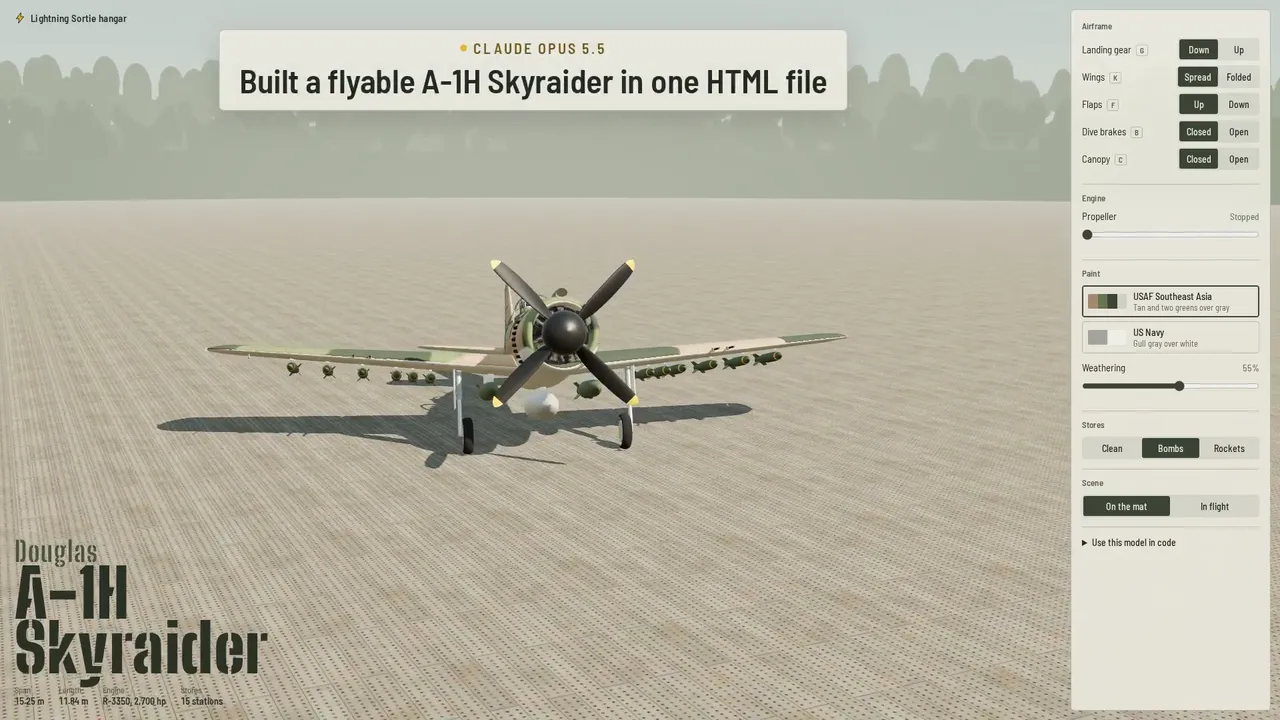
Nsonaazụ kacha mma: Claude Opus 5.5 nwere oke mbọ. Template site na Prompt Motion; vidiyo: mmalite na-enweghị ndozi.
Mee vidiyo dị ka nke a
Mee vidiyo ndị a n'onwe gị—ugboro asaa dị ọnụ ala karịa API—site na ndọtị Google Chrome anyị.. Na-arụ ọrụ na Claude site na MCP: ị na-akọwa ọrụ ahụ, ndọtị ahụ na-ejikwa usoro mmepụta site na ntuziaka ruo na faịlụ emechara. Ọ na-emepụta vidiyo, na-achịkọta ha, na-ekwupụta ha, ma na-asụgharị ha.
 Automation — MCP for Google FlowAI Video Autopilot: Veo 3 na Google Vids Avatars site na Claude
 TikTok Symphony Creative StudioVidiyo AI, avatars na-ekwu okwu na TikTok na-akpọ site na Claude Code
 SeedFlow — Seedance 2.5Mmepụta vidiyo otu na Dreamina: Ntuziaka Seedance na-akọwapụta ndọtị